Galería de mapas mentales Operating Systems for PC
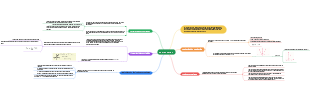
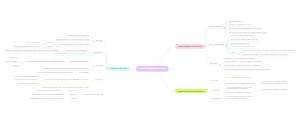
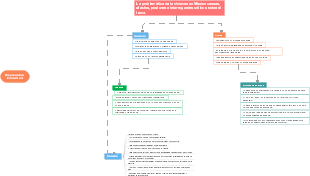
Este mapa mental explora los "Sistemas Operativos para PC", destacando Windows, Mac OS y Linux. Windows es el sistema más utilizado, compatible con múltiples hardware; Mac OS es exclusivo para computadoras Apple, conocido por su interfaz y estabilidad; Linux es de código abierto, ideal para desarrolladores y usuarios avanzados. Estos aspectos proporcionan una base para la elección y uso de sistemas operativos.
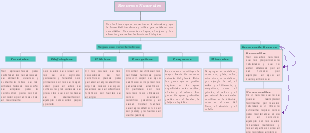
Editado a las 2023-10-03 14:48:11,El microentorno del marketing incluye la empresa, los proveedores y los intermediarios de marketing. El entorno interno de la empresa involucra la colaboración entre departamentos como investigación y desarrollo, finanzas y recursos humanos, que apoyan las actividades de marketing. Los proveedores ofrecen materias primas y servicios necesarios para la producción, y su estabilidad y calidad afectan directamente el rendimiento del producto. Los intermediarios de marketing, como distribuidores, minoristas y empresas logísticas, ayudan a llevar el producto al consumidor. Comprender estos componentes del microentorno permite a las empresas desarrollar mejores estrategias de marketing y adaptarse a los cambios del mercado.
Este mapa mental explora los "Sistemas Operativos para PC", destacando Windows, Mac OS y Linux. Windows es el sistema más utilizado, compatible con múltiples hardware; Mac OS es exclusivo para computadoras Apple, conocido por su interfaz y estabilidad; Linux es de código abierto, ideal para desarrolladores y usuarios avanzados. Estos aspectos proporcionan una base para la elección y uso de sistemas operativos.
El microentorno del marketing incluye la empresa, los proveedores y los intermediarios de marketing. El entorno interno de la empresa involucra la colaboración entre departamentos como investigación y desarrollo, finanzas y recursos humanos, que apoyan las actividades de marketing. Los proveedores ofrecen materias primas y servicios necesarios para la producción, y su estabilidad y calidad afectan directamente el rendimiento del producto. Los intermediarios de marketing, como distribuidores, minoristas y empresas logísticas, ayudan a llevar el producto al consumidor. Comprender estos componentes del microentorno permite a las empresas desarrollar mejores estrategias de marketing y adaptarse a los cambios del mercado.
Este mapa mental explora los "Sistemas Operativos para PC", destacando Windows, Mac OS y Linux. Windows es el sistema más utilizado, compatible con múltiples hardware; Mac OS es exclusivo para computadoras Apple, conocido por su interfaz y estabilidad; Linux es de código abierto, ideal para desarrolladores y usuarios avanzados. Estos aspectos proporcionan una base para la elección y uso de sistemas operativos.
Operating Systems for PC
Windows
The most common operating system used on PCs, with different versions such as Windows 10, Windows 8, and Windows 7.
Advantages
Compatible to All Hardware
As Windows operating system is the most extensively used computer operating system. It is used by over 95% of users globally.
User Friendly Interface and Easy to Use
The user interface created by the Windows operating system on the computer screen is quite user friendly when compared to other operating systems such as Linux and MAC.
Disadvantages
Expensive
Windows operating system is relatively unsafe against security threats. Therefore, hackers can easily penetrate into the system by breaking its security layers.
Security Concerns
To use Windows operating system on the computer, we have to purchase license from Microsoft. The cost of buying a copy of windows license is very high.
Features
File Explorer
File Explorer, previously known and still sometimes called Windows Explorer, is a file manager application and default desktop environment.
Cortana
Paint is a simple raster graphics editor that has been included with all versions of Microsoft Windows. The program opens, modifies and saves image files in Windows bitmap, JPEG, GIF, PNG, and single-page TIFF formats.
Versions
Windows 95
Windows 95 is a consumer-oriented operating system developed by Microsoft as part of its Windows 9x family of operating systems.
Windows
Windows 8 is a major release of the Windows NT operating system developed by Microsoft. It was released to manufacturing on August 1, 2012, and was made available for download via MSDN and TechNet on August 15, 2012.
Mac OS
The operating system used on Apple Macintosh computers, including versions like macOS Catalina and macOS Mojave.
Advantages
Good customer support
Mac users get good response from its support team as compared to other operating systems. Apple has skilled engineers which helps the user in fixing the issues in their hardware and software.
Performance and long life
The operating system and hardware work great. Apple computer has a longer life than other computers. The battery timing of mac laptops is also longer.
Disadvantages
No hardware customization
If you buy any Mac computer/laptop then you cannot change its hardware parts like processor, graphics card etc. For some mac computers, you can change hardware and RAM
Fewer games and software
Most game developers prefer to make games for the Windows OS because they have more percentages of users. Mac users have fewer games available.
Features
Creativity-based features
Applications such as Photos, GarageBand and iMovie enable users to view, edit and create media.
Accessibility features
Several assistive tools can help users with disabilities such as VoiceOver, Accessibility Keyboard and Text to Speech.
Versions
Mac OS X 10.0
Mac OS X 10.0 is the first major release of Mac OS X, Apple's desktop and server operating system. It was released on March 24, 2001, for a price of $129 after a public beta. Mac OS X was Apple's successor to the classic Mac OS.
MacOS 12.1
macOS 12.1 adds SharePlay, an entirely new way to have shared experiences with family and friends in FaceTime. This update also includes the Apple Music Voice Plan, new safety features for children and parents in Messages, redesigned Memories in Photos, and other features and bug fixes for your Mac.
Linux
A free and open-source operating system that comes in various distributions such as Ubuntu, Fedora, and Debian.
Advantages
Stability and Reliability
Linux is known for its stability and reliability. The operating system is designed to run for long periods of time without crashing or requiring a reboot.
Security
Linux is considered to be one of the most secure operating systems available. The operating system is designed with security in mind, and it is less susceptible to viruses and malware than other operating systems.
Disadvantages
Limited Hardware Support
Another disadvantage of Linux is that the operating system has limited hardware support. Many hardware manufacturers do not create drivers for Linux, which means that users may not be able to use certain hardware with the operating system.
Compatibility Issues
Linux may not be compatible with certain software and hardware, which can create compatibility issues for users.
Features
Free
Linux is completely free of cost, and expenses are never a hindrance to using it as an operating system.
Extremely Flexible
Linux has incorporated itself into embedded products like watches, digital equipment and supercomputing servers.There are no prerequisites for installing an entire Linux suit. It allows a user to install only the components that are required by the user.
Versions
Ubuntu
Ubuntu is a free and open-source operating system based on the Linux kernel. It is one of the most popular Linux distributions and is known for its user-friendly interface and wide range of available software.
Arch Linux
Arch Linux is an independently developed, x86-64 general-purpose Linux distribution that strives to provide the latest stable versions of most software by following a rolling-release model.
Ubuntu
Ubuntu is a free and open-source operating system based on the Linux kernel. It is one of the most popular Linux distributions and is known for its user-friendly interface and wide range of available software.
Advantages
Minimal Hardware or System Requirements
The default Ubuntu does not require high-end system requirements unlike the latest versions of Windows and macOS. The recommended hardware configurations are at least 700 MHz processor, 512MB of RAM, and 5GB storage space.
Works in a Range of Devices or Computing Platforms
The OS can be installed in numerous devices, including Windows computers and Mac computers. It also works on network servers, and IoT devices and robots, as well as in emulated or virtualized computer environments via a virtual machine or containers.
Disadvantages
Issues About Commercialization Versus Open Source
One of the major criticisms of Ubuntu is the seeming commercialization. Canonical seems to move a little further away from the open-source identity of the OS with every update.
Limited Functionality Due to Limited Applications
One of the major disadvantages of Ubuntu is the limited choices of applications. Major developers also prefer developing for Microsoft Corporation and Apple Inc. because they have larger user bases.
Features
Gaming
In Ubuntu, from Sudoku to first-person shooters, we have a number of games that will keep us engaged for hours. There are thousands of games, including titles from the Unity and Steam platforms.
A Whole World of Apps
Thousands of apps are available for download on Ubuntu. Most of them are free to download and install with just a few clicks. For example, VLC player, Firefox, Chromium, Telegram, PyCharm, Skype, Spotify, Atom, Slack, etc.
Versions
Ubuntu Version 4.10
First release of Ubuntu was in Oct 2004 and its release code was Ubuntu 4.10 and its name was Warty Warthog. This release was built on Debian OS and its developer Canonical Ltd offered this version as a free download or free of charge CDs to the users.
Ubuntu Version 5.04
It was the second release from Canonical during Apr 2005 named as Hoary Hedgehog. New features like standby/ hibernate support, upgrade notifier, update manager, scaling of frequency for the processors, Installation using USB were introduced.
Virtual Box
VirtualBox is a free and open-source virtualization software developed by Oracle. It allows users to install and run multiple operating systems simultaneously on a single computer.
Advantages
Trying out new OS is easy: Rather than having the hassle of dualbooting new OS alongside the running OS, virtual box lets you have the new system tested in the virtual environment. No effect to host machine: While you create a virtual machine on the virtual box, you can create a virtual hard disk. The advantage is, if the virtual box crashes, there will be absolutely no effect to the host machine.
Disadvantages
Less efficient: Virtual machines on the virtual box are less efficient than the real machines. As it is run upon the host machine, there is some request that needs to be approved by the host processor. This will result in slow usability. Dependent on host machine: You can configure the virtual box to run the virtual machine like or even more powerful than the host machine. But the catch is that the virtual machine uses the hardware of the host machine, which makes it directly dependent on the host. The faster and powerful the host is, the powerful and more efficient the virtual machine will be.
Features
Hardware compatibility. Oracle VM VirtualBox virtualizes a vast array of virtual devices, among them many devices that are typically provided by other virtualization platforms. Guest Additions: shared folders, seamless windows, 3D virtualization. The Oracle VM VirtualBox Guest Additions are software packages which can be installed inside of supported guest systems to improve their performance and to provide additional integration and communication with the host system.
Versions
VirtualBox 7.0.8: 7.0.8 delivers the April 2023 Critical Patch Update (CPU) to address security vulnerabilities. Notable bug fixes and enhancements include: VMM: Introduced general improvements in nested visualization area. GUI: Oracle Cloud related wizards should now propose enabled profiles before disabled. VirtualBox 6.1.46: Oracle released a 6.1 maintenance release which improves stability and fixes regressions.
By Sandy Zhang and Sofia Varela 10°A