Wondershare EdrawMind
心智圖資源庫 Excel快速鍵分享
Excel快速鍵分享
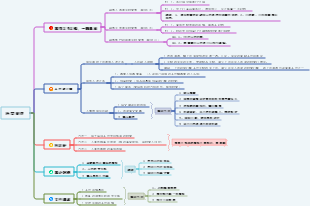
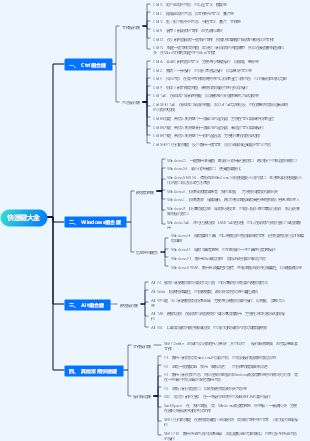
這是一篇關於Excel快捷鍵的思維導圖,主要內容包括:選擇並執行操作的快捷鍵,單元格格式設定快捷鍵,單元格導航快捷鍵,處理資料、函數和編輯欄的快捷鍵,功能區選項卡存取鍵,功能鍵,常用快捷鍵。掌控快捷鍵,讓你的操作比別人更快一步!
編輯於2024-11-01 00:26:33
- Human Resources Three-Pillar Annual Work Plan
This is a mind map about the annual work plan of the three pillars of human resources. The main contents include: strategic human resources planning, talent recruitment and allocation, employee performance management, employee training and development, employee relationships and communication, employee welfare and care, human resources information system construction, regulatory compliance and risk management, and organizational culture construction.
- Diagnosis and treatment of acute cerebral hemorrhage in patients with hemodialysis
This is a mind map for the diagnosis and treatment of acute cerebral hemorrhage in patients with hemodialysis. The annual incidence of acute cerebral hemorrhage in patients with hemodialysis is (3.0~10.3)/1000, and the main cause is hypertension. Compared with non-dialysis patients, the most common bleeding site is the basal ganglia area, accounting for 50% to 80%; but the bleeding volume is large and the prognosis is poor, and the mortality rate is 27% to 83%. Especially for patients with hematoma >50ml, hematoma enlarged or ventricular hemorrhage on the second day after onset, the prognosis is very poor.
- Comprehensive literacy of information technology
The logic is clear and the content is rich, covering many aspects of the information technology field. Provides a clear framework and guidance for learning and improving information technology capabilities.
Excel快速鍵分享
- Human Resources Three-Pillar Annual Work Plan
This is a mind map about the annual work plan of the three pillars of human resources. The main contents include: strategic human resources planning, talent recruitment and allocation, employee performance management, employee training and development, employee relationships and communication, employee welfare and care, human resources information system construction, regulatory compliance and risk management, and organizational culture construction.
- Diagnosis and treatment of acute cerebral hemorrhage in patients with hemodialysis
This is a mind map for the diagnosis and treatment of acute cerebral hemorrhage in patients with hemodialysis. The annual incidence of acute cerebral hemorrhage in patients with hemodialysis is (3.0~10.3)/1000, and the main cause is hypertension. Compared with non-dialysis patients, the most common bleeding site is the basal ganglia area, accounting for 50% to 80%; but the bleeding volume is large and the prognosis is poor, and the mortality rate is 27% to 83%. Especially for patients with hematoma >50ml, hematoma enlarged or ventricular hemorrhage on the second day after onset, the prognosis is very poor.
- Comprehensive literacy of information technology
The logic is clear and the content is rich, covering many aspects of the information technology field. Provides a clear framework and guidance for learning and improving information technology capabilities.
- 推薦給您
- 大綱