マインドマップギャラリー Pythonの基礎知識
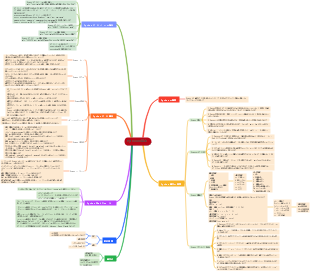
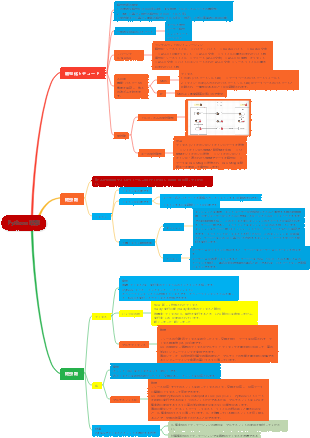
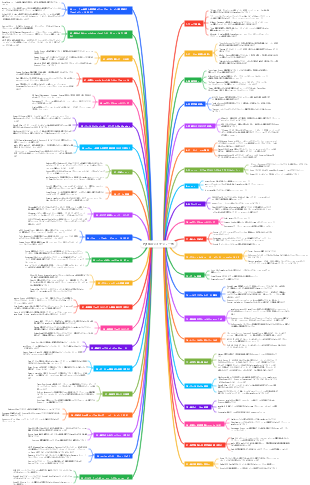
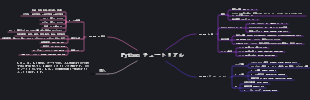
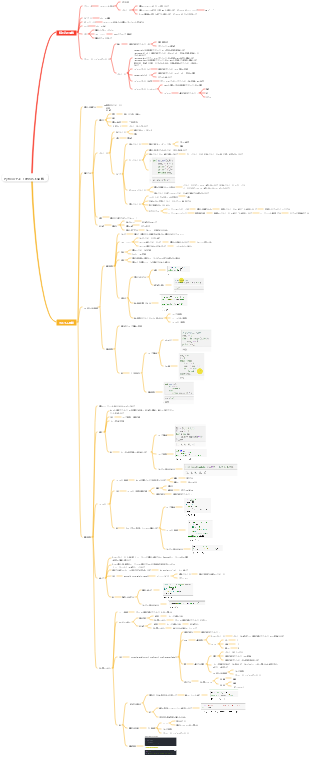
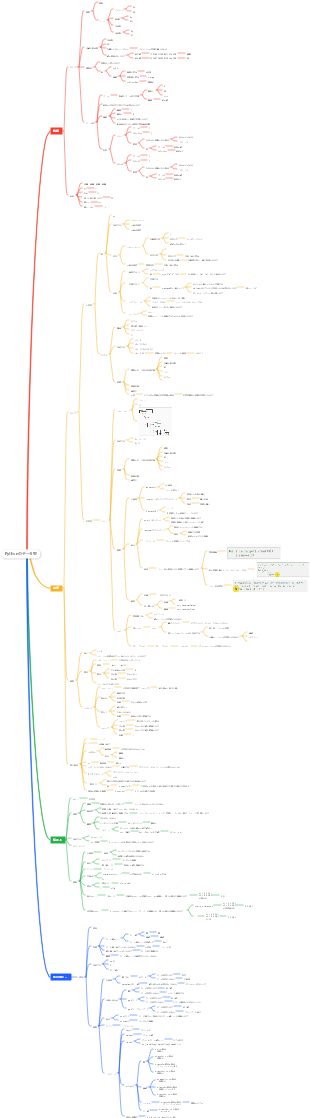
これは Python の基本に関するマインド マップです。主な内容は、11 個のテスト コード、10 個のファイルと例外、9 個のクラス、8 個の関数、7 個のユーザー入力と while、6 個の辞書、5 個の if ステートメントです。 、4-演算リスト、3-リストの紹介、2-変数とデータ型、1-入門。
2024-11-21 10:22:32 に編集されましたRumi: 10 dimensions of spiritual awakening. When you stop looking for yourself, you will find the entire universe because what you are looking for is also looking for you. Anything you do persevere every day can open a door to the depths of your spirit. In silence, I slipped into the secret realm, and I enjoyed everything to observe the magic around me, and didn't make any noise. Why do you like to crawl when you are born with wings? The soul has its own ears and can hear things that the mind cannot understand. Seek inward for the answer to everything, everything in the universe is in you. Lovers do not end up meeting somewhere, and there is no parting in this world. A wound is where light enters your heart.
Chronic heart failure is not just a problem of the speed of heart rate! It is caused by the decrease in myocardial contraction and diastolic function, which leads to insufficient cardiac output, which in turn causes congestion in the pulmonary circulation and congestion in the systemic circulation. From causes, inducement to compensation mechanisms, the pathophysiological processes of heart failure are complex and diverse. By controlling edema, reducing the heart's front and afterload, improving cardiac comfort function, and preventing and treating basic causes, we can effectively respond to this challenge. Only by understanding the mechanisms and clinical manifestations of heart failure and mastering prevention and treatment strategies can we better protect heart health.
Ischemia-reperfusion injury is a phenomenon that cellular function and metabolic disorders and structural damage will worsen after organs or tissues restore blood supply. Its main mechanisms include increased free radical generation, calcium overload, and the role of microvascular and leukocytes. The heart and brain are common damaged organs, manifested as changes in myocardial metabolism and ultrastructural changes, decreased cardiac function, etc. Prevention and control measures include removing free radicals, reducing calcium overload, improving metabolism and controlling reperfusion conditions, such as low sodium, low temperature, low pressure, etc. Understanding these mechanisms can help develop effective treatment options and alleviate ischemic injury.
Rumi: 10 dimensions of spiritual awakening. When you stop looking for yourself, you will find the entire universe because what you are looking for is also looking for you. Anything you do persevere every day can open a door to the depths of your spirit. In silence, I slipped into the secret realm, and I enjoyed everything to observe the magic around me, and didn't make any noise. Why do you like to crawl when you are born with wings? The soul has its own ears and can hear things that the mind cannot understand. Seek inward for the answer to everything, everything in the universe is in you. Lovers do not end up meeting somewhere, and there is no parting in this world. A wound is where light enters your heart.
Chronic heart failure is not just a problem of the speed of heart rate! It is caused by the decrease in myocardial contraction and diastolic function, which leads to insufficient cardiac output, which in turn causes congestion in the pulmonary circulation and congestion in the systemic circulation. From causes, inducement to compensation mechanisms, the pathophysiological processes of heart failure are complex and diverse. By controlling edema, reducing the heart's front and afterload, improving cardiac comfort function, and preventing and treating basic causes, we can effectively respond to this challenge. Only by understanding the mechanisms and clinical manifestations of heart failure and mastering prevention and treatment strategies can we better protect heart health.
Ischemia-reperfusion injury is a phenomenon that cellular function and metabolic disorders and structural damage will worsen after organs or tissues restore blood supply. Its main mechanisms include increased free radical generation, calcium overload, and the role of microvascular and leukocytes. The heart and brain are common damaged organs, manifested as changes in myocardial metabolism and ultrastructural changes, decreased cardiac function, etc. Prevention and control measures include removing free radicals, reducing calcium overload, improving metabolism and controlling reperfusion conditions, such as low sodium, low temperature, low pressure, etc. Understanding these mechanisms can help develop effective treatment options and alleviate ischemic injury.
Python の基本
1-スタート
Python 3.x をインストールする
コードエディタをインストールする
ハローワード
2-変数とデータ型
変数
名前と用途
変数名には文字、数字、アンダースコアのみを使用でき、最初の文字を数字にすることはできません。
変数名に Python の予約語 (キーワード) を使用することはできません
変数名は短くて明確である必要があります
学生の年齢
stu_class
stu_sex
...
名前付きエラー処理
変数呼び出し時のタイプミス
トレースバック情報に注意してください
変数名はラベルです
変数とは、ファイルバッグ(変数)と同様に、データを格納するための空間であり、ファイルバッグ(変数)の中にデータ(変数値)が置かれます。
ファイルバッグのラベル(変数名)から、そのラベルに対応するファイルバッグ(変数)を見つけ、ファイルバッグからデータファイル(変数値)を取り出して使用することができます。
弦
文字列の大文字と小文字を変更する
。タイトル()
。アッパー()
。より低い()
文字列内で変数を使用する
str = f"{value_name} は {value}";
x = 10; x_name = 'x'; full_str = f"{x_name} は {x}";
フォーマット文字列
str = f"{value_name} は {value}";
str = "{} は {}".format(value_name,value");
文字列に改行とタブを挿入する
Cに似ている
末尾のスペースを削除する
.rstrip()
str = str.rstrip();
番号
整数
フロート
絶え間ない
Pythonには定数型がありません
すべて大文字の名前を持つ変数は、通常、定数とみなされます。
定数はプログラムの実行中に変更されません。
コメント
コメントは、実行されないコード内のテキストであり、コードの一部です。
優れたコメントはコードの可読性を向上させます
「#」で始まるテキストの場合、行全体がコメントとして扱われ、実行中に無視されます。
3 リストの紹介
リスト定義
リスト = [elem1,elem2,...,]
リスト[i]
リストのインデックスは 0 から始まります。つまり、空ではないリストの最初の要素は list[0] です。
family = ["abs","ppo","pva","pe"]; message = "最初のプロイマーは {}".format(family[0].upper()); 印刷(メッセージ);
要素の追加、変更、削除
要素の追加
リストの最後に追加
.append(値)
family = ["abs","ppo","pva","pe"]; family.append("aibn"); プリント(ファミリー);
リストに挿入
.insert(i,value)
family = ["abs","ppo","pva","pe"]; family.insert(0,"aibn"); プリント(ファミリー);
要素を変更する
リスト[i] = 新しい値
family = ["abs","ppo","pva","pe"]; family[0] = "アイブン"; プリント(ファミリー);
要素の削除
。ポップ()
キューの最後の要素の値をポップします。
.pop(0)
指定された位置にある要素の値をポップします。
。デリ)
インデックス i に従って、i の要素を削除します
.remove(値)
値 value に従って、値 value で見つかった最初の要素を削除します
組織一覧
。選別()
リストを並べ替えて元のリストの内容を上書きします
。逆行する()
レン()
長さを計算する関数
数字には長さがない
テーブル、辞書、文字列、タプル
ソート済み(リスト)
リストをソートし、古いテーブルの内容を変更せずに新しいリストを出力します。
これは関数です
4-操作リスト
リストをたどる
リスト内の x の場合:
#!/usr/bin/python3 動物 = ["犬"、"猫"、"魚"、"ヤギ"、"牛"、"キリン"、"国清"]; 動物の中の動物のために: print(f"その動物は {animal.title()}"); print(f"考えてください ,{animal.upper()}",end = ' '); print("以上です!!");
pyはインデント/スペースを通じてコード実行領域を制御します
値のリスト
範囲(スタート、ストップ、ステップ)
#0 ~ 99 の数字のリストを作成して印刷する 数値 = 範囲(0,100); 数字の i の場合: 印刷(i); print("終了");
max()、min()、sum()
#0 ~ 99 の数字のリストを作成して印刷する 数値 = 範囲(0,100); 数字の i の場合: print(i,end = ' '); print("終了"); print("このリストの最大数は {} です".format(max(number))); print("このリストの最小番号は {}".format(min(number))); print("このリストの合計は {}".format(sum(number)));
リスト内包表記
数値 = [範囲(0,50,2)の値の値**3]; 印刷(数値);
1 行のステートメントで複数のステップが完了します
リストの一部を使用する
スリップ
リスト[開始:停止:ステップ]
names = ["ジュリア","ジャック","ポニー","ペッター","ディック","ルン"]; names[1:4:2] の名前の場合: 印刷(名前); print("end".upper());
コピー
リスト1 = リスト2[:]
names = ["ジュリア","ジャック","ポニー","ペッター","ディック","ルン"]; エイリアス = 名前; print(エイリアス); names.append("ヤシン"); print("名前:",名前); print("エイリアス:",エイリアス); #ここで、変数名が変数のラベルであり、ここでの名前とエイリアスが同じ変数の 2 つの異なるラベルであることが証明できます。 エイリアス = エイリアス[:]; names.pop(); print("名前:",名前); print("エイリアス:",エイリアス); #実際に別のリストを作成するには list1 = list2[:] を使用します print("end".upper());
不変リスト - タプル
タプル名 = (elem1,elem2,elem3,...)
タプルの変更
再定義する
食べ物 = (「麻婆」、「合国」、「餃子」); print("メニューは次のとおりです:",end =''); 食品中の食品の場合: print(食べ物,終わり = ' '); print(end = ' '); #タプルを再定義する 食べ物 = (「愛」、「平和」、「羨望」); print("メニューは次のとおりです:",end =''); 食品中の食品の場合: print(食べ物,終わり = ' '); print(end = ' ');
タプル内の要素を変更する
タプル = (1,2,3,[4,5,6]) タプルの i の場合: 印刷(i); #タプル内に可変要素が存在する場合、可変要素を変更できます。 タプル[3].append(7); タプルの i の場合: 印刷(i);
5-if ステートメント
状態テスト
A == B の場合: 関数1(); エリフ A == C: 関数2(): それ以外: 出口();
==
!=
>=
<=
>
<
A が B の場合: 関数(A); それ以外: 出口();
で
そして
ない
または
if ステートメント
条件 == True の場合: アクション();
条件 == True の場合: アクション1(); それ以外: アクション2();
条件1の場合: アクション1(); エリフ条件2: アクション2(); …… それ以外: デフォルト_アクション();
プロセス一覧
リスト内の要素の場合: 要素 == 条件の場合: アクション1(); それ以外: アクション2();
if リスト: print("空ではありません"); それ以外: print("空");
6-辞書
辞書を使う
辞書 = { キー 1: 値 1, キー 2, 値 2,...}
定義辞書
辞書 = {}
空の辞書を作成する
値 = 辞書[キー]
辞書を使う
辞書[キー3] = 値3
キーと値のペアを追加する
key3 が存在する場合は、key3 のキー値を変更します。
辞書[キー]を削除
キーと値のペアを削除する
.get(キー,デフォルト値)
.get() メソッドは辞書のキー値を取得します。
横断辞書
.items()
辞書内のキーと値のペアを反復処理する
Dictionary.items() の k,v の場合: print(f"{k}:{v}");
.keys()
辞書内のキーを反復処理する
.values()
辞書内の値を反復処理する
ネストされた定義
辞書リスト
Dictionary1 = {key_a1:value_a1,key_a2:value_a2}; Dictionary2 = {キー_b1:値_b1,キー_b2:値_b2}; Dictionary3 = {key_c1:value_c1,key_c2:value_c2}; リスト = [辞書 1,辞書 2,辞書 3]; リスト内の項目の場合: 印刷(アイテム);
リスト辞書
dic1 = {"key1":['a','b','c'],"key2":['d','e','f']}; dic1 の v の場合: print(v);
辞書 辞書
dic = {"key1":{"sub_key1":sub_value1,"sub_key2":sub_value2},...}
重複した要素を削除する
セット(辞書)
コレクションとは異なります
それらはすべて {```} によって定義されます
コレクションに順序はない
セット内の要素は繰り返されません
7-ユーザー入力とその間
入力()
get_input = input("プロンプト")
文字列を受け入れて文字列を出力することのみ可能
他の関数を使用して文字列を変換することもできます
num = int(input("数字を入力してください ")); 数値 == 0 の場合: print("{} は 10 の倍数です。".format(num)); それ以外: print(f"{num} は 10 の倍数ではありません。");
その間
i = 0; while i < 5 : 印刷(i); i = i 1;
メッセージ = ""; while メッセージ != "終了": 印刷(メッセージ); message = input("フレーズを入力してください。繰り返します ");
フラグ = True; メッセージ = "" while フラグ == True: メッセージ = 入力(""); if メッセージ == "終了": フラグ = False; それ以外: 印刷(メッセージ);
壊す
ループを抜け出し、ループ本体に続くステートメントを実行します。
続く
ループ内の残りのステートメントを無視し、最初から開始します。
リストの処理中
リスト = ["elem1","elem2","elem3","elem1","elem2"]; リスト内の「elem1」: list.remove("elem1");
辞書の処理中
アクティブフラグ = True; 応答 = {}; active_flag == True の場合: name = input("あなたの名前は何ですか?"); response[名前] = input("あなたの趣味は何ですか?"); if input("他の人に応答させますか?") == "いいえ": アクティブフラグ = False; response.items() の n,h の場合: print("{}\ の趣味は {} ".format(n,h));
8つの機能
def fun_name(param1=デフォルト値1,param2=デフォルト値2): アクション1(パラメータ1); アクション2(パラメータ2); 応答を返します。
def hello(name = "世界",msg = ''): print(f"こんにちは{name.title()}.{msg}"); hello("ヤシン","これが私です!");
引数を渡す
位置引数
Python は、受信パラメータの位置を関数パラメータが定義されている位置に関連付けます。
Pythonは定義時の仮パラメータに対応する位置のパラメータを順番に渡します。
キーワード引数
fun(param1 = 値 1,param3 = 値 3,param2=値 2);
関数パラメータのデフォルト値
def fun(param1 = "こんにちは"); この関数は、param1 を省略しても呼び出すことができます。
省略可能な関数パラメータ
def fun(param1,param2 = ''); #Here param2 は呼び出し時に省略できます
戻り値
単純なパラメータを返す
辞書を返す
パスリスト
リストのコピーを渡す
楽しい(リスト[:])
仮パラメータは元のリストを変更しません。
リスト全体を渡す
楽しい(リスト)
関数内のリストへの変更はリストに保存されます
必要なだけ引数を渡します
def fun(in,*params)
* は、渡された残りのすべてのパラメータからタプルを構築することを意味します
複数種類のパラメータ転送を組み合わせる
def ビルド(最初、二番目、**など)
** は、残りのキーと値のペアから辞書を構築することを意味します
build("ヤシン","ジュエ",sex="m",weight=120);
カプセル化とインポート
関数を .py 接尾辞が付いたファイルとして保存します。
関数とモジュールをインポートする
file_name から fun_name をインポート
file_name から関数 fun_name のみをインポートします
インポートファイル名
ファイル全体をインポートする
関数とモジュールのエイリアスを使用する
file_name から fun_name を fun_alias としてインポート
file_name を file_alias としてインポート
9カテゴリー
作成して使用する
枝豆は犬、犬はカテゴリー、略してカテゴリーです。
物事の種類には共通の属性があることがよくあります。たとえば、犬には 4 本の足がある (属性)、犬は吠える (方法) などです。
特定のものを抽象化したものをクラスの属性とメソッドと呼びます。
クラスの犬: 「これは犬です」 def __init__(自分,名前,年齢): self.name = 名前; self.age = 年齢; self.legs = 4; デフ・バーク(自分): print("ワンワンワンワン~"); maodou = 犬("MaoDou",5); maodou.bark(); print(maodou.age);
メソッドを定義するときは、仮パラメータ self を含める必要があります
__init__() は、インスタンスが作成されるたびに自動的に実行される特別なメソッドです。
マオドゥはインスタンスです
継承する
犬は大きなカテゴリですが、ポメラニアン、テディ、ハスキー、チュアンチュアンなどのサブカテゴリにも細分化されています。
枝豆はチュアンチュアンで、チュアンチュアンも犬の一種なので、チュアンチュアンも犬の基本的な性質を持っています。
Chuanchuan は、dog のサブクラスであり、dog は Chuanchuan の親クラスです。
クラス犬: def __init__(self,age=1,name=""): self.age = 年齢; self.name = 名前; self.legs = 4; デフ・バーク(自分): print(f"{自分の名前}:wowowwo~!"); デフ・シット(自分自身): print(f"{自分の名前}:座ってください"); def set_age(self,new_age=0): self.age = new_age; def set_name(self,new_name=""): self.name = 新しい名前; クラスChuanChuan(犬): def __init__(self,father="ケジ",mother="ラチャン",age=1,name=""): super().__init__(年齢,名前); self.father = 父親; self.mother = 母親; def set_father(self,father_name=""): self.father = 父親の名前; def set_mother(self,mother_name=""): self.mother = 母親の名前; add_active = True; 犬 = [] #リストに追加されるのはアドレスです。これをここに置くと論理エラーが発生します。 #temp_dog = ChuanChuan(); add_active == True の場合: temp_dog = ChuanChuan(); temp_dog.set_name(input("犬の名前を入力してください: ")); temp_dog.set_age(int(input("犬の年齢を入力してください: "))); temp_dog.set_father(input("あなたの犬の父親を入力してください: ")); temp_dog.set_mother(input("あなたの犬の母親を入力してください: ")); 犬.append(temp_dog); if "いいえ" == input("別の犬を追加しますか? "): add_active = False; それ以外: print(' '); 犬の私にとって: print(f"名前:{i.name} 年齢:{i.age} 父親:{i.father} 母親:{i.mother}");
モジュール内のクラスのロードと使用
エイリアスを使用する
file_name から class_name をエイリアスとしてインポート
輸入
フォーム ファイル名インポート クラス名
インポートファイル名
from file_name import *
10-文書と例外
ファイルからデータを読み取る
open("file_name.tail") を file_object として使用: 内容 = file_object.read()
と
アクセスされなくなったらファイルを閉じる
開ける()
ファイルを開く
印刷、読み取り、またはその他のファイル操作の手順を実行する前に、まずファイルを開く必要があります。
。近い()
ファイルを閉じる
file_obj = open("test.py"); 内容 = file_obj.read(); print(contents.rstrip()); file_obj.close();
全文を読む
open("test_module.py") を test_file として使用します: 内容 = test_file.read(); print(contents.rstrip()); テストファイル.close();
一行ずつ読む
行 = []; open("test_module.py") を test_file として使用します: test_file の l の場合: 行.append(l); 印刷(l);
FILE_NAME = "test.py"; open(FILE_NAME) を test_file として使用: 行 = test_file.readlines(); 行内の l の場合: full_code = l.rstrip(); print(フルコード);
ファイルを書き込む
open() モード
「r」
読み取りモード
デフォルトでは読み取り専用モードで開きます
「わ」
書き込みモード
同じ名前のファイルが見つかった場合、元のファイルはクリアされます。
「あ」
追加モード
ファイルが存在する場合は、ファイルの末尾に追加します。存在しない場合は、新しいファイルを作成します。
「r」
読み取りおよび書き込みモード
SRC_FILE = "テスト.py" DEST_FILE = "テスト.txt" open(SRC_FILE) をsource_file として使用: open(DEST_FILE,'w') を destin_file として使用: destin_file.write(source_file.read());
テキスト処理
。スプリット()
テキストを単語に分割する
.count("キーワード")
キーワードキーワードがテキスト内に出現する回数をカウントします。
例外処理
試す: アクション(); ErrorInfo を除く: deal_with_errpr(); それ以外: go_on_without_error();
エラーの種類
ゼロディビジョンエラー
ファイルが見つかりませんエラー
静かに失敗する
試す: アクション(); ErrorInfo を除く: 合格; それ以外: go_on_without_error();
#-*- エンコード: UTF-8 -*- def count_word(*file_name): word_num = []; file_name の f の場合: tmp_txt = ""; 試す: open(f,'r',encoding='utf-8') を cur_file として使用: tmp_text = cur_file.read(); FileNotFoundError を除く: print(f"申し訳ありませんが、ファイル {f} は存在しません。"); word_num.append(-1); 合格 それ以外: word_num.append(len(tmp_text.split())); word_num を返します; word_in_file = count_word("test.py","copy_list.py","test.text","test_module.py","non.file"); print(ファイル内の単語);
データを保存する
JSON
。ごみ()
。負荷()
jsonをインポートする ファイル名 = "設定.json" ユーザー情報 = {}; user_info["名前"] = input("名前を入力してください "); user_info["年齢"] = int(input("年齢を入力してください ")); user_info["電話"] = input("電話番号を入力してください "); 試す: open(file_name,'w') を f として使用: user_info.values() の i の場合: json.dump(i,f); FileNotFoundError を除く: 合格
コードのリファクタリング
11-テストコード
単体テスト
コードの重要な動作
フルカバレッジテスト
プロジェクトが広く使用されるようになったらもう一度検討する
単体テスト
単体テストのインポート def get_formatted_name(first,last): return (最初の ' ' 最後).title(); クラス名TestCase(unittest.TestCase): 「関数の機能をテストします」 def test_first_last_name(self): format_name = get_formatted_name("yasin","jue"); self.assertEqual(format_name,"ヤシン・ジュエ"); __name__ == "__main__"の場合: ユニットテスト.メイン();
__name__ は組み込みのデフォルト変数であり、このファイルがメイン ファイルである場合にのみテストが実行されます。
テスト メソッドは test_ の形式で名前を付ける必要があります
すべてのメソッドは自動的に実行されるため、手動で呼び出す必要はありません
アサーションメソッド
.assertEqual()
等しい
.assertNotEqual()
お待ちください
.assertTrue()
それは本当です
.assertFalse()
偽です
.assertIn()
リスト内
.assertNotIn()
リストにない
テストクラス
単体テストのインポート クラスアンケート: def __init__(self,name="",questions=""): self.name = 名前; self.questions = 質問; self.responses = []; def get_usr_name(self): self.name = input("あなたの名前は何ですか? "); def store_response(self,new_resp=""): self.response.append(new_resp); def start_survey(self): self.question の q について: 応答 = 入力(q ' '); self.store_response(応答); def show_result(self): self.questions,self.responses の q,w の場合: print(f"質問:{q}\t回答:{w} "); クラス TestSurveyClass(unittest.TestCase): def test_get_usr_name(self): usr_name = "テストポニー"; ポニー = Survey(usr_name,"テスト"); self.assertTrue(pony.name == "テストポニー"); def test_call_pony_again(self): self.assertEqual(pony.questions,"テスト"); ユニットテスト.メイン();
。設定()
テストを容易にするための例と結果のセットを作成する
クラス TestSurveyClass(unittest.TestCase): def setUp(self): usr_name = "テストポニー"; self.pony = Survey(usr_name,"テスト"); def test_get_usr_name(self): self.assertTrue(self.pony.name == "テストポニー"); def test_call_pony_again(self): self.assertEqual(self.pony.questions,"テスト"); ユニットテスト.メイン();
機能とメソッド
メソッドはオブジェクトに付加された関数です
関数は入力と出力を持つ式です。
メソッドはオブジェクトに対する操作です
Pythonプロジェクトの実践
エイリアンの侵略
テーマ
テーマ