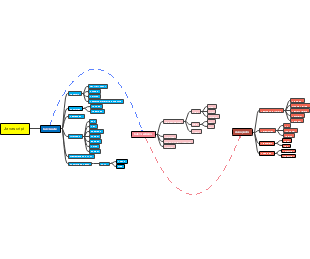
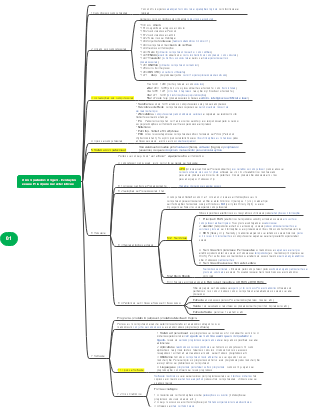
Galeria de mapas mentais Code Labs: Componentes Autônomos
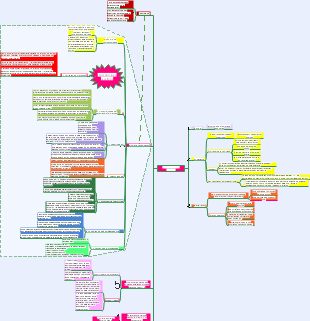
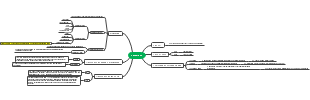
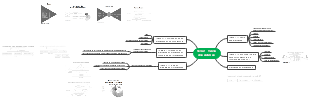
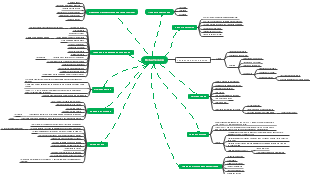
Os componentes autônomos do Code Lab são poderosos, o Git Bash fornece uma maneira conveniente para operações de linha de comando, e os navegadores permitem o acesso entre plataformas. VSCODE fornece um ambiente eficiente para escrita de código, com terminais conectados a vários recursos. O feedback e chat components.html melhora a comunicação entre os usuários, permitindo que eles completem tarefas de programação de forma mais eficiente enquanto usam o laboratório.
Editado em 2023-04-24 13:57:25Code Labs: Componentes Autônomos
Git Bash
1. npm install --global @angular/cli
2. git clone
https://github.com/angular/codelabs/tree/standalone-components
3. ng new photo-gallery-app
4. ng serve
Navegador
Github
https://github.com/angular/codelabs/tree/standalone-components
VSCODE
src
app
photo-gallery-app
main.ts
import { AppModule } from './app/app.module'; import { platformBrowserDynamic } from '@angular/platform-browser-dynamic';.ts
platformBrowserDynamic().bootstrapModule(AppModule) .catch(err => console.error(err));
import { enableProdMode } from '@angular/core'; import { environment } from './environments/environment'; if (environment.production) { enableProdMode(); }
import { bootstrapApplication } from '@angular/platform-browser';
bootstrapApplication(AppComponent).catch(err => console.error(err));
import { AppComponent } from './app/app.component';
import { enableProdMode } from '@angular/core'; import { bootstrapApplication } from '@angular/platform-browser'; import { provideRouter, Routes } from '@angular/router'; import { AppComponent } from './app/app.component'; import { environment } from './environments/environment'; const routes = [ { path: 'feedback-and-chat', loadComponent: () => import('./app/feedback-and-chat/feedback-and-chat.component').then(c => c.FeedbackAndChatComponent), } ] if (environment.production) { enableProdMode(); } bootstrapApplication(AppComponent, { providers: [ provideRouter(routes) ] }).catch(err => console.error(err));
app.component.html
<article> <h1>Above and below the Ocean</h1> <h2>A taste of the Australia and Galapagos Wildlife, meet my friends!</h2> <section> <section class="row"> <div class="column"> <img src="/assets/49412593648_8cc3277a9c_c.jpg"> <img src="/assets/49413271167_22a504c3fa_w.jpg"> <img src="/assets/47099018614_5a68c0195a_w.jpg"> </div> <div class="column"> <img src="/assets/41617221114_4d5473251c_w.jpg"> <img src="/assets/47734160411_f2b6ff8139_w.jpg"> <img src="/assets/46972303215_793d32957f_c.jpg"> </div> <div class="column"> <img src="/assets/45811905264_be30a7ded6_w.jpg"> <img src="/assets/44718289960_e83c98af2b_w.jpg"> <img src="/assets/46025678804_fb8c47a786_w.jpg"> </div> </section> </section> <a class="link_button" routerLink="feedback-and-chat">Find out more about these guys!</a> <router-outlet></router-outlet> </article>
styles.css
article { display: flex; justify-content: center; align-items: center; flex-direction: column; font-family: 'Raleway'; } h1 { color: #4479BA; text-align: center; font-size:0pt; font-weight:600; color:#ffffff;">} h2 { color: rgb(121, 111, 110); text-align: center; } .row { display: flex; flex-wrap: wrap; padding: 0 4px; } /* Create four equal columns that sits next to each other */ .column { flex: 25%; padding: 0 4px; } .column img { margin-top: 8px; vertical-align: middle; width: 100%; } .link_button { -webkit-border-radius: 4px; -moz-border-radius: 4px; border-radius: 4px; border: solid 1px #20538D; text-shadow: 0 -1px 0 rgba(0, 0, 0, 0.4); -webkit-box-shadow: inset 0 1px 0 rgba(255, 255, 255, 0.4), 0 1px 1px rgba(0, 0, 0, 0.2); -moz-box-shadow: inset 0 1px 0 rgba(255, 255, 255, 0.4), 0 1px 1px rgba(0, 0, 0, 0.2); box-shadow: inset 0 1px 0 rgba(255, 255, 255, 0.4), 0 1px 1px rgba(0, 0, 0, 0.2); background: #4479BA; color: #FFF; padding: 8px 12px; text-decoration: none; margin-top: 50px; font-size:0pt; font-weight:600; color:#ffffff;">} @media screen and (max-width: 800px) { .column { flex: 50%; max-width: 50%; } } @media screen and (max-width: 600px) { .column { flex: 100%; max-width: 100%; } }
index.html
<link rel="stylesheet" href="https://fonts.googleapis.com/css?family=Raleway">
server.js
const express = require("express"); const path = require("path"); // Running PORT is set automatically by App Engine const port = process.env.PORT || 3000; const app = express(); const publicPath = path.join(__dirname, "/dist/photo-gallery-app"); app.use(express.static(publicPath)); app.get("*", (req, res) => { res.sendFile(path.join(__dirname + "/dist/photo-gallery-app/index.html")); }); app.listen(port, () => { console.log(`Server is up on ${port}`); });
app.yaml
runtime: nodejs16 service: default
.gcloudignore
# This file specifies files that are *not* uploaded to Google Cloud # using gcloud. It follows the same syntax as .gitignore, with the addition of # "#!include" directives (which insert the entries of the given .gitignore-style # file at that point). # # For more information, run: # $ gcloud topic gcloudignore # .gcloudignore # If you would like to upload your .git directory, .gitignore file or files # from your .gitignore file, remove the corresponding line # below: .git .gitignore # Node.js dependencies: node_modules/
app.component.ts
import { CommonModule } from '@angular/common'; import { Component } from '@angular/core'; import { RouterModule } from '@angular/router'; import { FeedbackAndChatComponent } from './feedback-and-chat/feedback-and-chat.component'; @Component({ selector: 'app-root', imports: [CommonModule, RouterModule, FeedbackAndChatComponent], templateUrl: './app.component.html', styleUrls: ['./app.component.css'], standalone: true }) export class AppComponent { title = 'photo-gallery-app'; }
imports: [CommonModule, RouterModule, FeedbackAndChatComponent],
Terminal
ng generate component feedback-and-chat --standalone
photo-gallery-app
ng build
gcloud app create --project=[YOUR_PROJECT_ID]
gcloud app deploy --project=[YOUR_PROJECT_ID]
gcloud app browse
npm install express --save
ng build
feedback-and-chat.component.html
<article> <h2>Send me a message or use the chat below to learn some cool facts of the animals in the photos</h2> <section class="container"> <form ngNativeValidate [formGroup]="contactForm" (ngSubmit)="onSubmit()"> <div class="row" *ngIf="showMsg"> <div class="row"> <p> <strong>Thanks for your message!</strong> </p> </div> </div> <div class="row"> <div class="col-25"> <label for="name">Full Name</label> </div> <div class="col-75"> <input type="text" id="fname" placeholder="Your name.." formControlName="fullname" required> </div> </div> <div class="row"> <div class="col-25"> <label for="lemail">Email</label> </div> <div class="col-75"> <input type="text" id="lemail" placeholder="Your email.." formControlName="email" required> </div> </div> <div class="row"> <div class="col-25"> <label for="comments">Comments</label> </div> <div class="col-75"> <textarea id="subject" formControlName="comments" placeholder="Write something.." style="height:200px" required></textarea> </div> </div> <div class="row"> <button type="submit" class="submit">Submit</button> </div> </form> </section> </article>
feedback-and-chat.component.css
/* Style inputs, select elements and textareas */ input[type=text], select, textarea{ width: 100%; padding: 12px; border: 1px solid #ccc; border-radius: 4px; box-sizing: border-box; resize: vertical; } /* Style the label to display next to the inputs */ label { padding: 12px 12px 12px 0; display: inline-block; } /* Style the submit button */ button { background-color: #4479BA; color: white; padding: 12px 20px; border: none; border-radius: 4px; cursor: pointer; float: right; font-size:0pt; font-weight:600; color:#ffffff;"> font-family: 'Raleway'; } /* Style the container */ .container { border-radius: 5px; background-color: #f2f2f2; padding: 20px; width: 100%; } /* Floating column for labels: 25% width */ .col-25 { float: left; width: 25%; margin-top: 6px; } /* Floating column for inputs: 75% width */ .col-75 { float: left; width: 75%; margin-top: 6px; } /* Clear floats after the columns */ .row:after { content: ""; display: table; clear: both; } /* Responsive layout - when the screen is less than 600px wide, make the two columns stack on top of each other instead of next to each other */ @media screen and (max-width: 600px) { .col-25, .col-75, input[type=submit] { width: 100%; margin-top: 0; } }
feedback-and-chat.component.ts
import { Component, CUSTOM_ELEMENTS_SCHEMA, inject, OnInit } from '@angular/core'; import { CommonModule } from '@angular/common'; import { FormBuilder, ReactiveFormsModule } from '@angular/forms'; @Component({ selector: 'app-feedback-and-chat', standalone: true, imports: [CommonModule,ReactiveFormsModule], templateUrl: './feedback-and-chat.component.html', styleUrls: ['./feedback-and-chat.component.css'], schemas: [CUSTOM_ELEMENTS_SCHEMA] }) export class FeedbackAndChatComponent { showMsg: boolean = false; private formBuilder = inject(FormBuilder); contactForm = this.formBuilder.group({ fullname: '', email: '', comments: '' }); ngOnInit(): void { } onSubmit(): void { console.log('Your feedback has been submitted', this.contactForm.value); this.showMsg = true; this.contactForm.reset(); } }