MindMap Gallery Information systems documentation and configuration management
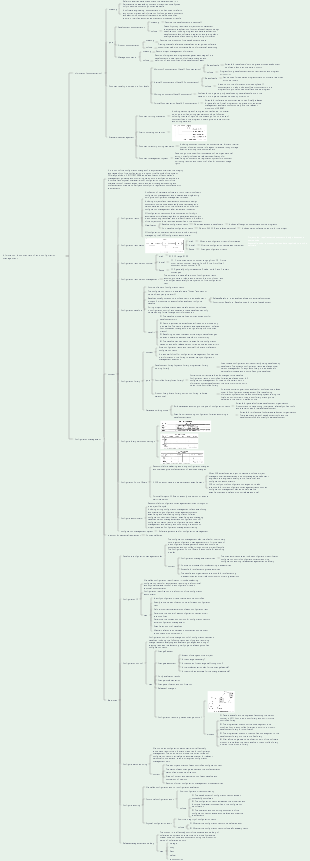
It briefly lists how documents generated during the software project management process are classified and managed, how to do configuration management, and the steps to be taken in configuration management. It can be collected if necessary.
Edited at 2021-08-23 10:05:43This is a mind map about bacteria, and its main contents include: overview, morphology, types, structure, reproduction, distribution, application, and expansion. The summary is comprehensive and meticulous, suitable as review materials.

This is a mind map about plant asexual reproduction, and its main contents include: concept, spore reproduction, vegetative reproduction, tissue culture, and buds. The summary is comprehensive and meticulous, suitable as review materials.
This is a mind map about the reproductive development of animals, and its main contents include: insects, frogs, birds, sexual reproduction, and asexual reproduction. The summary is comprehensive and meticulous, suitable as review materials.
This is a mind map about bacteria, and its main contents include: overview, morphology, types, structure, reproduction, distribution, application, and expansion. The summary is comprehensive and meticulous, suitable as review materials.
This is a mind map about plant asexual reproduction, and its main contents include: concept, spore reproduction, vegetative reproduction, tissue culture, and buds. The summary is comprehensive and meticulous, suitable as review materials.
This is a mind map about the reproductive development of animals, and its main contents include: insects, frogs, birds, sexual reproduction, and asexual reproduction. The summary is comprehensive and meticulous, suitable as review materials.
Information system related documents
Type of document
Development documentation
Development documents describe the development process itself. Basic development documents include the following eight aspects:
Feasibility study report and project mission statement
Requirements Specification
Functional specifications
Design specifications, including program and data specifications
Development Plan
Software integration and test planning
Quality Assurance Plan
Safety and testing information
Product documentation
Product documentation describes the product of the development process and basically includes the following four aspects:
Training Manual
Reference manual and user guide
Software Support Manual
Product brochures and information ads
Manage documents
Management documents record information for project management
Records of progress and progress changes at each stage of the development process
Records of software changes
Development team responsibilities defined
Project plan, project phase report
configuration management plan
Document quality rating
Minimum documentation (Level 1 documentation), suitable for developers whose development workload is less than one person-month. Includes program listing, development records, test data and program introduction
Internal documentation (Level 2 documentation), available for dedicated programs that do not share resources with other users. In addition to the information provided by Level 1 documentation, Level 2 documentation includes sufficient comments within the program listing to assist the user in installing and using the program.
Working documents (Level 3 documents), suitable for programs jointly developed by several people in the same unit, or programs that can be used by other units
Formal documentation (Level 4 documentation), suitable for software products that are to be officially released for general use
Document management rules and methods
Document writing standards
Icon numbering convention
Document directory writing standards
Document management system
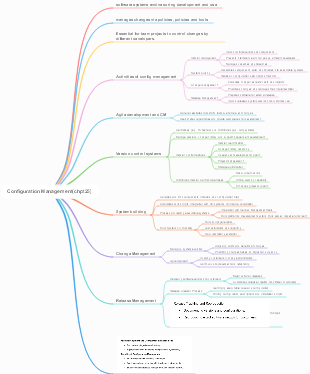
Configuration management
definition
Configuration management is a discipline that identifies system configurations at different points in time in order to systematically control configuration changes, maintain configuration integrity and traceability throughout the system's life cycle
Configuration management activities
Configuration management consists of 6 activities
Develop configuration management plans, configuration identification, configuration control, configuration status reporting, configuration auditing, release management and delivery
Configuration items
Externally delivered software products and data
Designated internal software work products and data
Designated support tools used to create or support software products
Software provided by suppliers/suppliers and equipment/software provided by customers
program planning proposal
Requirements document
Design documentation
source code
executable code
test case
Various data required to run the software
The operation permissions of all configuration items are managed by the configuration administrator. Baseline configuration items are developed with read-only permissions for developers; non-baseline configuration items are developed with PM, CCB and related personnel.
Configuration item status
Configuration item status can be divided into three types: "draft", "formal", and "modified"
Configuration item version number
The version number format of configuration items in "Draft" status is 0.YZ, and the number range of YZ is 01~99
The version number format of configuration items in the "official" state is X.Y, where X is the main version number and the value range is 1~9. Y is the minor version number, the value range is 0~9
The first time a configuration item becomes an "official" file, the version number is 1.0
The version number format of a configuration item in the "modified" state is X.YZ. When the configuration item is being modified, generally only the Z value is increased, and the X.Y values remain unchanged. When the configuration item is modified and the status becomes "official", set the Z value to 0 and increase the X.Y value.
Configuration item version management
Configuration baseline
Baselines typically correspond to milestones in the development process
The baseline delivered to external customers is generally called a release baseline, and the baseline used for internal development is generally called a construction baseline.
Baseline events
Controlled configuration items
Procedures for establishing and changing baselines
Permissions required to approve changes to the baseline
What each baseline defines
Baselines provide a fixed point and snapshot of development work
New projects can be created at fixed points provided by the baseline. The new project acts as a separate branch, isolated from subsequent changes to the original project (on the main branch)
Baselining provides teams with a way to cancel changes when an update is deemed unstable or untrustworthy
Baselining can be used to re-establish a configuration based on a specific release to reproduce reported bugs
Benefits of establishing a baseline
Configuration library
Development library
Dynamic library or working library, used to save configuration entities currently being developed by developers
The dynamic library is the developer's personal workspace and is controlled by the developer without configuration control.
controlled library
Becomes the master library, containing the current baseline plus changes to the baseline
Configuration items in the controlled library are placed under complete configuration management
At the end of a certain stage of development, the current work product is stored in the controlled library
Product library
Also known as static library, release library, software warehouse, it contains archives of various baselines that have been released and used, and is placed under complete configuration management.
After the developed information system product completes system testing, it is stored in the product library as the final product, waiting to be delivered to the user or installed on site.
Build a database
There are two database building modes: building a database by configuration item type and building a database by task.
Database construction based on the type of configuration items: suitable for general software development organizations, with strong product inheritance
Establish corresponding configuration libraries according to development tasks, which is suitable for professional software development organizations. This setting strategy is more flexible.
Configure library permission settings
Configuration Control BoardCCB
Responsible for evaluating, approving configuration changes and overseeing the implementation of approved changes
CCB is established at the project level, and its members can include project managers, user representatives, product managers, development engineers, test engineers, quality control personnel, configuration administrators, etc.
Instead of controlling configuration changes, CCB is responsible for more configuration management tasks, such as baseline approval and configuration management plan approval.
Configure Administrator CMO
Write a configuration management plan
Establish and maintain configuration management systems
Create and maintain configuration libraries
Configuration item identification
Establish and manage baselines
Version management and configuration control
Configure status reporting
Configure auditing
Release management and delivery
Provide configuration management training to project members
configuration management system
Is a software system used for configuration management
Configuration Management Policy
Determine configuration management goals
Ensure that the software configuration management plan is developed and reviewed and confirmed by relevant personnel
It is necessary to identify the project products to be controlled and formulate relevant control strategies to ensure that these project products are obtained by appropriate personnel.
A control strategy should be developed to ensure that project products are changed within controlled limits
Appropriate tools and methods should be adopted to ensure that relevant groups and individuals can understand the status and content of the software baseline in a timely manner
Determine the policy for configuration management
Daily configuration management activities
Develop a configuration management plan
Configuration management activities, covering the main activities include configuration identification, configuration control, configuration status reporting, configuration audit, release management and delivery
Norms and processes for implementing these activities
Schedule for implementing these activities
The people or organizations responsible for carrying out these activities and their relationships with other organizations
What does a configuration management plan include?
Configuration item ID
Identify configuration items that need to be controlled
Specify a unique identification number for each configuration item
Define important characteristics of each configuration item
Determine the owner of each configuration item and their responsibilities
Determine the time and conditions for configuration items to enter configuration management
Establish and control baselines
Maintain relationships between document and component revisions and product versions
Configuration item identification is the responsibility of the configuration administrator and needs to include these steps
Configuration control
Change Request
Change assessment
Impact of changes on the project
Is the change necessary?
Is the scope of the change well thought out?
Is the implementation plan for the change feasible?
Is the change effort estimate reasonable?
Contents that the CCB organization needs to determine when evaluating change applications
CCB decides whether to accept the change and will notify relevant personnel of the decision
Notify evaluation results
Change implementation
Change verification and confirmation
change release
Configuration repository-based change control
Take the baseline to be upgraded (assuming the version number is V2.1) out of the product library and put it into the controlled library
Programmers check out the code segment they want to modify from the controlled library and put it into their own development library for modification.
After the code is checked out, it is "locked" to ensure that the same piece of code can only be modified by one programmer at the same time. If A is modifying it, B cannot check out.
Programmers check in the modified code segments in the development library into the controlled library. After Check in, the "lock" of the code is released, and other programmers can check out the code.
After all the upgrade and modification work of the software product is completed, the new baseline in the controlled library is stored in the product library (the version number of the software product is updated to V2.2, and the old V2.1 version is deleted and continues to be in the product library save)
Taking a certain software product upgrade as an example to describe configuration library change control
Configure status reporting
The identity and status of each controlled configuration item
The status of each change request and the implementation status of approved modifications
Status of current and past versions of each baseline and comparison of versions
Records of other configuration management process activities
Configuring what the status report includes
Configure auditing
effect
Prevent unsuitable products from being submitted to users
Discover imperfect implementations
Find out that each configuration item has been included in the baseline and stored in the library after the required quality control review
Verify that records and documentation maintain traceability
Functional configuration audit
The development of configuration items has been successfully completed
The configuration item has achieved the performance and functional characteristics specified in the configuration identification
Operational and supporting documentation for the configuration item is complete and compliant
It is to audit the consistency of configuration items (whether the actual function of the configuration items is consistent with its requirements)
Physical configuration audit
Whether the configuration item to be delivered exists
Whether all required items are included in the configuration item
It is to audit the integrity of the configuration item (whether the physical existence of the configuration item is consistent with expectations)
Release management and delivery
storage
Store copies in different controlled locations to reduce the risk of loss
copy
Establish procedures to ensure consistency and integrity of replication
Make sure the media used for publishing does not contain extraneous items
Use appropriate media to ensure that the software product complies with reproduction requirements and ensures the integrity of its content throughout its delivery life
Pack
deliver
reconstruction
Configuration management tools
Open source tools: SVN, GIT, CVS
Information document management and configuration management