Galeria de mapas mentais C Language Question 1-10
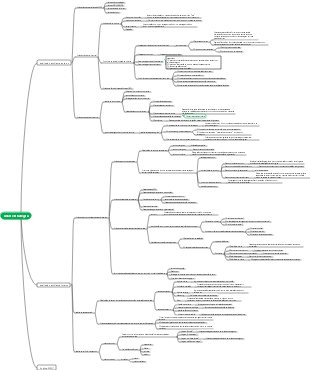
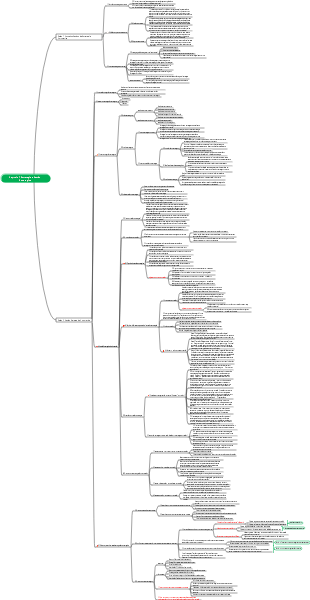
This is a mind map about C language questions 1-10. The main contents include: 10. C language examples - numerical comparison, 9. C language examples - dividing two numbers, 8. C language examples - Characters to ASCII Code, 7. C language example - multiplying two floating point numbers, 6. C language example - adding two numbers, 5. C language example - output double precision numbers, 4. C language example - output floating point numbers, 3. C Language Example - Output List.
Editado em 2025-02-13 20:32:401-10
1. C language example - output "Hello, World!"
#include <stdio.h>
int main()
{
// The string in printf() requires quotation marks
printf("Hello, World!");
return 0;
}
2. C language example - output integers
#include <stdio.h>
int main() {
int number = 10; // Define an integer variable and assign a value of 10
// Use the printf function to output integers
printf("The number is: %d ", number);
return 0; // Return 0 means that the program ends successfully
}
#include <stdio.h>
int main()
{
int number;
// printf() output string
printf("Enter an integer: ");
// scanf() format input
scanf("%d", &number);
// printf() displays formatted input
printf("The integer you enter is: %d", number);
return 0;
}
3. C language example - output single character
#include <stdio.h>
int main()
{
int number;
// printf() output string
printf("Enter an integer: ");
// scanf() format input
scanf("%d", &number);
// printf() displays formatted input
printf("The integer you enter is: %d", number);
return 0;
}
#include <stdio.h>
int main() {
char character = 'A'; // Define a character variable and assign a value to 'A'
character
// Use the printf function to output characters
printf("The character is: %c ", character);
return 0; // Return 0 means that the program ends successfully
}
4. C language example - output floating point numbers
#include <stdio.h>
int main() {
float f; // Declare floating point variable
f = 12.001234; // Define floating point variable
printf("f has the value of %f", f);
return 0;
}
#define _CRT_SECURE_NO_WARNINGS
#include <stdio.h>
int main() {
float f = 12.001234;
printf("f has the value of %f ", f);
return 0;
}
#define _CRT_SECURE_NO_WARNINGS
#include <stdio.h>
int main() {
float f = 12.001234;
printf("f has the value of %e ", f);
In scientific notation,
1.200123e 01
Represents a floating point number, where
e
Indicates "multiple by a power of 10". Specifically:
1.200123
It is a coefficient.
e 01
Represents a power of 10.
therefore,
1.200123e 01
Equivalent to
1.200123 × 10^1
, the result is
12.00123
Summarize:
1.200123e 01
In-house
01
Represents a power of 10.
The final value of this expression is
12.00123
If you use it in the code
printf("%e", f);
, the program will output floating point numbers in the form of scientific notation
f
value. In this example,
f
The value is
12.001234
, so the output result is
1.200123e 01
return 0;
}
#define _CRT_SECURE_NO_WARNINGS
#include <stdio.h>
int main() {
float f = 12.001234;
printf("f has the value of %g ", f);
return 0;
}
#define _CRT_SECURE_NO_WARNINGS
#include <stdio.h>
int main() {
float f = 12.001234;
printf("f is %.2f ", f); // Keep two decimal places
return 0;
}
#define _CRT_SECURE_NO_WARNINGS
#include <stdio.h>
int main() {
float f = 12.001234;
printf("f is .2f ", f); // Takes a total of 10 characters in width, retaining two decimal places
return 0;
}
#define _CRT_SECURE_NO_WARNINGS
#include <stdio.h>
int main() {
float f = 12.001234;
printf("f has a value of %-10.2f ", f); // Align left, occupying a total of 10 characters in width, retaining two decimal places
return 0;
}
C
#define _CRT_SECURE_NO_WARNINGS
#include <iostream>
int main() {
float f = 12.001234;
std::cout << "f is " << f << std::endl;
return 0;
}
5. C Language Example - Output Double Precision Number
#include <stdio.h>
int main() {
double d; // Declare double precision variables
d = 12.001234; // Define double precision variable
printf("d has the value of %le", d);
return 0;
}
#include <stdio.h>
int main() {
double d; // Declare double precision variables
d = 12.001234; // Define double precision variable
printf("d has the value of %e", d);
return 0;
}
#include <stdio.h>
int main() {
double d = 12.001234;
printf("d has the value of %f ", d);
return 0;
}
/*
#include <stdio.h>
int main() {
double d = 12.001234;
printf("d has the value of %e ", d);
return 0;
}
#include <stdio.h>
int main() {
double d = 12.001234;
printf("d has the value of %E ", d);
return 0;
}
#include <stdio.h>
int main() {
double d = 12.001234;
printf("d has the value of %g ", d);
return 0;
}
#include <stdio.h>
int main() {
double d = 12.001234;
printf("d has the value of %G ", d);
return 0;
}
#include <stdio.h>
int main() {
double d = 12.001234;
printf("d has the value of %A ", d);
return 0;
}
6. C language example - add up two numbers
#include <stdio.h>
int main()
{
int firstNumber, secondNumber, sumOfTwoNumbers;
printf("Enter two numbers (segmented by space): ");
// Receive two integers input by the user through the scanf() function
scanf("%d %d", &firstNumber, &secondNumber);
// Add two numbers
sumOfTwoNumbers = firstNumber secondNumber;
// Output result
printf("%d %d = %d", firstNumber, secondNumber, sumOfTwoNumbers);
return 0;
}
#include <stdio.h>
int main() {
int firstNumber, secondNumber, sumOfTwoNumbers;
printf("Enter two numbers (segmented by space): ");
/*Receive two integers input by the user through the scanf() function*/
scanf("%d %d", &firstNumber, &secondNumber);
/*Add two numbers*/
sumOfTwoNumbers = firstNumber secondNumber;
/*Output result*/
printf("%d %d = %d ", firstNumber, secondNumber, sumOfTwoNumbers);
return 0;
}
#include <stdio.h>
/*Function declaration*/
void inputNumbers(int* first, int* second);
int addNumbers(int first, int second);
void printResult(int first, int second, int sum);
int main() {
int firstNumber, secondNumber, sumOfTwoNumbers;
/* Enter two numbers*/
inputNumbers(&firstNumber, &secondNumber);
/*Add two numbers*/
sumOfTwoNumbers = addNumbers(firstNumber, secondNumber);
/*Output result*/
printResult(firstNumber, secondNumber, sumOfTwoNumbers);
return 0;
}
#include <stdio.h>
int main() {
int numbers[2], sumOfTwoNumbers;
printf("Enter two numbers (segmented by space): ");
/*Receive two integers input by the user through the scanf() function*/
for (int i = 0; i < 2; i ) {
scanf("%d", &numbers[i]);
}
/*Add two numbers*/
sumOfTwoNumbers = numbers[0] numbers[1];
/*Output result*/
printf("%d %d = %d ", numbers[0], numbers[1], sumOfTwoNumbers);
return 0;
}
#include <stdio.h>
int main() {
int firstNumber, secondNumber;
int* ptrFirst = &firstNumber;
int* ptrSecond = &secondNumber;
int* ptrSum = &sumOfTwoNumbers;
int sumOfTwoNumbers;
printf("Enter two numbers (segmented by space): ");
/*Receive two integers input by the user through the scanf() function*/
scanf("%d %d", ptrFirst, ptrSecond);
/*Add two numbers*/
*ptrSum = *ptrFirst *ptrSecond;
/*Output result*/
printf("%d %d = %d ", *ptrFirst, *ptrSecond, *ptrSum);
return 0;
}
#include <stdio.h>
int main() {
int firstNumber, secondNumber, sumOfTwoNumbers;
int result;
printf("Enter two numbers (segmented by space): ");
/* Use scanf() function to receive two integers input by the user and perform input verification*/
result = scanf("%d %d", &firstNumber, &secondNumber);
if (result != 2) {
printf("Input is invalid, please enter two integers and separate them with spaces. ");
return 1; /*Return error code*/
}
/*Add two numbers*/
sumOfTwoNumbers = firstNumber secondNumber;
/*Output result*/
printf("%d %d = %d ", firstNumber, secondNumber, sumOfTwoNumbers);
return 0;
}
7. C Language Example - Multiplying two floating point numbers
#include <stdio.h>
int main() {
float num1, num2, product;
printf("Please enter the first floating point number: ");
scanf("%f", &num1);
printf("Please enter the second floating point number: ");
scanf("%f", &num2);
product = num1 * num2;
printf("%.2f multiplying by %.2f equals %.2f ", num1, num2, product);
return 0;
}
#include <stdio.h>
int main()
{
double firstNumber, secondNumber, product;
printf("Enter two floating point numbers: ");
// User inputs two floating point numbers
scanf("%lf %lf", &firstNumber, &secondNumber);
// Multiply two floating point numbers
product = firstNumber * secondNumber;
// Output result, %.2lf retains two decimal points
printf("Result = %.2lf", product);
return 0;
}
#include <stdio.h>
int main() {
float num1, num2, product;
printf("Please enter the first floating point number: ");
scanf("%f", &num1);
printf("Please enter the second floating point number: ");
scanf("%f", &num2);
product = num1 * num2;
printf("%.2f multiplying by %.2f equals %.2f ", num1, num2, product);
return 0;
}
#include <stdio.h>
int main() {
double num1, num2, product;
printf("Please enter the first floating point number: ");
scanf("%lf", &num1);
printf("Please enter the second floating point number: ");
scanf("%lf", &num2);
product = num1 * num2;
printf("%.2lf multiplied by %.2lf equals %.2lf ", num1, num2, product);
return 0;
}
#include <stdio.h>
int main() {
long double num1, num2, product;
printf("Please enter the first floating point number: ");
scanf("%Lf", &num1);
printf("Please enter the second floating point number: ");
scanf("%Lf", &num2);
product = num1 * num2;
printf("%.2Lf multiplying by %.2Lf equals %.2Lf ", num1, num2, product);
return 0;
}
8. C Language Example - Character to ASCII Code
#include <stdio.h>
int main()
{
char c;
printf("Enter a character: ");
// Read user input
scanf("%c", &c);
// %d displays integers
// %c displays the corresponding characters
printf("%c's ASCII is %d", c, c);
printf("%c's ASCII is %d", c, (int)c);
return 0;
}
January 29, 2025 00:31:46
good
9. C Language Example - Divide two numbers
#include <stdio.h>
int main() {
int dividend, divisor, quotient, remainder;
printf("Input is divisor: ");
scanf("%d", ÷nd);
printf("Input Divider: ");
scanf("%d", &divisor);
// Calculation quotient
quotient = dividend / divisor;
// Calculate the remainder
remainder = divideend % divisor;
printf("quote = %d ", quote);
printf("remain = %d", remainder);
return 0;
}
#include <stdio.h>
int main() {
int dividend, divisor, quotient, remainder;
printf("Input is divisor: ");
scanf("%d", ÷nd);
printf("Input Divider: ");
scanf("%d", &divisor);
if (divisor != 0) {
quotient = dividend / divisor;
remainder = divideend % divisor;
printf("quote = %d ", quote);
printf("remain = %d ", remainder);
}
else {
printf("The divisor cannot be zero. ");
}
return 0;
}
#include <stdio.h>
#include <stdlib.h>
int main() {
int dividend, divider;
div_t result;
printf("Input is divisor: ");
scanf("%d", ÷nd);
printf("Input Divider: ");
scanf("%d", &divisor);
if (divisor != 0) {
result = div(dividend, divisor);
printf("quot = %d ", result.quot);
printf("remain = %d ", result.rem);
}
else {
printf("The divisor cannot be zero. ");
}
return 0;
}
#include <stdio.h>
int main() {
int dividend, divisor, quotient = 0, remainder;
printf("Input is divisor: ");
scanf("%d", ÷nd);
printf("Input Divider: ");
scanf("%d", &divisor);
if (divisor != 0) {
remainder = divide;
while (remainder >= divisor) {
remainder -= divisor;
quotient ;
}
printf("quote = %d ", quote);
printf("remain = %d ", remainder);
}
else {
printf("The divisor cannot be zero. ");
}
return 0;
}
10. C Language Examples - Numerical Comparison
Method 1: Use if - else structure
#include <stdio.h>
int main() {
int a, b, c;
// Enter three integers
printf("Enter the first value: ");
scanf("%d", &a);
printf("Enter the second value: ");
scanf("%d", &b);
printf("Enter the third value: ");
scanf("%d", &c);
// Compare three numbers and output the largest one
if (a > b && a > c)
printf("%d Max ", a);
else if (b > a && b > c)
printf("%d Max ", b);
else if (c > a && c > b)
printf("%d Max ", c);
else
printf("There are two or three values equal ");
return 0;
}
Method 2: Use nested if structure
#include <stdio.h>
int main() {
int a, b, c;
// Enter three integers
printf("Enter the first value: ");
scanf("%d", &a);
printf("Enter the second value: ");
scanf("%d", &b);
printf("Enter the third value: ");
scanf("%d", &c);
// Compare three numbers and output the largest one
if (a >= b) {
if (a >= c)
printf("%d Max ", a);
else
printf("%d Max ", c);
}
else {
if (b >= c)
printf("%d Max ", b);
else
printf("%d Max ", c);
}
return 0;
}
Method 3: Use the max function
#include <stdio.h>
// Define a function that returns the maximum value of two numbers
int max(int x, int y) {
return (x > y) ? x : y;
}
int main() {
int a, b, c;
// Enter three integers
printf("Enter the first value: ");
scanf("%d", &a);
printf("Enter the second value: ");
scanf("%d", &b);
printf("Enter the third value: ");
scanf("%d", &c);
// Use the max function to compare three numbers and output the largest one
int max_value = max(a, max(b, c));
printf("%d Max ", max_value);
return 0;
}
Method 4: Use pointers or arrays
#include <stdio.h>
int main() {
int a, b, c;
int numbers[3];
// Enter three integers
printf("Enter the first value: ");
scanf("%d", &numbers[0]);
printf("Enter the second value: ");
scanf("%d", &numbers[1]);
printf("Enter the third value: ");
scanf("%d", &numbers[2]);
// Initialize the maximum value to the first element
int max_value = numbers[0];
// traverse the array to find the maximum value
for (int i = 1; i < 3; i ) {
if (numbers[i] > max_value) {
max_value = numbers[i];
}
}
printf("%d Max ", max_value);
return 0;
}
Method 5: Use standard library functions
#include <stdio.h>
#include <stdlib.h>
// Comparison function
int compare(const void* a, const void* b) {
return (*(int*)a - *(int*)b);
}
int main() {
int a, b, c;
int numbers[3];
// Enter three integers
printf("Enter the first value: ");
scanf("%d", &numbers[0]);
printf("Enter the second value: ");
scanf("%d", &numbers[1]);
printf("Enter the third value: ");
scanf("%d", &numbers[2]);
// Use qsort to sort arrays
qsort(numbers, 3, sizeof(int), compare);
// The last element after output sorting, that is, the maximum value
printf("%d Max ", numbers[2]);
return 0;
}