 Wondershare EdrawMind
MindMap Gallery Security Information and Event Management
- 220
- 1
Security Information and Event Management
Security Information and Event Management (SIEM) is a critical component of modern cybersecurity strategies. It refers to the approach of combining security information management (SIM) and security event management (SEM) to provide a comprehensive view of an organization's information security. SIEM systems collect and analyze security-related data from various sources, such as network devices, servers, and applications, to identify and respond to security threats.
Edited at 2022-09-24 09:31:46
- Recommended to you
- Outline
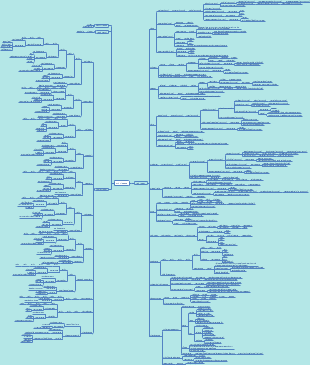

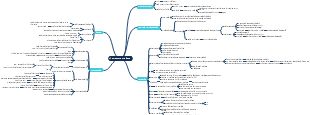




SIEM (security information and event management)
SOC (security operations center)
layers
Tier 1
configuration management and policies
vulnerability & patch management
alert triage
escalate to tier 2
Tier 2
tier 1 ticket review
incident response and investigation
remediation / mitigation and recovery
reporting
escalation to tier 3
Tier 3
tier 2 ticket review
asset discovery and vulnerability assessment
threat hunting
recommendations for optimization based on discoveries
goal of a SIEM
collect varity of events
establish context
real-time analysis
historical analysis
SIEM integration methods
self-hosted, self-managed
cloud SIEM, self managed
self-hosted,hybrid-managed
SIEM as a Service (SaaS)
SIEM planning
SIEM data gathering strategies
input-driven - collect everything
have everything
hard to search
slow and expensive
output-driven - collect only what you know you need
least expensive aproach
easier rollout and improved search performance
miss something you did not know you needed
hybrid - collect everything but constantly trim
have historical data even if you are not sure you need it
cheaper to maintain than input-driven
requires ongoing maintenance and tuning
log aggregation
EPS (event per second) - the key metric when sizing log aggregation systems
estimate EPS for SIEM
https://www.ghsystems.com/eps-estimator
EPD (event per day) - to go from EPD to EPS devide by 86400 (number of seconds in a day)Subtopic
data retention (usually >30 day )
fast (hot) storage - fast searche and retention (i.e: SSD)
used for more current and fresh data
slow (warm) storage - slow search and retention (i.e: SATA)
used for historical analysis and old data store
SIEM staffing
common roles
analyss (level 1,2,3)
sysadmins
developers
data scientists
from 8 to 5 the A team of analysts are on the job (most of the detection happens here) , after hours is for the hire tiers
SIEM components
Log collectors (agents, scripts, etc.) - not directly part of the SIEM
log aggregator - centeral collection point of logs for parsing
log broker - temp storage for logs when being analysed (optional part of the SIEM)
storage - backend storage node to keep logs after analysing
search / report - search/report logs from storage node
alert engine - search in logs and create alerts based on defined workflows
log collection
methods
log agents - require software, faster than agentless
distributed filtering/parsing
log buffering
no remote network logins
firewall friendly
supports data diode
maintaining agnet and configuration takes time
agentless - requires credentials and scanning of remote systems
no software installation required
quick to set up
easy to maintain
requires inbound firewall rules
credentials passed over network
can miss deleted logs
limited capabilities
scripts - last resort
for cloud systems and software and third-party apps
syslognetwork protocol UDP port 514 with TLS support
format
timestamp
source
facility - where the log came from
severity - the importance of a log
emergency
alert
critical
error
warning
notice
info
debug
message (formats vary dramatically, most systems have message size limits )
windows eventsstored in binary format, requires windows event viewer or special agent to read
format
channels - a group of logs such as security or system
event IDs - unique ID to filter on
windows event forwarding (xp/2003 and later)
allows pushing and pulling logs to/from central event collectors with windows remote management
encryption and compression
basic filtering
windows event collector - collects logs from other windows systems with event forwarding
push/pull is setup via subscriptions in group policy
can install an agent on this system and gather the logs of all forwarders
can be used with agentless collection or replaced by agents
max support is 2000-3000 endpoints
standard agents (best option) - more features and more capabilities
most SIEMs have their own agents (QRadar, splunk,logrhythm, etc.)
standard agents lack filtering, open-source agents dont
open source agents (more filtering features)
Beast - for elastic stack
filebeat - real-time monitoring and collection of files
winlogbeat - collect and filter windows event logs
packetbeat - extracts network metadata promiscuously
beats for device health metrics
NXLog - multi-platform (open-source and commertial)
open-source
multi-platform
500k+ EPS
buffering
prioritization
log rotation
log format support (syslog, CEF, w3c, json, xml, windows, CVS, etc)
log format convertion
encryption
compression
advanced filtering and parsing
XML logsstructured, auto field extraction, requires agent support
log aggregator
scaling
scaling up - upgrading the system (more expensive)
scaling out - use multiple aggregator nodes at the same time with a loadbalacner or round-dobin DNS (lower cost)
pipeline
input > filter/enrich > output
logstash (open-source)
log enrichment - geoip, resolve host/ip, anonymize, mutate
log filter formats - CSV, key value (KV),json
log broker (not necessary)
log broker location in a SIEM architecture
optional but sometimes necessary (OS upgrade, database upgrade, aggregaor upgrade and any other down time)
operates in a public subscribe model (publisher is anything that sends daa in (to the brocker) and subscriber is anything that pulls data out)
open-source log brokers - rabbitMQ, kafka,nagios, pager duty,redis
search / alerting
search techniques
blacklisting - looking for known bads
low maintenance and setup
useful for honytoken techniques
easy to bypass
cannot catch new attacks (normaly)
whitelisting - ignore what you know alert on anything else
catches known bads and unknown bads
highly fidelity
high maintenance
does not apply well to all logs
long tail analysis - looks for least frequent occurrences (LFO)
works with large datasets
easay to apply
manual analysis
doesnt work well with small datasets
anomaly detection - look for anything outside he ordinary
catches unknown bad
catches system misconfigurations and policy violations
requires an established baseline
best combined with manual analysis
alerting systems
graylog
elastalert
watcher
alert methods
in-time alerts
during log ingestion/enrichment
alerting systems
graylog
elastalert
watcher
dashboards - combining multiple searches or visualizations for better analysis
kibana
service profiling
common services
DNS
common DNS fields
answer
request
response
query class
query type
TTLs
controls
frequency score
parent domain
subdomain
domain lengths
domain age
geo-info
tagging
internal domain DNS log collection is not recommended
domains that are consantly changing IPs (detect fast flux and double fast flux)
DNS tunneling detection techniques
limit which exernal DNS servers can use
limit access to those to authorized internal DNS servers
check for large number of requests from a single IP
check for special DNS query types such as text records
monitor NXDOMAIN records
monitor all IPs accessing the internet without using DNS
tools
DNS sinkhole - a powershell script for taking bad domains and prevent access with DNS
HTTP(S)
directions
inbound
bruteforce logins
SQLi
command injection
XSS
outbound
C2
torjan
DDoS
stage2 download
exfiltration (large uploads)
log sources
inbound
WAF
apache, IIS, nginx
IDS
outbound
web procy (squid)
next-gen firewall
IDS
bro, packetbeat, scripts,cloud logs/APIs
web server log formats
combined log - default for apache and nginx, based on NCSA
NCSA - text file with basic HTTP fields
W3C extended - default for IIS, includes field header and allows adding/removing fields
json
tools
squid proxy
the source IP will change to squid server IP so X-forward-for (XFF) header should be enabled when logging. (enabled by default in bro)
controls
monitor staus codes (entropy)
monitor host headers
check for IPs in virtual hosts
check the lehgth of URLs (SQLi)
check user agents (malware)
SSL/TLS
certificate log sources
bro
suricata
next-gen firewalls
controls
malware often use self-signed certs and miss some fields such as organization, OU, state, countrycode, etc.
always use CAs if possible
run frequency analysis on certificate information fields
SMTP
example : phishing via email
search for SMTP records similar to known domain should return nothing
search for DNS records similar to known domain should return nothing
in case of a bad link, the HTTP logs can be helpful
used for phishing, click-through malware, spam servers
controls
external emails using internal domains
unauthorized email attachments
known bad sources
antispam systems and inline filtering
monitor for bursts of emails from outside sources
look for external use of key employee names
fuzzy search (detect fuzzy phishing)
log sources
postfix
sendmail
MS exchange
cloud APIs
SPAM appliances
bro
collection methods
agents
syslog
scripts
network extraction
API calls
common SIEM SMTP fields
HELO
FROM
TO
subject
is webmail
first received
reply codes
mail user agent (MUA)
src ip
dst ip
file attachments
file attachment size
display name (from users)
GeoIP
SSH
extraction techniques
traditional - multiple connection points, each service installed on a different server will collect the logs and send them to the aggregator
network extraction - all logs are collected using a network extraction sensor (with a network tap or via port mirroring) and sent to aggregator, no logs are collected in the servers
tools
bro
security onion
suricata
log enrichment techniques
ip address (when dealing with web requests and dns records)
domain names (forward and reverse resolving)
filter out well-known and top ranking sites
cisco umbrella 1 milion
alexa top list
URLs ( detect phishing or C2 traffic )
geoip lookup
threat intel feeds (what is import for more analysis)
tools
CIF (collective intelligence framework) - pull feeds from multiple locations and making them usable for other devices, feeds such as google OSINT resources and alexa top 1 milion list
critical stack intel feed - integrates with bro in security onion
open threat exchange - integrate with alien vault, the API is able to integrate with bro or suricata
important for analysis
ip address
domain
url
file name
file hash
malfformed packets / packets with unusual size
endpoint analytics
differences with network visibility
larg number of devices
management is difficult
broad focus (network, memory, process, etc)
data decryption at endpoint
windows logs
formats
EVT - windows event log windows from 2003/xp
stored in .etl files
used by sysmon
kernel level high performance monitoring
disabled by default due o performance and number of events
EVTX - windows XML event log (actually binary format) from windows 2008/vista,this is the main windows log format
stored in binary format
traslated to XML when the binary app reads the logs
read by powershell, windows event viewer and special log agents
has 2 fields, user data and event data
EVT can be converted to EVTX
ETW - event tracing for windows, from windows 2000
ETL - event trace logs, from windows 2000, high perormance and use memory buffers
advanced audit policy
to activate this go to group policies : computer configuraions > windows settings > securitysettings > local policies > security options - enable "audit: force audit policy subcategory settings"
channels - high level categorization method used in windows logs, ac as a receiver of specific events
types
admin (EVTX, well known events)
operational (EVTX, used for human analysis)
analytic (ETL)
debug (ETL)
enabling extra logging with powershell (specially useful for monitoring USB device mount and new driver logs)
$logname='Microsoft-Windows-DriverFrameworks-UserMode/Operational'$log = New-Object System.Diagnostics.Eventing.Reader.EventLogConfiguration $logname$log.IsEnabled=$true$log.SaveChanges()
sysmon - from windows sysinternals suit,EVTX format, can filter logs
monitors :
processes
network connections
driver and dll loading
raw disk access
modificaions of file
creation times
process access
provides process hashes and parent process for analysis
configurations file
https://github.com/SwiftOnSecurity/sysmon-config
sysmon search (JPCERT) - sysmon search visulalization system
linux logs
formats
text
locations
/var/log/messages - global messages (general activity)
/var/log/auth.log - authentication-related logs
/var/log/boot.log - boot time logs
/var/log/daemon.log - background process events
/var/log/kern.log - kernel messages (used for troubleshooting)
/var/log/cron.log - events related to scheduled tasks
/var/log/secure - events related to su or sudo access
uses syslog-ng or rsyslog
facility (0-23)
severity (0-7)
rsyslog (rocket-fast system for log processing)
handles 1+ milion messages per second
contains features similar to syslog-ng
uses a highly reliable transport method called RELP (reliable event logging protocol)
syslog-ng (common linux syslog daemon)
handles 600+ k messages a second
filtering and custom parsing
clear and easy to read
nxlog (cross-platform)
works on both windows and linux
advanced filtering
nxlog-autoconfig
powershell framework for automaically managing nxlog agents that allows centralized control from a web server, each system is set to run a powershell script once (or more ) a day causing it to check in with the central server and update as needed
eliminating log noise
at log aggregation
at endpoint (much better)
tactical SIEM considerations
CIS v6 critical control 8 - limit use of external devices
CIS v6 critical control 9 - manage ongoing operational use of services (event ID 77054)
CIS v6 critical control 3.5 - file integrity checking
tripwire
auditd
ossec
AIDE
USB insertion events (ID 2003,2012,2100,2101)
windows driver framework - monitor driver use including keyboard and USB storage
NirSoft USBDeview - run once a day and log to a CSV file
new scheduled tasks (event ID 4698)
registry modification auditing - event ID 4657
successful login (event ID 4624)
new user account (event ID 4720), /var/log/auth.log in linux
monitor sensitive groups (local groip event ID 4732, global group event ID 4728)
clearing logs (event ID 104)
host based firewall logging
windows firewall
audit policies - under advanced audit policy config > audit policies > object access > audit filtering *
logging to a text log file - enable in computer configurations > policies > windows settings > security settings > windows firewall with advanced security
iptables
iptables -N LOGGING
add logging rules at the end of the table to log anything that doesnt match the rules for investigation
logon events
windows logon types
type 2 interactive - local console/keyboard
type 3 network - file sharing
type 4 batch - for scheduled task with credentials
type 5 service - service startup
type 7 unlock - when a worksation or server is locked and unlocked
type 8 network cleartext - when credentials are sent in clear text over the network
type 10 remoteinteractive - remote desktop
type 11 cachedinteractive - when a system that is not able to reach a domain controller successfully logs on using cached credentials
linux logon event
logged per local system
includes username and source
var/log/auth.log
OS endpoint protections
microsoft EMET (enhanced mitigation experience toolkit)
process/memory protection per process
certificate pinning
can override default app protections
has builtin rules for common applications like adobe
adds logging capabilities
might be incompatible with java
suggested for windows 7 and server 2012-r2
grsecurity - an enhancement for linux kernel
add many process/memory protections
open-source with commercial support
requires "patching" kernel
similar capabilities to EMET
logging support
user behavior monitoring
software and device control
constantly look for changes in network architecture
use active and passive network detection to find new devices and vulnerabilities
active
network scanners
vuln scanner
inventory systems (such as NAC)
passive
active directory
zeek
DHCP
netflow
switch CAM tables
wireless IDS
firewall logs
DNS logs
authrized and unauthorized software
limited / purpose built
client management tools
patch management
app whitelisting
NIST 800-167 guide to applocation whitelisting
applocker
audit mode
ID 8003 - blocked exe or dll
ID 8006 - blocked msi or script
enforce mode
8002 allowd exe or dll
8004 blocked exe or dll
8005 allowed msi or script
8007 blocked msi or script
SRP (software restriction policy) - replaced by applocker
process monitoring
sysmon logs
log tail analysis - analysis based on the frequency of occurrance
MFO (most frequent occurring) events are likely authorized
LFO (least frequent occurring) events are of interest and should be investigated
scripts
powershell scripts
long commands (if not using sysmon)
psh 3.0 required for module logging
enable with group policy in computer configurations > administrative templates > windows components > windows powershell -- enable "turn on logging" and click "show " and modify which modules you want to log
psh 5.0 required for block and transcript logging
script block logging (record blocks of code as they are executed)
https://gist.github.com/jessefmoore/963c213e07ae387cdc4053b0a55eccbc
Software\Policies\Microsoft\Windows\PowerShell\ScriptBlockLogging
transcript logging (stores the complete psh transaction (input/output) of an execution )
windows 7 /server 2008 and later support psh 5.0+
https://www.rootusers.com/enable-and-configure-module-script-block-and-transcription-logging-in-windows-powershell/
obfuscated one-liners and scripts
base64 encoded
execution of downloaded code
use applocker powershell script whitelisting feature with psh 5.0 and JEA (just enough admin)
monitor powershell DLLs (powershell without powershell.exe)
System.Management.Automation.dll
System.Management.Automation.dll
System.Reflecttion.dll
network baselining
network data sources
flow data (best option)
network performance data that is exported
cisco netflow
juniper jflow
other devices use sflow
proxy logs
argus
siLK
Bron Conn
firewall logs
ntop
moloch
suricata
check for connection durations
check for download and upload size
look for anomalies in connections between network segments
UBA (user behavior analytics ) - monitoring user activity with machine learning
microsotf ATA (advanced threat analysis) - for user behavior analytics, uses gateways or traffic mirroring to analyze data, requires 21 days with 12 days of activity to profile user behaviors
common UBA monitors
unusual process by user
application whitelisting
unusual process by name
powershell, wmi logging
new logon locations
geo-location lookup
unusual logon by time
out side of work hours
account/DNS enumeration
client-to-client traffice monitor
directory service lookups
monitor file share access / powershell monitoring for large number of queries searching for group policies and domain objects
unusual protocol use
netflow analysis
alert prioritization
asset x built-in priority
asset x vulnerability data x honeypot data
global scoring based on customer feedback
IPS/IDS role in SIEM
NIPS vs NIDS
NIDS
false positive = wasted labor
signature = a lot
focus = detection
position = out of band (port mirroring)
NIPS
false positive = denial of service
signature = 25-50% of IDS
focus = prevention
position = inline
snort
most widely deployed IPS/IDS
supports syslog, unified2(binary output for snort), CSV, database, etc.
output to multiple formats
open-source
OSSEC HIDS
open-source
supports blocking for HIPS mode
json, database, syslog support
log format similar to snort and suricata
alert tuning
SIEM contains current and historical alerts
reporst can be helpful to when tuning out false positives
alert tuning should be performed on a regular basis
items to look for:
high alert counts
alerts that need modification
alerts that should be auto-categorized
high alert counts
an alert that fires constantly is indicative of:
poorly written rules
recon or anomaly rules (noise)
frequent network acivity to or from an attacker
tuning should be done on alerting devices :
IDS/IPS : modify or disable rule
AV : disable signature (add exceptions)
whitelisting : filter or auto-categorize at SIEM
SIEM rules : modify or disable rule at SIEM
investigating alerts
high level process of analysis
start with alerts
time line
source and destination
dirty worlist (list of interesting words to look into and analyze)
then correlate (find connections between alerts, logs and events)
check for other hosts talking to that C2 IP address
search for related network traffice in the time of that alert (could find exfiltration as well)
go for packet inspection and pcap analysis
build hypothesis with information
is it a malware ? backdoor ? exploit ? false positive of user behavior ?
FPC (full packet capture)
moloch
open-source, larg-scale, full packet capturing, indexing and database system
metadata is sent to elasticsearch central node
metadata can be searched and PCAP pulled back
security onion
IDS + bro + packet capture supporting unlimited sensores
controled by single master
endpoint detection sensors + full packet capture
integration with splunk
threat analysis
virus total
malwr.com
cuckoo sandbox
passive DNS - recording recursion events, build a historical database of DNS requests (Risk IQ community edition)
threat miner - open-source data mining for threat intel + multiple sources
https://www.threatminer.org/
reverse analysis - execute new attack techniques and/or vulnerabilities against test systems and see what logs/events/alerts are generated
malware analysis
tripwire detection
detection by file/folder access
group policy on windows and scripts in linux can audit file access
honeypot can wit and wait for unknown sources to start scanning
hos-based firewall can be used instead of honeypot, lockdown a VM system and setup host-based firewall with logging rules for common ports
use DLP to detect exfiltration
use mimikatz honeytokens to detect credential heft
https://github.com/SMAPPER/MimikatzHoneyToken
post mortem analysis
re-analyze
signature detection
hash check
use beacon discovery scripts such as Flare (https://github.com/austin-taylor/flare)
ATA architecture
architecture