MindMap Gallery Task 2.9 Understand the role of masks
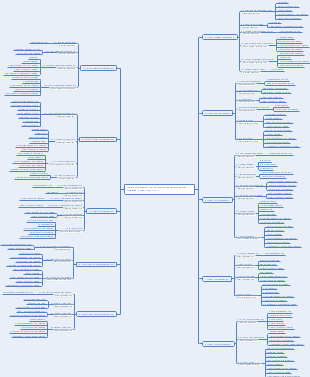
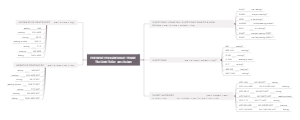
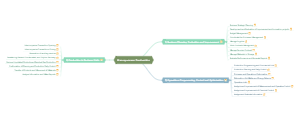
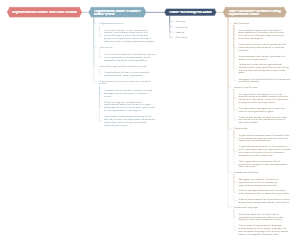
This is a mind map about task 2.9 to understand the role of masks. The main content includes: layer mask, vector mask, and clipping mask.
Edited at 2024-02-06 23:27:06This Valentine's Day brand marketing handbook provides businesses with five practical models, covering everything from creating offline experiences to driving online engagement. Whether you're a shopping mall, restaurant, or online brand, you'll find a suitable strategy: each model includes clear objectives and industry-specific guidelines, helping brands transform traffic into real sales and lasting emotional connections during this romantic season.
This Valentine's Day map illustrates love through 30 romantic possibilities, from the vintage charm of "handwritten love letters" to the urban landscape of "rooftop sunsets," from the tactile experience of a "pottery workshop" to the leisurely moments of "wine tasting at a vineyard"—offering a unique sense of occasion for every couple. Whether it's cozy, experiential, or luxurious, love always finds the most fitting expression. May you all find the perfect atmosphere for your love story.
The ice hockey schedule for the Milano Cortina 2026 Winter Olympics, featuring preliminary rounds, quarterfinals, and medal matches for both men's and women's tournaments from February 5–22. All game times are listed in Eastern Standard Time (EST).
This Valentine's Day brand marketing handbook provides businesses with five practical models, covering everything from creating offline experiences to driving online engagement. Whether you're a shopping mall, restaurant, or online brand, you'll find a suitable strategy: each model includes clear objectives and industry-specific guidelines, helping brands transform traffic into real sales and lasting emotional connections during this romantic season.
This Valentine's Day map illustrates love through 30 romantic possibilities, from the vintage charm of "handwritten love letters" to the urban landscape of "rooftop sunsets," from the tactile experience of a "pottery workshop" to the leisurely moments of "wine tasting at a vineyard"—offering a unique sense of occasion for every couple. Whether it's cozy, experiential, or luxurious, love always finds the most fitting expression. May you all find the perfect atmosphere for your love story.
The ice hockey schedule for the Milano Cortina 2026 Winter Olympics, featuring preliminary rounds, quarterfinals, and medal matches for both men's and women's tournaments from February 5–22. All game times are listed in Eastern Standard Time (EST).
Task 2.9 Understand the role of masks
clipping mask
Definition: Control the display area of other layers through the shape of an object
Create a clipping mask
Execute the "Layer→Create Clipping Mask" menu command
altctrlG
Alt left-click between "Content Layer" and "Base Layer"
Right-click on the "Content Layer" and select Create Clipping Mask
In the clipping mask group, the layer above is called the "base layer" and has an underlined name; the layer above is called the "content layer" and its thumbnail is indented
Release clipping mask method
Move content layer out of mask group
Layer → Release Clipping Mask
altctrlG
Alt left-click between "Content Layer" and "Base Layer"
Right-click on the "Content Layer" and select Release Clipping Mask
vector mask
Definition: Control the display area of the image through paths and vector shapes. It has nothing to do with resolution and maintains a smooth outline no matter how it is enlarged.
How to create a vector mask: Use the "Custom Shape Tool" to draw a path, select the "Content Layer", and execute the "Layer→Vector Mask→Current Path" menu command
In the vector mask thumbnail, the inside of the path is white and the outside is gray
How to disable vector masks
Add a layer with a loss mask, right-click to disable the loss mask (not deleted)
Select the layer to which the loss mask is added and execute the "Layer → Loss Mask → Credit" menu command
To delete the added vector mask, you can select the layer where the mask was added and execute the "Layer→Vector Mask→Delete" menu command.
layer mask
Definition: A layer mask can control the display area of the image through the grayscale information in the mask.
In the layer mask, the image corresponding to white is visible, black will cover the image, and gray areas will make the image appear transparent to a certain extent. [Black and white but not transparent] Page 68
A layer mask cannot be added to the background layer, but a quick mask can be created.
Create a layer mask
Select the normal layer to which you want to add a layer mask and click the "Add Layer Mask" button at the bottom of the "Layers" panel.
Select the normal layer to which you want to add a layer mask, "Layer → Layer Mask" menu command
Is there a selection in the layer? Page 68
Basic operations of masking
Disable/enable layer masks
Deactivate: ① Right-click the layer mask thumbnail in the "Layer" panel to pop up the shortcut menu and select the "Disable Layer Mask" command to temporarily deactivate the mask ② Shift-left-click the mask thumbnail
Enable: ① Select the "Enable Layer Mask" command from the shortcut menu ② Shift and left-click the mask thumbnail
Delete layer mask and apply layer mask
Right-click the layer mask thumbnail and use the "Delete Layer Mask" command to clear the layer mask and its effects. If you select the "Apply Layer Mask" command, the layer mask will be cleared but retained. Effect.
Drag the layer mask thumbnail in the Layers panel to the Delete Layer button at the bottom of the Layers panel. A dialog box will pop up. Click the "Apply" button to delete the layer mask but retain the effect; click the "Delete" button to delete the layer mask and its effects.