MindMap Gallery Electrical FAE skills
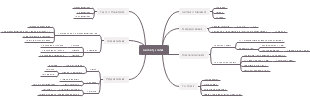
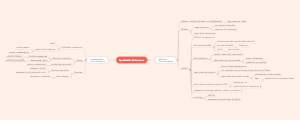
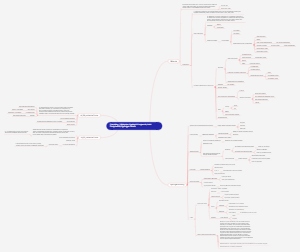
This is a mind map about electrical FAE skills, mainly including touch, motion control components, Robotics, electrician basics, Equipment debugging, etc.
Edited at 2024-04-11 11:28:16Avatar 3 centers on the Sully family, showcasing the internal rift caused by the sacrifice of their eldest son, and their alliance with other tribes on Pandora against the external conflict of the Ashbringers, who adhere to the philosophy of fire and are allied with humans. It explores the grand themes of family, faith, and survival.
This article discusses the Easter eggs and homages in Zootopia 2 that you may have discovered. The main content includes: character and archetype Easter eggs, cinematic universe crossover Easter eggs, animal ecology and behavior references, symbol and metaphor Easter eggs, social satire and brand allusions, and emotional storylines and sequel foreshadowing.
[Zootopia Character Relationship Chart] The idealistic rabbit police officer Judy and the cynical fox conman Nick form a charmingly contrasting duo, rising from street hustlers to become Zootopia police officers!
Avatar 3 centers on the Sully family, showcasing the internal rift caused by the sacrifice of their eldest son, and their alliance with other tribes on Pandora against the external conflict of the Ashbringers, who adhere to the philosophy of fire and are allied with humans. It explores the grand themes of family, faith, and survival.
This article discusses the Easter eggs and homages in Zootopia 2 that you may have discovered. The main content includes: character and archetype Easter eggs, cinematic universe crossover Easter eggs, animal ecology and behavior references, symbol and metaphor Easter eggs, social satire and brand allusions, and emotional storylines and sequel foreshadowing.
[Zootopia Character Relationship Chart] The idealistic rabbit police officer Judy and the cynical fox conman Nick form a charmingly contrasting duo, rising from street hustlers to become Zootopia police officers!
Electrical FAE skills
Electrical basics
Electrical components
breaker
fuse
contactor
Intermediate relay
thermal relay
Time Relay
solid state relay
Pressure Sensor
sensor
electrical symbols
Recognize pictures by looking at pictures
start and stop
Inching self-locking
forward and reverse
Double chain forward and reverse
Automatic round trip control circuit
step down start
Multimeter use
Measure current
Measure resistance
Measure voltage
Circuit Troubleshooting
Low voltage electrician operating certificate
Equipment debugging
Master electrical, gas and hydraulic circuit diagrams
Basic knowledge of electrical, gas and hydraulic circuits
CPK.GRR
Equipment process
The technical agreement breaks down the process requirements
Participate in the review
Assisted participation (institution-led)
Project plan development
Manpower plan formulation
Debugging manpower
Double line manpower
Quality assurance manpower
Commissioning plan development
In-plant commissioning plan
Wiring plan
Client debugging plan
Skills improvement training
Document production
Debugging SOPs
Equipment inspection list
Equipment maintenance instructions
training program
Training assessment
Equipment debugging
configuration
IO inspection
Please check according to the inspection form
Debugging of electrical components and understanding of working principles
Debugging of gas circuit components and understanding of working principles
Debugging of liquid circuit components and understanding of working principles
Exception handling
Exception collection and classification list
Abnormal docking window list
Exception tracking node
Mass production abnormal horizontal expansion list
Whole machine linkage
Process data sheet
Function confirmation
Data stability optimization record table
Maintain production
Bug optimization
FAE will be responsible for on-site handling of bugs that occur after the Q machine is completed.
Lower DT
Exceptional improvement
Spare parts safety inventory list
Support acceptance
Guarantee property, provide data
PLC
basic knowledge
basic instructions
Ladder instructions
Load command/load counter command
LD/LDN
AND operation instructions/AND non-operation instructions
AND/ANDN
Or operational instructions/or non-operational instructions
OR/ORN
Output command/Negative output command
OUT/OUTNOT
Timing input instructions
Falling edge differential
F_TRIG
Down
Rising edge differential
R_TRIG
UP
Timing output instructions
reset priority hold
RS
Set priority to keep
SR
Set/reset
Set/Reset
Multi-bit set/Multi-bit reset
SetBits / ResetBits
sequence control instructions
Master control start/Master control end
MC/MCR
Jump
JMP
Repeat start/repeat end
FOR/NEXT
comparison instructions
Compare EQ
EQ,=
Compare NE
NE,<>
Compare LT / Compare LE / Compare GT / Compare GE
LT,</LE,<=/GT,>/GE,>=
Compare
Cmp
regional comparison
ZoneCmp
timer instruction
On-delay timer
TON
Off delay timer
TOF
Pulse output
TP
Accumulated timer
AccumulationTimer
100ms timer
Timer
Counter instruction
Down counter
CTD
Adding counter
CTU
Reversible counter
CTUD
arithmetic instructions
addition
ADD,
Subtraction
SUB,-
multiplication
MUL,*
division
DIV,/
remainder
MOD
absolute value
ABS
Select command
upper and lower limits
LIMIT
Maximum value search
MAX
Minimum value search
MIN
Array search
ArySearch
data transfer instructions
transmit
MOVE
bit transfer
MoveBit
digital transmission
MoveDigit
multi-bit transfer
TransBits
memory copy
MemCopy
Module settings
SetBlock
data exchange
Exchange
queue transfer
AryMove
initialization
Clear
master
Movement instructions
motion control variables
MC common variables
axis variable
Axis group variables
Input variables for motion control instructions
Motion control instruction enumeration body
Output variables of motion control instructions
Input and output variables of motion control instructions
General instructions
Cam table properties update
MC_SetCamTableProperty
Save cam table
MC_SaveCamTable
Write MC settings
MC_Write
Cam table generation
MC_GenerateCamTable
Axis parameter writing
MC_WriteAxisParameter
Axis parameter reading
MC_ReadAxisParameter
Axis command
Runnable
MC_Power
jiggle movement
MC_MoveJog
Return to origin
MC_Home
position
MC_Move
Absolute value positioning
MC_MoveAbsolute
Relative positioning
MC_MoveRelative
speed control
MC_MoveVelocity
Forced stop
MC_Stop
Stop now
MC_ImmediateStop
Cam action starts
MC_CamIn
Cam action released
MC_CamOut
Gear action begins
MC_GearIn
Position specified gear action
MC_GearInPos
Gear action released
MC_GearOut
Axis error reset
MC_Reset
Axis group
Enable axis group
MC_GroupEnable
Axis group is invalid
MC_GroupDisable
Linear interpolation
MC_MoveLinear
Absolute linear interpolation
MC_MoveLinearAbsolute
Relative value linear interpolation
MC_MoveLinearRelative
2-axis circular interpolation
MC_MoveCircular2D
Axis group forced stop
MC_GroupStop
The axis group stops immediately
MC_GroupImmediateStop
Axis group overshoot value setting
MC_GroupSetOverride
Axis group position acquisition
MC_GroupReadPosition
Axis group error reset
MC_GroupReset
learn
ST command
IF
CASE
FOR
will use
Basic operations
Program upload and download
configuration
EtherCAT communication troubleshooting
program
Familiar with the program framework. Can check the process. Servo cylinder movement conditions
Simple modification of the program (simple conditional masking, adding instructions)
Master simple motion control instructions. ST programming
touchscreen
Basic operations
Program upload and download
Touch screen communication, IP parameter settings
Restore touch screen to factory settings
Touchscreen screen correction
Function
Alarm pop-up window
Interface switching
Permission added
User login
Data sampling
Trend
Historical data display
event login
Alarm strip
Real-time alarm
Historical alarm
Operation record
Macro application
motion control components
step by step
Parameter adjustment
Troubleshooting
Servo
Parameter settings (upload, download parameters)
Parameter adjustment
Troubleshooting
Frequency converter
Parameter settings (upload, download parameters)
Parameter adjustment
Troubleshooting
Manipulator
Robot instructions
PTP point to point
LIN straight line
CIRC round
Program upload and download
Point teaching of manipulator
Robot communication, IP parameter configuration
Robot workspace setup
Robot program instruction application (logic modification)
Robot troubleshooting