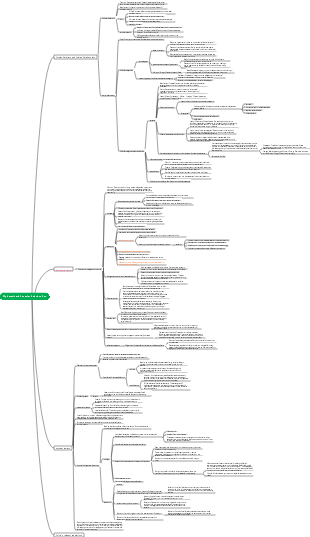
MindMap Gallery operating system
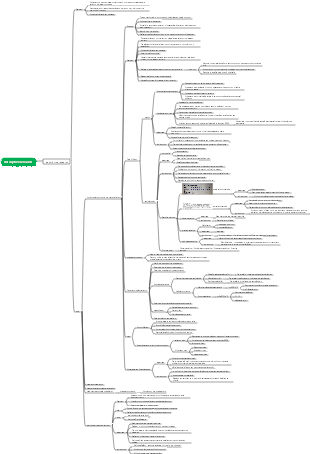
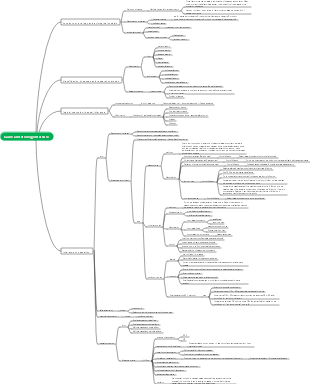
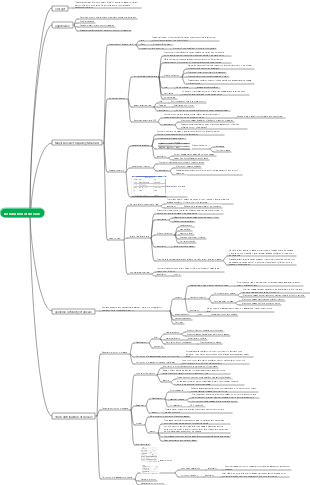
The key points of the final exam on operating systems include overview, process management, processor management, memory management, file management, etc. Hope it helps everyone.
Edited at 2023-12-13 23:51:20This article discusses the Easter eggs and homages in Zootopia 2 that you may have discovered. The main content includes: character and archetype Easter eggs, cinematic universe crossover Easter eggs, animal ecology and behavior references, symbol and metaphor Easter eggs, social satire and brand allusions, and emotional storylines and sequel foreshadowing.

[Zootopia Character Relationship Chart] The idealistic rabbit police officer Judy and the cynical fox conman Nick form a charmingly contrasting duo, rising from street hustlers to become Zootopia police officers!
This is a mind map about Deep Analysis of Character Relationships in Zootopia 2, Main content: 1、 Multi-layer network of relationships: interweaving of main lines, branch lines, and hidden interactions, 2、 Motivation for Character Behavior: Active Promoter and Hidden Intendant, 3、 Key points of interaction: logic of conflict, collaboration, and covert support, 4、 Fun Easter eggs: metaphorical details hidden in interactions.
This article discusses the Easter eggs and homages in Zootopia 2 that you may have discovered. The main content includes: character and archetype Easter eggs, cinematic universe crossover Easter eggs, animal ecology and behavior references, symbol and metaphor Easter eggs, social satire and brand allusions, and emotional storylines and sequel foreshadowing.
[Zootopia Character Relationship Chart] The idealistic rabbit police officer Judy and the cynical fox conman Nick form a charmingly contrasting duo, rising from street hustlers to become Zootopia police officers!
This is a mind map about Deep Analysis of Character Relationships in Zootopia 2, Main content: 1、 Multi-layer network of relationships: interweaving of main lines, branch lines, and hidden interactions, 2、 Motivation for Character Behavior: Active Promoter and Hidden Intendant, 3、 Key points of interaction: logic of conflict, collaboration, and covert support, 4、 Fun Easter eggs: metaphorical details hidden in interactions.
operating system
Overview
operating system concept
operating system status
The operating system is the first layer of software covering the bare metal
Directly control and manage various hardware resources
Provide a working environment for other software and users
It is the control and management center of the entire computer system
Various application users use corresponding application software to complete various tasks
Application software is developed by application developers using development tools (e.g., high-level language programming tools)
Application software and development tools all work in the operating environment provided by the operating system. Their operation is managed by the operating system, the operating system allocates the required resources to them, and the operating system controls the I/O devices.
Operating system functions
Provide human-machine interface
Command-level interface (users can issue commands to jobs through this interface to control the running of jobs. This interface is further divided into online user interface and offline user interface)
online user interface
Offline user interface (provided for users of batch jobs, also called the batch user interface)
Program level interface (composed of a set of system function calling commands and program modules that complete these commands)
graphic interface
Manage computer resources
Processor management (the task of the processor is to run the program, and the process of a program running on a certain data object is called a process, so processor management is also called process management)
Single program sequential execution: Multiple programs to be executed are executed in a certain order. Only after one program is completed can the next program be run. That is, no other programs are inserted during the running of one program.
Concurrent execution of multi-programs: Store multiple programs in the memory at the same time, and schedule the cross-running of multiple programs according to a certain strategy to form a "micro-serial, macro-parallel" situation, so that processors and devices can work in parallel
(1) Processor scheduling (To run multiple programs concurrently in a single-processor system, the processor must be scheduled according to a certain strategy, and it must be decided which process the processor is assigned to perform calculation operations at a certain time. This is processing core tasks of machine management)
(2) Process control: A process is a dynamic running process of a program. During its lifetime, it goes through a series of state transitions from creation to death (true or false)
(3) Process communication (in a multiprogramming environment, the system can establish multiple processes for an application. These processes cooperate with each other to complete a common task, and they need to exchange information - process communication)
(4) Process synchronization (in a multiprogramming system, when multiple concurrent processes are in the same operating environment, there must be some kind of connection, such as resource sharing between processes and collaboration between processes)
Storage management (In a multiprogramming environment, to store multiple programs in memory at the same time, the memory must be reasonably managed to ensure the smooth operation of the program and improve memory utilization) multiple choice questions
(1) Memory allocation
(2) Address conversion
(3) Memory protection
(4) Memory expansion
Device management
The task of device management is to accept I/O requests from user programs and allocate I/O devices to user programs.
Make the CPU and I/O devices operate in parallel to improve the utilization of the CPU and I/O devices
Improve I/O speed
Facilitate user programs to use I/O devices
In order to complete the above tasks, the device management subsystem of the operating system should have functions such as device allocation, buffer management, device driver, and device independence.
File management
(1) Management of file storage space
(2) Directory management
(3) File operations
(4) File access permission control
The development process of operating system
Four stages of computer hardware development
The first generation: the tube era (1946-1955)
Second Generation: The Transistor Era (1955-1965)
Third Generation: Integrated Circuit Era (1965-1980)
The fourth generation: the era of large-scale integrated circuits (1980-present)
Speed, capacity, stability, and reliability have all been gradually and steadily improved!
Four typical stages of operating system development
Manual operation (no operating system) early 1950s
Single-channel batch processing system in the 1950s (can read pictures and recognize)
As shown on the right
Multi-channel batch processing system, early 1960s (can read pictures and recognize)
Disadvantages: Long job processing time Lack of human-computer interaction capabilities The running process is uncertain
Time-sharing system mid-1960s
time sharing system
interrupt technology
After the CPU receives an external signal (interrupt signal), it stops the current work and transfers to process the external event. After the processing is completed, it returns to the interruption point (breakpoint) of the original work and continues the original work.
channel technology
A processor that specifically handles data transfer between peripherals and memory
Features of time-sharing system (high-performance host, multiple terminals)
Multimodulation
Multiple users online using the same computer
exclusivity
User feels exclusive of computer
interactivity
Respond promptly to user requests
Real-time system (real-time system is an operating system developed to meet the requirements of real-time operations, emphasizing timeliness and reliability)
real time control
Systems that require real-time control are usually called real-time control systems. Application areas include production process control and weapons control (such as automatic control systems for artillery, automatic pilot systems for aircraft, and missile guidance systems, etc.)
real-time information processing
Usually, systems that require real-time processing of information are called real-time information processing systems. Typical real-time information processing systems include aircraft booking systems and information retrieval systems.
Microcomputer operating system
Single-user multitasking operating system (Win)
Multi-user multi-tasking operating systems (UNIX and Linux)
Characteristics of operating systems (multiple choice questions)
1. Concurrency
In a single-processor system, concurrency refers to "multiple programs running simultaneously at the macro level and alternate execution at the micro level"
2. Share
Resources in a computer system are used by multiple tasks
3.Asynchronous
Microscopically, processes are executed alternately, and the execution, suspension and other states of the process are unpredictable and asynchronous.
4.Virtual
Physical entities are mapped into multiple logical entities, and user programs use logical entities
Popular operating systems
UNIX system
structure
Core program (kernel)
Peripheral program (shell)
Linux system
It is a Unix-like operating system that is free to use and freely disseminated.
operating system architecture
The logical structure of the operating system
Types of logical structures
monolithic structure
Built with modules as basic units
Features
Independent module design, coding and debugging
Free module calling
Module communication is mostly done in the form of global variables
shortcoming
Information is transferred haphazardly and maintenance and updates are difficult
Hierarchical structure (silent map)
Each layer only uses the services provided by the layer below it (Unix, Linux)
All functional modules are arranged in several layers according to the order of calls. There are only one-way dependencies or one-way calls between adjacent layers.
Kernel
Interrupt handler
Various device drivers
Modules that run more frequently (such as clock managers, process schedulers
Low-level communication module, memory management module, etc.)
Microkernel structure (Win)
advantage
Simplify kernel code maintenance
Flexible construction
High security
Easy to transplant
CPU status
The most basic hardware structure that supports the operating system
CPU
Memory
interrupt
clock
Classification of CPU states
nuclear state
Ability to access all resources and execute all instructions
Hypervisor/OS Kernel
management
Between kernel state and user state
User mode
Only some resources can be accessed, and other resources are restricted
User program
Intel CPU status
Ring0~Ring3 (Ring0 is the core, Ring is the outermost layer)
memory
The part that stores programs and data
Classification
According to memory (semiconductor memory) reading and writing working mode
RAM
ROM
Material by storage element
Semiconductor memory (often used as main memory)
Magnetic storage (tape, disk)
Optical storage (optical disk)
press contact with CPU
Main memory: exchanges information directly with the CPU
Auxiliary storage: cannot exchange information directly with the CPU
Ideal storage system: fast speed, large capacity, low cost
Actual storage system (read from top to bottom in order
register
cache
main memory
auxiliary storage
Interrupt mechanism
Events that cause system interrupts are called interrupt sources
operating system user interface
🔥Operating system startup process
Windows startup process
POST
After powering on, the BIOS starts the host self-test program
initial boot
The BIOS reads the boot program from the MBR and loads it into a specific location in the memory.
The boot program starts DOS7.0 and loads the operating system core
WINDOWS begins to take over the system
Core initialization
Initialization of resource status, core data, etc.
system initialization
The GUI interface is generated and the system is in standby/message accepting state.
Classification of user interfaces
Operation interface
graphic interface
command interface
Batch commands/programs
shell
system call
Process management
Introduction of process
Sequential execution of programs
The execution process of a program is a calculation
Characteristics of program execution in sequence
sequentiality
closedness
Reproducibility
Concurrent execution of programs and their characteristics
The concept of concurrent execution
Multiple programs occur simultaneously within the same time interval
Characteristics of concurrent execution of programs
discontinuity
lose closure
irreproducibility
Definition and Characteristics of Process
A process is an execution of a program
A process is a calculation that can be executed concurrently with other processes
A process is the execution process of a program on a processor under given activity space and initial conditions.
A process is the running process of a program on a data set. It is an independent unit for resource allocation and scheduling in the system.
Processes are dynamic, life-cycle activities. The kernel can create a process which will eventually die by being killed by the kernel
Basic states and transitions of processes
🔥Three basic states of process
ready state
Execution status
blocking state
Process control block PCB
Process synchronization and mutual exclusion
The concept of critical resources
Resources that cannot be used by two or more processes at the same time are called critical resources (CR). Critical resources may be some exclusive devices, such as printers, tape drives, etc.; they may also be some shared variables, tables, linked lists, etc.
process concept
process status
ready state
Operating status
blocking state
Process Scheduling Algorithm
First come, first served algorithm
short job priority algorithm
time slice rotation algorithm
thread
The concept of thread
A thread is the smallest unit for performing operations in a process, that is, the basic unit for executing processor scheduling.
Comparison of processes and threads
Process is the basic unit of resource allocation
Thread is the basic unit for allocating processors and has nothing to do with resource allocation.
A thread can only belong to one process, and a process can have multiple threads, but there must be at least one thread
Thread status
ready state
Operating status
blocking state
Thread Scheduling Algorithm
priority scheduling algorithm
time slice rotation algorithm
Processor management
Job management
The concept and classification of homework
Homework concept
It consists of programs, data, and work instructions
Classification of assignments
According to processing method
Offline jobs
online work
Online jobs (interactive jobs/terminal jobs)
Users interact directly with computer systems
Users control the operation of jobs through operating commands on the terminal or console keyboard, or through graphical window interfaces.
Mainly used in time sharing systems
Job status
Submit status
backup status
Execution status
finished condition
hierarchical scheduling
process scheduling
Preemption method
Non-preemptive mode
job scheduling
Linux system does not have the concept of job scheduling
process scheduling
Process scheduling function
Record the execution of all processes in the system
Select a process from the ready status queue
Perform process context switching
Scheduling Algorithm
First come first served scheduling algorithm (FCFS)
Good for long jobs or processes and bad for short jobs or processes
Turnaround time = waiting time running time
With full turnaround time = 1 (waiting time/run time)
Short job (process) priority scheduling algorithm (SJF or SPF)
Suitable for job scheduling and process scheduling
Not good for long jobs
This algorithm does not consider the urgency of the job, so it cannot guarantee the timely processing of urgent jobs.
Since the length of a job or process is only estimated by the user, and the user may intentionally or unintentionally shorten the estimated running time of the job, it is not necessarily guaranteed to achieve the true priority scheduling of short jobs, so this scheduling algorithm is often used as other scheduling algorithms. comparison algorithm
High response ratio priority scheduling algorithm (HRN)
This algorithm is often used for job scheduling
Response ratio R=1 (waiting time/required service time) The larger the R, the higher the priority.
Priority Scheduling Algorithm (HPF)
priority
static priority
dynamic priority
Types of priority scheduling algorithms
Preemptive priority scheduling algorithm
Non-preemptive priority scheduling algorithm
The smaller the priority number, the higher the priority.
Time slice rotation method (RR algorithm)
Multi-level queue scheduling algorithm (MLQ)
(Concept of equipment)
Classification of equipment
input device
output device
storage device
How to manage equipment
device driver
device controller
(device driver)
Device Driver Concept
Device driver functionality
Device initialization
equipment control
Device interrupt handling
Type of device driver
character device driver
block device driver
Network device driver
Memory management
Memory management overview
Several basic concepts of storage management
The address of an operand in logical space is called logical address
The address at which an operand is loaded into memory is called the physical address.
Partition storage management method
Partition management type
single partition
fixed partition
variable partition
relocatable partition
Continuous allocation of single programs
Memory
System area
user area
Fixed partition allocation method (judgment)
internal fragments
Once a region is allocated to a job, the remaining space cannot be used again.
external debris
When a job loads memory, if the length of the partition in the memory is less than the length of the job program, the program cannot be loaded.
Both internal fragmentation and external fragmentation cause a waste of storage space
Dynamic partition allocation
first fit algorithm
from front to back
loop-first adaptive algorithm
From front to back, connected from front to back
best adaptive algorithm
Sort from small to large
worst fitness algorithm
Sort from large to small
Page storage management
The idea of page storage management
In paged storage management, main memory is divided into a number of equal-sized physical blocks
The program's address space is divided into logical pages
Logical pages are the same size as physical blocks
Usually the size of the physical block is 2n sectors, such as 1K, 2K, 4K, etc.
Data structure of page storage management
The question gives the page size L and the address A of the logical address space. Calculate the page number P and the page address W.
The page size of the system is 1 KB, assuming A = 2170 B, then from the above formula we can find P = 2, w = 122B
P =(int) [A/L] W=A%L
Fast watch
If the page table is entirely placed in the main memory, fetching one data (or one instruction) requires at least two memory accesses.
(Concept of memory)
Classification of memory
physical memory
Virtual Memory
Memory allocation strategy
Fixed partition allocation strategy
Dynamic partition allocation strategy
Page memory allocation strategy
(memory protection)
The concept of memory protection
Memory protection methods
Address space protection
access control protection
File management
File management overview
File (large): It is a collection of related records. It is usually stored in external memory and can be stored as an independent unit and perform corresponding operations.
A file contains attributes such as file type, file length, file physical location, file creation time, usage permissions (read and write), etc.
File names usually consist of ASCll characters or Chinese characters
Record (middle): It is a collection of related data items, used to describe the attributes of an object in certain aspects. For example, a student record has student number, name, gender, age, class, etc.
Data item (small): It is a character set that describes a certain attribute of an object. It is the smallest logical data unit that can be named in a data organization, that is, atomic data, also called data element or field.
File system
File system concept
File system functions
Management of files and directories, such as opening, closing, reading, writing, etc.
Provide services related to the file itself, such as file sharing mechanism, file security, etc.
The management of file storage space, such as allocation and release, mainly focuses on rewritable external memory, such as disks.
Provide user interface
(type of file system)
FAT file system
NTFS file system
EXT file system
Classification of files
Classification by file data format
Source File
Target file
executable file
Win .exe file suffix
Linux is fine
Classified by use
System Files
Library file
user files
Sort by access rights
read-only file
Read and write files
executable file
Sort by storage time
Temporary Files
Archives
permanent file
Classification by way of file management
Ordinary document
catalog file
special document
File access method
sequential access mode
Access files sequentially according to their logical addresses
For record files, they are accessed sequentially according to the sort order of the records.
Sequential files are files stored sequentially. The order of physical records and the order of logical records are consistent.
random access method
Also known as direct access method
It accesses any record in the file according to the record number or address.
For fixed-length record file random access, a file is regarded as a number of numbered blocks or records, and the size of each block is the same.
Random access allows blocks to be read and written to at will. Therefore, there is no defined sequence for random access to files. When an access request is received, the logical address of the record is calculated and then the record is accessed.
For variable-length record files, it is very inconvenient to determine the read and write displacement by calculating the length from the beginning to the specified record. Index table organization is usually used.
Key access method
Access based on a certain data item value (called a key) in the logical record as an index
The key access method is essentially a random access method
The logical structure of the file
log file
Sort by record length
A fixed-length record file means that all records in the file have the same length.
An indefinite-length record file refers to several records in the file that are of different lengths, such as name, home address, notes, etc., which may be longer or shorter.
index file
When records are of variable length, an index table is usually created for them
Set a table entry for each record to speed up record retrieval
(File storage device)
harddisk
CD
U disk