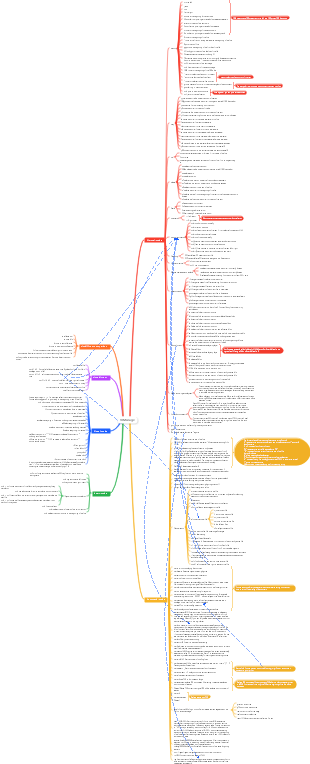
MindMap Gallery Linux command vomiting blood summary
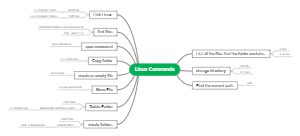
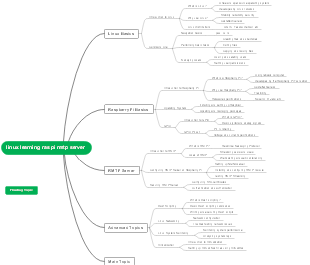
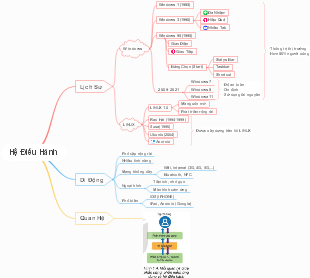
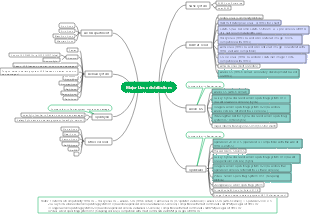
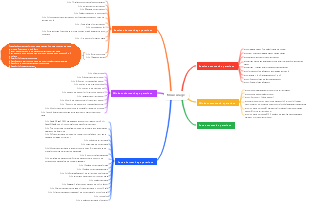
This is a mind map that summarizes Linux commands, including account management, system management, file management, program management, software management, etc.
Edited at 2023-12-12 15:24:49This infographic, created using EdrawMax, outlines the pivotal moments in African American history from 1619 to the present. It highlights significant events such as emancipation, key civil rights legislation, and notable achievements that have shaped the social and political landscape. The timeline serves as a visual representation of the struggle for equality and justice, emphasizing the resilience and contributions of African Americans throughout history.

This infographic, designed with EdrawMax, presents a detailed timeline of the evolution of voting rights and citizenship in the U.S. from 1870 to the present. It highlights key legislative milestones, court decisions, and societal changes that have expanded or challenged voting access. The timeline underscores the ongoing struggle for equality and the continuous efforts to secure voting rights for all citizens, reflecting the dynamic nature of democracy in America.
This infographic, created using EdrawMax, highlights the rich cultural heritage and outstanding contributions of African Americans. It covers key areas such as STEM innovations, literature and thought, global influence of music and arts, and historical preservation. The document showcases influential figures and institutions that have played pivotal roles in shaping science, medicine, literature, and public memory, underscoring the integral role of African American contributions to society.
This infographic, created using EdrawMax, outlines the pivotal moments in African American history from 1619 to the present. It highlights significant events such as emancipation, key civil rights legislation, and notable achievements that have shaped the social and political landscape. The timeline serves as a visual representation of the struggle for equality and justice, emphasizing the resilience and contributions of African Americans throughout history.
This infographic, designed with EdrawMax, presents a detailed timeline of the evolution of voting rights and citizenship in the U.S. from 1870 to the present. It highlights key legislative milestones, court decisions, and societal changes that have expanded or challenged voting access. The timeline underscores the ongoing struggle for equality and the continuous efforts to secure voting rights for all citizens, reflecting the dynamic nature of democracy in America.
This infographic, created using EdrawMax, highlights the rich cultural heritage and outstanding contributions of African Americans. It covers key areas such as STEM innovations, literature and thought, global influence of music and arts, and historical preservation. The document showcases influential figures and institutions that have played pivotal roles in shaping science, medicine, literature, and public memory, underscoring the integral role of African American contributions to society.
Linux
System Management
Memory
View memory
free -h
Check the swap space size
grep SwapTotal /proc/meminfo
View disk usage
df-h
View total memory
cat /proc/meminfo | grep MemTotal
cpu
Check the number of cpu cores
cat /proc/cpuinfo | grep "processor" |sort |uniq | wc -l
Look at cpu, memory, SWAP usage
top
process
Real-time display of process dynamics (top)
-i: Do not display any idle or zombie trips
Show current process (ps)
View Java processes
jps -lm
View process details
ps -ef|grep java
View current process
ps aux | less
View the specified port number
netstat -tunlp |grep port number
Terminate process
kill -9 process
Background process
nohup
View zombie processes
ps ef | grep defunct
Network/IO
Check whether the port is occupied
sudo netstat -tunlp | grep 44444
network
Internet Firewall
Check the status of the firewall
firewall-cmd --state
stop firewall
systemctl stop firewalld.service
Disable firewall from starting at boot
Restart firewall
firewall-cmd --reload
nc(natcat)
IO
Check disk IO usage
system
Modify system time
tzselect
View system time
date
scheduled tasks
crontab
Restart
reboot
Modify the alias behind linux root@
vi /etc/hostname
View Linux version
cat /proc/version
View current run level
runlevel
Check system bits
uname -uname -m
Modify kernel information
vim /etc/redhat-release
Serve
What are daemons and services
Main categories of daemon processes
independent daemon
super daemon
work form
code of command
Correspondence between services and ports: /etc/services
Startup script and startup method of daemon process
Configuration file
How to start an independent daemon
/etc/init.d/*start
service
How to start the super daemon process
Parse the configuration file of the super daemon
Firewall management of services xinetd, TCP Wrappers
Services started by the system
Observe the services started by the system: netstat
How to start the service immediately after configuring startup
chkconfig: manages whether system services are started by default
ntsysv: Graphical interface management mode
chkconfig: add and delete system services
Account management
user
useradd (new user)
useradd
useradd sun
Create new user sun
-c
useradd -c <description content> sun
Specify an annotative description
useradd -c "admin" sun
-d
useradd -d <user home directory>
useradd -d /usr/sam -m sam
This command creates a user sam. The -d and -m options are used to generate a home directory /usr/sam for the login name sam (/usr is the parent directory of the default user home directory)
-g
useradd-g
useradd -g group1 sun
Specify the user group to which the user belongs
-u
Specify user number
Create a password
Command: passwd user
Example: passwd muye
View all users
cat /etc/passwd
userdel (delete user)
userdel <options>
userdel sun
-r
userdel -r
Delete the user's home directory together
userdel -r sam
This command deletes user sam's records in system files (mainly /etc/passwd, /etc/shadow, /etc/group, etc.) and deletes the user's home directory.
usermod (modify user)
Modify user-related attributes, such as user number, home directory, user group, login shell, etc.
-c
usermod -c <description content>
usermod -c "test" sun
Modify user description information
-d
usermod -d <new user home directory>
Modify the user's home directory
-g
usermod -g <user group>
Modify the groups a user belongs to
-G
usermod -G <user additional group>
Modify additional groups to which a user belongs
-s
Modify user login shell
-u
Modify user number
-o
Reusable user identification number
passwd (change password)
passwd -l
Lock the password, i.e. disable the account
passwd -u
Password unlock
passwd -d
Make the account passwordless
passwd -f
Force users to change their password the next time they log in
Switch account
su/sudo-auth
user group
Create new user group
groupadd
-o
Generally used together with the -g option, indicating that the GID of the new user group can be the same as the GID of the existing user group in the system.
-g
groupadd -g
groupadd -g 101 group2
This command adds a new group group2 to the system and specifies that the group identification number of the new group is 101.
groupadd group1
This command adds a new group group1 to the system. The group identification number of the new group is the largest existing group identification number plus 1.
Delete user group
groupdel
eg: groupdeles
View user groups
cat /etc/group
File management
document
enter
tee
jstack 2132 | tee aa
Check
View the last 100 lines
tail -n 100 filename
Monitor the last 100 lines
tail -100f filename
View more and less in pages (less supports page turning forward)
less filename
View hidden files
ls -a
Font color represents meaning
copy
local copy
cp /root/a.txt /root/home
Transfer all files in the /root/lk directory on server A to the /home/lk/cpfile directory on server B.
scp -r /root/lk root@43.224.34.73:/home/lk/cpfile
delete
Delete specified content files in batches
find . -maxdepth 1 -regex ".*04.*" -exec rm -rf {} \;
Delete files in a folder
rm -f *;
Rename
mv mysql-5.6.33-linux-glibc2.5-x86_64 mysql
compression
zip
zip -r mysql.zip mysql
Compress the mysql folder into mysql.zip
tar
Example: tar -zcvf /home/xahot.tar.gz /xahot
package/xahot directory
Syntax: tar [required parameters][selected parameters][file]
c: (create) Create a new backup file
v: (verbose) displays the execution process of the instruction
f: (file) pinned backup file
z: (gzip or ungzip) Process backup files through the gzip command
x: Restore files from backup files
unzip
unzip
Unzip to current directory
unzip mysql.zip
Unzip to the specified directory
unzip mysql.zip -d /tmp
tar
Unzip to current directory
tar -zvxf xxx.tar.gz
Clear
cat /dev/null > file_name
Table of contents
Switch directory
Switch absolute directory
cd /usr/local
Switch relative directories
cd ./local
copy directory
cp -r dir1 dir2
Indicates that dir1 and the files contained under dir1 are copied to dir2.
Create new directory
Create a directory
mkdir test
Create multi-level directories
mkdir -p /test/test1/test2
Display the directory where the current file is located
pwd
delete directory
Delete a single directory
rmdir test
Delete multi-level directories
rmdir test/test2/test3
View the first 20 large files in a directory
du -h | sort -nr |head -20
Command and file search
Search command files
which
File search
whereis (find specific files)
locate
find
Permissions
Modify user permissions
chown account name file or directory
chown muye software/
Modify user group permissions
chgrp -R account name file or directory
chgrp -R muye software/
Modify users and user groups simultaneously
chown -R owner username.group name folder name
chown -R muye.muye zipFloder/
Modify current user permissions
chmod wx filename
chmod -R 777 /upload
Program management
what is process
Processes and Procedures
Definition of program and process
Child process and parent process
fork and exec: process call process
System or network service: a memory-resident process
Multi-user, multi-tasking environment for Linux
multi-user environment
multitasking behavior
Seven basic terminal windows for a multi-login environment
Special process management behavior
Work management in bash environment: using & symbol
Consideration of system resource allocation issues for multi-users and multi-tasks
work management
Job control management
Directly throw the command to the background for "execution" &
Put the current work into the background and "pause": [ctrl]-z
View the current background job status: jobs
Bring background work to the front desk for processing: fg
Change the status of a job in the background to running: bg
Manage work in the background: kill
Force a job to close: kill -9 %number
Shut down the job normally: kill -15 %number
Offline management issues
nohup command
Process management
Process view
PS
Only view your own bash-related processes: ps -l
View all processes on the system: ps aux
top: dynamically view process changes
pstree: process affinity
Process management
kill
killall
About the execution order of the program
Priority(PRI) and Nice(NI) values
PRI cannot be changed directly
NI can be changed
The newly executed command will be given a new Nice value: nice
There is already a program to adjust the Nice value: renice
Observation of system resources
free: observe memory
uname: View system and core related information
uptime: View system startup time and workload
netstat: Track the network
dmesg: Analyze messages generated by the kernel
vmstat: detect system resource changes
Special files and programs
Command execution status with SUID/SGID permissions<br>
What /proc/* represents
Query open files or files opened by executed programs
fuser: Find the program that is using the file through the file (or file system)
lsof: List the file names opened by the process
pidof: Find out the PID of an executing process
A preliminary study on SELinux
Software management
Software Manager Introduction
The two mainstreams in the Linux world: RPM and DPKG
What is RPM and SRPM
What are i386, i586, i686, noarch, x86_64
Features of RPM
Solution to RPM attribute dependency: YUM online upgrade
RPM software management program: rpm
Check whether a certain software is installed in the directory
rpm -qa | grep vnc(filename)
Find where the software is installed
RPM default installation path
RPM installation
rpm -ivh vsftpd-3.0.2-22.el7.x86_64.rpm
RPM upgrade and update (upgrade/freshen)
RPM query (query)
RPM verification and digital certificate (Verify/Signature)
Uninstall RPM and rebuild the database (erase/rebuilddb)
View software port
netstat -antup | grep ftp (check the ftp port)
Use of SRPM: rpmbuild
YUM
Management choice: RPM or Tarball
View yum source
ll /etc/yum.repos.d/
Check if the yum source works well
yum list
Clear cache
yum clean all
renew
yum update
Shell
vim
Move cursor to end of line
shift 4
Move the cursor to the beginning of the line
shift 6(0)
Move to the first line of the file
gg
Move to the last line of asking price
shift g
Move to beginning of line
0
move to end of line
shift 4
Find specified content
After opening with vi: / keyword
Open unused file: cat filename | grep keyword
cursor
Move the cursor to the beginning of the line
^ ,&
Understand and learn BASH
shell variable function
Variable definitions
Display and setting of variables
Configuration rules for variables
The function of environment variables
Use env to observe environment variables and common environment variable descriptions
Use set to observe all variables (including environment variables and custom variables)
PS1: (Configuration of command prompt characters)
$: (about the PID of this shell)
? : (regarding the return value of the last run command)
OSTYPE, HOSTTYPE, MACHTYPE: (level of host hardware and core)
export: Convert custom variables to environment variables
Language variables that affect the display results (locale)
Valid range of variables: export
Variable keyboard reading, array and definition
Read: read
Definition: declare
data variable type
Limitations between file systems and programs: ulimit
Deletion, substitution and replacement of variable contents
Command aliases and historical commands
Command alias configuration
alias: configuration command alias
unalias: cancel command alias
Bash shell operating environment
Path and command search order
history: history command
Bash entry and welcome information:/etc/issue,/etc/motd
bash environment configuration file
Use shell in login mode
Read configuration file
/etc/profile: This is the configuration of the overall system
call profile
/etc/inputrc<br>
/etc/profile.d/*.sh
/etc/sysconfig/i18n
~/.bash_profile or ~/.bash_login or ~/.profile: personal configuration
wake profile
~/.bashrc
wake profile
/etc/bashrc
Use shell in non-login mode
source: command to read environment configuration files
Read configuration file
~/.bashrc
wake profile
/etc/bashrc
Other related configuration files
/etc/man.config
~/.bash_history
~/.bash_logout
Terminal environment configuration: stty, set
Wildcards and special symbols
Data flow redirection
Output type
standard output
standard error output
/dev/null trash can black hole settings and special writing methods
tee: bidirectional redirection
Judgment basis for command execution
cmd;cmd (continuous command issuance regardless of command dependency)
$? (command return value) and && or ||
pipe command
intercept command
cut
grep
Sorting and Statistics Instructions
sort
uniq
wc
Character conversion command
tr
col
join
Parameter substitution
xargs
Regular expressions and file formatting
Basic regular expressions
Effect of encoding on regular expressions
Advanced applications of grep
Basic regular expression characters
sed tool
extended regular expression
File formatting and related processing
Formatted printing: printf
Useful data processing tool: awk
other
Log management
Output the error log to the front desk
-foreground
Disk separation, formatting, verification and mounting
disk partition
fdisk
Disk formatting
mkfs
mke2fs
Disk test
fsck
Disk mounting and removal
Mount command: mount
Uninstall command: unmount
Disk parameter revision
Disk parameter modification
Login file
What is a login file
Importance of login documents
Troubleshoot system errors
Troubleshoot network service issues
Past event records
Common file names
/var/log/cron: Routine work log
/var/log/dmesg: records various information generated by the core detection process when the system is started.
/var/log/lastlog: can record the relevant information of all accounts on the system when they last logged into the system.
/var/log/maillog or /var/log/mail/*: records email exchange information.
/var/log/messages: Almost all error messages (or important information) that occur in the system will be recorded in this file.
/var/log/secure: As long as it involves software that requires entering an account password, it will be recorded in this file when logging in.
/var/log/wtmp,/var/log/faillog: These two files can record the account information of the person who correctly logged in to the system and the account information used when logging in incorrectly.
/var/log/httpd/*,/var/log/news/*,/var/log/samba/*: Different network services will use their own login files to record various information generated by themselves.
Related services and procedures required for login files
syslogd (rsyslog): Mainly logs in to system and network service information
klogd: Mainly logs various data generated by the core
logrotate: mainly performs the rotation function of login files
syslogd: a service that records login files
General format of login file content
Syslog configuration file: /etc/syslog.conf
Service name: distinguished according to service category
Information level: seven levels in total, from 1 to 7
The file name of the information record or the device or host
Login file security configuration
Login file server configuration
Login file rotation
Analyze login files
logwatch provided by default in CentOS
Login file analysis tool written by Brother Niao himself
graphic interface
Check whether the graphical interface is installed
startx
Start character interface
sudo init 3
Start the graphical interface
sudo init 5
file transfer
curl
Docker
Common commands
Start Docker: sudo service docker start
Restart the container: docker restart container name
List all container IDs: docker ps -aq
Stop all containers: docker stop $(docker ps -aq)
Stop a single container: docker stop The name of the container to be stopped
Delete all containers: docker rm $(docker ps -aq)
Delete a single container: docker rm The name of the container to be deleted
Start the container: docker start id (can be abbreviated)
Delete all images: docker rmi $(docker images -q)
View all images: docker images
Start the image: docker run -d -p 8080:8080 tomcat
container
Container migration
mirror
the difference
Deploy application
rabbitMq
tomcat
redis
elasticSearch
Ali Cloud
Problems encountered
Quickly solve the problem that Alibaba Cloud ECS server ftp cannot connect remotely
Pitfalls encountered when connecting to Alibaba Cloud servers via FTP
Is 1 core 2G enough for a cloud server?
deploy
Use Navicat to connect to Alibaba Cloud remote MySQL database
Use Alibaba Cloud server to deploy elasticsearch and access it locally