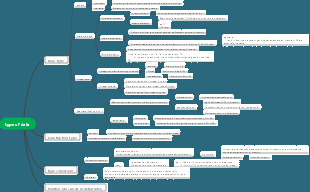
MindMap Gallery Java-data type mind map
This is a mind map about Java-data types. It introduces the basic data types of Java in detail and provides a comprehensive description. I hope it can help interested friends learn.
Edited at 2023-12-01 13:42:37This is a mind map about bacteria, and its main contents include: overview, morphology, types, structure, reproduction, distribution, application, and expansion. The summary is comprehensive and meticulous, suitable as review materials.

This is a mind map about plant asexual reproduction, and its main contents include: concept, spore reproduction, vegetative reproduction, tissue culture, and buds. The summary is comprehensive and meticulous, suitable as review materials.
This is a mind map about the reproductive development of animals, and its main contents include: insects, frogs, birds, sexual reproduction, and asexual reproduction. The summary is comprehensive and meticulous, suitable as review materials.
This is a mind map about bacteria, and its main contents include: overview, morphology, types, structure, reproduction, distribution, application, and expansion. The summary is comprehensive and meticulous, suitable as review materials.
This is a mind map about plant asexual reproduction, and its main contents include: concept, spore reproduction, vegetative reproduction, tissue culture, and buds. The summary is comprehensive and meticulous, suitable as review materials.
This is a mind map about the reproductive development of animals, and its main contents include: insects, frogs, birds, sexual reproduction, and asexual reproduction. The summary is comprehensive and meticulous, suitable as review materials.
Java
Basic data types
byte
1. Byte is the basic data type of Java, accounting for 1 byte.
subtopic
2. Represents an 8-bit signed two’s complement integer
Range: -128 to 127
Negative numbers: -128 to -1
Zero: 0
Positive numbers: 1 to 127
Default value: 0
3. Construction method
Construction method: Byte(byte value)
Static method: valueOf(byte b)
6. Array representation
Byte[] var
7. Operations: ,,*,/,%,<<,>>,&,|,^
8. Comparison: ==, !=, >, <, >=, <=
9. Conversion: byteValue(), parseByte(), valueOf()
The byte type is commonly used for bit operations and file IO operations.
short
1. One of the basic data types in Java, used to store short integers. Represents a 16-bit signed two's complement integer
2. The value range is -32768 to 32767.
3. Suitable for storing small integer values.
4. Can perform arithmetic operations, such as addition, subtraction, multiplication, division, etc.
5. Comparison operations can be performed, such as greater than, less than, equal to, etc.
6. You can use bitwise operators to perform bitwise operations.
7. Construction method:
Construction method:
1. Default construction method Short()
2. Constructor method Short(short value) with one parameter
3. Constructor method Short(String s) with a string parameter
4. The static method valueOf(short value) returns a Short object of this value
5. The static method valueOf(String s) returns a Short object of this string parameter, which consists of characters and will be converted to a signed short if necessary.
6. The static method parseShort(String s) returns a Short object of this string parameter, which consists of characters and will be converted to a signed short when necessary.
7. Constructor method Short(byte value) for converting from byte
int
1. int is Java’s basic data type, used to store integers. Represents a 32-bit signed two's complement integer
2. In Java, the value range of int is from -2147483648 to 2147483647.
3. The int type is usually used to declare integer variables in Java.
4. Construction method:
Interger var
Interger[] var
5. Support compareUnsigned and divideunsigned unsigned operations
long
1. "long" is Java's basic data type, representing a 64-bit signed two's complement integer
2. The range of Long type is from -9,223,372,036,854,775,808 (i.e. -2^63) to 9,223,372,036,854,775,807 (i.e. 2^63 - 1).
3. Declaration and initialization:
Long num1 = 10L; // Use suffix 'L' to represent a literal value of long type
Long num2 = Long.valueOf(10); // Use the static method valueOf() to convert the basic type long to a Long object
4. Support compareUnsigned and divideunsigned unsigned operations
5. The Long class provides a variety of methods to operate long integers.
1. longValue(): Convert the value of the Long object to the basic type long.
2. compareTo(): Compare the values of two Long objects.
3. parseLong(): Parses the string into a long integer.
6. Automatic packing and unboxing
1. Starting from Java 5, automatic conversion between basic data types and their corresponding wrapper classes (such as long and Long) can be automatically converted. This is called automatic boxing and unboxing.
Long boxedNum = 10L; // Automatic boxing: from long to Long
long primitiveNum = boxedNum; // Automatic unboxing: from Long to long
7. Constant
1.Long.MAX_VALUE
Indicates the maximum value that the long type can store, which is 9,223,372,036,854,775,807.
2. Long.MIN_VALUE
: Indicates the minimum value that the long type can store, which is -9,223,372,036,854,775,808.
8. Use in collections
Using Long instead of the basic type long is useful when you want to store numbers in a collection (such as ArrayList, HashSet) and need its object properties. For example, you can store unique Long values in a HashSet to eliminate duplicates.
9. Bit operation
Like other integer types, you can perform bit operations on long, such as bitwise AND (&), bitwise OR (|), bitwise XOR (^), etc. But note that the result is still a long integer.
10. Things to note
Be careful when using the == operator to compare two Long objects. Although for small integer values (between -128 and 127), Java caches the corresponding Long object, for values outside this range, a new Long object is created every time, even if they represent the same numerical value. , their addresses in memory may also be different. Therefore, it is safer to use the .equals() method to compare whether the values of two Long objects are equal.
4. toString(): Returns a string representing the specified long integer. In addition, there are other methods inherited from the Number class, such as doubleValue(), floatValue(), intValue(), etc.
float
1. Basic data type in Java, representing single-precision 32-bit IEEE754 floating point number
2. Declaration and initialization
float num1 = 1.5f; // Use the suffix 'f' to represent a literal value of float type
3. Since float is single-precision, it may suffer a loss of precision when storing values. If higher precision is required, the double type can be used. This type can be used if you want to store large floating point integers in memory.
4. Range: The range of float type is approximately from 1.4E-45 to 3.4028235E38
5. Methods: Although float is a basic type, Java provides the Float class, which is part of the java.lang package and contains a variety of static methods to operate floating point numbers. For example
1. floatValue(): Convert the value of the Float object to the basic type float.
2. parseFloat(): Parses the string into a floating point number.
3. isNaN(): Check whether the specified floating point number is NaN (not a number)
4. toString(): Returns a string representing the specified floating point number.
6. Automatic boxing and unboxing: Similar to Long, the basic data type float and its corresponding packaging class Float can also be automatically converted.
Float boxedNum = 1.5f; // Automatic boxing: from float to Float
float primitiveNum = boxedNum; // Automatic unboxing: from Float to float
7. Constant
1. Float.MAX_VALUE: Indicates the maximum positive limited value that the float type can store, that is, 3.4028235E38F
2. Float.MIN_VALUE: Indicates the smallest positive finite value that the float type can store, that is, 1.4E-45F.
3. There are also constants such as Float.POSITIVE_INFINITY, Float.NEGATIVE_INFINITY, and Float.NaN that represent special floating point values.
8. Accuracy comparison
Due to the precision of floating point numbers, it is generally unsafe to directly use the equal sign (==) to compare whether two floating point numbers are equal. Instead, you should check whether the absolute value of the difference between the two numbers is less than a very small value (called epsilon)
9. Precautions
Floating-point arithmetic can lead to unexpected results due to the way floating-point numbers are represented and the way the computer operates internally. For example, in some cases, the result of 0.1 0.2 may not be exactly equal to 0.3. Therefore, you often need to be extra careful when dealing with financial calculations or other important calculations that require high precision.
double
1. The double type in Java is a basic data type used to store double-precision floating point numbers. Represents a double-precision 64-bit IEEE754 floating-point number (cannot be used to represent precise values)
2. The value range of double type is 4.90625E-324 to 1.7976931348623157E308
3. Declaration and initialization
double num1 = 3.14; // direct assignment
double num2 = Double.valueOf(3.14); // Use the static method valueOf() of the Double class for conversion
4. Accuracy
Since double is double precision, it is more accurate than the float type when storing numerical values. It can store more decimal places and is more accurate in mathematical operations. However, it should be noted that even when using the double type, there may be a loss of precision in some cases.
5. Methods: Although double is a basic type, Java provides the Double class, which is part of the java.lang package and contains a variety of static methods to operate double-precision floating point numbers.
1. doubleValue(): Convert the value of the Double object to the basic type double.
2. parseDouble(): Parses the string into a double-precision floating point number.
3. isNaN(): Checks whether the specified floating point number is NaN (not a number).
4. toString(): Returns a string representing the specified floating point number.
6. Automatic boxing and unboxing: Similar to Float, the basic data type double and its corresponding packaging class Double can also be automatically converted. For example:
Double boxedNum = 3.14; // Automatic boxing: from double to Double
double primitiveNum = boxedNum; // Automatic unboxing: from Double to double
7. Constant
1. Double.MAX_VALUE: Indicates the maximum positive limited value that the double type can store, that is, 1.7976931348623157E308
2. Double.MIN_VALUE: Indicates the smallest positive finite value that the double type can store, that is, 4.9E-324
3. In addition, there are constants representing special floating-point values such as Double.POSITIVE_INFINITY, Double.NEGATIVE_INFINITY, and Double.NaN.
8. Accuracy comparison
Similar to floating point numbers, it is generally unsafe to use the equal sign (==) directly to compare two double precision floating point numbers for equality due to precision issues. Instead, you should check whether the absolute value of the difference between the two numbers is less than a very small value (called epsilon
9. Precautions
Although the double type provides higher precision and greater range, you still need to be cautious when dealing with calculations that require high precision. For example, financial calculations may require the use of specialized high-precision libraries to avoid any potential loss of precision issues. In addition, problems related to floating point operations also apply to double types, for example, the result of 0.1 0.2 may not be exactly equal to 0.3 in some cases. Therefore, when dealing with important calculations, extreme care and appropriate testing are usually required.
boolean
1. The boolean type is one of the basic data types in Java.
2. It has only two values: true and false.
3. The boolean type is often used for conditional judgment and loop control.
4. Declaration and initialization
boolean flag1 = true; // Direct assignment
boolean flag2 = Boolean.valueOf(true); // Use the static method valueOf() of the Boolean class for conversion
5. Methods: Although Boolean is a basic type, Java provides the Boolean class, which is part of the java.lang package and contains some useful static methods to operate on Boolean values.
1. booleanValue(): Convert the value of the Boolean object to the basic type boolean
2. parseBoolean(): Parses the string into a Boolean value. Note that the strings "true" and "false" (case-insensitive) are parsed as booleans true and false respectively, while other strings are parsed as false
3. toString(): Returns a string representing the specified Boolean value, that is, "true" or "false".
6. Automatic boxing and unboxing: Similar to Float, the basic data type Boolean and its corresponding packaging class Boolean can also be automatically converted.
Boolean boxedFlag = true; // Automatic boxing: from boolean to Boolean
boolean primitiveFlag = boxedFlag; // Automatic unboxing: from Boolean to boolean
char
1. char is the basic data type of Java. Represents 16-bit Unicode characters.
2. The char type is used to store a single character.
3. Range: "\u0000" (or 0) to "\uffff" (or 65535)
string
1. Can be considered as a basic data type
2. Once created, the value cannot be changed.