 Wondershare EdrawMind
MindMap Gallery Sistemas del cuerpo humano (Human Body Systems)
- 16
Sistemas del cuerpo humano (Human Body Systems)
Este mapa mental, creado con EdrawMind, proporciona una visión detallada de los sistemas del cuerpo humano. Se divide en varios sistemas principales, incluyendo el sistema óseo, muscular, cardiovascular, entre otros. Cada sistema se describe con sus componentes y funciones específicas, como la estructura de los huesos, el funcionamiento de los músculos, y la circulación sanguínea. Este recurso es ideal para estudiantes y profesionales de las ciencias de la salud que buscan una comprensión integral del cuerpo humano.
Edited at 2025-11-08 04:24:55
- Recommended to you
- Outline


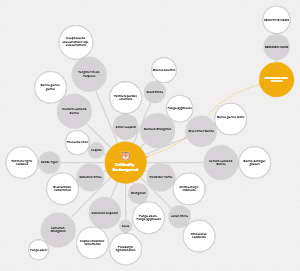
Sistemas del cuerpo humano
Sistema Nervioso
Sistema Nervioso Central Parte del sistema nervioso que controla todas nuestras funciones corporales.
Función-Importancia
Analizar e integrar información del medio interno y externo, para así generar una respuesta coordinada a la información recibida.
La comunicación entre el SNC y el resto del cuerpo se produce gracias a los nervios del sistema nervioso periférico (SNP).
Estructura
Encéfalo Centro de control del sistema nervioso central, ubicado en la cabeza y protegido por el cráneo.
Cavidades
Ventrículos cerebrales
Funciones
Encargados de la producción y circulación del líquido cefalorraquídeo (LCR).
El LCR protege el encéfalo, proporciona nutrientes y elimina desechos.
Revestidos por células especializadas (ependimarias) que junto con vasos sanguíneos, forman los plexos coroideos, que producen el LCR.
Partes
Ventrículos laterales: Son los dos ventrículos más grandes, ubicados en cada hemisferio cerebral.
Cavidades en forma de C, una en cada hemisferio.
Tienen tres astas que se proyectan hacia los lóbulos que les dan sus nombres
Tercer ventrículo: Se encuentra en el diencéfalo, entre los dos tálamos.
Hendidura estrecha que está rodeada lateralmente por los núcleos mediales de cada tálamo, el hipotálamo e interrumpida anteriormente por la adhesión intertalámica.
El techo de la cavidad está formado anteriormente por el fórnix y posteriormente por el rodete del cuerpo calloso.
Cuarto ventrículo: Se sitúa en la parte posterior de la protuberancia anular y la mitad superior del bulbo raquídeo, en el rombencéfalo.
Los núcleos de varios nervios craneales forman impresiones importantes en el piso del cuarto ventrículo.
Protuberancias del mismo tamaño, conocidas como eminencias mediales, son observadas a cada lado del piso extendiéndose craneocaudalmente.
4 espacios llenos de líquido cefalorraquídeo (LCR)
Irrigación
Circulación anterior (Sistema Carotídeo)
Origen: Proviene de las arterias carótidas internas.
Irriga: Las porciones anterior y media del cerebro, incluyendo la corteza cerebral y la mayor parte de los hemisferios cerebrales.
Ramas principales: Arteria cerebral anterior y arteria cerebral media.
Conexiones entre ambas circulaciones
Polígono de Willis
Estructura arterial que conecta las circulaciones anterior y posterior en la base del cráneo.
Proporciona un flujo sanguíneo colateral, lo que significa que en caso de bloqueo en una arteria, la sangre puede ser desviada a través de otras vías para asegurar la irrigación de las áreas del cerebro.
Circulación posterior (Sistema Vertebrobasilar)
Origen: Proviene de las arterias vertebrales, que se unen para formar la arteria basilar.
Irriga: La parte posterior del cerebro, el tronco encefálico, el cerebelo y partes de los lóbulos occipital y temporal.
Ramas principales: Arterias cerebrales posteriores, que se originan de la arteria basilar.
Ubicado dentro de la cavidad craneal y la médula espinal.
Cerebro
Órgano de tejido nervioso
Presenta pliegues y circunvoluciones, con las crestas entre las circunvoluciones llamadas giros y los valles entre los giros llamados surcos.
Funciones-Importancia
Controla las respuestas evocadas por tareas, el movimiento, los sentidos, las emociones, el lenguaje, la comunicación, el pensamiento y la memoria.
Hemisferios
División
Izquierdo
La estructura cerebral encargada más de los aspectos lingüísticos, además de estar detrás del procesamiento analítico, propio de las matemáticas.
Derecho
Relacionado características creativas.
Capaz de concebir estrategias de forma amplia, integrando los detalles que conforman una situación o problema y permitiendo ver de forma holística loque ocurre.
Estructura
Lóbulo frontal
Lóbulo parietal
Lóbulo occipital
Lóbulo temporal
Ínsula
Membranas Meníngeas
Capas de membranas protectoras
Duramadre: es la membrana más externa y cercana al cráneo.
Aracnoides: está entre la duramadre y la piamadre.
Piamadre: es la membrana más interna. Es contigua a la materia cerebral.
Poseen una capa externa de sustancia gris llamada corteza cerebral y una capa interna de sustancia blanca subcortical.
Cuerpo calloso
Estructura con fibras nerviosas, conecta ambos hemisferios para permitir que se comuniquen.
Estructura
Cerebelo
Anatomía
Fina capa contiene varios tipos de neuronas con una disposición muy regular
Células de Purkinje
Células granulares
Ubicación: Situado dorsalmente al puente y al bulbo raquídeo en la fosa craneal posterior
Forma: Su superficie está cubierta de surcos paralelos finamente espaciados, en marcado contraste con las amplias circunvoluciones irregulares de la corteza cerebral.
Función
Modificación de la respuesta motora
Enorme capacidad de procesamiento de señales, casi toda su salida se dirige a un conjunto de pequeños núcleos cerebelosos profundos situados en el interior del cerebelo.
Coordinación de los movimientos voluntarios
Mantenimiento del equilibrio y la postura
Aprendizaje motor
Funciones cognitivas
Irrigación
Arteria cerebelosa Superior
Arteria cerebelosa anterior
Arteria cerebelosa posterior
Tronco encefálico
Puente de Varolio
División del tronco encefálico ubicada entre el bulbo raquídeo y el mesencéfalo
Función
Actuar como un centro de relevo para transmitir información entre el cerebro y la médula espinal, conectando estructuras como el cerebelo y los hemisferios cerebrales.
Controla funciones vitales e inconscientes
Se encarga de funciones sensoriales y motoras de la cabeza y la cara a través de varios nervios craneales.
Forma un puente que conecta los dos hemisferios del cerebelo y los hemisferios cerebrales con la médula espinal.
Es una estructura abultada que se puede dividir en una porción anterior (basilar) y una posterior (tegmento)
Mesencéfalo
Es la porción más craneal del tronco del encéfalo y conecta el diencéfalo y el puente con el cerebelo.
Anatomía
Se encuentra entre el puente y el diencéfalo, en la fosa craneal posterior, y está rodeado por el tentorio del cerebelo.
Se divide en
Los pedúnculos cerebrales (ventral)
Lámina cuadrigémina o techo (dorsal).
El acueducto del mesencéfalo, o acueducto de Silvio, atraviesa la estructura y conecta el tercer y cuarto ventrículo, permitiendo la circulación del líquido cefalorraquídeo.
Fisiología
Movimiento y control motor
Regula el movimiento ocular y del cuerpo, y contiene estructuras como la sustancia negra, que está implicada en el tono muscular.
Procesamiento sensorial
Los colículos superiores están involucrados en el procesamiento de la información visual, mientras que los colículos inferiores se relacionan con las vías auditivas
Reflejos
Participa en los reflejos oculares y auditivos, así como en el control de la respiración y la modulación del dolor.
Conexión cerebral
Sirve como puente de conexión entre la corteza cerebral y la médula espinal, así como con el cerebelo y el puente.
Control de nervios craneales
Alberga los núcleos de los nervios craneales III (motor ocular común) y IV (troclear), que controlan los movimientos oculares.
Médula oblongada
Parte inferior del tronco encefálico que conecta el cerebro con la médula espinal.
Anatomía
Se encuentra una región llamada «las pirámides», donde se entrecruzan la mayoría de los nervios relacionados con el movimiento.
Ubicación: Bajo la protuberancia anular, que está situada justo debajo de las estructuras centrales del cerebro.
Forma: de tubo o embudo, más ancha en la parte superior, donde se conecta con el puente de Varolio.
Color: beige o blanquecino con un ligero tinte rosado.
Tamaño: Apenas 3cm de longitud y un diámetro ≈ 2cm.
Fisiología
Función-Importancia
Gestiona el corazón , la circulación y la respiración.
Gestiona otros procesos automáticos.
La gran mayoría de los nervios principales convergen en la columna vertebral, transmitiendo señales hacia y desde el cerebro. Esto significa que dichas señales deben pasar por el bulbo raquídeo.
Nervios craneales que lo atraviesan
Nervio craneal (NC) IX
Nervio craneal X
NC XI
NC XII
Médula espinal
Sistema Nervioso Periférico No está tan delimitado como el sistema nervioso central (SNC), ya que se define como todo lo que no pertenece al SNC.
Nervios raquídeos
Función: Recibir información sensitiva desde la periferia y transmitirla al sistema nervioso central (SNC)
Nervios
12 pares torácicos
8 pares cervicales
5 pares lumbares
5 pares sacros
1 par coccígeno
Plexos
Cervical
Se forma por los ramos anteriores de los primeros cuatro nervios cervicales y da inervación a la parte posterior de la cabeza, el cuello y el diafragma.
Branquial
Se origina por los nervios raquídeos C5-C8 y T1. Inerva los músculos del hombro y de los miembros superiores.
Lumbar
Se forma por los ramos anteriores de los nervios raquídeos L1-L4. Sus nervios controlan los músculos de la región anterolateral del abdomen y los miembros inferiores.
Sacro
Proviene de los nervios espinales L4-L5 y S1-S4. Da origen a nervios que inervan la parte posterior de la pierna, incluyendo el nervio ciático, el más largo del cuerpo humano.
Sistema Nervioso Autónomo / Sistema nervioso vegetativo-involuntario Regula una varias funciones corporales que ocurren sin la intervención consciente.
Sistema Nervioso Simpático Controla la respuesta de «lucha o huida» ante el estrés
Trabaja en conjunto con el sistema nervioso parasimpático para mantener el equilibrio interno del cuerpo (homeostasis).
Funciones
Acelerar la frecuencia cardíaca, aumentar la presión arterial y la respiración, dilatar las pupilas y ralentizar procesos como la digestión para desviar energía hacia los músculos.
Neurotrasmisores
La transmisión de señales se realiza mediante la liberación de neurotransmisores, como la noradrenalina y la adrenalina, que actúan sobre los receptores específicos en las células de los órganos.
Sistema Nervioso Parasimpático Controla la respuesta de «reposo y digestión»
División que controla la actividad de los músculos liso, cardíaco y las glándulas.
Consta de nervios parasimpáticos que se originan del encéfalo y de los segmentos sacros de la médula espinal.
Función
Ralentizar el ritmo cardíaco
Relajar los esfínteres en los tractos gastrointestinal y urinario
Aumentar la actividad glandular e intestinal.
Almacenamiento de energía.
Regula
La micción
La digestión.
Vías aferentes viscerales
Vías nerviosas que transmiten información sensorial desde los órganos internos (vísceras) hacia el sistema nervioso central (SNC).
Siguen un camino paralelo al sistema nervioso simpático, pero también hay vías que siguen el camino parasimpático para la inervación de ciertas estructuras.
Aparato reproductor Maculino
Grupo de órganos que conforman el sistema reproductor y el sistema urinario, que en conjunto permiten orinar, tener relaciones sexuales y procrear hijos biológicos.
Fisiología
Fisiología
Producir espermatozoides y hormonas como la testosterona.
Transportar las espermatozoides hacia el aparato reproductor femenino para la concepción
Las glándulas accesorias (como la próstata y las vesículas seminales) producen el líquido seminal que protege y transporta a los espermatozoides.
Cuando el pene está erecto, los cuerpos cavernosos presionan la parte de la uretra por donde fluye la orina. Esto bloquea el flujo de orina, de modo que solo se eyacula semen durante el orgasmo.
Irrigación
Proviene principalmente de ramas de las arterias ilíacas y la aorta abdominal.
Testículos
Reciben sangre de las arterias testiculares, que se originan en la aorta abdominal.
Pene y próstata
Irrigados por la arteria pudenda interna, que da lugar a ramas específicas para cada órgano.
Anatomía
Estructura
Externa
Pene
Responsable de la relación sexual.
Contiene numerosas terminaciones nerviosas sensibles y consta de tres partes:
Raíz: La base, que adhiere a la pared abdominal.
Cuerpo (eje): Tiene forma de tubo o cilindro y consta de tres cámaras internas:
Cuerpos cavernosos: Se encuentran uno al lado del otro
Tejido eréctil especial, esponjoso, que contiene miles de espacios, se ecuentra dentro de estas cámaras.
Cuerpo esponjoso: Rodea la ureta.
Glande (cabeza): La punta cónica del pene, que es cubierta por una capa suelta de piel (prepucio).
Tamaño: En promedio mide alrededor de 3,5 pulgadas (8,9 cm) cuando está flácido (blando) y un poco más de 5 pulgadas (13 cm) cuando está erecto.
Escroto
Bolsa de piel suelta que cuelga detrás del pene.
Contiene
Testículos
Músculos especiales en la pared
Permiten su contracción y relajación.
Nervios
Vasos sanguíneos
Protege los testículos y actúa como un sistema de termorregulación.
Se contrae para acercar los testículos al cuerpo y protegerlos del calor.
Se relaja alejándolos del cuerpo para enfriarlos.
Testículos
Órganos ovalados que se encuentran en el escroto.
Producen testosterona y espermatozoides.
Contienen
Cordón espermático
Los mantiene en su lugar y les proporciona irrigación sanguínea.
Túbulos seminíferos
Masas de conductos enrollados.
Producen espermatozoides mediante la espermatogénesis.
Tamaño: ~ al de dos aceitunas grandes.
Son dos testículos, uno a cada lado del escroto.
Epidídimo
Tubo largo y enrollado que se encuentra en la parte posterior de cada testículo.
Transporta y almacena los espermatozoides que producen los testículos.
Madura los espermatozoides, ya que los que salen de los testículos son inmaduros e incapaces de fecundar .
Interna
Conducto deferente
Tubo largo y muscular que se extiende desde el epidídimo hasta la cavidad pélvica, justo detrás de la vejiga urinaria.
Transporta los espermatozoides maduros a la uretra para prepararlos para la eyaculación.
Conductos eyaculadores
Cada testículo posee un conducto deferente, que se une a los conductos de las vesículas seminales para formar los conductos eyaculadores.
Recogen el líquido que se añade al semen.
Recorren la próstata y desembocan en la ureta.
Uretra
Conducto que transporta la orina desde la vejiga hacia el exterior del cuerpo.
Expulsa el semen durante el orgasmo.
Vesículas seminales
Sacos que se conectan a los conductos deferentes cerca de la base de la vejiga.
Contienen hasta el 80 % del líquido seminal, incluyendo fructosa (fuente de energía para los espermatozoides que les da motilidad).
Próstata
La uretra recorre el centro de la próstata.
Glándula del tamaño de una nuez que se encuentra debajo de la vejiga, delante del recto .
Añade líquido adicional al semen, lo que ayuda a nutrir los espermatozoides.
Glándulas bulbouretrales (de Cowper)
Estructuras del tamaño de un guisante situadas a los lados de la uretra, justo debajo de la próstata.
Producen un líquido lubricante de la uretra, neutralizador de cualquier resto de ácido que pueda quedar de la orina, transpartente y resbaladizo que se vierte directamente en la uretra.
Tiene órganos externos como el pene y los testículos, que cuelgan del cuerpo, y órganos internos ubicados dentro de la pelvis, como las vesículas seminales y la próstata.
Hormonas
Testosterona
Andrógeno principal, producido en los testículos.
Regula
La producción de esperma
El desarrollo de características sexuales secundarias
Voz grave
Vello facial
El deseo sexual.
Crecimiento muscular
La densidad ósea
DHT (Dihidrotestosterona)
Andrógeno potente que se forma a partir de la testosterona en los tejidos corporales.
Crucial para el desarrollo de los órganos sexuales masculinos y el crecimiento del vello.
LH (Hormona Leuteinizante)
Hormona hipofisaria que estimula a los testículos para producir testosterona.
Controla la producción de testosterona en las células de Leydig en los testículos.
FSH (Hormona Foliculoestimulante)
Hormona hipofisaria que juega un papel esencial en la reproducción masculina.
Estimula las células de Sertoli en los testículos para producir espermatozoides.
Aparato reproductor femenino
Conjunte de órganos que trabajan juntos para la reproducción, la menstruación y la actividad sexual.
Anatomía
Se encuentra principalmente en la pelvis.
Estructura
Internos
Ovarios
Pequeñas glándulas ovaladas ubicadas a ambos lados del útero.
Producen óvulos y hormonas.
Trompas de Falopio
Conductos estrechos que se conectan a la parte superior del útero y sirven como vías para que el óvulo viaje desde los ovarios hasta el útero.
La fecundación del óvulo por el espermatozoide ocurre normalmente en las trompas de Falopio.
Útero
Órgano hueco con forma de pera que alberga al feto durante el embarazo.
Se divide en
Cuello uterino
Cuerpo uterino
Vagina
Canal muscular que conecta el cuello uterino (la parte inferior del útero) con el exterior del cuerpo.
Se dilata para dar cabida al bebé durante el parto.
Se contrae para alojar objetos estrechos como un tampón.
Está recubierta por membranas mucosas que ayudan a mantenerla húmeda.
Cuello uterino
Un orificio en el centro permite la entrada de los espermatozoides y la salida de la sangre menstrual.
Es la parte inferior del útero.
Evita que objetos como los tampones se pierdan dentro del cuerpo.
Se abre (dilata) para permitir el nacimiento del bebé durante un parto.
Externos (Vulva) Protegen las partes internas de infecciones y permitir la reproducción.
Monte de Venus
Zona de tejido graso con vello púbico.
Labios mayores (gruesos)
Rodean y protegen los demás órganos reproductivos externos.
Durante la pubertad, crece vello en la piel de los labios mayores, que también contienen glándulas sudoríparas y sebáceas.
Labios menores
Pueden tener diversos tamaños y formas.
Se encuentran justo debajo de los labios mayores.
Rodean
La abertura de la vagina: canal que conecta la parte inferior del útero con el exterior del cuerpo.
La uretra: conducto que transporta la orina desde la vejiga hasta el exterior del cuerpo.
Piel es muy delicada y con posibilidad de irritarse e inflamarse con facilidad.
Clitoris
Pequeña y sensible protuberancia similar a un pene.
Cubierto por un pliegue de piel llamado prepucio.
Muy sensible a la estimulación.
Los labios menores se unen en el.
Orificio de la Uretra
Permite expulsar la orina.
Abertura Vaginal
Permite que la sangre menstrual y los bebés salgan del cuerpo.
Permite la actividad sexual.
Himen
Tejido que cubre o rodea parte de la abertura vaginal.
Se forma durante el desarrollo y está presente al nacer.
Fisiología
Función-Importancia
Producción de gametos: Los ovarios producen óvulos, que son las células reproductivas femeninas.
Transporte de óvulos: Las trompas de Falopio mueven los óvulos desde los ovarios hasta el útero.
Gestación: El útero alberga y nutre al feto en desarrollo durante el embarazo.
Relaciones sexuales: La vagina es el órgano que permite la penetración durante el coito y sirve como canal de parto.
Producción hormonal: Los ovarios producen hormonas que regulan el ciclo menstrual, el embarazo y la pubertad.
Irrigación
Útero y Trompas de Falopio
La arteria uterina es la principal irrigación del útero y también contribuye a la irrigación de la trompa.
La arteria ovárica se une con ramas de la arteria uterina para irrigar las trompas.
La linfa del útero y el cuello uterino drena hacia los ganglios linfáticos ilíacos y obturatrices.
Vagina
Recibe sangre de la arteria uterina, la arteria vaginal y la arteria vesical inferior.
Ovarios
Irrigados por la arteria ovárica.
El drenaje linfático es hacia los ganglios linfáticos paraaórticos.
Vulva
Irrigados por las arterias pudendas internas y externas.
Las arterias pudendas internas proveen sangre a las formaciones eréctiles y a las glándulas vestibulares.
Las arterias pudendas externas irrigan la región inguinal.
La linfa de la vulva drena a los ganglios linfáticos inguinales superficiales y profundos.
El drenaje venoso de la pelvis va hacia la vena cava inferior a través de las venas ilíacas internas.
Hormona
Producidas por los ovarios
Estrógeno
Comienza la pubertad.
Regula el ciclo menstrual
Ayuda a fortalecer los huesos.
Mantiene el embarazo
Progesterona
Prepara el revestimiento del útero para un posible embarazo.
Andrógenos
Producidos en pequeñas cantidades en los ovarios.
Juegan un papel en la sexualidad y la libido.
Producidas por la hipófisis
FSH (Hormona folículo estimulante)
Estimula el crecimiento y desarrollo de los folículos ováricos.
LH (Hormona luteinizante)
Desencadena la ovulación (liberación del óvulo) y la formación del cuerpo lúteo.
Otras hormonas importantes
Prolactina
Desencadena la producción de leche materna después del parto.
Gonadotropina coriónica humana (hCG)
Se produce durante el embarazo y es detectada por las pruebas caseras de embarazo.
Aparato Digestivo
Conjunto de órganos que transforman los alimentos en nutrientes que el cuerpo puede usar para energía, crecimiento y reparación
Anatomía
Estructura
Tracto gastrointestinal/digestivo Serie de órganos huecos unidos en un tubo largo y retorcido que va desde la boca hasta el ano
Cavidad Oral (la boca)
Inicia la digestión con la masticación y la producción de saliva.
Permite la ingesta de alimentos.
Glándulas salivales
Producen saliva, que contiene enzimas para iniciar la digestión.
Faringe y esófago
Conducen los alimentos desde la boca hasta el estómago.
Estómago
Órgano muscular que mezcla la comida con ácidos y enzimas para la digestión química y mecánica.
Intestino delgado
Se divide en 3
Duodeno
Se extiende desde el esfínter pilórico del estómago, envuelve la cabeza del páncreas en forma de C, y termina en la flexura duodenoyeyunal.
Yeyuno
Comienza en el ángulo duodenoyeyunal y se encuentra en el cuadrante superior izquierdo del abdomen
Íleon
Parte más larga del sistema digestivo.
Se extiende desde el estómago (píloro) hasta el intestino grueso (ciego).
Completa la digestión de los alimentos y absorbe nutrientes.
Contienen microvellosidades que permiten un mayor campo de absorción de nutrientes,
Intestino gruesos
Incluye
El apéndice
Pequeña bolsa linfoide ciega
Ubicada en la fosa ilíaca derecha que surge del ciego.
Tiene un papel en el mantenimiento de la flora intestinal y la inmunidad de las mucosas.
El ciego
Primera sección del intestino grueso, donde el intestino delgado se conecta.
El colon Parte más larga del intestino grueso y se divide en:
Adcendente
Sube por el lado derecho del abdomen.
Transverso
Atraviesa el abdomen de lado a lado.
Descendente
Baja por el lado izquierdo del abdomen.
Sigmoide
La curva en forma de 'S' que conecta el colon descendente con el recto.
El recto
Extremo inferior del intestino grueso, que almacena las heces antes de ser eliminadas.
Ano
Abertura al final del recto que expulsa las heces del cuerpo.
Abarca las cavidades abdominal y pélvica.
Longitud: 1.5 metros.
Textura rugosa
Papel en la formación, almacenamiento y posterior defecación de las heces. También alberga una extensa microbiota ( que pesa: 1- 2 kg) que es fundamental para nuestra supervivencia.
Órganos accesorios Órganos sólidos del aparato digestivo.
Hígado
Ayudar a digerir las grasas; procesa y transforma los nutrientes absorbidos por el intestino.
Páncreas
Fabrica el jugo pancreático con enzimas digestivas y hormonas como la insulina.
Vesícula Biliar
Almacena la bilis producida por el hígado y la libera en el intestino delgado cuando es necesario.
Fisiología
Función-Importancia
La digestión es importante porque el cuerpo necesita los nutrientes provenientes de los alimentos y bebidas para funcionar correctamente y mantenerse sano.
El aparato digestivo descompone químicamente los nutrientes en partes lo suficientemente pequeñas como para que el cuerpo pueda absorber los nutrientes y usarlos para la energía, crecimiento y reparación de las células.
Proceso digestivo
Boca
Ingesta de alimentos.
Movimiento: Masticar
Jugos digestivos añadidos: Saliva
Partículas de descomposición: Almidones.
Esófago
Movimiento: Peristalsis.
Estómago
Movimiento: Relajación del músculo superior que permite la entrada a los alimentos, y el músculo inferior mezcla a los alimentos con el jugo digestivo.
Jugos digestivos añadidos: Ácido estomacal y enzimas digestivas.
Partículas de descomposición: Proteínas.
Intestino delgado
Movimiento: Peristalsis.
Jugos digestivos del intestino delgado
Partículas de descomposición: Harinas, proteínas y carbohidratos.
Absorción: de los nutrientes principalmente.
Páncreas
Jugo digestivo añadido: Jugo pancreático.
Partículas de descomposición: Carbohidratos, grasas y proteínas.
Hígado
Jugo digestivo añadido: Bilis
Partículas de descomposición: Grasas.
Intestino grueso
Movimiento: Peristalsis.
Partículas para la descomposición: Las bacterias en el intestino grueso.
Absorción: de agua, electrolitos, minerales, etc.
Productos de desecho de la digestión se convierten en heces.
Recto
Almacena y expulsa los productos de desecho.
Componentes de alimentos
Proteínas --> Aminoácidos
Grasas --> Ácidos grasos y glicerol
Carbohidratos --> Ázucares simples
Ayuda a transportar los alimentos y líquidos a través del tracto gastrointestinal
Proceso llamado peristalsis.
Irrigación
Se origina en la aorta abdominal
Se divide en tres ramas principales:
Tronco celíaco
Irriga el intestino anterior, incluyendo el esófago abdominal, estómago, duodeno superior, hígado, bazo y páncreas.
Arteria mesentérica superior
Irriga el intestino medio: duodeno distal, yeyuno, íleon, ciego, apéndice, colon ascendente y el tercio proximal del colon transverso.
Arteria mesentérica interior
Irriga el intestino posterior: el tercio distal del colon transverso, colon descendente, colon sigmoide, recto y ano.
Irrigación de órganos específicos
Estómago
Irrigado principalmente por ramas del tronco celíaco, como las arterias gástrica izquierda y derecha, y las arterias gastroepiploicas (o omentales) izquierda y derecha que forman arcos a lo largo de sus curvaturas.
Intestino delgado
Las arterias yeyunales e ileales, ramas de la mesentérica superior, se anastomosan formando arcadas para irrigar estas porciones.
Colon
Se nutre de ramas de la mesentérica superior (arteria cólica media y derecha) y de la mesentérica inferior (arteria cólica izquierda y sigmoideas), además de la arteria ileocólica que irriga el ciego y el apéndice.
Esófago
La irrigación varía según la sección. La porción torácica recibe sangre de arterias esofágicas torácicas, mientras que la porción abdominal se irriga por ramas del tronco celíaco (arterias esofágicas) y la mesentérica superior.
Hormonas
Sustancias químicas peptídicas producidas por el estómago, el páncreas y el intestino delgado que regulan diversas funciones digestivas, como la secreción de jugos, la motilidad y la sensación de hambre o saciedad.
Hormonas digestivas
Gastrina
Estimula la producción de ácido clorhídrico y pepsinógeno en el estómago, además de incrementar la motilidad gástrica.
Secretina
Se libera en respuesta a la acidez del quimo y estimula al páncreas a secretar bicarbonato para neutralizarlo.
Colecistoquinina (CCK)
Estimula la liberación de enzimas pancreáticas y biliares, lo cual ayuda a digerir las grasas y proteínas.
Motilina
Se libera durante el ayuno para estimular el complejo motor migratorio, que limpia el intestino.
Grelina
Aumenta los niveles de apetito y se produce en el estómago e intestino.
Péptido YY (PYY)
Suprime el apetito y se libera en respuesta a la presencia de grasas en el intestino.
Somatostatina
Inhibe la liberación de muchas hormonas digestivas.
Hormonas relacionadas
Insulina y Glucagón
Producidas por el páncreas, son fundamentales para la regulación de los niveles de azúcar en sangre.
Hormonas sexuales (Estrógeno y Progesterona)
Pueden influir en la función intestinal, sus desequilibrios pueden causar problemas digestivos como estreñimiento o diarrea.
Sistema Endocrino
Conjunto de glándulas y órganos-tejidos que elaboran hormonas (mensajeros químicos) que se liberan directamente a la sangre.
Función principal
Liberar hormonas en la sangre controlando constantemente sus niveles.
Importancia
Permite la coordinación y regulación lenta, pero prolongada de las funciones corporales.
Su acción es esencial para mantener el equilibrio fisiológico frente a cambios internos o externos.
Estructura
Glándulas endocrinas:Estructuras especializadas, que no possen conductos, producen y secretan hormonas, las cuales son liberadas directo al sistema circulatorio
Glándula pineal
Anatomía
Localización: En el centro del cerebro entre los colículos superiores detras del 3er ventrículo y por enzima del tálamo.
Tamaño: 5 a 8 mm de largo.
Peso: ~0.1g.
Forma: Cónica/de piña.
Estructura
Pinealocitos: Células secretoras de melatonina.
Células gliales: Dan soporte y estructura.
Calcificaciones/arenilla cerebral: Depósitos de fosfato y carbonato de calcio, aumentan con la edad.
Fisiología
Función-Importancia
Control
Ciclos biológicos de sueño.
Temperatura corporal.
Secreción hormonal.
Influye en la maduración hormonal (melatonina inhibe gónadas antes de la pubertad).
Efecto
Antioxidante
Neuroprotector
Irrigación
Por ramas de la arteria cerebral posterior.
Drenaje venoso hacia el seno recto y venas cerebrales internas.
Hormonas
Principal: Melatonina
Secretada principalmente durante la noche.
Derivada de la serotonina.
Regula
Ritmos circadianos.
Ciclo de sueño - vigilia.
Secreción de gonadotropina.
Acticidad antioxidante.
Hipófisis/Glándula pituitaria
"La glándula maestra"
Anatomía
Localización: En base del cerebro, alojada en una cavidad ósea llamada silla turca, parte del hueso esfenoides.
Se conecta al hipotálamo por un tallo denominado infundíbulo.
Tamaño: ~ 1cm.
Peso: ~0.5g.
Estructura
Adenohipófisis
Lóbulo anterior.
Origen embrionario: Ectodermo (bolsa de Rathke).
Secreta hormonas que:
Neurohipófisis
Lóbulo posterior.
Origen embrionario: Neuroectodermo (parte del hipotálamo).
Fisiología
Función-Importancia
Almacena y libera hormonas producidas por el hipotálamo.
Regula
El crecimiento.
La reproducción.
El metabolismo.
El equilibrio hídrico.
Controla la actividad de la mayoría de las otras glándulas del cuerpo.
Coordina la acción hormonal del cuerpo.
Permite la comunicación entre el Sistema Nervioso (hipotálamo) y el Sistema Endocrino.
Irrigación
Está irrigada por el sistema portal hipofisario, derivado de la arteria carótida interna.
Arterias hipofisiarias superiores: Irrigan la eminencia media y la adenohipófisis.
Arterias hipofisiarias inferiores: Irrigan a la neurohipófisis.
El drenaje venoso se realiza por el seno cavernoso.
Hormonas
Adenohipófisis
GH (Hormona del crecimiento)
Estimula el crecimiento y el metabolismo.
TSH (Tirotropina)
Regula la tiroides.
ACTH (Adrenocorticotrópica)
Estimula la corteza suprarrenal.
FSH (Foliculoestimulante) y LH (Luteinizante)
Regulan las gónadas (ovarios y testículos).
PRL (Prolactina)
Estimula la producción de leche en las glándulas mamarias.
Neurohipófisis
ADH (hormona antidiurética o vasopresina)
Controla el equilibrio hídrico y la presión arterial.
Oxitocina
Estimula las contracciones uterinas durante el parte y la eyección de leche.
Tiroides
Anatomía
Localización: Ubicada en la parte frontal del cuello, situada debajo de la nuez de Adán, debajo de la laringe, a la altura de las vértebras C5-T1. Yace sobre la tráquea rodeándola hasta alcanzar posteriormente el esófago.
Tamaño
Ancho: 4-6cm.
Altura: 2 cm.
Profundidad: 2cm.
Forma: Similar a una corbata de lazo o mariposa.
Peso: 25-20g.
Color: rojo parduzca.
Estructura
Macroscópica
Lóbulo izquierdo
Lóbulo derecho
Lóbulo piramidal
Lóbulo accesorio, a menudo presente, que se origina en el istmo y se extiende hacia arriba.
Cápsula
Fina cápsula fibrosa que rodea a la glándula.
Microscópica
Folículos tiroideos
Unidades funcionales de la glándula.
Sacos redondos que contienen una sustancia gelatinosa (coloide).
Donde se almacena y producen las hormonas tiroideas (T3 y T4).
Células C (parafoliculares)
Células que se encuentran dispersas entre los folículos.
Producen la calcitonina (hormona que ayuda a regular los niveles de sangre).
Fisiología
Función-Importancia
Produce hormonas que regulan el metabolismo
Controlando la velocidad a la que el cuerpo transforma los alimentos en energía y cómo utiliza esa energía.
Regula
La temperatura corporal.
El ritmo cardíaco.
Frecuencia y fuerza del latido del corazón.
Niveles de Ca y P en sangre y en la formación de los huesos.
Ciclo menstrual.
Participa en el adecuado crecimiento y desarrollo.
Especialmente el del cerebro en niños.
Afecta
El estado de ánimo.
La rapidez con la que los alimentos se procesan en el sistema digestivo.
Influye en el correcto funcionamiento
Sistema Nervioso.
La atención.
Los reflejos.
Irrigación
Irrigada por dos arterias
Tiroidea superior
Surge como la primera rama de la arteria carótida externa.
Tiroidea Inferior
Se origina en el tronco tirocervical (rama de la arteria subclavia).
En una pequeña proporción de personas (alrededor del 10%) existe una arteria adicional: la arteria tiroidea ima .
Drena su flujo por 3 venas
Tiroidea Superior
drenan en la vena yugular interna y la inferior desemboca en la vena braquiocefálica.
Tiroidea Media
Tiroidea Inferior
Hormonas
Tiroideas:son reguladoras de vida.
T3 (triyodotironina)
Sirve para regular la velocidad a la que el cuerpo usa la energía, el desarrollo del cerebro y la función muscular.
T4 (tiroxina)
Funciona como una "prohormona", la mayor parte de la T4 circula por el cuerpo y luego se convierte en T3 en los tejidos según sea necesario.
La numeración tiene relación con la cantidad de Yodo que encontramos en su composición
Paratiroides
Anatomía
Son cuatro estructuras glandulares circulares adheridas a la cara posterior de la glándula tiroides.
Estructura
Células principales
Células oxífilas
Fisiología
Función-Importancia
Producir la hormona paratiroidea (paratohormona, PTH) que actúa controlando los niveles de calcio y fósforo en la sangre.
Cuando los niveles séricos de calcio caen de manera significativa, la hormona paratiroidea actúa en el esqueleto, riñones e intestino para restablecer los iones de calcio a un nivel homeostático.
Estas regulaciones son vitales para el funcionamiento de los nervios y los músculos, la salud ósea y la coagulación de la sangre.
Irrigación
Irrigadas por la arteria tiroidea inferior.
Su drenaje venoso es realizado por el plexo venoso tiroideo.
Los ramos tiroideos de los ganglios simpáticos cervicales son los encargados de su inervación.
Hormonas
PTH (hormona paratiroidea/ paratermona)
Producción: 1° Es una hormona polipeptídica que se excreta como preproparatiroidea (115 aminoácidos), 2° Se convierte en proparatiroidea (90 aminoácidos), 3° Se convierte en su forma final --> PTH compuesta por 84 aminoácidos.
En el riñon
promueve la reabsorción de calcio y la excreción de fosfato.
promueve la conversión de la 25-hidroxivitamina D a su forma activa (1,25-dihidroxivitamina D-3) mediante la activación de la 1-hidroxilasa en los túbulos proximales.
En el intestino
La vitamina D activada favorece la absorción de calcio debido al aumento de la formación de la proteína fijadora de calcio en las células epiteliales intestinales.
En los huesos
afecta tanto a las células osteoblásticas como a las osteoclásticas.
se une a los receptores celulares, permite el bombeo de calcio desde la membrana osteocítica.
Glándulas Suprerremales
Anatomía
Son dos glándulas pequeñas de forma triangular en la parte superior del abdomen.
Forma: Triangular
Ubicación: Cada una en la parte superior de cada riñón.
Tamaño: Como el de la parte superior del pulgar.
Estructura
Corteza suprarrenal. La parte externa de la glándula.
Cada capa produciendo diferentes hormonas esteroides
Se divide en
Zona glomerular
Zona fasciculada
Zona reticulas
Principalmente estimulada por la hormona adrenocorticotrópica (ACTH) liberada por la glándula pituitaria, y la angiotensina II.
Médula suprarrenal La parte interna de la glándula.
Estimulada por el sistema nervioso simpático, que es activado por el hipotálamo durante una situación de estrés.
Fisología
Función-Importancia
Regulan funciones vitales como la respuesta al estrés, la presión arterial, el metabolismo, el equilibrio de agua y sales, y la frecuencia cardíaca.
Irrigación
Arterias suprarrenales superiores
Ramas de la arteria frénica inferior (o arteria diafragmática inferior), que a su vez es una rama de la aorta abdominal.
Arterias suprarrenales medias
Salen directamente de la aorta abdominal.
Arterias suprarrenales inferiores
Provienen de las arterias renales.
Drenaje venoso
Vena suprarrenal derecha
Drena directamente en la vena cava inferior.
Vena suprarrenal izquierda
Drena en la vena renal izquierda, que luego desemboca en la vena cava inferior.
Hormonas
Corteza suprarrenal
Produce hormonas esteroides como cortisol, aldosterona y hormonas que pueden ser convertidas en testosterona.
Zona glomerular
Produce mineralocorticoides, principalmente aldosterona, que regula el equilibrio de sodio y potasio y la presión arterial.
Zona fasciculada
Produce glucocorticoides, como el cortisol, que influyen en el metabolismo, la respuesta al estrés y suprimen la inflamación.
Zona reticulas
Produce andrógenos suprarrenales, que contribuyen al crecimiento del vello púbico y a la libido.
Médula suprarrenal
Produce catecolaminas hormonas que preparan al cuerpo para la respuesta de "lucha o huida"
Adrenalina (epinefrina)
Aumenta la frecuencia cardíaca y la fuerza de las contracciones del corazón.
Dirige la sangre a los músculos y el cerebro.
Aumenta los niveles de glucosa en sangre.
Noradrenalina (norepinefrina)
Provoca la constricción de los vasos sanguíneos para mantener y aumentar la presión arterial.
Gónadas
Femeninas
Anatomía
Estructuras ovaladas
Tamaño: ≈ 3-5 cm de largo.
Se dividen en
Corteza (externa)
Es la capa externa y funcional del ovario. Contiene miles de folículos ováricos en diversas etapas de desarrollo. Cada folículo alberga un ovocito (óvulo inmaduro).
Médula (interna)
Es la región central, compuesta por tejido conectivo laxo que contiene vasos sanguíneos, vasos linfáticos y nervios que irrigan y dan soporte a la corteza.
Túnica Albugínea
Una capa densa de tejido conectivo que recubre la corteza.
Fisología
Producción de Gametos (Ovocitos)
Producción de Hormonas Sexuales
Hormonas
Estrógenos
Progesterona
FSH
Andrógenos
Masculinas
Anatomía
Glándulas reproductoras masculinas localizadas en el escroto.
Forma: ovoidea
Tamaño: 4-6 cm de longitud
Fisiología
Función-Importancia
Producción de espermatozoides (espermatogénesis)
Producción de hormonas (Función endocrina)
Hormonas
Testosterona
Estrógeno
FSH
Órganos con función endocrina accesoria: Aquellos cuya función principal no es secretar hormonas, pero también lo hacen
Riñones
Función
Estimula la producción de glóbulos rojos.
Hormona
Eritropoyetina (EPO)
Corazón
Función
Regula la presión arterial y el volumen sanguíneo.
Hormona
Péptido Natriurético Auricular (ANP)
Estómomago e intestinos
Función
Regula la digestión.
Hormona
Gastrina, secretina, colecistoquinina.
Tejido Adiposo
Función
Regula el apetito y el metabolismo.
Hormona
Leptina
Placenta
Función
Mantiene el embarazo.
Hormona
Gonadotropina coriónica (hCG), Progestrerona.
Clasificación jerárquica
Nivel superior
El hipotálamo regula a la hipófisis
Nivel medio
La hipófisis controla
Glándulas suprerrenales
Tiroides
Gónadas
Nivel inferior
Las glándulas periféricas producen
Estrógenos
Trioxina
Cortisol
Etc..
Retroalimentación negativa
Las hormonas efectivas producidas inhiben su propia producción para mantener el equilibrio.
Tema flotante
Tema flotante
unido por un itsmo en el centro.
Banda de tejido que une por la parte frontal de la glándula, aprox. a nivel de los anillos traqueales 2do y 3ro.
Plexo venoso alrededor de la glándula tiroides.
Hormonas efectivas
Glándulas periféricas