 Wondershare EdrawMind
MindMap Gallery Computer composition principles
- 43
- 1
- 1
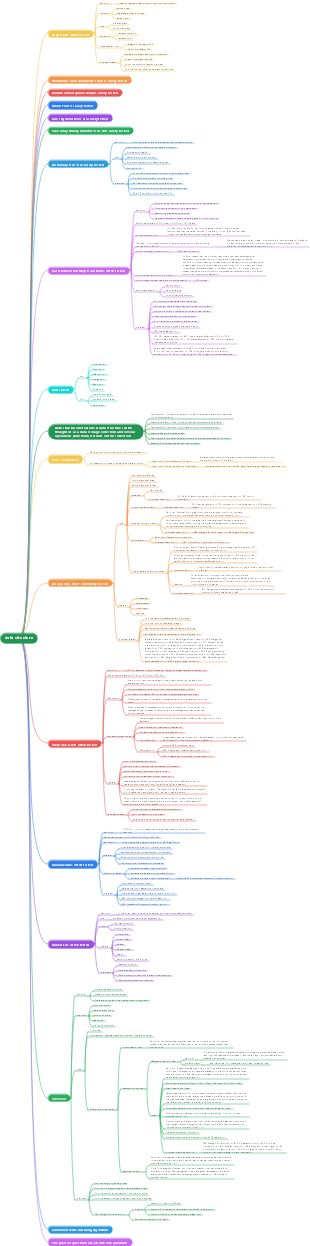
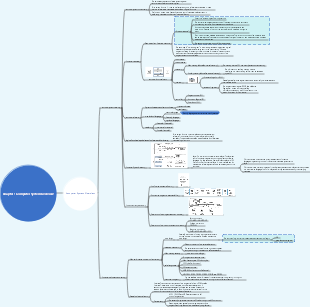
Computer composition principles
Summary of knowledge on computer composition principles. It involves many aspects of knowledge such as computer instructions, numerical representation, multiplier and divider principles, MIPS instruction system, etc. It helps learners of computer composition principles sort out the knowledge structure, quickly master computer composition principles and technology, and lay a solid computer foundation.
Edited at 2024-03-02 22:24:43
- bacteria
This is a mind map about bacteria, and its main contents include: overview, morphology, types, structure, reproduction, distribution, application, and expansion. The summary is comprehensive and meticulous, suitable as review materials.
- Plant asexual reproduction
This is a mind map about plant asexual reproduction, and its main contents include: concept, spore reproduction, vegetative reproduction, tissue culture, and buds. The summary is comprehensive and meticulous, suitable as review materials.
- Reproductive development of animals
This is a mind map about the reproductive development of animals, and its main contents include: insects, frogs, birds, sexual reproduction, and asexual reproduction. The summary is comprehensive and meticulous, suitable as review materials.
Computer composition principles
- bacteria
This is a mind map about bacteria, and its main contents include: overview, morphology, types, structure, reproduction, distribution, application, and expansion. The summary is comprehensive and meticulous, suitable as review materials.
- Plant asexual reproduction
This is a mind map about plant asexual reproduction, and its main contents include: concept, spore reproduction, vegetative reproduction, tissue culture, and buds. The summary is comprehensive and meticulous, suitable as review materials.
- Reproductive development of animals
This is a mind map about the reproductive development of animals, and its main contents include: insects, frogs, birds, sexual reproduction, and asexual reproduction. The summary is comprehensive and meticulous, suitable as review materials.
- Recommended to you
- Outline


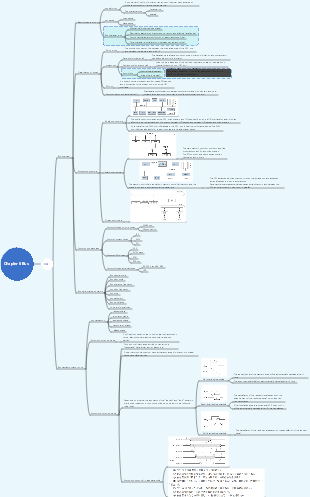
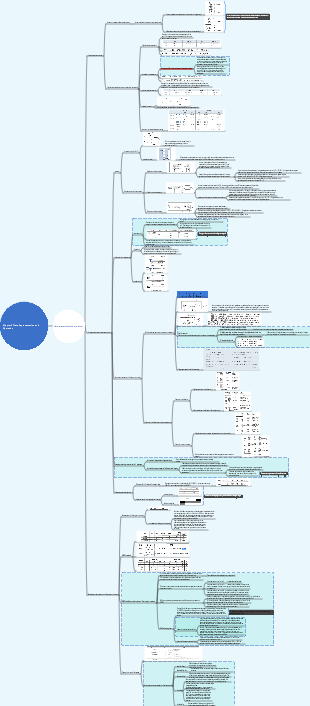
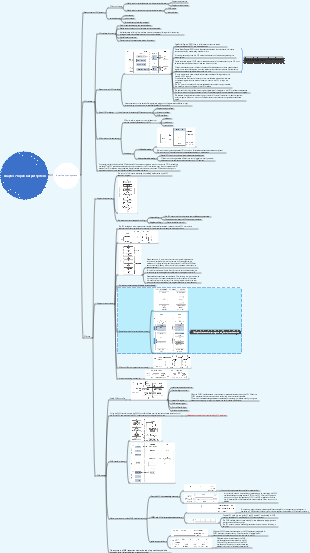

Computer composition principles
Computer Overview and Technology
introduction
Classification of computers and their characteristics
Personal computer
server
Execute heavy load tasks with network access
supercomputer
High-end server
Notice
TB: 10^12 bytes
TiB: 2^40 bytes
embedded computer
The biggest amount
Post-PC era
Personal mobile device PMD
Smartphones, tablets
cloud computing
A large server cluster that provides services on the network
8 great ideas in computer system architecture
Designing for Moore's Law
The level of integration on a single chip doubles every 18-24 months, and computer designers must predict the process level when the design is completed rather than when it is started.
Use abstractions to simplify design
Use abstraction to represent different design levels. Low-level details cannot be seen in the high-level, and only a simplified model can be seen.
Accelerate high probability events
Far better performance than optimizing low-probability events
Improve performance through parallelism
Improve performance with pipelining
A special parallel scenario, similar to relay passing of buckets
Improve performance with predictions
Assuming that recovery from mispredictions is not expensive and the accuracy of predictions is relatively high, perform certain operations in advance by guessing
memory hierarchy
The top layer is fast, has small capacity and is expensive, but the bottom layer is the opposite.
Increase reliability through redundancy
Redundant parts can replace failed parts and can help detect errors
Introduction to Programming Concepts
computer system hierarchy
von Neumann computer
Computer hardware system consists of arithmetic units, controllers, memory and I/O devices
Use binary encoding to represent data
Unify programs and data
Computers have the ability to process sequential instructions
software
Application layer
Database system principles
algorithm layer
Data structure, algorithm design and analysis
high level language layer
Programming basics, C programming
operating system layer
Compilation principles, operating systems
system software
operating system
Handle basic input and output
Allocate outer village and memory
Provides services for sharing computer resources among multiple applications
Compiler
Translate programs written in high-level languages into instructions that can be executed by hardware
Instruction system layer: instruction set
Computer composition principles
hardware
Instruction system layer: instruction set
Computer composition principles
Logic layer: logic operations, gate circuits
Discrete mathematics, digital logic
From high-level language to hardware language
Binary bit
basic elements of information
instruction
Commands that computer hardware understands and obeys
assembler
Automatically translate instructions in mnemonic form into corresponding binary
Assembly language
Machine instructions expressed in mnemonic form
machine language
A machine instruction expressed as a binary element
high level programming language
Portable languages such as C, C, Java, Visual, and Visual Basic consist of words and algebraic symbols and can be converted into assembly language by the compiler.
computer performance
performance evaluation criteria
Throughput and response time
response time response time
Execution time, the total time required for a computer to complete a task, including hard disk access, memory access, I/O activities, operating system overhead and CPU execution time, etc.
throughput
Bandwidth represents the number of tasks completed per unit time
relative performance
Performance measurement
Clock period and clock frequency
clock cycle
Computer systems use clocks to drive various things that happen in the hardware
The clock cycle is the time of the clock interval, that is, the time of one cycle of the clock
Clock frequency
reciprocal of clock period
CPU execution time
The time spent on the CPU to execute a certain task (excluding IO and time spent on other tasks)
User CPU time
The time it takes for the CPU to execute user programs
System CPU time
CPU time spent by the operating system serving users
Instruction performance
CPI
Clock cycles per instruction
Average number of CPU clock cycles per instruction
Classic CPU performance formula
CPU execution time of a program =Number of CPU clock cycles for a program x clock cycle time =Number of CPU clock cycles for a program/clock frequency
Number of CPU clock cycles for a program =The number of instructions in the program x the average number of clock cycles per instruction (CPI)
CPU time = number of instructions xCPIx clock cycle time =number of instructions xCPI/clock frequency
Notice
The number of instructions depends on the computer architecture and does not depend on the computer's Implementation
CPI is closely related to various design details of the computer, including the storage system and processor architecture
CPI is different for different applications and different implementations of the same instruction set
All three factors must be considered when comparing two computers
Program performance related factors
Introduction to Hardware Concepts
computer components
datapath
Complete arithmetic and logical operations, usually including registers
control
A component of the CPU, it directs datapath, memory and I/O operations according to program instructions to jointly complete program functions.
memory
A place where runtime programs and the data they require are stored.
input
Computer equipment for carrying information, such as keyboard, mouse, etc.
touchscreen
capacitive sensing
output
Devices that display calculation results to users, such as monitors, disks, printers, speakers, etc.
monitor
LCD
LCD is not a light source, but a control device for light transmission.
Dynamic matrix display
Using transistors to control the transmission of light on individual pixels
Pixel
The smallest unit of image elements
hardware
CPU
data path
Complete arithmetic operations
controller
Guide data paths, memories, and I/O devices to execute correctly according to program instructions.
Cache
Static Random Access Memory (SRAM)
Fast and expensive
memory
Access time and capacity
Construction and Reading and Writing Principles
main memory
Dynamic Random Access Memory DRAM
basic storage unit
construction and representation
The information is stored on the capacitor CS, and T is the gate control tube, which controls the entry and exit of data. Its gate is connected to the read/write selection line (word line), drain and source are connected to the data line (bit line) and memory capacitor CS respectively. data 1 or 0 to capacitor CS It can be judged by the presence or absence of electric charge.
Principles of reading and writing
Add a high level to the selection (word) line to turn on the T tube. When writing "0", add a low level to the data line to cause the charge on CS to discharge to the data line; When writing "1", add a high level to the data line to charge the data line to CS; When reading, there is a read voltage on the data line. It is proportional to the amount of charge on CS.
Core component: MOS transistor
Illustration of read, write and refresh operations
Chip logic structure
memory module strip
It uses a certain number of memory chips on a small strip-shaped printed circuit board to form a memory module with a fixed storage capacity.
Classification
30 feet
8-bit data line, capacity 256KB~32MB
72 feet
32-bit data bus
More than 100 feet
Used for both 32-bit data bus and 64-bit data bus, capacity 4MB~512MB
Other dynamic random access memories
Synchronous dynamic random access memory SDRAM
Dynamic random access memory with a synchronous interface. Usually dynamic random access memory (DRAM) has an asynchronous interface so that it can respond to changes in control input at any time. SDRAM has a synchronization interface that waits for a clock signal before responding to control input, so that it can be synchronized with the computer's system bus. The clock is used to drive a finite state machine that pipelines incoming instructions. This allows SDRAM to have a more complex operating mode compared to asynchronous DRAM without a synchronous interface.
Double Data Rate Synchronous Dynamic Random Access Memory DDR SDRAM
It is an SDRAM with double data transfer rate. Its data transfer speed is twice the system clock frequency. Due to the increased speed, its transfer performance is better than traditional SDRAM.
The number of pins on one side of the memory is 92 (184 on both sides), there are 52 pins on the left side of the notch, and 40 pins on the right side of the notch;
The second generation of double data rate synchronous dynamic random access memory DDR2 SDRAM
It provides higher operating performance and lower voltage than DDR SDRAM, and is the successor of DDR SDRAM (Double Data Rate Synchronous Dynamic Random Access Memory).
There are 120 pins on the single side of the memory (240 pins on the double side), 64 pins on the left side of the notch, and 56 pins on the right side of the notch;
The third generation of double data rate synchronous dynamic random access memory DDR3 SDRAM
It provides higher operating performance and lower voltage than DDR2 SDRAM, and is the successor of DDR2 SDRAM (quad data rate synchronous dynamic random access memory) (increased to eight times).
There are also 120 pins on the single side of the memory (240 pins on the double side), 72 pins on the left side of the notch, and 48 pins on the right side of the notch.
disk
Schematic diagram of appearance and structure
working principle
Write 1: The coil passes forward current, making it N-S state
Write 0: The coil passes reverse current, making it S-N state
Reading: The magnetic head is stationary and the carrier moves. Because the magnetic field lines outside the small magnetized unit on the carrier form a closed loop through the magnetic head core, an induced voltage is obtained at both ends of the core coil. Depending on the polarity, 1 or 0 can be read out
storage structure
flash memory
A high-density non-volatile read/write memory developed on the basis of EPROM storage elements.
High density means it has a huge number of bits of storage capacity.
Non-volatile means that the stored data can be retained for a long time without power.
It has the advantages of both RAM and ROM, which can be regarded as an epoch-making progress in storage technology.
CD
Reading principle
Read-only optical disk (CD-ROM) systems are all based on a common principle, that is, the information on the CD is distributed in the form of pits, with pits represented as "1" and without pits as "0", a series of pits (memory element) forms a record of information.
For CDROM discs used for data storage, this pit distribution serves as the writing or reading mark of the digital "1" and "0" codes. For this purpose, a laser must be used as the light source and a good optical system can be used to achieve this.
The recorded information on the optical disc is permanently stored in the form of pits. During readout, when the focus point of the laser beam is irradiated on the pit Diffraction will occur and the reflectivity is low; most of the light will return when the focus hits a convex surface. based on reflected light The recorded information can be read out by changing the light intensity and performing photoelectric conversion.
storage structure
The track on which information is recorded is called a light track. The optical track is divided into sectors, which are the smallest addressable units of the optical disc. The structure of the sector is shown in the figure.
tape
The recording principle of a tape drive is basically the same as that of a magnetic disk drive, except that its magnet carrier is a strip of plastic called magnetic tape. When writing, the information code can be recorded on the tape through the magnetic head. When the tape with the code recorded on it moves under the magnetic head, an electromotive force can be induced on the magnetic head coil, that is, the information code can be read. Tape storage equipment consists of two parts: a tape drive and a tape. It is usually used as a data backup for mass storage equipment.
Tape is slower than disk because data on tape is accessed sequentially, whereas disk is accessed randomly.
Classification
1/4 inch tape (QIC)
36-72 tracks, parallel data recording
Capacity 80MB~1.2GB
Digital Audio Tape (DAT)
rotation scan
Capacity 12GB
8mm tape
Capacity 25GB
Digital Linear Tape (DLT)
Maximum capacity 35GB
Processor and memory manufacturing technology
transistor
Simple switch controlled by electrical signal
integrated circuit
A chip made of thousands of transistors
large scale integrated circuit
Circuits composed of hundreds of thousands to millions of transistors
CPU power consumption wall
Power wall problem
The dominant integrated circuit technology is CMOS, whose main power consumption The source is dynamic power dissipation, that is, the power dissipated during the switching process of the transistor Power consumption = load capacitance x voltage² x switching frequency ▪ Switching frequency is a function of clock frequency ▪ Load capacitance is a function of the number of transistors connected to the output and the process ▪ Currently, each generation of CPU reduces the voltage to offset the power consumption caused by the increase in frequency. Growth, in 20 years, the voltage has been reduced from 5V to 1V
How to further improve computer performance
Using stronger cooling technology is expensive
Moving from uniprocessor to multiprocessor
■In the past, programmers could rely on innovations in hardware, architecture, and compilers to double the capabilities of their programs every 18 months without modifying the code. ■Now, programmers who want to significantly improve response times must rewrite their programs, and as the number of cores continues to double, programmers must continue to improve their code.
CPU manufacturing examples
Semiconductor material: silicon
Adding certain materials to silicon using special chemistries can transform tiny areas into
good conductor
good insulator
controllable conductor or insulator
VLSI circuits are made of hundreds of millions of combinations of the above materials.
computer instructions
Basic concepts, MIPS instruction system
Basic concepts of instructions
Three levels of computer language
high level language
Assembly language (writing programs using instruction mnemonics)
Machine language (writing programs with instruction codes)
It is a system of instruction sets. This instruction set is called machine code, which is data that the CPU can directly interpret.
Commands and Command Systems
instruction
The smallest functional unit of computer operation is a command that directs the operation of computer hardware. It is a bit string composed of multiple binary bits.
All instructions provided by a computer constitute the computer's instruction system. Instructions are used by programmers to tell the computer to perform a basic operation and processing function. Multiple instructions can form a program to complete an expected task.
command system
definition
All instructions provided by a computer constitute the computer's instruction system.
Instructions are used by programmers to tell the computer to perform a basic operation or processing function.
example
X86
system
windows, linux
chip
Intel, AMD
CISC
ARM
system
Android, iOS, Windows mobile
chip
Snapdragon, Apple, Kirin
MIPS
system
Linux
chip
Godson No. 3
RISC
CISC and RISC
The development of command systems
Complex instruction set computer CISC
Hundreds of instructions and a huge instruction system make the computer development cycle longer, making it difficult to ensure accuracy and difficult to debug and maintain. A large number of complex instructions with low frequency of use are used, resulting in a waste of hardware resources.
RISC
The sum of the usage frequency of the ten most commonly used instructions in the X86 instruction set is as high as 96%
MIPS instruction set
MIPS computer hardware operations
meaning
Microprocessor RISC chip without internal interlock pipeline stage
application
SGI supercomputer
Embedded Systems
router
gaming equipment
Chinese Loongson
MIPS 32-bit computer system diagram
Basic concepts and background knowledge
bit, byte, word
Bitbit
One bit in binary, the smallest unit of information
Bytebyte
8bit
Word word
A term that represents a unit of data
The number of bits in a word (word length) is an important characteristic of computer system architecture.
The word length of modern computers is usually 32 or 64 bits
Storage of data in memory
memory
Can be viewed as a byte array
Each byte has a unique index: address
When accessing a byte of memory, an address is required
One word occupies multiple bytes
32 bit
1Word=4Byte
64 bit
1Word=8Byte
The word address is the address of the first byte it contains
The starting address of the word must be a multiple of 4
Byte storage order
little-endian addressing
Little endian bytes as word address
big endian addressing
Big endian byte as word address
Binary representation of MIPS instructions
MIPS instructions are all single-word instructions (instruction length = machine word length)
MIPS hardware
MIPS CPU
32 general purpose registers
Each register size is equal to the size of a single word, 32 bits
MIPS register
MIPS (32-bit) computer memory
In MIPS (32-bit) computer systems, addresses are 32-bit binary strings
The maximum memory capacity is 2^32Bytes/2^30Words
The starting address of the word must be a multiple of 4
MIPS 32-bit computer features
Registers are used for fast access to data. In MIPS, only arithmetic operations can be performed on numbers stored in registers. Register $zero is always 0, and register $at is reserved by the assembler for processing large constants.
Memory can only be accessed through data transfer instructions. MIPS uses byte addressing, so consecutive word addresses differ by 4. Memory used to hold data structures, arrays, and overflow registers
MIPS computer hardware operands
Register operands and memory operands
Register operand
The operands of arithmetic operations must come from registers
MIPS computers have 32 registers, each register is 32 bits in size
for example
memory operand
data transfer instructions
definition
Instructions that transfer data between memory and registers
Classification
Fetch instruction lw (load word)
Store word sw (store word)
Register overflow
definition
The number of program variables far exceeds the number of registers. The process of storing uncommon variables into memory
Data in registers are easier to use
A MIPS arithmetic instruction can read two registers, perform operations and store the result back.
A MIPS data transfer instruction can only read or write one operand.
Compared with memory, registers have shorter access time and higher throughput rate. Accessing registers consumes less power than memory.
To achieve higher performance and save power, the compiler must utilize registers efficiently
Constant or immediate operand
Provide an operand directly in the instruction
Register $zero is always set to 0
Constant or immediate operations
add immediate
Immediate numbers and andi rt rs,imm
Immediate high bit fetch instruction lui rt,imm
Get the immediate number li rdest,imm
summary
The complete MIPS assembly language in the book
MIPS operands
MIPS assembly language
MIPS instruction format
Representation of instructions in computers
command word
Complete binary representation of an instruction
Instruction word length
Number of binary code digits in the instruction word
Command format
opcode
Indicate the operation function of this instruction. Each instruction has a certain operation code.
operand address
Specifies the address where the operand is stored, sometimes the operand itself (immediate value)
Illustration
The numerical form of instructions becomes machine language, and such a sequence of instructions becomes machine code.
Instructions in computers are represented by a sequence of several high and low electrical signals.
Register encoding rules in MIPS assembly language
$s0-$s7 maps to 16-23
$t0-$t7 maps to 8-15
A machine instruction in MIPS assembly language
Assembly language
add $t0,$s1,$s2
Decimal form
binary form
hexadecimal
MIPS instruction format
Storage space allocation
explain
op
Basic operations of instructions (opcodes)
rs
first source operand register
rt
second source operand register
rd
Destination register used to store operation results
shamt
Displacement amount, used in shift instructions
funct
Function code, used to indicate a specific variant of the operation in the op field
There is a problem
Two registers and one constant, the constant is limited to 2^5
compromise
To keep all instructions the same length, allow different types of instructions to have different instruction formats
Three format types
summary
instruction
example
Logical operation instructions
Logical operations
definition
Operate on several bits or a single bit in a word
type
example
Logical shift left, logical shift right
Bitwise AND
Bitwise OR
Bitwise negation
opcode
Logical shift left
sll
Logical right shift
srl
Bitwise AND
and,andi
Bitwise OR
or, ori
Bitwise negation
nor
Decision instructions
definition
Execute different instructions based on input and values generated during calculations
Classification
conditional branch instructions
branch if equal
beq register1,register2,L1
branch if not equal
bne register1,register2,L1
example
high level language
if(i==j) f=g h; else f=g-h;
Assembly language
bne $s3,$s4,Else #If ij is not equal, go to Else add $s0,$s1,$s2 #gh add up and save to f j Exit #Go to Exit Else: sub $s0,$s1,$s2 #gh subtracts and saves to f Exit:
Compile while loop statement
high level language
while(sava[i]==k) i =1;
Assembly language
Loop: sll $t1,$s3,2 #$t1=4*i add $t1,$t1,$s6 #$t1=adress of save[i] ($s6 holds the address of save) lw $t0,0($t1) #$t0=save[i] bne $t0,$s5,Exit #save[i] get out when it is not equal to k add $s3,$s3,1 #i=i 1 j Loop #Go back to the loop Exit:
Set if less than
effect
Compares whether one variable is less than another
grammar
slt $t0,$s3,$s4
explain
When the value in $s3 is less than the value of $s4, $t0 is set to 1, otherwise it is set to 0.
summary
Computer hardware support for processes, MIPS instruction addressing mode
MIPS computer support for processes
Register allocation rules
$a0~$a3
Pass parameters
$v0~$v1
return value
$ra
Return address register to return to starting point
Jump and link instructions
Jump to an address and save the address of the next instruction in register $ra
jal ProcedureAddress
register jump instruction
Unconditionally jump to the address specified by the register
jr $ra
Numerical representation and operations
Data encoding and representation
Objects that need to be stored in the computer
Represented by encoding
fundamental element
0, 1
character
Number of digits
26 letters->5 digits
Upper and lower case other symbols->7 bits
Text in other languages of the world -> 16-bit (Unicode)
Important human-computer interface
Made up of symbols
Each symbol is encoded and finally converted by the input and output device
Generally stored in computer memory in the form of a string
Various character set encoding standards
ASCII
American Standard Code for Information Interchange
Using 7-bit binary encoding, plus an even check bit, a total of 8 bits, occupying 1 byte
Represents 128 Western characters
English alphabet
Decimal
Punctuation
details
UNICODE
Using 16 bits to represent a character, 65536 characters can be represented
Divide the entire encoding space into blocks, each block is an integer multiple of 16, and allocate it by block
Reserve 6400 code points for localization use
Still cannot cover all characters
numerical data representation
Review: Base system related
Carry counting method (any base is expanded according to decimal system)
formula
meaning
N represents a numerical value
r is the base of this number system
i represents the bit number of these symbols, starting from 0
Di is a symbol at bit number i
r^i is the value represented by a 1 on the bit number i
Commonly used bases
Binary is used internally in computers
Octal hexadecimal is the abbreviation for binary
Decimal system for human use
Number system conversion
Factors related to choosing how to represent your data
type of data
Decimals, integers, real numbers, complex numbers
Numeric range
The maximum and minimum values that the data may encounter
Numerical accuracy
The number of significant digits that a real number can give; for floating point numbers, insufficient precision will cause errors, and error accumulation will cause problems.
Hardware cost of storage, processing, and transmission
Storage space occupied, transmission speed
Two commonly used data formats
fixed point number
Features
Fixed decimal point position
fixed point integer
Fixed point decimal
Limited numerical range, requiring simple processing hardware
Fixed point number representation method
Fixed point format
It is agreed that the decimal point position of all data is fixed
Since it is agreed to be at a fixed position, the decimal point is no longer represented by a symbol.
Data is usually represented as pure decimals or pure integers
display method
pure decimal
The decimal point is between Xn and Xn-1
[0,1-2^(-n)]
pure integer
The decimal point is to the right of X0
[0,2^n-1]
integer encoding
Original code
composition
Sign bits Absolute value of number
Positive numbers are expressed like this
Negative numbers are expressed like this
scope
Features
The representation is simple, easy to convert between the same true values, and the rules for multiplication and division operations are simple.
Addition and subtraction operations are cumbersome
Addition: Add values with the same sign and retain the sign; subtract values with different signs.
Subtraction: first compare the absolute values, then use the one with the larger absolute value as the minuend, and the other as the subtrahend to make the difference, and use the symbol with the larger absolute value as the symbol
There are 0 and -0
It's very confusing, you see
10000000
00000000
reverse code
Sign bit bitwise negation of the value
Features
The complement of 0 is not unique
Ranges
complement
One's complement 1
The complement of a positive number is the positive number itself, and the complement of a negative number is the original negative number plus modulo
complement sign bit
Features
Convert subtraction operations to addition operations
The true value 0’s complement is unique
Ranges
signed number
unsigned number
Summarize
The original code and the complement of the positive number are the same
The sign bit is 0, and the numeric bit is the true value.
The original inverse code of 0 has two codes, and the complement code has only one
The original code and the complement of a negative number are different.
Sign bit 1
Numerical bits
Original code: absolute value of number
Negative code: Negate the absolute value
Two's complement: one's complement 1
floating point number
Decimal point position floating
The numerical range is very large and the processing hardware required is complex.
display method
Decimal scientific notation
Binary scientific notation
How to represent floating point numbers
Normalized representation method
When the mantissa value is not 0, the leftmost bit of the mantissa field is always 1
The most significant bit is always 1, so this bit is not stored and is considered to be hidden to the left of the decimal point.
IEEE754 standard
floating point arithmetic standard
The radix is specified as 2, the exponent code E is represented by a frameshift, and the mantissa M is represented by the original code. According to the binary normalization method, the highest bit of the value is always 1. This standard stores this 1 by default, making the mantissa representation range larger than the actual storage one more
Summarize
normalized form
Single precision floating point number
Double precision floating point number
Floating point truth calculation
Normalized 32-bit floating point number
Normalized 64-bit floating point number
special regulations
E is all 0, M is all 0, then x=0; combined with the sign bit, there are 0 and -0
E is all 1, M is all 0, then x=infinity; combined with the sign bit, there is positive and negative infinity
Numeric range (32 bits)
Code E
8-bit binary number
Exponent true value range: -126~127
Special case
error detection and correction code
code distance
There are at least a few binary bit differences between any two legal codes.
Three commonly used error detection and correction codes
parity code
for parallel data transfer
principle
Add 1 check bit in addition to the k-bit data code, so that the number of digits with a value of 1 in the k 1-bit codeword always remains an even or odd number
Computational representation
Implement circuit
Hamming check code
for parallel data transfer
cyclic redundancy check code
for serial data transfer
Delivery and inspection process
logical value
0->False,1->True
color
Location, address, instructions
Operation
Fixed-point addition and subtraction principles
Two's complement addition and subtraction
formula
Additive features
The sign bit must be treated as part of the number to participate in the operation
Carries exceeding modulo 2^(n 1) are discarded
Overflow detection
The concept of overflow
In fixed-point integer machines, the absolute value of the representation range of numbers is <2^(n-1)
During the operation, the phenomenon that the operation result exceeds the range that the machine word length can represent is called overflow.
Overflow may occur
Add two positive numbers, become negative, overflow
Add two negative numbers to make them positive and underflow.
Detection method
double sign bit method
The numbers involved in addition and subtraction operations are represented by deformed complement codes.
Calculation rules
Both sign bits are treated as numbers and participate in operations.
Two numbers are added modulo 2^(n 2), and the carry generated in the highest sign bit is discarded.
Detection
single sign bit method
The highest bit is generated
Calculator composition
basic skills
Complete arithmetic and logical operations
Get operands: register bank, data bus
Output and store operation results: register group, data bus
Temporary storage of intermediate results of operations: shift register
Get the status of the operation result
Understand and respond to control signals
basic logic circuit
logic gate circuit
Complete logical operation
Adder
Complete the addition operation
trigger
save data
Multiplexer, shifter
select, connect
data path
ALU functionality and design
Function
Complete arithmetic and logical operations on operands
ADD, AND, OR
design
Arithmetic operations
Adder
logic operation
AND gate or gate
Multiplication Principle and Multipliers
Description of binary multiplication algorithm
basic algorithm
If the current bit of the multiplier == 1, sum the multiplicand and the partial product
If the current bit of the multiplier == 0, skip and shift the partial product
Once all bits are completed, the partial product is the final result
N-digit multiplier*M-digit multiplicand
Product of N M bits
Multiplication algorithm one
process
Improve
Each time X*yi is obtained, it is accumulated with the previous result to obtain Pi, which is called the partial product. Because we do not wait for the last summation, the cost of saving the multiplication results X*yi of each time is reduced.
Each time X*yi is obtained, instead of shifting it left and adding it to the previous partial product Pi, move the partial product Pi right and add it to X*yi. Because the addition operation is always performed on the upper n bits of the partial product, an n-bit adder can be used to multiply two n-digit numbers.
Perform addition and right shift for bits that are 1 in the multiplier, perform right shift only for bits that are 0, and do not perform addition operations.
Multiplication Algorithm 2
process
Division Principle and Divider
Original code division rule
When dividing two numbers represented by original codes, the sign of the quotient is obtained by adding the signs of the two numbers bit by bit, and the numerical part of the quotient is obtained by dividing the numerical parts of the two numbers.
fixed point decimal division
Division hardware structure
Division process
Problems
With the cooperation of adder and register, the dividend digits are longer, and the quotient needs to be calculated bit by bit.
This can be solved by removing the number from the left, and the lower part of the dividend can share the same register with the final quotient, and the remainder and quotient are shifted to the left at the same time.
Division implementation
Original code division method
restorative remainder method
When the subtraction is not enough, the original remainder is restored to continue the operation.
Current remainder plus divisor
alternating addition and subtraction
If insufficient subtraction occurs during the operation, there is no need to restore the remainder and continue the operation according to the remainder sign.
Remainder > 0, shift the remainder one position to the left, and subtract the divisor
Remainder > 0, shift the remainder one position to the left, and add the divisor
Floating point arithmetic operations
Floating point addition and subtraction
Floating point addition and subtraction
Arithmetic rules
process
0 operand check
For the order, find the order difference, shift the mantissa of the number with the smaller order code to the right, and take the larger order code value (shifting the mantissa to the left causes the most significant bit to be lost, which is a big loss, so shift the mantissa to the right)
Add and subtract mantissas
Result normalization
Rounding
Why
When aligning or normalizing, it may cause the mantissa to be shifted to the right and lose the low bits, thus causing errors.
Rounding is also required when converting data types
IEEE754 standard rounding method
Round to the nearest (0 to 1)
The highest bit discarded is 1 into 1
round towards 0
Censored
round toward positive infinity
If the extra digits of a positive number are not all 0, they are rounded up to 1; if the number is negative, they are truncated.
Round towards negative infinity
If the extra digits of a negative number are not all 0, they are rounded up by 1; if a positive number is truncated,
overflow check
floating point overflow
overflow
Value is too large
The exponent code value exceeds the representation range of 8 binary bits
underflow
Value is too small
The exponent code exceeds the representation range of 8-bit binary
Illustration
Overflow judgment and processing
The overflow of floating point numbers is expressed as code overflow.
Left-hand timing (move the mantissa to the left, exponent code -1)
First determine whether the exponent code is all 0, if so, the exponent code underflows; otherwise, after the exponent code -1, determine whether the exponent code is all 0, if so, then the exponent code underflows.
Right-hand timing (move the mantissa to the right, exponent code 1)
First determine whether the exponent code is all 1, if so, the exponent code underflows; otherwise, after the exponent code is 1, determine whether the exponent code is all 1, if so, then the exponent code underflows.
Floating point addition and subtraction components
Floating point multiplication and division
formula
Operation steps
0 operand check
Code addition and subtraction operations
multiplication
If the highest bit of ExEy is all 1 and the highest bit of Ez is 0; or if Ez is all 1, the exponent code will overflow.
If the highest bit of ExEy is all 0 and the highest bit of Ez is 1; or if Ez is all 0, the exponent code underflows.
division
If the highest bit of Ex is 1, the highest bit of Ey is 0, and the highest bit of Ez is 0; or if Ez is all 1, the exponent code overflows.
If the highest bit of Ex is 0, the highest bit of Ey is 1, and the highest bit of Ez is 1; or Ez is all 0, the exponent code underflows.
Mantissa multiplication and division operations
Result normalization
Rounding
Code addition and subtraction
Additional bits
effect
Protect the intermediate result of the right-shifted bitwise OR operation during alignment
deal with
When left-hand, it is moved to the mantissa.
as a basis for rounding
IEEE754 regulations
The intermediate result must have two additional bits added to the right
protection bit
Bits to the right of the mantissa
rounding bit
The bit to the right of the protection bit
Floating point operation pipeline
Two channels to improve parallelism
spatial parallelism
Add redundant components, such as multi-operation processors and superscalar processors
temporal parallelism
Improve operational processes, such as assembly line technology
Pipeline characteristics
Pipelining does not reduce the latency of a single task, but improves the throughput of the entire system.
Multiple tasks are performed simultaneously and occupy different resources.
Possible speedup ratio = number of pipeline stages
Pipeline efficiency is limited by the longest stage
If each stage takes different times, the efficiency of the pipeline will be reduced.
Loading and emptying lines also reduce speedup
Conflicts will cause the pipeline to stall
Basic concepts of assembly line
Assembly line principle
Pipeline clock cycle
Speedup analysis
introduce
Tasks must be continuous in the pipeline. Only by continuously providing tasks can the efficiency of the pipeline be fully utilized.
Break a task into several related subtasks. Each subtask is implemented by a dedicated functional component
There must be a buffer register, or latch, after each functional unit in the pipeline
The time of each section in the assembly line should be as equal as possible, otherwise it will cause blockage and flow interruption.
The pipeline needs to have loading time and emptying time. It can only be fully efficient when the pipeline is completely full.
floating point arithmetic unit