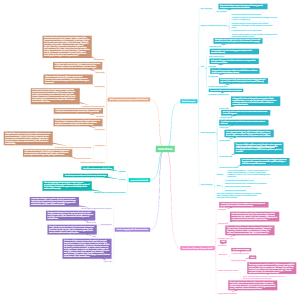
MindMap Gallery openEuler file system
A file system is the method and data structure used by the operating system to identify files on a storage device or partition: a method of organizing files on a storage device. The software organization responsible for managing and storing file information in the operating system is called a file management system, or file system for short.
Edited at 2024-02-08 16:07:42Avatar 3 centers on the Sully family, showcasing the internal rift caused by the sacrifice of their eldest son, and their alliance with other tribes on Pandora against the external conflict of the Ashbringers, who adhere to the philosophy of fire and are allied with humans. It explores the grand themes of family, faith, and survival.
This article discusses the Easter eggs and homages in Zootopia 2 that you may have discovered. The main content includes: character and archetype Easter eggs, cinematic universe crossover Easter eggs, animal ecology and behavior references, symbol and metaphor Easter eggs, social satire and brand allusions, and emotional storylines and sequel foreshadowing.
[Zootopia Character Relationship Chart] The idealistic rabbit police officer Judy and the cynical fox conman Nick form a charmingly contrasting duo, rising from street hustlers to become Zootopia police officers!
Avatar 3 centers on the Sully family, showcasing the internal rift caused by the sacrifice of their eldest son, and their alliance with other tribes on Pandora against the external conflict of the Ashbringers, who adhere to the philosophy of fire and are allied with humans. It explores the grand themes of family, faith, and survival.
This article discusses the Easter eggs and homages in Zootopia 2 that you may have discovered. The main content includes: character and archetype Easter eggs, cinematic universe crossover Easter eggs, animal ecology and behavior references, symbol and metaphor Easter eggs, social satire and brand allusions, and emotional storylines and sequel foreshadowing.
[Zootopia Character Relationship Chart] The idealistic rabbit police officer Judy and the cynical fox conman Nick form a charmingly contrasting duo, rising from street hustlers to become Zootopia police officers!
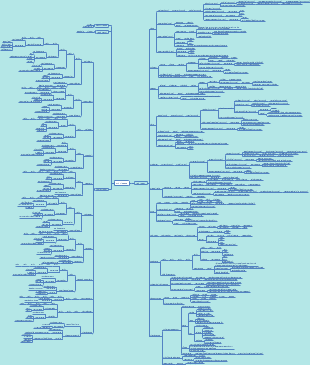
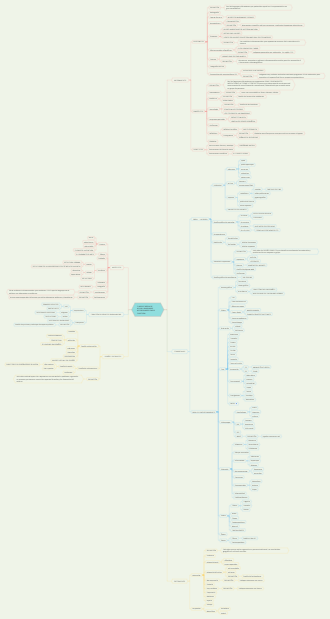
openEuler file system
File system
A file system is the method and data structure used by the operating system to identify files on a storage device or partition: a method of organizing files on a storage device. The software organization responsible for managing and storing file information in the operating system is called a file management system, or file system for short.
File system API
Provide user-friendly interface
A collection of software for object manipulation and management
Disk management software, similar to middleware
Objects and properties
The underlying storage hardware, such as disks or partitions
effect
A file system is a system that organizes and allocates the space in which files are stored on devices, and is responsible for file storage and protection and retrieval of stored files.
It is responsible for creating files for users, storing, reading, and modifying dump files, controlling file access, and revoking files when users no longer use them, etc.
File system functions include:
Manage and schedule the storage space of files, and provide the logical structure, physical structure and storage method of files
Implement mapping of files and identifiers to actual addresses
Implement file control operations and access operations
Realize the sharing of file information and provide reliable file confidentiality and protection measures, and provide file security measures
File system types and usage scenarios
FAT
The file system used by windWs9X system, including FAT16, FAT32
NTFS
The NTFS file system is a security-based file system and a unique file system structure used by WindoWsNT. Win2000 uses an updated version of the NTFS file system NTFS5.0
NFS
Network file system for file sharing between UNIX systems over the network
RAW
RAW file system is a file system produced by unprocessed or unformatted disks.
Ext
The standard file system in the GNU/Linux system is characterized by excellent file access performance, especially for small and medium-sized files, including Ext2, Ext3, and Ext4.
XFS
A high-performance log file system, first developed by Silicon Graphics in 1993 for their IRIX operating system and later ported to the Linux kernel, it is particularly good at handling large files while providing smooth data transfer.
swap system swap space
Linux system swap space (swap) is an area on the disk, which can be a partition or a file. Simply put, when physical memory resources are tight, resources that are not frequently accessed in the memory are saved to a preset The swap space on the hard disk is used to release the memory occupied by the resource, so that the system has more physical memory to serve each process. When the system needs to access the content stored on the swap, the data on the swap is loaded into the memory.
The sum of physical memory and swap space is the total amount of virtual memory that the system can provide.
Why swap partition is needed
Increase available system memory space
When the physical memory is not enough, it is more economical to increase the swap partition than to increase the physical memory.
Improve overall system performance
After moving infrequently used data to swap, the system will have more memory for caching, speeding up system I/O.
Many Linux distributions (such as ubuntu) rely on swap partitions for their hibernation functionality
When the system sleeps, the memory data will be saved to the swap partition and loaded into the memory the next time it is started.
swap partition configuration
swap partition
A swap partition is an independent hard disk with no files or content, that is, a swap partition.
Create a swap partition: fdisk creates a partition, mkswap creates a swap partition, and swapon enables the swap partition.
Recommended swap size configuration
exchange files
The swap file is a special file in the file system, independent of the system and data files
Create swap files: create files, mkswap format files, swapon enables swap files
Recommended swap size configuration
disk
Order
fdisk -l is used to view information about all disks in the system, including mounted and unmounted disks
Use the df -h command to view system mounts, disk space size and utilization
disk partition
Disk partitioning divides a hard drive into logical storage units called partitions. By dividing the disk into multiple partitions, system administrators can use different partitions to perform different functions
Benefits of disk partitioning
Limit the space available to an app or user
Allows multiple booting of different operating systems from the same disk
Separate operating system and program files from user files
Create a separate area for operating system virtual memory swapping
Limit disk space usage to improve performance of diagnostic tools and backup images
Disk partition type
Hard disk partition
primary partition
The primary partition is also called the primary disk partition. Other types of hard disk partitions cannot be divided into the primary partition, so each primary partition is equivalent to a logical disk.
extended partition
Extended partitions and logical partitions appear to break the limitation that only 4 extended partitions can be saved in the partition table. Extended partitions cannot be used directly. They need to be divided into one or more logical partitions in the extended partition before they can be used.
extended partition
On the extended partition, you can create multiple logical partitions. A hard logical partition is a continuous area on the disk, which is a component of the extended partition.
Disk partitioning scheme
MBR partition scheme
The Master Boot Record (MasterBootRecord) partitioning scheme specifies how the disk should be partitioned on systems running BIOS firmware. It is a special boot sector that exists at the beginning of the drive.
If it is a SCSI interface hard disk, it can only have a maximum of 15 partitions (the extended partition cannot be used directly so it is not counted), of which a maximum of 4 primary partitions and a maximum of 12 logical partitions. An IDE interface hard disk can only have a maximum of 63 partitions (extended partitions cannot be used directly so they are not counted), of which a maximum of 4 primary partitions and a maximum of 60 logical partitions
Since partition size data is stored in 32-bit values, the maximum disk and partition size is limited to 2TB when partitioning using the MBR scheme.
fdisk partition tool
GPT partition scheme
As hard drive capacity continues to grow, the 2TB disk and partition size limitations of the old MBR partition scheme are no longer a theoretical limit, but a practical problem encountered more and more often in production environments. Therefore, GP is Replace the traditional MBR solution for disk partitioning
GPT means GUID partition table. Each partition on the drive has a globally unique identifier (GUID). For systems running Unified Extensible Firmware Interface (UEFI) firmware, GPT is arranged on the physical hard disk. Partition table standards
There is no distinction between primary partitions and logical partitions. Each hard disk can have up to 128 partitions. GPT allocates 64 bits to the logical block address, so it supports a maximum partition size of 18EB.
parted partition tool
Disk formatting
Formatting refers to an operation to initialize a disk or a partition on a disk and format the partition into a different file system. This operation usually results in the erasure of all files in the existing disk or partition.
Disk format command mkfs
The mkfs command is the abbreviation of makefilesystem, which is used to create a Linux file system in a specific partition.
Disk mount
Temporary layoff
Use the command: mount /dev/sda5 /test, which means to mount /dev/sda5 into the test directory. It will become invalid after restarting.
Mount permanently
Using permanent mounting means that it will be automatically mounted when booting. Use vim to edit /etc/fstab
fstab
The role of /etc/fstab file
A file used to store static information of the file system. When the system starts, it will automatically read information from this file and automatically mount the file system specified in this file to the specified self-recording. In this way, we only need to Writing the disk's mounting information to this file eliminates the need to manually mount it every time the computer is turned on.
logical volume
LVM-Logical Volume Management
LVM - logical volume management is a mechanism for managing disk partitions in the Linux environment. It is a logical layer built on the hard disk and partitions and under the file system, which can improve the flexibility of disk partition management.
Physical Unit (PE)
PhysicalExtents-PE with a unique number is the smallest unit that can be addressed by LVM. The size of the PE can be specified, and the default is 4MB. Once the PE size is determined, it cannot be changed. The PE size of all physical volumes in the same volume group is consistent.
Logic unit (LE)
Logical Extents--is the smallest storage unit that can be allocated in a logical volume. The size of the logical area depends on the size of the physical area in the volume group where the logical volume is located. In the same volume group, the size of LE and PE are the same. Usually one-to-one correspondence
Physical Volume (PV)
PhysicalVolume--The bottom layer actually provides capacity and stores data. It can be the entire hard disk, a partition on the hard disk, etc.
Volume Group (VG)
VolumeGroup - built on physical volumes, it consists of one or more physical volumes, that is, the physical volumes are integrated to provide capacity allocation. An LVM system can have only one volume group or multiple volume groups.
Logical Volume (LV)
LogicalVolume - A logical volume is built on a volume group. It is a piece of space "cut out" from the volume group. It is a logical device used by end users. After the logical volume is created, its size can be expanded or reduced.
Logical volume principle
A logical volume (lv) is an organization of several disk partitions or block devices (pv, pv can be located in different disk partitions, and the pv size can be different) to form a large extended partition (vq volume group, a vg must contain at least (a pv), this extended partition cannot be used directly. It needs to be divided into logical volumes (lv) before it can be used. lv can be formatted into different file systems and used directly after mounting.
Logical volume advantages
flexible capacity
When using logical volumes, the file system can be extended across multiple disks, you can aggregate multiple disks, or partition the disks into a single logical volume
Scalable storage pool
You can use simple commands to expand or shrink logical volume size without reformatting or partitioning the disk device.
Online data redistribution
Data can be moved online, and data can be redistributed while the disk is online. For example, hot-swappable disks can be replaced online
Convenient device naming
Logical volumes can be named in any way
disk striping
A logical disk can be generated, and its data can be striped and stored on 2 or more disks, which can significantly improve data throughput.
Mirror volume
Logical volumes provide a convenient way to mirror data
Volume snapshot
Using logical volumes, you can obtain device snapshots for consistent backup or test data update effects without affecting the real data.
Logical volume creation process
Logical volume layer LV (use lvcreate to create a logical volume) <- Volume group layer VG (use vgcreate to combine into a physical volume group) <- Physical volume layer PV (use pvcreate to convert to a physical volume) <- Physical partition layer (use fdisk or parted command to partition) <- physical disk layer
Logical volume management - use of pv
The pvcreate command is used to create a physical volume, which can be created using a physical disk or disk partition.
pvcreate /dev/hdaf6,7,8,9] #Create partitions 6-9 of disk hda into pv, pay attention to the use of curly brackets
pvs #View physical volume summary information
Use pvdisplay, pvscan, and pvs to view physical volume information
Logical volume management - use of vg
The vgcreate command is used to create an LVM volume group. A volume group organizes multiple physical volumes into a whole, shielding the underlying physical volume details. Logical volumes are created on a volume group without considering specific physical volume information.
vgcreate vg1000 /dev/sdb1 /dev/sdb2 #Use the vgcreate command to create volume group "vg1000" and add physical volumes /dev/sdb1 and /dev/sdb2 to the volume group
vgdisplay vg1000 # Use vgdisplay and vgscan to view volume group information
Logical volume management - use of lv
The lvcreate command is used to create LVM logical volumes. Logical volumes are created on volume groups.
lvcreate -L 200M vg1000 #Use the lvcreate command to create a 200MB logical volume on volume group "vg1000"
lvscan #Scan all logical volumes and use lvdisplay and lvscan to view volume group information
Logical volume expansion
01 Before expansion, check to see if there is enough vg space: vgs
02 Use the command to expand the capacity: lvextend -L SIZE lv_device
03 Adjust the size of the file system: resize2fs device lv_device
Logical volume shrink
01 First determine the reduced target size and ensure that there is enough space in the corresponding target logical volume size to accommodate all the original data.
02 Unmount the file system: umount, and perform mandatory detection: e2fsck-f
03 Reduce the file system: resize2fs DEVICE
04 Reduce logical volumes: lvreduce
05 Remount and use
Logical volume capacity change
The lvresize command is used to adjust the size of the logical volume space. It can increase or decrease the space. It actually includes the functions of lvextend and lvreduce, so the steps for expansion and reduction are the same.
lvresize -L 200M /dev/vg1000/lvol0 #Increase the logical volume space by 200M