MindMap Gallery html basic tags
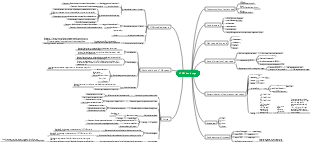
This is a mind map about the basic tags of HTML, including titles and paragraphs, special characters, image tags, relative paths, inline frames, hyperlink tags, text tags, list tags, etc.
Edited at 2021-07-15 20:15:33This is a mind map about bacteria, and its main contents include: overview, morphology, types, structure, reproduction, distribution, application, and expansion. The summary is comprehensive and meticulous, suitable as review materials.

This is a mind map about plant asexual reproduction, and its main contents include: concept, spore reproduction, vegetative reproduction, tissue culture, and buds. The summary is comprehensive and meticulous, suitable as review materials.
This is a mind map about the reproductive development of animals, and its main contents include: insects, frogs, birds, sexual reproduction, and asexual reproduction. The summary is comprehensive and meticulous, suitable as review materials.
This is a mind map about bacteria, and its main contents include: overview, morphology, types, structure, reproduction, distribution, application, and expansion. The summary is comprehensive and meticulous, suitable as review materials.
This is a mind map about plant asexual reproduction, and its main contents include: concept, spore reproduction, vegetative reproduction, tissue culture, and buds. The summary is comprehensive and meticulous, suitable as review materials.
This is a mind map about the reproductive development of animals, and its main contents include: insects, frogs, birds, sexual reproduction, and asexual reproduction. The summary is comprehensive and meticulous, suitable as review materials.
html basic tags
titles and paragraphs
Title tag: <h1></h1>--<h6></h6>
Paragraph tag: <p></p>
Line break tag:<br/>
Horizontal line tag: <hr/>
Special characters
>:>
<:<
Copyright number: ©
Quotation marks: "
Space:
Image tags
img attribute
src: represents the path of the image
title: Prompt information when the mouse is placed on the picture
alt: If the image cannot be displayed, the text description of the image
width: Set the width of the image
height: Set the height of the image
relative path
Starting from html file
../ Exit the previous directory
./ Current directory
The absolute path starts from the c drive
meta tag
Set web page keywords
<meta charset="UTF-8">
Set the encoding format of the current page
<meta name="viewport" content="width=device-width, initial-scale=1.0">
Set current page description information
Label specifications
html is not case sensitive
Comments cannot be nested
The tag structure must be complete
Tags can be nested
tag if the attribute must have a value
iframe
Reference information from another page
iframe tag attributes
src: Set the path of an external page
frameborder: set border
name: Specify a name for the inline frame
width, height: set width and height
hyperlink tag
Use the a tag to jump to another page
Syntax: <a href="">Display text content</a>
a tag attribute
href: Points to the destination URL to be redirected, or it can be a relative path
target: can be used to specify the location to open the link
_black: Open in new window
_self: Open in the current window
anchor link
<a href="#id"><a id=value></a>
<a href="mailto:email address"></a>
text label
strong: Make the content bold and emphasize the content
em: Italicize the content, emphasize the content
i: Content is shown in italics
b: The content is displayed in bold
small: the content becomes smaller
cite: indicates a bibliography, the content is italicized
q: Indicates a quote of a phrase, add double quotes to the content
blockquote: represents a long quote
sup: indicates superscript
sub: indicates subscript
del: add strikethrough
ins: add underline
pre: Make text formatting preserved
code: represents code, used with pre to display code blocks
Inline tags and block-level elements
By default, block-level elements will occupy one line of elements. Regardless of the content of the element, they will occupy the entire line.
div
Inline elements occupy their own size by default and will not occupy a single line.
span
list tag
unordered list
<ul>: unordered list
type attribute
disc: solid circle
circle: hollow circle
square: solid square
<li>List items
ordered list
<ol>: ordered list
type attribute
Default Arabic numerals
a or A: English upper and lower case
i or I: Roman numeral case
<li>List items
definition list
<dl>Definition list
<dt> defines the content of the description
<dd>Definition explanation and description