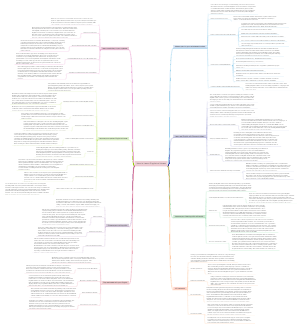
MindMap Gallery Mastering Asset Reliability with Advanced FMECA and Reliability Modeling Techniques
Dive deep into the intricacies of Failure Modes, Effects, and Criticality Analysis (FMECA) and reliability modeling to bolster your asset management strategy. This detailed roadmap illustrates a structured approach to identifying potential failure modes, assessing their impact, and formulating preventative strategies to enhance system reliability. Engineers, asset managers, and quality assurance professionals can leverage these insights to optimize processes, reduce downtime, and ensure consistent performance in their operations. From initial risk assessment to detailed reliability calculations, learn how to apply these methods to your asset management framework for improved outcomes.
Edited at 2021-11-24 13:19:19(GLOB-30) Reliability Modeler
Phase 1
GLOB-5 Hierarchy for FMECA , RM-model management and RM- browser screens on UI
GLOB-90 Drop-down for different hierarchy options in FMEA screens
GLOB-91 Drop-down for different hierarchy options in RM screens - Model Management
GLOB-92 Drop-down for different hierarchy options in RM screens - Asset Browser
GLOB-93 Drop-down/ tabs for different hierarchy options in RM screens - Dashboard
GLOB-94 Display Parent level hierarchy - ASPM
GLOB-95 Display Parent level hierarchy - ASP
GLOB-96 Display all the AM nodes (without hierarchy) - Part 1
GLOB-97 Display Child level hierarchy - ASPM
GLOB-98 Display Child level hierarchy - ASP
GLOB-99 Pagination in hierarchy ASPM
GLOB-100 Pagination in hierarchy ASP
GLOB-101 Lazy loading of AM- listing panel on the screen
GLOB-102 Retaining the hierarchy-selection ( ASPM/AM/ASP) on switching the screens
GLOB-103 Search - option in the hierarchy panel for AM
GLOB-104 Search - option in the hierarchy panel for ASPM
GLOB-105 Search - option in the hierarchy panel for ASP
GLOB-399 Display all the AM nodes (without hierarchy) - Part 2
GLOB-7 Extended attributes management
GLOB-83 Display of FMEA and RM icons in Lumada Platform
GLOB-84 Options listing under FMECA app
GLOB-85 OPtions listing under Reliability Modeler app
GLOB-86 Navigation from FMEA sub-domain to screens showing all other subdomains in tabs view
GLOB-87 Navigration from RM sub-domains to screens showing all other sub-domains in tabs view
GLOB-88 Switching between sub-domain tabs of FMEA domain
GLOB-89 Switching between sub-domain tabs of RM domain
GLOB-9 Permission handling based on roles from Lumada platform
GLOB-11 Display of apps/icons - Reliability Modeler and FMECA apps on Lumada platform
GLOB-83 Display of FMEA and RM icons in Lumada Platform
GLOB-84 Options listing under FMECA app
GLOB-85 OPtions listing under Reliability Modeler app
GLOB-86 Navigation from FMEA sub-domain to screens showing all other subdomains in tabs view
GLOB-87 Navigration from RM sub-domains to screens showing all other sub-domains in tabs view
GLOB-88 Switching between sub-domain tabs of FMEA domain
GLOB-89 Switching between sub-domain tabs of RM domain
GLOB-12 Asset Browser - CRUD of assets and extended attributes
GLOB-17 Asset Browser - Search/Sort /Filter on asset list
GLOB-19 Real time sync between EAM and Reliability Modeler
GLOB-106 Consume and store real-time hierarchy data from EAM - ASPM
GLOB-107 Consume and store real-time data from EAM - AM
GLOB-108 Consume and store real-time hierarchy data from EAM - ASP
GLOB-109 Consume and store real-time data from EAM - Assets
GLOB-187 Consume and store real-time data from EAM - Location
GLOB-304 Consume and store real-time data from EAM - Product Service Catalog
GLOB-305 Consume and store real-time data from EAM - Catalog item list
GLOB-306 Consume and store real-time data from EAM - Asset Measurement Property
GLOB-307 Consume and store real-time data from EAM - Form
GLOB-332 Status is not changing after selecting "Activate" action and "Activated by" is also coming as Null
GLOB-20 Migration Process - Onboarding new & existing tenants (One time sync process)
GLOB-110 Store one-time hierarchy data from EAM - ASPM
GLOB-111 Store one-time hierarchy data from EAM - AM
GLOB-112 Store one-time hierarchy data from EAM - ASP
GLOB-113 Store one-time hierarchy data from EAM - Assets
GLOB-31 Configure Calculator- Create/Configure multiple calculators at AM, ASPM level on UI
GLOB-32 Configure Calculator- To Configure aggregation of calculation( ex POF, COF) at AM,ASPM level.
GLOB-33 Execute formula at asset level
GLOB-34 Dashboard having Configurable widgets and matrix - ASP, AM
GLOB-322 Placeholder- Multiple Reliability Models for an AM
GLOB-323 Placeholder- Import extended attributes value for an Asset (Split from GLOB-33)
Phase 2
GLOB-21 Migration process - Deboarding of tenant on lumada to sync with RM application
GLOB-35 Reports generation for Reliability Modeler
GLOB-79 Import and Export of RM Models/Calculator
GLOB-80 Recommended action export
GLOB-81 Lumada work order Integration
(GLOB-4) FMECA
Phase 1
GLOB-22 FMECA- Search on list of FMECA for Asset Model
GLOB-40 FMEA - Search Suggestion on Failure Mode list screen
GLOB-41 FMEA - Search Suggestion on Landing screen
GLOB-286 FMEA - Search Suggestion on Cause screen
GLOB-287 FMEA - Search Suggestion on Recommended Action screen
GLOB-288 FMEA - Search on Landing screen
GLOB-289 FMEA - Search on Failure Mode list screen Topic
GLOB-290 FMEA - Search on Effects screen
GLOB-291 FMEA - Search on Cause screen
GLOB-292 FMEA - Search on Recommended Action screen
GLOB-23 FMECA - CRUD of FMECA on UI for individual Asset Model
GLOB-36 FME(C)A - Creation of Failure Mode on UI
GLOB-37 FME(C)A - View FME(C)A on landing screen
GLOB-38 FMEA - View all screens of failure modes - FMEA Browser
GLOB-39 FME(C)A - User lands on the FME(C)A screen for the first time
GLOB-42 FME(C)A - Sort option for FME(C)A on UI
GLOB-43 FME(C)A - Update FMEA on UI
GLOB-116 FME(C)A - Effects of failure screen on UI
GLOB-186 FME(C)A - Recommended action of failure mode on UI
GLOB-188 FME(C)A - Creation of Metadata for FME(C)A
GLOB-226 FME(C)A - Deletion of Failure Mode
GLOB-285 FME(C)A - Cause of failure screen on UI
GLOB-298 FME(C)A - Deletion of Failure Mode on UI
GLOB-334 FMEA - View all screens of failure modes - FMEA Management
GLOB-477 FME(C)A - Publish of Failure Mode on UI
GLOB-478 FME(C)A - Publish of updated Failure Mode on UI
GLOB-24 FMECA - Create/Update of FMECA via import excel for Asset Model
GLOB-302 FMECA- Creation via import excel for Asset Model for non-existing FMECA number
GLOB-388 FMECA - Creation of Failure Mode via excel for same FMEA Number
GLOB-449 FMECA- Update via import excel for Asset Model
GLOB-450 FMECA- Update via import excel for Asset Model for existing FMECA number
GLOB-25 FMECA - Export FMECA via excel for Asset Model
GLOB-269 FME(C)A - Export all failure modes of all asset models
GLOB-270 FMEA - Export on Failure Mode list Screen - FMEA Management
GLOB-271 FMEA - Export on Failure Mode list Screen - FMEA Browser
GLOB-471 FMEA - Error scenarios export on Failure Mode list Screen
GLOB-65 FMECA - CRUD of FMEA on UI for individual Asset System Position Model
GLOB-479 FME(C)A - Creation of Failure Mode on UI - Asset System Position Model
GLOB-480 FME(C)A - View FME(C)A on landing screen - Asset System Position Model
GLOB-481 FMEA - View all screens of failure modes - FMEA Browser - Asset System Position Model
GLOB-482 FME(C)A - User lands on the FME(C)A screen for the first time - Asset system position model
GLOB-483 FME(C)A - Sort option for FME(C)A on UI-Asset system position model
GLOB-484 FME(C)A - Update FMEA on UI - Asset System Position Model
GLOB-485 FME(C)A - Recommended action of failure mode on UI - Asset System Position Model
GLOB-488 FME(C)A - Creation of Metadata for FME(C)A-Asset System Position Model
GLOB-490 FME(C)A - Deletion of Failure Mode -Asset System Position Model
GLOB-491 FME(C)A - Cause of failure screen on UI - Asset System Position Model
GLOB-492 FMEA - View all screens of failure modes - FMEA Management - Asset System Position Model
GLOB-493 FME(C)A - Publish of Failure Mode on UI - Asset System Position Model
GLOB-494 FME(C)A - Publish of updated Failure Mode on UI - Asset System Position Model
GLOB-66 FMECA- Search on list of FMECA for Asset System Position Model
GLOB-520 FMEA - Search Suggestion on Failure Mode list screen - Asset System Position Model
GLOB-521 FMEA - Search Suggestion on Landing screen Asset System Position Model
GLOB-67 FMECA - Create/Update of FMECA via import excel for Asset System Position Model
GLOB-513 FMECA- Creation via import excel for Asset system position Model for non-existing FMECA number
GLOB-514 FMECA - Creation of Failure Mode via excel for same FMEA Number - Asset System Position Model
GLOB-515 FMECA- Update via import excel for Asset System Position Model
GLOB-516 FMECA- Update via import excel for Asset System Position Model for existing FMECA number
GLOB-68 FMECA - Export FMECA via excel for Asset System position Model
GLOB-495 FMEA - Export on Failure Mode list Screen - FMEA Management - Asset System Position Model
GLOB-497 FMEA - Export on Failure Mode list Screen - FMEA Browser - Asset system position model
GLOB-506 FMEA - Error scenarios export on Failure Mode list Screen - Asset System Position Model
GLOB-507 FME(C)A - Export all failure modes of all asset system position model
Phase 2
GLOB-15 FMECA - Filters on FMECA Screens
GLOB-26 FMECA - CRUD of 5 WHY RCA for each failure mode
GLOB-27 FMECA - CRUD of Fish Bone RCA for each Failure Mode
GLOB-28 FMECA - Versioning of FMECA for an Asset Model
GLOB-69 FMECA - Versioning of FMECA for an Asset System position Model
HPGA RM Requirements
(GLOB-30) Reliability Modeler
Phase 1
GLOB-5 Hierarchy for FMECA , RM-model management and RM- browser screens on UI
GLOB-90 Drop-down for different hierarchy options in FMEA screens
GLOB-91 Drop-down for different hierarchy options in RM screens - Model Management
GLOB-92 Drop-down for different hierarchy options in RM screens - Asset Browser
GLOB-93 Drop-down/ tabs for different hierarchy options in RM screens - Dashboard
GLOB-94 Display Parent level hierarchy - ASPM
GLOB-95 Display Parent level hierarchy - ASP
GLOB-96 Display all the AM nodes (without hierarchy) - Part 1
GLOB-97 Display Child level hierarchy - ASPM
GLOB-98 Display Child level hierarchy - ASP
GLOB-99 Pagination in hierarchy ASPM
GLOB-100 Pagination in hierarchy ASP
GLOB-101 Lazy loading of AM- listing panel on the screen
GLOB-102 Retaining the hierarchy-selection ( ASPM/AM/ASP) on switching the screens
GLOB-103 Search - option in the hierarchy panel for AM
GLOB-104 Search - option in the hierarchy panel for ASPM
GLOB-105 Search - option in the hierarchy panel for ASP
GLOB-399 Display all the AM nodes (without hierarchy) - Part 2
GLOB-7 Extended attributes management
GLOB-83 Display of FMEA and RM icons in Lumada Platform
GLOB-84 Options listing under FMECA app
GLOB-85 OPtions listing under Reliability Modeler app
GLOB-86 Navigation from FMEA sub-domain to screens showing all other subdomains in tabs view
GLOB-87 Navigration from RM sub-domains to screens showing all other sub-domains in tabs view
GLOB-88 Switching between sub-domain tabs of FMEA domain
GLOB-89 Switching between sub-domain tabs of RM domain
GLOB-9 Permission handling based on roles from Lumada platform
GLOB-11 Display of apps/icons - Reliability Modeler and FMECA apps on Lumada platform
GLOB-83 Display of FMEA and RM icons in Lumada Platform
GLOB-84 Options listing under FMECA app
GLOB-85 OPtions listing under Reliability Modeler app
GLOB-86 Navigation from FMEA sub-domain to screens showing all other subdomains in tabs view
GLOB-87 Navigration from RM sub-domains to screens showing all other sub-domains in tabs view
GLOB-88 Switching between sub-domain tabs of FMEA domain
GLOB-89 Switching between sub-domain tabs of RM domain
GLOB-12 Asset Browser - CRUD of assets and extended attributes
GLOB-17 Asset Browser - Search/Sort /Filter on asset list
GLOB-19 Real time sync between EAM and Reliability Modeler
GLOB-106 Consume and store real-time hierarchy data from EAM - ASPM
GLOB-107 Consume and store real-time data from EAM - AM
GLOB-108 Consume and store real-time hierarchy data from EAM - ASP
GLOB-109 Consume and store real-time data from EAM - Assets
GLOB-187 Consume and store real-time data from EAM - Location
GLOB-304 Consume and store real-time data from EAM - Product Service Catalog
GLOB-305 Consume and store real-time data from EAM - Catalog item list
GLOB-306 Consume and store real-time data from EAM - Asset Measurement Property
GLOB-307 Consume and store real-time data from EAM - Form
GLOB-332 Status is not changing after selecting "Activate" action and "Activated by" is also coming as Null
GLOB-20 Migration Process - Onboarding new & existing tenants (One time sync process)
GLOB-110 Store one-time hierarchy data from EAM - ASPM
GLOB-111 Store one-time hierarchy data from EAM - AM
GLOB-112 Store one-time hierarchy data from EAM - ASP
GLOB-113 Store one-time hierarchy data from EAM - Assets
GLOB-31 Configure Calculator- Create/Configure multiple calculators at AM, ASPM level on UI
GLOB-32 Configure Calculator- To Configure aggregation of calculation( ex POF, COF) at AM,ASPM level.
GLOB-33 Execute formula at asset level
GLOB-34 Dashboard having Configurable widgets and matrix - ASP, AM
GLOB-322 Placeholder- Multiple Reliability Models for an AM
GLOB-323 Placeholder- Import extended attributes value for an Asset (Split from GLOB-33)
Phase 2
GLOB-21 Migration process - Deboarding of tenant on lumada to sync with RM application
GLOB-35 Reports generation for Reliability Modeler
GLOB-79 Import and Export of RM Models/Calculator
GLOB-80 Recommended action export
GLOB-81 Lumada work order Integration
(GLOB-4) FMECA
Phase 1
GLOB-22 FMECA- Search on list of FMECA for Asset Model
GLOB-40 FMEA - Search Suggestion on Failure Mode list screen
GLOB-41 FMEA - Search Suggestion on Landing screen
GLOB-286 FMEA - Search Suggestion on Cause screen
GLOB-287 FMEA - Search Suggestion on Recommended Action screen
GLOB-288 FMEA - Search on Landing screen
GLOB-289 FMEA - Search on Failure Mode list screen Topic
GLOB-290 FMEA - Search on Effects screen
GLOB-291 FMEA - Search on Cause screen
GLOB-292 FMEA - Search on Recommended Action screen
GLOB-23 FMECA - CRUD of FMECA on UI for individual Asset Model
GLOB-36 FME(C)A - Creation of Failure Mode on UI
GLOB-37 FME(C)A - View FME(C)A on landing screen
GLOB-38 FMEA - View all screens of failure modes - FMEA Browser
GLOB-39 FME(C)A - User lands on the FME(C)A screen for the first time
GLOB-42 FME(C)A - Sort option for FME(C)A on UI
GLOB-43 FME(C)A - Update FMEA on UI
GLOB-116 FME(C)A - Effects of failure screen on UI
GLOB-186 FME(C)A - Recommended action of failure mode on UI
GLOB-188 FME(C)A - Creation of Metadata for FME(C)A
GLOB-226 FME(C)A - Deletion of Failure Mode
GLOB-285 FME(C)A - Cause of failure screen on UI
GLOB-298 FME(C)A - Deletion of Failure Mode on UI
GLOB-334 FMEA - View all screens of failure modes - FMEA Management
GLOB-477 FME(C)A - Publish of Failure Mode on UI
GLOB-478 FME(C)A - Publish of updated Failure Mode on UI
GLOB-24 FMECA - Create/Update of FMECA via import excel for Asset Model
GLOB-302 FMECA- Creation via import excel for Asset Model for non-existing FMECA number
GLOB-388 FMECA - Creation of Failure Mode via excel for same FMEA Number
GLOB-449 FMECA- Update via import excel for Asset Model
GLOB-450 FMECA- Update via import excel for Asset Model for existing FMECA number
GLOB-25 FMECA - Export FMECA via excel for Asset Model
GLOB-269 FME(C)A - Export all failure modes of all asset models
GLOB-270 FMEA - Export on Failure Mode list Screen - FMEA Management
GLOB-271 FMEA - Export on Failure Mode list Screen - FMEA Browser
GLOB-471 FMEA - Error scenarios export on Failure Mode list Screen
GLOB-65 FMECA - CRUD of FMEA on UI for individual Asset System Position Model
GLOB-479 FME(C)A - Creation of Failure Mode on UI - Asset System Position Model
GLOB-480 FME(C)A - View FME(C)A on landing screen - Asset System Position Model
GLOB-481 FMEA - View all screens of failure modes - FMEA Browser - Asset System Position Model
GLOB-482 FME(C)A - User lands on the FME(C)A screen for the first time - Asset system position model
GLOB-483 FME(C)A - Sort option for FME(C)A on UI-Asset system position model
GLOB-484 FME(C)A - Update FMEA on UI - Asset System Position Model
GLOB-485 FME(C)A - Recommended action of failure mode on UI - Asset System Position Model
GLOB-488 FME(C)A - Creation of Metadata for FME(C)A-Asset System Position Model
GLOB-490 FME(C)A - Deletion of Failure Mode -Asset System Position Model
GLOB-491 FME(C)A - Cause of failure screen on UI - Asset System Position Model
GLOB-492 FMEA - View all screens of failure modes - FMEA Management - Asset System Position Model
GLOB-493 FME(C)A - Publish of Failure Mode on UI - Asset System Position Model
GLOB-494 FME(C)A - Publish of updated Failure Mode on UI - Asset System Position Model
GLOB-66 FMECA- Search on list of FMECA for Asset System Position Model
GLOB-520 FMEA - Search Suggestion on Failure Mode list screen - Asset System Position Model
GLOB-521 FMEA - Search Suggestion on Landing screen Asset System Position Model
GLOB-67 FMECA - Create/Update of FMECA via import excel for Asset System Position Model
GLOB-513 FMECA- Creation via import excel for Asset system position Model for non-existing FMECA number
GLOB-514 FMECA - Creation of Failure Mode via excel for same FMEA Number - Asset System Position Model
GLOB-515 FMECA- Update via import excel for Asset System Position Model
GLOB-516 FMECA- Update via import excel for Asset System Position Model for existing FMECA number
GLOB-68 FMECA - Export FMECA via excel for Asset System position Model
GLOB-495 FMEA - Export on Failure Mode list Screen - FMEA Management - Asset System Position Model
GLOB-497 FMEA - Export on Failure Mode list Screen - FMEA Browser - Asset system position model
GLOB-506 FMEA - Error scenarios export on Failure Mode list Screen - Asset System Position Model
GLOB-507 FME(C)A - Export all failure modes of all asset system position model
Phase 2
GLOB-15 FMECA - Filters on FMECA Screens
GLOB-26 FMECA - CRUD of 5 WHY RCA for each failure mode
GLOB-27 FMECA - CRUD of Fish Bone RCA for each Failure Mode
GLOB-28 FMECA - Versioning of FMECA for an Asset Model
GLOB-69 FMECA - Versioning of FMECA for an Asset System position Model