 Wondershare EdrawMind
MindMap Gallery A mind map of website introduction
- 38
- 1
A mind map of website introduction
This clear mind map outlines the fundamental structure of a website, with "HTTP Protocol" at its core, extending to "Uniform Resource Locator (URL)" and "Website Overview," and further breaking down into "Domain Name System" and "Web Server Architecture." This hierarchical logic aids in quickly grasping the key elements of website construction and operation.
Edited at 2022-03-13 20:29:39
- Recommended to you
- Outline



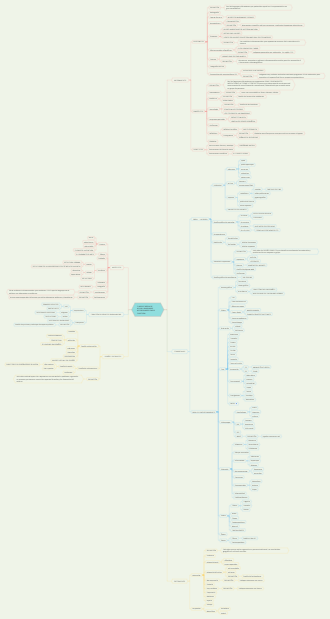
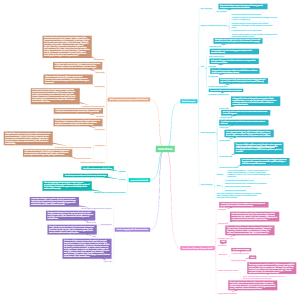

Introduction au Web
1. Web : présentation générale
Définition
système d'information hyper-média réparti : texte, images, images animées, son, vidéo ...
Architecture Client-Server
Serveur : stocker les infos Client : interroger les serveurs (ex. Mozilla Firefox, Internet Explorer, Google Chrome, Safrai, Opera ...)
Ce sont ces clients qui traduisent nos demandes en requêtes HTTP pour dialoguer avec les serveurs.
Procédé :
le client envoie des requêtes au serveur : demande de transfert de fichiers
exécution de programmes sur le serveur
mise à jour de fichier
renvoyer le fichier au client
analyser le ficher et l'afficher dans web page d'une façon agéable
Evolution
什么是serveur application(applications server)应用服务器? Most of the times these terms Web Server and Application server are used interchangeably. 在大多数时候,Web服务器和引用服务器这两个术语是可以互换使用的。 Following are some of the key differences in features of Web Server and Application Server: 以下是Web服务器和应用服务器在特性上的一些关键的差异: Web Server is designed to serve HTTP Content. App Server can also serve HTTP Content but is not limited to just HTTP. It can be provided other protocol support such as RMI/RPC. Web服务器的设计目的是提供HTTP内容,应用服务器也可以提供HTTP内容,但不限于HTTP,它还可以提供其他协议支持,如RMI / RPC。 Web Server is mostly designed to serve static content, though most Web Servers have plugins to support scripting languages like Perl, PHP, ASP, JSP etc. through which these servers can generate dynamic HTTP content. Web服务器主要是为提供静态内容而设计的,不过大多数Web服务器都有插件来支持脚本语言,比如Perl、PHP、ASP、JSP等,通过这些插件,这些服务器就可以生成动态的HTTP内容。 Most of the application servers have Web Server as integral part of them, that means App Server can do whatever Web Server is capable of. Additionally App Server have components and features to support Application level services such as Connection Pooling, Object Pooling, Transaction Support, Messaging services etc. 大多数应用服务器都将Web服务器作为其不可分割的一部分,这意味着应用服务器可以做任何Web服务器所能做的事情。此外,应用服务器有组件和特性来支持应用级服务,如连接池、对象池、事务支持、消息传递服务等。 As web servers are well suited for static content and app servers for dynamic content, most of the production environments have web server acting as reverse proxy to app server. That means while servicing a page request, static contents (such as images/Static HTML) are served by web server that interprets the request. Using some kind of filtering technique (mostly extension of requested resource) web server identifies dynamic content request and transparently forwards to app server. 由于web服务器非常适合用于提供静态内容,而应用服务器适合提供动态内容,因此大多数生产环境都有web服务器充当应用服务器的反向代理。这意味着在页面请求时,web服务器会通过提供静态内容(例如图像/静态HTML)来解释请求,并且它还会使用某种过滤技术(主要是请求资源的扩展)识别动态内容请求,并透明地转发到应用服务器。 Example of such configuration is Apache Tomcat HTTP Server and Oracle (formerly BEA) WebLogic Server. Apache Tomcat HTTP Server is Web Server and Oracle WebLogic is Application Server. In some cases the servers are tightly integrated such as IIS and .NET Runtime. IIS is web server. When equipped with .NET runtime environment, IIS is capable of providing application services.
1° génération : client lourd, traitement client 2° génération : client lourd, événementiel 3° génération : client web léger
Composition (3 Briques)
URL (Uniform Resource Locator) : pour localiser/indentifier les ressources sur Internet WHERE can we get resource in Internet?
HTTP (HyperText Transfer Protocol) : pour formaliser nos demandes(requêtes) et les réponses HOW could we tell the server our demands? or HOW the server can understand our demands?
HTML (HyperText Markup Language) : pour présenter les réponses (human friendly) Easier reading for human
quelques termes
web = relier les documents à travers un réseau mondial (1989)
HyperText : ensemble de documents reliés par des "hyperliens" 超链接
2. URL
Définition
URI : Uniform Resource Identifier
a Unicode string, is the uniquemark to represent a resourcein the Web A URI identifies a resource either by location, or a name, or both. A URI has two specializations known as URL (by location) or URN (by name)
URL : Uniform Resource Locator
A URL is a string of characters used to access the information or a resource by using the address of the resource location.
URN : Uniform Resource Name
URN does not offer the protocol used to access the resource or the resource’s address, but it does provide information about the resource itself. It includes only the name or identification of the resource.
Relation
URI = URL + URN
Syntax et Exemple
scheme : details about the protocol in use like HTTPS, FTP, HTTP, news, mailto.
subdomain : not mandatory
second-level domain : domain address
sub directory : take user to the exact target location
exemples
https://www.geekflare.com/articles mailto:mary@jane.website.com file:///localhost/8.8.8.8
http : // hostname.domain : port / path / file
以 urn: 开头
namespace identifier (NID)必须有,must be registered with IANA like nbn, uuid, etc.
更准确地说,IANA分配和维护在互联网技术标准(或者称为协议)中的唯一编码和数值系统。 IANA的所有任务可以大致分为三个类型: 一、域名。IANA管理DNS域名根和.int,.arpa域名以及IDN(国际化域名)资源。 二、数字资源。IANA协调全球IP和AS(自治系统)号并将它们提供给各区域Internet注册机构。 三、协议分配。IANA与各标准化组织一同管理协议编号系统。 IANA是全球最早的Internet机构之一,其历史可以追溯到1970年。今天,IANA被负责协调IANA责任范围的非营利机构ICANN(Internet Corporation for Assigned Names and Numbers,互联网名称与数字地址分配机构)掌管。 https://baike.baidu.com/item/IANA/2800158
namespace-specific string (NSS) which precisely identifies the item
exemple
urn:nbn:de:101:3-2019075675872913 urn:uuid:6r4bc420-9c3a-12i9-97d9-0665700c9a66 ISBN 1-446-2776877-40 (ISBN : Unique identifier for books)
3. Protocol HTTP(S)
Utilisation
définit le syntax utilisé pour les échanges entre client et serveur web
Stateless Protocol 无状态协议
HTTP est un protocol "sans mémoire"
协议的状态是指下一次传输可以“记住”这次传输信息的能力。 HTTP属于无状态协议 为什么? HTTP是不会为了下一次连接而维护这次连接所传输的信息,这是为了保证服务器内存。 比如客户获得一张网页之后关闭浏览器,然后再一次启动浏览器,再登陆该网站,但是服务器并不知道客户关闭了一次浏览器。 由于Web服务器要面对很多浏览器的并发访问,为了提高Web服务器对并发访问的处理能力,在设计HTTP协议时规定Web服务器发送HTTP应答报文和文档时,不保存发出请求的Web浏览器进程的任何状态信息。这有可能出现一个浏览器在短短几秒之内两次访问同一对象时,服务器进程不会因为已经给它发过应答报文而不接受第二期服务请求。 由于Web服务器不保存发送请求的Web浏览器进程的任何信息,因此HTTP协议属于无状态协议(Stateless Protocol)。
pas de notion de session avec HTTP
如何解决HTTP无状态的问题? 可以通过Cookie和Session来保存状态信息。 Cookie和Session有以下明显的不同点: 1)Cookie将状态保存在客户端,Session将状态保存在服务器端; 2)Cookies是服务器在本地机器上存储的小段文本并随每一个请求发送至同一个服务器。Cookie最早在RFC2109中实现,后续RFC2965做了增强。网络服务器用HTTP头向客户端发送cookies,在客户终端,浏览器解析这些cookies并将它们保存为一个本地文件,它会自动将同一服务器的任何请求缚上这些cookies。Session并没有在HTTP的协议中定义; 3)Session是针对每一个用户的,变量的值保存在服务器上,用一个sessionID来区分是哪个用户session变量,这个值是通过用户的浏览器在访问的时候返回给服务器,当客户禁用cookie时,这个值也可能设置为由get来返回给服务器; 4)就安全性来说:当你访问一个使用session 的站点,同时在自己机子上建立一个cookie,建议在服务器端的SESSION机制更安全些。因为它不会任意读取客户存储的信息。
Cookie and Session
Cookie : informations stockées au niveau du client, concernant la navigation
定义:Cookie(复数形态:Cookies),又称“小甜饼”。类型为“小型文本文件”,指某些网站为了辨别用户身份而储存在用户本地终端(Client Side)上的数据(通常经过加密) Cookie的分类: Cookie保存在客户端中,按在客户端中的存储位置,可分为内存Cookie和硬盘Cookie。 内存 Cookie 由浏览器维护,保存在内存中,浏览器关闭即消失,存在时间短暂。硬盘Cookie保存在硬盘里,有过期时间,除非用户手动清理或到了过期时间,硬盘Cookie不会清除,存在时间较长。所以,按存在时间,可分为非持久Cookie和持久Cookie。 用途: 因为HTTP协议是无状态的,即服务器不知道用户上一次做了什么,这严重阻碍了交互式Web应用程序的实现。在典型的网上购物场景中,用户浏览了几个页面,买了一盒饼干和两瓶饮料。最后结帐时,由于HTTP的无状态性,不通过额外的手段,服务器并不知道用户到底买了什么,所以Cookie就是用来绕开HTTP的无状态性的“额外手段”之一。服务器可以设置或读取Cookie中包含的信息,借此维护用户跟服务器会话中的状态。 在刚才的购物场景中,当用户选购了第一项商品,服务器在向用户发送网页的同时,还发送了一段Cookie,记录着那项商品的信息。当用户访问另一个页面,浏览器会把Cookie发送给服务器,于是服务器知道他之前选购了什么。用户继续选购饮料,服务器就在原来那段Cookie里追加新的商品信息。结帐时,服务器读取发送来的Cookie即可。 Cookie另一个典型的应用是当登录一个网站时,网站往往会请求用户输入用户名和密码,并且用户可以勾选“下次自动登录”。如果勾选了,那么下次访问同一网站时,用户会发现没输入用户名和密码就已经登录了。这正是因为前一次登录时,服务器发送了包含登录凭据(用户名加密码的某种加密形式)的Cookie到用户的硬盘上。第二次登录时,如果该Cookie尚未到期,浏览器会发送该Cookie,服务器验证凭据,于是不必输入用户名和密码就让用户登录了。 Cookie的缺陷 Cookie会被附加在每个HTTP请求中,所以无形中增加了流量。 由于HTTP请求中的Cookie是明文传递的,所以安全性成问题,除非使用超文本传输安全协定。 Cookie的大小限制在4 KB左右,对于复杂的存储需求来说是不够用的。
Session机制是一种服务器端的机制,服务器使用一种类似于散列表的结构(也可能就是使用散列表)来保存信息。
Session机制过程: 当程序需要为某个客户端的请求创建一个session的时候, 服务器首先检查这个客户端的请求里是否已包含了一个session标识 - 称为session id, 如果已包含一个session id则说明以前已经为此客户端创建过session,服务器就按照session id把这个 session检索出来使用(如果检索不到,可能会新建一个), 如果客户端请求不包含session id,则为此客户端创建一个session并且生成一个与此session相关联的session id, session id的值应该是一个既不会重复,又不容易被找到规律以仿造的字符串,这个 session id将被在本次响应中返回给客户端保存。 保存这个session id的方式可以采用cookie,这样在交互过程中浏览器可以自动的按照规则把这个标识发挥给服务器。一般这个cookie的名字都是类似于SEEESIONID。比如weblogic对于web应用程序生成的cookie,JSESSIONID= ByOK3vjFD75aPnrF7C2HmdnV6QZcEbzWoWiBYEnLerjQ99zWpBng!-145788764,它的名字就是 JSESSIONID。 由于cookie可以被人为的禁止,必须有其他机制以便在cookie被禁止时仍然能够把session id传递回服务器。经常被使用的一种技术叫做URL重写,就是把session id直接附加在URL路径的后面,附加方式也有两种, 一种是作为URL路径的附加信息,表现形式为 http://...../xxx;jsessionid= ByOK3vjFD75aPnrF7C2HmdnV6QZcEbzWoWiBYEnLerjQ99zWpBng!-145788764 另一种是作为查询字符串附加在URL后面,表现形式为 http://...../xxx?jsessionid=ByOK3vjFD75aPnrF7C2HmdnV6QZcEbzWoWiBYEnLerjQ99zWpBng!-145788764 这两种方式对于用户来说是没有区别的,只是服务器在解析的时候处理的方式不同,采用第一种方式也有利于把session id的信息和正常程序参数区分开来。 为了在整个交互过程中始终保持状态,就必须在每个客户端可能请求的路径后面都包含这个session id。 WHERE? 一般情况下,session都是存储在内存里,当服务器进程被停止或者重启的时候,内存里的session也会被清空,如果设置了session 的持久化特性,服务器就会把session保存到硬盘上,当服务器进程重新启动或这些信息将能够被再次使用, Weblogic Server支持的持久性方式包括文件、数据库、客户端cookie保存和复制。 复制严格说来不算持久化保存,因为session实际上还是保存在内存里,不过同样的信息被复制到各个cluster内的服务器进程中,这样即使某个服务器进程停止工作也仍然可以从其他进程中取得session。
Historique
HTTP 0.9 définit à l'origine par Tim Berners-Lee
HTTP 1.0 très nombreuses fonctionnalités (typage des documents ???, codage du contenu(内容加密), identification(身份验证) ...)
HTTP 1.1 plus avancée (réaliser différentes négociations(进行不同的协商), obtenir des canaux persistants(获得持久的渠道), pipeliner les requetes(管道要求) etc)
HTTP 2.0 (>=45% 使用率) 与HTTP 1.1兼容 :客户端和服务器之间数据分割和传递的方式,为了优化性能(compression des entêtes, Perload API, Serveur Push, etc)
En cours : HTTP 3.0 basé sur UDP (internet-Draft chez IETF)
type MIME
媒体类型(通常称为 Multipurpose Internet Mail Extensions 或 MIME 类型 )是一种标准,用来表示文档、文件或字节流的性质和格式。它在IETF RFC 6838中进行了定义和标准化。
通用结构:type/subtype MIME的组成结构非常简单; 由类型与子类型两个字符串中间用'/'分隔而组成。不允许空格存在。type 表示可以被分多个子类的独立类别。subtype 表示细分后的每个类型。 MIME类型对大小写不敏感,但是传统写法都是小写。
独立类型
text/plain text/html image/jpeg image/png audio/mpeg audio/ogg audio/* video/mp4 application/* application/json application/javascript application/ecmascript application/octet-stream …
Multipart类型
Multipart 类型表示细分领域的文件类型的种类,经常对应不同的 MIME 类型。 1)这是复合文件的一种表现方式。multipart/form-data 可用于联系 HTML Forms 和 POST 方法, 2)此外 multipart/byteranges使用状态码206 Partial Content来发送整个文件的子集,而HTTP对不能处理的复合文件使用特殊的方式:将信息直接传送给浏览器(这时可能会建立一个“另存为”窗口,但是却不知道如何去显示内联文件。)
multipart/form-data multipart/byteranges
reference : https://developer.mozilla.org/zh-CN/docs/Web/HTTP/Basics_of_HTTP/MIME_types
HTTP : comment ça marche ?
CGI是什么? 早期的Web服务器,只能响应浏览器发来的HTTP静态资源的请求,并将存储在服务器中的静态资源返回给浏览器。随着Web技术的发展,逐渐出现了动态技术,但是Web服务器并不能够直接运行动态脚本,为了解决Web服务器与外部应用程序(CGI程序)之间数据互通,于是出现了CGI(Common Gateway Interface)通用网关接口。简单理解,可以认为CGI是Web服务器和运行其上的应用程序进行“交流”的一种约定。 CGI是Web服务器和一个独立的进程之间的协议,它会把HTTP请求Request的Header头设置成进程的环境变量,HTTP请求的Body正文设置成进程的标准输入,进程的标准输出设置为HTTP响应Response,包含Header头和Body正文。 
Le navigateur analyse l'URL et envoie une requête au serveur web décrit par cet URL
Requête HTTP
requête HTTP : ligne de requête en-têtes (0 ou plus) <ligne blanche> corps de la requête (présent uniquement pour un POST) En-tête généraux HTTP Connection = listes d'option (close pour terminer une connexion) Date = date actuelle Content-type = type MIME des données envoyées Content-length = longeur des données après les en-têtes En-tête requêtes client HTTP Accept = type MIME visualisable par l'agent Accept-Encoding = méthodes de codage accéptées (compress, x-gzip, x-zip) Accept-Charset = jeu de caractères préféré du client 客户端首选字符集 Accept-Language = liste de langues (fr, en, ...) Authorization = Identification du browser auprès du serveur浏览器对服务器的标识 Cookie = cookie retourné Content-Length = Longeur du corps de la requête From = address email de l'utilisateur (rarement envoyé pour l'anonymat de l'utlisateur) Host = spécifie la machine et le port du serveur (un serveur peut héberger pl serveurs一个服务器可以托管很多个服务器) If-Modified-Since = condition de retrait 重新处理条件(指示浏览器首次从服务器下载资源的时间。有助于确定自上次访问后资源是否已更改。) Referer : URL d'origine (当前请求页面的来源页面的地址,即表示当前页面是通过此来源页面里的链接进入的) User-Agent = donner des informations sur le client, comme le nom et la version du navigateur, du système d'exploitation EX URL : http://tuxa.utc.fr/sr03/td1.html GET /sr03/td1.html HTTP/1.1 =====> ligne de requête (requête URL-voulue HTTP-version) Connection : Keep-Alive ======> Keep TCP connection User-Agent : Firefox =======> navigateur Host : tuxa.utc.fr =======> host server Accept-Charset : iso-8859-5, unicode-1-1 Accept : image/gif, image/x-xbitmap, image/jpeg, */* 从HTTP/1.1起,默认都开启了Keep-Alive,保持连接特性, 简单地说,当一个网页打开完成后,客户端和服务器之间用于传输HTTP数据的TCP连接不会关闭,如果客户端再次访问这个服务器上的网页,会继续使用这一条已经建立的连接。 Keep-Alive不会永久保持连接,它有一个保持时间,可以在不同的服务器软件(如Apache)中设定这个时间。 Type requête : GET : serveur renvoie le contenu de l'URL demandée HEAD : où le serveur ne renvoie que l'en-tête (permet notamment de vérifier l'accessibilité)经常用来测试超链接的有效性、可用性和最近的修改。 POST : permet d'envoyer des données au serveur (formulaires...) PUT : permet d'envoyer au serveur un doc à enregistrer à l'URI spécifiée DELETE : efface la ressource spécifiée OPTIONS : permet au client de savoir les options de communication utilisables pour obtenir la ressource. (savoir ce qu'on peut faire sans pour autant devoir demander une ressource) 允许客户端知道可用于获取资源的通信选项。(知道你可以做什么而无需请求资源) TRACE : méthode de contrôle. Demande au serveur de renvoyer la requête telle qu'elle a été reçue. 控制方法。 要求服务器在收到请求时重新发送请求。
Réponse HTTP
réponse HTTP : ligne de statut en-tête (0 ou plus) <ligne blanche> corps de la réponse (il contient le document démandé) ligne de statut : HTTP-version code-réponse phrase-réponse en-tête : un nom de champ + un caractère ':' + un espace + une valeur de champ Set-Cookie = créer ou modifie un cookie sur le client Allow = méthods autorisées pour l'URI Last-Modified = date de dernière modification du doc (utilisé par les caches) Content-Length = taille du document en octet Content-Location = URI de l'entité Age = ancienneté du document en secondes以秒为单位的文档年龄 Proxy-Authenticate = système d'authentification du proxy 代理认证系统 Retry-After = date ou nombre de secondes pour un nouvel essai en cas de code 503 (server unavailable) ...
Code de réponses
100 - 199 Informationnel 100 : Continue (le client peut envoyer la suite de la requête) 200 - 299 Succès de la requête client 200 : OK 201 : Created 204 : No Content 300 - 399 Redirection de la requête client 301 : Redirection 302 : Found 304 : Not Modified 305 : Use proxy 400 - 499 Requête client incomplète 400 : Bad request 401 : Unauthorized 403 : Forbidden 404 : Not Found 500 - 599 Erreur Serveur 500 : Server Error 501 : Not implemented 502 : Bad Gateway 503 : Out of Resources (Service Unavailable)
HTTPS = HTTP Sécurisé
HTTP + une couche de chiffrement (SSI ou TLS)
Utilise le port 443 (au lieu de 80)
Limitation de protocole HTTP
half duplex
solution : long pooling, streaming, HTML SSE API
4. WebSocket
full-duplex
une connexion TCP
5. HTML/CSS