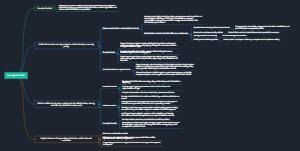
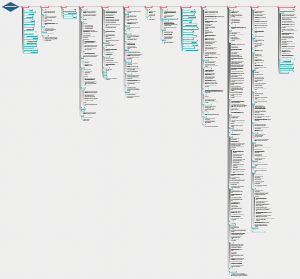
ArcGIS Indoors
(complete indoor mapping system for smart building management. It organizes computer-aided design (CAD), building information modeling (BIM), site scans, and operational datasets into floor-aware indoor maps to support facilities, workplace operations, maintenance applications, and various use cases. Executives, supervisors, mobile staff, and employees can better understand, maintain, and operate workplace environments with ArcGIS Indoors.)
Indoor Viewer
Browser mode—For organization members to use from a computer or device with a browser. This mode is accessed through the default URL for Viewer.
Kiosk mode—For visitors to use from a touch screen monitor or tablet device placed at a reception area. This mode is accessed through an alternate URL for Viewer.
Space Assignment and Management
{Define, allocate, and assign spaces}
Occupant Experience
{Navigate to people, places, and things; book workspaces; and report building issues}
Know your indoor location
Maximize use of limited space
Save valuable time for key staff
Help visitors find where they need to be
Increase company productivity and motivation
Indoor Map and App Making
{Build custom indoor maps and apps}
Develop custom indoor apps
Publish indoor mapping apps
Create 2D and 3D indoor maps
Consolidate building floor plans
Facility Operations and Maintenance
{Improve the speed of service delivery}
Track people and assets in real time
Crowdsource facility issue reporting
ReOpening the Workplace
{Ensure a safe workplace for returning employees}
Enable proximity analysis
https://www.youtube.com/watch?v=9sYGYbp6r9M
Manage office space density
Terminologies
Category: Features with Common Details
Dead Zone: Private Position / nontraversable spaces
Details: Assets { Wall , Doors , Windows}
Floor Aware Maps : The Base: GIS data representing floor plan features and organized hierarchically such that details features are associated to a floor
Level: refers to the floor of a building contained in your managed facilities.