1. Computer Component
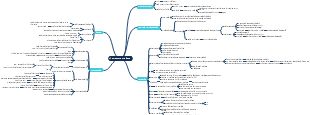
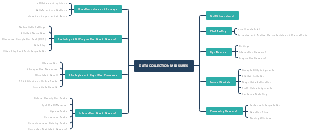
Storage Unit
Memory
RAM
DRAM
Main memory: stores programs and data
SRAM
Cache memory:between the CPU and the main memory to increase speed.
ROM
Mask ROM
Data is written during manufacturing, read-only memory
EPROM
Data can be erased by using ultraviolet light.
EEPROM
Flash memory is used in digital cameras and IC cards.
Input/Output Devices
Input/output interfaces
Serial interface
transmits data one bit at a time
Parallel interface
transmits multiple bits of data at once
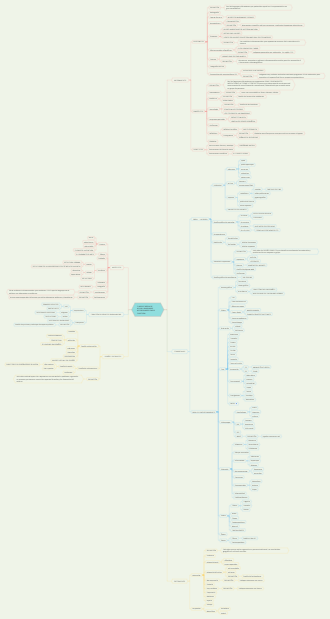
2. System Component
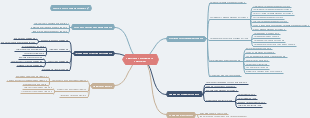
System Configuration
Types of processing in information systems
Information system configuration
Dual system
two systems with the same configuration per-form the same processing concurrently,
Duplex system
two systems are prepared, and one is used asthe primary system
Thin client, Daas (Desktop as a Service)
Cluster
multiple computers connected to a network and operated as if it were asingle system
3. Software
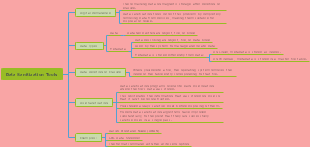
System software
Operating system
OS
References
CUI (Character User Interface)
GUI (Graphical User Interface)
Summary
User management
ការគ្រប់គ្រងអ្នកប្រើប្រាស់
File management
Directory (folder) management
Backup
Copying files and folders
Input/output management (Device management)
Middleware
Database management system
Communication management system
Operations management tool
Software development support system
Application software
Common application software
Statistics processing program
Individual application software
4. Hardware
Input devices
OCR (Optical Character Recognition)
Output devices
Display
OLED (Organic Light Emitting Diode) display
១ ខាងក្រោមនេះ តើមួយណាជាការប្រៀបធៀបពី ទំហំទិន្នន័យដែលត្រឹមត្រូវ?a) 1 KB < 1 MB < 1 GB < 1 TBb) 1 KB < 1 MB < 1 TB < 1 GBc) 1 KB < 1 TB < 1 MB < 1 GBd) 1 TB < 1 KB < 1 MB < 1 GB
២ ខាងក្រោមនេះ តើមួយណាជាពាក្យសម្រាប់ប្រើប្រាស់ក្នុងការប្រើប្រាស់ PC ដោយខ្លួនឯងដោយមិនភ្ជាប់វាទៅបណ្តាញណាមួយឡើយ?
a) Thin client b) Single processorc) Standalone d) Peer to peer
៤ តើមួយណាជាស្តង់ដារ សម្រាប់ការប្រាស្រ័យទាក់ទងឥតខ្សែរ រវាងកុំព្យូទ័រនិងឧបករណ៍ផ្សេងៗ?a) Bluetooth b) IEEE 1394 c) PCI d) USB 3.0
៣ តើមួយណាខាងក្រោម ដែលតម្រូវឱ្យមានជាចាំបាច់ ដើម្បីប្រើប្រាស់ឧបករណ៍ ដែលភ្ជាប់ទៅកុំព្យូទ័រ?a) Compiler b) Device driverc) Plug and play d) Hot plug
៥ តើមួយណាខាងក្រោមនេះ គឺជាការបកស្រាយសមស្របទាក់ទងនឹង cache memory នៃកុំព្យូទ័រ?a) វាត្រូវបានដាក់នៅចន្លោះ CPU core និង main memory ហើយគេប្រើ ដើម្បីអាន និងសរសេរទិន្នន័យក្នុងល្បឿនលឿន។b) វាត្រូវបានប្រើ ដើម្បីរក្សាទុកទិន្នន័យតែមួយដូចគ្នា នៅក្នុងទីតាំងពីរ ក្នុងពេលតែមួយ ដើម្បីបង្កើនភាពជឿជាក់។c) វាត្រូវបានបំពាក់ដោយយន្តការ ដែលអាចដំណើរការបាន សូម្បីតែកម្មវិធីដែលមានទំហំលើសពីសមត្ថភាព main memory ក៏ដោយ។d) វាអនុញ្ញាតឱ្យមានការចូលដំណើរការព្រមគ្នាទៅ main memory block ដោយការបែងចែក main memory ជា block ច្រើន។
៦ ខាងក្រោមនេះ តើមួយណាជាការពិពណ៌នាដ៏សមស្រប ទាក់ទងទៅនឹង Flash memory?
a) វាមានល្បឿនលឿន ដូច្នេះវាត្រូវបានប្រើសម្រាប់ Cache memory។b) ទិន្នន័យអាចត្រូវបានសរសេរតែម្ដងគត់ ដូច្នេះវាត្រូវបានប្រើសម្រាប់ Program memory។c) វាអាចសរសេរឡើងវិញបាន និងមិនត្រូវការផ្ទុកចរន្តអគ្គីសនី ដូច្នេះវាត្រូវបានប្រើសម្រាប់ USB memory ឬ SD card។d) ទោះបីជា Refresh cyclesត្រូវការ ក៏ដោយ វាត្រូវបានប្រើសម្រាប់ Main memory ដោយសារសមត្ថភាពនៃការសរសេរទិន្នន័យឡើងវិញមិនកំណត់ចំនួនដង។
៧ តើមួយណាខាងក្រោមគឺជា Interface ដែលអនុញ្ញាតឱ្យកុំព្យូទ័រ និងឧបករណ៍អេឡិចត្រូនិករបស់វាត្រូវបានភ្ជាប់នៅក្នុងការកំណត់រចនាសម្ព័ន្ធដែលបង្ហាញនៅក្នុងដ្យាក្រាមខាងក្រោម? នៅទីនេះតំណាងឱ្យ hub។
a) SATA b) IrDA c) SCSI d) USB
៦ ខាងក្រោមនេះ តើមួយណាជាលក្ខណៈដ៏សមស្របនៃ Distributed processing system បើប្រៀបធៀបជាមួយនឹង Centralized processing system ។
a) ការបរាជ័យដោយផ្នែកនៃប្រព័ន្ធមួយជារឿយៗនាំឱ្យមានការបិទ ប្រព័ន្ធទាំងមូល។ b) វាមានការពិបាកក្នុងការពង្រីកប្រព័ន្ធស្របតាមការពង្រីកមុខងារ ឬការកើនឡើងនៃទំហំការងារ។c វាងាយស្រួលក្នុងការការពារទិន្នន័យ និងធានាសុវត្ថិភាព។d) ពីទស្សនវិស័យនៃការគ្រប់គ្រងប្រតិបត្ដិការ វាជារឿយៗទៅជារឿងស្មុគស្មាញក្នុងការដំណើរការប្រព័ន្ធទាំងមូលប្រកបដោយប្រសិទ្ធភាព។
References
Printer performance indexes
cps (characters per second)
USB Type C 9-in-1 Adapter
USB Type C 10-in-1 Adapter
 Wondershare EdrawMind