MindMap Gallery Reading notes for a JS book
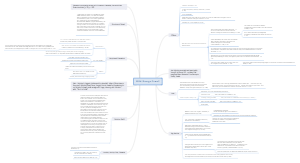
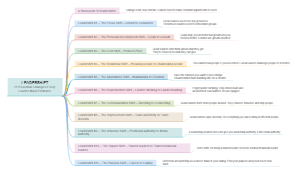
This is a mind map of reading notes for a JS book. The map contains 14 main branches, namely: Review JS, RESTful Api, WebPack, Thinking in React, CSS in React, ShopeeClone, Some Things Need to be reviewed, To do list, List&key in React, Hooks advanced, ReacHook, REDUX, React Router, and React Query (TanStack Query). This book is a comprehensive introduction to JavaScript and its related technologies. It starts with the basics of JavaScript and gradually delves into advanced technologies, covering topics such as RESTful APIs, Webpack, React, and more. During the reading process, I gained a lot. Especially the chapters on Thinking in React, CSS in React, ShopeeClone, etc. in the book have given me a deeper understanding of React. However, there are also some shortcomings in the book, such as some chapters being too general and lacking specific examples. Overall, this book is a good introductory book for beginners and also has some reference value for experienced developers. Suitable for people interested in JS.
Edited at 2023-02-14 15:19:35Main Idea
Component re-render when: - setState/State has been changed - props has been changed - Parent component re-render -> child component re-render handleClick: directly action onClick: waiting/listen to action *** Mutate: modify inside value without change referrence value) - React rule: dont mutate state/prop -> replace state with new reference value (by setState) Rules: - Always prioritize render UI for user first. (Pure component in render) - Dont mutate state/prop: if you do that, you can't control state and eassy meet bugs ex: const [todo, setTodo] = useState({name:"long"}) You can: todo.name= "Bon" - but dont do that - State was replace by a new value (new reference) with setState()
Review JS
1. Currying func: is a func return a func. Is used when you have one agrument stable and the rest agrument are unstable 2. Local storage, session storage and cookie: the most difference is the time saving on browser! - Local storage + Web storage + Save forever on browser + Capacity: 5-10Mb + Different domain cannot access local storage - Session storage + Web storage + Just a session, data will be lost when closing the tab + Capacity: 5-10Mb + Different domain cannot access session storage - Cookie + Time saving is limited. After that time, it will be delete + Capacityu: 4Kb + Cookie is sent from server to client and opposite through header of request + Domains child can set cookie for each ohthers through Domain father - Session server + On server, not client like session storage + Server will decide whenever end the session
Closure
- Closure: is a func can remember where it was born and can access variables its outside - Closure: is a inner func can access/modify variables of outer func that contain it. - Closure: is a inner func can access/modify variables of outer func that contain it.
Shallow coppy and Deep coppy
RESTful Api
API standard with REST - Some notes: + Good API was made by 80% art and 20% science + Design API for user, not data + Keep it short and readable + Use plural in URL
AJAX
AJAX is e method which comunicate with server without reload page!
WebPack
Use dist folder to contain files after built and use src/index.js to contain file entry
Thinking in React
1. Analysic UI into smaller components - Break components into smaller component - Idea: 1 component just do one thing 2. Build static UI in React - Build static templates + use prop to send data and render - Tip: build data flow first. Create file first 3. Determine state and events in components - Prioritze use prop than state 4. Determine where should you put the state - Parent component
CSS in React
CSS in React have global scoped! => Need to use external library to solve this problem 1. Inline CSS 2. Atomic CSS: such as TailWind... 3. Styled Component 4. CSS Module
ShoppeeClone
Login
- Dưới thẻ input trong <form> nên có 1 thẻ div chứa error - The user authentication process: + Wrap/ protect routes (checking if user isAuthenticated?) (P1) + Manage authentication by ContextApi (createContext() in parentComponent and useContext() in childComponent to get value from parent) (P2) + Config accessToken with axios - through Interceptors (P3). + Handle / setIsAuthenticated in Login component ) (P4) - ProtectRoute and RejectedRoute (S.170) (P1)    - (P2)  - Authenticate (trick to increase memory access speed) (S.171) (P3)  => this.accessToken was saved on ram (by Class Http). If you just call getAccessTokenFromLS() -> it was saved on hard disk (read data from RAM is faster than read data from hard disk)  - (P4) 
Library
- HeroIcons - Floating UI: Use case: Popover + useHover + FloatingPortal + Arrow   - Framer emotion 
TypeScript
 #right const ExampleComponent1 = ({ children }: {children: React.ReactNode}) => { return <div>{children}</div>; }; #error const ExampleComponent2 = ({ children }: React.ReactNode) => { return <div>{children}</div>; }; => It is trying to type the destructured props object as a ReactNode, which props is obviously not. 
React Query (TanStack Query)
Is a library to manage (and trigger) async state - Pros: + Manage cache data and easy update with zero config + Its dont have global state, reducer + Can be flexible and grow up easy -> TanStack Query not call API (its is process by axios/fetch) * get - useQuery / others - useMutation  * Ex: reload after delete setQueryData is a synchronous function that can be used to immediately update a query's cached data.   refetch/reload 
Some defined
# Một số khái niệm quan trọng - `staleTime` (default `0` ms): Thời gian data được cho là đã cũ. Khi get data xong thì sau một thời gian bạn quy định thì data nó sẽ tự cũ - `cacheTime` (default `5*60*1000` ms tức 5 phút): Thời gian data sẽ bị xóa ra khỏi bộ nhớ đệm. Có thể data đã "cũ" nhưng nó chưa bị xóa ra khỏi bộ nhớ đệm vì bạn set `stateTime < cacheTime`. Thường thì người ta sẽ set `stateTime < cacheTime` - `inactive`: là khi data đó không còn component nào subcribe cả ```tsx const result = useQuery({ queryKey: ['todos'], queryFn: fetchTodoList }) `result` là một object chứa một vài state rất quan trọng: `status`, `fetchStatus`,... Những state về các khoảnh khắc của data - `isLoading` or `status === 'loading'` - Query chưa có data - `isError` or `status === 'error'` - Query xảy ra lỗi - `isSuccess` or `status === 'success'` - Query thành công và data đã có sẵn Những state về data - `error` - Nếu `isError === true` thì `error` sẽ xuất hiện ở đây - `data` - Nếu `isSuccess === true` thì `data` sẽ xuất hiện ở đây Đặc biệt là `fetchStatus` - `isFetching` or `fetchStatus === 'fetching'` - Đang fetching API. - `isPaused` or `fetchStatus === 'paused'` - Query muốn fetch API nhưng bị tạm dừng vì một lý do nào đó. - `fetchStatus === 'idle'` - Query không làm gì cả Chỉ cần nhớ - `status` cho thông tin `data` có hay không - `fetchStatus` cho thông tin về `queryFn` có đang chạy hay không
Cahing
## Cơ chế caching Một data mà đã `stale` (old) thì khi gọi lại query của data đó, nó sẽ fetch lại api. Nếu không `stale` thì không fetch lại api. Một data mà bị xóa khỏi bộ nhớ (tức là quá thời gian `cacheTime`) thì khi gọi lại query của data đó, nó sẽ fetch lại api. Nếu còn chưa bị xóa khỏi bộ nhớ nhưng đã `stale` thì nó sẽ trả về data cached và fetch api ngầm, sau khi fetch xong nó sẽ update lại data cached và trả về data mới cho bạn. Caching là một vòng đời của: - Query Instance có hoặc không cache data - Fetch ngầm (background fetching) - Các inactive query - Xóa cache khỏi bộ nhớ (Garbage Collection) Một ví dụ như thế này cho anh em dễ hiều: Giả sử chúng ta dùng `cacheTime` mặc định là **5 phút** và `staleTime` là `0`. ```jsx function A() { const result = useQuery({ queryKey: ['todos'], queryFn: fetchTodos }) } function B() { const result = useQuery({ queryKey: ['todos'], queryFn: fetchTodos }) } function C() { const result = useQuery({ queryKey: ['todos'], queryFn: fetchTodos }) } ``` - `A` component được mount - Vì không có query nào với `['todos']` trước đó, nó sẽ fetch data - Khi fetch xong, data sẽ được cache dưới key là `['todos']` - hook đánh dấu data là `stale` (cũ) vì sau `0`s - Bây giờ thì `B` component được mount ở một nơi nào đó - Vì cache data `['todos']` đã có trước đó, data từ cache sẽ trả về ngay lập tức cho component `B` - Vì cache data `['todos']` được cho là đã `stale` nên nó sẽ fetch api tại component `B` - Không quan trọng function `fetchTodos` ở `A` và `B` có giống nhau hay không, việc fetch api tại `B` sẽ cập nhật tất cả các state query liên quan của `B` và `A` vì 2 component cùng key => cùng subcribe đến một data - Khi fetch thành công, cache data `['todos']` sẽ được cập nhật, cả 2 comonent `A` và `B` cũng được cập nhật data mới - Bây giờ thì `A` và `B` unmount, không còn sử dụng nữa, không còn subcribe đến cache data `['todos']` nữa nên data `['todos']` bị cho là `inactive` - Vì `inactive` nên `cacheTime` sẽ bắt đầu đếm ngược 5 phút - Trước khi `cacheTime` hết thì ông `C` comopnent được mount. cache data `['todos']` được trả về ngay lập tức cho `C` và `fetchTodos` sẽ chạy ngầm. Khi nó hoàn thành thì sẽ cập nhật lại cache với data mới. - Cuối cùng thì `C` unmount - Không còn ai subcribe đến cache data `['todos']` trong 5 phút tiếp theo nữa và cache data `['todos']` bị xóa hoàn toàn
Pagination
keepPreviousData : true
Error
- Check axios error & handle error 422 => Type predicates Type predicates are always attached to a function that takes a single argument and returns a boolean. Type predicates are expressed as argumentName is Type.   + use setError (react-hook-form):  - Handle nomal error with interceptor 
Fetching Indicators & Query Cancellation
- Fetching Indicators   - Query Cancellation + Manual Cancellation  + Auto Cancellation  
React Router
1. Wrap the app by <BrowserRouter> 2.   - Replace <a>(reload page) by <Link to "/"> - You can prop a function with {isActive} / {isPending} to className or style  * Or you can prop a children like this:  - If the end prop is used, it will ensure this component isn't matched as "active" when its descendant paths are matched.  3. Dynamic route - <Route path="projects/:projectId/:taskId" /> - The useParams() hook returns an object of key/value pairs of the dynamic params from the current URL that were matched by the <Route path>. Child routes inherit all params from their parent routes. -> const {projectId, taskId} = useParams() 4. Nested route An <Outlet> should be used in parent route elements to render their child route elements. This allows nested UI to show up when child routes are rendered. If the parent route matched exactly, it will render a child index route or nothing if there is no index route.  ** useOutletContext Often parent routes manage state or other values you want shared with child routes. You can create your own context provider if you like, but this is such a common situation that it's built-into <Outlet />:   *** Some hook - useNavigate(), <Navigation/> - useLocation() - useSearchParams()
REDUX
1. Set up store 2. Set up createAction and createRuducer 3. dispatch action from component *** -> createSlice (make createAction and createRuducer more terse) + Can't use matcher case and default case (use extraReducer instead) + extraReducer not automaticlly genarate actions reducer; but its can use matcher case - defaul case and use createAsyncThunk
Midleware
The most common reason to use middleware is to allow different kinds of async logic to interact with the store.
Create AsyncThunk
- Dispatch action processing 2 time because React.StrictMode -> run 2 time to check - Pending 1: + Was cancel by return in useEffect() + So that it return a reject async - Pending 2: + return a fulfilled async => .addMatcher<PendingAction>( (action) => action.type.endsWith('/pending'), (state, action) => { state.loading = true state.currentRequestId = action.meta.requestId } ) .addMatcher<RejectedAction | FulfilledAction>( (action) => action.type.endsWith('/rejected') || action.type.endsWith('/fulfilled'), (state, action) => { if (state.loading && state.currentRequestId === action.meta.requestId) { state.loading = false state.currentRequestId = undefined } } ) - unwrap(): to get data from asyncThunk or get data after dispatch 
RTK Query
RTK Query is a library of Redux ecosystem support managing call API and caching. Tracking loading state in order to show UI spinners Avoiding duplicate requests for the same data Optimistic updates to make the UI feel faster Managing cache lifetimes as the user interacts with the UI  
Handle error
- Code of conducts relate to reply error from server: Server must have reply a uniform type of error => 2 type: + Error when POST, PUT... -> reply a object with "EntityError" type "error": { "publishDate": "Không được publish vào thời điểm trong quá khứ" ...... } interface EntityError { [key: string | number]: string | EntityError | EntityError[] } + Error return string type (when server crash or ST else...) { "error": 'Lỗi rồi bạn ơi ' } - Error from RTK query: 2 type: + SerializedError: If an unexpected error is thrown by user code rather than a handled error (fetch API), that error will be transformed into a SerializedError shape + FetchBaseQueryError
Type Predicate
Is a method to narrow type of variable 1. Declare a func for checking logic structure 2. Add `parameterName is Type` for type of return instead of Boolean => It help to check logic and transfer type  
Caching, refetch
With RTK Query, caching is based on: - API endpoint definitions - The serialized query parameters used when components subscribe to data from an endpoint - Active subscription reference counts *** Data will be cached till component unsubcribe / be unmounted -> when component is unsubcrible, time will be set (default is 60s) after that, data will be removed
ReacHook
- useState + InitialState can be a value (string, num...) or func + Component was re-rendered after setState + Initial State just was used for first time. When initialValue is a (callback return a value ), It wont' rerun again when state was updatel because React has already retriveved the initialValue and it doesn't to retrieve that value again! + setState with callback: If the new state is computed for using the previous state -> you can pass a function to setState. The function will receive the previous value, and return an updated value. (F8)  + Initial State with callback -> enhance performance! (F8) - useEffect + DOM events: when component was unmounted, event (like window.addEventListener('scroll', handleScroll)) may not be unmount (except closing tab/browser) -> memory leak -> clean up func (remove event). More ex from F8: import 1 picture, then change another pic; but the older pic till save in memory -> memory leak + Cleanup func was call before component unmounted + Cleanup func was call before callBack in useEffect was call (except the first mounted) - useLayoutEffect : will run before update UI / useEffect - run after updated UI (Using when UI is flicker when using useEffect) - useRef: is a hook to save a varible which can mutate or access DOM node (interact directly with real DOM, not vitural DOM) + ref reference won't change even when re-render (normal varible is reseted when comp re-render) + Mutate it won't make re-render (different with state) + Data is wrapped inside component (not like outside varible - which is sharing with many others component) + Rules: dont mutate or read ref.current through redering (S.119) => use it in eventHandler of useEffect (useEffect(()=>....myRef.current = 123...)) - useContext: prop data directly from parent to child without intermediaries 1. Create Context: export const SomeThing = createContext() 2. Provider (wrap child comp with parent comp and value wanna props) Ex: <SomeThing.Provider value = {valueWannaPropToChild}> ....Child comp... </SomeThing> 3. import provider từ CNP cha: Ex: in Child component: const theme = useContext(SomeThing) <ChildComp className = {theme} /> - useReducer (reducer, initialState, init? ): combine logic of state into a place ** useReducer and Redux: The main difference is that Redux creates one global state container which is above your whole application and is called a store and useReducer creates an independent component co-located state container within your component. And Redux has another advantage that useReducer doesn't have: Middleware: (Redux comes with a rich middleware ecosystem. A simple example for a middleware in Redux is the action logger: Every action that goes through Redux will be logged in your browser's developer tools. You can see how your state looks like after and before the dispatched action went through your reducers. That's only one example for a middleware in Redux though. There are plenty of them. -> Easier to find bug and fix bug) => Summary about managing and updating State in ReactJs: + Use useState for basic and simple/small size applications. + Use useState + useReducer + useContext for advanced/medium size applications. + Use useState/useReducer + Redux for complex/large size applications." -useCallback (memoized callBack) vs useMemo (memoized value) - just is a micro improvements + useCallback: using when we dont wanna my func re-create (memoized callback) whenever component re-render + useMemo: using when we dont wanna my variable re-create (memoized value) whenever component re-render + useMemo can replace useCallback (useMemo return a function) - useSelector - use with Redux to get state from store - useMatch(): check the URL match or not with string you provided
Hooks advanced
HOF
HOF is a function that - its argument is a function - or it return a function. Ex: .map(); .forEach(); .filter() / Curry func
HOC
Higher order Component: is a function that takes a component as a variable and return a new component. Ex: `connect(mapStateToProps, mapDispatchToProps)(UserPage)` - react-redux, `withRouter(UserPage)` - react-router, `withStyles(styles)(UserPage)` - material-ui *** Should not use HOC inside render method or function component. (S.116-video) *** UseCase: + Wanna re-use logic 1. React.memo : is used when you dont wanna your component re-render while parent component re-render - Is a HOC -> Wrap with your component ex: export default React.memo(childComponent) **Cons of react.memo: + React.memo use RAM to save data -> if we use memo to improve performance, it will consumes a lot of ram memory + React.memo will check its props after parent re-render -> when parent props a reference type (function, object, array), child comp still re-render though was wrapped by memo (https://www.youtube.com/watch?v=_aiLvBnYwnA) => ~ add one more parameter of React.memo() (reading docs) ~ useCallback() or useMemo() instead (useMemo returns memoized value and useCallback returns memoised function.) ~ useCallback ususally with react.memo() if not, useCallback is meaningless (F8) (once without react.memo, child component still re-render -> func re-render)
List & key in React
- Key: shouldn't use index because + Make bugs when add, delete,sort items + Reduce performance: Ex: if we use key = {index}, when we add a item on the first line in a list -> re-render all item in those list (expect render the new item on the first line)
To do list
- Break app into components - Analysis if any data can change? state : props - If state/props depend on others state/props -> use varible - State which was used in many components -> set it in parent component!
Some things Need to be reviewed
1. Webpack 2. Higher Order Component