 Wondershare EdrawMind
MindMap Gallery Niko Group PIMDAM Features
- 71
Niko Group PIMDAM Features
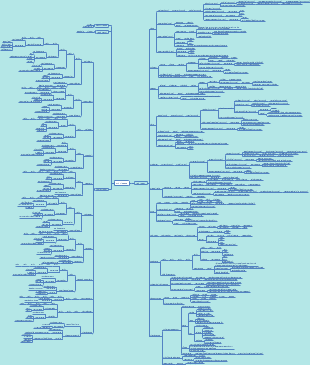
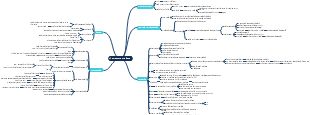
This is a mind map about the Niko Group PIMDAM Features framework. The process consists of 17 main branches, namely: Specification Workshop Notes (Sint Niklaas), Project Management, Specification, PIM Setup and Configuration, Data Model, Data Migration, Additional Custom PIM Features, Iteration Leftovers, PIM Data Quality, APIS, Website Integration, Portal Engine, QA and QM, Proving of Environments, Go Live, Non Functional Requirements and Out of Scope. Under the Out of Scope branch, there are multiple levels of sub branches with detailed descriptions. PIM (Product Information Management) is typically led by IT or marketing departments and is primarily used to manage and maintain product information. It provides accurate and consistent product data for various users, supports data-driven decision-making, and enhances the business efficiency and competitiveness of enterprises. DAM (Digital Asset Management), with the help of the IT department, provides creative professionals with powerful tools to store, manage, locate, and distribute digital media assets. The DAM system can effectively manage brand visual assets, improve creative work efficiency, and ensure that all teams have access to the latest and most accurate information. Suitable for people interested in managing and maintaining digital assets.
Edited at 2023-03-23 14:40:35
- Recommended to you
- Outline

Niko Group PIMDAM Features
Specification Workshop Notes (Sint Niklaas)
Project Goals
Replace old Adam
DAM which has been customized to become a PIM
Replace Pimcore instance (replicates data from Adam for business use case)
customizations only if necessary
scalable
availability of data
export
availability of data in the right format
easy integration of additional systems
Simplify current system architecture
Keep Touchpoints (=consumer of the data)
Website
Digital Asset
Easy Catalog
Data Sheets
Catalogue
Other Pimcore System
SAP
Assets
preferred way: use S3 bucket
CPQ
Cost / Price / Quote
Talend will handle most of the export process
Qlikview
BI tool
Main Challenges (Elements Perspective)
Availability of key project members @ Niko
Provide data to be displayed on website
Easy Catalog + Indesign Integration
Custom assortment per country on Portal Engine
User Acceptance
Expectation Management
User Involvement
Testing / Feedback too generic
Deliverables
1) Budget + Timing
2) Feature List
3) Working Agreement
Project Methodology
Fixed Price Offer
Deviations
result in Change Request
> some days
Need to be handled with the SteerCo
Meeting formats
SteerCo each month
internal meeting
Elements usually not part, but can join
PMO reporting
more frequent
other level
content of the project
More regular meetings for each project team
weekly
standup
...
Identify Risks as early as possible
Methodology
Create Feature List
Transform Feature List into User Stories (Confluence/Jira)
Establish Story Points
Project Collaboration
Confluence
Jira
Project Management
Project Planning and Controlling
Management of User Stories together with Niko
Routine Meetings
see "Specification Workshop"
Internal and External Coordination
Niko
Partners
Development Team
Trainings and Explanation Sessions
Based on the "Train the Trainer Principle"
Specification
Documentation of User Stories for Iteration #1
Documentation of User Stories for Remaining Iterations
Specification of API formats
Detailed Specification of Custom Features
Specification UI and implementation logic of Data Quality Dashboard
Specification UI and implementation logic of project based Article Lifecycle Editing Matrix
Detailed Specification Website Integration and Update
Detailed Specification Easy Catalog format and integration
PIM Setup and Configuration
Roles and Permission Management
The system must provide appr. 8 inital roles, which need to have a reasonable pre-configuration.
Viewer
view only permissions for product data, assets and metadata
Product manager (PM)
have their own product portfolio
edit "en" language
Country portfolio manager
create and edit touchpoint hierarchies for their country
manage appearance and sort order of bundles in their hierarchy
Asset Manager
upload and manage assets in DAM
Editor (PDM team)
publish changes
can basically do everything except some admin and data steward capabilities
Copywriter
Idem as Editor but with focus on texts and translations
Data Steward
Idem as Editor but with extra data steward functions:
create / edit / delete / publish / unpublish centrally managed attributes (e.g. classification store)
assign user roles to users
create / edit / delete / publish / unpublish
article types
helper objects
classifications
edit criteria to decide if an article/bundle can appear in a touchpoint
Admin
Portal Engine Users
An initial user pool will be set up for the key users of the system.
Roles
PE_internal
can see all assets based on status
PE_external
restricted set of assets based on status
PE_edit
can edit metadata on asset
Those roles that will be used for testing in the initial project will be refined. Roles that are not actively used yet, will be prepared.
Non Goals
Data Steward
create / edit / delete / publish / unpublish fields
fields can only be edited
Locales
The system must support locales that are used by Niko in order to deliver localized (product) information (text, assets, etc.) to specific countries and cultures.
NLBE
FRBE
NLNL (fallback to NLBE)
FRFR (fallback to FRBE)
ENGB
DEDE
DEAT (fallback to DEDE)
DECH (fallback to DEDE)
DADK
SESV
FRCH (fallback to FRBE
PLPL
ITCH
SKSK
NONO
all languages have ENGB as fallback (2nd level)
Non-Goals
Show fallbacks as non-editable in Pimcore backend UI.
Restrict visualized locales per user (currently not possible in Pimcore).
requirements for product manager (see above) will be satisfied, though.
TODO
SESV
not present in Pimcore?
sv_SE?
NONO
not present in Pimcore?
nn_NO?
Bundle Setup
Pimcore Data Hub
Pimcore Enterprise License
Pimcore Data Importer
Pimcore Data Exporter
Pimcore Portal Engine
Pimcore (Ecommerce Framework)
search index configuration and generation
Elements
BackendIterator
Process Manager
Index Update Trigger
Additional (Elements) bundles will be installed in the project on demand.
Configuration
Common configurations (locales, classes, custom layouts, process manager configurations, etc.) have to be part of the Git repository so that they can be deployed across multiple environments.
DataHub configurations have to be part of the Git repository so that they can be deployed across multiple environments.
Ecommerce Index Basic Setup for EasyCatalog and other touchpoints, depending on final solution
Data Model
The system must be configured and customized, to support saving data in an intuitive (data model) structure. a) all data migrated from the legacy system(s) (ADAM, pimcore.niko.eu, SAP), b) new data (manual input; articles coming from SAP) must be consistently available, and can be reused for enrichment and touchpoint visualization.
Entities
Article
Standard Article
SKU
An article has a unique SAP reference and is the smallest element that can be sold in a packaging, defined by a BOM. It is grouped together in an article group with other articles that have same functionality and share most common features.
contains SAP fields
read-only fields
label name (max. 65 characters)
Article Group
Virtual collection of variants of an article. The articles have most features in common except for minor ones, eg the colour of the basic variant
inherits data to standard articles
Compound Article
SKU
consists of multiple standard articles, and a quantity
attributes can be combined and extended
sellable SKU which consists of a combination of other sellable articles. Needs to inherit the attributes of the linked sellable articles
either custom entity, or of type "Article" with a custom layout configured.
Non-Goal
detect and resolve conflicts of attributes automatically (instead use preview to manually compare and resolve)
Common fields (examples)
Appearance and order of specific attributes per touchpoint (website, catalog).
Article-Type
A library of types in which all articles need to be allocated. This predefines certain templates of visualisation, a selection of attributes that needs to be assigned, and the types of illustrations required
for configuring attributes
like an ETIM class
single
defines classification Store Group
assigned to data object via relations
Bundle
A logical combination of articles / article groups, that are needed to offer a certain functionality (former term in aDAM: Product)
Bundle configurations
required
optional
oneof
min/max amount can be specified per relation
sort order can be controlled
Consider corner cases and data model optimization in project.
Relations
Upsell Bundles
on-way relation
Cross Sell Bundles
on-way relation
Alternative Bundles
on-way relation
Non - Goals
automatic linking
identification of related bundles based on data class "system"
System
combination of articles/article groups that make up one fully working entity to be installed
Solution
Combination of articles/article groups/systems that can offer a functional solution to a defined space (a room, house, apartment, office)
Category
An entity is needed for classification and touchpoint hierarchy/structure, i.e., country -> touchpoint name (e.g. website) -> chapter -> subchapter.
Assign visible articles (and bundles) per country and touchpoint (e.g. Belgium -> Website)
Assign article order per country and touchpoint (e.g. Belgium -> Website)
One general hierarchy, and one per country if needed
decide whether country-specifiy hierarchy should only include exceptions, or if needs to be a copy of the general tree.
Project
Articles
Default Launch Date
Exceptional Launch dates
either managed via matrix, or will remain on article level, as many exceptions are very common.
A project is one of the following types
NPI (New Product Introduction)
OPR (Old Product Retirement)
(Country Extension Project)
Class Definitions from pimcore.niko.eu for DSA and SSM
Article
~ 9.000
Bundle
Store
DecisionTrees
SSM
DsaSubject
DsaQuestion
DsaConfig
DsaUseCase
DsaCalculation
SSM (Decision Trees)
DataQualityConfig
Helper Objects
Brand
BuildingType
Country
Color
City
Channel
interiorType
finishing
installType
ProjectType
PartnerConnection
Range
Room
RackZoneConfig
RackConfig
Detailed analysis takes place within the project
Certain Configuration Objects
classification store select fields
helper objects from pimcore.niko.eu
TODO
Which additional information is needed on the category level that is visible on the website?
Classification Store
Keys will be migrated from ADAM
text fields
numeric fields
quantity values
select and multiselect fields
often store additional information (texts, icons, etc.)
require configuration objects
Groups will be migrated from ADAM
Customization: Select field values must change dynamically, depending on the current article type.
There must be a way to configure such exceptions on the article type level.
Customization: Classification store groups must show up correct on the article level, and depend on the article type(s).
Customization: allow to add single attributes for exotic articles without an article group
Solution approach must be re-evaluated.
data loss concerns / hard to keep overview
Customization: custom options provider that allows the combination of two (or more) attibutes based on a specific syntax.
Article Data - Related Relations
Various relations between different types of article entities (article, bundle, system, solution, etc.)
Inheritence
Article Relations
required other articles (that also need to be bought)
optional accessories (e.g. a deco ring)
for a master detector: list all compatible secondary detectors
for a secondary detector: list all compatible master detectors
for a detector accessory: list all compatible detectors
Info:
bi-directional
either use different relations, or support some kind of "type".
for rendering on website, lifecycle status and availability must be taken into consideration
can be handled by middleware
can be handled in data feed
Other Relations
Assets
Image(s)
Classification
Categories
(Common) Customization: avoid using Inverse Relations. Use EventSubscribers to save updates on both ends.
Replacement article(s)
two-way relation
possibility to add info-texts for Website (configurable centrally in PIM, and once per article)
render logic in Pimcore preview
make texts available externally (e.g. REST endpoint) for website
Common Assets
Datasheets
Pictures
Color
Line Drawings
Certificates
Videos
Assets as part of a bigger picture
"find all pictures that contain asset x"
Assets are tightly linked to articles / bundles, and metadata is derived from articles
Asset Metadata
manual lifecycle status (active/inactive)
Other metadata and efforts will be handled in the Portal Engine Setup (see below)
Entities / Data concepts excluded from scope (Non Goals)
Prices are not part of Pimcore and the exchanged feeds.
Price list creation takes place in Illustrator, fed by data from SAP.
Product Manager data objects are currently out of scope for the project.
Filter definitions / filters
multiple SAP SKUs for one article
Data Migration
ADAM - Migration of Structural Data
In Pimcore, some custom migration commands for structural data must be implemented (Excel/Xlsx). The Excel format consists of multiple sheets, each one containing a certain data schema, such as article classifications, (classification store) attributes, etc. The import of the structural data is the prerequisite for the article data import.
Select attributes in ADAM can contain several fields of information, hence configuration objects must be created and managed on the fly.
The Pimcore migration commands are repeatable, so they can be used to reimport deltas.
The migration process needs to be observable, i.e., backend summary reports will be created in Pimcore.
The migration process can be started by an Elements developer, who will observe the process, anytime.
The migration process will be tested in detail by Elements, and the results will be shared / discussed with Niko, until the data has been migrated flawelessly, and approved by Niko.
Non Goals
no data cleansing takes place by Elements.
optimizations must be provided by Niko within the provided Excel file.
Details
the initial data migration will also be used to assess the Pimcore data model.
TODOs
Niko must provide initial data export including schema
ADAM - Migration of Article Data
In Pimcore, a custom migration command for all article-related data must be implemented (Excel/Xlsx). The Excel format consists of multiple sheets, each one containing a certain part of article data. Based on this format, all article related data, including hierarchies, texts, assets (images, dataheets, etc.), attributes, etc. are imported to the new system.
As the data import will contain cyclic dependencies, an intermediate table / queue, including an admin dashboard needs to be implemented in Pimcore, so that the migration process will be transparent and easy to debug.
Assets will be provided as (CDN) links. Metadata will solely be generated based on linked article data objects, if not given otherwise.
The Pimcore migration command can be re-executed several times (delete entire data, reimport entire data), for instance if data in ADAM changes throughout the project.
The Pimcore migration command can be started by an Elements developer, anytime.
Optionally, the Pimcore migration command can be started manually by (Elements) testers, using the Elements Process manager plugin.
The migration process will be tested in detail by Elements, and the results will be shared / discussed with Niko, until the data has been migrated flawelessly, and approved by Niko.
Scripting properties from illustrator, etc must be resolved in Pimcore as good as possible.
Non Goals
no data cleansing takes place by Elements.
optimizations must be provided by Niko within the provided Excel file.
ADAM assets that are not linked to articles, and/or are not part of the provided import format, must be imported manually by Niko.
Derive project data objects
currently dates are on the article
nothing will be derived, articles can be assigned manually, or we can define default projects.
Assets that are on the file server but not in ADAM, and the other way around (system mistakes) must be fixed by Niko.
Fileserver
Illustrator files
Indigo
Images
Cataloges
Datahseets
etc.
Import file names based on pattern (cf. APIs).
Details
the initial data migration will also be used to assess the Pimcore data model.
TODOs
Niko must provide initial data export including schema
Examples for scripting properties from illustrator, and definition, how to deal with it.
SAP
As SAP does not include critical data that is not part of the ADAM migration, SAP data will be migrated deferred by Niko, using the SAP DataHub API, specified in the APIs section, above.
Elements provides assistance during the import. For instance, the two-way sync to SAP must be disabled temporarily, and also the data model might be adjusted.
pimcore.niko.eu - SSM and DSA (Replacement)
Existing data models (definitions and actual contents; helper objects, etc.) will be reviewed, and migrated together with Niko.
Assets must be reviewed, and migrated by Niko. Elements is available for support. Duplicates should be avoided.
Pimcore reuses the existing datahub endpoints for SSM/DSA from pimcore.niko.eu, so that (relevant) SSM and DSA Web applications can query required data directly from Pimcore, as before.
compare APIs section.
In the new Pimcore, the data locations for data objects and assets of the SSM and DSA applications should be reconsidered. This may have effects on existing datahub endpoints.
Asset delivery via CDN needs to be reevaluated and adjusted.
The migration scenario must be repeated on the QA environment.
The migration scenario must be repeated on the PROD environment.
Non Goals
Pimcore User Migration
no migration of external or internal users. Must be created manually.
Portal Engine User Migration (DAM)
no migration of external or internal users. Must be created / configured manually.
Additional Custom PIM Features
Template Language
Custom Template language is used to render attributes in different types of tender texts
ability to concatenate other attributes in a new attribute. e.g. switch-off delay: 10 s – 5 m, ∞ Current code in aDAM: fields="niko_Pulse2|niko_NUM_MinimumSwitchOffDelay|niko_NUM_MaximumSwitchOffDelay|niko_InifiniteSwitchOffDelay" valueFormat="{0}{1} – {2}{3}" requiredFields="1,2OR3"/>
Data steward needs to be able to configure such concatenated fields: choose used attributes, used separators, set mandatory attributes
also see "Data Model / Classification Store" above
ability to apply a logic to the field unit: input in PIM is in seconds, but we want to show the value in minutes and hours on the website (logic may also be added in the touchpoint instead of in the PIM)
configuration option, either as part of the template language, or as part of the select/multiselect configuration.
Features of language
different formatting options, such as showing only label, or show label AND value
...
Test schema Preparation
Custom Template enables the combination of attributes from different articles in a combound articles
Some data is aggregated. For instance bundles may be the result of a configuration of articles.
The rendered information must be made available for external usage, for instance by a custom REST endpoint.
Article Data Preview
Pimcore should present the result of the template language (and others) in a touchpoint specific preview. For this purpose, the Pimcore "preview" feature on data object level will be used for all article-related data objects (bundles, articles, compound articles, etc.).
Simple frontend template
Menu to switch touchpoint (Web, catalog)
Preview of most relevant data
article data
template language resolution
replacement article(s)
(cost estimation and implementation in "Data Model")
(Preview whether article is available or not?)
Project Based article Lifecycle editing matrix
on project data object
in preview mode
overview table
4 lines per SKU
see user story
Editing feature per SKU
interactive editing feature for
all countries
dates
SOC web
SOC print
SOS
show readonly
imported from SAP
OPR
all SKUs of a project
clever prefill / autoediting features to keep editing effort low.
Validation Errors
SOC date print OR SOC date web is after SOS date OR OPR date
OPR date is before SOC print, SOC web OR SOS date
SOC date print is after SOC web
SOS date is after OPR date
Alternative upload via Excel file required
Decision whether required or not should take place after feedback on iteration #1.
TODOs
Discuss New Country Introduction (NCI) and if we can use the same matrix for it
Separation of OPR and the rest
Channel per country needs to be considered?
wholesale
DIY
Availability / Appearance Logic and Customizations
Based on Project-based article lifecycle editing matrix (see above).
Lifecycle Status Calculation
Status
NPI (before SOS)
stays under embargo until SOS
Existing
after SOS and before OPR or empty
OPR
after SOS, OPR data has been set but has not been reached
Expired
OPR date has been reached): no longer externally visible
calculated for article
aggregated for other levels based on underlying articles
one NPI or existing = existing
all OPR = OPR
Automatic Availability Messages
show message based on article status (NPI, existing, OPR, expired)
Ability to show standard messages with or without a variable for each language. The variable can be a month + year, a quarter + year or a year
Message and their level differ per touchpoint
Touchpoint Appearance Criteria
1. Link to the relevant touchpoint hierarchy
2. Lifecycle criteria must be fulfilled.
3. Publish status (Pimcore)
4. Channel visibility
5. Bundle Completeness
at least one article in all of the required article groups
at least one article in at least one of the ‘oneoff’ article groups
completness check must consider visibility/appearance of related articles.
Non - Goals
Data Stewards can change rules of appearance.
make content available externally (e.g. REST endpoint)
TODO
date management, etc.
Access to document listing all messages.
Test scenarios
Verify lifecycle status calculation
Sophisticated article update detection
On Update, also send dependencies to touchpoint
Specification and implementation
Add assets/data object to collections, in order to apply bulk actions on it.
Relevant use Cases
Example of a manual selection: I want to select some images based on their appearance: all images with a plant (I cannot use a filter to select all images that show a plant)
data export (article/article group/bundle) for data checks or bulk corrections
resizing multiple images and downloading them
Option #1 (no customization, but limitations): tags out of the box features
can be used on both, assets and data objects.
can be used in search for both, data objects and assets.
limitations in grid views
cannot be used for data objects.
can be used to filter assets. However, only the original image can be downloaded, not a specific thumbnail format.
Option #2 (option #1 plus customizations)
Pimcore pull request to support tags in grid view.
Pimcore pull request or custom feature extension to download images in a specific thumbnail format in the Pimcore backend.
Option #3 (no customization):
assets can be filtered in the portal engine frontend (collections can be used for that purpose).
data objects can also be assigned to “collection helper objects” in the Pimcore backend. A user can then filter by the specific “collection helper object relation”.
Apply complex filter logic to data objects, and reuse / share the configuration
Relevant use Cases
Example of a filter result: all articles in the chapter “trunking systems” AND sold in NL/BE/FR NOT type “base” AND status existing
as discussed on-site, article status will be calculated, and there is no option to filter by calculated fields in Pimcore.
suggestion: start with the global dashboard to lookup the status of a certain data object and add it to a collection from there.
advanced solution: add a preview to category data objects and show the status per article and country in another table. add items to a collection from there.
advanced solution: setup advanced object search in iteration #1 and prepare 3 common test queries.
estimation see "PoC Left overs"
Query: export all articles that are live on the Slovak website in Excel format to share with the Niko Slovak country manager
Copy and Paste articles, and reset unique fields, and readonly contents
Option 1
Custom button on article, or list-entry in right-click menue
modal
SKU
target path (optional)
Custom action
Option 2
Use default copy and paste action
Reset certain fields for all Pimcore UI users
Do not let users override inherited article fields (only admins + data stewards can)
if a field has been filled on an upper level, it should be locked for certain users on the lower level.
Locking must take place on the data object, and in custom layouts
Locking must take place in the product grid (disallow bulk actions)
Validation must take place on bulk imports and custom bulk actions
Improved data object "lock" feature
Standard functionality in Pimcore is suffiicient.
Test: Do read-only users also ‘lock' the object when only viewing?
Test: Disable autosave function or does this have negative effects?
TODOs
It needs to be verified, if readonly permission can be applied based on certain user roles.
Niko needs to decide whether standard functionality is sufficient, or if we need to extend Pimcore, so that items by default are opened in readonly-mode for certain roles (e.g. copywriter) and the user has to manually switch over to "editing mode".
solvable with simple workflow?
Visualization of languages in localized fields tab
should be displayed more compact (for instance locale code instead of long name)
Custom notes to improve traceability of changes
Add custom note on article / bundle / etc., if article status changes
would require daily job?
TODOs
Niko needs to decide if the (computational overhead) and implementation effort is acceptable and the customization is required. And whether this is part of iteration #1, or if the decision will be taken after the first iteration.
Track changes on field / attribute level, including dates
possible, but complex customization
auto-calculated fields must be verified once per day.
Example use case: supplier is updating BIM files and sends the assets back to us. We need to identify the changes made between 2 dates on an article to instruct the supplier what to update in the BIM files.
Planned solution: Talend can interpret versions
TODO
Provide complete syntax of templating language
Iteration #1 Left overs
see https://rendocs.nikogroup.eu/display/PIM/On+site+workshops+with+Elements
see features tagged with a bulb
Installation and evaluation of "Advanced object search" Bundle based on 2-3 common queries
Also see "Additional Custom PIM Features above"
Configuration of Bundle/Article sort order for categories
Is it really feasible / necessary to define the sort order for each single product for each channel, as we discussed it yesterday?
for instance, is it relevant whether the switch is on position 98 or 99?
What are alternative concepts? Top articles, sort by name, search scoring, etc.
Solution for Bundle Configuration
which solution do we choose?
is the usability of the field collection solution shown in the workshop satisfactory?
Naming of Entities
throughout the PoC / Iteration #1 the goal is to standardize naming conventions, if reasonable
CDN Link generation
CDN Links must be generated for external feeds
On asset update, the CDN links must change, accordingly
Dynamic classification store selects, depending on article group
effort, see Data Model
Translations
are currently exchanged by the translator with external translator agencies (XLIFF)
should be tested as part of iteration #1
PIM Data Quality
Copywriter Workflow
Product manager writes text on article
changes apply directly
vs. unpublished changes
Visualization takes place in dashboard
filter for copywriters
Copywriter confirms validation (with optional changes)
e.g. via checkbox
via "Save and Publish" Pimcore feature
Validated EN article name is sent realtime to SAP
Validation status (e.g. checkbox) is reset whenever SAP releated information changes that is not sent yet.
TODO
Detailed specification in project
A project dashboard shows the data quality of articles for a certain project selection
Opens up on start screen
Navigation
NPI (New Product Introduction) Projects
OPR (Old Product Retirement) Projects
Filter
Select Project
3 columns for each language / culture
show traffic light icon to display data completeness
levels
article group
article
bundles
Adapted version of dashboard for a single project
NPI / OPR dashboard preselected
Project filter disappears, as project is known
TODOs
UI mockup must be provided by Niko
Definition of data quality / completeness and how it is visualized.
Field length validation
As the template language can be used, field length in the output (article name) can exceed. If constraints are not met, they should be visible in the system, either in the article preview, or as part of the quality dashboard.
Fields
Official article name (8 Languages)
no character limit
SAP name (1 language)
41 characters
Label name (5 languages)
65 characters
Invoice name (7 languages)
25 characters
Nordics short name
30 characters
DIY packaging (3 languages)
70 characters
Specific packaging (8 languages)
unknown
TODOs
confirmation of requirements by Niko within the project.
APIs
Talend
SAP Article Data Integration
Pimcore provides a datahub endpoint for Talend, so that the middleware can verify, whether an article (SKU level) already exists within the system or not.
Pimcore provides one (or multiple) datahub endpoints for Talend, so that (relevant) SAP article updates (new, update) can be pushed to Pimcore via the middleware.
Talend must save (new) "unclassified" articles", which do not have a category assigned yet, to an "unclassified" folder in Pimcore. As soon as a category gets assigned (e.g. by a Pimcore user), the system (Pimcore) will move the article to the relevant position in the article tree hierarchy. Those articles can also be filtered by their article status in Pimcore.
Pimcore sends a consumable message with the Pimcore ID to Talend on article updates, so that the middleware can fetch the relevant changes and propagate them back to the SAP. The middleware takes care that no cyclic updates occur (avoid infinite loops).
Talend handles mapping issues, for instance mismatches between locale and culture (NL-BE vs .NL-NL) itself.
Details
SAP Integration via REST API
Pimcore Integration via Talend
Two Way Sync
Lifecyle of article starts in ERP
Challenges
Test with different sets of SAP articles (different data quality)
avoid cyclic dependencies on updates (infinite loops)
TODOs
Technical specification of data that needs to be exchanged.
Niko should provide example file of SAP data so that Elements can evaluate included fields (especially product hierarchy, and pricelist availability).
Field constraints in SAP should be considered (e.g. max length of article name).
EQ / CPQ ("Cost, Price, Quote")
Pimcore sends a consumable message with the Pimcore ID to Talend on article and bundle updates, so that the middleware can fetch the relevant data and propagate them to CPQ and EQ.
extra: Pimcore triggers the consumable message whenever data changes that is relevant for EQ / CPQ. This includes changes that take part either on the article or the bundle directly, but also changes that are associated with dependencies (article group, category, etc.) and result in changes of the exported data.
Pimcore provides one (or multiple) datahub endpoints for Talend, so that (relevant) EQ/CPQ data can be fetched by Talend from Pimcore.
Details
Rest API
Publish / Export Process (one-way)
simple Product Data with Image
Challenges
correctly setup data trigger
TODOs
Technical specification of data that needs to be exchanged.
Technical definition of export triggers.
CRM
Pimcore provides one (or multiple) datahub endpoints for Talend, so that (relevant) CRM data can be fetched by Talend from Pimcore.
Pimcore sends a consumable message with the Pimcore ID to Talend on article and bundle updates. The assumption is, that the mechanism can be reused from the EQ / CPQ integration scenario.
Details
originally out ouf scope
also not part of provided "PIMDAM Inbound and Outbound Integration" slides
one-way API
in workshop declarerd as "wanted"
(simple) DataHub configuration
TODOs
Technical specification of data that needs to be exchanged.
Technical definition of export triggers.
TeamCenter
Pimcore provides one (or multiple) datahub endpoints for Talend, so that (relevant) TeamCenter data can be fetched by Talend from Pimcore.
Pimcore sends a consumable message with the Pimcore ID to Talend on article and bundle updates. The assumption is, that the mechanism can be reused from the EQ / CPQ integration scenario.
Details
PLM software
originally out ouf scope
also not part of provided "PIMDAM Inbound and Outbound Integration" slides
one-way API
in workshop declarerd as "wanted"
(simple) DataHub configuration
TODOs
Technical specification of data that needs to be exchanged.
Technical definition of export triggers.
File Share
Pimcore must regularly scan a certain hotfolder (Pimcore Asset Folder), and move the files to a dedicated asset directory, based on a given file name schema.
A processed file must be removed from its original location.. A file that cannot be processed, must result in an error log (e.g. Application logger). Depending on the definition it should be either removed from the system, or moved to an error folder for further observations.
Newly uploaded Pimcore assets should be automatically linked to related articles / bundles, based on their file name. The file name contains the asset type (datasheet, technical manual, user manual, tender text), a reference number, and some additional meta data, including the culture an asset is assigned to (e.g. _nlbe).
The logging should indicate what assets where linked or unlinked to what items and if an asset could not be linked.
When is an asset unlinked automatically?
Details
see https://fifthplay.atlassian.net/browse/PDMI-692 for a detailed description of the file name convention.
Non- Goals
Compare "Adobe Integration Use Case" -> no filesystem scan. Instead files are uploaded as assets to Pimcore, directly.
TODOs
provide test files
Exchange of final specification and file name convention, ready for implementation.
Qlikview
The system must provide read only data access to the database tables of Pimcore, so that Niko can create BI analysis and reports in Qlik. The data access should take place on a replica of the live data, so that complex queries do not hinder the live system (data difference of ~ 1 day is fine).
Setup can be provided within AWS infrastructure, so no tasks expected for Elements.
Elements plans effort to answer Niko questions when writing the SQL queries.
Details
Niko must (re-)implement existing reports in Qlikview based on the SQL query schema of Pimcore.
Non Goal: provide additional data tables for calculated fields that do not reflect in the Pimcore data tables (for instance formatted attribute outputs for compound articles).
TODOs
Provide a list of planned reports in Qlikview.
SSM and DSA
Pimcore reuses the existing datahub endpoints for SSM/DSA from pimcore.niko.eu, so that (relevant) SSM and DSA Web applications can query required data directly from Pimcore, as before.
Copying the endpoints is part of the pimcore.niko.eu data migration scenario, and performed by Niko.
The existing DataHub configurations are extended, as they also need to cover the data that has been previously received from ADAM via Talend.
Elements supports in the setup / modification of the existing endpoints.
An extra position is reserved to deal with optimization and delivery challenges throughout the project, based on feedback.
image delivery
optimization of data structure
feedback processing
Details
one-way APIs
the integration of the existing Niko Pimcore instance into the new system is considered as part of the migration scenario.
Assumptions
SSM and DSA query the data in a way which does not result in performance bottlenecks in Pimcore.
TODOs
Exchange of existing Datahub endpoints within the project.
Technical specification of the new endpoint formats, as ADAM will be replaced.
Easy Catalog - Adobe Integration (Download)
Pimcore must provide a (hierarchical) XML feed, that contains all main article entities (bundles, articles, etc.) and their data, based on a certain category. The resulting feed is exported to a S3 bucket and is used to design product catalogs for a certain region in Adobe Illustrator.
one XML file
newly added attributes should show up in the feed, automatically
feed must contain visibility / availability of entities per region
feed should also contain labels for attributes
each entity must contain a modified yes/no flag
A user can trigger the creation of a (hierarchical) XML feed for a certain category (chapter, or subchapter) based on a button in the Pimcore backend.
Additional export button on the category data object (=customization) will trigger feed creation.
When a user changes a main entity (bundle, article), either directly or indirectly (relations, assets), Pimcore automatically creates a single XML file and exports it to a S3 bucket, so that it is available for Adobe products / catalog design.
automatic change detection
Additional export button on the main entity objects for certain roles, so that manual corrections are possible.
The provided files must contain assets as CDN links. Asset updates (change in Pimcore) must still result in updates in Adobe products.
Non Goals
Export or Generation of Price Lists by Pimcore
Export of additional CSV files
Mapping between old and new format - will be done by Catena.
TODOs
Hierarchical XML format needs to be part of detail specification.
Easy Catalog - Adobe Integration (Upload)
When a new PDF is created by Easy Catalog, the application itself uploads the asset to Pimcore and adds it in a dedicated folder, including metadata that is relevant for processing.
see API / Fileshare
Pimcore will pick up uploads and process the asset based on file name and available meta data
Non Goals
Pimcore scans file system directly
Export of additional CSV files
Mapping between old and new format - will be done by Catena.
Challenges
Catena must take care regarding possible Pimcore server downtimes on upload
TODOs
Datahub GraphQL Integration needs to be specifified within the project, together with Catena and Niko.
Required metadata attributes and their processing needs to be specified within the project.
Custom Pimcore REST API (Support Openess of System)
Pimcore provides additional custom endpoints that contain dynamic data that would otherwise not be queriable by the data hub (status, availability, rendered templates, etc.), or querying might be computational expensive.
Examples
Get availability of a main entity per touchpoint
Get rendered templates for a main entity
Get appearance information of a main entity per touchpoint
Pimcore must provide some standard documentation for added custom endpoints, such as Open API / Swagger format.
Non Goals
Make Datahub obsolete.
TODOs
Endpoints and their format will depend on project implementation use cases.
Website - Integration
Option 1) Integration Sitecore via XML datafeeds
Pimcore must provide a data feed in XML, containing all relevant product data (bundles, articles), so that the product catalog (https://www.niko.eu/en/products), consisting of product grids, facets, detail pages, search, etc. can be rendered on the Niko website, as now.
Pimcore should transmit product related updates (article, bundle) that result in changes on the website, immediately, so that they become visible within minutes. If a (former visible) product becomes invisible, the information must be transmitted as well.
Data Types
Products (=Bundles)
1.500
Facets
50
Classifications
300
Articles
15.000
Pimcore must have the possibility to transfer deltas, as well as the entire article feed for a specific culture, on demand.
When in Pimcore assets are changed (article image, data sheets, etc.), it needs to be ensured, that this information is als updated on the website. CDN caching mechanisms must be considered.
As a user, I want to see changes on classification store attribute values immediately on the Website, ideally without additional modifications necessary in Sitecore.
The data feed(s) must be culture specific, and must only contain those products (bundles, articles), that fulfill the criteria for publishing (workflow status, visibility, etc.).
Pimcore must provide a data feed, containing all relevant assets (mostly product-dependend information), so that the "brochures and catalogues center" (https://www.niko.eu/en/downloads/brochure-center), consisting of search grids, facets, downloads can be rendered on the Niko website, as it is now.
Pimcore should transmit assets, that result in changes on the website, immediately, so that they become visible within minutes. If a (former visible) asset becomes invisible, the information must be transmitted as well.
Data Types
Download Items
88.000
The data feed(s) must be culture specific, and must only contain those assets that fulfill the product-related publishing criteria.
Pimcore must have the possibility to transfer deltas, as well as the entire article feed for a specific culture, on demand.
When in Pimcore assets are changed (article image, data sheets, etc.), it needs to be ensured, that this information is als updated on the website. CDN caching mechanisms must be considered.
Pimcore must add (derived) asset metadata in the data feed, so that filters (category, document type, subject area, etc.) and asset-related information (title, description) can be rendered on the Niko website.
Non - Goals
Download of Software and Apps
Start page (niko..eu/en/downloads)
Challenges
Changes in Pimcore should reflect within the next few minutes in Sitecore.
Avoid maintenance of facets (and other redundant data) in two systems
Non - Goals
User Interface feature implementation by Pimcore
Additional Search feed - can be extracted from provided product data feeds
TODOs
Technical specification of API and data format.
When is a product visible vs. when is its product detail page visible?
SEO considerations
Definition of publishing logic and relevant assets (product related ones vs. non-product-related ones).
Option 2) Website Integration Sitecore via HTML Decoration
Pimcore provides a HTML rendering component, and injects the result into in the existing Sitecore website niko.eu, for specific URLs (product grids, product detail pages, brochures and download grids). Header, Footer, interactive website elements and content are still served by Sitecore. Changes that apply on certain data objects (articles, bundles) will be visible on the website, immediatelly.
Decorator Pattern
HTML template, including header and footer functionality (and parts of the content) will be loaded from Sitecore. Product-related content will be generated by Pimcore and injected into the template, using placeholders.
Placeholder Examples - Option 1)
{{seo_tags}}
{{content}}
{{js_before}}
{{js_after}}
...
Pimcore fetches one template from Sitecore, which includes the following placeholders
A reverse proxy for certain URL patterns must be configured in Sitecore. The reverse proxy delegates to Pimcore. Dynamic information, such as login ID, etc. that is relevant for rendering page information must be included in the request by Sitecore.
Example parameters
user ID
device information
page type
product detail
id
locale
country
product grid
brochures grid
support filters via URL
tender texts grid
support filters via URL
other...
description texts
...
Pimcore must support mapping mechanisms between the current Sitecore product ID, and the Niko article/bundle ID, in order to resolve current product links within the system (SEO).
The Pimcore application must implement an interactive product grid that is going to be injected into the existing Sitecore website.
filters
multi-selects
Link Building in URL
pagination
content elements, such as category texts will be served / injected by Sitecore
The Pimcore application must implement product detail pages for the visualization of articles and bundles, which are going to be injected into the existing Sitecore website.
must take visibility into account, which is based on the culture, article status, etc. Cf. Option 1)
The Pimcore application must implement an interactive asset/brochure grid that is going to be injected into the existing Sitecore website.
filters
multi-selects
Link Building in URL
pre-filtering of results via URL
pagination
scope
Brochures
Tender Texts
no apps and software
must take visibility into account, which is based on the culture, article status, asset status, etc. Cf. Option 1)
The Pimcore application must provide additional search data feeds for both, product-related data search, and download items (cf. brochures).
Details, cf. Option 1)
Details, cf. Option 1) The feed must be culture specific. It should contain all the information to visualize an article/bundle (title, image, etc. URL), and additional fields that are search relevant.
The application must reimplement the "favourites" feature, so that the webuser still can store and view items based on browser cookies.
Clear list
Send list per email
Export list
not needed
When in Pimcore assets are changed (article image, data sheets, etc.), it needs to be ensured, that this information is als updated on the website. CDN caching mechanisms must be considered.
Details, cf. Option 1)
Challenges
identifiers of products / articles need to be mapped with Pimcore identifiers
Inject content and special components into pages (e.g.
Non - Goals
Search rendering by Pimcore
implemented by search solution
Search Result page rendering by Pimcore
implemented by search solution
Delivery of content elements by Pimcore
e.g.category texts / information
e..g. buttons right on product detail page
Sitemap generation
Re-Implementation of Frontend Markup (will reuse existing components)
TODOs
Holistic technical concept for the solution, depending on chosen option.
Technical specification of API and data format.
Definition of publishing logic and relevant assets (product related ones vs. non-product-related ones).
When is a product visible vs. when is its product detail page visible?
SEO considerations
Option 3) Frontend Implementation by Elements
This solution is similar to Option2. However, for maintainability reasons, the whole Niko.eu frontend layout is reimplemented by Elements.
Instead of using the decorator approach as described in Option 1, Header and Footer must be provided in a strutured way, as those are also rendered in Pimcore.
Decorator Example - Option 2)
Load Header Structure from Sitecore
Load Footer Structure from Sitecore
Load dynamic and/or content information from sitecore
Render HTML code in Pimcore and reuse loaded data accordingly
As the whole UI is built in Pimcore, it may be a consideration to move the entire product catalog (https://www.niko.eu/en/products) to a subdomain (e.g. catalog.niko.eu), and also implement (or inject) the landing pages /content overviews in Pimcore.
As the whole UI is built in Pimcore, it may be a consideration to move the entire downloads portal(https://www.niko.eu/en/downloads) to a subdomain (e.g. catalog.niko.eu), and also implement (or inject) the landing pages /content overviews in Pimcore.
Option 4) Datafeed(s) for Search + Static Detail Page Generation in Pimcore
Same as Option 2). But instead of injecting the rendered HTML via reverse proxy, Pimcore pre-generates the product detail pages, and delivers them as static files to a file system. The grids, including search filters, will be implemented based on provided search feeds via search API (Algolia).
Pimcore provides a HTML rendering component that loads certain parts of the existing layout from Sitecore, and can pre-generate static product detail pages (article page, bundle page) for different cultures (locale, country).
Decorator Pattern
HTML template, including header and footer functionality (and parts of the content) will be loaded from Sitecore. Product-related content will be generated by Pimcore and injected into the template, using placeholders.
Placeholder Examples - Option 1)
Pimcore fetches one template from Sitecore, which includes the following placeholders
{{seo_tags}}
{{content}}
{{js_before}}
{{js_after}}
...
must take visibility into account, which is based on the culture, article status, etc. Cf. Option 1)
The generated static files must be updated, on relevant product data modifications (direct and indirect ones), and provided on a file system, such as a S3 bucket.
Pimcore must support mapping mechanisms between the current Sitecore product ID, and the Niko article/bundle ID, in order to resolve current product links within the system (SEO).
The Pimcore application must provide a search data feed for both, product-related data, and download items (cf. brochures), according to the specification of Algolia.
Details, cf. Option 1) The feed must be culture specific. It should contain all the information to visualize an article/bundle (title, image, etc. URL), and additional fields that are search relevant.
When in Pimcore assets are changed (article image, data sheets, etc.), it needs to be ensured, that this information is als updated on the website. CDN caching mechanisms must be considered.
Details, cf. Option 1)
Challenges
identifiers of products / articles need to be mapped with Pimcore identifiers
Parallel integration of new search engine solution
SEO, if a static page disappears
Dynamic content, such as user login status must be re-implemented by Delaware.
Non - Goals
Rendering of product grids
Rendering of brochures grid
Search rendering by Pimcore
Search Result page rendering by Pimcore
Delivery of content elements by Pimcore
e.g.category texts / information
e..g. buttons right on product detail page
Sitemap generation
Re-Implementation of Frontend Markup (will reuse existing components)
Header, Footer, interactive website elements and content are still served by Sitecore. Changes that apply on certain data objects (articles, bundles) will be visible on the website, immediatelly.
TODOs
Technical specification of API and data format.
Definition of publishing logic and relevant assets (product related ones vs. non-product-related ones).
When is a product visible vs. when is its product detail page visible?
SEO considerations
Portal Engine
Setup
Ability to upload and process large files (> 2 GB)
Supported Formats
Documents: doc, xls(x), ppt, pdf,
Images: eps, ai, svg, jpg, png
Audio/video: mp3, mp4, mov, avi
Other: exe, zip
Everything except exe format is possible. Exe should be avoided for security reasons.
Configuration
Branding
Add Niko Logo
Configure Theme colors for Niko
Restrict portal engine to certain folders by default
assets related to products
assets that are always visible (e.g. price lists)
Ability to download assets in the orginal format
Ability to convert image assets to a different file format or resolution
Fixed asset URLs with access control
Metadata configuration
Ability to upload files directly from Adobe products (Indesign, Photoshop)
use "Direct Edit" Pimcore Enterprise plugin, or Talend integration to sync changes.
Metadata editing for certain roles
Custom Features
Dynamic assortment per touchpoint / culture
consider article lifecycle status for all assets that are linked to a certain main entity
An asset should be market valid if at least one of the data objects that use this asset is active (valid = available in at least one country)
consider internal and external visibility (e.g. OPR assets are internally visible, but externally not available)
Custom tag list to be used for tagging assets
Automated tagging
e.g. SKU in filename
Apply same appearance logic as used for article data
filetype
language, filetype, chapter ... as metadata in the EasyCatalog generated documents
Meta data from the data items they are referenced by (ex: solution-tag if asset linked to a solution item)
tagging based on data properties of linked article(s)
Metadata properties can be: finishing range, product line, product type, lifecycle information (see current tag list for commercial assets in attachment)
Testing and Optimization
Filter assets by tags
Tag assets while upload
Supported Use Cases
add multiple assets to an individual cart / collection, and then download images in a certain format.
Share individual cart / collection with colleagues
TODO
Potential User Stories
Brochure
Upload File
Manage Metadata
would be a big movement
Portal Engine
Marketing agencies that need pictures
Wholesales who need product specs and pricing info
those are also assets
How does the Portal Engine deal with AWS / CDN Links and updates?
Define Thumbnail formats within the project
Non - Goals
Show product data in portal engine --> only show assets
QA and QM
Creation and Maintenance of test lists
Testing of Template Language
Testing of Update Triggers
Common API Testing
Testing of all aspects of the data model
Testing data migration
Testing Custom Features in general
Processing Testing Feedback Niko
Provisioning of Environments
TEST
Development Server / Elements Feature Branch Integration Server (FBS)
provisioned and operated by Elements
Exchanging API Data with Elements Severs
SAP
DEV REST Endpoint
Setup S3 Bucket or SFTP for file transfer
other endpoints
QA (AWS)
Elements builds Docker Images
PHP-FPM and CLI Image Deployment
optional Frontend Image
Elements provides Docker Images in AWS ECR based on CI/CD pipeline
Niko (Hosting Partner) provides AWS infrastructure
DB
Redis Cache
S3 Bucket
CDN
SQS
(Elastic Search)
etc.
Niko (Hosting Partner) implements deployment process; Elements consults.
Niko (Hosting Partner) is responsible for parametrization of application depending of performance.
APIs need to be connected to the application.
PROD (AWS)
Provisioning in the same way as on QA
Niko (Hosting Partner) handles operations and monitoring
Elements provides application support after initial project.
Niko (Hosting Partner) is responsible for parametrization of application depending of performance.
APIs need to be connected to the application.
Go Live
Planning of Go-Live Scenario, including downtimes and system switches
Checklist for deployment and switch of Adam
Planning and Orchestration
Website Intgration
Adobe / Easy Catalog Update
Execution of the rollout
Hypercare Phase
Non Functional Requirements
Logging
Log API interactions, if reasonable and helpful for debugging
Example: SAP interaction.
Application Monitoring
Elements can add custom log information to standard logs to support application monitoring software by Niko.
not part of phase 1
Application Logs will be stored in application logger or cloudwatch.
Documentation
Niko will create a key user documentation.
Elements provides Niko with the relevant information to create the key user documentation.
no user documentation is provided by Elements.
Elements creates a brief developer documentation for SLA support.
Data Protection
Some assets must not be available via CDN
hide sensitive information
can be configured on folder level, and must be considered in project.
definition takes place in project
Thumbnail Delivery
Provide multiple file formats within feeds (preferred)
Ensure that a mechanism is in place to handle asset updates via CDN (link versions, CDN invalidation, etc.)
Other
Main Quality Attributes
Maintainability - the system is built with a small amount of customizations
Keep Standards
Customizations only if necessary
Reliability - the system is trusted
Usability - users should be blocked as short as possible in interaction
Interoperability - the system should interact with (new) touchpoints, outbound channels, and a growing number of articles.
Release Management and Transparency
setup of mirror repo for bitbucket
Niko might want to provide some code reviews
Release notes are desired
even for internal releases during the project, if reasonable.
stick to conventional commit messages
Out of Scope
Non Goals
Copy ADAM 1:1
Replace entire Niko website with Pimcore
Software downloads on Website
must be managed in another system than Pimcore
Data Cleansing of Attributes while data migration
should be done in another project
simple transformations can be part of the project, but must be prepared by Niko.
Web2Print
Current
Data Sheets
are created in Adobe
20.000 Data Sheets
CE Declaration
might be a Pimcore option for the future
Datasheet Revisions
not needed and would cause a lot of data to be stored.
SSO
OpenId Connection
not needed right now
Price List Creation + Prices in general
Packaging Variants
70 SKUs with the same article, but a different package
Phase 2 Candidates
Manage multiple SAP skus for one PIM sku
group SKUs together in PIM
Integration with Print solution (=DAM User Story)
https://fifthplay.atlassian.net/browse/PDMI-671
Automatic generation of 'design style' labels (=Inbound/Outbound Integration user story)
https://fifthplay.atlassian.net/browse/PDMI-697
Integration with product syndication platform
https://fifthplay.atlassian.net/browse/PDMI-715
Automatic touchpoint generation
https://fifthplay.atlassian.net/browse/PDMI-704
Legend
TODO (can be resolved within project)
Specific TODO Niko
Specific TODO Elements
TODO (should be resolved before project start)
Elements suggests to remove this from the project scope, or put it after iteration #1.
Part of Iteration #1 / PoC
Attention in the project