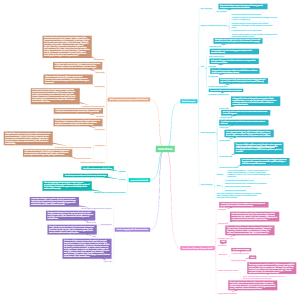
MindMap Gallery Introduction to Computer
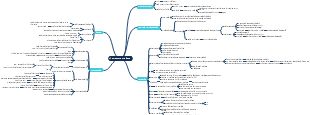
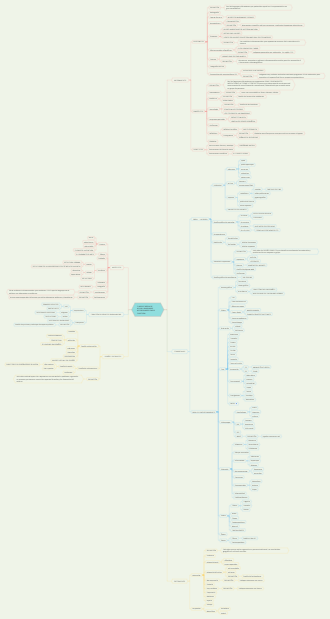
Understanding the basics of computers is essential in today's digital age. This mind map aims to provide an overview of computers.. By visualizing this information, individuals can gain a foundational understanding of how computers work and their significance in various fields such as education, business, and technology. Whether you are a beginner or looking to refresh your knowledge, this mind map will serve as a valuable resource for comprehending the fundamental concepts of computers.
Edited at 2023-06-07 04:57:39Introduction to Computer
Computer - Latin word An electronic device thast manupulates data or informations according to set of instructions given by the user.
Functioning of a Computer
Input
Information or data that is entered into a computer is called input. It sends data and instructions to the Central Processing Unit (CPU).
Processing
It is the sequence of actions taken on data to convert it into information which is meaningful to the user. It can be calculations, comparisons or decisions taken by the computer.
Output
It makes processed data available to the user. It is mainly used to display the desired result to the user as per input instructions.
Storage
It stores data and programs permanently. It is used to store information during the time of program execution and possible to get any type of information from it.
Features of Computer
Speed
The computer can process data very fast at the rate of millions of instructions per second.
Accuracy
Computers provide a high degree of accuracy. They respond to the user as per the input instructions.
Storage Capacity
Computers are capable to store huge amount of data which depends on the capacity of hard disk
Versatility
Computers can do different types of work simultaneously. They can perform multiple tasks at a same time.
Automation
Once the instruction to do any work is given to the computer, the computer does its work automatically by itself.
Diligence
Unlike human beings, a computer is free from monotony, tiredness, lack of concentration, etc. and can work for hours without creating any errors.
Secrecy
Leakage of information is reduced by creating login system with password protection
Reliability
Computers are more reliable than human beings. Computers always produce exact results. The possibility of errors occur only if the input is wrong, i.e. the computers never make mistakes of their own accord
Plug and Play
Computers have the ability to automatically configure a new hardware and software component.
History of Computer

Applications of Computer
Banking
Computers are used in bank for electronic money transfer, making deposits,voucher, bank sheet, etc
Education
Computer is a very effective tool which can be used for teaching and learning,result processing, student data processing,notes preparation, etc
Entertainment
Different types of entertainment fields such as multimedia, film making with animation, graphics, audio and visual design are done with the help of computer
Offices
Computers are used for preparing reports, storing/deleting reports, updating reports, etc. in office.
Advertisement
Computers are used in the different fields of advertisement such as business advertisement, film advertisement,education advertisement, etc
Buisness
Computers are used in business for accounting, keeping all records up-to date, etc
Generations of Computer

Classification of Computer
Based on Size
Microcomputer
These types of computers are the least powerful, yet the most widely used and are also called portable computers. Microcomputer consists of three basic categories of physical equipment, i.e. system unit, input/output unit and memory unit.
Minicomputer
These are smaller in size, faster and cost lower than mainframe computers. Initially, the minicomputer was designed to carry out some specific tasks, like engineering and Computer Aided Design (CAD) calculations. But now, they are being used as central computer which is known as Server. Minicomputers are IBM-17, DECPDP-11, HP-9000, etc.
Mainframe computer
These types of computers having large internal memory storage and comprehensive range of software. Mainframe computer serves as a backbone for the entire business world. It is considered as the heart of a network of computers or terminals that allow a large number of people to work at the same time. Mainframe computers are IBM-370, IBM-S/390, UNIVAC-1110, etc.
Supercomputer
These are the fastest and most expensive machines. They have high processing speed compared to other computers. Supercomputersare most powerful, large in size and memory,compared to all other computers.The speed of supercomputers are measured in FLOPS (Floating Point Operations Per Second).
Based on Work
Analog Computer
These computers carry out arithmetic and logical operations by manipulating and processing of data. e.g. Speedometers, seismograph, etc. Analog computer can perform several mathematical operations simultaneously. It uses continuous variables for mathematical operations and utilises mechanical or electrical energy.
Digital Computer
These do work by calculating the binary digits.A digital computer, not only performs mathematical calculations, but also combines the bytes to produce desired graphics, sounds. e.g. Desktop (PC).
Hybrid Computer
These are the combination of analog and digital computers. Machines used in hospitals like ECG and DIALYSIS are the commonly used hybrid computers.
Based on Purpose
General Purpose Computer
General purpose computers are those computers,which are used to solve variety of problems by changing the program or instructions. e.g. To make small database, calculations, accounting, etc
Special Purpose Computer
Special purpose computers are those computers which are used to solve a single and dedicated types of problem. e.g. Automatic aircraft landing,multimedia computer, etc.
Floating Topic
Quantum computer was first introduced by Richard Feynman. It uses quantum mechanical phenomena. It is the fastest computer imitating brain working. Nano computer is a general team used to describe a computer smaller than a microcomputer, usually about the size of a credit card. e.g. Raspberry Pi which could be used in schools to teach science to children. Pratyush India’s fastest and first multi-petaflops (PF) supercomputer named Pratyush was unveiled at Punebased Indian Institute of Tropical Meteorology (IITM). Pratyush has 6.8 PF computational power installed at two MoES Institutes. 4.0 Peta Flops HPC facility at IITM, Pune and 2.8 Peta Flops facility at NCMRWF, Noida. Pratyush is fourth fastest supercomputer in the world dedicated for weather and climate research. Note PF is a measure of a computer’s processing speed.
Tit-Bits
Siddhartha was the first computer developed in India. Alan Turing is known as the father of the modern computer. John Von Neumann was introduced first architecture of computer in the year 1948. Transistors were invented by Bell Laboratory. In 1958, Jack St. Clair Kilby and Robert Noyce invented the first IC. In latest generation computers, the instructions are executed parallel as well as sequential.
Terms Related to Computer
Hardware
It is the collection of physical elements that constitutes a computer system. It is a comprehensive term for all the physical parts of a computer. e.g. Display screens, discs, keyboards, etc.
Software
It is a set of programs and procedures. Software tells the hardware what to do and how to accomplish a task. e.g. Web browsers, word processors, etc
Data
Unprocessed raw facts and figures, like numbers, text on piece of paper, are known as data
Information
When data is processed, organised, structured or presented in a given context so as to be useful, then it is called information.
Instructions
It is a command given to a computer in the computer language by the user
Program
It is a set of instructions given to a computer in order to perform some task