MindMap Gallery Product Launch
Embark on a strategic journey through the mind map, unraveling the intricacies of product launch. This comprehensive guide covers key elements such as product marketing, defining the user journey, UX improvement, and the developmental aspects crucial for a successful and impactful launch. This mind map serves as a comprehensive resource, offering a strategic framework for product teams and marketers to navigate the complexities of product launch, from crafting marketing strategies to enhancing user experience and optimizing the development process.
Edited at 2023-12-25 12:07:14Product Launch
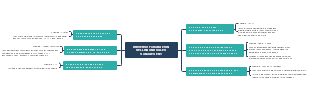
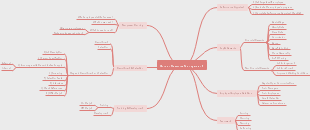
Product Marketing
Product Bundles
Business
Off-licence
People Counting / Cooler Temp
People Counting / Cooler Temp / IAQ
Rest-Bar
People Counting / Cooler Temp / IAQ
Workspace
1st Phase
People Counting / IAQ
2nd Phase
Energy Management
Heating / Cooling
Lighting
People Management
People Counting
Occupancy
Meeting Room
Restroom
Desk
Consumer
IAQ
Energy Management
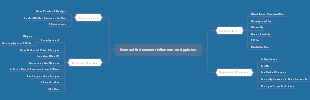
Website Design
Value Proposition
Content Creation
SEO
Registration / Onboarding
Online Sales integration
Stripe entegrayonu yapıldı. Site içerisinde Order Now tıkladığında www.insight.app/order gibi bir linke gidip orada bundlelara ulaşmalı.
Stripe Integration
Monday Integration
Product Pricing
Levent Bey fiyatlandırma üzerine çalışıyor. Bundlelar için özel bir fiyat çalışması yapıyor muyuz?
Subscription
Subscribe eden müşteri aynı anda register olmalı. Kayıt için başka step oluşmadan subscripe ederken kaydını oluşturmalıyız.
One-time Fee
Marketing Contents
Pre-launch
Brochure for Off-licence
Contents
Design
Creating QR
Bu QR okutulduğunda müşteri ürün bundlelarına gitmeli. theinsight.app/order
Launch
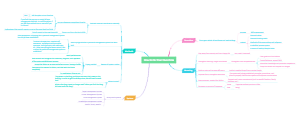
Defining User Journey
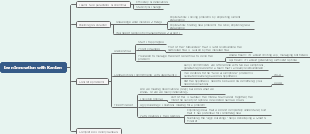
1. Research: The user starts by identifying a need or problem that they want to address. They then engage in research to find potential solutions or products that can fulfill their needs. 2. Discovery: The user discovers your product or service through various channels such as search engines, social media, word-of-mouth, or advertisements. 3. Homepage/ Landing Page: The user visits your website or landing page for the first time. They may navigate through different sections, read about your product/service, and explore the features or benefits. 4. Registration/ Sign-up: If the user decides to pursue further, they may be prompted to register or sign up for an account to access more features or personalized experiences. 5. Onboarding: Once registered, the user goes through an onboarding process where they receive guidance on how to use the product or service. This may include tutorials, videos, or interactive walkthroughs. 6. Initial Use: The user starts using the product/service and explores its primary features. They may encounter challenges or find it easy to navigate based on the user interface and experience. 7. Engagement: The user continues to engage with the product/service, discovering additional features, functionalities, or content. This may involve creating content, interacting with other users, or utilizing advanced tools. 8. Support: If the user encounters any issues or has questions, they may seek support from the company's customer service, help center, or online forums. 9. Feedback/ Review: During or after using the product/service, the user may provide feedback, reviews, or ratings. This can be done within the product itself, on social media, or through surveys. 10. Loyalty/ Retention: If the user had a positive experience, they may become loyal customers, regularly using and advocating for the product/service. Retention efforts like special offers or rewards programs can enhance this loyalty. 11. Upselling/ Cross-selling: As the user continues to engage, the company may offer additional products or services that complement or enhance the user's current experience. 12. Recommendation: Satisfied users may recommend the product to their friends, family, or colleagues, contributing to the growth of the user base. It is worth noting that the user journey can vary depending on the type of product or service being provided. Additionally, each user's journey is unique and may differ based on their specific needs, preferences, or goals.

Research
1. Analyze consumer behavior and preferences to inform product launch strategies .
2. Conduct market research to identify user needs and expectations .
3. Gather feedback from potential users during the product development process .
4. Create a seamless user journey by aligning product features with user expectations .
5. Test prototypes with target users to refine the product and improve user experience .
6. Seek customer insights and feedback after the product launch to continuously enhance user journey .
7. Use data and analytics to track user engagement and satisfaction, making necessary adjustments postlaunch.
Discovery
1. clarify target audience and their pain points
2. research market trends and competitor offerings
3. conduct user interviews and gather feedback on prototype
4. iterate and refine product based on user insights
5. create a detailed user journey map to guide product development and marketing efforts
Homepage/ Landing Page
1. Showcase your latest product with an eyecatching homepage that grabs attention and entices visitors to learn more about your new launch.
2. Guide users seamlessly through their journey on your landing page, making it easy for them to discover how your product can solve their problems.
3. Craft a visually stunning homepage that captivates users from the moment they arrive, ensuring they stay engaged and excited about your upcoming product launch.
4. Design a user journey that is intuitive and effortless, guiding customers through each step and highlighting the key features and benefits of your new product along the way.
Registration/ Sign-up
Onboarding
Initial Use
Engagement
Support
Feedback/ Review
Loyalty/ Retention
Upselling/ Cross-selling
Recommendation
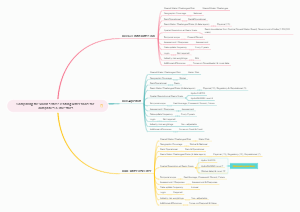
UX improvement
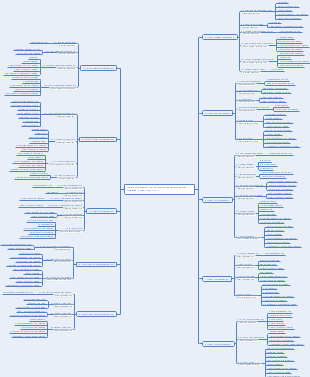
UX improvement plan for an application, depending on the user journey 1. Research and Analysis Conduct thorough user research to understand the needs and pain points of your target audience. Analyze user data, such as behavior patterns, feedback, and user metrics, to identify specific areas of improvement. Conduct a competitive analysis to understand how similar applications are addressing user needs. 2. User Persona Creation Develop detailed user personas based on the research findings to understand the different types of users and their goals. Use these personas to build empathy and ensure that all design decisions are aligned with the users' needs and expectations. 3. User Journey Mapping Map out the user journey by identifying the key steps or stages that users go through while interacting with the application. Identify pain points and areas of improvement along each step of the user journey. 4. Improve visual design and layout Enhance the application's visual design to provide a visually appealing and engaging experience for users. Ensure that the layout is intuitive and user-friendly, prioritizing essential information and actions. Use consistent branding elements and visual cues throughout the application to maintain a cohesive and recognizable user experience. 5. Simplify onboarding process Make the onboarding process as seamless and easy as possible. Minimize the number of steps required to set up a new account or start using the application. Provide clear instructions and tooltips to guide users through the onboarding process, reducing any complexity or confusion. 6. Improve navigation and information architecture Streamline the navigation structure by categorizing content and features based on user needs and priorities. Simplify the application's information architecture, ensuring that users can find what they are looking for easily. Incorporate clear and intuitive navigation elements, such as a visible menu, search bar, and breadcrumbs. 7. Enhance usability and interaction design Improve the usability of the application by reducing unnecessary steps or actions. Use clear and concise labels for buttons, menus, and other interactive elements. Incorporate user-friendly interactions, such as drag-and-drop, swipe gestures, or contextual menus, to enhance the overall user experience. 8. Test and Iterate Conduct usability testing with real users to gather feedback on the redesigned application. Use the insights gained from user testing to refine and iterate on the design, addressing any emerging issues or concerns. Continuously collect user feedback and monitor user behavior to identify further areas of improvement. 9. Accessibility and Inclusivity Ensure that the application is accessible and usable by people with different disabilities or impairments. Adhere to accessibility guidelines, such as providing alternative text for images, enabling keyboard navigation, and offering high contrast options. Consider inclusivity through the design process, considering potential barriers and providing options for customization. 10. Continuous Improvement UX design is an ongoing process, so continuously seek feedback and suggestions from users. Keep an eye on emerging user trends and technological advancements to stay competitive and provide a cutting-edge user experience. Regularly analyze user metrics to track the impact of improvements and identify new areas for enhancement. By following these steps, you can create an effective UX improvement plan that aligns with the user's journey and leads to a more satisfying and user-friendly application.
Web Application
Research and Analysis
User Persona Creation
User Journey Mapping
Improve visual design and layout
Customer UI
Duruduruldu
Admin UI
Account creation problem
Subtopic
Subtopic
Responsible Anxhela
Subtopic
Subtopic
Subtopic
Subtopic
Simplify onboarding process
Streamline registration
Reduce the number of required fields
Simplify password requirements
Allow social media sign-up options
Offer guest checkout
Provide clear instructions
Create step-by-step guides
Use visual cues to indicate actions
Provide tooltips or pop-up help
Offer video tutorials or demos
Improve user interface
Design intuitive and user-friendly layout
Optimize the navigation menu and search function
Use clear and concise labels and buttons
Implement responsive design for mobile devices
Enhance user feedback
Offer in-app or onboarding surveys
Provide options for users to give feedback
Actively respond to user inquiries or issues
Continuously iterate and improve based on user feedback
Automate onboarding process
Pre-fill user information whenever possible
Automatically generate personalized recommendations
Provide automated email or notification updates
Utilize artificial intelligence to provide personalized assistance
Improve navigation and information architecture
Enhance usability and interaction design
Test and Iterate
Accessibility and Inclusivity
Continuous Improvement
Mobile Application
Android
Research and Analysis
User Persona Creation
User Journey Mapping
Improve visual design and layout
Simplify onboarding process
Improve navigation and information architecture
Enhance usability and interaction design
Test and Iterate
Accessibility and Inclusivity
Continuous Improvement
IOS
Research and Analysis
User Persona Creation
User Journey Mapping
Improve visual design and layout
Simplify onboarding process
Improve navigation and information architecture
Enhance usability and interaction design
Test and Iterate
Accessibility and Inclusivity
Continuous Improvement
Development
1.https://smartstore.wearedvm.com/ should be "theinsight.wearedvm.com" or "insight.wearedvm.com" 2. https://smartstore.wearedvm.com/smartstore/login - smartstore kalkmalı.