 Wondershare EdrawMind
MindMap Gallery DOCKER's mind map
- 364
- 1
DOCKER's mind map
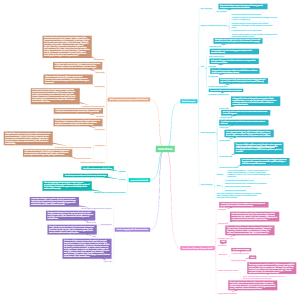
This is a detailed guide to managing and configuring Docker containers, providing numerous Docker commands and their functions. The left side lists basic commands such as run, build, pull, push, and images. The middle section covers how to manage Docker containers, including methods for creating, starting, stopping, restarting, and deleting containers. The right side covers network configuration and management, including setting up port mappings, binding to specific addresses, and exposing ports. The bottom "Management Commands" section provides more advanced management options.
Edited at 2024-01-05 02:26:42
- Recommended to you
- Outline




DOCKER
Options
--config string Location of client config files (default "/root/.docker")
-c | --context string Name of the context to use to connect to the daemon (overrides DOCKER_HOST env var and default context set with "docker context use")
-D | --debug Enable debug mode
-H | --host list Daemon socket(s) to connect to
Management Commands
app* Docker App (Docker Inc., v0.9.1-beta3)
builder Manage builds
buildx* Build with BuildKit (Docker Inc., v0.5.1-docker)
config Manage Docker configs
container Manage containers
context Manage contexts
image Manage images
rm
-f
history tra cứu lịch sử hình thành image
manifest Manage Docker image manifests and manifest lists
network Manage networks
connect Connect a container to a network kết nối 1 container với 1 network
docker network connect mynetwork B3
create Create a network
-d | --driver chọn loại mạng
bridge
overlay
mặc định Node manager mới có quyền tạo container trên network này còn muốn worker tạo đc container trên network này thì thêm tham số: --attachable Enable manual container attachment cho phép các node ko phải leader có thể tạo mới 1 container trên network overlay đó
Firewall rules for Docker daemons using overlay networks You need the following ports open to traffic to and from each Docker host participating on an overlay network: TCP port 2377 for cluster management communications TCP and UDP port 7946 for communication among nodes UDP port 4789 for overlay network traffic
disconnect Disconnect a container from a network
inspect Display detailed information on one or more networks
ls List networks
bridge (mặc định)
host
none
prune Remove all unused networks
rm Remove one or more networks
plugin Manage plugins
scan* Docker Scan (Docker Inc., v0.8.0)
secret Manage Docker secrets
swarm Manage Swarm
Leader/Manager
docker swarm init --advertise-addr 192.168.10.10
tự động tạo ra network overlay tên ingress
docker swarm join-token worker cho phép lấy lại token
# FirewallD (CentOS/Ubuntu) systemctl start firewalld systemctl enable firewalld firewall-cmd --add-port=2376/tcp --permanent firewall-cmd --add-port=2377/tcp --permanent firewall-cmd --add-port=7946/tcp --permanent firewall-cmd --add-port=7946/udp --permanent firewall-cmd --add-port=4789/udp --permanent firewall-cmd --reload systemctl restart docker
# UFW (Ubuntu) ufw allow 2376/tcp ufw allow 2377/tcp ufw allow 7946/tcp ufw allow 7946/udp ufw allow 4789/udp ufw reload ufw enable systemctl restart docker
Configure the Linux Firewall for Docker Swarm
docker node rm ID_NODE
modprobe ip_vs and respectively adding ip_vs to /etc/modules-load.d/modules.conf seem to have resolved this issue for me.
Worker
docker swarm join --token SWMTK.... 192.168.10.10:2377
docker swarm leave
node Manage Swarm nodes
ls: liệt kê
rm: để xóa 1 node down
[vm1]$ docker node update --label-add os=linux vm1 [vm1]$ docker node update --label-add os=linux vm2
đặt label cho từng node
docker node promote vm2
nâng cấp node vm2 thành node manager
service Manage services Tạo các dịch vụ trên swarm
create Create a new service
--replicas 5
-p 8085:8085
tự động tạo ra network overlay tên ingress nếu ko có ánh xạ cổng thì chỉ kết nối tới mạng bridge
--name testservice
--network mynetwork1
chạy từ cli: --constraint "node.hostname!=node01" --constraint "node.hostname==$(hostname)" Chỉ định service chạy trên 1 node nào đó
trong docker-compose file for stack: deploy: placement: constraints: - node.hostname==docker-app-dev
các vấn đề
Khi tạo mặc định kết nối vào mạng bridge - không kết nối tới mạng overlay
nguyên nhân do image ko EXPOSE port
trong lệnh tạo ko có -p ánh xạ cổng
các container ko ping đc trong mạng overlay
giải pháp là upgrade kernel
các container trên cùng 1 node mới chia sẻ đc dữ liệu cho nhau
để chia sẻ file cần dùng các giao thức như nfs, ssh, smb...
inspect Display detailed information on one or more services
logs Fetch the logs of a service or task
ls List services
kiểm tra các service đang chạy
ps List the tasks of one or more services
ví dụ: docker service ps testservice xem chi tiết từng service
rm Remove one or more services
xóa service
kiểm tra
rollback Revert changes to a service's configuration
scale Scale one or multiple replicated services
docker service scale testservice=9 thay đổi số lượng tác vụ của service testservice
update Update a service
--image=string Service image tag
--limit-memory bytes Limit Memory
--limit-cpu decimal Limit CPUs
docker service update \ --constraint-add 'node.hostname == vm1'
docker service update --replicas 2 webapp_web
swarm service -> vẫn làm thủ công, để tự động dùng docker stack để build
stack Manage Docker stacks
deploy Deploy a new stack or update an existing stack
docker stack deploy -c | --compose-file docker-composer.yml teststack
Nếu teststack đã có thì sẽ tiến hành cập nhật (thay vì tạo mới)
ls List stacks
ps List the tasks in the stack
rm Remove one or more stacks
services List the services in the stack
system Manage Docker
trust Manage trust on Docker images
volume Manage volumes ổ đĩa ảo
docker volume create --opt device=patchHOST --opt type=none --opt o=bind DISKNAME ánh xạ dữ liệu từ host vào volume
create Create a volume
inspect Display detailed information on one or more volumes
ls List volumes
prune Remove all unused local volumes
rm Remove one or more volumes
Dockerfile dùng để định nghĩa 1 image
FROM [--platform=<platform>] <image>[:<tag>] [AS <name>]
RUN
RUN <command> (shell form, the command is run in a shell, which by default is /bin/sh -c on Linux or cmd /S /C on Windows)
RUN ["executable", "param1", "param2"] (exec form)
ADD [--chown=<user>:<group>] <src> <dest>
Tương tự là lệnh COPY
WORKDIR /path/to/workdir
EXPOSE <port> [<port>/<protocol>...]
ENTRYPOINT ["executable", "param1", "param2"]
CMD
CMD ["executable","param1","param2"] (exec form, this is the preferred form)
CMD ["param1","param2"] (as default parameters to ENTRYPOINT)
CMD command param1 param2 (shell form)
ARG buildno RUN echo "Build number: $buildno"
Ví dụ
FROM centos:latest RUN cd /etc/yum.repos.d/ RUN sed -i 's/mirrorlist/#mirrorlist/g' /etc/yum.repos.d/CentOS-* RUN sed -i 's|#baseurl=http://mirror.centos.org|baseurl=http://vault.centos.org|g' /etc/yum.repos.d/CentOS-* RUN yum update -y RUN yum install httpd httpd-tools -y RUN yum install epel-release -y \ && yum update -y \ && yum install htop -y \ && yum install vim -y ADD ./test.html /var/www/html WORKDIR /var/www/html EXPOSE 80 ENTRYPOINT [ "httpd" ] CMD [ "-D", "FOREGROUND" ]
Compose file docker-compose.yml có thể dùng cho stack chứa định nghĩa image, volume, network để tạo thành 1 dịch vụ hoàn chỉnh
version: '3.9' # luon dung dau ' thay vi "
Network
networks: mynet1: driver: bridge name: stack_mynet1 # neu ko dat ten thi se tu dong dat nhu vay
driver
bridge
host or none
overlay
Nếu ko chỉ rõ driver thì sẽ tạo driver overlay trong stack
Nếu ko chỉ rõ name thì sẽ tự động đặt tên theo [tên stack]_[tên net] --> để tự động đặt tên cho dễ
các ổ đĩa là ĐỘC LẬP trên từng node của stack
khi này cần 1 ổ đĩa mạng để sử dụng chung dữ liệu: nfs - ssh - smb...
v
Volume ổ đĩa
volumes: vol1: driver: local # co the bo qua name: ... # co the bo qua driver_opts: type: 'xfs' hoặc none device: /root/mycode/sites o: bind
các services services
# container 1 php my-php:
container_name: php_product # ten container, không dùng đc cho stack
Ko hard coding, nên để tự động (bỏ dòng này)
image: 'httpd:latest' # co : phia trong nen them vao dau ''
hostname: php
restart: always
networks: # ket noi toi mang - CO s CUOI THI VALUE LA 1 MANG - my-network
File docker-compose.yml đầu tiên định nghĩa network với tên giveItANamePlease: networks: my-network: name: giveItANamePlease driver: bridge
Các services trong cùng file này có thể sử dụng network này bằng cách: networks: - my-network
File docker-compose.yml thứ 2, muốn sử dụng network file thứ nhất (trong trường hợp này là giveItANamePlease) networks: my-proxy-net: external: name: giveItANamePlease
Các services trong cùng file này có thể sử dụng network này bằng cách: networks: - my-proxy-net
Links đã thay thế bởi networks (không nên sử dụng links) Trong compose, links ngụ ý là phụ thuộc, nên thay bằng depends_on
volumes: - dir-site:/home/sites # o dia anh xa vao thu muc trong container - ./db:/var/lib/mysql # anh xa thu muc, file
volumes: - ./:/app:rw,cached
ports: - '9999:80' - '443:443'
environment: MYSQL_ROOT_PASSWORD: 123abc
depends_on: - db - redis
(chỉ dùng cho stack) deploy: replicas: 5 resources: limits: cpus: '1' memory: '200MB' reservations: # tai nguyen toi thieu cpus: '0.1' memory: '20MB' restart_policy: condition: on-failure
Muốn service chạy trên 1 node nào đó thì dùng: placemetnt: constraints: - node.role==manager (dùng cho máy chủ samba)
lệnh docker-compose
build Build or rebuild services
config Validate and view the Compose file
create Create services
events Receive real time events from containers
exec Execute a command in a running container
docker-compose exec my-php bash my-php là service chứ ko phải container name
help Get help on a command
kill Kill containers
pause Pause services
port Print the public port for a port binding
ps List containers
docker-compose ps
docker-compose ps --service
images List images
logs View output from containers
docker-compose logs my-php my-php là service chứ ko phải container name hoặc chỉ cần docker-compose logs
kiểm tra
pull Pull service images
push Push service images
rm Remove stopped containers
run Run a one-off command
scale Set number of containers for a service
start Start services
stop Stop services
restart Restart services
top Display the running processes
unpause Unpause services
up Create and start containers
chạy 1 compose file: docker-compose up
-d, --detach Detached mode: Run containers in the background
--build Build images before starting containers docker-compose up --build
-f, --file FILE Specify an alternate compose file (default:docker-compose.yml)
-p, --project-name NAME
chạy file docker-compose
ví dụ
version: '3' networks: my-network: driver: bridge volumes: mysql_data: external: true db: external: true services: # container php my-php: container_name: php-product build: dockerfile: Dockerfile context: ./php/ hostname: php restart: always networks: - my-network volumes: - "C:/Users/minhb/mycode:/home/sites/" # container httpd my-httpd: container_name: c-httpd01 image: "httpd:latest" hostname: httpd restart: always networks: - my-network volumes: - "C:/Users/minhb/mycode/:/home/" - "C:/Users/minhb/mycode/httpd.conf:/usr/local/apache2/conf/httpd.conf" ports: - "9999:80" - "443:443" # container mysql my-mysql: container_name: mysql-product image: "mysql:latest" hostname: mysql restart: always networks: - my-network volumes: - "db:/var/lib/mysql" - "C:/Users/minhb/mycode/my.cnf:/etc/my.cnf" environment: - MYSQL_ROOT_PASSWORD=12345678 - MYSQL_DATABASE=db_site - MYSQL_USER=siteuser - MYSQL_PASSWORD=sitepass
down Stop and remove resources
version Show version information and quit
Commands
attach Attach local standard input, output, and error streams to a running container detach: Ctrl+P+Q or Ctrl+Z+C
build Build an image from a Dockerfile ví dụ: docker build -t myimage:v1 -f Dockerfile .
-t, --tag list Name and optionally a tag in the 'name:tag' format
-f, --file string Name of the Dockerfile (Default is 'PATH/Dockerfile')
build image từ Dockerfile (Xem thêm trong mục Dockerfile) - sau đó dùng docker compose để tự động hóa triển khai các dịch vụ
commit Create a new image from a container's changes
docker commit CONTAINER image:tag (container đã dừng)
cp Copy files/folders between a container and the local filesystem
docker cp /root/mycode/myimage/test.html cent:/var/www/html
copy dữ liệu qua lại giữa host và container
create Create a new container
diff Inspect changes to files or directories on a container's filesystem (kiểm tra thay đổi file/folder từ lúc tạo ra)
docker diff c-httpd C /usr C /usr/local C /usr/local/apache2 C /usr/local/apache2/logs A /usr/local/apache2/logs/httpd.pid C /home A /home/mycode A là thêm, C là cập nhật, D là xóa
events Get real time events from the server
exec Run a command in a running container
docker exec -it U1 bash ~ attach nhưng tạo tiến trình mới
docker exec U1 ls thi hành 1 lệnh của container đang chạy
history Show the history of an image giống: docker image history httpd
images List images (có s)
import Import the contents from a tarball to create a filesystem image
info Display system-wide information
thường dùng kiểm tra swarm
inspect Return low-level information on Docker objects (container hoặc image)
kill Kill one or more running containers
login Log in to a Docker registry
logout Log out from a Docker registry
logs Fetch the logs of a container
--tail 10
-f : theo dõi thời gian thực
pause Pause all processes within one or more containers
port List port mappings or a specific mapping for the container
ps List containers
-a, --all
pull Pull an image or a repository from a registry
docker pull image:tag
push Push an image or a repository to a registry
rename Rename a container
rm Remove one or more containers
-f, --force
rmi Remove one or more images
export Export a container's filesystem as a tar archive
save Save one or more images to a tar archive (streamed to STDOUT by default)
docker save --output/-o filename.tar IMAGE:tag
load Load an image from a tar archive or STDIN
docker load -i file.tar
run Run a command in a new container
docker run thamso IMAGE command thamsolenh
-t, --tty
-i, --interactive
-d, --detach Run container in background and print container ID (thay vì dùng -it đề vào terminal thì dùng -d để chạy nền)
--name string name container
-h, --hostname string
-v, --volume list Bind mount a volume: pathHost:pathContainer
xoá container, dữ liệu chia sẽ vẫn tồn tại
--volumes-from list Mount volumes from the specified container(s)
--mount mount Attach a filesystem (1 volume) mount to the container, dùng cho trường hợp volume tạo ra ko có trỏ đến 1 folder trong Host
--mount source=DISK(volume),target=pathContainer Dùng -v nếu volume đó ánh xạ tới folder trong host
-v, --volume list Bind mount a volume, ngược lại phía trên (có trỏ đến 1 folder)
-v DISKNAME:pathContainer
--rm Automatically remove the container when it exits
-p, --publish list Publish a container's port(s) to the host
-p portHOST:portContainer
--network network Connect a container to a network
-e, --env list Set environment variables
-e BIEN1=VALUE1
--restart string Restart policy to apply when a container exits (default "no")
always
--sysctl map Sysctl options (default map[])
search Search the Docker Hub for images
stats Display a live stream of container(s) resource usage statistics - Giám sát các container đang chạy
docker stats c-php c-mysql docker stats : giám sát tất cả
giám sát tài nguyên sử dụng của container
start Start one or more stopped containers
stop Stop one or more running containers
restart Restart one or more containers
tag Create a tag TARGET_IMAGE that refers to SOURCE_IMAGE
docker tag image_id name:tag
top Display the running processes of a container
unpause Unpause all processes within one or more containers
update Update configuration of one or more containers
wait Block until one or more containers stop, then print their exit codes
build: # build tu dau? ===> ko ho tro trong stack dockerfile: Dockerfile # ten dockerfile la gi? context: ./php/ # nap tu folder nao args: # neu dockerfile co tham so - buildno=1