MindMap Gallery 12 Principles of CTML
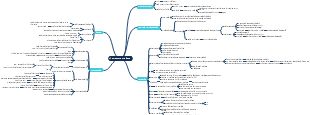
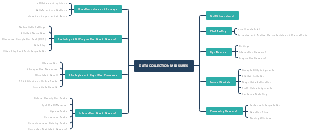
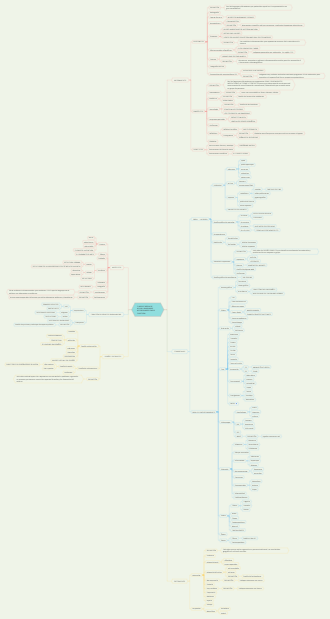
The principles of multimedia learning cognitive theory reveal how humans effectively learn and recognize through multimedia information (such as text, images, sound, etc.). It emphasizes the interaction between the way information is presented and the cognitive process, which helps optimize teaching design and improve learning outcomes. By reasonably combining multimedia elements, reducing cognitive load, and enhancing learning experience, this theory has a wide range of applications in the field of education, which helps to cultivate learners' thinking and innovation abilities. This is a mind map about 12 Principles of CTML, The map contains 12 main branches, namely: Image, Voice, Personalization, Multimedia, Modality, Pre-Training, Segmenting, Temporal Contiguity ,Spatial Contiguity, Redundancy, Signalling, Coherence.
Edited at 2024-03-06 03:29:35The principles of multimedia learning cognitive theory reveal how humans effectively learn and recognize through multimedia information (such as text, images, sound, etc.). It emphasizes the interaction between the way information is presented and the cognitive process, which helps optimize teaching design and improve learning outcomes. By reasonably combining multimedia elements, reducing cognitive load, and enhancing learning experience, this theory has a wide range of applications in the field of education, which helps to cultivate learners' thinking and innovation abilities. This is a mind map about 12 Principles of CTML, The map contains 12 main branches, namely: Image, Voice, Personalization, Multimedia, Modality, Pre-Training, Segmenting, Temporal Contiguity ,Spatial Contiguity, Redundancy, Signalling, Coherence.
This mind map outlines the 12 principles of the Cognitive Theory of Multimedia Learning (CTML). These principles are designed to enhance learning through multimedia, focusing on the optimal use of images, voice, and text to foster deeper understanding. The principles include Image, Voice, Personalization, Multimedia, Modality, Pre-Training, Segmenting, Temporal Contiguity, Spatial Contiguity, Redundancy, Signalling, and Coherence. Each principle addresses different aspects of learning and memory, aiming to create more effective educational materials. This template is useful for educators, instructional designers, and anyone involved in creating multimedia learning experiences.
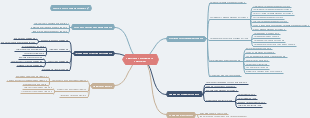
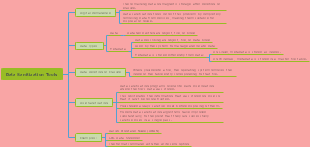
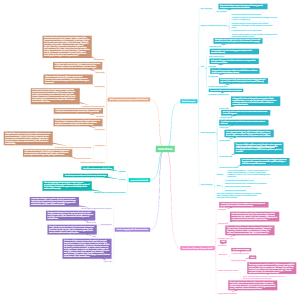
The Design Elements Mind Map template from Edraw offers a comprehensive framework tailored for designers, students, and creative professionals. It covers various design aspects, facilitating brainstorming, planning, and execution of design projects.
The principles of multimedia learning cognitive theory reveal how humans effectively learn and recognize through multimedia information (such as text, images, sound, etc.). It emphasizes the interaction between the way information is presented and the cognitive process, which helps optimize teaching design and improve learning outcomes. By reasonably combining multimedia elements, reducing cognitive load, and enhancing learning experience, this theory has a wide range of applications in the field of education, which helps to cultivate learners' thinking and innovation abilities. This is a mind map about 12 Principles of CTML, The map contains 12 main branches, namely: Image, Voice, Personalization, Multimedia, Modality, Pre-Training, Segmenting, Temporal Contiguity ,Spatial Contiguity, Redundancy, Signalling, Coherence.
This mind map outlines the 12 principles of the Cognitive Theory of Multimedia Learning (CTML). These principles are designed to enhance learning through multimedia, focusing on the optimal use of images, voice, and text to foster deeper understanding. The principles include Image, Voice, Personalization, Multimedia, Modality, Pre-Training, Segmenting, Temporal Contiguity, Spatial Contiguity, Redundancy, Signalling, and Coherence. Each principle addresses different aspects of learning and memory, aiming to create more effective educational materials. This template is useful for educators, instructional designers, and anyone involved in creating multimedia learning experiences.
The Design Elements Mind Map template from Edraw offers a comprehensive framework tailored for designers, students, and creative professionals. It covers various design aspects, facilitating brainstorming, planning, and execution of design projects.
12 Principles of CTML
Coherence
exclude extraneous material
Principles
Audiences learn better when extraneous words, pictures and sounds are excluded.
How to address
• Include only graphics, text, and narration that support learning goals. • Don’t use background music. • Use simple visuals.
Signalling
Highlight the organization of essential material
Principle
Audiences learn better when cues that highlight the organization of the essential material are added.
How to address
• Use arrows, highlighting, and other signals to draw attention to important information. • Include a slide that indicates the organization of your presentation and refer back to it when you advance to a new section.
Redundancy
Use graphics & narration, not graphics, narration & printed text
Principles
People learn better from graphics and narration than from graphics, narration and on screen text.
speaker should mimimise text, if necessary, to attempt a word count of up to fifteen words per slide, not exceed four to five lines per slide, and use symbols for reducing the word count.
How to address
• When delivering a narrated presentation, use either graphics or text,but not both. • Minimize the use of text during a narrated presentation.
Spatial Contiguity
Place words & pictures near each other on the page or screen
Principles
Audiences learn better when the presentation slide related text and images are near each other
Related points should be presented together in the show and not distanced by space/time.
How to address
• Place text in close proximity with the graphics it refers to. • Provide feedback close to the questions or answers it refers to. • Present directions on the same screen as an activity. • Have people read any text before beginning an animated graphic.
Temporal Contiguity
Present corresponding words & pictures at the same time
Principles
Audiences learn better when the presentation slide related text and images are presented simultaneously.
Related points should be presented together in the show and not distanced by space/time.
How to address
• Time the narration appropriately to play along with the animations.
Segmenting
Present learning in user-paced segments not as a continuous unit
Principle
Audiences learn better from a multimedia lesson that is presented in user-paced segments rather than as a continuous unit.
Different audiences naturally have different levels and rates of comprehension.
How to address
• Allow users to control the pace of the lesson. • Break down long segments of material into smaller pieces.
Pre-Training
Give pre-training in the names & characteristics of key components.
Principles
Audiences learn better from a multimedia lesson when they know the names and characteristics of the main concepts to be discussed.
Throughout the presentation, the main points to be driven across should be used as slide titles, with graphics and/or short bullets in all presentations as an aide memoire, along with the use of summary slides at key points if required.
How to address
• Define key terms (such as names, definitions, locations, and characteristics) before beginning a process-based presentation, either in a separate presentation, handout, or similar material.
Modality
Use graphics & narration, not graphics & printed text
How to address
During a narrated presentation with graphics, avoid using on-screen text, unless it: • Lists key steps • Provides directions • Provides references • Presents important information to non-native English speakers
Multimedia
Use words, pictures, and auditory
Principles
Reducing extraneous processing
Managing essential processing
fostering generative processing
How to address
• Include images to illustrate key points. • Ensure that all images enhance/clarify meaning. • Favor static images over animations (with some exceptions).
Personalization
Use a conversational rather than a formal style
Principle
Audiences learn better from multimedia lessons when words are in conversational style rather than formal style.
How to address
• Use contractions. • Use first and second person (“I,” “you,” “we,” “our,” etc.). • If using a script, try to sound natural. • Use polite speech (“please,” “you might like to,” “let’s,” etc.).
Voice
Speak in a friendly human voice
Avoid using a machine voice
Principles
Audiences learn better when the narration is spoken in a friendly human voice rather than a machine voice.
The ease with which a speaker gives a presentation depends on knowledge of the topic at hand, self-confidence and practice.
How to address
• Include narration that is performed by a human rather than a computer.
Image
the image does not need to be on screen
Principle
People do not necessarily learn better from a multimedia lesson when the speaker’s image is added to the screen.
How to address
• Avoid including a video of yourself during an asynchronous multimedia presentation containing pictures and words. • Consider including your face when: • There are no words or pictures. • You wish to establish instructor or social presence.
References
Grech, Victor. (2018). The application of the Mayer multimedia learning theory to medical PowerPoint slide show presentations. Journal of Visual Communication in Medicine, 37-39.
Adapted from Mayer, R. E. (2009). Multimedia learning (2nd ed.). Cambridge, England: Cambridge University Press.
https://www.youtube.com/playlist?list=PLcdQDUUQX_4s1WxEdrtnLAE8xozWyd4Mr
Name: Dwi Oktaviani NIM: 2205086047 Class: 2022 B Subject: TIE: Cognitive Theory of Multimedia Learning (CTML)