MindMap Gallery A must-read guide to icon design for designers
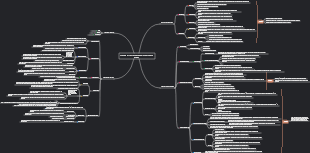
Super useful stuff! A must-read guide to icon design for designers. This map lists the important concepts and design ideas in icon design in detail, and is supplemented by picture explanations to help understanding. Read carefully, think deeply and apply it to icon design. On a limited-size interface, you can simply and efficiently deliver correct information and friendly guidance to users.
Edited at 2021-01-04 11:58:08Find a streamlined guide created using EdrawMind, showcasing the Lemon 8 registration and login flow chart. This visual tool facilitates an effortless journey for American users to switch from TikTok to Lemon 8, making the transition both intuitive and rapid. Ideal for those looking for a user-centric route to Lemon 8's offerings, our flow chart demystifies the registration procedure and emphasizes crucial steps for a hassle-free login.
これは稲盛和夫に関するマインドマップです。私のこれまでの人生のすべての経験は、ビジネスの明確な目的と意味、強い意志、売上の最大化、業務の最小化、そして運営は強い意志に依存することを主な内容としています。
かんばんボードのデザインはシンプルかつ明確で、計画が一目で明確になります。毎日の進捗状況を簡単に記録し、月末に要約を作成して成長と成果を確認することができます。 実用性が高い:読書、早起き、運動など、さまざまなプランをカバーします。 操作簡単:シンプルなデザイン、便利な記録、いつでも進捗状況を確認できます。 明確な概要: 毎月の概要により、成長を明確に確認できます。 小さい まとめ、今月の振り返り掲示板、今月の習慣掲示板、今月のまとめ掲示板。
Find a streamlined guide created using EdrawMind, showcasing the Lemon 8 registration and login flow chart. This visual tool facilitates an effortless journey for American users to switch from TikTok to Lemon 8, making the transition both intuitive and rapid. Ideal for those looking for a user-centric route to Lemon 8's offerings, our flow chart demystifies the registration procedure and emphasizes crucial steps for a hassle-free login.
これは稲盛和夫に関するマインドマップです。私のこれまでの人生のすべての経験は、ビジネスの明確な目的と意味、強い意志、売上の最大化、業務の最小化、そして運営は強い意志に依存することを主な内容としています。
かんばんボードのデザインはシンプルかつ明確で、計画が一目で明確になります。毎日の進捗状況を簡単に記録し、月末に要約を作成して成長と成果を確認することができます。 実用性が高い:読書、早起き、運動など、さまざまなプランをカバーします。 操作簡単:シンプルなデザイン、便利な記録、いつでも進捗状況を確認できます。 明確な概要: 毎月の概要により、成長を明確に確認できます。 小さい まとめ、今月の振り返り掲示板、今月の習慣掲示板、今月のまとめ掲示板。
A must-read guide to icon design for designers
Icon overview and development history
Overview
Icon definition
Also called icon or Picoto
It is a metaphor and summary of the computer world to the real world.
Represents functions and operations in software products
Icon purpose
Shopping mall guide: checkout icons, exit icons, bathroom icons, etc.
App icon: WeChat, phone, text message, etc.
The Way to express
Wire
noodle
quasi-object
Icon classification
Iconic icons: such as application launch icons on mobile phones
Functional icons: often appear in apps or websites
Importance of icons
Used globally
save space
Rapid positioning
contextual positioning
development path
origin
object → symbol
Source of "Save" icon: From the appearance of floppy disk
symbol → new symbol
skeuomorphic icon
Close to the real thing
Skeuomorphic icons and interfaces provide users with concrete guidance
advantage
Reduce users’ learning costs
Shorten the learning cycle
Adapt quickly
shortcoming
Too many details and embellishments interfere with users’ ability to obtain information.
flat icon
Simplify real objects and express them through abstract, simplified, and symbolic design elements
Element boundaries are clean and neat, and the interface is neat and concise
Use more color blocks, symbolic graphics, and sans-serif fonts
advantage
Present information and how things work simply and directly
weaken interference information
Reduce cognitive impairment
shortcoming
The form of expression is too abstract and lacks emotional transmission
Serious homogeneity and lack of individuality
Micro flat, light object
Use flat icons or linear icons for smaller areas
For larger areas, use icons with gradients or even light textures.
"New quasi-object" style icon
The essence of design lies in the wonderful use of light
Keep light effects between "flat" and "quasi-object"
Types and functions of application icons
Chinese text icon
single word
Extract the most representative text in the product name and design the font for the strokes and overall skeleton.
advantage
Can convey product information straightforwardly and with strong identification
Multiple words
Notice
Overall coordination and readability
Usually 2-3 characters, arranged in two lines (four characters) at most
advantage
Tell users the product name more directly to achieve the purpose of brand promotion
Reduce user memory costs
shortcoming
If the text on the icon is exactly the same as the auxiliary text below, it will appear repetitive.
Word plus graphic combination
Notice
Make a good balance between text and auxiliary graphics
advantage
Can display richer and unique product temperament and attributes
English letters icon
single letter
Extract English initials for design, which has both design sense and recognition.
Notice
There are few letters in English, and the letter ideas are easy to be the same, making it difficult to differentiate.
multiple letters
Extract the full name of the product or a combination of the first letters of several words
Form a unique product abbreviation to facilitate users’ memory
Letter plus graphic combination
Make application icons more visually expressive
Number icon
advantage
Numbers are highly identifiable and easy to spread
Give people affinity
difficulty
How to form a strong association with the brand
Special symbol icon
The meaning of the symbol itself will have certain restrictions on product attributes, but it can also well explain the related product attributes.
Geometry
Give people a simple, modern and personalized visual experience
Different shapes convey different emotional expressions
Single and double shape/silhouette
App icons only display a single or two silhouette graphics
Two design methods
Make the graphics in reverse white on a dark backing board, background: solid color or gradient color
Let the graphics be filled with color on the light-colored backboard, background: solid color or gradient color
advantage
It is concise and clear, making it easy for users to quickly find the target among the numerous arrays of application icons.
linear
Two design methods
Make the icons white on the dark background, background: single color or gradient color
Let the icons be filled with color on a light-colored backplane. Background: solid color or gradient color, or other visual effects.
Animal graphics/silhouettes
Extract the overall image or local characteristic parts of the animal as design elements, and fill the background with a single color or gradient color
Common manifestations
silhouette
Linear stroke style
Face-to-face style
Cartoon image
Make users feel better
Helps deepen users’ impression of the product
Positive and negative shapes
Use the positive shape as the base to highlight the negative shape features, use the negative shape to express product attributes and convey product information
white gradient
Use white opacity to create a three-dimensional control feel for graphics
advantage
More texture than simple silhouette graphics
Color gradient
Rich color expression of graphics
Notice
When connecting, pay attention to the contrast of hue to create a sense of space.
The colors of the background and graphics should contrast
none
i.e. no design
Mode is unique but not encouraged
effect
branding
It is common in the gaming field. Putting a brand name on the application icon can attract the user’s attention.
Marketing events
Display marketing events (such as Double 11) on the app icon, and discounts, promotions, etc. can attract attention
core selling point
Make the core selling points appear on the app icon to attract users' attention, thereby increasing the frequency of app openings.
festive atmosphere
Festivals are usually accompanied by consumption, so e-commerce applications pay most attention to the theme design of festive atmosphere. During the Spring Festival every year, the desktop icons are almost all red, which is very festive.
Application icon drawing methods and processes
iOS app icon
size
Design the startup icon (1024x1024px) and cut out dozens of icons of different sizes according to the programmer's requirements
@3x on mobile phone
Desktop icon size is 180x180px
@2x on mobile phone
Desktop icon size is 120x120px
in app store
Dimensions are 1024x1024px
Design Flow
Looking for metaphors
Competitive product analysis
Extract keywords
abstract graphics
Icon Grid Line
Rich details
Multiple scene testing
Notice
Application icons will appear in different scenarios at different resolutions. For example, on the iPhone 8plus, a @3x (120px) image is required, while on the iPhone 7 settings page, a 58px image is required, so the 120px image needs to be reduced.
When reducing a large image to a small image, some details will be lost and the picture will become blurred. Therefore, designers should make subtle adjustments to small-size icons and remove unnecessary decorative elements to ensure that the application icons can be used in small-resolution application scenarios. Can also maintain clear recognition
Android app icon
Mainstream demand
Six types: 1024px, 512px, 144px, 96px, 72px, 48px
Design specifications for functional icons
Icon specifications
icon size
Consistency is key when designing icons
Make sure all icons are the same size
Knowledge points
It is recommended to start with the largest size and gradually remove and simplify details and make smaller sizes
When drawing a stroke icon, ensure that all strokes are the same thickness, and the spacing between strokes should not be thinner than the strokes themselves.
icon keyline
Icon grid establishes clear rules for consistent yet flexible positioning of graphic elements
Keyline is the basis of the grid
icon key graphic
The icon grid is used as a reference for drawing icon elements and helps establish clear outline boundaries for content.
Keylines help promote icon uniformity and simplify scaling costs during the design process
icon corners
right angle corner
The basic shape is a full container square -> it is recommended to use 3X rounded corners
The basic graphic is a full height (width) rectangle -> it is recommended to use 2X rounded corners
The basic graphic is a smaller (less than 1/2 width and height) rectangle -> it is recommended to use 1X rounded corners
non-right angle corner
According to the icon scene, usually the default is 1X rounded corners regardless of the angle.
Except for curve "corners" with special radian, which need to be considered separately according to the icon design.
Icon area closed and unclosed
closed area
Areas composed of closed curves are closed areas and can be filled with independent colors.
Unenclosed area
Non-closed areas composed of non-closed curves cannot be filled with independent colors in principle.
When the closed area is in the shape of a curve and has intersecting line segments, independent color filling cannot be performed in principle.
Icon drawing rules
When a line segment intersects a curve or is not perpendicular to a straight line, use a rounded endpoint at the end of the line segment.
When a line segment intersects a straight line perpendicularly, use a square endpoint at the end of the line segment.
When the diameter of the dot is the same as the line width, the dot is drawn using graphics instead of line segments.
When circles and squares are smaller than 16px, it is recommended to use graphics instead of lines.
Notice
slope
Line segments and endpoints
Icon break and spacing
Icon style change
Single and double portrait sketch edges
Line segment closure
unified perspective
visual grid
Help find the center of the icon
visual weight
Physically uniform in size
Visually uniform in size
Adjust icon size to avoid visual illusions
Icon drawing details
There should be no decimal points in the parameters, so that the icon fills up the pixel grid
icon color
function icon
One color is recommended: black
marketing icons
No more than 3 colors
Function icon style
Linear icon
Express the outline of an object through lines
Creates a more beautiful appearance than face icons
Highly identifiable, clear, simple and easy to identify
Usage scenarios: tab bar of APP products, etc.
face icon
Icons with faces as the main form of expression
Strong expressive ability, rich details, strong sense of emotion, prominent vision, large creative space
Monochrome saturation fill icon
Solid color gradient icon
Multicolor gradient icon
Usage scenario: usually appears in the tab bar of sports and fashion applications
flat icon
scenes to be used
Mostly used for emotional design of boot pages and empty states.
Tab bar, main function entrance of home page
Category area icon
Location
Usually located under the search box and banner
effect
Aggregate the entrances of various sub-sections and distribute content to guide traffic for each sub-section.
Common design techniques
Round bottom plate 45 degree gradient white surface micro projection
45 degree gradient flat icon micro projection
simple linear
45 degree gradient opacity face icon
text icon
Icon symbols that directly express specific meanings with text
Draw it yourself, it is not recommended to use fonts directly
dynamic icon
Icon naming rules
Format
business_type_function_size_status
How to draw function icons
Icon drawing method
Boolean operations
Bezier curve
pen tool
policy making
Split details
Decompose the detailed elements (rounded corners, stroke ends, etc.) in the icon, and formulate the rules for the use of detailed elements in the specification
Style positioning
According to the product tonality and business attributes, corresponding colors and texture styles are formulated in the specifications.
Functional division
Icons with different functions (king area, tab bar, etc.) should be distinguished. Icons with similar functions, including color and texture, should be similar.
linearity or surfaceness
Commonly used techniques
In the bottom navigation bar of the App, face-shaped icons are used in the selected state, and linear icons are used in the unselected state.
Compared with linear icons, face-shaped icons have a stronger visual information layering and are more guiding in addition to being decorative. For example, the King Kong area function icons and IOS settings interface use face-shaped icons.
Face-shaped icons are more suitable for vehicle and other system interfaces. Face-shaped icons have a larger visual area and are easier to identify in a short time.
Linear icons usually look more delicate and delicate, suitable for more delicate and concise designs or feminine product designs.
Icon export
external partners
1x, 2x and 3x png files available to suit multiple devices
Developers and other designers
Export .svg file
Icon management and delivery
visual inspection
Avoid unnecessary lines or shapes to keep it as tidy as possible
Are all lines within the standard frame?
Free icon management tool
Nucleo
Judgment criteria for icon design
Recognizability
Meaning recognition
Whether visual language can replace text language without ambiguity
Visual Identity
Icon size, complexity, color, line thickness
normative
visual size consistency
fullness
Same rules
Unification of details
unity
line thickness
The line width and thickness of icons of the same function type should be uniform, and the lines of icons with back plates are not easy to be too thin.
design language
Transparency (unfolding layers)
Rounded corners (rounded or right)
Broken opening (opening position)
design features
Complexity
If the icons cannot be simplified, keep the ink weight of the same set of icons consistent, simplify icons that are too complex, and enhance recognition.
color specification
It is recommended to use up to two colors for flat icons
Breathing sensation
Leave appropriate space
Brand sense
Consistent with the brand concept and conveying the same feeling to users
Icon brand sense
Extract brand graphics
Extract brand colors
Extract design language
Extract product temperament
Split brand name
Expand image association
Establish a unified style when drawing the entire set of icons
Establish the main style from appearance and color
Seeking individual characteristics locally
Combine the two and integrate product attributes and user positioning to complete the design.