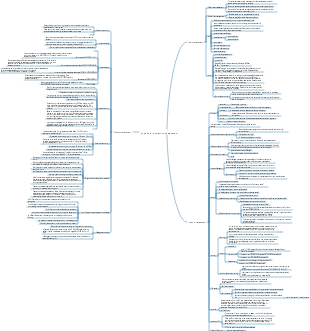
MindMap Gallery openEuler file system
A file system is the method and data structure used by the operating system to identify files on a storage device or partition: a method of organizing files on a storage device. The software organization responsible for managing and storing file information in the operating system is called a file management system, or file system for short.
Edited at 2024-02-08 16:07:42本テンプレートは、日本人に人気の海外リゾート地「ハワイ・オアフ島」を対象とした、5 日間の充実したモデル旅行プランを体系化したマインドマップです。初めてハワイを訪れる旅行者、リピーター、家族連れやカップルなど、多様なニーズに対応するため、旅行基本情報・持ち物チェックリスト・5 日間詳細スケジュール・オプションプラン・事前準備情報の 5 つの軸で構成されています。対象読者は日本からオアフ島へ旅行を計画中の 20〜50 代の旅行者であり、成果指標としては、情報の網羅性(渡航手続きから現地体験まで必要な項目が過不足なく含まれているか)、実用性(移動時間や費用、予約のタイミングなどの正確さ)、体験の充実度(自然・文化・アクティビティ・食事のバランス)を測定します。 ユーザーニーズ分析では、渡航準備・現地移動・体験プラン・安全情報の 4 領域を掘り下げます。渡航準備においては、ESTA 申請、飛行機の予約、為替、パスポートの有効期限、海外旅行保険など、事前に整えるべき情報が不足していると計画が難しくなります。求められる価値としては、渡航に必要な手続きの流れ、必要な持ち物リスト、季節別の服装アドバイス、現地で使えるアプリや連絡先などが考えられます。現地移動では、ワイキキ内の徒歩・バス移動、レンタカーの利用方法、空港からのアクセス、交通機関のルール(右側通行など)が主な関心事です。悩みとしては、バスの路線が分からない、レンタカーの予約手続きが不安、現地での移動時間の目安が分からないなどが挙げられます。体験プランでは、ビーチでのんびり、ダイヤモンドヘッドのハイキング、ノースショアでのサーフィン、ハレイワタウン散策、ポリネシアン・カルチャーセンターでの文化体験など、オアフ島の魅力を網羅したプランが求められます。悩みとしては、限られた日数で主要スポットを効率よく回れない、予算に合ったアクティビティの選び方が分からない、人気のレストランやショップの情報が不足しているなどが挙げられます。安全情報では、ハワイ特有の注意点(紫外線対策、海での安全ルール、治安情報)、緊急時の連絡先、現地でのトラブル対応方法など、旅行者が不安に感じる点を整理することが重要です。 5 日間のモデルコースでは、各日のテーマを明確に設定し、体験のバランスを考慮しています。1 日目は「到着日・ワイキキ慣らし」として、ホノルル国際空港に到着後、ワイキキのホテルにチェックインし、夕方からワイキキビーチでのんびりしたり、夜は地元料理を味わったりして、ハワイの雰囲気に慣れる行程です。2 日目は「自然体験&ショッピング」として、午前中にダイヤモンドヘッドのハイキングに挑戦し、午後はアラモアナセンターやワイキキでショッピングを楽しみ、夜はハワイアン・ルアウショーを鑑賞する行程です。3 日目は「歴史文化巡り」として、イオラニ宮殿やパールハーバー(真珠湾)を訪れてハワイの歴史に触れ、午後はダウンタウンホノルルで街歩きをし、夜はインターナショナルマーケットプレイスで食事や買い物を楽しむ行程です。4 日目は「北海岸&大自然体験」として、オプションでノースショアへ向かい、ハレイワタウンで散策したり、サーフィンを体験したり、美しいビーチでのんびり過ごす行程で、夜はワイキキに戻って食事を楽しみます。5 日目は「最終日・思い出作り」として、午前中にワイキキビーチでの最後の散策や、お土産を買いに街を巡り、午後は空港へ移動して帰国する行程です。各日には、おすすめの時間帯、混雑しにくいタイミング、予約が必要なアクティビティの情報などを付け加え、実際に旅行する際の参考になるよう工夫しています。 また、テンプレートには持ち物チェックリストも含まれており、パスポート・ESTA、海外旅行保険証書、現金・クレジットカード、日焼け止め・帽子・サングラス、歩きやすい靴、薬、充電器など、海外旅行に必要なアイテムをリストアップしています。さらに、事前準備情報として、ネット環境の確保、現地で使えるアプリ、緊急連絡先、季節別の服装アドバイスなども記載し、旅行者の不安を解消するようサポートします。 EdrawMind のマインドマップ機能を活用することで、ユーザーは自身の旅行スタイルに合わせて行程を追加・削除したり、好みのアクティビティをハイライトしたりすることができます。例えば、ゆっくりリゾートを楽しみたい方はショッピングやハイキングの時間を減らしてビーチでの時間を増やしたり、アクティブに過ごしたい方はノースショアでのサーフィンやダイビングを追加したりするなど、カスタマイズも自由自在です。このテンプレートは、オアフ島の旅行計画を立てる際の基盤として活用することを想定しており、主要な情報が一目で分かるよう整理されているため、初めてハワイを

本テンプレートは、古都・奈良の世界遺産、鹿とのふれあい、歴史的な雰囲気を存分に楽しむための 1 泊 2 日旅行プランを体系化したマインドマップです。修学旅行や短期文化旅行、週末の小旅行に人気の奈良を対象に、イメージ・種類・交通・宿泊の 4 つの基本軸を設け、2 日間の具体的な行程を時系列で整理しています。対象読者は大阪・京都在住の 20〜40 代の一人旅・カップル・家族連れ、初めて奈良を訪れる旅行者、世界遺産や日本文化に興味のある層であり、成果指標としては、行程の網羅性(主要スポットが過不足なく含まれているか)、実用性(移動時間や混雑情報の正確さ)、体験の充実度(鹿とのふれあい・文化体験の満足度)を測定します。 ユーザーニーズ分析では、行程・体験・交通・注意点の 4 領域を掘り下げます。行程においては、「東大寺」「春日大社」「奈良国立博物館」といった世界遺産の回り方、「奈良公園」での鹿とのふれあい、「奈良町」の古い町並み散策がユーザーの関心事となります。悩みとしては、限られた時間で主要スポットを効率よく回れない、鹿との接し方が分からない、徒歩移動の負担が心配などが挙げられます。求められる価値としては、時間帯別のおすすめルート、鹿と安全に接するためのマナー説明、無理のない徒歩移動のための休憩ポイント案内が考えられます。体験面では、鹿せんべいの購入場所や与え方、春日大社の灯篭や御朱印の魅力、奈良町のカフェや伝統工芸体験など、現地でしか味わえない体験情報が求められます。交通においては、奈良市内のバス路線や一日券の情報、主要スポット間の徒歩時間、雨天時の移動手段など、事前に知っておくべき情報が不足していると計画が難しくなります。注意点では、天候対策(夏の暑さや冬の寒さ)、スケジュールのゆとり作り、写真撮影のルールやマナー、ゴミの持ち帰りなど、旅行者が見落としがちな点を整理することが重要です。 行程の中でも、特に人気の高いスポットには詳細な情報を盛り込んでいます。「東大寺」は世界遺産に登録されており、奈良時代に建立された日本を代表する寺院で、世界最大級の木造建築物である大仏殿や、高さ約 15 メートルの盧舎那仏(奈良の大仏)が有名です。事前にコインロッカーに荷物を預けて身軽になってから訪れることで、ゆっくりと境内を散策できるほか、大仏殿の柱の穴をくぐると「厄除けになる」という言い伝えもあり、多くの観光客が体験しています。「奈良公園」は東大寺や春日大社を含む広大な公園で、約 1,300 頭の野生の鹿が自由に生息しており、鹿せんべいを使って鹿とふれあうことができます。ただし、鹿は野生動物であるため、エサの与え方や触れ方には注意が必要で、事前にルールを確認しておくことが推奨されます。「春日大社」は朱色の社殿と美しい灯篭が特徴的な世界遺産で、参道には 3,000 基を超える石灯篭が並び、神聖な雰囲気を醸し出しています。特に夜間にライトアップされた灯篭は幻想的で、写真撮影にも人気です。 1 泊 2 日のモデルコースでは、初日に東大寺・奈良公園・春日大社を巡り、夜は奈良町の古い町並みを散策して地元料理を味わう行程を提案しています。二日目には、若草山から奈良の街並みを一望した後、興福寺や奈良国立博物館を訪れ、奈良町で伝統工芸体験やカフェ巡りを楽しんでから帰路に就く流れとなっています。各スポットには、徒歩時間や混雑しにくい時間帯、おすすめの食事処などの情報を付け加え、実際に旅行する際の参考になるよう工夫しています。また、旅行の注意点として、スケジュールは体調に合わせて無理のないペースで調整すること、天候に合わせて水分補給や防寒・防暑対策を徹底すること、神社仏閣での写真撮影ルールを守ることなどを記載し、安全で快適な旅行をサポートします。 EdrawMind のマインドマップ機能を活用することで、ユーザーは自身の旅行スタイルに合わせて行程を追加・削除したり、好みのスポットをハイライトしたりすることができます。一人旅向けには静かなカフェ巡りを追加したり、家族連れ向けには鹿とのふれあい体験を充実させたりするなど、カスタマイズも自由自在です。このテンプレートは、奈良の旅行計画を立てる際の基盤として活用することを想定しており、主要な情報が一目で分かるよう整理されているため、初めて奈良を訪れる方でも安心して旅行を楽しむことができます。
本テンプレートは、東京から約90分でアクセス可能な温泉・富士山・美術館が融合したリゾート地「箱根」の週末旅行ガイドを体系化したマインドマップです。カップルや家族連れに人気の週末旅行先として、交通アクセス、観光スポット、名物料理の3軸で構成され、効率的な旅行計画と満足度の高い体験を実現することを目的としています。対象読者は東京在住の20〜40代のカップル・家族連れ、初めて箱根を訪れる旅行者、週末の小旅行を計画中の層であり、成果指標としては、情報の網羅性(必要な項目が過不足なく含まれているか)、実用性(実際の移動時間や料金の正確さ)、満足度(モデルプランの再現性)を測定します。 ユーザーニーズ分析では、交通アクセス、観光スポット、グルメの3領域を掘り下げます。交通アクセスにおいては、東京からの行き方(小田急ロマンスカー約85分・指定席、新宿→箱根湯本、普通電車約2時間・乗換2回)、箱根内の移動手段(登山電車・バス・ケーブルカー・ロープウェイ)、お得な周遊券(箱根フリーパス・2日券)の情報が不足していると計画が難しくなります。求められる価値としては、交通機関別の所要時間・料金・乗換回数を比較した表、周遊券の特典内容(主要観光施設の割引)と購入場所、移動手段ごとのメリット・デメリットが考えられます。観光スポットでは、「箱根ガラスの森美術館」「クモ箱根(早雲山駅)」「芦ノ湖の夕暮れ遊覧船」などが代表的です。悩みとしては、美術館や自然スポットが多すぎて選べない、夕暮れ時の遊覧船のベストタイミングが分からない、写真映えするスポットを知りたいなどが挙げられます。価値ある情報として、おすすめスポットの特徴と所要時間、夕暮れ時の撮影ポイント、カップル向け・家族向けの選別基準を提供します。名物料理では、「黒たまご(大涌谷)」「温泉豆腐」などが代表的です。悩みは、どこで何を食べれば良いか分からない、観光地価格に見合う価値があるか、アレルギーや食事制限への対応などです。求められる価値として、名物料理の特徴とおすすめ店舗、価格帯、食べるタイミング(例:黒たまごは大涌谷観光の合間に)を整理します。 カップルにおすすめスポットとして、「箱根ガラスの森美術館」はユネスコ世界遺産(※正確には箱根地域全体がジオパークに認定されていますが、イメージとして)の美しい庭園とガラス作品が魅力です。写真はイメージですが、実際の訪日客にも人気のスポットです。名物料理のセクションでは、「黒たまご」は大涌谷の火山活動を利用して茹でられた卵で、殻が黒くなるのが特徴です。伝統的な名物料理として、食べると寿命が延びると言われています。「温泉豆腐」も地元の温泉を利用した料理で、なめらかな食感が特徴です。これらの情報をマップ上で可視化し、移動ルートと組み合わせることで、無駄のない観光計画が立てられます。 成功するための具体施策としては、主要スポットを時系列で結んだ「1泊2日モデルコース」を提供する(例:1日目:新宿→箱根湯本→登山電車→強羅→大涌谷→芦ノ湖遊覧船→宿泊、2日目:箱根ガラスの森美術館→箱根湯本→帰京)、各スポットの「混雑予想時間帯」と「穴場時間帯」をデータで示す(例:芦ノ湖遊覧船は夕暮れ時が混雑するが、その分景色は絶景)、名物料理を食べられる店舗の「営業時間・定休日・予約可否」をリスト化する、の3点が有効です。よくある失敗とその回避策としては、移動手段の乗換えが複雑で迷ってしまうケースでは箱根フリーパスの活用と事前のルート確認を推奨すること、観光スポットの滞在時間を見誤って計画が詰まりすぎるケースでは余裕を持ったスケジューリングと優先順位付けをアドバイスすること、天候によって富士山が見えない場合の代替プラン(雨天でも楽しめる美術館や温泉施設)を用意しておくことが有効です。本テンプレートは、週末旅行ガイドのコンテンツを計画・評価する際の基盤として活用することを想定しています。
本テンプレートは、日本人に人気の海外リゾート地「ハワイ・オアフ島」を対象とした、5 日間の充実したモデル旅行プランを体系化したマインドマップです。初めてハワイを訪れる旅行者、リピーター、家族連れやカップルなど、多様なニーズに対応するため、旅行基本情報・持ち物チェックリスト・5 日間詳細スケジュール・オプションプラン・事前準備情報の 5 つの軸で構成されています。対象読者は日本からオアフ島へ旅行を計画中の 20〜50 代の旅行者であり、成果指標としては、情報の網羅性(渡航手続きから現地体験まで必要な項目が過不足なく含まれているか)、実用性(移動時間や費用、予約のタイミングなどの正確さ)、体験の充実度(自然・文化・アクティビティ・食事のバランス)を測定します。 ユーザーニーズ分析では、渡航準備・現地移動・体験プラン・安全情報の 4 領域を掘り下げます。渡航準備においては、ESTA 申請、飛行機の予約、為替、パスポートの有効期限、海外旅行保険など、事前に整えるべき情報が不足していると計画が難しくなります。求められる価値としては、渡航に必要な手続きの流れ、必要な持ち物リスト、季節別の服装アドバイス、現地で使えるアプリや連絡先などが考えられます。現地移動では、ワイキキ内の徒歩・バス移動、レンタカーの利用方法、空港からのアクセス、交通機関のルール(右側通行など)が主な関心事です。悩みとしては、バスの路線が分からない、レンタカーの予約手続きが不安、現地での移動時間の目安が分からないなどが挙げられます。体験プランでは、ビーチでのんびり、ダイヤモンドヘッドのハイキング、ノースショアでのサーフィン、ハレイワタウン散策、ポリネシアン・カルチャーセンターでの文化体験など、オアフ島の魅力を網羅したプランが求められます。悩みとしては、限られた日数で主要スポットを効率よく回れない、予算に合ったアクティビティの選び方が分からない、人気のレストランやショップの情報が不足しているなどが挙げられます。安全情報では、ハワイ特有の注意点(紫外線対策、海での安全ルール、治安情報)、緊急時の連絡先、現地でのトラブル対応方法など、旅行者が不安に感じる点を整理することが重要です。 5 日間のモデルコースでは、各日のテーマを明確に設定し、体験のバランスを考慮しています。1 日目は「到着日・ワイキキ慣らし」として、ホノルル国際空港に到着後、ワイキキのホテルにチェックインし、夕方からワイキキビーチでのんびりしたり、夜は地元料理を味わったりして、ハワイの雰囲気に慣れる行程です。2 日目は「自然体験&ショッピング」として、午前中にダイヤモンドヘッドのハイキングに挑戦し、午後はアラモアナセンターやワイキキでショッピングを楽しみ、夜はハワイアン・ルアウショーを鑑賞する行程です。3 日目は「歴史文化巡り」として、イオラニ宮殿やパールハーバー(真珠湾)を訪れてハワイの歴史に触れ、午後はダウンタウンホノルルで街歩きをし、夜はインターナショナルマーケットプレイスで食事や買い物を楽しむ行程です。4 日目は「北海岸&大自然体験」として、オプションでノースショアへ向かい、ハレイワタウンで散策したり、サーフィンを体験したり、美しいビーチでのんびり過ごす行程で、夜はワイキキに戻って食事を楽しみます。5 日目は「最終日・思い出作り」として、午前中にワイキキビーチでの最後の散策や、お土産を買いに街を巡り、午後は空港へ移動して帰国する行程です。各日には、おすすめの時間帯、混雑しにくいタイミング、予約が必要なアクティビティの情報などを付け加え、実際に旅行する際の参考になるよう工夫しています。 また、テンプレートには持ち物チェックリストも含まれており、パスポート・ESTA、海外旅行保険証書、現金・クレジットカード、日焼け止め・帽子・サングラス、歩きやすい靴、薬、充電器など、海外旅行に必要なアイテムをリストアップしています。さらに、事前準備情報として、ネット環境の確保、現地で使えるアプリ、緊急連絡先、季節別の服装アドバイスなども記載し、旅行者の不安を解消するようサポートします。 EdrawMind のマインドマップ機能を活用することで、ユーザーは自身の旅行スタイルに合わせて行程を追加・削除したり、好みのアクティビティをハイライトしたりすることができます。例えば、ゆっくりリゾートを楽しみたい方はショッピングやハイキングの時間を減らしてビーチでの時間を増やしたり、アクティブに過ごしたい方はノースショアでのサーフィンやダイビングを追加したりするなど、カスタマイズも自由自在です。このテンプレートは、オアフ島の旅行計画を立てる際の基盤として活用することを想定しており、主要な情報が一目で分かるよう整理されているため、初めてハワイを
本テンプレートは、古都・奈良の世界遺産、鹿とのふれあい、歴史的な雰囲気を存分に楽しむための 1 泊 2 日旅行プランを体系化したマインドマップです。修学旅行や短期文化旅行、週末の小旅行に人気の奈良を対象に、イメージ・種類・交通・宿泊の 4 つの基本軸を設け、2 日間の具体的な行程を時系列で整理しています。対象読者は大阪・京都在住の 20〜40 代の一人旅・カップル・家族連れ、初めて奈良を訪れる旅行者、世界遺産や日本文化に興味のある層であり、成果指標としては、行程の網羅性(主要スポットが過不足なく含まれているか)、実用性(移動時間や混雑情報の正確さ)、体験の充実度(鹿とのふれあい・文化体験の満足度)を測定します。 ユーザーニーズ分析では、行程・体験・交通・注意点の 4 領域を掘り下げます。行程においては、「東大寺」「春日大社」「奈良国立博物館」といった世界遺産の回り方、「奈良公園」での鹿とのふれあい、「奈良町」の古い町並み散策がユーザーの関心事となります。悩みとしては、限られた時間で主要スポットを効率よく回れない、鹿との接し方が分からない、徒歩移動の負担が心配などが挙げられます。求められる価値としては、時間帯別のおすすめルート、鹿と安全に接するためのマナー説明、無理のない徒歩移動のための休憩ポイント案内が考えられます。体験面では、鹿せんべいの購入場所や与え方、春日大社の灯篭や御朱印の魅力、奈良町のカフェや伝統工芸体験など、現地でしか味わえない体験情報が求められます。交通においては、奈良市内のバス路線や一日券の情報、主要スポット間の徒歩時間、雨天時の移動手段など、事前に知っておくべき情報が不足していると計画が難しくなります。注意点では、天候対策(夏の暑さや冬の寒さ)、スケジュールのゆとり作り、写真撮影のルールやマナー、ゴミの持ち帰りなど、旅行者が見落としがちな点を整理することが重要です。 行程の中でも、特に人気の高いスポットには詳細な情報を盛り込んでいます。「東大寺」は世界遺産に登録されており、奈良時代に建立された日本を代表する寺院で、世界最大級の木造建築物である大仏殿や、高さ約 15 メートルの盧舎那仏(奈良の大仏)が有名です。事前にコインロッカーに荷物を預けて身軽になってから訪れることで、ゆっくりと境内を散策できるほか、大仏殿の柱の穴をくぐると「厄除けになる」という言い伝えもあり、多くの観光客が体験しています。「奈良公園」は東大寺や春日大社を含む広大な公園で、約 1,300 頭の野生の鹿が自由に生息しており、鹿せんべいを使って鹿とふれあうことができます。ただし、鹿は野生動物であるため、エサの与え方や触れ方には注意が必要で、事前にルールを確認しておくことが推奨されます。「春日大社」は朱色の社殿と美しい灯篭が特徴的な世界遺産で、参道には 3,000 基を超える石灯篭が並び、神聖な雰囲気を醸し出しています。特に夜間にライトアップされた灯篭は幻想的で、写真撮影にも人気です。 1 泊 2 日のモデルコースでは、初日に東大寺・奈良公園・春日大社を巡り、夜は奈良町の古い町並みを散策して地元料理を味わう行程を提案しています。二日目には、若草山から奈良の街並みを一望した後、興福寺や奈良国立博物館を訪れ、奈良町で伝統工芸体験やカフェ巡りを楽しんでから帰路に就く流れとなっています。各スポットには、徒歩時間や混雑しにくい時間帯、おすすめの食事処などの情報を付け加え、実際に旅行する際の参考になるよう工夫しています。また、旅行の注意点として、スケジュールは体調に合わせて無理のないペースで調整すること、天候に合わせて水分補給や防寒・防暑対策を徹底すること、神社仏閣での写真撮影ルールを守ることなどを記載し、安全で快適な旅行をサポートします。 EdrawMind のマインドマップ機能を活用することで、ユーザーは自身の旅行スタイルに合わせて行程を追加・削除したり、好みのスポットをハイライトしたりすることができます。一人旅向けには静かなカフェ巡りを追加したり、家族連れ向けには鹿とのふれあい体験を充実させたりするなど、カスタマイズも自由自在です。このテンプレートは、奈良の旅行計画を立てる際の基盤として活用することを想定しており、主要な情報が一目で分かるよう整理されているため、初めて奈良を訪れる方でも安心して旅行を楽しむことができます。
本テンプレートは、東京から約90分でアクセス可能な温泉・富士山・美術館が融合したリゾート地「箱根」の週末旅行ガイドを体系化したマインドマップです。カップルや家族連れに人気の週末旅行先として、交通アクセス、観光スポット、名物料理の3軸で構成され、効率的な旅行計画と満足度の高い体験を実現することを目的としています。対象読者は東京在住の20〜40代のカップル・家族連れ、初めて箱根を訪れる旅行者、週末の小旅行を計画中の層であり、成果指標としては、情報の網羅性(必要な項目が過不足なく含まれているか)、実用性(実際の移動時間や料金の正確さ)、満足度(モデルプランの再現性)を測定します。 ユーザーニーズ分析では、交通アクセス、観光スポット、グルメの3領域を掘り下げます。交通アクセスにおいては、東京からの行き方(小田急ロマンスカー約85分・指定席、新宿→箱根湯本、普通電車約2時間・乗換2回)、箱根内の移動手段(登山電車・バス・ケーブルカー・ロープウェイ)、お得な周遊券(箱根フリーパス・2日券)の情報が不足していると計画が難しくなります。求められる価値としては、交通機関別の所要時間・料金・乗換回数を比較した表、周遊券の特典内容(主要観光施設の割引)と購入場所、移動手段ごとのメリット・デメリットが考えられます。観光スポットでは、「箱根ガラスの森美術館」「クモ箱根(早雲山駅)」「芦ノ湖の夕暮れ遊覧船」などが代表的です。悩みとしては、美術館や自然スポットが多すぎて選べない、夕暮れ時の遊覧船のベストタイミングが分からない、写真映えするスポットを知りたいなどが挙げられます。価値ある情報として、おすすめスポットの特徴と所要時間、夕暮れ時の撮影ポイント、カップル向け・家族向けの選別基準を提供します。名物料理では、「黒たまご(大涌谷)」「温泉豆腐」などが代表的です。悩みは、どこで何を食べれば良いか分からない、観光地価格に見合う価値があるか、アレルギーや食事制限への対応などです。求められる価値として、名物料理の特徴とおすすめ店舗、価格帯、食べるタイミング(例:黒たまごは大涌谷観光の合間に)を整理します。 カップルにおすすめスポットとして、「箱根ガラスの森美術館」はユネスコ世界遺産(※正確には箱根地域全体がジオパークに認定されていますが、イメージとして)の美しい庭園とガラス作品が魅力です。写真はイメージですが、実際の訪日客にも人気のスポットです。名物料理のセクションでは、「黒たまご」は大涌谷の火山活動を利用して茹でられた卵で、殻が黒くなるのが特徴です。伝統的な名物料理として、食べると寿命が延びると言われています。「温泉豆腐」も地元の温泉を利用した料理で、なめらかな食感が特徴です。これらの情報をマップ上で可視化し、移動ルートと組み合わせることで、無駄のない観光計画が立てられます。 成功するための具体施策としては、主要スポットを時系列で結んだ「1泊2日モデルコース」を提供する(例:1日目:新宿→箱根湯本→登山電車→強羅→大涌谷→芦ノ湖遊覧船→宿泊、2日目:箱根ガラスの森美術館→箱根湯本→帰京)、各スポットの「混雑予想時間帯」と「穴場時間帯」をデータで示す(例:芦ノ湖遊覧船は夕暮れ時が混雑するが、その分景色は絶景)、名物料理を食べられる店舗の「営業時間・定休日・予約可否」をリスト化する、の3点が有効です。よくある失敗とその回避策としては、移動手段の乗換えが複雑で迷ってしまうケースでは箱根フリーパスの活用と事前のルート確認を推奨すること、観光スポットの滞在時間を見誤って計画が詰まりすぎるケースでは余裕を持ったスケジューリングと優先順位付けをアドバイスすること、天候によって富士山が見えない場合の代替プラン(雨天でも楽しめる美術館や温泉施設)を用意しておくことが有効です。本テンプレートは、週末旅行ガイドのコンテンツを計画・評価する際の基盤として活用することを想定しています。
openEuler file system
File system
A file system is the method and data structure used by the operating system to identify files on a storage device or partition: a method of organizing files on a storage device. The software organization responsible for managing and storing file information in the operating system is called a file management system, or file system for short.
File system API
Provide user-friendly interface
A collection of software for object manipulation and management
Disk management software, similar to middleware
Objects and properties
The underlying storage hardware, such as disks or partitions
effect
A file system is a system that organizes and allocates the space in which files are stored on devices, and is responsible for file storage and protection and retrieval of stored files.
It is responsible for creating files for users, storing, reading, and modifying dump files, controlling file access, and revoking files when users no longer use them, etc.
File system functions include:
Manage and schedule the storage space of files, and provide the logical structure, physical structure and storage method of files
Implement mapping of files and identifiers to actual addresses
Implement file control operations and access operations
Realize the sharing of file information and provide reliable file confidentiality and protection measures, and provide file security measures
File system types and usage scenarios
FAT
The file system used by windWs9X system, including FAT16, FAT32
NTFS
The NTFS file system is a security-based file system and a unique file system structure used by WindoWsNT. Win2000 uses an updated version of the NTFS file system NTFS5.0
NFS
Network file system for file sharing between UNIX systems over the network
RAW
RAW file system is a file system produced by unprocessed or unformatted disks.
Ext
The standard file system in the GNU/Linux system is characterized by excellent file access performance, especially for small and medium-sized files, including Ext2, Ext3, and Ext4.
XFS
A high-performance log file system, first developed by Silicon Graphics in 1993 for their IRIX operating system and later ported to the Linux kernel, it is particularly good at handling large files while providing smooth data transfer.
swap system swap space
Linux system swap space (swap) is an area on the disk, which can be a partition or a file. Simply put, when physical memory resources are tight, resources that are not frequently accessed in the memory are saved to a preset The swap space on the hard disk is used to release the memory occupied by the resource, so that the system has more physical memory to serve each process. When the system needs to access the content stored on the swap, the data on the swap is loaded into the memory.
The sum of physical memory and swap space is the total amount of virtual memory that the system can provide.
Why swap partition is needed
Increase available system memory space
When the physical memory is not enough, it is more economical to increase the swap partition than to increase the physical memory.
Improve overall system performance
After moving infrequently used data to swap, the system will have more memory for caching, speeding up system I/O.
Many Linux distributions (such as ubuntu) rely on swap partitions for their hibernation functionality
When the system sleeps, the memory data will be saved to the swap partition and loaded into the memory the next time it is started.
swap partition configuration
swap partition
A swap partition is an independent hard disk with no files or content, that is, a swap partition.
Create a swap partition: fdisk creates a partition, mkswap creates a swap partition, and swapon enables the swap partition.
Recommended swap size configuration
exchange files
The swap file is a special file in the file system, independent of the system and data files
Create swap files: create files, mkswap format files, swapon enables swap files
Recommended swap size configuration
disk
Order
fdisk -l is used to view information about all disks in the system, including mounted and unmounted disks
Use the df -h command to view system mounts, disk space size and utilization
disk partition
Disk partitioning divides a hard drive into logical storage units called partitions. By dividing the disk into multiple partitions, system administrators can use different partitions to perform different functions
Benefits of disk partitioning
Limit the space available to an app or user
Allows multiple booting of different operating systems from the same disk
Separate operating system and program files from user files
Create a separate area for operating system virtual memory swapping
Limit disk space usage to improve performance of diagnostic tools and backup images
Disk partition type
Hard disk partition
primary partition
The primary partition is also called the primary disk partition. Other types of hard disk partitions cannot be divided into the primary partition, so each primary partition is equivalent to a logical disk.
extended partition
Extended partitions and logical partitions appear to break the limitation that only 4 extended partitions can be saved in the partition table. Extended partitions cannot be used directly. They need to be divided into one or more logical partitions in the extended partition before they can be used.
extended partition
On the extended partition, you can create multiple logical partitions. A hard logical partition is a continuous area on the disk, which is a component of the extended partition.
Disk partitioning scheme
MBR partition scheme
The Master Boot Record (MasterBootRecord) partitioning scheme specifies how the disk should be partitioned on systems running BIOS firmware. It is a special boot sector that exists at the beginning of the drive.
If it is a SCSI interface hard disk, it can only have a maximum of 15 partitions (the extended partition cannot be used directly so it is not counted), of which a maximum of 4 primary partitions and a maximum of 12 logical partitions. An IDE interface hard disk can only have a maximum of 63 partitions (extended partitions cannot be used directly so they are not counted), of which a maximum of 4 primary partitions and a maximum of 60 logical partitions
Since partition size data is stored in 32-bit values, the maximum disk and partition size is limited to 2TB when partitioning using the MBR scheme.
fdisk partition tool
GPT partition scheme
As hard drive capacity continues to grow, the 2TB disk and partition size limitations of the old MBR partition scheme are no longer a theoretical limit, but a practical problem encountered more and more often in production environments. Therefore, GP is Replace the traditional MBR solution for disk partitioning
GPT means GUID partition table. Each partition on the drive has a globally unique identifier (GUID). For systems running Unified Extensible Firmware Interface (UEFI) firmware, GPT is arranged on the physical hard disk. Partition table standards
There is no distinction between primary partitions and logical partitions. Each hard disk can have up to 128 partitions. GPT allocates 64 bits to the logical block address, so it supports a maximum partition size of 18EB.
parted partition tool
Disk formatting
Formatting refers to an operation to initialize a disk or a partition on a disk and format the partition into a different file system. This operation usually results in the erasure of all files in the existing disk or partition.
Disk format command mkfs
The mkfs command is the abbreviation of makefilesystem, which is used to create a Linux file system in a specific partition.
Disk mount
Temporary layoff
Use the command: mount /dev/sda5 /test, which means to mount /dev/sda5 into the test directory. It will become invalid after restarting.
Mount permanently
Using permanent mounting means that it will be automatically mounted when booting. Use vim to edit /etc/fstab
fstab
The role of /etc/fstab file
A file used to store static information of the file system. When the system starts, it will automatically read information from this file and automatically mount the file system specified in this file to the specified self-recording. In this way, we only need to Writing the disk's mounting information to this file eliminates the need to manually mount it every time the computer is turned on.
logical volume
LVM-Logical Volume Management
LVM - logical volume management is a mechanism for managing disk partitions in the Linux environment. It is a logical layer built on the hard disk and partitions and under the file system, which can improve the flexibility of disk partition management.
Physical Unit (PE)
PhysicalExtents-PE with a unique number is the smallest unit that can be addressed by LVM. The size of the PE can be specified, and the default is 4MB. Once the PE size is determined, it cannot be changed. The PE size of all physical volumes in the same volume group is consistent.
Logic unit (LE)
Logical Extents--is the smallest storage unit that can be allocated in a logical volume. The size of the logical area depends on the size of the physical area in the volume group where the logical volume is located. In the same volume group, the size of LE and PE are the same. Usually one-to-one correspondence
Physical Volume (PV)
PhysicalVolume--The bottom layer actually provides capacity and stores data. It can be the entire hard disk, a partition on the hard disk, etc.
Volume Group (VG)
VolumeGroup - built on physical volumes, it consists of one or more physical volumes, that is, the physical volumes are integrated to provide capacity allocation. An LVM system can have only one volume group or multiple volume groups.
Logical Volume (LV)
LogicalVolume - A logical volume is built on a volume group. It is a piece of space "cut out" from the volume group. It is a logical device used by end users. After the logical volume is created, its size can be expanded or reduced.
Logical volume principle
A logical volume (lv) is an organization of several disk partitions or block devices (pv, pv can be located in different disk partitions, and the pv size can be different) to form a large extended partition (vq volume group, a vg must contain at least (a pv), this extended partition cannot be used directly. It needs to be divided into logical volumes (lv) before it can be used. lv can be formatted into different file systems and used directly after mounting.
Logical volume advantages
flexible capacity
When using logical volumes, the file system can be extended across multiple disks, you can aggregate multiple disks, or partition the disks into a single logical volume
Scalable storage pool
You can use simple commands to expand or shrink logical volume size without reformatting or partitioning the disk device.
Online data redistribution
Data can be moved online, and data can be redistributed while the disk is online. For example, hot-swappable disks can be replaced online
Convenient device naming
Logical volumes can be named in any way
disk striping
A logical disk can be generated, and its data can be striped and stored on 2 or more disks, which can significantly improve data throughput.
Mirror volume
Logical volumes provide a convenient way to mirror data
Volume snapshot
Using logical volumes, you can obtain device snapshots for consistent backup or test data update effects without affecting the real data.
Logical volume creation process
Logical volume layer LV (use lvcreate to create a logical volume) <- Volume group layer VG (use vgcreate to combine into a physical volume group) <- Physical volume layer PV (use pvcreate to convert to a physical volume) <- Physical partition layer (use fdisk or parted command to partition) <- physical disk layer
Logical volume management - use of pv
The pvcreate command is used to create a physical volume, which can be created using a physical disk or disk partition.
pvcreate /dev/hdaf6,7,8,9] #Create partitions 6-9 of disk hda into pv, pay attention to the use of curly brackets
pvs #View physical volume summary information
Use pvdisplay, pvscan, and pvs to view physical volume information
Logical volume management - use of vg
The vgcreate command is used to create an LVM volume group. A volume group organizes multiple physical volumes into a whole, shielding the underlying physical volume details. Logical volumes are created on a volume group without considering specific physical volume information.
vgcreate vg1000 /dev/sdb1 /dev/sdb2 #Use the vgcreate command to create volume group "vg1000" and add physical volumes /dev/sdb1 and /dev/sdb2 to the volume group
vgdisplay vg1000 # Use vgdisplay and vgscan to view volume group information
Logical volume management - use of lv
The lvcreate command is used to create LVM logical volumes. Logical volumes are created on volume groups.
lvcreate -L 200M vg1000 #Use the lvcreate command to create a 200MB logical volume on volume group "vg1000"
lvscan #Scan all logical volumes and use lvdisplay and lvscan to view volume group information
Logical volume expansion
01 Before expansion, check to see if there is enough vg space: vgs
02 Use the command to expand the capacity: lvextend -L SIZE lv_device
03 Adjust the size of the file system: resize2fs device lv_device
Logical volume shrink
01 First determine the reduced target size and ensure that there is enough space in the corresponding target logical volume size to accommodate all the original data.
02 Unmount the file system: umount, and perform mandatory detection: e2fsck-f
03 Reduce the file system: resize2fs DEVICE
04 Reduce logical volumes: lvreduce
05 Remount and use
Logical volume capacity change
The lvresize command is used to adjust the size of the logical volume space. It can increase or decrease the space. It actually includes the functions of lvextend and lvreduce, so the steps for expansion and reduction are the same.
lvresize -L 200M /dev/vg1000/lvol0 #Increase the logical volume space by 200M