MindMap Gallery Production planning management
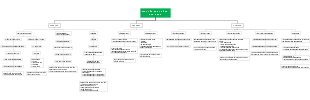
This is a mind map about production plan management. The main contents include: report query, product process route, basic data, process inventory management, process plan management, and sales order maintenance.
Edited at 2024-03-07 22:29:08This is a mind map about bacteria, and its main contents include: overview, morphology, types, structure, reproduction, distribution, application, and expansion. The summary is comprehensive and meticulous, suitable as review materials.

This is a mind map about plant asexual reproduction, and its main contents include: concept, spore reproduction, vegetative reproduction, tissue culture, and buds. The summary is comprehensive and meticulous, suitable as review materials.
This is a mind map about the reproductive development of animals, and its main contents include: insects, frogs, birds, sexual reproduction, and asexual reproduction. The summary is comprehensive and meticulous, suitable as review materials.
This is a mind map about bacteria, and its main contents include: overview, morphology, types, structure, reproduction, distribution, application, and expansion. The summary is comprehensive and meticulous, suitable as review materials.
This is a mind map about plant asexual reproduction, and its main contents include: concept, spore reproduction, vegetative reproduction, tissue culture, and buds. The summary is comprehensive and meticulous, suitable as review materials.
This is a mind map about the reproductive development of animals, and its main contents include: insects, frogs, birds, sexual reproduction, and asexual reproduction. The summary is comprehensive and meticulous, suitable as review materials.
Production planning management
Basic data
1. Company information
2. Supplier information
3. Department settings
4. Bad reasons
5. Plan Category
Product process route
1. Standard process maintenance
2. Product file creation
3. Product process route
4. Personnel operating procedures
Sales order maintenance
1||| New
mark
Content: order number, product, quantity, delivery date
Inspection: Uniqueness of order batch number
2||| change
content
order number
product
The process plan has been released and the product cannot be adjusted.
quantity
Delivery date
The adjusted order quantity can be smaller than the minimum value of the released and shipped quantity in the process plan.
condition
Not shipped yet
3||| delete
Once the process plan has been released, it is not allowed to be deleted.
4||| pause/start
Process plan management
Plan generation
Maintain content
Process plan number
Automatically generated by the system, 8-digit year, month and day, 4-digit serial number
Plan Category
normal plan
rework plan
order number
Number of plans
Planned start date
planned completion date
normal plan
Select unreleased process plans and unshipped orders from sales orders, generate a full set of product process plans based on the product process route, and confirm whether the process is self-made or outsourced, and if outsourced, confirm the supplier.
When formulating the process plan, confirm whether the qualified quantity of each process is directly converted into the production quantity of the subordinate process. If the subordinate process is both self-made and outsourced, or there are two outsourced suppliers, it must be yes or no (it cannot be directly change)
rework plan
sales order
You can select a sales order as normal planning, indicating production for this order, and update the completed quantity of this order after completion of production.
There is no sales order, and the inventory of the product is generated after production is completed.
Select the defective product inventory in the product process. Starting from the selected defective product process, this process and subsequent process plans are generated according to the product's process route. The production quantity cannot be greater than the defective product inventory of the process.
When formulating the process plan, confirm whether the qualified quantity of each process is directly converted into the production quantity of the subordinate process. If the subordinate process is both self-made and outsourced, or there are two outsourced suppliers, it must be yes or no (it cannot be directly change)
Print the process flow sheet and generate a QR code
Plan changes
Self-made to outsourced
Outsourcing to self-made
Partial production conversion is allowed, and when the process is outsourced, multiple suppliers can be designated for production.
Add process
Insert a new operation before the specified operation, provided that the specified operation has not yet started production
Reduce process
Production has not started in the specified process
Plan progress tracking
Late plan tracking and reminder
Process inventory management
PDA scan code
Process completed and stored in warehouse
1. Log in to the PDA system, scan the QR code of the transfer order, select the process for which the current user has operation authority, and display the planned quantity, warehousing quantity, and completed quantity of this process to directly transfer to the next process.
2. Enter the number of qualified products, the number of reworks, and the number of defective products in the warehouse.
Qualified quantity: If the completed quantity of this process is set to be directly transferred to the next process for production, the planned quantity of the next process will be updated to the qualified quantity. If it is not automatically transferred, it will be directly transferred to the planned qualified inventory quantity of this process.
Rework quantity: means rework directly in this plan, and after rework, continue to inspect and put into storage according to this plan
The quantity of defective products placed in the warehouse: the subsequent process production quantity is reduced by the quantity of defective products in the warehouse, and the quantity of the process plan issued in the sales order is reduced by this number.
3. If there is a reworked quantity or a quantity of defective products put into the warehouse this time, the unqualified type must be selected, and the specific reason and responsible department must be selected.
Process production use
1. Log in to the PDA system, scan the QR code of the transfer order, select the process to be claimed, and display the qualified completion quantity of the superior process.
2. Enter the requisition quantity, which cannot exceed the qualified and undelivered quantity of the upper-level process.
Progress query
Log in to the PDA system, scan the QR code of the transfer order, and display the current plan progress status query
Red rush in and out
Red rush into the warehouse
Red rush out of the warehouse
Finished product shipment
Report Query
Planned production management
Basic data
Product process route
theme
theme