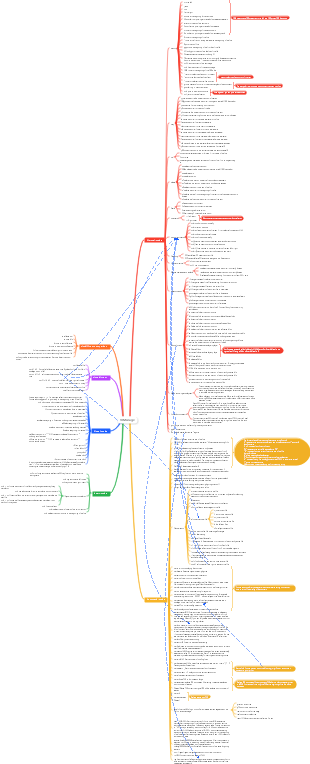
MindMap Gallery Sed command shorthand
This is a mind map about Sed command shorthand, including introduction and syntax, options, commands, metacharacter sets, etc. I hope it will be helpful to you!
Edited at 2023-11-23 12:09:46This is a mind map about bacteria, and its main contents include: overview, morphology, types, structure, reproduction, distribution, application, and expansion. The summary is comprehensive and meticulous, suitable as review materials.

This is a mind map about plant asexual reproduction, and its main contents include: concept, spore reproduction, vegetative reproduction, tissue culture, and buds. The summary is comprehensive and meticulous, suitable as review materials.
This is a mind map about the reproductive development of animals, and its main contents include: insects, frogs, birds, sexual reproduction, and asexual reproduction. The summary is comprehensive and meticulous, suitable as review materials.
This is a mind map about bacteria, and its main contents include: overview, morphology, types, structure, reproduction, distribution, application, and expansion. The summary is comprehensive and meticulous, suitable as review materials.
This is a mind map about plant asexual reproduction, and its main contents include: concept, spore reproduction, vegetative reproduction, tissue culture, and buds. The summary is comprehensive and meticulous, suitable as review materials.
This is a mind map about the reproductive development of animals, and its main contents include: insects, frogs, birds, sexual reproduction, and asexual reproduction. The summary is comprehensive and meticulous, suitable as review materials.
Sed command shorthand
Introduction and Grammar
Description: Stream editor - Stream editor, performs text filtering and formatted replacement output; sed has two built-in storage spaces: 1). The pattern space is cleared after executing the command. 2).Hold space will not be cleared by default
Command format: sed [options] -f scriptfile files #Support multiple files sed [options] '[address range|pattern range] s#{replaced string}#{replaced string}#{replacement flag}' [input file]
Multiple expressions: sed 'expression' | sed 'expression' #Equivalent to the following sed statement sed 'expression; expression'
options
-i: Directly modify the content of the file from which the data is read, rather than output by Screen. (Directly add or backup to the source file)
-r: supports extended expressions. There is no need to use \() to escape () in sed.
-f <script file> or --file=<script file>: #Process the input text file with the script file specified in the option
-n or --quiet or --silent: #Cancel the default output, only display the results after script processing, and output to the Screen;
-e <script> or --expression=<script>: #Use the script specified in the option to process the input text file and execute multiple sed commands.
command[command]
Add operation
a Append text to the next line of the current line i inserts text on the current line
Delete operation
d delete selected rows D Delete the first line of the template block
Change operation
s replaces the specified character. Usually used with regular expressions, the delimiter can be customized c Change the selected line to new text
Check operation
n read the next line of input and process the new line with the next command instead of the first command N Appends the next input line after the template block and embeds a new line between them, changing the current line number
p prints the lines of the template block
File save and read
w file writes and appends the template block to the end of file W file writes and appends the first line of the template block to the end of file
r file reads lines from file
Line number and reverse acquisition
= print the current line number
! Indicates that the following commands will take effect on all unselected lines.
replacement flag
Determine which character to start processing, 1-512 numeric mark
i ignore case for replace/match/find
g means full replacement within the line
p means print line, often used with -n
Case conversion: \l \L \u \U i.e. lower / upper
y: Convert the matched string to uppercase and lowercase, regardless of whether g is added or not.
e execute command flag, execute any content in the pattern space as a bash command (note the spaces)
Regular matching uses: \1 substring matching tag & matched string tag
w means to write lines to a file. x means swapping the text in the template block with the text in the buffer.
metacharacter set
Note: sed does not have \d \w metacharacters representing numbers and letters, only the following metacharacters
^ matches the beginning of a line, such as: /^sed/ matches all lines beginning with sed. $ matches the end of the line, such as: /sed$/ matches all lines ending with sed. . Matches any character that is not a newline character, such as: /s.d/ matches s followed by any character, and finally d. * Matches 0 or more characters, such as: /*sed/ Matches all lines whose template is one or more spaces followed by sed. [] matches characters within a specified range, such as /[ss]ed/ matches sed and Sed. [^] matches a character that is not within the specified range, such as: /[^A-RT-Z]ed/ matches a line starting with a letter that does not contain A-R and T-Z, followed by ed. \(..\) matches substrings and saves the matched characters, such as s/\(love\)able/\1rs, loveable is replaced by lovers. & saves the search characters to replace other characters, such as s/love/**&**/, love becomes **love**. \< matches the beginning of a word, such as:/\<love/ matches lines that contain words starting with love. \> Matches the end of a word, such as /love\>/ Matches lines containing words ending with love. x\{m\} repeats the character x, m times, such as: /0\{5\}/ matches lines containing 5 zeros. x\{m,\} repeats the character x at least m times, such as: /0\{5,\}/ matches lines with at least 5 zeros. x\{m,n\} repeats the character
Classic example
Delete command d
sed -ri '3d' file //Delete the third line in the file file
sed -ri '/root/d' file //Delete the lines containing root matched by the regular expression
sed -ri '/root/,5d' file //Delete the content starting from the regular matched line containing root to line 5
sed -ri '/root/, 5d' file //Delete the content starting from the line containing root matched by the regular expression and add 5 lines
sed -ri '/root/,!d' file //Delete lines other than the line containing root matched by the regular expression
Replace command s
sed -ri 's/root/alice/' passwd //Replace the first root in the passwd file with alice
sed -ri 's/root/alice/g' passwd //Replace all root in the passwd file with alice
Read file command r
sed -r '/root/r /etc/hosts' passwd //After matching the root string in the passwd file, read the /etc/hosts file
Write file command w
Append command
Appends a line a after the specified line
sed -r '2a i love you' passwd //Insert a line i love you after the second line of the passwd file
Insert a line i before the specified line
sed -r '2i i love you' passwd //Insert a line i love you before the second line of the passwd file
Modify command c
sed -r '3c\I like this! ' passwd //Replace the third line with I like this!
sed -r '/daemon:/c\I like this! ' passwd //Find the regular matching line and replace it with I like this!
Get the next command n
Negate the option!
Supplementary knowledge
l (lowercase l) prints and displays special characters (end of line and tab mark)
Special symbols {} Commands enclosed in {} are executed in order, and previous commands will affect subsequent commands.
sed scripting
One sed expression per line