MindMap Gallery BUG rating
Software defects are often called bugs. The so-called software defects refer to certain problems, errors or hidden functional defects in computer software or programs that disrupt normal operation capabilities. The existence of bugs will cause the software product to fail to meet the needs of users to some extent. Do you know how to classify bugs in software testing?
Edited at 2023-11-22 19:23:12This is a mind map about bacteria, and its main contents include: overview, morphology, types, structure, reproduction, distribution, application, and expansion. The summary is comprehensive and meticulous, suitable as review materials.

This is a mind map about plant asexual reproduction, and its main contents include: concept, spore reproduction, vegetative reproduction, tissue culture, and buds. The summary is comprehensive and meticulous, suitable as review materials.
This is a mind map about the reproductive development of animals, and its main contents include: insects, frogs, birds, sexual reproduction, and asexual reproduction. The summary is comprehensive and meticulous, suitable as review materials.
This is a mind map about bacteria, and its main contents include: overview, morphology, types, structure, reproduction, distribution, application, and expansion. The summary is comprehensive and meticulous, suitable as review materials.
This is a mind map about plant asexual reproduction, and its main contents include: concept, spore reproduction, vegetative reproduction, tissue culture, and buds. The summary is comprehensive and meticulous, suitable as review materials.
This is a mind map about the reproductive development of animals, and its main contents include: insects, frogs, birds, sexual reproduction, and asexual reproduction. The summary is comprehensive and meticulous, suitable as review materials.
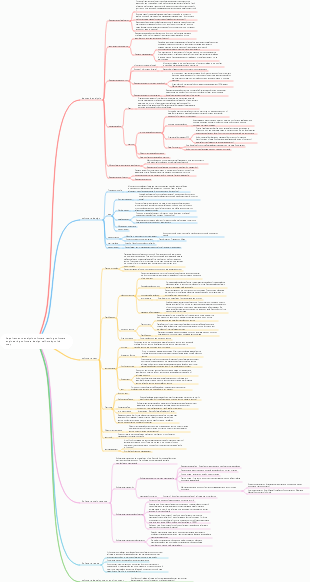
BUG rating
1. Definition of bug
Generally speaking, if it does not meet the user's needs, it can be considered as a bug. In a narrow sense, it refers to loopholes or defects in the software program. In a broad sense, it refers to the details that the test engineer or user proposed that the software can be improved, or the functional implementation that is different from the requirements document.
Corresponding to three test purposes:
1. In order to find program code or business logic errors
2. To check whether the product meets user needs
3. In order to improve user experience
2. Types of bugs
The classification of bugs is roughly divided into the following categories:
1. Code error
2. Design defects
3. Interface optimization
4. Performance issues
5. Configuration related
6. Installation and deployment
7. Safety related
8. Standards and specifications
9. Other divisions: functional category, interface category, performance category, ease of use category, compatibility category, others
3. Bug level
Level 1 bug: (fatal error)
1. System crashes, freezes, infinite loop errors caused by routine operations, and failure to exit normally
2. The functional design is seriously inconsistent with the requirements, basic modules are missing, and the testing process cannot be carried out.
3. Serious data calculation errors
4. User data is lost or destroyed
5. Memory leak, system cannot log in
6. Other problems that prevent functions from being tested
Level 2 bug: (serious error)
1. Important functions cannot be realized (for example: functions requested by users are missing, some pages are not implemented, logic is unclear, important chart data is not developed, etc.)
2. The error spreads widely and affects the normal implementation of other important functions.
3. Program crashes, freezes, and infinite loops caused by unconventional operations (unconventional operations: operations that users will not perform when using the software)
4. After the data is saved in the system, an error is displayed in the database.
5. Password is displayed in clear text
6. The page does not display a white screen and no data.
7. Map data and chart data are inconsistent
Level 3 bug: (general error)
Defects that do not affect the operation of the product or cause malfunctions, but have a greater impact on the appearance of the product and the next process
1. Minor functions cannot be realized normally
2. Operation interface errors (including definitions of column names in the data window, inconsistent meanings)
For example: the column name is inconsistent with the content under the column name
3. Query errors and data error display
4. Simple input restrictions are not placed on the front end for control; (format display, such as format judgment in login and registration can be judged by the front end)
5. No prompt is given for deletion operation
6. Wrong boundary conditions or no restrictions
7. The system is not optimized, the data page loads slowly, and the operation is stuck (performance issues)
8. Compatibility issues (resolution, system version, etc.)
Level 4 bug: (interface problem)
The program is not beautiful in some displays, does not conform to user habits, or has some text errors.
1. The interface is not standardized
2. The auxiliary instructions are not clearly described
3. The prompt window text does not use industry terminology
4. There are text errors in the interface
5. No prompts are given to the user during operation
6. Some minor problems such as uneven text arrangement
Level 5 bug: (suggestive question)
1. Opinions and suggestions on product design
2. Opinions and suggestions on product interface optimization
3. Opinions and suggestions on how the product needs to be optimized to enhance user experience.
4. Bug [priority]
1. P1: That is, "solve immediately", the highest priority, and the problem that should be fixed immediately requires the developer to modify the bug immediately. Generally, it means that the defect causes the program to completely fail to meet the needs of the product, and the basic functions are obviously not implemented or Unavailable, blocking the test process and progress, etc.
2. P2: "Urgent solution", which means that the repair of the problem is very urgent and is related to whether the main functional modules of the system can be used normally, including functions, data, or other urgent needs.
3. P3: "Attach great importance", which means that it should be solved immediately if there is time. It mainly means that the functions and expected results of the system are relatively high, but it does not affect other functions and main core functions.
4. P4: It means "normal processing". Just handle it according to your personal plan. It mainly refers to errors in interface, interaction and some particularly small functions, but you can skip such bugs and continue testing.
5. P5: That is, "low priority", some bugs that can be modified or cannot be modified, or it is not certain whether the modification can be successful. It does not affect the user experience, but it is best to modify it. Generally, if you want to modify it and you don't have enough time, you can You can make modifications in subsequent version updates.
Note: Severity and priority do not always correspond. Sometimes software defects with high severity do not necessarily have a high priority and do not even need to be processed, while some defects with low severity need to be processed in time and have a higher priority, depending on the specific situation.
5. Bug grading
P0
definition
Completely unable to meet product requirements, basic functions are incompletely implemented or completely unavailable, blocking the testing process and progress (core functional process)
Including but not limited to the following items
1. The main functions are not implemented or the functions are missing.
2. The business process is incorrect
3. Data is not reported and user data is lost
4. Ultra vires
5. System crashes, freezes, and endless loops caused by routine operations
6. Security issues causing data leakage
7. Involving money, such as payments and balances
8. Serious UI problem: core page
9.Safety issues
10. Compatibility issues lead to major functional abnormalities (such as buttons being blocked and unable to enter the next step)
11. Intolerable lagging and slow page loading (more than 30 seconds)
12. Other errors that prevent testing
Repair priority
urgent
P1
definition
The product function implementation does not meet the requirements and does not achieve the expected results, but it does not block the test progress (non-core functional process, does not affect other functions)
Including but not limited to the following items
1. Minor functions are not implemented or are missing.
2. The error spreads widely and affects the normal implementation of other important functions.
3. System crashes, freezes, and endless loops caused by unconventional operations (unconventional operations: operations that users will not perform when using the system)
4. The page is not implemented according to U, and the user experience is poor
5. Page jump error (such as clicking to create jump details)
6. The page loads slowly and is obviously stuck (more than 15s)
7. Query sorting is not implemented
8. System compatibility issues lead to minor functional abnormalities (for example: abnormal page UI display, but does not affect the use of functions)
9. Lack of handling of system exceptions
10. Incorrect data type and boundary conditions (for example: only enter numeric values, but other characters can be entered, and no error is reported)
11. Cursor jumps and positioning errors (such as: selecting the red envelope balance, cursor positioning on the red envelope fission)
12.Interface error
Repair priority
high
P2
definition
Relatively minor functional, UI or interaction issues can be tested by bypassing such issues
Including but not limited to the following items
1. Compatibility issues with non-mainstream systems that account for a low proportion
2. Copywriting errors (such as toast prompts)
3. Page loading is slow (more than 8s)
4. Probabilistic defects
5. Font style and size are not uniform
6. The text is not arranged neatly
7. The copy is too long and is blocked, without line breaks or omissions.
8. Functional description is not given or is unclearly described
9. Deletion without secondary confirmation
10. Unconventional operations, such as problems that can only be reproduced after multi-step compound operations (users generally do not operate this way)
11. Interaction experience issues: Interaction issues that are inconsistent with system interaction or ordinary people’s cognition
12.U compatibility/adaptability issues
13. The hidden part of the page is not hidden (for example: part of the data is displayed)
14. Security protection code (parameter checking, null judgment, type overflow)
15. No toast prompt is given during operation
16. Query error, data column name and value are inconsistent
17.Basic functional errors
Repair priority
middle
ordinary
P3
definition
Some bugs that may or may not be modified, or that are not yet sure whether they can be modified successfully, will not affect the user experience.
Including but not limited to the following items
1. Very few model adaptation issues
2. It is suggested that the bugs can be corrected or not. Failure to fix them will not affect the version release.
3. Delayed processing of bugs (defects when development is finalized, do not affect the launch of the current version, development can be deferred)
4. Pending bugs (developing technical solutions to be found)
Repair priority
Low