MindMap Gallery Bluetooth toolbox V3.0.0 function page arrangement
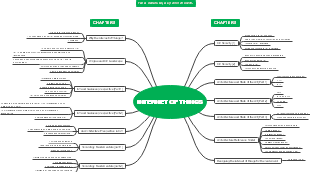
Regarding IoT devices, the Bluetooth Toolbox V3.0.0 function page organizes a mind map, including upgrade tools, connected devices, upgrade processes, etc.
Edited at 2023-11-08 18:16:42This is a mind map about bacteria, and its main contents include: overview, morphology, types, structure, reproduction, distribution, application, and expansion. The summary is comprehensive and meticulous, suitable as review materials.

This is a mind map about plant asexual reproduction, and its main contents include: concept, spore reproduction, vegetative reproduction, tissue culture, and buds. The summary is comprehensive and meticulous, suitable as review materials.
This is a mind map about the reproductive development of animals, and its main contents include: insects, frogs, birds, sexual reproduction, and asexual reproduction. The summary is comprehensive and meticulous, suitable as review materials.
This is a mind map about bacteria, and its main contents include: overview, morphology, types, structure, reproduction, distribution, application, and expansion. The summary is comprehensive and meticulous, suitable as review materials.
This is a mind map about plant asexual reproduction, and its main contents include: concept, spore reproduction, vegetative reproduction, tissue culture, and buds. The summary is comprehensive and meticulous, suitable as review materials.
This is a mind map about the reproductive development of animals, and its main contents include: insects, frogs, birds, sexual reproduction, and asexual reproduction. The summary is comprehensive and meticulous, suitable as review materials.
Topsail Bluetooth Toolbox V3.0.0
Configuration Tool
Already
upgrade tools
Preparation before upgrading
Select the tool first, then connect the device
Or the device is already connected
Connect devices
Turn on Bluetooth
Refresh animation
List of connectable devices
connection record
Last 10 connected devices
Do you need to add device notes?
Connectable devices
light up
Unconnectable device
Ash
Click to pop up the prompt "This device is not within the Bluetooth connection range!"
Click to connect the device
connection succeeded
Connection failed
Is connection failure information recorded as required?
It prompts "Connection failed". You can reconnect 3 times. After 3 times, it prompts "Unable to connect to this device. Please contact after-sales service personnel to solve this problem."
Is it okay to write like this?
Discuss how to deal with connection failure problems
Scan code
Is the mobile phone’s Bluetooth turned on?
yes
no
Tip: "Bluetooth on the phone is not turned on. Do you want to turn on Bluetooth?"
yes
Cancel
Scan code results
Device brief information
Connectable
Click to connect
unable to connect
This situation may occur, how to deal with it?
Display device information
Button (name undecided)
Get device information
Send two commands getC getD to the device via Bluetooth
Return device information data to the mobile phone
success
Show device information
IMEI
Bluetooth name, Bluetooth address
Device type, device model
Software version
hardware version
Current system (TOPOS, non-TOPOS)
fail
Manual reconnect
keeps failing
Contact after-sales
Upgrade process
I will discuss every step of the upgrade with Xiaoqiang tomorrow.
Are the steps for upgrading applications and upgrading frameworks the same?
Select upgrade features
Application upgrade
Old valve control (non-TOPOS)
l application
Non-slave machine
l application
Lift slave machine
Host or TOPOS NB
Slave machine
application
other
Old equipment (non-TOPOS)
l application
New equipment (TOPOS)
l application
Framework upgrade
old
Lift frame (Lift slave)
Host
No function
Slave machine
No function
other
old
l frame
new
No function
Matching upgrade package
Determine whether the local upgrade package is complete
no
Upgrade package download page
Download completed
Networking Tips
Download traffic tips
yes
Upgrade start page
Page changes
Device information (refer to step 2 above to display device information)
Automatically match upgrade packages
Display upgrade package information
Speculating upgrade results
success
Confirm upgrade
fail
The prompt "The required upgrade package was not matched, please contact after-sales service personnel."
Click OK to return to the homepage
Perform upgrade
during upgrade
need to be displayed
Device Information
Device Information
Parameters before upgrade
button
Start upgrading
Disconnect
Select upgrade package
Upgrade process
progress bar
ever-changing text
Upgrade step 1/2
DFU match: DfuTarg--D9:C5:88:50:BC:14
update completed
Disconnecting
Prompt that the upgrade is completed
Send parameters
Send parameters
need to be displayed
Send parameters to device success/failure
1/5
Sending: CSPS four letters
Can't move here
Function
Prompt after parameter sending is completed
Send new device parameters to the server
Prompt "Please make sure to perform this step under Internet conditions"
Upload successful
update completed
Sure
Return to homepage
Other tools
It has been discussed that there will be no business overlap between different tools, and other tools will be independently expanded in the same way in the future.
Connect devices
Connect the device first, then select the tool
Refer to the process of connecting the device above.
mine
Already have my page
Add function items
Device connection record
upgrade
Application upgrade
Framework upgrade
Configuration
Upgrade record
Upgrade package management
Upgrade package list
Permissions
general user
Administrator, after-sales