MindMap Gallery Programming basics HTML basics
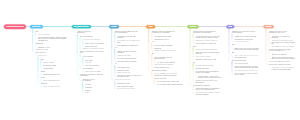
Programming basics: Summary of basic HTML knowledge, including some basic concepts, basic HTML structure, common tags, tables, lists, forms, etc.
Edited at 2022-11-27 21:35:54Programming basics: HTML basics
1: Basic concepts
Web pages and websites
A website is made up of web pages
Web content includes: text, pictures, links and other elements
Web pages are written using html hypertext markup language
The file extension is .html
Browser and browser kernel
Common browsers: Google, Firefox, IE, Safari
Browsers and corresponding kernels
Picture can be enlarged
web standards
W3C World Wide Web Consortium
Standard enough content
structure
Structure is used to organize and classify web page elements. At this stage, I mainly learn HTML.
Performance
Performance is used to set the layout, color, size and other appearance styles of web page elements, mainly referring to CSS
Behavior
Behavior refers to the definition of web page models and the writing of interactions. At this stage, I mainly learn Javascript.
2: Basic structure of HTML
Grammar specifications
Tags are wrapped using <>
Most of them appear in pairs, which are double labels, and if they appear singly, they are single labels.
Tags consist of parent-child (inclusive) relationship and sibling (parallel) relationship.
Basic structure (skeleton tag)
development tools
There are many code editors, the principle is that you can use them comfortably
Recommended to use VS Code
Commonly used shortcut keys for VS Code
New file (Ctrl N)
Save (Ctr S), note that the move should be saved as an htm file
Ctrl plus sign key, Ctrl minus sign key can zoom in and out the view
Generate the page skeleton structure, enter! Press the Tab key
Use the plug-in to preview the page in the browser: right-click the mouse and click "Open In Default Browser" in the pop-up exit
https://zhuanlan.zhihu.com/p/124233987
skeleton code
<! DOCTYPE>Label
The document type declaration tag tells the browser that this page uses the HTML5 version to display the page.
lang language
Tell the browser or search engine that this is an English website and this page will be displayed in English.
charset character set
Take UF-8 to save text. If you don’t write it, it will be garbled.
tag semantics
According to the semantics of the tag, giving the most reasonable tag at the appropriate place can make the page structure clearer.
3: Commonly used tags
h series-title tag
h1->h6 decreases step by step
p tag, paragraph tag
The browser will automatically apply line breaks
newline tag
force line break
single label
text formatting
Bold
strong</ strong-or<b></b>
tilt
<em></em>or <i><i/>
strikethrough
<del><del/>or <s></s>
Underline
<ins></ins> or <u></u>
No semantic tags
div
span
Image tag <img />
Attributes
src: path to the image (source)
alt: text displayed when the image is loaded incorrectly
title: text displayed when the mouse hovers over the image
width: width of the image
height: the height of the picture
border: the border of the picture
Characteristics of properties
1. Partial order among attributes
2. The attribute name and attribute value exist in the form of key-value pairs.
3. The attribute name and attribute value are separated by an equal sign, and the attribute value must be wrapped in quotation marks;
paths and connections
path
relative path
Find the name directly in the same folder
Go up one level ../
down /
absolute path
Link tag <a ></a>
External link <a href="http://www.qq.com"></a> Write complete protocol domain name URL
Internal link <a href="index.html"></a> just write the file name directly
Attributes
href: Specify the page to jump to
title: text displayed when the mouse hovers
target: _self (will overwrite the original window by default) _blank (will open as a new window) How to open the window
#: Will prevent the page from jumping but will refresh the page
anchor point
Link using #
The target tag id value is consistent with the connection # number.
Comments and special characters
Editor uses Ctrl / shortcut keys
4:Table
Label
<table></table> table
OK
Cell
<th></th> Header Bold Blackened Automatically centered
<caption></caption> The title of the table is written inside and displayed outside. Centered
<thead></thead> Structure header
<tbody></tbody> structure
<tfoot></tfoot> Structure bottom
Attributes
border: table border, default 0
width: width
height: height
cellspacing: the distance between cells
cellspadding: the distance between cells and content
align: left/center/right
Note: When setting the center to the table, the entire table will be centered (the text will not be centered). When tr or td is specified, the text will be centered.
colspan: column merge
rowspan: row merge
5: List
unordered list
ordered list
custom list
6: Form
input attribute
1.text: text box
2.password: password box
3.radio: radio button
4.checkbox: check box
5.button: ordinary button
6.reset: The reset button needs to be combined with the form to be effective.
7.submit: Submit button
8.image attribute src
9.file file button to upload pictures
name attribute
1.Send background......
2. Name identification. For radio buttons, only one can be selected.
value: the text displayed by default in the text box
checked: checked by default
You can write an attribute or attribute name = attribute value
label usage
1.<label>Please enter <input type="text"> <input type="text"></label>
2.<label for="a">Please enter</label> <input type="text" id="a">
Text area: textarea: user message
drop-down list
<select> <option>Please select</option> <option >Apple</option> <option selected>Banana</option> <option>Orange</option> </select>
The default selection of the drop-down list: selected
form form
The main function: to collect user information and send it to the background
action: Submit the address of the background
method="get/post" Submission (transmission) method to the background
name = "a" tells the server which form was submitted