 Wondershare EdrawMind
MindMap Gallery Power BI roadmap
- 334
Power BI roadmap
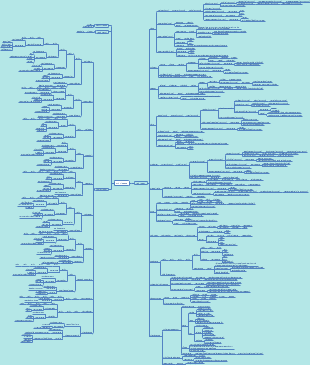
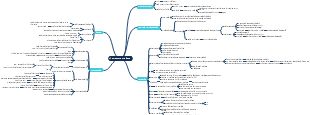
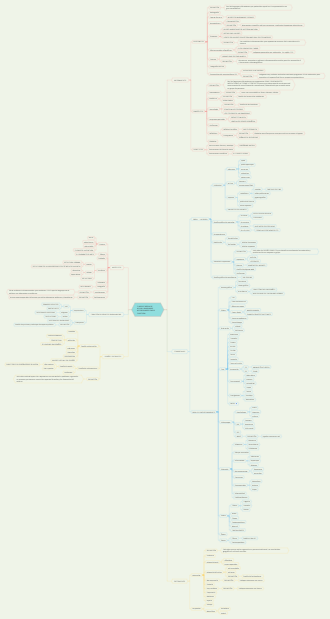
The Power BI roadmap clearly presents the learning path. First, understand the overview of Power BI, its basic concepts, and application scenarios. Continue to learn data preparation and master the methods of data collection and organization. Then conduct data modeling and construct a suitable data model. Visual learning enables data to be presented in an intuitive way. Finally, learn about advanced features and enhance data analysis capabilities. By following this route of learning, one can comprehensively master Power BI.
Edited at 2025-05-09 13:12:00
- Recommended to you
- Outline



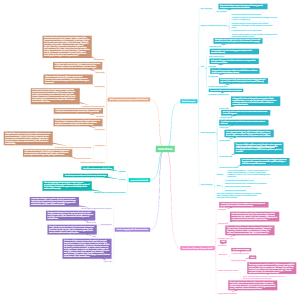

Power BI roadmap
Understand Power BI Overview
**Power BI Overview** **1. What is Power BI?** Power BI is a **business analytics tool** developed by
Introduction to Power BI
**Introduction to Power BI** **What is Power BI?** Power BI is a robust **business analytics tool** developed by
Definition and purpose
**Definition** A **definition** is a precise statement that explains the meaning of a term, concept, or object. It establishes clarity by describing essential characteristics, boundaries, or functions, ensuring shared understanding. Definitions can be formal (e.g., dictionary entries) or contextual (e.g., tailored to a specific field like science or law). **Purpose** **Purpose** refers to the reason something exists, is done, or is used. It answers the question, *"Why does this matter?"* by highlighting goals, intentions, or outcomes. Purpose provides direction, motivation, and significance, whether applied to objects, actions, organizations, or life itself. --- ### **Relationship and Importance** 1. **Clarity vs. Intent**: - A **definition** clarifies *what something is*. - **Purpose** explains *why it exists* or *how it functions*. 2. **Examples**: - **Term**: *Sustainability* - **Definition**: Meeting present needs without compromising future generations. - **Purpose**: To balance ecological, economic, and social well-being for long-term survival. - **Object**: *Hammer* - **Definition**: A tool with a handle and heavy head. - **Purpose**: To drive nails or shape materials. 3. **Applications**: - In **education**, precise definitions avoid confusion. - In **business**, purpose-driven missions inspire innovation (e.g., Tesla’s goal to accelerate renewable energy). **Key Takeaway**: Definitions create shared understanding; purpose gives meaning and direction. Together, they anchor communication, design, and strategy across all domains.
Key features and components
**Key Features and Components: An Overview** **1. Key Features** Features are the functionalities, attributes, or characteristics that define a product, system, or service. They address user needs and differentiate offerings in the market. **Examples Across Domains**: - **Software/App**: - User authentication, real-time collaboration, offline access, push notifications. - Security (encryption, GDPR compliance), scalability, cross-platform compatibility. - **Smartphone**: - High-resolution camera, facial recognition, water resistance, 5G connectivity. - **Business Model**: - Subscription pricing, customer loyalty programs, eco-friendly practices. **2. Key Components** Components are the structural or functional parts that make up a system. They enable features to function as intended. **Examples Across Domains**: - **Software Architecture**: - **Frontend**: UI/UX design (React, Angular). - **Backend**: Server (Node.js, Django), database (MySQL, MongoDB). - **APIs**: RESTful endpoints for integration. - **Electric Vehicle**: - Battery pack, electric motor, regenerative braking system, infotainment system. - **E-commerce Platform**: - Shopping cart, payment gateway (Stripe, PayPal), inventory management, CRM tools. **3. Feature vs. Component Comparison** | **Aspect** | **Features** | **Components** | |-------------------|---------------------------------------|-------------------------------------| | **Purpose** | Solve user problems/add value. | Enable features technically. | | **Example (Car)** | Cruise control, lane assist. | Engine, transmission, ECU. | | **Focus** | User experience and benefits. | Technical infrastructure. | **4. Importance** - **Alignment**: Features must match user needs (e.g., TikTok’s algorithm for engagement). - **Integration**: Components must work cohesively (e.g., cloud servers ensuring app uptime). - **Innovation**: Unique features (e.g., iPhone’s first touchscreen) or optimized components (e.g., SSD over HDD) drive competitiveness. **Real-World Example: Netflix** - **Features**: Personalized recommendations, offline viewing, multi-profile support. - **Components**: Content Delivery Network (CDN), machine learning algorithms, microservices architecture. **Conclusion** Understanding features (what a system does) and components (how it does it) is critical for designing effective solutions. Features attract users, while robust components ensure reliability and scalability.
Power BI Desktop
**Getting Started with Power BI Desktop: A Step-by-Step Guide** 1. **Installation**: Download Power BI Desktop from Microsoft's official website. Install it like any typical Windows application. Upon launching, you’ll see a start screen with options to connect to data, open recent files, or explore sample datasets. 2. **Connecting to Data**: Click **Get Data** on the Home ribbon. Choose a data source (e.g., Excel, CSV, SQL Server). For an Excel file: - Browse to your file and select it. - Preview and select the sheets/tables to load. - Click **Load** to import or **Transform Data** to clean it first. 3. **Data Cleaning (Power Query)**: Use **Transform Data** to open Power Query Editor: - Remove unnecessary columns. - Filter rows or fix errors (e.g., missing values). - Use tools like “Split Column” or “Replace Values” for cleanup. - Click **Close & Apply** to save changes. 4. **Data Modeling**: If using multiple tables, create relationships in the **Model** view. Drag fields between related tables (e.g., linking a Product ID in Sales to a Product table). Aim for a star schema with fact and dimension tables. 5. **Creating Visualizations**: In the **Report** view: - Drag fields from the **Fields** pane onto the canvas. - Choose visuals (bar charts, maps, tables) from the **Visualizations** pane. - Customize visuals using formatting options (colors, titles, tooltips). - Use **Slicers** for interactive filtering (e.g., filter by date or region). 6. **DAX Calculations**: Create measures or calculated columns using Data Analysis Expressions (DAX): - **Measures**: Dynamic calculations (e.g., `Total Sales = SUM(Sales[Amount])`). - **Calculated Columns**: Row-level formulas (e.g., `Profit = Sales[Revenue] - Sales[Cost]`). Use the formula bar and DAX functions like `CALCULATE()`, `FILTER()`, or time intelligence functions. 7. **Enhancing Interactivity**: - Add **Bookmarks** to save specific views. - Use **Drillthrough** for detailed page navigation. - Build a **Date Table** for better time-based analysis. 8. **Publishing & Sharing**: Save your file (.pbix) and click **Publish** to send it to the Power BI Service. From there: - Share dashboards with colleagues. - Set up **Data Gateway** to refresh on-premises data. - Configure scheduled refreshes for up-to-date reports. 9. **Troubleshooting Tips**: - **Data Errors**: Check for missing values or incorrect data types. - **Visual Issues**: Verify field roles (e.g., “Category” vs. “Value”). - **Model Issues**: Ensure relationships are properly configured (no circular dependencies). 10. **Learning Resources**: - **Microsoft Learn**: Free guided modules on Power BI basics to advanced DAX. - **Community**: Join forums like the Power BI Community or Reddit for peer support. - **Practice**: Experiment with sample datasets (e.g., AdventureWorks) or public data (Kaggle). **Pro Tips**: - Optimize performance by limiting columns and using aggregations. - Implement **Row-Level Security** to restrict data access for certain users. - Avoid clutter by focusing on key metrics and intuitive design. With practice, you’ll streamline workflows from data ingestion to storytelling. Start simple, iterate often, and explore advanced features as you grow comfortable! 📊✨
Installation process
To help you with the installation process, please provide details about: 1. **What software/tool** you want to install (e.g., Python, Docker, a specific app). 2. **Operating System** (e.g., Windows, macOS, Linux). 3. **Environment** (e.g., local machine, virtual environment, cloud server). This will allow me to give you a precise, step-by-step guide! 🛠️
Interface overview
To provide a comprehensive **interface overview**, here's a breakdown of common types and their purposes: ### 1. **User Interface (UI)** - **Purpose**: Facilitates interaction between humans and machines. - **Types**: - **Graphical User Interface (GUI)**: Uses visual elements like buttons, menus, and icons (e.g., Windows, macOS, mobile apps). - **Command-Line Interface (CLI)**: Requires text-based commands (e.g., Terminal in Linux, Command Prompt). - **Voice User Interface (VUI)**: Relies on voice commands (e.g., Alexa, Siri). - **Key Principles**: Usability, accessibility, and intuitive design. ### 2. **Application Programming Interface (API)** - **Purpose**: Enables software components to communicate. - **Types**: - **REST/SOAP APIs**: Web services for data exchange (e.g., weather APIs, payment gateways). - **Library/OS APIs**: Allow apps to interact with operating systems or libraries (e.g., Python’s `requests` library). - **Key Principles**: Standardization, security, and scalability. ### 3. **Hardware Interface** - **Purpose**: Allows physical devices to connect and communicate. - **Examples**: - **USB/HDMI**: For peripherals and displays. - **Bluetooth/Wi-Fi**: Wireless communication protocols. - **Key Principles**: Compatibility, data transfer speed, and reliability. ### 4. **Network Interface** - **Purpose**: Manages data flow across networks. - **Examples**: Ethernet ports, network cards, TCP/IP protocols. - **Key Focus**: Bandwidth, latency, and security. --- ### Key Concepts in Interface Design: - **Consistency**: Predictable layouts/behaviors reduce learning curves. - **Feedback**: Users/Systems should receive responses (e.g., error messages, loading animations). - **Abstraction**: Hides complexity (e.g., APIs abstracting backend processes). Let me know if you’d like details on a **specific type of interface** (e.g., mobile app UI, REST API design) or need examples! 😊
Basic functionalities
"Basic functionalities" refer to the core features or capabilities that a system, device, application, or tool is designed to perform. These are essential for fulfilling its primary purpose. Here are examples across different contexts: ### **1. Software/Applications** - **Create, Read, Update, Delete (CRUD):** Core operations for managing data (e.g., adding, viewing, editing, or removing entries in a database). - **User Authentication:** Logging in/out, password management. - **Search/Filter:** Finding specific data in a system. - **File Management:** Saving, opening, exporting, or sharing files. ### **2. Electronics (e.g., Smartphone)** - **Communication:** Calls, messaging, emails. - **Internet Access:** Browsing, social media, streaming. - **Camera:** Capturing photos/videos. - **Apps:** Installing/uninstalling software. ### **3. Websites** - **Navigation:** Menus, links, and buttons. - **Forms:** Submitting user input (e.g., contact forms). - **Responsive Design:** Adapting to mobile/desktop screens. - **Content Display:** Text, images, videos. ### **4. Vehicles** - **Engine Operation:** Starting, accelerating, braking. - **Safety Features:** Seatbelts, airbags, anti-lock brakes. - **Navigation:** GPS/maps. - **Climate Control:** Heating/cooling. ### **5. Hardware Devices (e.g., Printer)** - **Printing/Scanning:** Producing physical copies or digitizing documents. - **Connectivity:** USB, Wi-Fi, Bluetooth. - **Settings Adjustment:** Paper size, ink levels, resolution. ### **6. Business Tools** - **Reporting:** Generating summaries or dashboards. - **Scheduling:** Calendars, reminders, deadlines. - **Collaboration:** Shared documents, team chats. --- If you have a **specific product, system, or context** in mind, clarify, and I’ll tailor the answer! 🤖
Power BI Service
**Power BI Service** (also known as **Power BI Online** or **Power BI Cloud**) is Microsoft's cloud-based platform for sharing, collaborating on, and distributing business intelligence (BI) reports, dashboards, and datasets. It is part of the broader Power BI ecosystem, which also includes **Power BI Desktop** (for report creation) and **Power BI Mobile** (for mobile access). Below is a breakdown of its key features and functionalities: --- ### **Core Features of Power BI Service** 1. **Publish & Share Reports** - Upload reports/dashboards created in Power BI Desktop to the cloud. - Share insights securely with colleagues or external stakeholders via links, emails, or embedded analytics. 2. **Dashboards & Workspaces** - Create interactive dashboards by pinning visualizations from multiple reports. - Organize content in **workspaces** (collaboration hubs for teams). - Use **Apps** to bundle and distribute curated dashboards/reports to end users. 3. **Data Connectivity & Refresh** - Connect to cloud-based (e.g., Azure SQL, SharePoint) or on-premises data sources (via **Power BI Gateway**). - Schedule automatic data refreshes to keep reports up-to-date. 4. **Collaboration Tools** - Annotate and comment on reports/dashboards. - Subscribe to reports to receive email notifications for updates. - Integrate with Microsoft Teams and SharePoint for seamless collaboration. 5. **Security & Governance** - Role-based access control (RBAC) for workspaces and datasets. - Row-level security (RLS) to restrict data access based on user roles. - Compliance with Azure Active Directory (AAD) and Microsoft 365 security policies. 6. **AI & Advanced Analytics** - Use **Quick Insights** for automated data pattern detection. - Integrate with Azure Machine Learning for predictive analytics. - Natural Language Q&A to ask questions about your data. 7. **Mobile Accessibility** - Access dashboards/reports on iOS, Android, or Windows devices via the **Power BI Mobile** app. --- ### **Licensing Tiers** Power BI Service offers two primary licensing models: 1. **Power BI Pro** - For individual users to publish, share, and collaborate on content. - Requires a per-user subscription ($10/month). 2. **Power BI Premium** - For organizations needing advanced scalability, larger data volumes, and dedicated cloud resources. - Offers per-user (Premium Per User/PPU) or per-capacity (Premium SKUs) licensing. - Enables sharing reports with free users (no Pro license required). --- ### **Common Use Cases** - **Enterprise Reporting**: Centralize and distribute KPIs across teams. - **Self-Service BI**: Enable business users to explore data without IT dependency. - **Embedded Analytics**: Integrate Power BI dashboards into custom apps/portals. - **Real-Time Analytics**: Monitor live data streams (e.g., IoT, stock prices). --- ### **Key Benefits** - **Scalability**: Handle large datasets and thousands of users. - **Integration**: Works seamlessly with Microsoft 365, Azure, Dynamics 365, and third-party tools. - **Cost-Effective**: Pay-as-you-go model with flexible licensing. --- ### **Getting Started** 1. Sign up at [powerbi.microsoft.com](https://powerbi.microsoft.com/) with a Microsoft 365 or Azure account. 2. Upload a report from Power BI Desktop or connect to a data source. 3. Share insights via dashboards, apps, or direct links. Let me know if you'd like a deeper dive into any specific feature! 😊
Overview of cloud services
**Overview of Cloud Services** Cloud services provide on-demand access to computing resources over the internet, enabling organizations and individuals to use infrastructure, platforms, or software without owning or maintaining physical systems. Here's a structured overview: ### **1. Service Models** - **Infrastructure as a Service (IaaS)**: *Examples*: AWS EC2, Microsoft Azure Virtual Machines. *What it offers*: Virtualized computing resources (servers, storage, networking) with pay-as-you-go pricing. Users manage OS, apps, and data. - **Platform as a Service (PaaS)**: *Examples*: Google App Engine, Heroku. *What it offers*: Development frameworks and tools (databases, middleware) to build, deploy, and scale applications. Users focus on code; the provider handles infrastructure. - **Software as a Service (SaaS)**: *Examples*: Microsoft 365, Salesforce. *What it offers*: Fully managed applications accessible via web browsers. Providers handle updates, security, and maintenance. ### **2. Deployment Models** - **Public Cloud**: Shared infrastructure (e.g., AWS, Azure) for cost efficiency and scalability. - **Private Cloud**: Dedicated infrastructure (on-premises or hosted) for enhanced security and control. - **Hybrid Cloud**: Combines public and private clouds for flexibility (e.g., sensitive data on-premises, scalable workloads in the cloud). - **Community Cloud**: Shared by organizations with common needs (e.g., healthcare or government sectors). ### **3. Key Characteristics** - **On-Demand Self-Service**: Users provision resources automatically (e.g., spin up a VM in minutes). - **Scalability**: Vertical (upgrading server capacity) and horizontal (adding more instances). - **Pay-as-You-Go Pricing**: Users pay only for what they use. - **Resource Pooling**: Multi-tenant architecture with shared physical resources. - **Broad Network Access**: Accessible globally via internet-connected devices. ### **4. Benefits** - **Cost Efficiency**: Eliminates upfront capital expenses (CapEx) for hardware. - **Agility**: Rapid deployment of applications and services. - **Disaster Recovery**: Built-in backup, redundancy, and geo-replication. - **Focus on Core Business**: Reduces IT management burdens. ### **5. Challenges** - **Security & Compliance**: Data privacy concerns, shared responsibility models. - **Vendor Lock-In**: Difficulty migrating between providers due to proprietary tools. - **Latency**: Performance issues if servers are geographically distant. - **Cost Management**: Unmonitored usage can lead to unexpected expenses. ### **6. Leading Providers** - **Amazon Web Services (AWS)**: Dominant market share with 200+ services. - **Microsoft Azure**: Strong enterprise integration (e.g., Active Directory). - **Google Cloud Platform (GCP)**: AI/ML and data analytics strengths. - **Others**: IBM Cloud, Oracle Cloud, Alibaba Cloud. ### **7. Emerging Trends** - **Serverless Computing**: Event-driven execution (e.g., AWS Lambda). - **Multi-Cloud Strategies**: Avoiding dependency on a single provider. - **Edge Computing**: Processing data closer to the source (e.g., IoT devices). - **AI/ML Integration**: Cloud-based machine learning tools (e.g., TensorFlow on GCP). ### **Use Cases** - **Startups**: Rapid scaling without infrastructure investment. - **Enterprises**: Hybrid cloud for legacy system integration. - **Healthcare/Finance**: Secure, compliant private clouds. ### **Conclusion** Cloud services revolutionize IT by offering flexibility, cost savings, and innovation. Organizations must balance benefits with challenges like security and vendor lock-in, while trends like serverless and edge computing continue to shape the future.
Sharing and collaboration features
**Sharing and Collaboration Features** enable multiple users or teams to work together on digital platforms, documents, or projects in real time or asynchronously. These tools are critical for modern workflows, fostering productivity, transparency, and teamwork across industries. Below is a breakdown of key features and their applications: --- ### **Core Features** 1. **Real-Time Collaboration** - Simultaneous editing (e.g., Google Docs, Figma). - Live cursors/avatars showing who is working on what. - Instant syncing of changes across devices. 2. **Version Control & History** - Track changes, revert to previous versions, or compare edits (e.g., GitHub, Dropbox Paper). - Auto-save and timestamped revisions. 3. **Access Permissions** - Role-based controls (view, edit, comment, admin). - Share via links, emails, or groups with customizable permissions. - Expiration dates for shared access. 4. **Commenting & Annotation** - Threaded discussions, @mentions, and task assignments. - Markup tools for feedback (e.g., PDFs, design files). 5. **Cloud Integration** - Sync files across platforms (Google Drive, OneDrive, iCloud). - Collaborate without downloading files. 6. **Notifications & Activity Feeds** - Alerts for updates, mentions, or deadlines. - Centralized logs of user actions (e.g., Trello, Notion). 7. **Security & Compliance** - End-to-end encryption for sensitive data. - Compliance with standards like GDPR or HIPAA. 8. **Cross-Platform Compatibility** - Work seamlessly on web, mobile, and desktop apps. 9. **Audit Logs** - Track user activity for accountability (critical in enterprise settings). --- ### **Use Cases** - **Business:** Teams co-author reports, manage projects via tools like Slack or Asana, and share data securely. - **Education:** Students and teachers collaborate on group assignments (e.g., Microsoft Teams, Canvas). - **Creative Work:** Designers and developers collaborate on prototypes (Figma, Adobe XD). - **Research:** Scientists share datasets and co-write papers (Overleaf, Jupyter Notebooks). --- ### **Popular Tools** | **Category** | **Examples** | |---------------------|---------------------------------------| | Documents | Google Workspace, Microsoft 365 | | Design | Figma, Canva | | Project Management | Trello, ClickUp, Monday.com | | Code/Dev | GitHub, GitLab | | Communication | Slack, Microsoft Teams, Zoom | --- ### **Why They Matter** - **Efficiency:** Reduce redundant workflows and email chains. - **Inclusivity:** Enable global teams to contribute regardless of location. - **Innovation:** Accelerate brainstorming and problem-solving. Modern tools increasingly integrate AI (e.g., smart suggestions, automated summaries) to enhance collaboration further. Choosing the right platform depends on your team’s needs, security requirements, and workflow complexity.
Licensing options
When choosing a licensing model for software, content, or intellectual property, the right option depends on your goals (e.g., revenue, control, accessibility). Below is a breakdown of common licensing options: --- ### **1. Proprietary Licensing** - **Description**: Restrictive licenses that require permission for use, modification, or redistribution. Often paid. - **Examples**: - **Perpetual License**: One-time purchase for indefinite use (e.g., Microsoft Windows). - **Subscription License**: Recurring payments for access (e.g., Adobe Creative Cloud). - **Enterprise License**: Bulk licensing for organizations. - **Trial/Demo License**: Time-limited or feature-limited free access. --- ### **2. Open Source Licensing** - **Description**: Grants users rights to view, modify, and redistribute source code. May impose conditions. - **Types**: - **Permissive Licenses**: Minimal restrictions (e.g., MIT, Apache 2.0). - **Copyleft Licenses**: Require derivative works to use the same license (e.g., GPL, AGPL). - **Weak Copyleft**: Less restrictive (e.g., LGPL, MPL). --- ### **3. Creative Commons (CC)** - **Description**: For non-software works (art, writing, music). Mix and match conditions: - **CC0**: Public domain dedication. - **CC BY**: Attribution required. - **CC BY-SA**: Attribution + ShareAlike. - **CC BY-NC**: Non-commercial use only. - **CC BY-ND**: No derivatives allowed. --- ### **4. Public Domain** - **Description**: No copyright restrictions. Free to use/modify. - **Examples**: CC0, or works where copyright has expired. --- ### **5. Freemium/Freeware** - **Freemium**: Free basic version with paid upgrades (e.g., Spotify Free vs. Premium). - **Freeware**: Free to use but closed-source (e.g., early versions of Skype). --- ### **6. Industry-Specific Licenses** - **Examples**: - **Healthcare**: HIPAA-compliant licenses. - **Finance**: PCI DSS compliance. - **Government**: Specific terms for public sector use. --- ### **7. SaaS/Cloud Licensing** - **Description**: Subscription-based access to cloud-hosted software (e.g., AWS, Salesforce). - **Features**: Scalable pricing, pay-as-you-go models. --- ### **8. Educational/Nonprofit Licenses** - **Description**: Discounted or free access for schools, universities, or nonprofits (e.g., Microsoft Academic licenses). --- ### **9. Custom Licenses** - **Description**: Tailored terms for specific partnerships or use cases (common in B2B agreements). --- ### **10. Royalty-Based Licensing** - **Description**: Fees based on usage, sales, or production volume (common in patents, music, or franchises). --- ### **11. Dual Licensing** - **Description**: Offering the same product under two licenses (e.g., open source + commercial). Example: MySQL (GPL or paid license). --- ### **Key Factors to Consider** 1. **Audience**: Are users individuals, enterprises, or developers? 2. **Revenue Model**: Upfront payment, subscriptions, donations, or ads? 3. **Control**: How much do you want to restrict modification/redistribution? 4. **Compliance**: Legal requirements (e.g., GDPR, industry regulations). 5. **Future Plans**: Will you sell the product, open-source it later, or expand features? --- ### **Quick Comparison Table** | License Type | Cost | Modifiable | Redistributable | Example Use Cases | |----------------------|------------|------------|-----------------|---------------------------| | Proprietary | Paid | ❌ | ❌ | Commercial software | | MIT/BSD | Free | ✔️ | ✔️ | Developer tools | | GPL | Free | ✔️ | ✔️ (with GPL) | Linux, WordPress | | Creative Commons BY | Free | ✔️ | ✔️ (with credit) | Blogs, artwork | | SaaS Subscription | Recurring | ❌ | ❌ | Cloud apps (e.g., Zoom) | --- **Always consult a legal expert** to ensure compliance with local laws and alignment with your business goals.
Data Preparation
**Data Preparation: A Comprehensive Guide** Data preparation is a critical process that transforms raw data into a clean, structured format suitable for analysis or machine learning. Below is an organized breakdown of the key steps involved: ### 1. **Data Collection** - **Sources**: Gather data from databases, APIs, files (CSV, Excel), web scraping, or sensors. - **Formats**: Ensure compatibility across formats (e.g., JSON, XML) and integrate data from multiple sources. ### 2. **Data Cleaning** - **Missing Values**: Options include deletion, imputation (mean, median, mode), or prediction models. - **Duplicates**: Identify and remove redundant entries. - **Outliers**: Detect using IQR, Z-scores, or visual methods (box plots). Decide to retain, transform, or remove based on context. - **Consistency Checks**: Fix typos (e.g., "USA" vs. "United States"), standardize units, and validate categorical data. ### 3. **Data Transformation** - **Normalization/Standardization**: Scale features (e.g., Min-Max for [0,1], Z-score for mean=0, SD=1). - **Encoding**: Convert categorical data via one-hot encoding (nominal) or label encoding (ordinal). - **Skewness Handling**: Apply log, square root, or Box-Cox transformations for normality. ### 4. **Feature Engineering** - **New Features**: Derive ratios, aggregates, or date components (month/year from timestamps). - **Domain-Specific**: Create features tailored to the problem (e.g., sentiment scores for text). ### 5. **Data Integration** - **Merging Datasets**: Use keys to join tables (e.g., SQL joins, pandas `merge`). - **Resolve Conflicts**: Align mismatched schemas, units, or naming conventions. ### 6. **Data Reduction** - **Feature Selection**: Use correlation analysis, recursive feature elimination (RFE), or model-based importance. - **Dimensionality Reduction**: Apply PCA or t-SNE for high-dimensional data. ### 7. **Data Splitting** - **Train/Test/Validation**: Split data (e.g., 80-20) to avoid leakage. Use stratified splits for imbalanced classes. ### 8. **Handling Imbalanced Data** - **Resampling**: Oversample minority classes (SMOTE) or undersample majority classes. - **Algorithmic**: Use class weights or metrics like F1-score for evaluation. ### 9. **Text/NLP Processing** (If Applicable) - **Tokenization**: Split text into words/tokens. - **Cleaning**: Remove stopwords, punctuation; apply stemming/lemmatization. - **Vectorization**: Convert text via TF-IDF, word embeddings (Word2Vec), or BERT. ### 10. **Time Series Handling** (If Applicable) - **Resampling**: Fill time gaps, aggregate to desired frequencies (daily/monthly). - **Feature Creation**: Generate lags, rolling averages, or seasonality indicators. ### 11. **Data Validation** - **Sanity Checks**: Verify distributions (summary stats, histograms), correlations, and schema post-processing. - **Visualization**: Use plots (scatter, heatmaps) to spot anomalies. ### 12. **Documentation & Compliance** - **Track Changes**: Log transformations, missing data handling, and feature engineering steps. - **Anonymization**: Remove PII (personally identifiable information) for GDPR/ethics compliance. ### 13. **Automation & Scalability** - **Pipelines**: Use tools like scikit-learn `Pipeline` or Apache Airflow for reproducible workflows. - **Version Control**: Track dataset versions with tools like DVC or Git LFS. ### 14. **Final Output** - **Structured Format**: Save as CSV, Parquet, or database tables. - **Readiness**: Ensure data is formatted for the target task (e.g., tensors for deep learning). ### Tools & Libraries - **Python**: Pandas (data manipulation), Scikit-learn (preprocessing), NLTK (text). - **R**: `dplyr`, `tidyr`, `caret`. - **Big Data**: Spark, Dask for distributed processing. ### Key Considerations - **Avoid Leakage**: Fit scalers/transformers on training data only. - **Reproducibility**: Seed random operations and document environments (e.g., Docker). By systematically addressing these steps, you ensure robust, reliable data that enhances model performance and analytical accuracy.
Data sources
When working with data, selecting appropriate **data sources** is crucial for ensuring accuracy, relevance, and reliability. Below is a structured overview of data sources, their types, examples, and considerations: --- ### **1. Types of Data Sources** #### **A. Primary vs. Secondary** - **Primary Sources**: Original data collected firsthand for a specific purpose. - Examples: Surveys, experiments, interviews, sensor data, social media analytics. - **Secondary Sources**: Data collected by others for different purposes and reused. - Examples: Academic papers, government reports, published databases, news articles. #### **B. Internal vs. External** - **Internal Sources**: Data generated within an organization. - Examples: Sales records, CRM systems, employee performance data, financial reports. - **External Sources**: Data from outside the organization. - Examples: Public datasets (e.g., Census data), third-party APIs, social media platforms. #### **C. Structured vs. Unstructured** - **Structured Data**: Organized in predefined formats (e.g., tables, spreadsheets). - Examples: SQL databases, CSV files, Excel sheets. - **Unstructured Data**: No predefined format (e.g., text, images, videos). - Examples: Emails, social media posts, video recordings, PDF documents. --- ### **2. Common Data Sources by Domain** #### **A. Business & Economics** - **Government Databases**: - World Bank Open Data, U.S. Census Bureau, Eurostat. - **Market Research**: - Statista, Nielsen, IBISWorld. - **Financial Data**: - Bloomberg, Yahoo Finance, SEC filings. #### **B. Science & Research** - **Scientific Repositories**: - PubMed (healthcare), arXiv (physics/math), GenBank (genomics). - **Environmental Data**: - NASA Earthdata, NOAA Climate Data. #### **C. Technology & Web** - **APIs**: - Twitter API, Google Maps API, OpenWeatherMap. - **Web Scraping**: - Public websites, forums, e-commerce platforms (e.g., Amazon, eBay). #### **D. Social Sciences & Humanities** - **Surveys**: - Pew Research Center, Gallup. - **Historical Archives**: - Library of Congress, Europeana. --- ### **3. Popular Platforms for Finding Data** - **Aggregators**: - Kaggle, Google Dataset Search, Data.gov (U.S.), Data.europa.eu (EU). - **Open Data Repositories**: - GitHub, Figshare, Zenodo. - **Industry-Specific**: - ICPSR (social sciences), WHO Global Health Observatory (health). --- ### **4. Key Considerations When Choosing Data Sources** 1. **Relevance**: Does the data align with your research/question? 2. **Accuracy**: Is the source credible? (e.g., peer-reviewed, government-backed) 3. **Timeliness**: How recent is the data? Is it updated regularly? 4. **Accessibility**: Is the data freely available, or does it require purchase/API access? 5. **Ethics & Compliance**: Ensure compliance with privacy laws (e.g., GDPR, CCPA) and ethical guidelines. --- ### **5. Challenges with Data Sources** - **Bias**: Sampling bias in surveys or incomplete datasets. - **Integration**: Merging data from different formats (e.g., CSV + JSON + images). - **Quality**: Missing values, duplicates, or inconsistencies. - **Cost**: High fees for premium datasets (e.g., financial or proprietary data). --- ### **6. Tools for Managing Data Sources** - **Data Cleaning/Wrangling**: OpenRefine, Python (Pandas), R (dplyr). - **APIs**: Postman, Python (requests library). - **Cloud Storage**: AWS S3, Google Cloud Storage. - **Versioning**: DVC (Data Version Control), Git LFS. --- Let me know if you need help with **specific use cases** (e.g., academic research, business analytics, machine learning) or guidance on accessing/processing data from a particular source! 🚀
Connecting to various data sources
To connect to various data sources, follow these structured approaches tailored to each type: ### **1. Relational Databases (e.g., PostgreSQL, MySQL)** - **Libraries**: Use `psycopg2` (PostgreSQL), `mysql-connector` (MySQL), or SQLAlchemy (ORM). - **Steps**: 1. **Install Driver**: `pip install psycopg2-binary` or `mysql-connector-python`. 2. **Establish Connection**: ```python import psycopg2 conn = psycopg2.connect( host="your_host", database="your_db", user="user", password=os.getenv('DB_PASSWORD'), # Use environment variables port="5432" ) ``` 3. **Execute Queries**: ```python cur = conn.cursor() cur.execute("SELECT * FROM table;") rows = cur.fetchall() cur.close() conn.close() # Always close connections ``` - **Best Practices**: Use connection pooling for frequent access; avoid hardcoding credentials. --- ### **2. NoSQL Databases (e.g., MongoDB)** - **Library**: `pymongo` - **Steps**: 1. **Install**: `pip install pymongo`. 2. **Connect**: ```python from pymongo import MongoClient client = MongoClient("mongodb+srv://user:password@cluster.mongodb.net/dbname?retryWrites=true&w=majority") db = client['dbname'] collection = db['collection'] ``` 3. **Query Data**: ```python document = collection.find_one({"field": "value"}) ``` - **Note**: Use SSL/TLS for secure connections; handle write concerns for data integrity. --- ### **3. Cloud Storage (e.g., AWS S3, Google Cloud Storage)** - **AWS S3**: - **Library**: `boto3` - **Steps**: ```python import boto3 s3 = boto3.client('s3', aws_access_key_id=os.getenv('AWS_ACCESS_KEY'), aws_secret_access_key=os.getenv('AWS_SECRET_KEY')) # List objects objects = s3.list_objects(Bucket='bucket-name')['Contents'] # Download file s3.download_file('bucket-name', 'object-key', 'local-file.csv') ``` - **Google Cloud Storage**: - **Library**: `google-cloud-storage` - **Authenticate** via service account JSON key: ```python from google.cloud import storage storage_client = storage.Client.from_service_account_json('path/to/key.json') bucket = storage_client.get_bucket('bucket-name') blob = bucket.blob('file-name') blob.download_to_filename('local-file.csv') ``` --- ### **4. Big Data Warehouses (e.g., Google BigQuery, Snowflake)** - **Google BigQuery**: - **Library**: `google-cloud-bigquery` - **Steps**: ```python from google.cloud import bigquery client = bigquery.Client() # Auto-detects credentials query = """ SELECT * FROM `project.dataset.table` LIMIT 100 """ results = client.query(query).result() # Returns row iterator for row in results: print(row) ``` - **Snowflake**: - **Connector**: `snowflake-connector-python` - **Connection**: ```python import snowflake.connector conn = snowflake.connector.connect( user=os.getenv('SNOWFLAKE_USER'), password=os.getenv('SNOWFLAKE_PASSWORD'), account='account-id', warehouse='COMPUTE_WH', database='DB_NAME' ) ``` --- ### **5. Flat Files (CSV, Excel, JSON)** - **CSV/Excel**: ```python import pandas as pd # Read CSV df_csv = pd.read_csv('data.csv') # Read Excel df_excel = pd.read_excel('data.xlsx', sheet_name='Sheet1') ``` - **JSON**: ```python import json with open('data.json') as f: data = json.load(f) # Returns a dictionary ``` --- ### **6. APIs (RESTful, GraphQL)** - **Library**: `requests` (REST), `gql` (GraphQL) - **Example REST Call**: ```python import requests response = requests.get( 'https://api.example.com/data', headers={'Authorization': f'Bearer {os.getenv("API_TOKEN")}'}, params={'page': 2} ) if response.status_code == 200: data = response.json() ``` --- ### **Security & Best Practices** - **Secrets Management**: Store credentials in environment variables or tools like `python-dotenv`, AWS Secrets Manager. - **SSL/TLS**: Always encrypt connections (e.g., `sslmode=require` in PostgreSQL). - **Error Handling**: Use try-except blocks and retries for transient errors. - **Data Streaming**: For large datasets, use chunking (e.g., `pandas.read_csv(chunksize=1000)`). --- By following these guidelines, you can securely and efficiently connect to diverse data sources while adhering to best practices.
SQL databases
**SQL Databases: Overview** SQL (Structured Query Language) databases, also known as **relational databases**, organize data into structured tables with rows and columns. They excel at managing structured data and enforcing relationships between datasets through keys (e.g., primary keys, foreign keys). --- ### **Key Characteristics** 1. **Relational Model**: - Data is stored in **tables** (entities) linked by relationships. - Example: `Customers` table linked to `Orders` via a shared `customer_id`. 2. **ACID Compliance**: - Ensures reliable transactions: - **Atomicity**: Transactions succeed completely or fail entirely. - **Consistency**: Valid data rules are upheld. - **Isolation**: Concurrent transactions don’t interfere. - **Durability**: Committed data survives crashes. 3. **Schema Enforcement**: - Strict structure with predefined columns, data types, and constraints (e.g., `NOT NULL`, `UNIQUE`). --- ### **Common Features** - **Complex Queries**: JOIN operations, subqueries, aggregations (e.g., `SUM`, `GROUP BY`). - **Indexes**: Speed up data retrieval (e.g., creating an index on `email` for faster lookups). - **Stored Procedures & Triggers**: Reusable code blocks and automated actions on data changes. - **Security**: Role-based access control, encryption, and auditing. --- ### **Popular SQL Databases** | Database | Key Traits | |----------------|---------------------------------------------------------------------------| | **MySQL** | Open-source, widely used in web apps (e.g., WordPress). | | **PostgreSQL** | Advanced features (JSON support, geospatial data), ideal for complex apps.| | **SQLite** | Lightweight, embedded (used in mobile apps like Android). | | **SQL Server** | Microsoft’s enterprise solution with tight Windows integration. | | **Oracle** | High-performance, scalable for large enterprises. | --- ### **Use Cases** - **Enterprise Systems**: CRM, ERP, and financial platforms (e.g., banking transactions). - **E-commerce**: Order management, inventory tracking. - **Reporting & Analytics**: Complex queries for business intelligence. --- ### **SQL vs. NoSQL** | **SQL** | **NoSQL** | |----------------------------------|------------------------------------| | Structured data with schemas | Flexible schemas (unstructured) | | Vertical scaling | Horizontal scaling (distributed) | | Strong consistency | Eventual consistency (often) | | Best for complex relationships | Best for unstructured/scalable needs (e.g., social media feeds) | --- ### **Challenges** - **Scaling**: Vertical scaling (upgrading hardware) can be costly. - **Schema Rigidity**: Modifying tables in production can be risky. - **Performance Tuning**: Requires expertise in indexing and query optimization. --- ### **Best Practices** 1. **Normalization**: Minimize redundancy (e.g., split data into related tables). 2. **Index Wisely**: Balance read speed vs. write overhead. 3. **Backups**: Regular backups and disaster recovery plans. 4. **Parameterized Queries**: Prevent SQL injection attacks. --- ### **Example SQL Code** ```sql -- Create a table CREATE TABLE Users ( user_id INT PRIMARY KEY, name VARCHAR(50) NOT NULL, email VARCHAR(100) UNIQUE ); -- Insert data INSERT INTO Users (user_id, name, email) VALUES (1, 'Alice', 'alice@example.com'); -- Join tables SELECT Users.name, Orders.amount FROM Users JOIN Orders ON Users.user_id = Orders.user_id; ``` --- ### **Modern Trends** - **Cloud SQL Databases**: Managed services like AWS RDS, Google Cloud SQL. - **Hybrid Solutions**: Combining SQL with NoSQL for scalability (e.g., PostgreSQL + MongoDB). Let me know if you’d like deeper dives into specific topics! 🚀
Excel files
It seems you're interested in **Excel files**, but could you clarify what specifically you need help with? Here's a general breakdown of topics I can assist with: 1. **Basic Excel Operations** - Creating, saving, and organizing workbooks. - Formatting cells, rows, columns, and sheets. - Sorting, filtering, and using basic formulas. 2. **Advanced Excel Features** - **Formulas**: `VLOOKUP`, `XLOOKUP`, `SUMIF`, `INDEX-MATCH`, etc. - **Data Analysis**: PivotTables, charts, conditional formatting. - **Automation**: Macros, VBA scripting, Power Query. 3. **Data Import/Export** - Importing data from CSV, text files, or databases. - Exporting Excel files to PDF, CSV, or other formats. - Connecting Excel to external data sources (e.g., SQL, web). 4. **Troubleshooting** - Fixing corrupted files. - Resolving formula errors (`#VALUE!`, `#REF!`, etc.). - Optimizing large files for performance. 5. **Programming with Excel Files** - Using Python (pandas, openpyxl, xlrd). - Automating tasks with R, VBA, or PowerShell. - Generating Excel reports programmatically. 6. **Collaboration & Sharing** - Sharing workbooks via OneDrive/SharePoint. - Tracking changes and protecting sheets/workbooks. Let me know your specific goal or issue, and I’ll provide a detailed guide! 🚀
Online services
**Online Services** refer to various platforms, tools, and resources accessible via the internet. They cater to personal, professional, educational, and entertainment needs. Below is a categorized overview: ### 1. **Streaming Services** - **Video**: Netflix, YouTube, Disney+, Amazon Prime Video. - **Music**: Spotify, Apple Music, SoundCloud. - **Gaming**: Xbox Cloud Gaming, NVIDIA GeForce NOW. ### 2. **Communication & Collaboration** - **Messaging**: WhatsApp, Slack, Discord. - **Video Conferencing**: Zoom, Microsoft Teams, Google Meet. - **Collaboration Tools**: Trello, Asana, Google Workspace. ### 3. **Cloud Services** - **Storage**: Google Drive, Dropbox, iCloud. - **Computing**: AWS, Microsoft Azure, Google Cloud. ### 4. **E-Commerce & Delivery** - **Shopping**: Amazon, eBay, Alibaba. - **Food Delivery**: Uber Eats, DoorDash, Grubhub. - **Subscription Boxes**: Birchbox, Blue Apron. ### 5. **Financial Services** - **Banking**: PayPal, Revolut, Chime. - **Investing**: Robinhood, eToro, Coinbase (crypto). ### 6. **Learning & Development** - **E-Learning**: Coursera, Udemy, Khan Academy. - **Tutoring**: Chegg, VIPKid. ### 7. **Health & Wellness** - **Telemedicine**: Teladoc, Amwell. - **Fitness Apps**: Peloton, MyFitnessPal. ### 8. **Social Media** - **Networks**: Facebook, Instagram, LinkedIn, TikTok. - **Niche Communities**: Reddit, Goodreads. ### 9. **Security & Privacy** - **VPNs**: NordVPN, ExpressVPN. - **Password Managers**: LastPass, 1Password. ### 10. **Creative & Design Tools** - **Graphic Design**: Canva, Adobe Creative Cloud. - **Content Creation**: YouTube Studio, Anchor (podcasting). ### 11. **Web Services** - **Domain/Hosting**: GoDaddy, Bluehost. - **Website Builders**: Wix, Squarespace. ### Emerging Trends: - **AI-Powered Services** (ChatGPT, MidJourney). - **Metaverse Platforms** (Decentraland, Roblox). Let me know if you'd like details on a specific category! 🚀
Data transformation
**Data Transformation: A Comprehensive Overview** **Definition:** Data transformation is the process of converting data from one format, structure, or representation into another to enhance its usability, quality, and compatibility for analysis, modeling, or storage. --- **Key Techniques & Processes:** 1. **Normalization & Standardization:** - **Normalization:** Scales numerical features to a specific range (e.g., 0–1). - **Standardization:** Adjusts data to have a mean of 0 and standard deviation of 1. 2. **Encoding Categorical Data:** - **One-Hot Encoding:** Converts categories into binary vectors. - **Label Encoding:** Assigns numerical labels to categories. 3. **Handling Missing Data:** - Imputation (mean, median, mode) or removal of incomplete records. 4. **Feature Engineering:** - Creating new features (e.g., BMI from height/weight) or aggregating data (e.g., sales per region). 5. **Data Type Conversion:** - Converting strings to datetime objects or categorical types. 6. **Filtering & Cleaning:** - Removing outliers, irrelevant data, or correcting inconsistencies. 7. **Integration:** - Merging datasets (e.g., SQL joins) or reshaping structures (e.g., pivoting). --- **Contexts & Applications:** - **ETL Pipelines (Extract, Transform, Load):** Critical in data warehousing, where raw data is transformed into structured formats before storage. - **Machine Learning:** Preprocessing steps like scaling, encoding, and feature creation are essential for model performance. - **Batch vs. Real-Time:** Applied in scheduled bulk processing (batch) or instantaneous streams (real-time). --- **Tools & Technologies:** - **Programming Languages:** Python (Pandas, NumPy), R. - **Databases:** SQL for in-database transformations. - **Big Data Tools:** Apache Spark, Hadoop. - **ETL Platforms:** Informatica, Talend, AWS Glue. --- **Challenges & Considerations:** - **Data Loss Risk:** Over-aggressive filtering or imputation may discard valuable information. - **Accuracy:** Incorrect logic (e.g., wrong unit conversions) can propagate errors. - **Performance:** Efficiency is crucial for large datasets or real-time systems. - **Unstructured Data:** Techniques vary for text (tokenization) or images (resizing). --- **Examples of Transformation Steps:** 1. Parsing dates from strings. 2. Binning ages into groups (e.g., 18–25, 26–35). 3. Splitting "Name" into "First Name" and "Last Name." 4. Calculating derived metrics (e.g., revenue per user). --- **Differentiation from Data Cleaning:** While overlapping, data cleaning focuses on correcting errors (e.g., duplicates, typos), whereas transformation restructures or enriches data for analysis. **Conclusion:** Data transformation is foundational to data-driven workflows, ensuring compatibility, quality, and relevance for downstream tasks. Its methods vary based on data type, domain requirements, and toolsets, making it a versatile and critical phase in data processing.
Using Power Query Editor
Using Power Query Editor (in Excel or Power BI) allows you to transform, clean, and shape data before loading it into your workbook or data model. Here's a structured guide to get started: --- ### **1. Accessing Power Query Editor** - **In Excel**: - Go to **Data** > **Get Data** > **From [Data Source]** > **Launch Power Query Editor**. - Shortcut: Use **Get Data** > **Launch Power Query Editor** if already connected. - **In Power BI**: - Go to **Home** > **Transform Data** > **Transform Data** (to open the Power Query Editor). --- ### **2. Basic Workflow** #### **Connect to Data Source** - Import data from files (Excel, CSV, XML), databases, web pages, APIs, etc. - Use **Home** > **New Source** to select your data source. #### **Navigating the Interface** - **Left Panel**: List of queries (data tables). - **Central Panel**: Data preview. - **Right Panel**: "Query Settings" (shows applied steps). - **Ribbon Tabs**: Transform, Add Column, View, etc. --- ### **3. Common Data Transformations** - **Remove Rows**: Filter out unnecessary rows (e.g., blanks, headers). - *Example*: **Home** > **Remove Rows** > Remove Top/Bottom Rows. - **Change Data Types**: Ensure correct formats (e.g., dates, numbers). - Click the data type icon next to column headers. - **Split Columns**: Separate text into multiple columns (e.g., split by delimiter). - Use **Transform** > **Split Column**. - **Filter Data**: Use dropdown arrows in column headers to filter values. - **Group By**: Aggregate data (e.g., sum sales by region). - **Transform** > **Group By**. - **Pivot/Unpivot**: Reshape data (e.g., convert rows to columns). - **Transform** > **Pivot Column** or **Unpivot**. --- ### **4. Advanced Transformations** - **Merge Queries**: Combine data from multiple sources (like SQL joins). - **Home** > **Merge Queries**. - **Append Queries**: Stack tables vertically. - **Home** > **Append Queries**. - **Custom Columns**: Create new columns using formulas (M language). - *Example*: `= [FirstName] & " " & [LastName]` combines names. - Use **Add Column** > **Custom Column**. --- ### **5. Managing Steps** - Every transformation is recorded as a step in **Query Settings** > **Applied Steps**. - Delete/edit steps if needed (right-click the step). - Steps are non-destructive; your source data remains unchanged. --- ### **6. Loading Data** - In Excel: **Home** > **Close & Load** to send cleaned data to a worksheet. - In Power BI: **Home** > **Close & Apply** to update the data model. --- ### **Pro Tips** 1. **Formula Bar**: Toggle **View** > **Formula Bar** to see the M code behind steps. 2. **Advanced Editor**: Write/customize M code directly (**View** > **Advanced Editor**). 3. **Error Handling**: Right-click columns to replace errors or nulls. 4. **Parameters**: Create reusable parameters (**Home** > **Manage Parameters**) for dynamic inputs. 5. **Documentation**: Add descriptions to queries/steps for clarity. --- ### **Example: Clean a CSV File** 1. Import the CSV (**Get Data** > **From Text/CSV**). 2. Remove duplicates: **Home** > **Remove Rows** > **Remove Duplicates**. 3. Split "FullName" into "First" and "Last" using **Split Column**. 4. Filter out rows with missing values. 5. Load the cleaned data to Excel/Power BI. --- ### **Learning Resources** - **M Language Basics**: Use the formula bar to learn syntax. - **Microsoft Docs**: [Power Query Documentation](https://learn.microsoft.com/en-us/power-query/) - **Community**: Forums like Stack Overflow for troubleshooting. Power Query Editor streamlines repetitive data cleaning tasks and ensures reproducibility. Practice with sample datasets to master its features!
Data cleaning techniques
**Data Cleaning Techniques: A Structured Overview** 1. **Handling Missing Data** - **Removal**: Delete rows/columns with excessive missing values (e.g., `df.dropna()`). - **Imputation**: Fill gaps using mean/median (numerical), mode (categorical), or advanced methods (KNN, regression). - **Interpolation**: Use time-based or sequential filling (e.g., `df.interpolate()`). 2. **Removing Duplicates** - Identify exact duplicates using key columns and remove them (e.g., `df.drop_duplicates()`). - Fuzzy matching for near-duplicates (e.g., Levenshtein distance). 3. **Fixing Structural Errors** - **Data Types**: Convert columns to proper types (e.g., strings to dates/numeric). - **Formatting**: Standardize dates, phone numbers, and units (e.g., "kg" to "kilograms"). 4. **Managing Outliers** - **Detection**: Use Z-score (±3σ), IQR (1.5*IQR range), or visualization (box plots). - **Treatment**: Cap/floor values, transform (log), or remove outliers based on context. 5. **Standardization & Normalization** - **Scaling**: Apply Min-Max or Z-score normalization for machine learning. - **Text**: Lowercase, remove punctuation, and trim whitespace (e.g., `str.lower()`). 6. **Cleaning Text Data** - **Regex**: Extract/replace patterns (e.g., emails, URLs). - **NLP**: Tokenization, stemming/lemmatization, and stopword removal (e.g., NLTK, SpaCy). 7. **Correcting Categorical Data** - Map inconsistent categories (e.g., "USA" → "United States"). - Use fuzzy matching (e.g., Python’s `fuzzywuzzy`) for typos. 8. **Validation & Cross-Field Checks** - Enforce constraints (e.g., age ≥ 0). - Validate logic (e.g., "pregnant" only for females). 9. **Noise Reduction** - **Binning**: Group numerical data into bins to smooth noise. - **Clustering**: Detect and remove noise points (e.g., DBSCAN). 10. **Handling Irrelevant Data** - Drop unused columns/rows (e.g., `df.drop(columns=["id"])`). 11. **Parsing Nested Data** - Flatten JSON/XML into tabular format (e.g., `pd.json_normalize()`). 12. **Time Series Cleaning** - Resample irregular intervals, forward/backward fill missing timestamps. **Tools & Best Practices** - **Libraries**: Pandas, NumPy, Scikit-learn, NLTK. - **Visualization**: Matplotlib/Seaborn for outlier detection. - **Automation**: Scripts for reproducibility; tools like OpenRefine. - **Documentation**: Track changes to maintain transparency. **Example Workflow** 1. Load data and inspect missing values. 2. Remove duplicates and irrelevant columns. 3. Fix date formats and categorical inconsistencies. 4. Impute missing ages with median. 5. Cap outliers in income data using IQR. 6. Standardize text fields to lowercase. 7. Validate cross-field rules (e.g., pregnancy vs. gender). By systematically applying these techniques, you ensure high-quality data for accurate analysis and modeling. Always consider domain context to avoid over-cleaning!
Merging and appending data
Merging and appending data are fundamental operations in data manipulation, often used to combine datasets for analysis. Below is a structured guide to help you understand and implement these processes effectively: --- ### **1. Appending Data** **Definition**: Combining datasets **vertically** (stacking rows) with the same/similar columns. **Use Case**: Combining monthly sales reports, survey responses, or logs from different sources. #### **Tools & Methods**: - **Excel/Power Query**: - Use `Power Query Editor` → `Append Queries` to stack tables. - Ensure columns have identical names and data types. - **Python (Pandas)**: ```python import pandas as pd appended_data = pd.concat([df1, df2, df3], axis=0) # Axis=0 for rows ``` - **SQL**: ```sql SELECT * FROM table1 UNION ALL -- Use UNION to remove duplicates SELECT * FROM table2; ``` **Key Considerations**: - Columns must align (same order and names). - Check for duplicate rows. --- ### **2. Merging Data** **Definition**: Combining datasets **horizontally** (adding columns) using a shared identifier (key). **Use Case**: Joining customer details with order history using a `customer_id`. #### **Types of Joins**: | Join Type | Description | |-----------------|--------------------------------------------------| | **Inner Join** | Returns only matching rows in both datasets. | | **Left/Right Join** | Keeps all rows from one dataset + matches. | | **Full Outer Join** | Combines all rows from both datasets. | #### **Tools & Methods**: - **Excel**: - `VLOOKUP` or `XLOOKUP` for simple merges. - `Power Query` → `Merge Queries` for complex joins. - **Python (Pandas)**: ```python merged_data = pd.merge(df1, df2, on='key_column', how='inner') # how='left', 'right', 'outer' ``` - **SQL**: ```sql SELECT * FROM table1 LEFT JOIN table2 ON table1.key = table2.key; ``` **Key Considerations**: - Ensure keys are consistent (e.g., no typos or mismatched formats). - Handle duplicate keys (e.g., aggregate or deduplicate first). --- ### **3. Common Challenges** 1. **Column Mismatches**: - Rename columns or drop mismatched columns before appending. 2. **Duplicate Rows**: - Use `DROP DUPLICATES` in pandas or `DISTINCT` in SQL. 3. **Missing Keys**: - Decide how to handle `NULL` values (e.g., fill with defaults or exclude). --- ### **4. Best Practices** - **Data Cleaning**: Standardize formats (e.g., dates, IDs) before merging/appending. - **Validation**: Test with a subset of data first. - **Documentation**: Track how datasets were combined for reproducibility. --- ### **Example Workflow in Python** ```python # Append data df_combined = pd.concat([df_jan, df_feb], ignore_index=True) # Merge with customer data final_df = pd.merge(df_combined, df_customers, on='customer_id', how='left') ``` By mastering these techniques, you can efficiently integrate data from multiple sources for robust analysis. Let me know if you need help with a specific scenario! 🚀
Data Modeling
**Data Modeling Overview** Data modeling is the process of designing structured representations of data to support database creation and system integration. It ensures data is organized efficiently, accurately, and aligns with business requirements. Here's a structured breakdown: ### **1. Types of Data Models** - **Conceptual Model**: High-level view focusing on entities (e.g., Customer, Order) and their relationships. No technical details. - **Logical Model**: Defines attributes, primary/foreign keys, and normalization (e.g., 3NF). Independent of DBMS. - **Physical Model**: Implements the database structure (tables, columns, indexes) tailored to a specific DBMS (e.g., MySQL, PostgreSQL). ### **2. Core Components** - **Entities**: Objects (e.g., Customer, Product) with attributes (e.g., CustomerID, Price). - **Relationships**: - **One-to-One** (e.g., User ↔ UserProfile). - **One-to-Many** (e.g., Customer ↔ Orders). - **Many-to-Many** (e.g., Orders ↔ Products via junction table OrderDetails). - **Keys**: - **Primary Key**: Uniquely identifies records (e.g., OrderID). - **Foreign Key**: Links tables (e.g., CustomerID in Orders). ### **3. Normalization** - **1NF**: Atomic values, no repeating groups. - **2NF**: Remove partial dependencies (all non-key attributes depend on the full primary key). - **3NF**: Remove transitive dependencies (non-key attributes depend only on the primary key). - **Denormalization**: Trade-off for performance in read-heavy systems (e.g., data warehouses). ### **4. Tools & Techniques** - **ER Diagrams**: Visualize entities, attributes, and relationships. - **Tools**: ERwin, Lucidchart, SQL DBMS tools. - **Process**: 1. Gather requirements. 2. Define conceptual → logical → physical models. 3. Iterate with stakeholders and DBAs. ### **5. Database Types** - **Relational (SQL)**: Tables with rows/columns (e.g., PostgreSQL). - **NoSQL**: - **Document** (MongoDB): Embed vs. reference data. - **Graph** (Neo4j): Nodes/edges for interconnected data. - **Key-Value** (Redis): Simple read/write. - **Columnar** (Cassandra): Optimized for analytics. ### **6. Challenges & Best Practices** - **Challenges**: Balancing normalization vs. performance, evolving requirements, complex relationships. - **Constraints**: Enforce integrity (e.g., `CHECK(Quantity > 0)`). - **Example (E-commerce)**: - Entities: Customer, Order, Product, Category. - Schema: `Orders` linked to `Customers`, `OrderDetails` resolves many-to-many between Orders and Products. ### **7. Use Cases** - Database design, data warehousing, system integration, business analysis. - **NoSQL Considerations**: Model based on access patterns (e.g., embed orders in customer documents if frequently queried together). ### **8. Common Pitfalls** - Over/under-normalization. - Ignoring scalability or data integrity. - Poorly defined relationships leading to redundancy. ### **Conclusion** Data modeling is iterative and collaborative, requiring alignment between business needs and technical implementation. Mastery involves practicing ER diagrams, understanding trade-offs, and adapting models to database types (SQL vs. NoSQL).
Creating data models
Creating effective data models requires understanding your application's requirements, scalability needs, and the type of database (relational, NoSQL, etc.). Below are examples and best practices for common scenarios: --- ### **1. Types of Data Models** | Type | Description | |----------------|-----------------------------------------------------------------------------| | **Conceptual** | High-level view (e.g., entities like `User`, `Order`, relationships). | | **Logical** | Detailed structure (attributes, keys) without DB-specific optimizations. | | **Physical** | Database-specific implementation (indexes, data types, partitions). | --- ### **2. Example Scenarios** #### **A. E-Commerce (Relational Model)** Entities: `User`, `Product`, `Order`, `OrderItem`. **Logical Model**: ```plaintext User: - user_id (PK) - email - created_at Product: - product_id (PK) - name - price Order: - order_id (PK) - user_id (FK) - order_date OrderItem: - order_item_id (PK) - order_id (FK) - product_id (FK) - quantity ``` **SQL DDL**: ```sql CREATE TABLE User ( user_id INT PRIMARY KEY, email VARCHAR(255) UNIQUE, created_at TIMESTAMP ); CREATE TABLE Order ( order_id INT PRIMARY KEY, user_id INT REFERENCES User(user_id), order_date DATE ); ``` --- #### **B. Social Media (NoSQL Document Store)** **Document Structure for a `User`** (MongoDB-like): ```json { "_id": "user123", "name": "Alice", "posts": [ { "post_id": "post1", "content": "Hello world!", "likes": 50, "comments": [ { "user_id": "user456", "text": "Nice post!" } ] } ], "followers": ["user456", "user789"] } ``` - Denormalized for fast read operations. - Embed frequently accessed data (e.g., posts within a user document). --- #### **C. IoT Telemetry (Time-Series Database)** **Sensor Data Model**: ```plaintext Table: sensor_metrics - sensor_id (PK) - timestamp (PK) - temperature - humidity - location ``` - Optimized for time-range queries (e.g., "Get data from sensor X between 2pm-3pm"). --- ### **3. Relational vs. NoSQL Modeling** | **Aspect** | **Relational (SQL)** | **NoSQL** | |-------------------|-----------------------------------------------|-----------------------------------------------| | **Structure** | Tables with strict schemas. | Flexible (documents, key-value, graphs). | | **Use Case** | Complex queries, transactions (e.g., banking).| High scalability, unstructured data (e.g., logs). | | **Example** | Joins between `Order` and `User`. | JSON documents in MongoDB. | --- ### **4. Best Practices** - **Normalization (SQL)**: Eliminate redundancy (e.g., split `User` and `Address` into separate tables). - **Denormalization (NoSQL)**: Duplicate data for faster reads (e.g., embedding comments in a post). - **Indexing**: Add indexes to frequently queried fields (e.g., `user_id` or `timestamp`). - **Partitioning**: Split large tables by a key (e.g., `region` or `date`). - **Consistency**: Choose between strong consistency (SQL) or eventual consistency (NoSQL). --- ### **5. Tools & Techniques** - **ER Diagrams**: Use tools like [draw.io](https://draw.io) or [Lucidchart](https://lucidchart.com). - **ORM Frameworks**: Hibernate (Java), SQLAlchemy (Python). - **NoSQL Design**: Model based on query patterns (e.g., prioritize access paths). --- Let me know if you'd like to dive deeper into a specific scenario (e.g., graph databases for recommendations)! 🚀
Understanding relationships
Understanding relationships involves recognizing their complexity and diversity, encompassing various types such as familial, friendships, romantic, and professional connections. Here's a structured breakdown of key components and strategies for nurturing healthy relationships: ### **1. Types of Relationships** - **Familial**: Built on shared history and often unconditional support, though they can be complex due to unchosen ties. - **Friendships**: Chosen connections based on mutual interests, trust, and respect, varying in closeness. - **Romantic**: Involve emotional/physical intimacy, requiring love, trust, and commitment. - **Professional**: Centered on workplace dynamics, emphasizing respect and teamwork. ### **2. Core Pillars of Healthy Relationships** - **Communication**: - Use active listening, "I" statements, and clarity. - Avoid assumptions and address conflicts constructively. - **Trust**: Built through consistency and honesty; repair requires transparency and time. - **Respect**: Valuing boundaries, opinions, and individuality. - **Empathy**: Understanding others' perspectives to foster compassion. ### **3. Challenges & Solutions** - **Conflict Resolution**: Focus on issues, not people; seek compromise. - **Boundaries**: Clearly define personal/professional limits respectfully. - **Cultural Differences**: Educate yourself, remain open-minded, and ask questions. - **Technology**: Balance digital and in-person interactions to avoid miscommunication. ### **4. Growth & Maintenance** - **Self-Awareness**: Reflect on personal needs and behaviors to improve interactions. - **Quality Time**: Prioritize meaningful, distraction-free moments. - **Love Languages**: Tailor expressions of care to align with partners' preferences. - **Shared Values**: Align on core beliefs to reduce friction. ### **5. Navigating Difficulties** - **Toxic Relationships**: Recognize signs (e.g., manipulation) and set boundaries or exit. - **Life Changes**: Adapt together during transitions (e.g., relocation, parenthood). - **Long-Distance**: Maintain trust, communicate regularly, and plan reunions. ### **6. Emotional Health** - **Forgiveness**: Let go of grudges without tolerating harm. - **Support Systems**: Diversify networks to avoid over-reliance on one person. - **Individuality**: Encourage personal growth and independence to prevent codependency. ### **7. Broader Influences** - **Past Experiences**: Address traumas or patterns through self-reflection or therapy. - **Reciprocity**: Ensure balanced give-and-take to avoid resentment. ### **Conclusion** Relationships thrive on continuous effort, mutual respect, and adaptability. By fostering communication, setting boundaries, and practicing empathy, individuals can build resilient connections that endure challenges and enrich lives.
Defining primary and foreign keys
**Primary Keys** A **primary key (PK)** is a column or set of columns in a database table that uniquely identifies each row. Key characteristics: 1. **Uniqueness**: No two rows can have the same primary key value. 2. **Non-nullability**: A primary key column cannot contain `NULL` values. 3. **Single per table**: A table can have only one primary key. 4. **Automatically indexed**: Improves query performance for lookups. **Example (SQL):** ```sql CREATE TABLE Students ( StudentID INT PRIMARY KEY, Name VARCHAR(50), Email VARCHAR(100) ); ``` For composite keys (multiple columns): ```sql CREATE TABLE OrderDetails ( OrderID INT, ProductID INT, Quantity INT, PRIMARY KEY (OrderID, ProductID) ); ``` --- **Foreign Keys** A **foreign key (FK)** is a column or set of columns in one table that references the primary key of another table. Key characteristics: 1. **Referential integrity**: Ensures the value exists in the referenced table's primary key (or is `NULL`). 2. **Cross-table relationship**: Establishes a link between two tables. 3. **Optional**: A table can have zero or more foreign keys. 4. **Actions on update/delete**: Define behavior (e.g., `CASCADE`, `SET NULL`, `RESTRICT`). **Example (SQL):** ```sql CREATE TABLE Orders ( OrderID INT PRIMARY KEY, CustomerID INT, OrderDate DATE, FOREIGN KEY (CustomerID) REFERENCES Customers(CustomerID) ON DELETE CASCADE ); ``` --- **Key Differences** | **Primary Key** | **Foreign Key** | |-------------------------------------|------------------------------------------| | Uniquely identifies a table's rows. | References a primary key in another table. | | No `NULL` allowed. | `NULL` allowed (unless constrained). | | One per table. | Multiple per table. | | Enforces entity integrity. | Enforces referential integrity. | --- **Use Cases** 1. **Primary Key**: Identify a unique employee via `EmployeeID`. 2. **Foreign Key**: Link an `Order` to a `Customer` using `CustomerID`. 3. **Self-referencing FK**: An `Employee` table with `ManagerID` referencing `EmployeeID` in the same table. **Best Practices** - Use surrogate keys (e.g., auto-incrementing IDs) for simplicity. - Index foreign keys for query optimization. - Choose appropriate referential actions (e.g., `CASCADE` for dependent data). By defining primary and foreign keys, you ensure data consistency and build meaningful relationships between tables.
DAX (Data Analysis Expressions)
**DAX (Data Analysis Expressions) Overview** DAX is a formula language used in Power BI, Excel Power Pivot, and SQL Server Analysis Services for data modeling and advanced analytics. Here's a structured breakdown: ### **Core Components** 1. **Functions**: - **Aggregation**: `SUM`, `AVERAGE`, `COUNT`, `DISTINCTCOUNT`. - **Time Intelligence**: `TOTALYTD`, `SAMEPERIODLASTYEAR`, `DATEADD`. - **Filter**: `CALCULATE`, `FILTER`, `ALL`, `RELATED`. - **Logical**: `IF`, `SWITCH`, `AND`, `OR`. - **Iterators**: `SUMX`, `AVERAGEX` (iterate over tables row-by-row). 2. **Operators**: Arithmetic (`+`, `-`), Comparison (`=`, `>`), Logical (`&&`, `||`), and Text (`&`). 3. **Data Types**: Numeric, Text, Boolean, Date/Time, Currency. --- ### **Key Concepts** 1. **Context**: - **Row Context**: Automatic in calculated columns; evaluates each row. - **Filter Context**: Applied by filters (e.g., slicers, `CALCULATE`). - **Context Transition**: Converts row context to filter context (e.g., in measures). 2. **Calculated Columns vs. Measures**: - **Calculated Columns**: Stored in the model, computed row-by-row during refresh. - **Measures**: Dynamic, computed at query time based on filter context. 3. **Time Intelligence**: - Requires a contiguous date table (marked in the model). - Example: `Sales PY = CALCULATE([Total Sales], SAMEPERIODLASTYEAR('Date'[Date]))`. --- ### **Advanced Topics** 1. **Variables (`VAR`)**: - Improve readability/performance by storing intermediate results. - Example: ``` Sales Variance = VAR CurrentSales = [Total Sales] VAR PriorSales = [Sales PY] RETURN CurrentSales - PriorSales ``` 2. **Evaluation Order**: - Filters in `CALCULATE` are applied in sequence: outer filters first, then inner modifications. 3. **Performance Tips**: - Minimize row context in large tables. - Use `SUMMARIZE` or `ADDCOLUMNS` for complex aggregations. - Avoid circular dependencies and unnecessary many-to-many relationships. --- ### **Examples** 1. **Basic Measure**: ```dax Total Sales = SUM(Sales[Amount]) ``` 2. **Dynamic Segmentation (Measure)**: ```dax High Value Customers = IF([Total Sales] > 1000, "High", "Low") ``` 3. **Iterated Calculation**: ```dax Total Revenue = SUMX(Sales, Sales[Quantity] * Sales[Price]) ``` --- ### **Best Practices** 1. **Model Design**: Ensure clean relationships and mark date tables. 2. **Use Measures** for dynamic calculations; **calculated columns** for static data. 3. **Avoid `EARLIER`**: Replace with variables for clarity. 4. **Testing**: Validate formulas in simple contexts and use tools like DAX Studio. --- **Conclusion**: DAX empowers robust analytics but demands mastery of context, functions, and efficient modeling. Focus on clear use cases (e.g., time comparisons, dynamic metrics) and leverage variables/filter modifications for complex logic.
Introduction to DAX
**Introduction to DAX (Data Analysis Expressions)** **What is DAX?** DAX (Data Analysis Expressions) is a formula language designed for data modeling and analysis. It enables users to create custom calculations, aggregations, and business logic within **Microsoft Power BI, Excel Power Pivot, and SQL Server Analysis Services (SSAS) Tabular models**. DAX is optimized for working with relational data and in-memory engines like VertiPaq, allowing efficient handling of large datasets. --- **Key Features** - **Rich Function Library**: Includes over 200 functions for mathematical, statistical, logical, text, date/time, and advanced operations (e.g., `CALCULATE`, `RELATED`, time intelligence functions like `DATEADD`). - **Context-Aware**: - **Row Context**: Calculations applied row-by-row (e.g., calculated columns). - **Filter Context**: Dynamically adjusts results based on filters, slicers, or visuals (e.g., measures). - **Integration**: Seamlessly works with Microsoft’s BI tools to build dynamic reports and dashboards. --- **Basic Syntax** DAX resembles Excel formulas but is tailored for tabular models. For example: - **Measure**: `Total Sales = SUM(Sales[Amount])` - **Time Intelligence**: `Sales YoY Growth = CALCULATE([Total Sales], DATEADD('Date'[Date], -1, YEAR))` --- **Core Concepts** 1. **Measures vs. Calculated Columns**: - **Measures**: Aggregate data dynamically (e.g., totals, averages). - **Calculated Columns**: Compute row-level values (e.g., `Profit = Sales[Revenue] - Sales[Cost]`). 2. **Implicit vs. Explicit Calculations**: - Implicit: Built-in aggregations (e.g., dropping a field into a report). - Explicit: Custom formulas using DAX. --- **Why Learn DAX?** - **Essential for Power BI**: Critical for advanced analytics and interactive visualizations. - **Flexibility**: Enables complex scenarios like year-over-year comparisons, segmentation, and dynamic metrics. - **Performance**: Optimized for speed, even with millions of rows. --- **Getting Started** 1. **Practice Basics**: Start with simple aggregations (`SUM`, `AVERAGE`). 2. **Understand Context**: Master how row/filter contexts affect results. 3. **Explore Functions**: Gradually incorporate `CALCULATE`, `FILTER`, and time intelligence. **Example Use Case** ```dax Total Profit = SUM(Sales[Profit]) Monthly Growth = [Total Profit] - CALCULATE([Total Profit], PREVIOUSMONTH('Date'[Date])) ``` --- DAX empowers users to transform raw data into actionable insights. While its basics are accessible, mastering context and advanced functions unlocks its full potential. Dive into tutorials, experiment with sample datasets, and explore resources like the **Definitive Guide to DAX** by Marco Russo and Alberto Ferrari to deepen your expertise. 🚀 **Next Steps**: Try creating a measure in Power BI or Excel, and explore how filters impact your results!
Common DAX functions
Here’s a concise overview of **common DAX (Data Analysis Expressions) functions**, categorized by their primary use cases in Power BI, Excel, and other analytics tools: --- ### 1. **Aggregation Functions** - **SUM()**: Sums values in a column. - **AVERAGE()**: Computes the arithmetic mean. - **MIN()/MAX()**: Returns the smallest/largest value. - **COUNT()/COUNTA()**/**: Counts numeric/non-blank values. - **DISTINCTCOUNT()**: Counts unique values. --- ### 2. **Iterator Functions** (Row-by-Row Calculations) - **SUMX()/AVERAGEX()/MAXX()**: Iterate over a table and aggregate results row-by-row. - **RANKX()**: Ranks values in a table (e.g., sales rankings). --- ### 3. **Filter Context Functions** - **CALCULATE()**: Modifies filter context to compute expressions (most powerful DAX function). - **FILTER()**: Returns a subset of a table based on conditions. - **ALL()**: Ignores filters (e.g., calculate totals). - **RELATED()**: Fetches values from a related table (requires a model relationship). - **VALUES()**: Returns unique values from a column, respecting filters. --- ### 4. **Time Intelligence Functions** - **TOTALYTD()/TOTALQTD()/TOTALMTD()**: Year/Quarter/Month-to-date totals. - **DATESYTD()**: Generates a year-to-date date table. - **SAMEPERIODLASTYEAR()**: Compares periods year-over-year. - **DATEADD()**: Shifts dates (e.g., previous month or year). --- ### 5. **Logical Functions** - **IF()**: Conditional logic. - **SWITCH()**: Multi-condition checks (cleaner than nested IFs). - **AND()/OR()**: Combine logical conditions. - **ISBLANK()**: Checks for empty values. --- ### 6. **Text Functions** - **CONCATENATE()**: Combines text strings. - **LEFT()/RIGHT()/MID()**: Extract substrings. - **FORMAT()**: Converts values to text (e.g., dates to "YYYY-MM"). - **SEARCH()**: Finds text within a string (case-insensitive). --- ### 7. **Math & Trigonometry** - **ROUND()**: Rounds numbers to specified decimals. - **DIVIDE()**: Safe division (handles divide-by-zero errors). - **ABS()**: Absolute value. --- ### 8. **Parent-Child Hierarchies** - **PATH()**: Creates a hierarchy path (e.g., organizational charts). - **PATHITEM()**: Extracts specific levels from a PATH result. --- ### 9. **Information Functions** - **ISNUMBER()/ISTEXT()**: Check data types. - **HASONEFILTER()**: Tests if a column has exactly one filter. --- ### Key Concepts: - **Measures vs. Calculated Columns**: Measures aggregate data dynamically; calculated columns compute row-level values. - **Context Transition**: When row context (e.g., in a calculated column) is converted to filter context. These functions form the foundation for creating dynamic calculations, KPIs, and complex analytics in DAX. For deeper learning, explore scenarios like **year-over-year growth** (`SAMEPERIODLASTYEAR` + `CALCULATE`) or **% of total** (`DIVIDE([Measure], CALCULATE([Measure], ALL(...)))`).
Measures vs. calculated columns
**Measures vs. Calculated Columns in Power BI: A Structured Overview** Understanding the differences between measures and calculated columns is crucial for efficient data modeling in Power BI. Here's a concise breakdown: ### **1. Calculated Columns** - **Definition**: Columns added to a table, computed row-by-row during data refresh. - **Storage**: Stored in the data model, increasing memory usage. - **Context**: Operate in **row context** (evaluated per row). - **Use Cases**: - Static calculations (e.g., row-wise profit: `[Revenue] - [Cost]`). - Values needed in filters, slicers, or relationships. - Pre-computed values for reuse in visuals or other calculations. - **Performance**: - Computed once during refresh; may speed up visuals but consume memory. - Ideal for large datasets requiring repeated aggregations. ### **2. Measures** - **Definition**: Dynamic calculations performed at query time (when interacting with visuals). - **Storage**: Not stored; results generated on the fly. - **Context**: Operate in **filter context** (responsive to slicers, filters, visual axes). - **Use Cases**: - Aggregations (e.g., total sales: `SUMX(Sales, Sales[Quantity] * Sales[Price])`). - Dynamic metrics (e.g., ratios, percentages). - Context-aware results (e.g., sales for a selected region or time period). - **Performance**: - No memory overhead but dependent on DAX complexity and dataset size. - May slow down reports with complex calculations over large data. --- ### **Key Differences** | **Aspect** | **Calculated Columns** | **Measures** | |--------------------------|--------------------------------------------|-------------------------------------------| | **Computation Timing** | During data refresh | At query time (visual interaction) | | **Storage** | Stored in model, increasing memory | Not stored; results generated dynamically | | **Context** | Row context | Filter context | | **Usage** | Filters, slicers, visuals, relationships | Values area for aggregations | | **Performance Trade-off**| Higher memory, faster query execution | Lower memory, potential runtime latency | --- ### **When to Use Which?** - **Choose Calculated Columns**: - For row-level calculations (e.g., unit profit). - When values are static and reusable across visuals. - To enable relationships or grouping in visuals. - **Choose Measures**: - For dynamic aggregations (e.g., total sales by region). - When calculations depend on user interactions (slicers/filters). - To avoid storage overhead with large datasets. --- ### **Example Scenarios** - **Calculated Column**: `Profit Margin % = DIVIDE([Profit], [Revenue])` (Precomputed per row for consistent filtering). - **Measure**: `Total Sales = SUMX(Sales, Sales[Quantity] * Sales[Price])` (Dynamically adjusts based on user-selected filters). --- By strategically using calculated columns and measures, you optimize both performance and flexibility in Power BI reports. 🚀
Visualization
**Visualization: A Comprehensive Overview** Visualization is the art of representing information visually to enhance understanding, communication, and decision-making. It spans fields like data analysis, psychology, and design. Here's a structured breakdown: ### 1. **Data Visualization** - **Purpose**: Transform raw data into accessible visuals for spotting trends, outliers, and patterns. - **Common Types**: - **Charts/Graphs**: Bar charts (comparisons), line graphs (trends over time), scatter plots (relationships). - **Maps**: Heatmaps (geographic density), choropleths (region-based values). - **Diagrams**: Flowcharts (processes), tree maps (hierarchical data). - **Tools**: - **Software**: Tableau, Power BI, Excel. - **Programming**: Python (Matplotlib, Seaborn), R (ggplot2), JavaScript (D3.js for interactive web visuals). - **Best Practices**: - Prioritize clarity: Avoid clutter (e.g., excessive labels). - Choose accurate scales (no truncated axes distorting data). - Use color intentionally (e.g., gradients for magnitude, contrast for categories). ### 2. **Mental Visualization** - **Technique**: Imagining scenarios to enhance performance or achieve goals (e.g., athletes rehearsing a race mentally). - **Science**: Activates brain regions similar to physical practice, boosting muscle memory and confidence. - **How-To**: 1. Close your eyes and vividly picture the desired outcome. 2. Engage all senses (sights, sounds, emotions). 3. Repeat regularly to reinforce neural pathways. ### 3. **Applications** - **Business**: Dashboards for tracking KPIs like sales or user engagement. - **Healthcare**: MRI scans visualized in 3D for surgical planning. - **Education**: Infographics to simplify complex topics (e.g., climate change). ### 4. **Design Considerations** - **Audience**: Executives vs. analysts need different detail levels. - **Accessibility**: Use patterns/textures instead of colors alone; ensure readability for colorblind users. - **Ethics**: Avoid manipulative tactics (e.g., skewed axes in political ads). ### 5. **Challenges & Pitfalls** - **Overcomplication**: 3D effects distorting proportions in pie charts. - **Misleading Visuals**: Using a line graph for categorical data. - **Cultural Nuances**: Colors symbolizing different meanings (e.g., red = danger vs. prosperity). ### 6. **Emerging Trends** - **Interactive Visuals**: Real-time dashboards (e.g., stock markets). - **AR/VR**: Immersive data exploration (e.g., virtual walkthroughs of architectural models). - **AI Integration**: Tools like ChatGPT generating charts from text prompts. ### Example: Choosing the Right Chart - **Comparison**: Bar chart (e.g., sales by region). - **Distribution**: Histogram (e.g., age groups in a population). - **Correlation**: Scatter plot (e.g., height vs. weight). By aligning the visualization method with the data’s story and audience needs, you turn complexity into actionable insight. Whether through a Python script or a mental rehearsal, effective visualization bridges the gap between information and understanding.
Types of visualizations
Visualizations transform data into graphical representations to aid understanding, reveal patterns, and communicate insights. Here's a categorized overview of common and specialized types: ### **1. Basic Charts** - **Bar Chart**: Compares categories using vertical/horizontal bars (e.g., sales by product). Variations: stacked, grouped, or diverging bars. - **Line Chart**: Shows trends over time (e.g., stock prices, temperature changes). - **Pie Chart/Donut Chart**: Displays parts of a whole (e.g., budget allocation). - **Scatter Plot**: Reveals relationships between two variables (e.g., height vs. weight). - **Histogram**: Illustrates distribution of a single variable (e.g., age groups). - **Bubble Chart**: Adds a third dimension (bubble size) to scatter plots (e.g., GDP vs. population vs. country size). ### **2. Geospatial Visualizations** - **Choropleth Map**: Colors regions based on data values (e.g., election results by state). - **Point/Heat Map**: Shows density or locations (e.g., earthquake epicenters). - **Flow Map**: Visualizes movement (e.g., migration patterns). ### **3. Hierarchical Visualizations** - **Tree Map**: Nested rectangles for hierarchical data (e.g., file storage by folder size). - **Dendrogram**: Displays clustering relationships (e.g., phylogenetic trees). - **Sunburst Chart**: Radial hierarchy with concentric rings (e.g., organizational structure). ### **4. Network/Relationship Visualizations** - **Network Diagram**: Maps connections between nodes (e.g., social networks). - **Sankey Diagram**: Shows flow between entities (e.g., energy distribution). ### **5. Time-Based Visualizations** - **Timeline**: Chronological events (e.g., project milestones). - **Gantt Chart**: Tracks project schedules and dependencies. ### **6. Statistical Plots** - **Box Plot**: Summarizes data distribution (median, quartiles, outliers). - **Violin Plot**: Combines box plot and density estimation. - **Heatmap**: Matrix with color-coded values (e.g., correlation matrices). ### **7. Multidimensional Data** - **Parallel Coordinates**: Compares variables across multiple axes. - **Radar Chart**: Displays multivariate data on radial axes (e.g., skill assessments). ### **8. Specialized & Industry-Specific** - **Funnel Chart**: Tracks stages in a process (e.g., sales pipeline). - **Waterfall Chart**: Visualizes cumulative effects (e.g., profit/loss). - **Candlestick Chart**: Financial tool showing price movements (open/close/high/low). - **Word Cloud**: Highlights frequent terms in text data. ### **9. Interactive & Dashboards** - **Dashboard**: Combines multiple visualizations for real-time monitoring. - **3D Visualization**: Adds depth for complex data (e.g., molecular structures). - **Real-Time Visualization**: Dynamically updates (e.g., live traffic maps). ### **10. Infographics & Hybrids** - **Infographic**: Blends charts, icons, and text for storytelling. - **Pictogram**: Uses icons instead of bars/charts for simplicity. ### **Additional Variations** - **Area Chart**: Filled line chart for cumulative trends. - **Streamgraph**: Stacked, flowing area chart. - **Cartogram**: Distorts map areas based on data values (e.g., population). Each type serves distinct purposes, from simplifying trends to uncovering complex relationships. Choosing the right visualization depends on the data, audience, and story you aim to tell. 📊✨
Bar and column charts
**Bar and Column Charts: Overview** Bar and column charts are fundamental tools for visualizing categorical data. They display values using rectangular bars, but their orientation and use cases differ. --- ### **Key Differences** | **Aspect** | **Bar Chart** | **Column Chart** | |-------------------|-----------------------------|-------------------------------| | **Orientation** | Horizontal bars | Vertical columns | | **Axis** | Categories on the Y-axis | Categories on the X-axis | | **Use Case** | Long category labels | Time-based or fewer categories | --- ### **When to Use Each** 1. **Column Charts** - Compare changes **over time** (e.g., monthly sales). - Display **ranking** (e.g., top 5 products by revenue). - Show **parts of a whole** with stacked columns (e.g., sales by region per quarter). 2. **Bar Charts** - Compare **many categories** with long labels (e.g., survey responses). - Highlight **relative differences** (e.g., population by country). - Prioritize **readability** for horizontal text. --- ### **Design Best Practices** - **Start the axis at zero** to avoid misleading proportions. - **Limit categories** to prevent clutter (e.g., 5–10 groups). - **Use consistent colors** for comparison; highlight key data points. - **Add labels** for clarity (e.g., values, categories). - **Sort data** logically (e.g., descending order for emphasis). --- ### **Stacked Variants** - **Stacked Column/Bar Charts**: Show part-to-whole relationships. - Example: Total sales split by product category each month. - **100% Stacked Charts**: Normalize to percentages for proportional comparisons. *Caution*: Stacked charts can complicate direct comparisons of individual segments. --- ### **Tools to Create** - **Basic**: Excel, Google Sheets, PowerPoint. - **Advanced**: Tableau, Power BI, Python (Matplotlib, Seaborn), R (ggplot2). --- ### **Common Pitfalls** 1. Overloading with too many categories. 2. Using 3D effects or unnecessary decorations. 3. Truncating axes (misrepresents data). 4. Poor color choices (e.g., low contrast, indistinguishable hues). --- ### **Examples** 1. **Column Chart**: Quarterly revenue for 2023 (Q1–Q4 on X-axis). 2. **Bar Chart**: Customer satisfaction ratings for 15 retail stores (stores on Y-axis). By selecting the right chart and following design principles, you can effectively communicate insights from categorical data.
Line and area charts
**Line Charts vs. Area Charts: A Comparative Overview** 1. **Visual Representation:** - **Line Charts:** Display data points connected by straight lines, emphasizing trends and changes over time. Ideal for highlighting fluctuations, such as stock prices or temperature changes. - **Area Charts:** Similar to line charts but with the area below the line filled with color or shading. This emphasizes volume and cumulative totals, making them suitable for visualizing total website traffic or resource usage. 2. **Use Cases:** - **Line Charts:** Best for comparing multiple independent datasets (e.g., revenue growth of two companies) or focusing on directional trends without emphasizing volume. - **Area Charts:** Effective for showing cumulative totals, part-to-whole relationships, or stacked data (e.g., total sales broken down by product categories). Stacked or 100% stacked variants are useful for illustrating contributions to a whole over time. 3. **Handling Multiple Series:** - **Line Charts:** Allow clear comparison of multiple lines with distinct colors, avoiding overlap issues. - **Area Charts:** Overlap can obscure data unless stacked. Stacked area charts aggregate values, while 100% stacked versions show proportional contributions (e.g., market share distribution). 4. **Design Considerations:** - **Baseline:** Area charts typically require a zero baseline to avoid misinterpretation of filled areas, whereas line charts can use non-zero baselines to zoom in on trends. - **Clutter:** Area charts may become visually busy with highly variable data, whereas line charts maintain clarity with minimal ink. - **Data Gaps:** Both interpolate missing data, but area charts might misleadingly fill to zero if not handled carefully. 5. **Audience and Context:** - Line charts are preferred in technical or analytical contexts for precision. - Area charts offer visual appeal in presentations, emphasizing magnitude but requiring careful design to prevent distortion. **Example Applications:** - **Line Chart:** Tracking monthly COVID-19 cases across countries. - **Area Chart:** Displaying a company’s total revenue (stacked by product lines) over a decade. **Summary:** Choose line charts for trend-focused comparisons and area charts to highlight volume, totals, or compositional data. Stacked area charts excel in showing cumulative or proportional contributions, while line charts prioritize clarity in multi-series analysis.
Pie and donut charts
**Pie and Donut Charts: A Comparative Overview** **1. Definition & Structure:** - **Pie Chart:** A circular chart divided into slices, where each slice's angle (and area) corresponds to the proportion of a category within a whole. The total of all slices equals 100%. - **Donut Chart:** A variation of the pie chart with a central hole, forming a ring. Proportions are represented by arc lengths rather than angles. The central space can be used for labels or additional data. **2. When to Use:** - **Pie Charts:** Ideal for displaying 2–6 categories to emphasize part-to-whole relationships. Best for simple comparisons where immediate visual impact is needed (e.g., market share distribution). - **Donut Charts:** Suitable for similar use cases but allow for cleaner labeling in the center. Effective in dashboards for interactive elements (e.g., hovering to highlight segments). **3. Key Differences:** - **Visual Design:** Donut charts reduce clutter by using the center for labels or totals, while pie charts rely on slice area for perception. - **Perception:** Pie charts may be more intuitive for quick proportion estimates, whereas donut charts can enhance readability in compact layouts. - **Flexibility:** Donut charts permit design adjustments (e.g., ring thickness) and dynamic interactivity in digital formats. **4. Best Practices:** - **Limit Categories:** Avoid exceeding 6–7 segments to prevent confusion. - **Label Clearly:** Use direct labels or legends. In donut charts, leverage the central space for totals or annotations. - **Avoid Distortions:** Steer clear of 3D effects, which skew perception. - **Order Slices:** Arrange by size (largest to smallest) for easier comparison. - **Accessibility:** Ensure color contrast is colorblind-friendly. **5. Common Pitfalls:** - Misrepresenting data that doesn’t sum to 100%. - Overloading with too many categories, making slices indistinguishable. - Using overly decorative styles that obscure data. **6. Alternatives:** - For complex datasets, consider **bar charts** (easier for comparing many values) or **stacked bars** for part-to-whole relationships across groups. **7. Example Use Cases:** - **Pie Chart:** Illustrating a budget breakdown (e.g., 30% housing, 20% food). - **Donut Chart:** Displaying survey results with response counts in the center. **Conclusion:** Both charts excel in showcasing proportions but have nuanced strengths. Pie charts offer simplicity, while donut charts provide design flexibility. Choose based on context, audience, and data complexity, always prioritizing clarity over aesthetics.
Creating dashboards
Creating effective dashboards involves combining data visualization, user-centric design, and clear storytelling to help users make data-driven decisions. Below is a step-by-step guide to designing and building impactful dashboards: --- ### **1. Define the Purpose and Audience** - **Objective**: What problem does the dashboard solve? (e.g., monitor sales, track KPIs, analyze user behavior). - **Audience**: Tailor the dashboard to the user’s needs (e.g., executives need high-level summaries, analysts need granular data). - **Key Questions**: What decisions will users make using this dashboard? --- ### **2. Identify Data Sources** - **Data Integration**: Connect to databases (SQL, NoSQL), APIs, spreadsheets (Excel/Google Sheets), or SaaS tools (Google Analytics, CRM systems). - **Data Cleanliness**: Ensure data is accurate, consistent, and preprocessed (e.g., remove duplicates, handle missing values). - **Refresh Rate**: Decide if data needs real-time updates (e.g., live sales) or periodic refreshes (daily/weekly). --- ### **3. Choose the Right Dashboard Tool** Select a platform based on your needs: - **Free/Open Source**: - Google Data Studio (for marketing/SEO dashboards). - Metabase (self-hosted BI tool). - Grafana (for time-series/metrics monitoring). - **Enterprise Solutions**: - Tableau (advanced analytics and customization). - Microsoft Power BI (integration with Azure/Office 365). - Looker (embedded analytics). - **Code-Based Tools**: - Python (Plotly/Dash, Matplotlib). - JavaScript (D3.js, Superset). --- ### **4. Design Principles** - **Simplicity**: Avoid clutter; focus on the most important metrics. - **Visual Hierarchy**: Place critical metrics at the top/center. - **Chart Selection**: - Line/Area Charts: Trends over time. - Bar/Column Charts: Comparisons. - Pie/Doughnut Charts: Proportions (use sparingly). - Heatmaps: Correlation or density. - Gauges: Progress toward goals. - **Color and Accessibility**: - Use consistent, non-distracting colors (tools like Adobe Color). - Ensure readability for color-blind users. - **Interactivity**: Add filters, drill-downs, or tooltips for deeper exploration. --- ### **5. Build the Dashboard** - **Wireframe First**: Sketch layouts using tools like Figma, Sketch, or PowerPoint. - **Connect Data**: Use the tool’s connectors to pull data into the dashboard. - **Create Visualizations**: Build charts, tables, and KPIs. - **Test with Users**: Validate readability, performance, and usability. - **Iterate**: Refine based on feedback (e.g., adjust chart types or filters). --- ### **6. Deploy and Maintain** - **Access Control**: Set permissions (e.g., role-based access in Power BI). - **Performance**: Optimize queries and caching for slow dashboards. - **Versioning**: Track changes if multiple users collaborate. - **Updates**: Schedule data refreshes and revise metrics as business needs evolve. --- ### **Best Practices** - **Focus on Key Metrics**: Limit to 5–9 KPIs per dashboard. - **Add Context**: Use annotations, benchmarks, or comparisons (e.g., vs. last month). - **Mobile-Friendly**: Ensure responsiveness for on-the-go users. - **Documentation**: Include tooltips, definitions, or a help section. --- ### **Example Dashboard Use Cases** 1. **Sales Dashboard**: - Metrics: Monthly revenue, conversion rate, pipeline value. - Visuals: Funnel chart, regional sales map, YoY growth. 2. **Marketing Dashboard**: - Metrics: CTR, cost per lead, campaign ROI. - Visuals: Attribution model, channel performance. 3. **Operations Dashboard**: - Metrics: Inventory levels, order fulfillment time. - Visuals: Gantt charts, SLA compliance heatmap. --- ### **Common Pitfalls to Avoid** - Overloading with unnecessary data. - Using misleading visualizations (e.g., truncated axes). - Ignoring load times for large datasets. - Failing to align with business goals. --- ### **Tools & Resources** - **BI Tools**: [Tableau Public](https://public.tableau.com/), [Power BI](https://powerbi.microsoft.com/). - **Templates**: [Google Data Studio Templates](https://datastudiogallery.com). - **Learning**: Coursera’s [Data Visualization and Dashboards](https://www.coursera.org/). --- Let me know if you’d like help with a specific dashboard tool, use case, or design workflow! 😊
Using tiles and cards
Using tiles and cards can create engaging activities for education, strategy games, or creative play. Here's a guide to inspire your project: --- ### **1. Define Your Purpose** - **Educational**: Teach math, vocabulary, or logic by pairing tiles (numbers, letters) with cards (equations, definitions). - **Strategic Gameplay**: Build a competitive game where tiles form a board and cards dictate actions/resources. - **Creative/Cooperative Play**: Design a storytelling game where tiles create settings and cards provide characters/events. --- ### **2. Materials Needed** - **Tiles**: Use Scrabble-like letter tiles, numbered tiles, or create your own (cardstock, cardboard). - **Cards**: Index cards, blank playing cards, or printed designs. - **Extras**: Tokens, a timer, or a scoring system. --- ### **3. Example Activities** #### **A. Math Challenge (Educational)** - **Tiles**: Numbered 1–20. - **Cards**: Math problems (e.g., “8 × 3” or “15 – 7”). - **Rules**: Draw a card, solve it, and claim the correct tile. Most tiles win! #### **B. Word Builder (Language)** - **Tiles**: Letter tiles (like Scrabble). - **Cards**: Categories (e.g., “4-letter animal” or “something red”). - **Rules**: Draw a category card, race to spell a matching word with tiles. #### **C. Adventure Quest (Strategy Game)** - **Tiles**: Terrain pieces (forests, mountains). - **Cards**: Action cards (“Move 3 spaces,” “Battle a dragon”). - **Rules**: Place tiles to build a map. Use cards to explore, collect resources, or defeat enemies. --- ### **4. Design Tips** - **Balance**: Ensure tile/card combinations offer varied challenges (easy to hard). - **Artwork**: Color-code tiles/cards for clarity (e.g., blue for water tiles, red for attack cards). - **Storage**: Use labeled bags or boxes to keep components organized. --- ### **5. Expand the Game** - Add **special tiles/cards**: Introduce “wild” tiles or “power-up” cards for surprises. - **Team Play**: Let players collaborate to solve tile/card puzzles. - **Story Mode**: Link tiles and cards to narrate a story (e.g., escape a maze by solving card-based riddles). --- Whether for learning or fun, tiles and cards offer endless possibilities—mix mechanics to create your own unique experience! 🎲🃏
Arranging visuals effectively
Arranging visuals effectively requires a strategic approach to ensure clarity, engagement, and coherence. Here's a structured guide to help you organize visuals for maximum impact: ### 1. **Define Purpose and Audience** - **Clarify Goals:** Determine what each visual aims to convey (e.g., data trends, emotional appeal, instructions). - **Audience Needs:** Tailor complexity, tone, and style to your audience (e.g., simplified charts for beginners, detailed graphs for experts). ### 2. **Plan the Layout** - **Grid Systems:** Use grids or the "rule of thirds" to structure content proportionally. - **Alignment:** Line up elements (text, images, charts) for a clean, professional look. - **Proximity & Grouping:** Place related items close together to show connections (e.g., a caption near its image). - **White Space:** Avoid clutter by leaving breathing room around elements. ### 3. **Establish Visual Hierarchy** - **Size & Placement:** Make key elements (headlines, primary visuals) larger and position them prominently (top-left for Western audiences). - **Color & Contrast:** Use bold colors or high contrast to highlight critical information (e.g., bright buttons on a website). - **Flow:** Guide the eye with directional cues (arrows, lines) or natural reading patterns (F-pattern/Z-pattern). ### 4. **Balance Elements** - **Symmetry/Asymmetry:** Create stability with symmetrical layouts or dynamic interest with asymmetry. - **Weight Distribution:** Avoid overcrowding one area; balance text, images, and negative space. ### 5. **Use Consistent Styling** - **Color Palette:** Stick to 2–3 primary colors that align with branding or the message’s tone. - **Typography:** Choose 1–2 complementary fonts (e.g., a bold sans-serif for headers, a readable serif for body text). - **Repetition:** Reuse visual motifs (icons, borders) to unify the design. ### 6. **Ensure Accessibility** - **Contrast Ratios:** Ensure text stands out against backgrounds (e.g., dark text on light backgrounds). - **Alt Text:** Provide descriptions for screen readers in digital contexts. - **Readability:** Use large fonts and avoid color-coding alone for critical info (support colorblind users). ### 7. **Test and Iterate** - **Feedback:** Share drafts with others to identify confusion or distractions. - **Responsiveness:** Check how visuals adapt to different screens (mobile, desktop) or print formats. - **Refinement:** Simplify or adjust layouts based on testing (e.g., reducing text overlap). ### Examples & Tips: - **Presentations:** Place key charts at slide centers with brief bullet points alongside. - **Infographics:** Use numbered icons to lead the eye downward in a logical sequence. - **Websites:** Anchor navigation menus at the top and use hero images to grab attention. ### Common Pitfalls to Avoid: - **Overcrowding:** Too many elements dilute your message. - **Inconsistent Styles:** Mismatched fonts/colors reduce professionalism. - **Ignoring Context:** Ensure visuals suit their medium (e.g., high-res images for print). By integrating these principles, you can create visuals that are both aesthetically pleasing and functionally effective. 🌟
Best practices for visualization
Choosing the right visual for data
Choosing the right visual for data is critical to effectively communicate insights, highlight patterns, and ensure your audience understands the message. Here’s a structured approach to selecting the best visualization: --- ### **1. Clarify Your Goal** Ask: *What is the primary purpose of the visualization?* - **Compare values**: Bar charts, column charts, or radar charts. - **Show trends over time**: Line charts, area charts, or slopegraphs. - **Highlight proportions**: Pie charts (for few categories), donut charts, or stacked bar charts. - **Show distributions**: Histograms, box plots, or violin plots. - **Reveal relationships**: Scatter plots, bubble charts, or heatmaps. - **Display hierarchies or flows**: Treemaps, Sankey diagrams, or flowcharts. - **Track performance**: Gauges, bullet charts, or dashboards. --- ### **2. Understand Your Data Type** - **Categorical (nominal/ordinal)**: Bar/column charts, pie charts, treemaps. - **Numerical (continuous/discrete)**: Histograms, scatter plots, line charts. - **Geospatial**: Maps (choropleth, point distribution, cartograms). - **Time-series**: Line charts, area charts, Gantt charts. - **Multivariate**: Parallel coordinates, bubble charts, radar charts. --- ### **3. Consider Your Audience** - **Technical audiences** (e.g., data scientists): Tolerate complexity (box plots, heatmaps). - **General audiences**: Simplicity is key (bar charts, pie charts, infographics). - **Executives**: Focus on high-level trends and KPIs (dashboards, bullet charts). --- ### **4. Match Common Data Stories to Visuals** | **Scenario** | **Recommended Visuals** | |-----------------------------------|---------------------------------------------| | Sales by region | Bar/column chart, choropleth map | | Monthly revenue trend | Line chart or area chart | | Product market share | Pie chart (if <5 categories), treemap | | Correlation between variables | Scatter plot, bubble chart | | Survey response distributions | Stacked bar chart, diverging bar chart | | Process flows | Sankey diagram, flowchart | | Outliers in data | Box plot, violin plot | --- ### **5. Avoid Common Mistakes** - **Pie charts with too many slices** (use a bar chart instead). - **3D effects** that distort proportions. - **Misleading axes** (non-zero baselines, uneven intervals). - **Overcrowded visuals** (simplify or use small multiples). - **Ignoring accessibility** (use colorblind-friendly palettes, labels). --- ### **6. Tools to Create Visuals** - **Beginner**: Excel, Google Sheets, Canva. - **Intermediate**: Tableau, Power BI, Flourish. - **Advanced**: Python (Matplotlib, Seaborn), R (ggplot2), D3.js. --- ### **Best Practices** - **Keep it simple**: Remove unnecessary gridlines, decorations. - **Label clearly**: Titles, axes, legends, annotations. - **Use color purposefully**: Highlight key data points, avoid overwhelming hues. - **Tell a story**: Use annotations or sequential visuals to guide the audience. --- **Example**: If you want to show how monthly website traffic sources (organic, paid, social) changed over a year: - **Use**: A stacked area chart or grouped bar chart to compare categories over time. - **Avoid**: A pie chart (it won’t show temporal trends). --- By aligning your data type, audience, and message with the right visual, you turn raw data into actionable insights. When in doubt, test drafts with a sample audience to refine clarity and impact.
Simplifying complex information
Simplifying complex information involves making it accessible and understandable without losing its essence. Here's a structured approach to achieve this: ### 1. **Know Your Audience** - **Understand their background**: Are they experts, students, or laypeople? Adjust depth and terminology accordingly. - **Example**: Explaining quantum physics to middle schoolers vs. PhD candidates requires vastly different approaches. ### 2. **Identify Core Messages** - **Focus on the 20% that conveys 80% of the value**: Prioritize key takeaways. - **Ask**: What is the single most important thing the audience should remember? - **Example**: In a climate change presentation, emphasize actionable steps over detailed atmospheric chemistry. ### 3. **Simplify Language** - **Replace jargon** with plain language (e.g., "photosynthesis" → "how plants use sunlight to make food"). - **Avoid acronyms** unless defined (e.g., "AI" → "artificial intelligence, which is..."). ### 4. **Structure with Clarity** - **Chunk information**: Break into digestible parts using bullet points, headings, or steps. - **Example**: A recipe divides into "Ingredients," "Prep," and "Cooking Steps." ### 5. **Use Analogies and Metaphors** - **Anchor concepts to familiar ideas**: - Computer memory → "A desk workspace: bigger desks (RAM) let you handle more tasks at once." - **Avoid over-simplification**: Ensure analogies don’t distort the core idea. ### 6. **Incorporate Visuals** - **Diagrams, flowcharts, or infographics** simplify processes (e.g., a flowchart for "How a Bill Becomes a Law"). - **Tools**: Canva, PowerPoint, or hand-drawn sketches for quick clarity. ### 7. **Provide Examples** - **Real-world applications**: Explain statistics using everyday scenarios (e.g., "Margin of error is like predicting rain: 20% chance means it might not happen"). - **Case studies**: Show how a theory works in practice (e.g., Tesla’s battery tech revolutionizing energy storage). ### 8. **Test Understanding** - **Ask for feedback**: "Can you explain this back to me?" or use quizzes. - **Adjust** based on misunderstandings (e.g., simplifying a technical diagram if learners struggle). ### 9. **Iterate and Refine** - **Revise** based on feedback. Remove redundancies and clarify ambiguities. - **Example**: A confusing medical pamphlet is rewritten with patient input to highlight symptom management. ### 10. **Adopt the Right Tone** - **Use active voice**: "Scientists discovered a cure" vs. "A cure was discovered." - **Keep sentences short** and conversational (e.g., "Let’s explore..." vs. "It is imperative to examine..."). ### Tools & Frameworks - **Feynman Technique**: Teach the concept to a child to uncover gaps in your own understanding. - **Pyramid Principle**: Start with conclusions, then provide supporting details. - **Storytelling**: Structure info as a narrative (problem → journey → resolution). **Pro Tip**: Balance simplicity and accuracy. Oversimplifying can mislead; too much detail can overwhelm. Always circle back to your audience’s needs. By following these steps, you can transform intricate ideas into clear, engaging content that resonates with any audience.
Accessibility considerations
**Accessibility Considerations: A Comprehensive Overview** Accessibility ensures that products, services, and environments are usable by everyone, including people with disabilities. Below is an organized breakdown of key considerations: ### **1. Disability Categories & Accommodations** - **Visual Impairments** - Screen reader compatibility (e.g., alt text, semantic HTML, ARIA labels). - High color contrast (minimum 4.5:1 for text). - Avoid color-only information (e.g., pair red error alerts with text/icons). - Text resizing and responsive layouts. - **Hearing Impairments** - Captions/transcripts for audio/video content. - Sign language interpretation for critical content. - Visual alerts for audio notifications. - **Motor Disabilities** - Full keyboard navigation (logical tab order, visible focus indicators). - Large touch targets and spacing (minimum 44x44px for mobile). - Voice control compatibility (e.g., Dragon NaturallySpeaking). - **Cognitive Disabilities** - Clear, simple language and consistent navigation. - Avoid flashing content (risks seizures; adhere to <3 flashes/sec). - Options to extend time limits (e.g., forms). - Minimize cognitive overload (chunk content, use headings). ### **2. Digital Accessibility Standards** - **WCAG Principles (POUR)** - **Perceivable**: Content is available through sight, sound, or touch. - **Operable**: Interfaces are navigable via keyboard, voice, etc. - **Understandable**: Clear, predictable functionality. - **Robust**: Compatible with current/future assistive technologies. - **Semantic HTML**: Use headings, lists, and native elements (e.g., `<button>`, form labels). - **ARIA Roles**: Enhance accessibility when HTML is insufficient (e.g., dynamic content). - **Responsive Design**: Ensure usability across devices and zoom levels. ### **3. Testing & Tools** - **Automated Tools**: WAVE, axe, Lighthouse (checks contrast, alt text). - **Manual Testing**: Screen readers (JAWS, NVDA, VoiceOver), keyboard navigation. - **User Testing**: Involve people with disabilities in design/feedback. ### **4. Legal & Compliance** - **Laws**: ADA (US), Section 508 (US), EN 301 549 (EU), AODA (Canada). - **Risks**: Legal penalties and exclusionary practices. ### **5. Inclusive Practices** - **Design Phase**: Integrate accessibility early (inclusive design principles). - **Documents**: Accessible PDFs (tagged structure, alt text). - **Multimedia**: Audio descriptions, transcripts. - **Forms**: Clear error messages, autocomplete attributes. ### **6. Additional Considerations** - **Physical Spaces**: Ramps, braille signage, accessible restrooms. - **Reduce Motion**: Option to disable animations for vestibular disorders. - **Third-Party Tools**: Ensure plugins/widgets meet standards. - **Internationalization**: Support right-to-left languages, multilingual screen readers. ### **Best Practices** - **Links**: Use descriptive text (avoid "click here"). - **Focus Management**: ARIA live regions for dynamic content. - **Avoid CAPTCHAs**: Use logical alternatives or accessible services. - **Training**: Educate teams on accessibility standards. By prioritizing accessibility, organizations foster inclusivity, comply with legal requirements, and improve usability for all users, including older adults and those with situational limitations (e.g., temporary injuries). Regular audits and user feedback ensure sustained compliance and adaptation to evolving needs.
Reporting
Certainly! "Reporting" can refer to various contexts depending on your needs. Here’s a breakdown of common scenarios: 1. **Business Reporting**: Financial statements, sales performance, KPI dashboards, or project updates. 2. **Data/Technical Reporting**: Using tools like Excel, Power BI, Tableau, or SQL to analyze and visualize data. 3. **Academic/Scientific Reporting**: Research papers, lab reports, or case studies. 4. **Incident/Compliance Reporting**: Safety incidents, regulatory filings, or audit documentation. 5. **Media/Journalism Reporting**: News articles, investigative pieces, or editorial content. **To assist you effectively, could you clarify:** - The **context** (e.g., business, academic, technical)? - The **goal** (e.g., creating a report, troubleshooting, improving existing reports)? - Any specific **tools** or **requirements** (e.g., software, format)? Let me know, and I’ll provide tailored guidance!
Building reports
Building reports are essential documents used across various industries to assess, record, and communicate the condition, progress, or compliance of a structure. Below is a structured overview of their purpose, types, components, and best practices: --- ### **1. Key Contexts for Building Reports** - **Real Estate**: Pre-purchase inspections to evaluate structural integrity, pest damage, plumbing, electrical systems, and compliance with local codes. - **Construction**: Progress updates on timelines, budgets, resource use, and safety incidents. - **Facility Management**: Maintenance schedules, energy efficiency, repairs, and occupancy data. - **Compliance/Audits**: Ensuring adherence to regulations (e.g., fire safety, accessibility). --- ### **2. Core Components of a Building Report** - **Executive Summary**: High-level findings and recommendations. - **Structural Assessment**: Foundation, walls, roof, and load-bearing elements. - **Systems Evaluation**: HVAC, electrical, plumbing, and ventilation. - **Safety & Compliance**: Fire exits, code violations, accessibility. - **Visual Documentation**: Photos, diagrams, or thermal imaging to highlight issues. - **Cost Estimates**: For repairs or upgrades (common in real estate reports). --- ### **3. Steps to Create a Building Report** 1. **Inspection/Data Collection**: On-site assessments, sensor data, or stakeholder interviews. 2. **Analysis**: Identify risks, inefficiencies, or non-compliance. 3. **Documentation**: Organize findings with clear language and visuals. 4. **Review**: Verify accuracy with experts (e.g., engineers, legal advisors). 5. **Delivery**: Share with stakeholders (buyers, contractors, regulators). --- ### **4. Tools & Technology** - **Software**: Project management tools (Asana, Trello), inspection apps (Horcrux), BIM (Building Information Modeling). - **Advanced Tools**: Drones for roof inspections, thermal cameras for insulation gaps. - **Templates**: Standardized formats for consistency (e.g., ASTM standards in the U.S.). --- ### **5. Challenges & Solutions** - **Accuracy**: Use certified inspectors and cross-check data. - **Complexity**: Simplify jargon; use visuals for clarity. - **Legal Risks**: Include disclaimers and adhere to local regulations (e.g., ISO standards, building codes). --- ### **6. Best Practices** - **Tailor the Report**: Adjust depth based on audience (e.g., buyers vs. contractors). - **Update Regularly**: For ongoing projects or facility management. - **Sustainability Focus**: Include energy audits or LEED certification details. - **Professional Input**: Hire licensed inspectors or engineers for critical evaluations. --- ### **7. Example Outline (Real Estate Report)** 1. **Introduction**: Property address, inspection date, inspector’s credentials. 2. **Structural Integrity**: Cracks, dampness, roof condition. 3. **Systems Check**: Electrical wiring, plumbing leaks. 4. **Pest/Environmental Issues**: Termite damage, mold. 5. **Recommendations**: Urgent repairs, future upgrades. 6. **Appendices**: Certificates, detailed cost breakdowns. --- ### **8. Costs & Considerations** - Reports vary in price based on scope (e.g., $300–$1,000+ for home inspections). - Balance thoroughness with budget; prioritize safety-critical issues. --- ### **Conclusion** Building reports are vital for informed decision-making, risk mitigation, and regulatory compliance. Whether for purchasing a home, managing a construction site, or maintaining a facility, they provide actionable insights to ensure safety, efficiency, and legal adherence. Always engage qualified professionals and leverage technology for accuracy.
Using the report interface
It seems you're interested in using a report interface, but your request is a bit vague. To assist you effectively, could you clarify: 1. **What platform/tool are you using?** (e.g., Google Analytics, Salesforce, Microsoft Power BI, Jira, Excel, etc.) 2. **What type of report are you trying to create or modify?** (e.g., sales performance, user analytics, project status, financial summaries) 3. **What specific issue or goal do you have?** (e.g., configuring filters, exporting data, automating reports, visualizing trends) ### General Tips for Report Interfaces: - **Explore Filters/Parameters:** Most tools allow you to filter data by date, category, or custom fields. - **Customize Metrics:** Select the data columns or KPIs (Key Performance Indicators) relevant to your needs. - **Schedule Reports:** Many platforms let you automate report generation and delivery via email. - **Export Options:** Look for options to download reports as PDF, CSV, Excel, or shareable links. - **Visualizations:** Use charts, graphs, and dashboards to highlight trends or insights. Feel free to provide more details, and I’ll help guide you step-by-step! 📊
Adding and customizing visuals
### Adding and Customizing Visuals: A Comprehensive Guide Effective data visualization involves both adding the right visuals and customizing them to enhance clarity and storytelling. Below is a structured guide to help you achieve this across various tools. --- #### **1. General Steps for Adding & Customizing Visuals** - **Adding a Visual**: 1. **Select Data**: Choose the dataset or columns you want to visualize. 2. **Choose a Chart Type**: Pick a visualization that matches your data (e.g., bar charts for comparisons, line charts for trends). - **Customizing**: - **Titles/Labels**: Add clear titles, axis labels, and annotations. - **Colors**: Adjust palettes to highlight key data or match branding. - **Legends/Tooltips**: Position legends for readability; use tooltips for interactive details. - **Axes/Scales**: Ensure scales are accurate and non-misleading. - **Interactivity**: Add filters, hover effects, or drill-downs (in BI tools). --- #### **2. Tool-Specific Instructions** ##### **Microsoft Excel** - **Add a Visual**: 1. Select your data range. 2. Go to **Insert > Charts** and choose a type (e.g., Column, Line). - **Customize**: - Right-click chart elements (e.g., axis, bars) to format. - Use the **Chart Tools** (Design/Format) tabs to adjust styles, layouts, and colors. - Add trendlines via **Add Chart Element > Trendline**. ##### **Tableau** - **Add a Visual**: 1. Drag dimensions to **Rows/Columns** and measures to the view. 2. Select a mark type (e.g., bar, circle) from the **Marks** card. - **Customize**: - Use the **Marks** card to adjust color, size, and labels. - Create calculated fields or parameters for dynamic visuals. - Add filters by dragging fields to the **Filters** shelf. ##### **Power BI** - **Add a Visual**: 1. Select a chart type from the **Visualizations** pane. 2. Drag data fields into **Values**, **Axis**, or **Legend**. - **Customize**: - Use the **Format** tab to tweak colors, labels, and backgrounds. - Enable **Drillthrough** for hierarchical data exploration. ##### **Python (Matplotlib/Seaborn)** ```python import matplotlib.pyplot as plt import seaborn as sns # Create a bar chart plt.figure(figsize=(10,6)) sns.barplot(x='category', y='sales', data=df, palette='viridis') plt.title('Sales by Category', fontsize=14) plt.xlabel('Category', fontweight='bold') plt.ylabel('Revenue (USD)') plt.grid(axis='y', linestyle='--') plt.show() ``` ##### **R (ggplot2)** ```r library(ggplot2) # Create a scatter plot ggplot(data, aes(x=price, y=sales)) + geom_point(color='#2c7bb6', size=3) + labs(title='Price vs. Sales', x='Price', y='Units Sold') + theme_classic() + theme(plot.title = element_text(hjust=0.5, face='bold')) ``` --- #### **3. Best Practices** - **Simplicity**: Avoid clutter (e.g., too many colors, gridlines). - **Accessibility**: Use high-contrast colors and alt text for images. - **Chart Selection**: - Use bar charts for comparisons, line charts for trends, and scatter plots for correlations. - Avoid pie charts for datasets with many categories. - **Narrative**: Add annotations to guide the audience (e.g., highlight a spike in sales). --- #### **4. Common Mistakes to Avoid** - **Misleading Scales**: Truncated y-axes can exaggerate trends. - **Overcomplicating**: 3D effects or dual axes often confuse viewers. - **Ignoring Context**: Always label outliers or anomalies. --- #### **5. Conclusion** Tailor your visuals to your audience and story. Whether using Excel for quick charts or Python for advanced customization, clarity and accuracy are key. Test interactivity in BI tools like Tableau/Power BI to create engaging dashboards.
Publishing reports
Publishing reports involves creating, formatting, and distributing documents that communicate information, analysis, or findings to a target audience. Whether for business, academia, government, or other fields, effective report publishing ensures clarity, professionalism, and accessibility. Below is a guide to key steps and considerations: --- ### **1. Planning the Report** - **Define Objectives**: Clarify the purpose (e.g., informing decisions, presenting research, compliance). - **Identify Audience**: Tailor content to the knowledge level and needs of readers (e.g., executives, technical teams, the public). - **Outline Structure**: Plan sections (e.g., title page, executive summary, methodology, findings, conclusions, appendices). --- ### **2. Content Creation** - **Research and Data Collection**: Gather reliable data, statistics, or case studies. - **Write Clearly**: Use concise language, avoid jargon, and ensure logical flow. - **Visuals**: Include charts, graphs, tables, or infographics to simplify complex data. - **Citations**: Properly reference sources (e.g., APA, MLA, Chicago) to avoid plagiarism. --- ### **3. Design and Formatting** - **Professional Layout**: - Use tools like Microsoft Word, Google Docs, Adobe InDesign, or LaTeX. - Ensure consistent fonts, headings, margins, and branding (e.g., company colors/logo). - **Accessibility**: - Add alt text for images. - Use readable fonts and contrast for visually impaired audiences. - **Digital vs. Print**: - **Digital**: Optimize for web (PDF, HTML) with hyperlinks and interactive elements. - **Print**: Set high-resolution graphics and bleed margins for physical copies. --- ### **4. Review and Editing** - **Proofread**: Check for grammar, spelling, and formatting errors. - **Peer Review**: Have colleagues or stakeholders validate content accuracy. - **Compliance**: Ensure alignment with legal, regulatory, or organizational standards (e.g., GDPR for data privacy). --- ### **5. Publishing Platforms** - **Internal Distribution**: - Email, intranet, or shared drives (e.g., SharePoint, Google Workspace). - **External Distribution**: - **Web**: Publish on company websites, blogs, or platforms like Issuu. - **Social Media**: Share key highlights on LinkedIn, Twitter, or YouTube. - **Print**: Partner with professional printers for physical copies. - **Third-Party Platforms**: - Academic journals, industry databases, or government portals. --- ### **6. Promotion and Engagement** - **Press Releases**: Announce major reports to media outlets. - **Newsletters**: Summarize findings for email subscribers. - **Webinars/Events**: Present insights live to stakeholders. - **SEO**: Optimize online reports with keywords for search engines. --- ### **7. Post-Publishing Steps** - **Track Metrics**: Use analytics (e.g., downloads, page views) to gauge reach. - **Feedback**: Collect reader input to improve future reports. - **Updates/Revisions**: Correct errors or release revised editions as needed. - **Archiving**: Store reports securely for future reference. --- ### **Common Types of Reports** - **Business**: Annual reports, financial statements, market research. - **Academic**: Research papers, case studies, theses. - **Technical**: Feasibility studies, project updates, whitepapers. - **Government/Nonprofit**: Impact assessments, policy briefs, grant reports. --- ### **Tools and Software** - **Writing**: Grammarly, Hemingway Editor. - **Design**: Canva, Adobe Illustrator, Microsoft PowerPoint. - **Collaboration**: Google Docs, Microsoft Teams. - **Publishing**: WordPress, Medium, LinkedIn Articles. --- ### **Tips for Success** - Start with a strong executive summary for busy readers. - Use storytelling to make data engaging. - Test formats (e.g., interactive PDFs, slide decks) for different audiences. - Prioritize ethical transparency (e.g., disclose limitations or conflicts of interest). By following these steps, you can create reports that inform, persuade, and drive action. Let me know if you need help with a specific type of report! 📊📑
Steps to publish to Power BI Service
**Steps to Publish a Power BI Desktop Report to Power BI Service:** 1. **Prepare Your Report in Power BI Desktop:** - Ensure your report is complete, with accurate visuals, data models, and DAX calculations. - **Save your work** (`File > Save` or Ctrl+S) to avoid data loss. 2. **Sign In to Power BI Service:** - In Power BI Desktop, go to the `Home` tab. - Click **Sign In** (top-right corner) and use your organizational or Microsoft account linked to Power BI. 3. **Publish the Report:** - Click the **Publish** button in the `Share` section of the `Home` tab. - If prompted, re-enter your credentials. 4. **Select a Workspace:** - Choose a
Managing workspace and permissions
Managing workspaces and permissions effectively is crucial for security, collaboration, and productivity. Below is a structured guide to help you organize workspaces and configure permissions across teams and tools. --- ### **1. Workspace Management Basics** - **Definition**: A workspace is a shared environment (e.g., project space, team hub) where users collaborate on resources like files, apps, or databases. - **Key Actions**: - **Create/Organize Workspaces**: Group by teams, projects, or functions (e.g., "Marketing Team," "Q4 Product Launch"). - **Invite Users**: Add members via email or groups. - **Structure Resources**: Organize files, channels, or tools within the workspace (e.g., folders in Google Drive, channels in Slack). --- ### **2. Permission Levels & Roles** Most platforms use role-based access control (RBAC). Common roles include: | **Role** | **Permissions** | |-----------------|---------------------------------------------------------------------------------| | **Admin** | Full control (add/remove users, modify permissions, delete workspace). | | **Member** | Edit content, invite others (restricted by admin settings). | | **Guest** | Limited access (view-only or specific actions). | | **Custom Roles**| Tailored permissions (e.g., "Editor" can edit files but not invite users). | **Examples**: - **Microsoft Teams**: Owners, Members, Guests. - **Google Workspace**: Admin, Editor, Commenter, Viewer. - **Slack**: Workspace Owners/Admins, Members, Guests. --- ### **3. Best Practices** - **Least Privilege Principle**: Grant the minimum access required for users to perform tasks. - **Regular Audits**: Review permissions quarterly to remove inactive users or outdated access. - **Group-Based Permissions**: Assign permissions to groups (e.g., "Marketing-Team") instead of individuals. - **Document Policies**: Clarify who can create workspaces, naming conventions, and approval workflows. - **Offboarding**: Revoke access immediately when users leave the team/project. --- ### **4. Security & Compliance** - **Data Protection**: Restrict access to sensitive data (e.g., finance, HR) using private workspaces. - **Multi-Factor Authentication (MFA)**: Enforce MFA for admin roles. - **Compliance**: Align with regulations (e.g., GDPR, HIPAA) by logging access and encrypting data. - **Integration**: Use Single Sign-On (SSO) tools like Okta or Azure AD for centralized control. --- ### **5. Troubleshooting Common Issues** - **"Access Denied" Errors**: Confirm the user’s role and check group memberships. - **Permission Conflicts**: Ensure nested groups or overlapping roles aren’t overriding settings. - **Recovery**: Use audit logs to track changes and restore permissions if needed (e.g., Google Audit Logs, Microsoft 365 Admin Center). --- ### **6. Platform-Specific Tips** - **Google Workspace**: - Use Shared Drives for team files (membership controls). - Set expiration dates for file access. - **Microsoft 365**: - Leverage sensitivity labels to auto-apply permissions. - Use SharePoint site permissions for granular control. - **Slack/Teams**: - Create private channels for sensitive discussions. - Restrict guest access to specific channels. --- ### **Checklist for Effective Management** - [ ] Define clear roles (Admin, Member, Guest) and document responsibilities. - [ ] Use groups instead of individual permissions. - [ ] Enable audit logs and review them regularly. - [ ] Train users on security protocols (e.g., phishing, password hygiene). - [ ] Automate offboarding with IT workflows. --- By following these guidelines, you’ll balance collaboration with security, ensuring the right people have the right access at the right time. Let me know if you need help with a specific platform! 🛠️
Sharing and collaboration
Sharing options available
When you encounter "Sharing options available," the specific methods depend on the platform or context you're using. Here's a general breakdown of common sharing options you might see: ### **Digital Platforms:** 1. **Social Media Sharing** - Direct sharing to platforms like **Facebook, Twitter/X, Instagram, LinkedIn, Pinterest**, etc. - Options to post to Stories, feeds, or send via direct messages (DMs). 2. **Messaging Apps** - Share via **WhatsApp, Telegram, Signal, Messenger, SMS**, etc. - Often includes sending to individuals, groups, or saved chats. 3. **Email** - Share via email clients (Gmail, Outlook, etc.) with options to add subject lines, messages, or attachments. 4. **Cloud Services** - Generate shareable links via **Google Drive, Dropbox, OneDrive**, or iCloud. - Adjust permissions: *view-only, edit access*, or *expiration dates*. 5. **Collaboration Tools** - Share to **Slack, Microsoft Teams, Discord**, or Notion for team collaboration. 6. **Cross-Device Sharing** - **AirDrop** (Apple devices), **Nearby Share** (Android), or **Quick Share** (Samsung). - Bluetooth/Wi-Fi Direct transfers between nearby devices. 7. **Link Generation** - Copy a URL to share content (e.g., videos, documents, posts). - Shorten links or add password protection (e.g., Bitly, Dropbox links). --- ### **General Options** - **Copy to Clipboard**: Save text/links to paste elsewhere. - **QR Codes**: Generate scannable codes for quick access. - **Embed Codes**: For websites/blogs (e.g., videos, social posts). - **Print/Save as PDF**: Physical sharing or offline access. --- ### **Privacy & Security** - Set sharing to **Public, Private, or Specific People**. - Use **expiration dates** or **password protection** for sensitive files. - Revoke access anytime for shared links. --- ### **How to Access Sharing Options** Look for these icons/buttons: - **📤 (Share arrow)** - **••• (More options)** - **💬 (Send via message)** - **🔗 (Copy link)** If you’re using a specific app/website (e.g., YouTube, Google Docs, Instagram), let me know for tailored steps! 😊
Commenting and annotating reports
**Effective Commenting and Annotating of Reports: A Structured Approach** **1. Prepare:** - **Understand Purpose & Audience:** Determine if the report is academic, technical, or business-oriented. Tailor annotations to the reader’s needs (e.g., executives may need concise summaries, while technical teams require detailed feedback). - **Choose Annotation Methods:** Decide on symbols (e.g., “?” for questions, “!” for key points) or color-coding (e.g., yellow for highlights, red for errors). Consistency is key. **2. Active Reading & Annotation:** - **Skim First:** Identify sections (executive summary, methodology, conclusions) to prioritize. - **Highlight Strategically:** - **Key Points:** Underline main arguments or data. Example: “Sales increased by 20% in Q3—critical for strategy discussion.” - **Questions/Confusions:** Note unclear sections. Example: “Can you clarify the methodology for Sample B?” - **Feedback:** Suggest improvements. Example: “Consider comparing these results to Industry X’s study.” **3. Use Digital Tools:** - **Adobe Acrobat/MS Word:** Utilize comments, track changes, and highlighting. - **Collaboration Tools:** Google Docs allows real-time feedback; Notion for structured team annotations. - **Specialized Software:** Grammarly for tone checks; Trello for organizing feedback. **4. Collaborate Effectively:** - **Version Control:** Use cloud tools to avoid conflicting edits. - **Resolve Feedback:** Discuss annotations in meetings or via comments. Example: “Revised Section 3 as per your suggestion.” **5. Revise & Finalize:** - **Incorporate Annotations:** Address questions, refine unclear sections, and correct errors. - **Proofread:** Ensure annotations are clear and actionable. Remove redundant comments. - **Summary Section:** Add a brief overview of key changes or insights from annotations. **Best Practices:** - **Professional Tone:** Use respectful language. Instead of “This is wrong,” write “Consider verifying this data source.” - **Avoid Over-Annotation:** Focus on impactful comments to prevent overwhelming the author. - **Context-Specific Tips:** - **Academic Reports:** Check citations and methodology rigor. - **Business Reports:** Align annotations with strategic goals (e.g., “How does this risk impact ROI?”). **Example Workflow:** 1. A business report highlights a 15% cost reduction. Annotate: “Highlight this in the executive summary—key achievement!” 2. In an academic study, note: “Reference needed for claim on page 5.” 3. Use Word’s “New Comment” feature to suggest a graph revision: “A bar chart here would clarify the trend.” By following this structured approach, annotations become a powerful tool for enhancing clarity, fostering collaboration, and driving actionable outcomes.
Advanced Features
**Advanced Features of TensorFlow** TensorFlow offers a suite of advanced features for scaling, optimizing, and deploying machine learning models. Below is a structured overview of key advanced capabilities: ### 1. **Distributed Training** - **Strategies**: - **`MirroredStrategy`**: Synchronous training across multiple GPUs on one machine. ```python strategy = tf.distribute.MirroredStrategy() with strategy.scope(): model = create_model() model.fit(train_dataset, epochs=10) ``` - **`ParameterServerStrategy`**: Asynchronous training across machines (workers and parameter servers). - **TPU Training**: Utilize Google’s TPUs for high-speed computation using `TPUStrategy`. ### 2. **Custom Model Components** - **Custom Layers/Models**: Subclass `tf.keras.layers.Layer` or `tf.keras.Model`. ```python class CustomLayer(tf.keras.layers.Layer): def __init__(self, units): super().__init__() self.units = units def build(self, input_shape): self.w = self.add_weight(shape=(input_shape[-1], self.units)) def call(self, inputs): return tf.matmul(inputs, self.w) ``` ### 3. **Deployment & Production** - **TensorFlow Serving**: Serve models via REST/gRPC. ```bash docker run -p 8501:8501 --name=tf_serving --mount type=bind,source=/path/to/saved_model,target=/models/model -e MODEL_NAME=model -t tensorflow/serving ``` - **TensorFlow Lite**: Convert models for mobile/edge devices. ```python converter = tf.lite.TFLiteConverter.from_keras_model(model) tflite_model = converter.convert() ``` ### 4. **Performance Optimization** - **Graph Mode & `@tf.function`**: Boost performance by converting Python functions to graphs. ```python @tf.function def train_step(inputs, labels): with tf.GradientTape() as tape: predictions = model(inputs) loss = loss_fn(labels, predictions) gradients = tape.gradient(loss, model.trainable_variables) optimizer.apply_gradients(zip(gradients, model.trainable_variables)) ``` - **Mixed Precision**: Accelerate training with FP16/FP32混合精度。 ```python tf.keras.mixed_precision.set_global_policy('mixed_float16') ``` ### 5. **Data Pipeline Optimization** - **`tf.data` API**: Efficient data loading and preprocessing. ```python dataset = tf.data.Dataset.from_tensor_slices((x, y)) dataset = dataset.shuffle(1000).batch(64).prefetch(tf.data.AUTOTUNE) ``` ### 6. **Specialized Libraries** - **TensorFlow Probability (TFP)**: Probabilistic modeling. ```python import tensorflow_probability as tfp tfd = tfp.distributions normal = tfd.Normal(loc=0., scale=1.) ``` - **TF Agents**: Reinforcement learning. ```python from tf_agents.agents.dqn import DqnAgent ``` ### 7. **Model Analysis & Debugging** - **TensorBoard**: Visualize metrics, graphs, and profiles. ```python tensorboard_callback = tf.keras.callbacks.TensorBoard(log_dir='logs') model.fit(..., callbacks=[tensorboard_callback]) ``` - **TensorFlow Profiler**: Identify performance bottlenecks. ### 8. **Model Optimization Toolkit** - **Quantization/Pruning**: Reduce model size and latency. ```python import tensorflow_model_optimization as tfmot pruned_model = tfmot.sparsity.keras.prune_low_magnitude(model) ``` ### 9. **Advanced Data Structures** - **Ragged Tensors**: Handle variable-length sequences. ```python ragged_tensor = tf.ragged.constant([[1, 2], [3]]) ``` - **Sparse Tensors**: Efficient storage for sparse data. ### 10. **AutoGraph & Custom Training Loops** - **Custom Training Logic** with `GradientTape`: ```python for epoch in range(epochs): for x, y in dataset: with tf.GradientTape() as tape: pred = model(x) loss = loss_fn(y, pred) grads = tape.gradient(loss, model.trainable_variables) optimizer.apply_gradients(zip(grads, model.trainable_variables)) ``` ### 11. **TensorFlow Hub (TF Hub)** - **Reuse Pretrained Models**: ```python embed = hub.load("https://tfhub.dev/google/tf2-preview/nnlm-en-dim128/1") embeddings = embed(["TensorFlow is awesome!"]) ``` ### 12. **Security & Privacy** - **TensorFlow Privacy**: Train models with differential privacy. ```python from tensorflow_privacy.privacy.optimizers import DPGradientDescentGaussianOptimizer optimizer = DPGradientDescentGaussianOptimizer(l2_norm_clip=1.0, noise_multiplier=0.5, num_microbatches=1, learning_rate=0.1) ``` ### Summary TensorFlow’s advanced features enable scalable distributed training, custom model architectures, efficient deployment, and integration with specialized domains like probabilistic ML and reinforcement learning. Leveraging these tools requires understanding their APIs but unlocks significant performance and functionality gains.
Power BI Features
Power BI is a comprehensive business intelligence platform offering a wide array of features to transform data into actionable insights. Here's a structured breakdown of its key features: ### 1. **Data Connectivity** - **Multi-Source Integration**: Connect to 500+ data sources, including Excel, SQL Server, Azure, Salesforce, Google Analytics, and cloud services. - **DirectQuery & Live Connections**: Real-time data access without importing. - **Streaming Data**: Support for real-time dashboards via APIs, Azure Stream Analytics, or PubNub. ### 2. **Data Preparation** - **Power Query**: Transform and clean data with an intuitive interface. - **Dataflows**: Reusable ETL pipelines for cloud-based data preparation. - **AI-Powered Data Profiling**: Automatically detect anomalies or patterns. ### 3. **Data Modeling** - **Relationships & DAX**: Create complex models with relationships and Data Analysis Expressions (DAX) formulas. - **Composite Models**: Combine DirectQuery and import data for flexible modeling. - **Aggregations**: Optimize performance for large datasets. ### 4. **Visualization & Reporting** - **Interactive Visuals**: 100+ built-in charts (bar, line, maps, scatter plots) and custom visuals from AppSource. - **Drill-Down/Through**: Explore data hierarchies and cross-report navigation. - **Paginated Reports**: Pixel-perfect layouts for operational reports (SSRS integration). ### 5. **AI & Advanced Analytics** - **AI Insights**: Automated insights like anomaly detection and forecasting. - **Q&A Natural Language**: Ask questions in plain text (e.g., “Show sales by region”). - **Integration with R/Python**: Embed scripts for machine learning or statistical analysis. ### 6. **Collaboration & Sharing** - **Dashboards & Apps**: Publish interactive dashboards and distribute via apps. - **Workspaces**: Collaborate in shared environments with role-based access. - **Publish to Web**: Share publicly (with privacy controls) or embed in websites. ### 7. **Deployment & Governance** - **Deployment Pipelines**: Test and promote content across dev, test, and prod environments. - **Data Sensitivity Labels**: Apply Microsoft Purview labels for compliance. - **Row-Level Security (RLS)**: Restrict data access based on user roles. ### 8. **Integration & Extensibility** - **Microsoft Ecosystem**: Seamless integration with Azure, Dynamics 365, and Office 365. - **APIs & Embedded Analytics**: Embed reports in apps or build custom solutions. - **Power Platform Synergy**: Combine with Power Apps, Power Automate, and Power Virtual Agents. ### 9. **Mobile & Accessibility** - **Mobile Apps**: iOS/Android apps for on-the-go access with offline mode. - **Responsive Design**: Adapt visuals for mobile layouts. ### 10. **Performance & Scalability** - **In-Memory Engine**: Fast processing with VertiPaq. - **Premium Capacity**: Dedicated cloud resources for enterprise-scale workloads. ### 11. **Customization** - **Themes & Templates**: Brand reports with custom themes. - **Developer Tools**: Use Tabular Editor, ALM Toolkit, or SDKs for advanced control. ### 12. **Pricing Tiers** - **Free (Desktop)**: Create reports locally. - **Pro ($10/user/month)**: Share content within the organization. - **Premium ($20+/user/month or capacity-based)**: Enterprise-grade scalability and features. ### Key Components: - **Power BI Desktop**: Free desktop app for report creation. - **Power BI Service**: Cloud-based sharing and collaboration. - **Power BI Mobile**: Mobile access to dashboards. Power BI’s versatility makes it suitable for self-service analysts and large enterprises alike, enabling data-driven decision-making through robust analytics and collaboration tools.
Paginated reports
**Paginated Reports in Power BI: A Structured Overview** **1. Definition & Purpose:** Paginated reports are structured, page-oriented documents designed for precise formatting, ideal for printing or PDF export. They ensure consistent layout across pages, with repeating headers/footers, making them suitable for invoices, financial statements, or regulatory compliance reports. **2. Key Features:** - **Pixel-Perfect Layout:** Exact control over element placement for standardized outputs. - **Multi-Page Support:** Tables/matrices spanning pages with dynamic page breaks. - **Export Formats:** PDF, Excel, Word, PowerPoint, and more. - **Data Sources:** Connect to Power BI datasets, SQL Server, Azure SQL, and others. **3. Tools & Integration:** - **Creation Tool:** Built using **Power BI Report Builder** (similar to SQL Server Reporting Services/SSRS). - **File Format:** Uses **.rdl** (Report Definition Language). - **Hosting:** Published to **Power BI Service** or **Power BI Report Server**. **4. Licensing Requirements:** - Requires **Power BI Premium** capacity (dedicated cloud resources) or **Premium Per User (PPU)** license. - Pro licenses alone are insufficient for creation/viewing in the service. **5. Use Cases vs. Interactive Reports:** - **Paginated Reports:** Static, print-friendly, large datasets (e.g., transactional records, legal documents). - **Interactive Power BI Reports:** Dynamic dashboards with real-time exploration, filtering, and visualization. **6. Design Considerations:** - **Parameters:** Enable filtering (e.g., date ranges, regions) for tailored report generation. - **Data Retrieval:** Processes entire dataset upfront, ensuring consistency for pagination. - **Caching/Snapshots:** Improve performance for frequently accessed reports. **7. Limitations:** - **Interactivity:** Limited compared to Power BI’s interactive visuals. - **Learning Curve:** Requires familiarity with Report Builder for complex layouts. **8. Integration & Sharing:** - Embedded in Power BI apps or portals. - On-premises data access via **Data Gateway**. **Conclusion:** Paginated reports extend Power BI’s capabilities to scenarios demanding strict formatting and print readiness. They complement interactive reports by addressing compliance, archival, and distribution needs, leveraging Power BI datasets while requiring Premium licensing and Report Builder expertise.
AI capabilities in Power BI
Power BI integrates a variety of AI capabilities to enhance data analysis, visualization, and predictive modeling, making advanced analytics accessible to business users. Here's a structured overview of its AI features: ### 1. **Automated Insights & Analysis** - **Quick Insights**: Automatically generates insights by identifying patterns, trends, and outliers in datasets. - **Key Influencers Visual**: Highlights factors most influencing a target metric using statistical analysis. - **Anomaly Detection**: Detects outliers in time series data (e.g., sales trends) using built-in algorithms. ### 2. **Natural Language Processing (NLP)** - **Q&A Visual**: Allows users to ask questions in plain language and receive answers as interactive visuals. - **Suggestions & Autocomplete**: Recommends questions and refines queries based on the data model. ### 3. **AI-Powered Visualizations** - **Decomposition Tree**: Breaks down metrics by dimensions to analyze contributing factors. - **Smart Narratives**: Generates text summaries of data insights automatically. ### 4. **Predictive Analytics & Machine Learning** - **Forecasting**: Predicts future values in time series data (e.g., exponential smoothing). - **AutoML (Automated Machine Learning)**: Enables model training within dataflows (Premium feature) for tasks like classification or regression. - **Azure ML Integration**: Deploys and consumes advanced models built in Azure Machine Learning. ### 5. **Cognitive Services Integration** - **Text Analytics**: Adds sentiment analysis, key phrase extraction, and language detection to dataflows. - **Image Recognition**: Tags or describes images using pre-trained models (e.g., object detection). - **AI Transformations**: Applies Cognitive Services functions (e.g., entity recognition) during data preparation. ### 6. **Custom AI Scripting** - **R & Python Integration**: Embeds custom scripts in reports for advanced analytics or visualization. ### 7. **Data Enrichment & Preparation** - **AI Insights in Dataflows**: Enriches data using Cognitive Services or Azure ML without coding (e.g., sentiment scoring). - **Power Query AI Functions**: Transforms data with AI-driven steps like text translation or feature extraction. ### 8. **Use Cases** - **Retail**: Demand forecasting, customer sentiment analysis. - **Finance**: Fraud detection via anomaly spotting. - **HR**: Identifying factors driving employee attrition. ### 9. **Licensing & Requirements** - Features like AutoML and Cognitive Services integration often require **Power BI Premium** or **Pro licenses**, along with Azure subscriptions for external services. By combining built-in AI tools with seamless Azure integrations, Power BI democratizes advanced analytics, enabling users to uncover insights without deep technical expertise.
Integration with other tools
Integrating your SaaS product with other tools can enhance its functionality, improve user experience, and expand its market reach. Below is a structured approach to integration, including key considerations, strategies, and examples: --- ### **1. Benefits of Integration** - **Enhanced User Experience**: Streamline workflows for users by connecting your tool with their existing stack. - **Increased Adoption**: Integration with popular platforms makes your product more appealing. - **Automation**: Enable users to automate repetitive tasks (e.g., syncing data between tools). - **Competitive Advantage**: Stand out by offering integrations competitors lack. --- ### **2. Types of Integrations** #### **API-Based Integrations** - **REST APIs**: Allow third-party tools to read/write data from your platform. - **Webhooks**: Trigger real-time notifications (e.g., send alerts to Slack when an event occurs). - **GraphQL**: Provide flexible querying for complex data needs. #### **Pre-Built Connectors** - Develop plug-and-play integrations for popular tools: - **Productivity**: Slack, Microsoft Teams, Google Workspace. - **CRM**: Salesforce, HubSpot, Zoho. - **Marketing**: Mailchimp, HubSpot, ActiveCampaign. - **Payment Gateways**: Stripe, PayPal, Square. - **Analytics**: Google Analytics, Mixpanel, Tableau. #### **Low-Code/No-Code Platforms** - Partner with platforms like **Zapier**, **Make (Integromat)**, or **Tray.io** to let non-technical users build custom workflows. #### **SDKs and Libraries** - Provide client libraries (Python, JavaScript, etc.) to simplify API adoption. --- ### **3. Authentication & Security** - **OAuth 2.0**: Securely authenticate users without exposing credentials. - **API Keys**: Offer token-based access for server-to-server communication. - **Rate Limiting**: Protect your API from abuse. - **Data Encryption**: Use HTTPS and encrypt sensitive data at rest. - **Compliance**: Ensure GDPR, HIPAA, or SOC2 compliance if applicable. --- ### **4. Third-Party Integration Platforms** - **Zapier**: Connect to 5,000+ apps with minimal effort. - **Segment**: Sync customer data across tools. - **Pabbly/Workato**: Advanced automation for enterprises. - **AWS EventBridge**: For cloud-native event-driven architectures. --- ### **5. Analytics & Monitoring** - **Track Usage**: Monitor API calls, errors, and latency (e.g., with Datadog or New Relic). - **User Dashboards**: Let customers view integration status and logs. - **Alerts**: Notify users of failed syncs or downtime via email/SMS. --- ### **6. Documentation & Support** - **Developer Portal**: Offer interactive API docs (e.g., Swagger/OpenAPI). - **Tutorials**: Provide step-by-step guides for common integrations. - **Sandbox Environment**: Let users test integrations risk-free. - **Support Channels**: Live chat, forums, or dedicated Slack channels. --- ### **7. Continuous Improvement** - **User Feedback**: Regularly gather input on missing integrations. - **Competitor Analysis**: Track what integrations rival products offer. - **Versioning**: Maintain backward compatibility when updating APIs. --- ### **8. Examples of Successful Integrations** - **Marketing Tools**: Integrate with Meta Ads, Google Ads, and Shopify for omnichannel campaigns. - **Project Management**: Sync with Jira, Trello, or Asana for task updates. - **CRM**: Push leads from LinkedIn or web forms to Salesforce. - **Payments**: Offer Stripe for subscriptions or PayPal for one-time payments. --- ### **Key Metrics to Track** - Number of active integrations per customer. - API usage/error rates. - User retention for customers using integrations. - Revenue generated through partnership programs. By prioritizing integrations that align with your users’ workflows and investing in robust API infrastructure, your product can become a central hub in your customers’ toolchains. Start with high-demand platforms and iterate based on feedback!
Power Apps and Power Automate
**Power Apps and Power Automate: A Comprehensive Overview** **Introduction** Power Apps and Power Automate are core components of Microsoft’s Power Platform, designed to empower users to build custom solutions and automate workflows with minimal coding. Together, they enable businesses to streamline processes, enhance productivity, and innovate rapidly. --- ### **Power Apps** **What is it?** A low-code platform for creating custom web and mobile apps that connect to data sources. **Key Features:** - **App Types**: - **Canvas Apps**: Drag-and-drop interface for pixel-perfect designs (e.g., inventory tracking apps). - **Model-Driven Apps**: Data-centric apps built on Dataverse, ideal for complex business logic (e.g., CRM systems). - **Portals**: External-facing websites for users outside an organization. - **Data Integration**: Connects to 500+ sources like SharePoint, SQL Server, Excel, and **Dataverse** (Microsoft’s scalable data storage). - **AI Builder**: Add AI capabilities (e.g., object detection, sentiment analysis) without code. - **Mobile-First**: Apps run seamlessly on iOS, Android, and browsers. **Use Cases**: - Field service inspection apps. - Employee onboarding portals. - Customer feedback dashboards. --- ### **Power Automate** **What is it?** A tool to automate workflows across apps and services, reducing manual tasks. **Key Features:** - **Flow Types**: - **Instant**: Triggered manually (e.g., via a button in Teams). - **Automated**: Runs on events (e.g., email receipt). - **Scheduled**: Recurring tasks (e.g., daily data backups). - **UI Flows**: Robotic Process Automation (RPA) for legacy systems. - **Connectors**: 1,000+ prebuilt integrations (e.g., Office 365, Salesforce). - **Templates**: Prebuilt workflows for quick deployment (e.g., approval requests, file synchronization). **Use Cases**: - Automating document approvals with email notifications. - Syncing data between SharePoint and Dynamics 365. - Automating social media posts. --- ### **Integration of Power Apps and Power Automate** - **Embed Flows in Apps**: Trigger workflows from a button click (e.g., submit a form → start an approval flow). - **Data Interaction**: Use Power Automate to fetch/update data in external systems and display it in Power Apps. - **End-to-End Solutions**: - Example: A service request app (Power Apps) triggers a flow (Power Automate) to assign tasks, notify teams, and update Dataverse. --- ### **Licensing** - **Power Apps**: Plan-based (Per User or Per App) with options for premium connectors. - **Power Automate**: Free, per-user, or per-flow plans. Costs depend on API calls and premium connectors. - **Power Platform Suite**: Bundles Power Apps, Automate, BI, and Virtual Agents for cost efficiency. --- ### **Security & Governance** - **Permissions**: Role-based access control (RBAC) via Azure AD. - **Data Loss Prevention (DLP)**: Policies to block sensitive data leaks in flows. - **Environments**: Isolate development, testing, and production phases. --- ### **Challenges** - **Learning Curve**: Advanced logic may require learning expressions (e.g., Power FX in Power Apps). - **Performance**: Large datasets or complex flows can slow responsiveness. - **Connector Limits**: Some APIs have rate limits or require premium licenses. --- ### **Resources & Learning** - **Microsoft Learn**: Free modules for certifications (e.g., PL-900 Fundamentals). - **Community**: Forums, blogs, and the **Power Platform Community**. - **Templates**: Accelerate development with prebuilt solutions. - **AI Integration**: Leverage Copilot for AI-assisted app/flow creation (2023 updates). --- **Conclusion** Power Apps and Power Automate democratize app development and automation, enabling organizations to solve business challenges efficiently. By combining them, users can create robust, scalable solutions that enhance agility and innovation.
Excel integration
To integrate Excel with other applications, consider the following structured approaches based on your specific needs: ### 1. **Automation & Scripting** - **VBA Macros**: Automate Excel tasks and interact with other apps via COM objects (e.g., Outlook, Word) or execute shell commands. Useful for desktop-based workflows. - **Office Scripts**: Automate tasks in Excel Online and integrate with Power Automate for cloud workflows (e.g., process data on the web and sync with Teams). ### 2. **Data Integration** - **Power Query**: - Import/transform data from databases (SQL, MySQL), web APIs (JSON/XML), or files (CSV, JSON). - Use **Get & Transform Data** to set up refreshable connections. - **ODBC/JDBC**: Directly connect Excel to databases for live queries. Use **Data > Get Data > From Database**. ### 3. **Workflow Automation** - **Power Automate**: - Trigger actions in Excel when events occur elsewhere (e.g., new email in Outlook → append to Excel). - Use templates like "Save email attachments to Excel" or build custom flows. - **Zapier**: Connect Excel to 3rd-party apps (e.g., Google Sheets, Slack) without coding. ### 4. **APIs & Web Services** - **Power Query Web Connector**: Pull data from REST APIs by providing the endpoint and credentials. - **VBA HTTP Requests**: Use `MSXML2.XMLHTTP` to call APIs and parse responses (e.g., fetch stock prices). ### 5. **Database Integration** - **Direct Queries**: Use Power Query or Data Connection Wizard to link Excel to SQL Server, Access, etc. - **Power Pivot**: Model large datasets from databases for advanced analytics. ### 6. **File-Based Exchange** - **CSV/Excel Files**: Export data to shared drives or cloud storage (OneDrive, SharePoint) for other apps to consume. - Automate file handling with **Power Automate** or VBA scripts. ### 7. **Add-ins & Custom Solutions** - **Excel JavaScript API**: Build add-ins that interact with web services (e.g., display live data from an API). - **Linked Data Types**: Extend stock/geography data types to custom sources (requires Office JS). ### Example Workflows - **CRM Sync**: Use Power Automate to push new Salesforce leads to Excel. - **Report Generation**: Pull SQL data into Excel via ODBC, analyze with PivotTables, and auto-email reports via VBA. - **Real-Time Dashboard**: Fetch API data hourly with Power Query and visualize in Excel. ### Considerations - **Security**: Use OAuth/API keys securely; avoid hardcoding secrets in VBA. - **Limitations**: Watch for Excel’s row limit (~1M rows); use Power Pivot for larger datasets. - **Error Handling**: Include checks in scripts/flows to handle API changes or data errors. Choose the method that aligns with your technical environment (desktop/cloud), data scale, and user expertise. For most users, **Power Query + Power Automate** offers a low-code, versatile solution. Developers might prefer **VBA/Office Scripts** for deeper customization.
Performance Optimization
**Performance Optimization Strategy** 1. **Identify Bottlenecks** - **Profiling Tools**: Use language-specific profilers (VisualVM for Java, cProfile for Python, Chrome DevTools for frontend). - **Monitoring**: Implement APM tools (Datadog, New Relic) to track CPU, memory, I/O, and network usage. 2. **Set Clear Goals** - Define measurable targets (e.g., reduce API response time by 50%, handle 10k concurrent users). 3. **Code-Level Optimizations** - **Algorithms**: Replace inefficient algorithms (e.g., quicksort over bubble sort). - **Data Structures**: Use memory-efficient structures (arrays vs. linked lists). - **Avoid Redundancy**: Eliminate repeated computations; cache results where possible. - **Concurrency**: Parallelize tasks using threads/async-await, minimizing lock contention. 4. **Database Optimization** - **Indexing**: Add indexes on frequently queried columns. - **Query Tuning**: Analyze execution plans; avoid N+1 queries with joins/batching. - **Caching**: Use Redis/Memcached for frequent queries; invalidate stale data. - **Connection Pooling**: Reuse database connections to reduce overhead. 5. **I/O and Memory Management** - **Async I/O**: Prevent blocking operations (e.g., async file/network ops). - **Buffering**: Use buffered streams for disk/network operations. - **Memory Leaks**: Identify via heap dumps; reduce object churn. 6. **Network and Latency** - **Compression**: Use gzip for API responses; protocol buffers for serialization. - **CDN/Edge Caching**: Offload static assets to CDNs. - **HTTP/2**: Adopt for multiplexed requests. 7. **Frontend Optimization** - **Minify/Bundle**: Reduce JS/CSS file sizes. - **Lazy Loading**: Defer non-critical resources (images, scripts). - **Virtual DOM**: Optimize rendering in frameworks like React. 8. **Infrastructure Scaling** - **Vertical Scaling**: Upgrade server resources (CPU/RAM). - **Horizontal Scaling**: Distribute load via load balancers. - **Containers**: Optimize Kubernetes/Docker resource limits. 9. **Configuration Tuning** - **JVM/GC Settings**: Adjust heap size and garbage collection. - **Thread/Connection Pools**: Optimize sizes for workload. 10. **Testing and Monitoring** - **Benchmarking**: Compare pre/post-optimization metrics. - **A/B Testing**: Validate real-world impact. - **Continuous Monitoring**: Set alerts for regressions. **Key Considerations** - **Trade-offs**: Balance readability vs. performance; CPU vs. memory. - **Avoid Premature Optimization**: Focus on bottlenecks identified via profiling. - **Perceived Performance**: Use lazy loading, skeletons, and progressive rendering. - **Dependencies**: Update libraries/frameworks to leverage performance fixes. **Example Workflow** 1. Profile an API endpoint with high latency. 2. Discover a slow SQL query due to missing indexes. 3. Add index, test, and observe 70% response time improvement. 4. Monitor in production to ensure sustained gains. By systematically addressing bottlenecks and iterating, performance can be significantly enhanced without compromising maintainability.
Optimizing data models
Optimizing data models involves improving their efficiency, scalability, and performance while maintaining accuracy and usability. Below is a structured approach to achieve this: --- ### **1. Assess Current Data Model** - **Identify Bottlenecks**: Use profiling tools to analyze query performance, storage costs, and latency. - **Understand Use Cases**: Determine if the model serves transactional (OLTP) or analytical (OLAP) workloads. - **Review Schema Design**: Check for over-normalization, redundant data, or inefficient relationships. --- ### **2. Relational Database Optimization** - **Normalization vs. Denormalization**: - Balance between reducing redundancy (normalization) and minimizing joins (denormalization). - Use star/snowflake schemas for OLAP. - **Indexing**: - Create indexes on frequently queried columns. - Avoid over-indexing; use composite indexes for multi-column queries. - Regularly rebuild/reorganize fragmented indexes. - **Partitioning/Sharding**: - Split large tables by date, region, or hash. - Use sharding for horizontal scaling. - **Data Types**: - Use optimal types (e.g., `SMALLINT` instead of `INT`). - Avoid `VARCHAR(MAX)` unless necessary. - **Query Optimization**: - Avoid `SELECT *`; fetch only needed columns. - Optimize joins and use `EXISTS` instead of `IN` for subqueries. - Enable query caching where applicable. --- ### **3. NoSQL Optimization** - **Data Modeling**: - Design for access patterns (e.g., embed related data in documents for MongoDB). - Use partition/hash keys wisely (e.g., avoid hotspots in Cassandra). - **Indexing**: - Apply secondary indexes sparingly in document/column-family databases. - **Consistency Trade-offs**: - Choose eventual consistency for higher availability if possible. --- ### **4. Data Warehousing & OLAP** - **Columnar Storage**: Use formats like Parquet for compression and fast scans. - **Materialized Views**: Precompute aggregates for frequent queries. - **Data Compression**: Apply encoding (e.g., dictionary, run-length) to reduce storage. - **Time-Series Optimization**: Partition by timestamp and downsample historical data. --- ### **5. Machine Learning Models** - **Feature Engineering**: - Reduce dimensionality (e.g., PCA, feature selection). - Normalize/standardize data. - **Model Optimization**: - Apply hyperparameter tuning (e.g., grid search, Bayesian optimization). - Prune neural networks or switch to lightweight architectures (e.g., MobileNet). - Quantize models for edge deployment. - **Pipeline Efficiency**: - Cache preprocessing steps. - Use distributed training frameworks (e.g., TensorFlow, PyTorch). --- ### **6. Tools & Automation** - **Database Tools**: `EXPLAIN` plans, PostgreSQL `pg_stat`, MySQL `slow query log`. - **MLOps**: MLflow, TensorFlow Lite, ONNX for model optimization. - **CI/CD**: Automate schema migrations (e.g., Flyway, Liquibase). - **Monitoring**: Prometheus, Grafana, or cloud-native tools (AWS CloudWatch). --- ### **7. Best Practices** - **Benchmark**: Test changes with realistic workloads. - **Iterate**: Continuously monitor and refine. - **Document**: Track schema changes and optimization rationale. - **Cost Optimization**: - Archive cold data to cheaper storage (e.g., S3 Glacier). - Use auto-scaling for cloud databases. --- ### **Example Workflow** 1. Profile the current model to find slow queries/storage inefficiencies. 2. Optimize indexes and partition large tables. 3. Rewrite queries to reduce complexity. 4. Test changes in a staging environment. 5. Deploy and monitor performance metrics. By tailoring these strategies to your specific use case, you can achieve a streamlined, cost-effective, and high-performance data model.
Best practices for managing large datasets
Managing large datasets effectively requires a strategic approach across multiple dimensions. Below is a structured list of best practices, organized by key areas: ### **1. Storage Strategies** - **Choose Appropriate Databases**: - **Relational DBs** (e.g., PostgreSQL, MySQL) for structured data with ACID compliance. - **NoSQL** (e.g., MongoDB, Cassandra) for unstructured/scalable needs. - **Columnar DBs** (e.g., Amazon Redshift, BigQuery) for analytics. - **Optimize File Formats**: - Use **Parquet**, **ORC**, or **Avro** for columnar storage and compression. - Avoid CSV/JSON for large-scale storage due to inefficiency. - **Partitioning & Sharding**: - **Partition** data logically (e.g., by date, region) within a database/filesystem. - **Shard** across servers (e.g., by user ID) to distribute load. - **Leverage Distributed Storage**: - Use HDFS, cloud storage (S3, GCS), or data lakes (Delta Lake, Iceberg) for scalability. ### **2. Data Processing** - **Use Scalable Tools**: - **Batch Processing**: Apache Spark, Hadoop. - **Stream Processing**: Apache Flink, Kafka Streams. - **Optimize Workflows**: - Parallelize tasks and use in-memory processing (Spark). - Implement checkpoints for fault tolerance. ### **3. Data Quality & Preparation** - **Clean & Validate**: - Automate validation (e.g., Great Expectations) to catch errors. - Handle missing data (imputation, flagging) and deduplicate. - **Metadata Management**: - Track data lineage and catalog metadata (e.g., Apache Atlas). ### **4. Performance & Scalability** - **Indexing**: - Create indexes on frequently queried columns; use composite indexes for multi-column queries. - **Caching**: - Use Redis or Memcached for hot data; cache query results. - **Horizontal Scaling**: - Distribute load via sharding or read replicas. ### **5. Security & Compliance** - **Encrypt Data**: - At rest (AES-256) and in transit (TLS/SSL). - **Access Control**: - Implement RBAC (role-based access control) and audit logs. - **Compliance**: - Adhere to GDPR, HIPAA, etc., with anonymization or pseudonymization. ### **6. Backup & Recovery** - **Regular Backups**: - Use incremental backups and store in geographically dispersed locations. - **Disaster Recovery**: - Test restore processes and replicate data across regions. ### **7. Monitoring & Optimization** - **Track Metrics**: - Use Prometheus, Grafana, or cloud-native tools (CloudWatch) for performance monitoring. - **Optimize Queries**: - Analyze execution plans; avoid SELECT *. - **Archive Data**: - Move cold data to cheaper storage (e.g., S3 Glacier). ### **8. Cost Management** - **Storage Tiers**: - Use lifecycle policies to transition data to lower-cost tiers. - **Resource Management**: - Auto-scale clusters (e.g., EMR) and monitor cloud costs. ### **9. Collaboration & Documentation** - **Document Workflows**: - Schema definitions, ETL processes, and lineage. - **Version Control**: - Track dataset versions (e.g., DVC) and pipeline code (Git). ### **10. Architectural Considerations** - **Data Lakes vs. Warehouses**: - Lakes for raw, diverse data; warehouses for structured analytics. - **Normalization vs. Denormalization**: - Balance query performance with storage efficiency. ### **11. Advanced Techniques** - **Sampling**: - Test pipelines with subsets of data. - **Replication**: - Ensure high availability (e.g., Cassandra replicas). ### **Tools & Technologies** - **Databases**: PostgreSQL, Cassandra, BigQuery. - **Processing**: Spark, Flink. - **Storage**: S3, Parquet, Delta Lake. - **Monitoring**: Prometheus, Grafana. - **Orchestration**: Airflow, Kubernetes. By integrating these practices, teams can efficiently manage large datasets, ensuring scalability, security, and cost-effectiveness while maintaining high performance and data quality.
Reducing data loading times
To reduce data loading times effectively, consider the following structured approach, addressing various layers of your system: ### 1. **Database Optimization** - **Indexing**: Create indexes on columns used in WHERE, JOIN, and ORDER BY clauses. - **Query Tuning**: Optimize SQL queries by selecting only necessary columns, avoiding SELECT *, and using efficient joins/subqueries. - **Partitioning**: Split large tables into partitions to limit data scans. - **Denormalization**: Introduce controlled redundancy to reduce complex joins and improve read performance. ### 2. **Caching Strategies** - **In-Memory Caches**: Use Redis or Memcached to store frequently accessed data. - **CDNs**: Cache static assets (images, JS/CSS) closer to users via Content Delivery Networks. - **Client-Side Caching**: Leverage browser caching (LocalStorage, IndexedDB) or HTTP caching headers. ### 3. **Data Transfer Efficiency** - **Serialization Formats**: Use binary formats (Protocol Buffers, Avro) instead of JSON/XML for smaller payloads. - **Compression**: Apply gzip or Brotli compression to network payloads. - **Batching**: Combine multiple requests into one (e.g., GraphQL) to minimize round trips. ### 4. **Application Architecture** - **Lazy Loading**: Load data on demand (e.g., pagination, infinite scroll). - **Asynchronous Processing**: Fetch data in the background to avoid UI blocking. - **Connection Pooling**: Reuse database connections to reduce overhead. ### 5. **Hardware/Infrastructure** - **SSDs**: Use solid-state drives for faster disk I/O. - **Scaling**: Scale vertically (upgrade hardware) or horizontally (sharding, read replicas). - **Edge Computing**: Process data closer to users using edge servers. ### 6. **Network Optimization** - **Reduce Latency**: Deploy servers in regions closer to users (e.g., cloud regions). - **HTTP/2**: Adopt HTTP/2 for multiplexing and reduced latency. ### 7. **Frontend Techniques** - **Efficient Rendering**: Virtualize lists to render only visible items. - **Prefetching**: Predictively load data users might need next (e.g., next page in a paginated list). ### 8. **Monitoring and Profiling** - **APM Tools**: Use tools like New Relic or Datadog to identify bottlenecks. - **Database Profiling**: Analyze slow queries with tools like EXPLAIN PLAN. ### 9. **Advanced Strategies** - **In-Memory Databases**: Use Redis or SAP HANA for ultra-fast access to hot data. - **Data Archiving**: Move historical data to cold storage to reduce query volume. ### Pitfalls to Avoid - Over-indexing (slows writes) or premature optimization without profiling. - Ignoring trade-offs (e.g., caching increases memory usage). ### Implementation Checklist 1. Profile the system to identify bottlenecks. 2. Start with low-effort, high-impact changes (e.g., indexing, compression). 3. Gradually implement architectural changes (caching, scaling). 4. Continuously monitor performance post-optimization. By systematically addressing these areas, you can significantly reduce data loading times while balancing performance, cost, and complexity.
Monitoring performance
**Monitoring Performance: A Comprehensive Guide** Monitoring performance is essential for optimizing efficiency, ensuring accountability, and achieving objectives across various domains. Below is an organized breakdown of key concepts, strategies, and best practices: ### **1. What is Performance Monitoring?** - **Definition**: The systematic process of tracking, analyzing, and improving the effectiveness of systems, processes, or individuals. - **Contexts**: - **IT Systems**: Server uptime, network latency, security threats. - **Employees**: Productivity, goal attainment, skill development. - **Business Processes**: Workflow efficiency, customer satisfaction. - **Personal**: Time management, fitness goals, learning milestones. ### **2. Importance** - **Proactive Issue Resolution**: Identify bottlenecks or failures before they escalate (e.g., server downtime). - **Data-Driven Decisions**: Use metrics to allocate resources effectively. - **Accountability**: Track progress toward organizational or personal goals. - **Continuous Improvement**: Refine strategies based on feedback. ### **3. Key Components** - **Metrics/KPIs**: - IT: Response time, error rates. - Employees: Sales targets, project deadlines. - Business: Conversion rates, ROI. - **Tools**: - **IT**: Nagios, Datadog, Prometheus. - **Web Analytics**: Google Analytics, Hotjar. - **Employee**: BambooHR, Trello. - **General**: Power BI, Tableau (for dashboards). - **Processes**: Regular audits, real-time alerts, feedback loops. ### **4. Implementation Steps** 1. **Define Objectives**: Align with organizational/personal goals. 2. **Choose Metrics**: Prioritize KPIs that matter (e.g., customer retention over vanity metrics). 3. **Select Tools**: Match tools to needs (e.g., Zabbix for IT infrastructure). 4. **Collect Data**: Automate where possible to reduce human error. 5. **Analyze & Act**: Identify trends (e.g., peak traffic times) and adjust strategies. 6. **Review**: Refine metrics and tools periodically. ### **5. Challenges & Solutions** - **Data Overload**: Focus on critical KPIs; use dashboards for visualization. - **Privacy Concerns**: Ensure compliance with regulations (e.g., GDPR), anonymize data. - **Resistance to Monitoring**: Communicate benefits transparently; involve stakeholders in tool selection. ### **6. Best Practices** - **Align with Goals**: Avoid monitoring for the sake of monitoring. - **Transparency**: Share metrics with teams to foster trust. - **Balance Monitoring and Autonomy**: Avoid micromanagement; use data to empower, not control. - **Regular Audits**: Update tools/metrics as objectives evolve. ### **7. Industry-Specific Examples** - **Healthcare**: Patient wait times, treatment success rates. - **Manufacturing**: Equipment efficiency, defect rates. - **Retail**: Inventory turnover, foot traffic analytics. ### **8. Emerging Trends** - **AI/ML**: Predictive analytics for equipment maintenance (e.g., foreseeing machinery failures). - **IoT**: Real-time monitoring of supply chains via sensors. - **Remote Work Tools**: Asana for distributed teams; employee wellness trackers. ### **9. Pitfalls to Avoid** - **Over-Monitoring**: Can lead to stress or reduced creativity. - **Ignoring Context**: A dip in sales might stem from market trends, not employee performance. - **Static Approaches**: Adapt metrics as projects or environments change. ### **Conclusion** Effective performance monitoring requires a tailored approach, balancing technology, human insight, and adaptability. Whether optimizing IT infrastructure, enhancing team productivity, or achieving personal goals, the right strategy transforms data into actionable insights, driving sustained success.
Using performance analyzer
When using a performance analyzer, the approach and tools depend on the specific context of the performance issue. Below is a structured guide to help you navigate performance analysis across different domains: --- ### **1. Identify the Scope of Performance Issues** - **Application/Code**: Slow response times, high CPU/memory usage in software. - **System/Server**: Overall system slowness, resource exhaustion (CPU, RAM, disk I/O). - **Database**: Slow queries, locking, or connection bottlenecks. - **Network**: Latency, packet loss, or bandwidth issues. - **Web/Frontend**: Slow page loads, render-blocking scripts, or large assets. --- ### **2. Select the Right Tool** #### **A. Software Development (Code Profiling)** - **Profilers**: - **C++/C**: `gprof`, `Valgrind`, `Visual Studio Profiler`. - **Java**: `Java Flight Recorder`, `YourKit`. - **Python**: `cProfile`, `Py-Spy`. - **.NET**: `JetBrains dotTrace`, `Visual Studio Diagnostic Tools`. - **Use Case**: Identify slow functions, memory leaks, or inefficient algorithms. #### **B. System/Server Monitoring** - **Linux/Unix**: - `top`/`htop` (real-time stats). - `vmstat` (memory/processes), `iostat` (disk I/O), `perf` (CPU profiling). - `dstat` (combined metrics). - **Windows**: - **Performance Monitor** (`perfmon`), **Resource Monitor**. - **Windows Performance Recorder** (WPR) for deep analysis. - **Cloud**: - AWS CloudWatch, Google Cloud Monitoring, Azure Monitor. #### **C. Database Performance** - **SQL Analysis**: - `EXPLAIN` in PostgreSQL/MySQL to debug query plans. - **Index tuning advisors** (e.g., SQL Server Database Engine Tuning Advisor). - **Tools**: - `pgBadger` (PostgreSQL), `SQL Profiler` (Microsoft SQL Server), `Oracle AWR`. #### **D. Web Performance** - **Frontend**: - **Chrome DevTools** (Performance tab), **Lighthouse**, **WebPageTest**. - **Backend**: - **New Relic**, **Datadog**, **AppDynamics** (APM tools for end-to-end tracing). #### **E. Network Diagnostics** - **Packet Analysis**: `Wireshark`, `tcpdump`. - **Latency/Connectivity**: `ping`, `traceroute`, `mtr`. - **Bandwidth**: `iperf`, `nload`. --- ### **3. Collect and Analyze Data** - **CPU Bottlenecks**: Look for high `%CPU` usage or long CPU-bound function calls. - **Memory Issues**: Check for leaks (rising memory usage over time) or excessive garbage collection. - **I/O Problems**: High disk wait times (`await` in `iostat`) or slow read/write operations. - **Database Slowdowns**: Long-running queries, missing indexes, or table locks. - **Network Delays**: Retransmissions in Wireshark, high latency in `ping`. --- ### **4. Optimize and Re-Test** - **Code**: Refactor inefficient algorithms, cache results, reduce object allocations. - **System**: Scale resources, optimize configurations (e.g., kernel parameters), or redistribute load. - **Database**: Add indexes, rewrite queries, or archive old data. - **Web**: Compress assets, lazy-load images, or use a CDN. - **Always**: Test changes in a staging environment and compare metrics pre/post-optimization. --- ### **Example Workflow: Diagnosing a Slow Web App** 1. **Frontend**: Use Chrome DevTools to audit load times and identify large JavaScript bundles. 2. **Backend**: Profile the API with `cProfile` (Python) or Visual Studio Profiler (.NET) to find slow endpoints. 3. **Database**: Run `EXPLAIN ANALYZE` on slow queries and add missing indexes. 4. **Server**: Check `htop` and `iostat` to rule out CPU/memory/disk bottlenecks. 5. **Network**: Use `Wireshark` to ensure no unexpected latency between microservices. --- ### **Key Tips** - **Baseline Metrics**: Always measure performance under normal conditions for comparison. - **Iterate**: Performance tuning is cyclical—profile, fix, and repeat. - **Avoid Overhead**: Some profilers (e.g., Valgrind) slow down execution; use them judiciously. If you have a specific scenario or tool in mind, provide more details for a tailored response!
Analyzing report loading times
To effectively analyze and optimize report loading times, follow this structured approach: ### 1. **Measurement & Monitoring** - **Frontend**: Use browser tools (Chrome DevTools) to audit load times, identify render-blocking resources, and assess TTFB (Time to First Byte). - **Backend**: Log request processing times (e.g., query execution, data serialization) and track server resource usage (CPU, memory). - **Network**: Check latency, payload sizes, and DNS/TLS negotiation times. Tools like `curl -w` or New Relic can help. ### 2. **Identify Bottlenecks** - **Database Issues**: - Run slow query logs and use `EXPLAIN` to optimize SQL. - Ensure proper indexing and avoid full table scans. - Consider caching frequent queries or pre-aggregating data. - **Backend Code**: - Profile code for inefficiencies (e.g., nested loops, excessive API calls). - Optimize data serialization (e.g., switch to Protocol Buffers instead of JSON). - **Frontend Rendering**: - Minimize DOM complexity and avoid excessive re-renders. - Lazy-load non-critical assets (images, charts) and defer third-party scripts. - Use code splitting for JavaScript bundles. ### 3. **Optimization Strategies** - **Caching**: - Implement Redis/Memcached for repeated data requests. - Use CDNs for static assets like CSS, JS, and images. - Cache entire HTML outputs if reports are static (e.g., Varnish). - **Asynchronous Processing**: - For long-running reports, generate them in the background and notify users via email/websockets. - **Pagination/Lazy Loading**: - Fetch data in chunks instead of loading all records at once. - **Infrastructure**: - Scale vertically (upgrade server specs) or horizontally (add more instances). - Use load balancers to distribute traffic. ### 4. **Testing & Validation** - Simulate high traffic with tools like JMeter or k6 to identify scalability limits. - A/B test optimizations (e.g., comparing paginated vs. full-load reports). - Continuously monitor performance post-deployment using APM tools (Datadog, Prometheus). ### 5. **Example Workflow** - **Scenario**: A report takes 15 seconds to load. 1. **Diagnose**: - Frontend TTFB is 12s, indicating backend issues. - Backend logs show a SQL query taking 10s. 2. **Optimize**: - Add indexes to the database columns used in `WHERE` clauses. - Cache the query results for 5 minutes. 3. **Result**: TTFB drops to 2s, total load time to 4s. ### 6. **Tools & Techniques** - **Database**: `EXPLAIN ANALYZE`, pg_stat_statements (PostgreSQL), Query Profiler (SQL Server). - **Backend**: Python cProfile, Java VisualVM, ASP.NET MiniProfiler. - **Frontend**: Lighthouse, WebPageTest, React DevTools. - **Network**: Wireshark, Cloudflare Radar. ### 7. **Common Pitfalls** - Over-indexing databases, causing write slowdowns. - Caching stale data without proper invalidation. - Ignoring geographic latency (e.g., serving all users from a single region). By systematically addressing each layer (frontend, backend, network, database) and validating improvements, you can significantly reduce report loading times. Start with low-effort, high-impact fixes (e.g., caching, query optimization) before tackling complex architectural changes.
Learning and Development Plan
**Learning and Development (L&D) Plan** *Empowering Growth, Driving Success* --- ### **1. Program Overview** **Purpose:** Align employee growth with organizational objectives by fostering a culture of continuous learning, innovation, and excellence. This plan ensures employees acquire skills to meet current and future challenges, driving performance and engagement. --- ### **2. Target Audience** - **All Employees** with tailored tracks: - **New Hires**: Accelerated onboarding. - **Individual Contributors**: Role-specific upskilling. - **Managers**: Leadership and team development. - **Senior Leaders**: Strategic decision-making. - **Technical Teams**: Cutting-edge certifications. - **Remote/Global Teams**: Inclusive, localized content. --- ### **3. Learning Objectives** - **Job Performance**: 90% of employees apply new skills within 60 days. - **Skill Gaps**: Reduce identified gaps by 50% in 12 months. - **Leadership**: 80% of managers demonstrate improved competencies. - **Innovation**: Launch 2+ employee-driven initiatives annually. - **Compliance**: 100% completion of mandatory training. --- ### **4. Learning Methods** - **Blended Approach**: - **Instructor-Led Training (ILT)**: Onboarding, leadership workshops. - **E-Learning**: Compliance, technical courses (LMS accessible via mobile). - **On-the-Job (OJT)**: Mentorship, stretch assignments. - **Microlearning**: Bite-sized modules for quick skill application. - **Peer Learning**: Cross-functional projects, knowledge-sharing sessions. --- ### **5. Content Development** - **Collaboration**: Partner with SMEs for real-world relevance. - **Customization**: Role-specific scenarios (e.g., sales simulations). - **Accessibility**: ADA compliance, multilingual subtitles, screen-reader compatibility. - **Refresh Cycle**: Quarterly content updates aligned with industry trends. --- ### **6. Implementation Timeline** - **Q1**: Needs assessment + content design. - **Q2**: Pilot programs (e.g., leadership cohort) + feedback integration. - **Q3**: Full rollout with staggered departmental launches. - **Q4**: Annual evaluation + 2024 planning. --- ### **7. Evaluation & Feedback** - **Kirkpatrick Model**: - **Level 1**: Post-training surveys (target: 4.5/5 satisfaction). - **Level 2**: Skills assessments (target: 85% pass rate). - **Level 3**: 360-degree performance reviews. - **Level 4**: Track metrics like retention (+15%) and revenue per employee. - **Continuous Feedback**: Monthly pulse surveys, focus groups. --- ### **8. Budget & Resources** - **LMS License**: $20,000/year. - **Content Tools**: $15,000 (e.g., Articulate 360). - **External Trainers**: $30,000 (specialized workshops). - **Contingency Fund**: $10,000. - **Internal Resources**: HR coordination, SME time allocation. --- ### **9. Success Metrics** - **KPIs**: - 95% course completion rate. - 25% improvement in customer satisfaction scores. - 20% reduction in time-to-competency for new hires. - 10% increase in internal promotions. --- ### **10. Continuous Improvement** - **Quarterly Reviews**: Adjust content based on feedback and industry shifts. - **Benchmarking**: Compare with best-in-class L&D programs. - **Innovation Lab**: Test AI-driven personalized learning paths. --- ### **11. Sustainability & Scalability** - **Internal Capability Building**: Certify 10 in-house trainers annually. - **Knowledge Repositories**: Centralized wiki for peer-generated content. - **Partnerships**: Collaborate with Coursera for scalable tech courses. --- ### **12. Communication & Engagement** - **Monthly Newsletters**: Highlight success stories and upcoming programs. - **Gamification**: Badges, leaderboards, and certifications. - **Manager Advocacy**: Train leaders to champion L&D in team meetings. --- ### **13. Conclusion** This plan is a dynamic roadmap to cultivate a skilled, agile workforce. By investing in our people, we fuel innovation, customer satisfaction, and long-term growth. **Approved by:** [HR Director] **Revision Date:** Annual review every December. --- *Let’s grow together!* 🌱
Training resources
Here’s a curated list of **training resources** across various domains to support learning and skill development. Whether you're a student, professional, or hobbyist, these tools can help you grow: --- ### **1. Online Learning Platforms** - **Coursera** (coursera.org): University-backed courses and degrees in tech, business, and more. - **Udemy** (udemy.com): Affordable courses on coding, design, marketing, and personal development. - **edX** (edx.org): Free courses from institutions like Harvard and MIT. - **LinkedIn Learning** (linkedin.com/learning): Career-focused courses (software, leadership, etc.). - **Skillshare** (skillshare.com): Creative skills (design, photography, writing). --- ### **2. Coding & Tech** - **Codecademy** (codecademy.com): Interactive coding lessons (Python, JavaScript, SQL). - **freeCodeCamp** (freecodecamp.org): Free coding tutorials + hands-on projects. - **Khan Academy** (khanacademy.org): Basics of programming and computer science. - **Pluralsight** (pluralsight.com): Advanced tech courses (cloud, cybersecurity). --- ### **3. Certifications & Professional Development** - **Google Certifications** (grow.google/certificates): IT, data analytics, UX design. - **PMI** (pmi.org): Project Management Professional (PMP) certification. - **CompTIA** (comptia.org): IT certifications (A+, Security+, Network+). --- ### **4. Soft Skills & Creativity** - **MasterClass** (masterclass.com): Learn from experts (writing, cooking, leadership). - **TED-Ed** (ed.ted.com): Short lessons on critical thinking and creativity. - **Toastmasters** (toastmasters.org): Public speaking and communication practice. --- ### **5. Free University Resources** - **MIT OpenCourseWare** (ocw.mit.edu): Free MIT course materials. - **Stanford Online** (online.stanford.edu): Free lectures and course content. --- ### **6. Language Learning** - **Duolingo** (duolingo.com): Gamified language practice. - **Babbel** (babbel.com): Structured lessons for conversational skills. - **BBC Languages** (bbc.co.uk/languages): Free guides and audio resources. --- ### **7. Hands-On Practice** - **Kaggle** (kaggle.com): Data science competitions and datasets. - **Hack The Box** (hackthebox.com): Cybersecurity labs and challenges. --- ### **8. Documentation & Guides** - **Microsoft Learn** (learn.microsoft.com): Azure, Windows, and developer tools. - **MDN Web Docs** (developer.mozilla.org): Web development reference. --- ### **9. Communities & Forums** - **Stack Overflow** (stackoverflow.com): Q&A for programmers. - **Reddit** (reddit.com): Subreddits like r/learnprogramming or r/careeradvice. --- ### **10. Corporate Training Tools** - **Coursera for Teams** or **Udemy Business**: Scalable team training. - **LMS Platforms** (e.g., TalentLMS, Moodle): Build custom training programs. --- ### **Need something specific?** Let me know your focus area (e.g., AI, leadership, graphic design), and I’ll refine the recommendations! 🚀
Online tutorials and courses
Here’s a curated list of **online tutorials and courses** across various platforms, categorized by focus areas to help you find the right fit: --- ### **Academic & University-Backed Platforms** 1. **Coursera** - Offers courses from top universities (e.g., Stanford, Yale) and companies. - Degrees, certificates, and specializations in fields like data science, business, and humanities. - *Audit courses for free or pay for certificates*. 2. **edX** - Founded by Harvard and MIT; includes courses from global institutions. - MicroMasters programs and professional certificates in STEM, social sciences, and more. 3. **Khan Academy** - Free, high-quality lessons for K–12 students (math, science, SAT prep) and introductory college topics. 4. **FutureLearn** - UK-based platform with courses from universities like King’s College London. - Focus on social learning and short courses in healthcare, tech, and languages. --- ### **Professional & Career Development** 5. **LinkedIn Learning** - Career-focused courses (business, software, leadership) with integration to LinkedIn profiles. 6. **Udemy** - Affordable, practical courses (50,000+ options) in coding, marketing, personal development, and more. - Frequent sales and lifetime access. 7. **Pluralsight** - Tech-focused (cloud, cybersecurity, IT certifications). - Skill assessments and hands-on labs. 8. **Alison** - Free certificates/diplomas in workplace skills, project management, and digital literacy. --- ### **Creative Arts & Design** 9. **Skillshare** - Project-based classes in design, photography, writing, and freelancing. - Community-driven with a subscription model. 10. **CreativeLive** - Live and on-demand courses in photography, music, and entrepreneurship. 11. **Domestika** - Popular for creative hobbies (illustration, crafts, animation) with multilingual subtitles. --- ### **Tech & Coding** 12. **Codecademy** - Interactive coding lessons (Python, JavaScript, web dev, data science). - Pro tier includes portfolios and quizzes. 13. **freeCodeCamp** - Free, self-paced coding curriculum with projects for nonprofits. 14. **Udacity** - Nanodegrees in AI, robotics, and autonomous systems. Industry partnerships (AWS, NVIDIA). 15. **DataCamp** - Specializes in data science (R, Python, SQL, machine learning). --- ### **Free Resources & Communities** 16. **YouTube** - Channels like *CrashCourse*, *MIT OpenCourseWare*, and *The Coding Train* for free tutorials. 17. **freeCodeCamp** (as above) 18. **Coursera/edX Audit Mode** - Access course materials for free without certificates. 19. **MIT OpenCourseWare** - Free lecture notes, exams, and videos from MIT courses. --- ### **Lifestyle & Hobbies** 20. **MasterClass** - Learn from celebrities (e.g., Gordon Ramsay, Serena Williams) in cooking, writing, sports, etc. 21. **Duolingo** - Gamified language learning (30+ languages). 22. **Yoga with Adriene (YouTube)** - Free yoga and wellness tutorials. --- ### **Tips for Choosing Courses** - **Goals**: Certifications, career advancement, or personal growth? - **Instructors**: Check their expertise and reviews. - **Cost**: Compare subscriptions, one-time fees, or free tiers. - **Flexibility**: Self-paced vs. scheduled cohorts. - **Credentials**: Do employers recognize the certificate? --- **Trends to Explore**: - **Microcredentials**: Short, focused programs (e.g., Coursera's Guided Projects). - **AI Tutors**: Platforms using AI for personalized learning (e.g., Khan Academy’s Khanmigo). Let me know if you’d like recommendations for a specific topic! 🚀
Books and documentation
When it comes to **books and documentation**, the focus often revolves around **technical writing**, **software/API documentation**, **best practices**, and **tools**. Below is a structured guide to help you navigate this domain: --- ### 📚 **Recommended Books on Technical Writing and Documentation** 1. **_"Technical Writing for Dummies" by Sheryl Lindsell-Roberts** A beginner-friendly guide to crafting clear, concise technical content. 2. **_"Docs for Developers" by Jared Bhatti, Zachary Sarah Corleissen, et al.** Focuses on empowering developers to write effective documentation. 3. **_"The Product is Docs" by Christopher Gales and Alicia Juarez** Insights into creating documentation for software products, with case studies. 4. **_"Every Page is Page One" by Mark Baker** Explores topic-based writing and modular documentation design. 5. **_"API Documentation Handbook" by Tom Johnson** A practical guide to writing API documentation (also check his blog [*idratherbewriting.com*](https://idratherbewriting.com/)). --- ### 🌐 **Essential Official Documentation Resources** 1. **Python Documentation** ([docs.python.org](https://docs.python.org/3/)) A gold standard for programming language docs. 2. **MDN Web Docs** ([developer.mozilla.org](https://developer.mozilla.org/)) Trusted resource for web technologies (HTML, CSS, JavaScript). 3. **Microsoft Learn** ([learn.microsoft.com](https://learn.microsoft.com/)) Comprehensive guides for Microsoft technologies (Azure, .NET, etc.). 4. **React Documentation** ([react.dev](https://react.dev/)) Modern, interactive docs for React.js. 5. **GitHub Guides** ([guides.github.com](https://guides.github.com/)) Tutorials for Git, GitHub, and collaboration workflows. --- ### 🛠️ **Documentation Tools and Best Practices** - **Static Site Generators**: Use tools like [Sphinx](https://www.sphinx-doc.org/), [MkDocs](https://www.mkdocs.org/), or [Docusaurus](https://docusaurus.io/) to build searchable, versioned docs. - **Collaboration Platforms**: Tools like [Confluence](https://www.atlassian.com/software/confluence) or [Notion](https://www.notion.so/) for team-based documentation. - **Version Control**: Store docs in Git (e.g., GitHub/GitLab) for trackable changes and collaboration. - **Automation**: Integrate with CI/CD pipelines to auto-generate API docs using [Swagger](https://swagger.io/) or [Postman](https://www.postman.com/). --- ### ✍️ **Style Guides for Consistency** 1. **Microsoft Writing Style Guide** ([Microsoft](https://learn.microsoft.com/en-us/style-guide/welcome/)) 2. **Google Developer Documentation Style Guide** ([Google](https://developers.google.com/style)) 3. **Apple Style Guide** ([Apple](https://support.apple.com/guide/applestyleguide/welcome/web)) 4. **The Chicago Manual of Style** (for general writing and publishing standards). --- ### 💡 **Key Principles** - **Audience-Centric**: Tailor content to users’ knowledge level (e.g., beginners vs. experts). - **Modularity**: Break docs into reusable, topic-based components. - **Clarity**: Avoid jargon; use examples and visuals. - **Feedback Loops**: Continuously update docs based on user input. Whether you’re writing API docs, user manuals, or internal knowledge bases, combining the right **resources**, **tools**, and **practices** ensures your documentation is both useful and sustainable. Let me know if you need deeper insights into a specific area! 📖✨
Community engagement
**Community Engagement: A Comprehensive Overview** **Definition** Community engagement is a collaborative process where organizations, governments, or individuals work with communities to address issues impacting their well-being. It emphasizes two-way dialogue, partnership, and shared decision-making, moving beyond mere consultation to empower communities. **Key Principles** - **Inclusivity**: Ensure all voices, especially marginalized groups, are heard. - **Transparency**: Open communication about goals, processes, and outcomes. - **Reciprocity**: Mutual respect and value exchange between stakeholders. - **Empowerment**: Enable communities to influence outcomes and take action. - **Sustainability**: Focus on long-term relationships and impact. **Forms of Engagement** - **Traditional Methods**: Town halls, workshops, focus groups, surveys. - **Participatory Approaches**: Advisory boards, citizen juries, participatory budgeting. - **Digital Tools**: Social media, apps (e.g., Nextdoor), virtual town halls. - **Collaborative Projects**: Co-designing public spaces, community-led health initiatives. **Importance** - Builds trust and legitimacy for initiatives. - Enhances project relevance through culturally appropriate solutions. - Improves decision-making with diverse perspectives. - Fosters ownership, increasing project sustainability and support. **Challenges** - **Resource Intensity**: Time, funding, and expertise requirements. - **Power Dynamics**: Risk of dominant groups overshadowing others. - **Access Barriers**: Language, disability, or digital divides. - **Measurement Difficulties**: Quantifying qualitative outcomes like trust. - **Tokenism**: Superficial engagement without real impact. **Best Practices** 1. **Cultural Sensitivity**: Tailor strategies to community norms. 2. **Multiple Channels**: Offer in-person and online participation options. 3. **Trust-Building**: Consistent communication and follow-through. 4. **Capacity Building**: Train facilitators and provide community resources. 5. **Feedback Loops**: Adapt strategies based on ongoing input. **Examples in Practice** - **Participatory Budgeting**: Porto Alegre, Brazil, where residents allocate public funds. - **Health Initiatives**: Ghana’s community-led hygiene programs reducing disease. - **Urban Planning**: Co-designing parks with resident input in Copenhagen. **Tools & Technologies** - **Surveys**: Tools like SurveyMonkey or Google Forms. - **Social Media**: Platforms like Facebook Groups for discussion. - **Data Analytics**: AI tools to gauge sentiment and participation trends. **Ethical Considerations** - Avoid exploitation; compensate participants fairly. - Ensure confidentiality and informed consent. - Prioritize equity to amplify underrepresented voices. **Measurement & Evaluation** - **Metrics**: Participation rates, diversity of participants, implementation of feedback. - **Methods**: Post-engagement surveys, impact assessments, longitudinal studies. **Key Takeaways** - Community engagement is a dynamic, two-way process requiring commitment. - Success hinges on adaptability, inclusivity, and tangible outcomes. - Hybrid models (digital + in-person) are rising, enhancing accessibility. **Sector-Specific Approaches** - **Government**: Policy co-creation (e.g., climate action plans). - **NGOs**: Grassroots partnerships for disaster response. - **Corporations**: CSR initiatives aligned with local needs (e.g., Google’s digital skills training). **Leadership & Trends** - **Leadership Role**: Secure buy-in and allocate resources. - **Trends**: Virtual engagement post-COVID, data-driven strategies, gamification to boost participation. By addressing these elements, communities and organizations can foster meaningful collaboration, leading to resilient and equitable outcomes.
Joining forums and user groups
**Joining Forums and User Groups: A Structured Guide** **1. Overview** Forums and user groups are online platforms where individuals discuss shared interests, ranging from tech and hobbies to professional development. They offer spaces for conversation, support, and collaboration through posts, messages, and shared resources. **2. Steps to Join** - **Identify Interests**: Focus on your goals (e.g., learning, networking). Examples: Gaming, coding, health. - **Search Platforms**: - **Search Engines**: Use keywords like "Python forum" or "photography user group." - **Social Platforms**: Reddit (subreddits), Discord (servers), Facebook/LinkedIn Groups. - **Specialized Sites**: Stack Overflow (tech), GitHub (developers), Behance (designers). - **Sign Up**: Create an account; some groups may require approval. - **Review Rules**: Adhere to community guidelines to avoid penalties. - **Profile Setup**: Add a bio, profile picture, and interests to introduce yourself. **3. Effective Participation Tips** - **Lurk First**: Observe discussions to understand norms. - **Introduce Yourself**: Use welcome threads if available. - **Engage Actively**: Ask questions, answer others, share resources. - **Contribute Value**: Start meaningful threads or share projects. - **Follow Etiquette**: Stay respectful, on-topic, and avoid spamming. **4. Benefits** - **Networking**: Connect with peers or mentors. - **Learning**: Access tutorials, troubleshooting, and industry trends. - **Support**: Find emotional or technical help. - **Collaboration**: Partner on projects or events. **5. Challenges & Solutions** - **Time Management**: Prioritize active groups; schedule participation. - **Conflict**: Stay calm, follow guidelines, and contact moderators. - **Privacy**: Use a pseudonym; avoid sharing sensitive details. - **Inactive Groups**: Verify activity level before joining. **6. Popular Platforms** - **General**: Reddit, Facebook Groups, Discord. - **Professional**: LinkedIn Groups, Slack communities. - **Specialized**: Stack Exchange (Q&A), GitHub (developers), niche forums (e.g., WordPress Support). **7. Examples** - **Tech**: Join GitHub Discussions or Stack Overflow. - **Gaming**: Participate in Steam forums or r/gaming. - **Creative**: Behance for designers; DeviantArt for artists. - **Professional**: LinkedIn Groups in your industry. - **Hobbies**: r/DIY on Reddit or Ravelry for knitters. **8. Exiting a Group** - Unsubscribe or leave via platform settings. Remove personal data if needed. **Final Tips** - Verify group credibility and moderation quality. - Balance consumption with contribution to build community ties. By following this guide, you can effectively navigate forums and user groups to enhance your knowledge, network, and engagement in your areas of interest. 🚀
Attending webinars and conferences
**Effective Strategies for Attending Webinars and Conferences** Attending webinars and conferences can be rewarding for professional growth, networking, and skill development. Here’s a structured approach to maximize their value: --- ### **1. Preparation** - **Set Clear Goals**: - Define objectives: Learning, networking, discovering trends, or promoting your work. - Prioritize sessions/speakers aligned with your goals. - **Research the Event**: - Review the agenda, speaker bios, and attendee list (if available). - For conferences: Check venue logistics, travel, and accommodation. - **Logistics & Tech**: - **Webinars**: Test software (Zoom, Teams), internet connection, and time zones. - **Conferences**: Pack essentials (business cards, notebook, charger, comfortable attire). - **Engagement Prep**: - Draft questions for speakers. - Prepare a 30-second elevator pitch for networking. --- ### **2. Participation** **During Webinars**: - Minimize distractions: Use a quiet space and close unrelated tabs. - Engage actively: Use chat/Q&A features, take notes, and participate in polls. - Record sessions (if permitted) for later review. **During Conferences**: - Balance sessions and networking: Don’t overpack your schedule. - Network strategically: Approach speakers during breaks, join group discussions, and use event apps to connect. - Share insights on social media (e.g., LinkedIn/Twitter with event hashtags). --- ### **3. Follow-Up** - **Connect**: - Send LinkedIn requests with personalized messages (e.g., “Enjoyed our chat about X”). - Email speakers or attendees to continue discussions. - **Organize Learnings**: - Summarize notes and share key takeaways with your team. - Create an action plan to apply new knowledge or tools. - **Feedback**: - Provide constructive feedback to organizers to improve future events. --- ### **4. Pro Tips** - **Networking Hacks**: - For conferences: Arrive early to sessions for casual chats. - Use breaks to exchange contacts with like-minded attendees. - **Cost Management**: - Seek employer sponsorship or scholarships for paid events. - Prioritize free webinars or local conferences to reduce expenses. - **Health & Energy**: - Stay hydrated, take mental breaks, and wear comfortable shoes (conferences). - Schedule downtime to avoid burnout. --- ### **Tools to Enhance Efficiency** - **Calendar Apps** (Google Calendar) to track sessions. - **Note-Taking Tools** (Evernote, Notion) for organized insights. - **Networking Apps** (LinkedIn, event-specific platforms like Whova). --- By planning strategically, engaging actively, and following up thoughtfully, you can turn webinars and conferences into catalysts for professional growth and meaningful connections. 🌟
Implementation Timeline
Below is a **flexible Implementation Timeline framework** for a generic project, adaptable to fit specific contexts (e.g., software development, product launch, organizational change, construction, etc.). Adjust durations, phases, and deliverables based on your project’s scope and complexity. --- ### **Sample Implementation Timeline** *(Total Duration: 3–12 Months)* | **Phase** | **Duration** | **Key Activities** | **Deliverables** | |----------------------------|--------------------|------------------------------------------------------------------------------------|----------------------------------------------------------------------------------| | **1. Planning & Prep** | 1–2 Months | - Define goals, scope, and success metrics.<br>- Stakeholder alignment.<br>- Resource allocation, budget approval, risk assessment. | - Project charter<br>- Budget plan<br>- Risk mitigation strategy | | **2. Design & Development** | 2–4 Months | - Create technical/design specs.<br>- Build prototypes, code, or infrastructure.<br>- Iterate based on feedback. | - Blueprints/wireframes<br>- MVP/prototype<br>- Technical documentation | | **3. Testing & QA** | 1–2 Months | - Internal testing (e.g., UAT, security, performance).<br>- Bug fixes and refinements. | - Test reports<br>- Approved final version | | **4. Deployment & Launch** | 2–4 Weeks | - Soft launch/pilot (if applicable).<br>- Full deployment.<br>- User training and onboarding. | - Launch checklist<br>- Training materials<br>- Post-launch support plan | | **5. Review & Optimization**| 1–2 Months | - Monitor performance.<br>- Gather user feedback.<br>- Optimize and document lessons learned. | - Post-implementation review report<br>- Updated roadmap (if needed) | --- ### **Key Variables Affecting Timeline** 1. **Project Size**: Small projects may compress phases; large-scale initiatives (e.g., enterprise software) may extend to 12+ months. 2. **Stakeholder Dependencies**: Delays in approvals, vendor contracts, or regulatory compliance. 3. **Risks**: Unforeseen technical issues, resource shortages, or scope changes. 4. **External Factors**: Market conditions, supply chain disruptions, or competitor actions. --- ### **Critical Success Factors** - **Milestones**: Break phases into weekly/biweekly milestones for progress tracking. - **Tools**: Use Gantt charts (e.g., Microsoft Project) or agile tools (e.g., Jira, Trello). - **Communication**: Weekly updates to stakeholders and risk review meetings. - **Buffer Time**: Include contingency time (10–15% of total timeline) for delays. --- ### **Example for a 6-Month Software Rollout** - **Month 1**: Requirements gathering, vendor selection. - **Month 2–3**: Development and internal testing. - **Month 4**: Pilot launch with a small user group. - **Month 5**: Full deployment + training. - **Month 6**: Feedback analysis and optimization. --- Let me know if you need a **customized timeline** for your specific project type (e.g., construction, digital transformation, marketing campaign)! Specify the scope, and I’ll refine accordingly. 🚀
First Month
The "first month" can refer to various contexts, such as a newborn’s first month of life, the initial phase of a project, starting a new job, or even adjusting to a major life change. Below is a general overview of common interpretations: --- ### **1. Baby’s First Month** - **Developmental Milestones**: - Reflexes (grasping, rooting, startle reflex). - Limited vision (focusing on objects 8–12 inches away). - Sleeping 14–17 hours a day, often in short bursts. - **Feeding**: - Frequent feeding (every 2–3 hours for breastfed or formula-fed infants). - Weight gain of about 1.5–2 pounds (0.7–0.9 kg) from birth. - **Health**: - First pediatrician visit (checking weight, jaundice, reflexes). - Umbilical cord stump typically falls off by week 2–3. - **Parent Tips**: - Prioritize bonding through skin-to-skin contact and gentle interaction. - Track sleep/feeding patterns to establish routines. --- ### **2. Business/Startup’s First Month** - **Key Focus Areas**: - Finalizing branding, legal setup, and operational workflows. - Launching marketing campaigns and building a customer base. - Managing cash flow and initial expenses. - **Challenges**: - Unpredictable demand, staffing issues, or technical hiccups. - Balancing growth with sustainability. - **Tips**: - Set clear short-term goals and track metrics (e.g., sales, website traffic). - Gather early feedback to refine offerings. --- ### **3. Personal Growth (e.g., New Job, Fitness)** - **New Job**: - Learn company culture, build relationships, and clarify expectations. - Complete onboarding tasks and ask questions proactively. - **Fitness/Health**: - Establish a routine (e.g., workouts, meal prep). - Track progress and adjust goals as needed. - **Adjusting to Change**: - Expect challenges (e.g., fatigue, overwhelm) and celebrate small wins. --- Let me know if you’d like a deeper dive into a specific topic!
Focus on core topics
Focusing on core topics is essential for building a strong foundation in any field. Here's a structured approach to identify and master these fundamentals: ### 1. **Identify the Subject and Goals:** - **Define the Field:** Determine the domain (e.g., computer science, business, data science). - **Set Objectives:** Align core topics with your goals (e.g., academic success, career transition, entrepreneurship). ### 2. **Research Core Components:** - **Curriculum and Syllabi:** Review academic programs or certifications (e.g., MIT OpenCourseWare, Coursera) to list required courses. - **Industry Standards:** Consult job descriptions, professional certifications (e.g., PMP, AWS), or expert recommendations to identify key skills. ### 3. **Hierarchical and Prerequisite Knowledge:** - **Build Prerequisites First:** For technical fields, master foundational math (e.g., linear algebra for machine learning) or basic principles (e.g., economics for business). - **Use the Pareto Principle:** Prioritize the 20% of topics that deliver 80% of foundational understanding (e.g., algorithms in coding interviews). ### 4. **Balance Theory and Practice:** - **Apply Knowledge:** Engage in projects, case studies, or simulations (e.g., building a portfolio for web development). - **Assess Progress:** Use quizzes, peer reviews, or real-world problems to test mastery. ### 5. **Stay Adaptable and Updated:** - **Track Trends:** Follow industry blogs, journals, or thought leaders to adapt core topics over time (e.g., AI ethics in 2023). - **Interdisciplinary Skills:** Include soft skills (communication, critical thinking) and emerging tools (e.g., ChatGPT for content creation). ### 6. **Engage with Communities:** - **Seek Feedback:** Join forums (e.g., Stack Overflow, LinkedIn groups) or mentorship programs to validate your focus areas. - **Collaborate:** Participate in study groups or hackathons to reinforce learning. ### Example Core Topics by Field: - **Computer Science:** Algorithms, data structures, programming languages, OS, databases. - **Business:** Finance, marketing, operations, strategy. - **Data Science:** Statistics, machine learning, data visualization, Python/R. ### Tools and Resources: - **Textbooks:** "Introduction to Algorithms" (Cormen), "Atomic Habits" (for productivity). - **Online Platforms:** Coursera, edX, Khan Academy. - **Practice Platforms:** LeetCode (coding), Kaggle (data science). By systematically focusing on core topics, you ensure efficient learning, avoid distractions, and build a robust base for advanced exploration.
Establishing foundational knowledge
**Foundational Knowledge: A Comprehensive Overview** **1. Definition and Importance:** Foundational knowledge refers to the essential concepts, principles, and skills that serve as the base for advanced learning within a discipline. Unlike general "basic knowledge," it is specifically structured to support progression in a field, acting as building blocks for complexity (e.g., arithmetic in mathematics, grammar in language learning). **2. Key Characteristics:** - **Subject-Specific:** Varies by domain (e.g., scientific method in science, color theory in art). - **Dynamic:** Evolves with societal and technological changes (e.g., digital literacy becoming a modern essential). - **Interconnected:** New knowledge integrates with existing frameworks to reinforce understanding. **3. Establishment Process:** - **Identification of Core Concepts:** Curriculum designers and experts pinpoint critical elements (e.g., vocabulary in language). - **Systematic Teaching:** Gradual introduction of topics, ensuring mastery before advancing. - **Assessment:** Regular evaluations to identify and address gaps (e.g., quizzes, remedial courses). **4. Psychological and Methodological Factors:** - **Learning Techniques:** Spaced repetition, active recall, and contextual linking enhance retention. - **Motivation and Curiosity:** Engagement drives deeper understanding; relevance and interest foster commitment. - **Adaptive Tools:** Technology (e.g., educational apps, AI tutors) personalizes learning experiences. **5. Challenges and Solutions:** - **Gaps in Basics:** Remedial education bridges missed fundamentals. - **Diverse Learning Styles:** Multimodal approaches (visual, auditory, kinesthetic) cater to individual needs. **6. Evolution and Relevance:** - **Changing Standards:** Academic and industry consensus updates foundational requirements (e.g., coding in education). - **Lifelong Learning:** Continuous skill updates maintain a robust foundation in rapidly evolving fields. **Conclusion:** Foundational knowledge is the cornerstone of expertise, requiring intentional design, learner engagement, and adaptability. Its mastery enables critical thinking, problem-solving, and lifelong learning, underscoring its pivotal role in education and professional development.
Hands-on practice with tutorials
To embark on your hands-on learning journey with Python, follow this structured plan: ### **1. Choose a Learning Resource** - **Automate the Boring Stuff with Python**: Practical projects like file automation and web scraping. [Free online chapters](https://automatetheboringstuff.com/). - **freeCodeCamp’s Python Curriculum**: Interactive exercises and projects. [Free access here](https://www.freecodecamp.org/learn). - **Official Python Tutorial**: Found on [Python.org](https://docs.python.org/3/tutorial/). ### **2. Set Up Your Environment** - **Install Python**: Download from [python.org](https://www.python.org/downloads/). Verify installation via terminal: ```bash python3 --version ``` - **Editor/IDE**: Install **VS Code** ([code.visualstudio.com](https://code.visualstudio.com/)) with the **Python extension** for syntax highlighting and debugging. ### **3. Daily Practice Routine** - **Day 1**: Install tools, write `print("Hello, World!")`. - **Day 2**: Variables, data types (`int`, `str`, `list`). - **Day 3**: Control flow (`if` statements, loops). - **Day 4**: Functions and error handling. - **Day 5**: File I/O (read/write files). - Use platforms like **Codewars** or **Edabit** for bite-sized challenges. ### **4. Build Projects** - **Beginner**: - Calculator, to-do list CLI app, number guessing game. - **Intermediate**: - Web scraper (using `requests` and `BeautifulSoup`), automated file organizer. - **Advanced**: - Simple web app (Flask/Django), data visualization (with `matplotlib`). ### **5. Leverage Communities** - **Ask Questions**: Use [Stack Overflow](https://stackoverflow.com/) or Reddit’s [r/learnpython](https://www.reddit.com/r/learnpython/). - **Join Groups**: Discord servers (e.g., Python Community) for real-time help. ### **6. Version Control with Git/GitHub** - **Basics**: Track code changes with `git init`, `git add`, `git commit`. - **Host Projects**: Push code to [GitHub](https://github.com/) to build a portfolio. ### **7. Track Progress** - **GitHub Commits**: Commit code daily to visualize growth. - **Journal**: Reflect on daily wins and challenges. ### **8. Stay Motivated** - **Mix Learning Styles**: Alternate tutorials with project work. - **Celebrate Milestones**: Finished a script? Share it online or treat yourself! ### **Example Starter Project: To-Do List CLI** ```python tasks = [] def add_task(task): tasks.append(task) print(f"Added: {task}") def view_tasks(): print("\nTo-Do List:") for i, task in enumerate(tasks, 1): print(f"{i}. {task}") while True: action = input("\nAdd, View, or Quit? ").lower() if action == "add": task = input("Enter task: ") add_task(task) elif action == "view": view_tasks() elif action == "quit": break ``` ### **Key Tips** - **Debugging**: Use `print()` and VS Code’s debugger. - **Consistency**: Code daily, even for 20 minutes. - **Embrace Errors**: They’re part of the learning process! Start today, and remember: every expert was once a beginner. Happy coding! 🐍🚀
Second Month
**The Second Month: February's History and Significance** In the Gregorian calendar, **February** is the second month, renowned as the shortest, with 28 days typically and 29 in leap years. Its origins and evolution reflect a blend of ancient traditions, astronomical adjustments, and cultural practices. ### Historical Roots - **Roman Beginnings**: February was added to the Roman calendar by King Numa Pompilius around 713 BCE. Originally the last month (as the Roman year began in March), it served as a period for purification rituals (*februa*) to prepare for the new year. - **Name Etymology**: Derived from the Latin *februum* (purification), February honored the Februa festival. Its placement as the second month occurred when January and February were moved to the year's start around 450 BCE. ### Calendar Reforms - **Julian Calendar (45 BCE)**: Julius Caesar reformed the Roman calendar, introducing the solar-based Julian system. February retained its 28-day length, with a **leap day** added every four years to align with the solar year (365.25 days). - **Gregorian Adjustment (1582)**: Pope Gregory XIII refined leap year rules to correct drift: years divisible by 100 but not 400 (e.g., 1900) skip the leap day, ensuring better alignment with Earth’s orbit. ### Leap Years and Quirks - February’s 28-day span (29 in leap years) stems from Roman superstitions about even numbers and practical adjustments to fit the 355-day pre-Julian year. Its brevity influenced the 30- and 31-day lengths of other months. ### Cultural Observances - **Valentine’s Day (February 14)**: A global celebration of love, rooted in Christian and ancient Roman traditions. - **Black History Month (U.S. and Canada)**: Honors African American contributions and history. - **Other Festivals**: Includes Lunar New Year (varies), Groundhog Day (U.S.), and Presidents’ Day (U.S.). In many cultures, February marks transitions from winter to early spring. ### Legacy Despite its brevity, February’s rich history—from Roman rituals to modern leap year calculations—underscores its role in harmonizing human timekeeping with celestial cycles. Its blend of purification themes and contemporary celebrations highlights enduring cultural resonance.
Advanced topics and real-world applications
**Advanced Topics and Real-World Applications: A Structured Overview** ### **1. Advanced Topics** #### **A. Deep Learning Innovations** - **Transformers**: Utilize attention mechanisms for context-aware processing. Key in NLP (e.g., ChatGPT, translation) and vision (ViT for image classification). - **Generative Adversarial Networks (GANs)**: Generate synthetic data (e.g., medical imaging augmentation, deepfake detection) and creative content (art, design). - **Capsule Networks**: Improve hierarchical feature recognition, enhancing tasks like robotics grasping and tumor detection in radiology. #### **B. Learning Paradigms** - **Reinforcement Learning (RL)**: Trains agents via reward systems (e.g., autonomous vehicles, AlphaGo, energy grid optimization). - **Meta-Learning ("Learning to Learn")**: Enables rapid adaptation with minimal data, useful in personalized medicine and drone navigation. - **Self-Supervised Learning**: Reduces reliance on labeled data; applied to IoT sensor analytics and video content moderation. #### **C. Interdisciplinary Integrations** - **Quantum Machine Learning**: Accelerates drug discovery and portfolio optimization using quantum algorithms (e.g., quantum annealing for logistics). - **Federated Learning**: Decentralized training preserves privacy (e.g., healthcare collaborations, smartphone keyboard predictions). - **Neuro-symbolic AI**: Combines neural networks with symbolic logic for explainable decision-making in legal tech and diagnostics. #### **D. Ethical and Operational Considerations** - **Explainable AI (XAI)**: Critical for transparency in healthcare diagnostics and criminal justice risk assessment. - **AI Ethics**: Addresses bias in hiring algorithms and facial recognition systems. - **Differential Privacy**: Protects user data in census analysis and mobile app analytics. --- ### **2. Real-World Applications** #### **A. Healthcare** - **Medical Imaging**: GANs augment datasets for rare diseases; Transformers automate MRI analysis. - **Drug Discovery**: Quantum ML simulates molecular interactions; AlphaFold (DeepMind) predicts protein structures. - **Personalized Treatment**: Meta-learning tailors therapies using patient-specific data. #### **B. Autonomous Systems** - **Self-Driving Cars**: Combine Transformers for scene parsing, RL for decision-making, and XAI for regulatory compliance. - **Drones**: Use meta-learning for adaptive navigation in dynamic environments. #### **C. Finance** - **Algorithmic Trading**: RL optimizes high-frequency strategies; quantum algorithms solve portfolio optimization. - **Fraud Detection**: Deep learning identifies transaction anomalies in real time. #### **D. Climate and Sustainability** - **Climate Modeling**: ML predicts extreme weather events; reinforcement learning optimizes renewable energy grids. - **Carbon Capture**: AI designs materials for efficient CO2 sequestration. #### **E. Smart Manufacturing** - **Predictive Maintenance**: IoT sensors with ML predict machinery failures. - **Quality Control**: Computer vision (Capsule Networks) inspects products on assembly lines. #### **F. Customer Experience** - **Recommendation Systems**: NLP and deep learning power personalized suggestions (e.g., Netflix, Spotify). - **Virtual Assistants**: Transformers enable context-aware chatbots (e.g., GPT-4 in customer service). --- ### **3. Challenges and Future Directions** - **Technical Challenges**: Scalability of quantum ML, energy-efficient training ("Green AI"), and data scarcity in niche domains. - **Ethical/Regulatory Hurdles**: Global standards for AI ethics, mitigating bias, and managing job displacement. - **Future Trends**: - **Neuromorphic Computing**: Brain-inspired hardware for efficient AI. - **AI Democratization**: Low-code tools enabling broader access. - **AGI Research**: Speculative but driving long-term innovation. ### **Conclusion** Advanced AI topics are transforming industries by solving complex problems, yet their deployment requires careful consideration of technical, ethical, and societal impacts. Cross-disciplinary collaboration and robust frameworks will shape the next wave of innovation.
Building personal projects and reports
Building personal projects and reports is a fantastic way to develop skills, showcase expertise, and document your learning journey. Below is a structured guide to help you plan, execute, and present your work effectively: --- ### **1. Define Your Project Goals** - **Purpose**: Why are you building this project? (e.g., learning a new skill, solving a problem, portfolio enhancement). - **Scope**: Keep it manageable. Start small and expand later to avoid burnout. - **Target Audience**: Who will use or benefit from this? (e.g., yourself, employers, specific users). --- ### **2. Plan Your Project** - **Tools & Tech Stack**: Choose tools/languages aligned with your goals (e.g., Python for data science, React for web apps). Examples: - **Code Repositories**: GitHub/GitLab. - **Project Management**: Trello, Notion, or GitHub Projects. - **Collaboration**: Slack, Discord. - **Timeline**: Break tasks into phases (research, prototyping, testing, finalizing). - **Resources**: Identify datasets, APIs, tutorials, or mentors to assist you. --- ### **3. Execute the Project** - **Build Incrementally**: Focus on a Minimum Viable Product (MVP) first. - **Document Progress**: - Use `README.md` files to explain setup, usage, and goals. - Track changes with **Git** (commit messages like "Added user login feature"). - **Test Iteratively**: Fix bugs as you go and refine functionality. - **Stay Flexible**: Adjust your plan if you hit roadblocks or discover better approaches. --- ### **4. Create a Compelling Report** A report complements your project by explaining your process, challenges, and outcomes. Structure it like this: #### **Report Outline** 1. **Introduction** - Problem statement, motivation, and objectives. 2. **Methodology** - Tools/technologies used, workflow, and design choices. 3. **Results** - Screenshots, charts, or demos of the final output. 4. **Challenges & Solutions** - What went wrong? How did you troubleshoot? 5. **Conclusion & Future Work** - Key learnings and potential improvements. 6. **References** - Cite datasets, libraries, tutorials, or research papers. #### **Tools for Reports** - **Writing**: Markdown, LaTeX, Google Docs, or Notion. - **Visuals**: Matplotlib/Seaborn (Python), Tableau, or Canva. - **Hosting**: GitHub Pages (for technical reports), Medium, or LinkedIn. --- ### **5. Document & Share Your Work** - **Code Documentation**: - Use comments and docstrings. - Host code on GitHub with a clear README. - **Portfolio**: - Create a personal website (e.g., using HTML/CSS, WordPress, or Wix). - Add project summaries, links, and reports. - **Share Publicly**: - Post on LinkedIn, Dev.to, or Reddit communities (e.g., r/learnprogramming). - Present at meetups or hackathons for feedback. --- ### **6. Example Projects & Reports** - **Web Development**: - *Project*: Portfolio website, e-commerce app. - *Report*: Explain design decisions, responsive UI challenges. - **Data Science**: - *Project*: COVID-19 trend analysis, sentiment analysis of social media. - *Report*: Visualize insights, discuss model accuracy. - **Hardware/IoT**: - *Project*: Smart home system, Arduino-based weather station. - *Report*: Circuit diagrams, sensor data analysis. --- ### **7. Avoid Common Pitfalls** - **Scope Creep**: Don’t overcomplicate. Finish the MVP first! - **Poor Time Management**: Use the Pomodoro Technique or time-blocking. - **Ignoring Feedback**: Share early drafts with peers for constructive criticism. --- ### **Final Tips** - Start simple, then iterate. - Consistency > Perfection. - Celebrate milestones (e.g., "Got the API working!"). By combining structured projects with clear reports, you’ll build a portfolio that demonstrates both technical skill and communication ability—a huge win for career growth! 🚀
Review and refine skills
**Reviewing and Refining Skills: A Structured Approach** **1. Self-Assessment: Know Your Starting Point** - **Skill Audit**: List current skills and rate proficiency (e.g., beginner/intermediate/expert). - **SWOT Analysis**: Identify **Strengths** to leverage, **Weaknesses** to improve, **Opportunities** (e.g., trends to explore), and **Threats** (e.g., skill gaps). - **Feedback**: Seek input from peers, mentors, or performance reviews for objectivity. **2. Set SMART Goals** Define **Specific, Measurable, Achievable, Relevant, Time-bound** objectives. - Example: *"Improve Python coding skills to build a web app using Django within 3 months."* **3. Create a Learning Plan** - **Resources**: Curate courses (Coursera, Udemy), books, podcasts, or mentors. - **Schedule**: Dedicate fixed hours weekly (e.g., 5 hours/week for practice). - **Prioritize**: Focus on high-impact skills first (e.g., communication over niche tools). **4. Deliberate Practice** - **Target Weaknesses**: Break skills into sub-skills. Practice the hardest parts first. - Example: If public speaking is a weakness, practice storytelling frameworks daily. - **Spaced Repetition**: Reinforce learning with spaced intervals (tools like Anki). - **Simulations**: Use role-plays, coding challenges, or mock projects. **5. Seek Feedback & Iterate** - **Feedback Loops**: Regularly consult mentors or peers for actionable insights. - **Metrics**: Track progress quantitatively (e.g., typing speed, project completion time). **6. Apply Skills Practically** - **Projects**: Build a portfolio, automate tasks, or volunteer for stretch assignments. - **Teach Others**: Explain concepts to peers—this reinforces your own understanding. **7. Track Progress & Adapt** - **Journaling**: Document daily wins and challenges. - **Adjust Goals**: Pivot if priorities change (e.g., shift from data analysis to AI). **8. Stay Updated** - Follow industry trends via newsletters (e.g., *Morning Brew*), webinars, or networking. - Refresh outdated skills (e.g., learn new software versions). **9. Avoid Common Pitfalls** - **Overloading**: Focus on 1–2 skills at a time. - **Ignoring Feedback**: Embrace constructive criticism. - **Complacency**: Even experts need refinement—stay curious! **10. Celebrate Milestones** - Reward progress (e.g., a small treat for completing a course). - Reflect on how far you’ve come to stay motivated. **Example Refinement Cycle** - *Skill: Graphic Design* 1. **Audit**: Intermediate in Canva, novice in Adobe Illustrator. 2. **Goal**: Master Illustrator basics in 6 weeks. 3. **Plan**: 1-hour daily tutorials + redesign 3 logos weekly. 4. **Feedback**: Share logos on Behance for critiques. 5. **Adapt**: Add animation basics if trends shift toward motion graphics. **Key Tools** - **Learning**: Khan Academy, LinkedIn Learning. - **Practice**: Codewars (coding), Toastmasters (public speaking). - **Tracking**: Trello/Notion for goal management. **Final Tip**: Consistency beats intensity. Small, daily efforts compound into mastery. Stay patient and persistent! Let me know if you’d like help tailoring this to a specific skill! 🚀