 Wondershare EdrawMind
MindMap Gallery Comprehensive Guide to Project Management
- 6
Comprehensive Guide to Project Management
This mind map serves as a detailed guide to project management, covering various aspects such as project initiation, planning, execution, monitoring, and closure. It includes key concepts, methodologies, tools, and best practices essential for effective project management. The map outlines the roles and responsibilities of project stakeholders, risk management strategies, communication plans, and quality assurance techniques, providing a holistic view of the project management lifecycle.
Edited at 2025-06-01 14:06:59
- Recommended to you
- Outline



E-Commerce Website
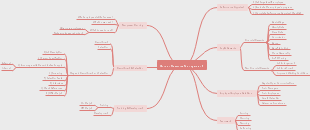
Amazon-Style Ecommerce Frontend: In-Depth Breakdown 1. Homepage Design Ki thake? Product categories: Electronics, Books, Fashion, etc. Featured products / deals: Flash sales, discounts, daily deals. Search bar: Homepage er top e prominent position e. Navigation bar: Home, Categories, Cart, Profile, Offers. Banners / promotional sliders: Brand campaigns, upcoming sales. Keno dorkar? Homepage holo user er prothom impression. User k easily product category te niye jete help kore. Featured deals user ke attract kore purchase decision baray. 2. Product Categories Ki thake? Category list (e.g. Electronics, Apparel) sidebar ba top navigation e. Each category e product listing thake. Keno dorkar? User jekono product category-te easily access pete pare. Shopping experience organized & smooth hoy. 3. Product Listing Page Ki thake? Category-wise product display in grid/list. Each product er image, name, price, rating dekha jai. Filters: Price range, brand, rating, offers. Sorting: Price low-high, popularity, newest. Pagination or infinite scroll for navigation. Keno dorkar? User khub easy bhabe product browse korte pare. Filter and sort diye tar iccha moto product easily choose korte pare. 4. Product Details Page Ki thake? Product images with carousel/gallery view. Product title, description, price, discount. Rating & reviews section. Stock availability. Add to cart / Buy now button. Related product suggestions. Keno dorkar? User full product information peye purchase decision nite pare. Reviews trust baray. Related products user ke aro shopping korte inspire kore. 5. Shopping Cart Page Ki thake? User selected products list. Quantity change, product remove option. Total cost calculation including taxes and shipping. Checkout button. Keno dorkar? User shopping finalize kore. Clear idea dey, order confirm korar age ki ki ache. 6. User Authentication UI Ki thake? Login & Signup forms. Password reset, social login options. User profile page with order history & wishlist. Keno dorkar? Personalized shopping experience. Order tracking possible hoy. User data securely store kora jai. 7. Search Functionality Ki thake? Search bar with autocomplete suggestions. Search results page showing matched products. Keno dorkar? User quickly product khuje pabe. Autocomplete user experience smooth kore. 8. Responsive Design Ki thake? UI sob device (desktop, tablet, mobile) e perfect dekha jai. Touch friendly buttons on mobile. Keno dorkar? Majority user mobile device use kore. Accessibility & usability baray. 9. Footer Ki thake? Important links (Contact, About, FAQ, Terms & Conditions). Social media icons. Payment method logos. Keno dorkar? Extra info provide kore. Website credibility baray. Overall Frontend Role: User interface (UI) design: Attractive, easy to use. User experience (UX): Smooth shopping journey. Data representation: Product info, prices, reviews. Interaction: Buttons, filters, search. Responsiveness: Sob device e flawless. Definitely! React + Next.js + TypeScript + Tailwind CSS stack niye aro full, in-depth list dichi, je gula sob frontend ecommerce moto project er jonno proyojon hoy — including je tools, concepts, ar bhalo practice gula missing chilo: Complete Frontend Stack & Essentials for Amazon-Style Ecommerce Website 1. React Component-based UI development (reusable components). Virtual DOM for fast rendering. JSX syntax (HTML-like inside JS). React Hooks (useState, useEffect, useContext, etc). React Router (for client-side routing, but Next.js has built-in routing). Error boundaries for graceful error handling. 2. Next.js File-based routing system (pages/ folder). Server-Side Rendering (SSR) for SEO & fast initial load. Static Site Generation (SSG) for performance & caching. Incremental Static Regeneration (ISR) for partial page update. API routes (backend functions inside frontend repo). Image optimization (next/image component). Middleware support (custom logic on requests). Built-in CSS and Sass support. Environment variables support for config & secrets. 3. TypeScript Static type checking (reduces runtime errors). Interfaces & Types for clear data modeling. Generics for reusable types. Type inference & strict mode for better code quality. Integration with React (React.FC, typed props & state). IDE autocomplete & better refactoring support. 4. Tailwind CSS Utility-first CSS classes (text-center, bg-blue-500, p-4, etc). Responsive design utilities (sm:, md:, lg: prefixes). Customizable via tailwind.config.js (colors, spacing, fonts). Dark mode support. Plugin ecosystem (forms, typography, animations). PurgeCSS integration (removes unused CSS to reduce bundle size). 5. State Management React Context API (small-medium app state). Redux Toolkit (large app state, complex logic). React Query (data fetching, caching). Zustand or Recoil (lightweight alternatives). 6. API Communication Fetch API / Axios for HTTP requests. SWR or React Query for caching & background updates. Handling loading, error, success states gracefully. JWT or OAuth tokens for authenticated API calls. 7. Form Handling & Validation React Hook Form (lightweight forms). Formik + Yup (schema-based validation). Client-side & server-side validation. 8. Routing & Navigation Next.js built-in routing (pages and dynamic routes). Link component for client-side navigation. Nested routes and route guards (for authentication). 9. Authentication & Authorization JWT tokens / Cookies based auth. OAuth providers (Google, Facebook login). Protecting routes and redirecting unauthenticated users. User role based access control (admin, customer). 10. Performance Optimization Code splitting & dynamic imports (React.lazy, Next.js dynamic). Image optimization (Next/Image). Caching & CDN usage. Lazy loading components and images. Minimizing JavaScript bundle size. 11. Accessibility (a11y) Semantic HTML tags. ARIA attributes. Keyboard navigation support. Screen reader friendly components. Tools: axe, Lighthouse for accessibility audits. 12. Testing Unit tests: Jest + React Testing Library. Integration tests. End-to-end tests: Cypress or Playwright. 13. Code Quality & Tooling ESLint (JavaScript/TypeScript linting). Prettier (automatic code formatting). Husky + lint-staged (pre-commit hooks to ensure code quality). Storybook (UI component development & documentation). 14. Build & Deployment Next.js build command (next build). Vercel (official Next.js deployment platform). Netlify / AWS Amplify / Firebase Hosting alternatives. Environment variables & secrets management. 15. Version Control Git for source control. GitHub/GitLab for repo hosting & collaboration. Pull requests, code reviews, branching strategies. Summary Table of This Complete Stack UI Library React Framework Next.js Typing TypeScript Styling Tailwind CSS State Management React Context, Redux Toolkit, React Query Data Fetching Fetch API, Axios, SWR, React Query Form Handling React Hook Form, Formik + Yup Routing Next.js routing system Auth JWT, OAuth, Role-based access control Performance Code splitting, Lazy loading, Next/Image Accessibility Semantic HTML, ARIA, axe, Lighthouse Testing Jest, React Testing Library, Cypress Code Quality ESLint, Prettier, Husky + lint-staged Deployment Vercel, Netlify, AWS Amplify, Firebase Version Control Git, GitHub, Pull Requests Ei list ta follow kore jodi tumi ecommerce frontend build koro, taile professional, scalable, ar maintainable ekta project tori hobe. Jodi chai ami kono ekta specific part niye aro detail tutorial o korte pari — like Next.js setup, TypeScript shikha, Tailwind CSS diye styling etc. Bolio!
Public
Subtopic
Subtopic
src
📁 assets/ → Static files 🧠 Keno use kora hoy: App er moddhe image, video, icon, font file jodi thake, segulo ke ekta alada folder e rakha hoy. Asset gulo browser load kore user ke dekhanor jonne. 🎯 Real-life use: Logo rakhar jonne → logo.png Background music → bg-music.mp3 Font → Roboto.woff 📌 Tumi jodi img src='/assets/logo.png' use koro, browser sekhan theke file load kore.
📁 src/assets Folder – Full Structure for E-Commerce Site 📁 images/ .png, .jpg, .webp Product images, banners, ads, logos 📁 icons/ .svg, .png Cart, user, home, heart, search icon 📁 logos/ .svg, .png Brand logo, partner logo 📁 fonts/ .ttf, .woff, .woff2 Custom fonts for branding 📁 videos/ .mp4, .webm Promo videos, product demos 📁 placeholders/ .jpg, .svg Placeholder images for loading state 📁 category/ .jpg, .svg Category-wise thumbnails (e.g., Electronics, Fashion) 📁 payments/ .png, .svg Payment icons (Visa, bKash, Rocket, etc.) 📁 backgrounds/ .jpg, .png, .svg Hero section background, page background 📁 flags/ .svg, .png Country flags for language/currency switcher 📁 gif/ .gif Loading spinner, animated icons 📁 shapes/ .svg, .png Decorative shapes (UI design purpose) 📁 badges/ .png, .svg "New", "Sale", "Hot" stickers 📁 brands/ .png, .svg Brand images for filters/search display 📁 seo/ .png, .jpg Open Graph images for sharing previews 📄 style-guide.md .md (Markdown) Optional: Developer branding guidelines (fonts/colors/images)
📁 components/ → Reusable UI Parts 🧠 Keno use kora hoy: Chhoto chhoto UI part ja onek jaigay use hoy seta bar bar na likhe ekbar component baniye rakha hoy. Maintain korte easy hoy, code DRY (Don’t Repeat Yourself) hoy. 🎯 Real-life use: Navbar, Footer, Button, ProductCard, Modal 📌 Ekbar button banale seta pura site e use korte paro — <Button /> diye.
📁 components/ Folder – Full Guide (for E-commerce site) 🔹 Ki thake? Reusable UI blocks/components — ja onek page e bar bar use hoy. 🧱 Common Components List Navbar.jsx Uporer navigation menu (logo, search, cart, login) Footer.jsx Nicher footer (links, policy, social icons) ProductCard.jsx Ekta product er chhoto preview card ProductList.jsx Product gulo list akare show kore CategoryCard.jsx Category wise card (e.g., Fashion, Mobile) Banner.jsx Hero/banner section (slider or image) SearchBar.jsx Search box with icon CartItem.jsx Cart page er ekta item block Loader.jsx Loading spinner ba animation Button.jsx Reusable button component (with props) RatingStars.jsx Star rating display Modal.jsx Popup modal (login, add to cart, confirm etc.) Dropdown.jsx Filter, language, user dropdown etc. ToastMessage.jsx Success/error message alert Pagination.jsx Page number navigation Breadcrumb.jsx "Home > Category > Product" er moto path dekha ProductImageGallery.jsx Product details er image zoom + change
📁 pages/ → Route-specific UI 🧠 Keno use kora hoy: Website er je je page ache (Home, Login, Profile, etc), segulo ke alada kore rakha hoy. React Router diye page switching kora jay. 🎯 Real-life use: Home.jsx → / Login.jsx → /login Cart.jsx → /cart 📌 User jokhon /login e jay, Login.jsx component render hoy.
📜 Common Pages List (E-commerce site) Home.jsx Main landing page (banner, featured products) ProductDetails.jsx Single product details view Category.jsx Product listing by category Cart.jsx Cart page with added items Checkout.jsx Order placement form Orders.jsx User er previous orders OrderSuccess.jsx Order confirm success message page Login.jsx User login page Register.jsx User registration/signup Profile.jsx User account/profile page SearchResults.jsx Search result show korar page NotFound.jsx 404 page jodi URL match na kore
📁 redux/ → Global state management 🧠 Keno use kora hoy: React component e data (state) pass kora jabe na easily jokhon deeply nested structure thake. Tokhon Redux use kore ekta centralized state banano hoy. 🎯 Real-life use: Login user information Shopping cart state Theme (light/dark mode) 📌 Jei component e dorkar, sekhane useSelector diye data pawa jay.
🛒 E-commerce Site e Redux Keno Lage? E-commerce site e onek data ase ja onek component er moddhe share korte hoy — like: 🛒 Cart Items Cart e joto product add korsi 👤 User Info Login info, auth token 📦 Order Data Order place korar porer data 🔍 Search Filters Search keyword, sort, filter 🧾 Product List Home, category, search e dekhano product list
📁 Routes/ → Route Management 🧠 Keno use kora hoy: React Router er setup alada folder e rakha hoy readability r maintainability baranor jonne. Complex app e private/public route alada korte help kore. 🎯 Real-life use: AllRoutes.jsx → all path define PrivateRoute.jsx → login check kore page dekhaay 📌 Route manage korar ekta clean pattern hoy.
🗂️ src/routes/ Folder – File & Why We Use It AllRoutes.jsx 🔹 Eta main route file. Sob route (public, private, 404) ek place e define kora lage. 🔹 App.jsx theke sudhu ekbar call korlei sob page e routing hoy. PublicRoutes.jsx 🔹 Public page (login charao jara dekhte parbe) er sob route ekhane rakhi. 🔹 Example: Home, Product Details, Login, Register. PrivateRoutes.jsx 🔹 Ei file protected route manage kore – jekhane login user chara access paoa jayna. 🔹 Example: Checkout, Orders, Profile. AppLayout.jsx 🔹 Eita hocche common layout wrapper – jekhane Navbar, Footer thake. 🔹 Jate bar bar prottek file e Navbar/Footer likhte na hoy. AdminRoutes.jsx (optional) 🔹 Only admin der jonno route access allow korar jonno. 🔹 Example: /admin, /admin/products.
📁 static/ → Dummy Data / Constant JSON 🧠 Keno use kora hoy: App er moddhe temporary data rakhar jonne. Testing ba sample UI bananor jonne use kora hoy. 🎯 Real-life use: Product list data JSON format e FAQ data 📌 API na thakle static file diye UI dekhano jay.
📁 styles/ → Custom CSS or Global Style 🧠 Keno use kora hoy: Common CSS, theme, tailwind config, or utility styles ekhane rakha hoy. App e ekta jinish shob jaigay same rakhar jonne. 🎯 Real-life use: main.css → common layout variables.scss → color/font-size define 📌 Global design maintain korte easy hoy.
📄 File Details (with Use Case) global.css Sob page e apply hoy emon CSS (font, scrollbar, body, etc.) theme.css Light/Dark theme er style set variables.css CSS variables rakhar jayga (e.g. --primary-color) tailwind.css Tailwind config jodi customize kora lage responsive.css Media queries er maddhome mobile/tablet layout fix
📄 App.jsx → Main App Container 🧠 Keno use kora hoy: Ei component hocche app er main structure. Router, navbar, footer, context, sob kichu ekhanei include hoy. 📌 Eta root component jeta browser e render hoy.
📄 main.jsx → Entry Point 🧠 Keno use kora hoy: Vite/React er backend HTML file (index.html) theke JavaScript app load hoy ei file diye. ReactDOM.createRoot ekhanei thake. 📌 App kothay render hobe seta define kore.
📄 firebase.js → Firebase Config 🧠 Keno use kora hoy: Firebase use korle (auth, database, storage), tar config ekhane rakha hoy. App firebase connect kore ei file diye. 📌 Securely Firebase setup ekbar e kora jay.
📄 config.js → App Config/Environment Settings 🧠 Keno use kora hoy: Environment-wise config (dev vs prod) Constant values, API base URL, keys etc ekhane rakha hoy 📌 Centralized config rakhar jonno easy solution.
1. .eslintrc.cjs Language: JavaScript (CommonJS syntax) Kiser jonne? Code quality check (linting rules define kore) Keno dorkar? Jeno sob developer same style-e code likhe (ex: semi-colon, indent) Manually dorkar? Haan, jodi ESLint use korte chao Bonus: VSCode auto fix korte pare ESLint error jodi setup thake
2. index.html Language: HTML Kiser jonne? React app er root container (<div id="root">) ekhanei thake Keno dorkar? React ei file a DOM inject kore (usually main.jsx diye) Manually dorkar? Na, Vite eita default banai Custom korte paro? Haan, title, favicon, SEO tag add korte paro
3. package.json Language: JSON Kiser jonne? App er engine — dependencies, version, scripts define kore Keno dorkar? NPM/Node bujhte pare ki install kora lagbe Manually dorkar? Haan, auto generate hoy (npm init), but frequently edit kora lage
4. package-lock.json Language: JSON Kiser jonne? Dependencies er exact version lock kore Keno dorkar? Build consistency — team member ra same version e kaaj korbe Manually dorkar? Na, auto create hoy npm install dile Edit korte hoy? Na, auto manage hoy
5. postcss.config.js Language: JavaScript Kiser jonne? TailwindCSS ke browser-compatible CSS e convert kore Keno dorkar? PostCSS plugin like autoprefixer lagle ei file configure korte hoy Manually dorkar? Tailwind use korle haan, auto generate o hoy
6. tailwind.config.js Language: JavaScript Kiser jonne? Tailwind er theme customize (colors, breakpoints, fonts etc.) Keno dorkar? Default design override korte chaile ei config dorkar Manually dorkar? Tailwind start korar somoy npx tailwindcss init diye generate korte hoy
7. vercel.json Language: JSON Kiser jonne? Vercel deploy settings (redirects, rewrites, headers etc.) Keno dorkar? Serverless deploy e route, headers custom korte chaile Manually dorkar? Optional – jodi special config dorkar pore
8. vite.config.js Language: JavaScript Kiser jonne? Vite bundler er config (like alias, base URL, plugins) Keno dorkar? Default config override ba alias (@) use korte hole Manually dorkar? Optional – but complex project e usually lage
Floating Topic
Floating Topic