 Wondershare EdrawMind
MindMap Gallery CISSP Apply Security Principles to Site and Facility Design
- 54
- 1
CISSP Apply Security Principles to Site and Facility Design
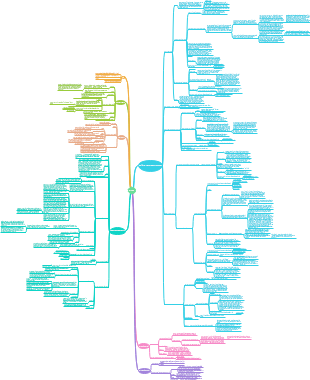
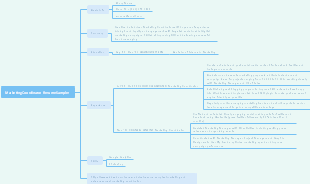
This mind map, created using EdrawMind, outlines the application of security principles in site and facility design. It covers the importance of physical security, secure facility planning based on risk assessment, site selection criteria considering proximity and environmental factors, and facility design elements like access control and natural surveillance. The map also delves into CPTED (Crime Prevention Through Environmental Design) strategies, both first-generation (physical design) and second-generation (community factors), providing a comprehensive guide to enhancing security in design.
Edited at 2025-08-24 01:49:51
- CISSP Apply Security Principles to Site and Facility Design
This mind map, created using EdrawMind, outlines the application of security principles in site and facility design. It covers the importance of physical security, secure facility planning based on risk assessment, site selection criteria considering proximity and environmental factors, and facility design elements like access control and natural surveillance. The map also delves into CPTED (Crime Prevention Through Environmental Design) strategies, both first-generation (physical design) and second-generation (community factors), providing a comprehensive guide to enhancing security in design.
- Field Trip Plan
Being energetic and present at the moment is important for all students. Irrespective of the age. Use EdrawMind to easily create your own templates!
CISSP Apply Security Principles to Site and Facility Design
- CISSP Apply Security Principles to Site and Facility Design
This mind map, created using EdrawMind, outlines the application of security principles in site and facility design. It covers the importance of physical security, secure facility planning based on risk assessment, site selection criteria considering proximity and environmental factors, and facility design elements like access control and natural surveillance. The map also delves into CPTED (Crime Prevention Through Environmental Design) strategies, both first-generation (physical design) and second-generation (community factors), providing a comprehensive guide to enhancing security in design.
- Field Trip Plan
Being energetic and present at the moment is important for all students. Irrespective of the age. Use EdrawMind to easily create your own templates!
- Recommended to you
- Outline
Apply Security Principles to Site and Facility Design
Why Physical Security Matters
Without physical security, technical/logical controls are useless.
If someone gains access, they can destroy, disclose, or alter systems.
Security begins with the facility itself.
Secure Facility Plan
Based on risk assessment + critical path analysis.
Critical Path = all dependencies for business survival (power, HVAC, internet, storage, etc.).
Watch for technology convergence (e.g., one network carrying voice, video, storage → single point of failure).
Must follow layered defense → security = a gauntlet attackers must cross.
Site Selection
Security needs > cost & location.
Evaluate proximity: noisy industries, hazardous materials, crime-prone areas.
Consider emergency services proximity.
Facility must resist local weather conditions & break-ins.
Watch for camouflage strategy (e.g., data center disguised as warehouse).
Facility Design
Top priority = safety of people.
Must comply with laws (OSHA, EPA, building codes).
Key factors: fire rating, materials, load rating, intrusion resistance, HVAC, power, water.
Secure Architecture principle → CPTED (Crime Prevention Through Environmental Design).
CPTED
First-Generation CPTED (Physical design)
Access Control
What it means: Guide people naturally toward entrances/exits and restrict access to sensitive areas.
How: Fences, bollards, gates, locked doors, turnstiles, proper lighting, clear entry paths.
Example: A corporate HQ has one well-lit main entrance with security guards, while side doors require badges and are alarmed.
Exam angle: Prevents tailgating, helps distinguish general vs restricted areas.
Natural Surveillance
What it means: Design spaces so attackers feel exposed and visible.
How: Large windows, clear sightlines, open staircases, removal of blind spots, use of lighting, and benches that encourage people to watch.
Example: A parking lot with tall lights, no bushes near entrances, and CCTV in visible spots.
Exam angle: Makes intruders uneasy because they know they can be seen.
Image & Milieu
What it means: The condition and aesthetics of an area affect how people behave.
How: Clean landscaping, no broken windows, good lighting, neat signage, visible maintenance.
Example: Compare a dark, graffiti-filled alley with overflowing trash vs. a well-maintained, bright corridor—the second deters crime naturally.
Exam angle: Poorly maintained = perception of neglect → attracts criminals.
Territorial Control
What it means: Give people a sense that the space “belongs” to someone who cares about it.
How: Company logos, flags, decorative sidewalks, controlled entrances, visible property lines.
Example: A campus with branded signs, fencing, and well-designed walkways signals ownership—intruders feel out of place.
Exam angle: Intruders are less likely to act when they feel they’re trespassing in an actively monitored space.
Second-Generation CPTED (Community factors)
Social Cohesion
What it means: People look out for one another when they feel connected.
How: Team events, neighborhood watch, employee community spaces.
Example: In a workplace where employees know each other, suspicious behavior (e.g., a stranger tailgating) is quickly noticed.
Exam angle: Strong social bonds improve natural vigilance.
Community Culture
What it means: Design should align with the values, traditions, and norms of the people using the space.
How: Respect local aesthetics, cultural practices, and social habits.
Example: A corporate office in Japan may integrate tatami meeting areas or zen gardens to resonate with employees and visitors.
Exam angle: Ignoring culture creates alienation, which weakens community ownership of security.
Connectivity
What it means: Spaces should encourage safe movement and interaction.
How: Clear pathways, parks, pedestrian-friendly zones, common areas.
Example: A tech campus that links all buildings with open walkways, bike paths, and outdoor seating areas → more “eyes on the street.”
Exam angle: Good connectivity prevents isolation → criminals cannot hide easily.
Threshold Capacity
What it means: Communities can only handle so much change before security weakens.
How: Balance growth (e.g., new construction, more workers) with stability (safety, traffic control, emergency response).
Example: A small town overwhelmed by rapid industrial growth may see increased crime if infrastructure/security doesn’t keep up.
Exam angle: Security planning must assess the “breaking point” of a community.
so...
Together, First-Gen CPTED is about physical barriers & design; Second-Gen CPTED is about people & culture. A facility is secure only when both work in harmony.
Examples
🌱 Planters under 2.5 ft → prevents hiding or climbing spots
🏢 Data center at the building core → safest place, harder to access
️Visitor parking near entrance → easy to monitor, less risk
🚚 Delivery access at back → hidden from public view, controlled entry Benches & tables outside → encourage people to sit/watch = natural surveillance
📹 Cameras in plain sight → strong deterrent effect
🚪Minimize entrances → fewer access points to guard, close unused doors
Implement site and facility security controls
Layers of Physical Security
Physical security = policies + people + tech + barriers.
📝 Administrative controls → site selection, facility design, personnel checks, awareness training, emergency procedures.
💻 Technical controls → access badges, biometrics, alarms, CCTV, HVAC monitoring, fire suppression.
🔒 Physical controls → fencing, locks, lighting, turnstiles, dogs, guards.
Order of Operations (The 6 D’s)
Controls should follow a logical flow:
🚫 Deter → discourage intruders with fences, lighting, signage.
🔒 Deny → block access with locked doors, mantraps, safes.
👀 Detect → sensors, alarms, CCTV.
⏳ Delay → slow attackers (cable locks, safes, reinforced doors).
🕵️ Determine → assess incident (guards or SOC analyze).
🛑 Decide → take action (intercept, evidence collection, escalation).
👉 A layered “gauntlet” approach makes intruders work harder at every step.
Protecting Equipment
🔗 Cable locks for laptops → not unbreakable, but discourages theft.
⚡ Plan for equipment failure:
Non-critical: 48-hr vendor replacement is okay.
Critical: On-site spares OR SLA with vendor.
⏱️ Metrics to track:
MTTF (Mean Time to Failure) = expected life span.
MTTR (Mean Time to Repair) = avg repair time.
MTBF (Mean Time Between Failures).
♻️ Replace aging hardware before it reaches MTTF.
Wiring Closets & Cable Plant Security
A cable plant = all cables + supporting equipment that carry the network.
Key components:
🚪 Entrance Facility (MDF) – where ISP line enters.
🖥️ Equipment Room – main wiring hub.
🧩 Backbone Distribution – cross-floor connections.
📦 Wiring Closet (IDF) – per-floor distribution.
📡 Horizontal Distribution – connects closets to work areas.
Protective Distribution Systems (PDS)
Conduits, sealed paths, regular inspections.
Some PDS have intrusion detection inside conduits.
Wiring Closet Best Practices 🔑
🚫 Don’t use as a storage room.
🔒 Use strong locks (badge or biometrics).
🧹 Keep tidy → avoid clutter/fire risk.
🔥 Don’t store flammables.
🎥 Install CCTV for monitoring.
🚨 Door sensors to log entries.
🧑💻 Restrict key access → admins only.
📋 Do regular inspections.
🌡️ Monitor environment → temperature, flooding, fire risk.
🏢 Inform building management about cable security policy.
🖥️ Server Rooms & Data Centers
Location & Design
🏢 Core of the building → not on ground/top floor or basement.
💧 Avoid water, gas, sewage lines → reduce flooding/leakage risk.
🔥 Walls with at least 1-hour fire rating.
❄️ Environmental controls → HVAC, humidity, low temperature.
🌑 Lights-out area → optimized for machines, not humans.
🧯 Fire suppression → halon substitutes / oxygen-displacement systems.
👉 Goal = keep servers running optimally and keep humans out unless authorized.
Access Control Technologies
🔹 Badges / Smartcards
Dumb cards → simple ID, color-coded, picture, QR/barcode.
💳 Smartcards → embedded chip, store data, often used with PIN → MFA.
🧑💻 Dual-use: open doors and log in to computers.
⚠️ Weakness → can be stolen, cloned, or subject to social engineering → use in MFA only.
🔐 Best practice → retrieve & destroy badge at offboarding.
🔹 Magnetic Stripe Cards
🧲 Similar to credit/ATM cards.
✅ Used with PIN = 2FA (something you have + something you know).
⚠️ Easy to duplicate, not strong enough for secure environments.
🔹 Visitor & Day Passes
🎫 Clearly marked (e.g., bright color).
👀 Must be visible at all times.
🛂 Visitor must be escorted.
🔹 Proximity Devices
📡 Used with proximity readers (RFID-like).
Types:
🔘 Passive → no electronics, just alters EM field (like retail antitheft tags).
🔋 Field-powered → powered by reader’s EM field (RFID cards).
📡 Transponder → self-powered, sends signal (like key fobs, garage remotes).
🔹 AREX – Automatic Request to Exit
🚪 Detects motion near exit → door unlocks automatically.
🔦 Uses motion sensors, IR sensors, or pressure mats.
⚖️ Balance → convenience vs risk of unauthorized exit.
Security Principle
🔑 Defense in Depth → combine:
📋 Policies (who can enter)
🛡️ Physical (locks, mantraps, cameras)
🔐 Technical (badges, biometrics, proximity devices)
IDS
What is a Physical IDS?
Detects unauthorized entry / breach / abnormal activity.
Can be manual (guards 👮) or automated (alarms, sensors).
Main purpose: detect + notify + trigger response.
Weak Points to Address
⚡ Power loss → fix with 24-hr battery backup.
📡 Communication cut → fix with heartbeat monitoring to check line integrity.
👉 Without these, intruders can just cut power or cables to bypass IDS.
Motion Detectors 🕵️
📹 Digital motion detector → smart camera analyzes pattern changes.
🌡️ Passive Infrared (PIR) → detects body heat changes.
📡 Microwave / Wave pattern → sends signals, monitors reflection changes.
⚡ Capacitance detector → senses changes in electric/magnetic field.
💡 Photoelectric detector → watches light levels (useful in dark rooms).
🎤 Audio detector → listens for abnormal sounds.
🔀 Dual-tech sensors → combine 2 types (e.g., PIR + Microwave) → fewer false alarms.
Perimeter Breach Detection 🌐
Contact Devices (Balanced Magnetic Switch – BMS) → detect when door/window opens.
🔦 Infrared linear beam sensors → detect beam interruption (like garage door safety).
⛔ Both trigger alarms/logging when perimeter is crossed.
Intrusion Alarms Types 🔔
By Action:
🛡️ Deterrent → lock doors, auto-close gates.
🚨 Repellent → loud sirens, flashing lights, scare intruders away.
📲 Notification (silent alarm) → alert guards/law enforcement quietly.
By Location/Response:
📢 Local alarm → audible nearby, needs guards close to respond.
🖥️ Central station system → off-site monitoring (e.g., ADT, Brinks).
🏢 Proprietary system → monitored by in-house security team.
🚓 Auxiliary system → directly alerts emergency services (fire, police, medical).
Examples
"Imagine a burglar entering a data center:
The door contact sensor (BMS) detects the door open.
A PIR motion sensor detects body heat.
A repellent alarm blares loudly 🚨.
Meanwhile, a silent notification alarm pings the guard room 👮.
If power is cut, the battery backup keeps the system running.
If lines are cut, the heartbeat signal fails → alarm triggers anyway."*
👉 This shows layered defense in action: detect, delay, notify, and respond.
Why Secondary Verification?
Why Secondary Verification?
As IDS sensitivity increases, false alarms increase (🐦 birds, 🐕 animals, 🍂 foliage, 👷 authorized staff).
Solution: Require 2+ triggers (e.g., motion detector + door contact) before raising alarm.
✅ Reduces false positives, increases confidence that alarms = real intrusions.
Security Cameras as Verification Tools
📷 Not automatic by default → need guards to watch feeds or review recordings.
👀 Extend human visibility → one guard can “see” many areas.
🧠 With AI/ML, cameras can become primary detection tools (e.g., facial recognition, object detection).
🔍 Cameras = both deterrent (visible) and detection (hidden).
CCTV & Modern Video Surveillance
🖥️ Traditional CCTV → closed loop, recorded + monitored by guards.
🌐 Modern IP Cameras → remote-controlled, often cloud-based, network-accessible.
📡 Placement → entry/exit points, hallways, around assets, parking, walkways.
🎭 Overt cameras = deterrent (intruder sees and backs off).
🕵️ Hidden cameras = detection (intruder unaware).
Camera Types & Features
🔦 Visible light → standard video.
🌡️ Infrared (IR) → works in dark.
🎬 Motion-triggered → records only on movement.
🎥 PTZ (Pan-Tilt-Zoom) → remote control to track intruders.
⚙️ Smart functions (SoC / EVS):
📅 Time-lapse recording.
🧑💻 Facial recognition.
🔫 Weapon/object detection.
👣 Gait analysis → biometric based on walking pattern.
Risks & Countermeasures
⚠️ Cameras themselves can be attacked → malware, remote control, disabling.
Dummy/decoy cameras → cheap deterrent, no actual detection.
🤖 AI/ML-enhanced cameras → better pattern/activity interpretation, reduce false positives.
Example
Imagine a motion sensor is triggered at 2 AM. Instead of immediately sounding a siren, the system checks the nearest CCTV feed. If the AI sees it’s just a stray cat 🐈, the alarm stays quiet. If it sees a masked intruder 🥷, the system confirms the alarm, locks doors, and alerts guards. This is secondary verification at work.
🔐 Physical Security – Special Topics
Access Abuses
Even with locks, badges, or biometrics, people can abuse access.
🚪 Propping open doors → bypasses security controls.
Impersonation / Masquerading → using another person’s ID.
👫 Tailgating → following behind an authorized person.
🐖 Piggybacking → being let in by an authorized person.
📋 Detection: audit trails, access logs, CCTV, and security guards.
👉 Best practice: Compare logs (who swiped in) with camera footage to catch misuse.
Media Storage Facilities 💽
Protect blank, reusable, and installation media:
🔒 Store in locked cabinet/safe (not on shelves).
👨💼 Appoint a media custodian (check-in / check-out).
♻️ For reusable media: secure wipe / zeroization before reuse.
🧾 Verify sanitization with hash checks.
🔖 Use classification labels / RFID tags for tracking.
🔥 Consider fire, flood, temperature protection for critical media.
👉 Risk: Data remnants can be recovered if only deleted/formatted → use secure wiping tools.
Evidence Storage 📂
💻 Store logs, audit trails, VM snapshots, disk images.
🔒 Dedicated system, separate from production.
🌐 Keep offline or no internet connectivity if possible.
🧮 Use hashes for integrity verification.
🧑⚖️ Restrict access → only admins + legal counsel.
🔐 Encrypt all datasets.
📜 Follow regulations / industry standards (e.g., law enforcement chain-of-custody).
Work Area Security 🏢
🌀 Concentric layers of protection → more sensitive = deeper inside.
🧱 Walls/partitions to reduce shoulder surfing & eavesdropping.
🗄️ Clean-desk policy → lock up sensitive docs & devices at end of shift.
🔑 Classify work areas → only cleared staff allowed inside.
🚷 Visitor control → escorts, badges, logs, cameras, guards.
Example: SCIF (Sensitive Compartmented Information Facility)
🛡️ Used for highly classified data (govt/military).
🚷 Strict access → only cleared + approved staff.
📵 No phones, cameras, or recording devices.
🏠 Can be permanent, temporary, in a building, aircraft, or even a ship.
🎯 Goal: prevent data leakage & espionage.
Example
Physical security isn’t only about guards and locks. It extends to how people behave (access abuse), how data is stored (media & evidence), and how workplaces are structured (clean desks, concentric zones, SCIFs).
⚡ Utility & Environmental Considerations
Power Considerations
⚡ Clean Power Needed – inconsistent power damages equipment.
🔌 Surge Protector – protects from spikes, but cuts power completely.
⚙️ Power Conditioner – filters noise + stabilizes line.
🔋 UPS (Uninterruptible Power Supply) – surge protection + clean power + backup battery.
Double Conversion UPS → always runs off battery (best, smooth).
Line-Interactive UPS → switches to battery only when grid fails (tiny delay).
🔋🏢 Battery Backups – building-level failover batteries (some solar/green).
⛽ Generators – long-term backup, fuel-based. UPS bridges gap until generator kicks in.
Power Issues (⚠️ memorize these!)
🔴 Fault = momentary complete power loss.
🌑 Blackout = prolonged power loss.
🔻 Sag = momentary low voltage.
Brownout = prolonged low voltage.
🔺 Spike = momentary high voltage.
📈 Surge = prolonged high voltage.
⚡ Inrush = startup spike when connecting load.
🌍 Ground = safe alternate path for electricity.
Noise 🔊
EMI (Electromagnetic Interference) → disrupts signals (phone, radio, LAN).
RFI (Radio Frequency Interference) → caused by appliances (fluorescent lights, motors, computers).
Countermeasures:
⚡ Power conditioning
🌍 Proper grounding
🛡️ Shielded cables & conduits
🌐 Fiber instead of copper
Temperature, Humidity & Static 🌡️💧⚡
📊 Optimal data center temp: 59°F – 89.6°F (15°C – 32°C).
🌬️ Hot/Cold Aisle Design – airflow separation for efficient cooling.
📦 Plenum spaces – HVAC airflow paths; only use plenum-rated cabling.
🔄 Maintain stable temp → avoid heat oscillations (prevents chip creep).
💨 Maintain positive air pressure + filtration → reduces dust/chemicals.
💧 Humidity Range: 20–80% RH (some allow 8–90%).
Too high = condensation → corrosion.
Too low = static buildup → ESD (Electrostatic Discharge).
Static Voltage Damage (⚠️ exam loves this table!)
⚡ 40V → destroy sensitive circuits.
⚡ 1,000V → scramble monitors.
⚡ 1,500V → corrupt hard drives.
⚡ 2,000V → shutdown systems.
⚡ 17,000V → permanent circuit damage.
Environmental Monitoring 🌍
🌡️ Monitor: temp, humidity, dust, smoke, contaminants.
🧪 Advanced: chemical, biological, radiological detectors.
⚙️
Condition Monitoring → real-time tracking of system health → predict/prevent failures
Water Issues 💦
🚱 Keep servers away from water/gas/sewage lines.
🚨 Install water-detection circuits (esp. under raised floors).
🛑 Know shutoff valves & drainage.
🌧️ Check building site risk (valley vs hill, drainage history, landscaping near walls).
🔥 Fire Prevention, Detection, & Suppression
Fire Triangle
To extinguish a fire, remove one element of the triangle:
💧 Water → reduces temperature.
🧯 Dry powder / soda acid → removes fuel.
CO₂ → removes oxygen.
🧊 Halon substitutes / inert gases → interrupt chemical reaction / oxygen.
AFFF (Aqueous Film Forming Foam) → blocks fuel + cools temperature.
Fire Stages 🚨
🌫️ Incipient Stage → ionization only, no smoke.
🚬 Smoke Stage → visible smoke.
🔥 Flame Stage → flames appear.
♨️ Heat Stage → intense heat, total burn.
👉 Early detection = easier suppression + less damage.
Fire Causes in Data Centers 🖥️
⚡ Overloaded outlets / circuits (most common).
🔥 Improper heating devices → coffee pots, hot plates, space heaters near paper/cloth.
Fire Safety Training for Personnel 👩🚒
🛑 Know 2 evacuation routes.
🚪 Follow exit signs / maps.
🧯 Trained on fire extinguishers.
📍 Rendezvous point after evacuation.
⏱️ Conduct regular drills & simulations.
❤️ Emergency training: CPR, AED, shutdown, first aid.
✅ Legal requirement: inspect fire alarms, extinguishers, elevators regularly.
Suppression Systems in IT Environments 💻
🌊 Water sprinklers → good for people safety, but can damage electronics.
❄️ Gas-based systems (halon substitutes, FM-200, Inergen) → safe for electronics.
AFFF Foam → best for liquid fuel fires.
🧯 Portable extinguishers → CO₂, dry chemical, foam types available.
Exam tip
CO₂ & Halon substitutes → best for data centers (safe for electronics).
Water & Foam → good for human safety, ❌ not safe for IT equipment.
Powder → effective but messy; ❌ not for sensitive areas.
Key takeaway for CISSP students:
Fire safety is first about protecting people, then minimizing damage to assets.
Remember the Fire Triangle, the 4 stages of fire, and the suppression types with their effects.
Example
"Imagine you’re in a data center when an electrical outlet sparks. At the incipient stage, the ionization detector trips an alarm. A CO₂ system floods the room, removing oxygen , while staff evacuate through two marked exits 🚪. Because of early detection, damage is minimal, and suppression avoids destroying servers."
Exam key points
Stage use: Extinguishers useful in Stages 1–3 (incipient → smoke → flame), NOT at Stage 4 (heat).
ABC Extinguishers → Most offices use multi-class ABC for flexibility.
🚫 Never use water on B (liquids), C (electrical), or K (oil) fires.
🚫 Never use oxygen suppression on D (metal) fires.
✅ Remember: People first, assets second → only use extinguishers if safe to do so.
Fire
Know A = solids, B = liquids, C = electrical, D = metals, K = kitchen oils and which suppression material is safe vs unsafe.
"Imagine you’re in a server room. A fire starts in the power strip 🔌 → Class C. You grab a CO₂ extinguisher (safe for electronics). But if the same fire happened in the pantry fryer 🍳 → Class K, you’d need a potassium-based extinguisher 🧂, not water, or else the burning oil would explode."
🧠 Super Memory Trick
“Ashes Boil Current Dense Kitchen.”
A = Ashes (wood/paper)
B = Boil (liquids)
C = Current (electrical)
D = Dense (metals)
K = Kitchen (oils/fats)
Fire Classes & Suppression Materials
🔥 Fire Detection & Suppression Systems
Fire Detection Systems 🚨
🌡️ Fixed-Temperature Detectors → trigger at a set temp (common, cheap, reliable).
📈 Rate-of-Rise Detectors → trigger if temp increases too quickly (can be fooled by HVAC).
🔥 Flame-Actuated → detect infrared from flames (fast, reliable, expensive).
🚬 Smoke-Actuated →
Photoelectric = detects light scattering.
Ionization = uses americium radiation to sense particles.
🧪 Incipient Smoke Detection (Aspirating Sensors) → detects chemical signs of early combustion (very costly, used in high-risk areas).
👉 Placement: under raised floors, above ceilings, server rooms, HVAC vents, elevators, basements.
Fire Alarm Systems 🔔
🔊 Loud sirens + 💡 flashing lights → immediate attention.
🔗 Can auto-notify fire department.
👩🏫 Personnel should follow training → evacuate, not investigate.
Water Suppression Systems 💧
Gas Discharge Systems
Use pressurized gases to remove oxygen or disrupt combustion.
⚠️ Dangerous for people → only for non-human areas.
✅ Best for protecting IT systems (no water/equipment damage).
Types
CO₂ → reduces oxygen + temp, but ❌ deadly to humans at 7.5%+.
❄️ Halon → effective, but toxic + ozone-depleting (banned by Montreal Protocol).
🌱 Halon Substitutes (FM-200, Inergen, Novec 1230) → eco-friendly, safe for electronics.
💨 Low-Pressure Water Mists → cools quickly, but ❌ rarely used in IT.
Exam Quick Tips 📝
Data centers → prefer Gas systems (FM-200, Inergen) or Preaction sprinklers.
CO₂ → only in unmanned areas (engine rooms, generators).
Deluge → never for IT rooms.
Incipient detectors → best for early detection but costly.
Halon → know it’s banned but still appears in CISSP exam questions.
Main Topic
Imagine a fire starts under the raised floor of a server room:
An incipient detector smells early chemical signs 🧪.
An alarm flashes & sirens go off 🔔.
Preaction sprinklers arm the pipes but wait until heads activate.
If staff confirm it’s a false alarm, they can stop water release.
If fire spreads, the sprinklers activate, while gas suppression (FM-200) in another zone silently protects the servers."
🏢 Implement & Manage Physical Security
General Principles
Signage → marks restricted areas, warns of surveillance, gives safety instructions.
🧪 Testing controls → regularly check locks, gates, turnstiles, cameras, etc.
🏷️ Zones → areas should be classified as Public, Private, Restricted.
Perimeter Security Controls 🌐
🔲 Fences
🚧 3–4 ft → deters casual trespassers.
6–7 ft → deters most intruders.
🔗 8+ ft with barbed/razor wire → stops determined intruders.
🛡️ PIDAS (Perimeter Intrusion Detection & Assessment System)
Multiple layered fences (outer, main, inner).
May include electrification, touch detection.
Space between fences = patrol corridor / guard dogs.
Used in military & prisons.
🚪 Gates
Controlled entry/exit points in a fence.
🔒 Hinges & locks must be tamper-resistant.
🚷 Keep minimum number of gates; monitor with guards, dogs, or cameras.
🔄 Turnstiles
One person at a time.
🔑 Requires credential to enter.
Controls direction of flow (entry vs exit).
Prevents tailgating & speeds up crowd control.
🚷 Person Traps (Man Traps / Access Control Vestibules)
Double-door system (one must close before the other opens).
Used for high-security areas (e.g., data centers, SCIFs).
🛑 Can trap intruder until verified by guard.
⚖️ Sometimes include a scale to prevent piggybacking.
🚗 Security Bollards & Barricades
⛔ Prevent vehicle ramming.
Can be fixed or automatic rising barriers.
Often disguised as planters / decorative elements.
Examples: bollards, K-rails, zigzag paths, tire shredders.
🔄 Avoid straight vehicle paths → reduce high-speed approach.
Tip
"A data center uses an 8 ft barbed fence 🚧. Entry is through a guarded gate 🚪, followed by a turnstile 🔄. To reach the server floor, you pass through a mantrap 🚷. Outside, bollards 🚗⛔ prevent car ramming. This layered defense delays intruders and allows guards to respond."
Key Takeaway for CISSP:
Perimeter → Fences/Gates
Controlled Access → Turnstiles/Mantraps
Vehicle Defense → Bollards/Barricades
Always layered defense = deter, delay, detect, respond.
Lighting, Guards, and Internal Controls
Lighting 💡
Most common perimeter security → deterrence only.
Exterior → dusk till dawn 🌙.
Interior → always on, motion-triggered, or emergency-triggered.
🚪 Emergency lighting → exits & escape routes.
✅ Standard: ~ 2 foot-candles (20 lux) at critical points.
Poles: distance = diameter of illumination (slightly closer for overlap).
⚠️ Avoid: glare, reflections, pointing inward that blinds guards, nuisance to neighbors.
👉 Works best with CCTV, guards, or intrusion detection
Security Guards 👮
Active human element → deter, detect, respond.
Patrols should be frequent + random (avoid patterns).
Pros: can learn patterns, make judgment calls, adapt.
Cons:
❌ Human limits (fatigue, illness, distraction, substance abuse).
❌ Can be socially engineered.
❌ Expensive.
❌ Risk-averse (may not act if life threatened).
🔄 Guards = complement to cameras, logs, & alarms.
Guard Dogs 🐕
Great deterrent + detection for perimeters.
Cons: high cost, maintenance, liability, insurance.
Often used in military & high-security perimeters.
Robot Sentries 🤖
Modern supplement → wheeled or drone-based (UAV).
Use facial recognition + anomaly detection.
Can patrol continuously but expensive and complex.
Internal Visitor Controls 🙋
Reception = choke point.
Visitors must be escorted.
📋 Visitor logs → manual or automatic (smartcards).
Segregated lobby with locked doors + CCTV.
Logs cross-reference with logical access logs in investigations.
Useful in emergency → confirm if everyone evacuated.
Keys & Locks 🔑
🔹 Conventional Locks (deadbolt, preset)
Cheap & common.
Vulnerable to:
🪛 Lock picking / shimming.
🔑 Bumping (using bump key to jump pins).
🔹 Programmable / Combination Locks 🔢
More control → can store multiple codes.
Can integrate with digital/EAC.
🔹 Electronic Access Control (EAC)
Components:
🔒 Electromagnet (keeps door closed).
🆔 Credential reader (authenticates subject).
🔄 Sensor (reengages lock when door closes).
Features:
⚠️ Alarm if door left open too long.
🚨 Intrusion alarm if forced open.
Exam tip
Exam tip
Examples
*"Imagine an office building:
The parking lot is well lit 💡 with overlapping coverage.
At reception 🚪, visitors must sign in 📋 and wear badges.
Server room entry uses an EAC lock 🔒 with smartcard + PIN.
Security guards 👮 patrol at random times, supported by CCTV 📹.
Guard dogs 🐕 cover the exterior perimeter at night."*
🌍 Environmental Issues & Life Safety
Protecting People First 👨👩👧👦
Top priority in security = human life.
After people are safe → restore environment → restore IT utilities.
Hazards: 🌊 Flooding, 🔥 Fires, ☣️ Toxic releases, 🌪️ Natural disasters, 💣 Human-made disasters.
👉 Always apply the principle: Life safety first, continuity second.
Occupant Emergency Plan (OEP) 🚪
Focuses ONLY on personnel safety (not IT).
Covers:
🚷 Minimize threats to life
🛡️ Prevent injury
😰 Handle duress
🚖 Travel & evacuation guidance
👀 Safety monitoring
🏠 Protect property from disaster damage
Difference from other plans:
OEP → People first
BCP (Business Continuity Plan) → Business operations
DRP (Disaster Recovery Plan) → IT systems
Regulatory Requirements ⚖️
Every organization must follow industry, state, national, and sometimes city-level regulations.
Examples:
👷 Safety codes
🏭 Handling hazardous materials
🧑💻 Software licensing
📑 Labor laws, hiring restrictions
✅ Regulations = baseline → security infrastructure is built on top of compliance.
Physical Security KPIs 📊
Metrics to measure effectiveness of security → helps justify cost & improvements.
Examples of KPIs:
📈 Number of incidents (successful/unsuccessful intrusions, crimes, disruptions).
⏱️ Time metrics: detection, assessment, response, recovery, restore.
🎯 Level of organizational impact.
🚨 False positives (false alarms).
👉 Baseline + historical records = essential for trend analysis.
👉 Feed into Lessons Learned phase of incident response.
👉 Used for ROSI (Return on Security Investment) & cost-benefit analysis.
Example
"Imagine a flood in the basement 🌊. Step 1: ensure all employees are safe 👨👩👧👦. Step 2: apply the OEP → evacuation routes 🚪, roll call 📋, first aid 🏥. Step 3: once safe, IT can engage DRP (restore servers). Later, management reviews KPIs: How long did it take to detect? How fast was evacuation? How much downtime occurred? Lessons learned improve future response."
Exam tip
People first → OEP before BCP/DRP.
Compliance is the baseline, not the goal.
KPIs = measure effectiveness and enable continuous improvement.