MindMap Gallery openEuler system management mind map
This is a mind map about openEuler system management, including task management, network management, process management, etc. The introduction is detailed, friends in need can quickly collect it!
Edited at 2024-02-18 15:10:53Avatar 3 centers on the Sully family, showcasing the internal rift caused by the sacrifice of their eldest son, and their alliance with other tribes on Pandora against the external conflict of the Ashbringers, who adhere to the philosophy of fire and are allied with humans. It explores the grand themes of family, faith, and survival.

This article discusses the Easter eggs and homages in Zootopia 2 that you may have discovered. The main content includes: character and archetype Easter eggs, cinematic universe crossover Easter eggs, animal ecology and behavior references, symbol and metaphor Easter eggs, social satire and brand allusions, and emotional storylines and sequel foreshadowing.
[Zootopia Character Relationship Chart] The idealistic rabbit police officer Judy and the cynical fox conman Nick form a charmingly contrasting duo, rising from street hustlers to become Zootopia police officers!
Avatar 3 centers on the Sully family, showcasing the internal rift caused by the sacrifice of their eldest son, and their alliance with other tribes on Pandora against the external conflict of the Ashbringers, who adhere to the philosophy of fire and are allied with humans. It explores the grand themes of family, faith, and survival.
This article discusses the Easter eggs and homages in Zootopia 2 that you may have discovered. The main content includes: character and archetype Easter eggs, cinematic universe crossover Easter eggs, animal ecology and behavior references, symbol and metaphor Easter eggs, social satire and brand allusions, and emotional storylines and sequel foreshadowing.
[Zootopia Character Relationship Chart] The idealistic rabbit police officer Judy and the cynical fox conman Nick form a charmingly contrasting duo, rising from street hustlers to become Zootopia police officers!
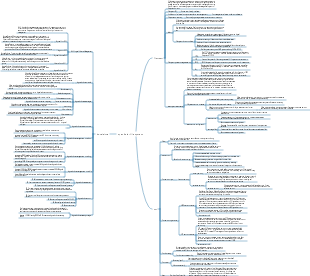
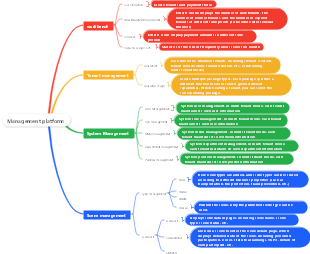
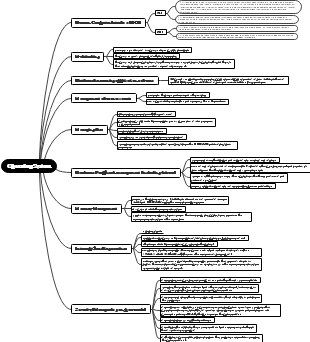
openEuler system management
task management
What is task management
During system operation and maintenance, it may be necessary to perform specific tasks at a time preset by someone.
Tasks such as sending emails regularly, backing up and clearing log files, etc.
The content of the task can be regarded as a series of commands or a script, and we need to execute it at a specific time.
Types of task management
Schedule execution, run once at a specific time: at
Executed regularly, multiple times per cycle: cron
at
The at command can specify Linux to run a script at a specific time
atd is the daemon process of at, which will run in background mode when the system starts.
The atd process regularly checks the /var/spool/at directory on the system to obtain tasks written through the at command.
systemctl status atd #status
Install and start:
yum install -y at
systemctl start at
at command
Set time - absolute timing
Set time - relative timing
execute permission
cron
cron operating mechanism
crontab command
crontab file
Example: Execute the command every Monday at 8:00 am 00 08 * * 1 commands
Example: Every two hours between 11 pm and 8 am, add sleep) text to the /tmp/tet.txt file. The corresponding lines in the crontab file are as follows: * 23-8/2 * * * echo "sleepy" >> /tmp/test.txt
Each time after editing a user's cron settings, cron automatically generates a file with the same name as the user under /var/spool/cron. This user's cron information is recorded in this file. This file cannot be edited directly and can only be edited with crontab -e. Users can also create another file and use the "cron file name" command to import cron settings.
After cron starts, it reads the crontab file every one minute to check whether the commands in it need to be executed. Therefore, there is no need to restart the cron service after the file is modified.
Edit configuration file
The cron service not only needs to read all files in /var/spool/cron once every minute, but also needs to read /etc/crontab once.
Configuration using crontab is for a certain user, while editing /etc/crontab is a task for the system.
network management
concept
equipment
Network card in the host
broadcast address
Reach the addresses of all hosts on this network segment
interface
To use a device, a driver creates an interface on the device
subnet mask
A mask that divides an IP address into two parts: the network address and the host address.
routing
The next hop address when IP packets are accessed across network segments
link
Device to network connection
ip a is equivalent to ip addr #View devices, including unconfigured network devices
Network card device configuration file
The configuration path recognized by the network device: /etc/sysconfig/network-scripts/
Configuration file: ifcfg-*
ls -l /etc/sysconfig/network-scripts/
Modify configuration file
Use the editor to modify the configuration file directly, and make a backup before modifying it.
After the configuration is modified, it will not take effect immediately. You need to restart the NetworkManger service process or restart the system.
systemctl reload NetworkManager
Show socket information
Use the ss command to view socket statistics
ss-ta
NetworkManager
NetworkManager is a daemon that dynamically controls and configures the network in the system. It is used to keep the current network devices and connections in working condition.
NetworkManager can be controlled through the command line tool nmcli, which is comprehensive, powerful and complex
Key concepts
Device: In the network, the device is the network interface;
Connection: A connection is a configuration used by a device;
Multiple connections may exist for the same device, but only one can remain active at a time
nmcli
nmcli connection show --active
Display details of a single connection: ncmcli con show "connection name", similar to the ip link command
To display device status, use: ncmcli dev status
To display device information, use: ncmcli dev show [device name]
Create connection via nmcli
View nmcli connection show
Create nmcli connection add con-name 'Demo' type Ethernet ifname en p4s0
Start/activate nmcli connection up 'Demo'
Modify connection through nmcli
View details nmcli connection show 'Demo'
Take modifying the DNS server as an example nmcli connection modify 'Demo' ipv4.dns 192.168.100.250
Configuration parameters can add or delete values, use the /- symbol before the parameters, such as: add a secondary DNS server nmcli con mod "Euler" ipv4.dns 114.114.114.114
After the modification is completed, the connection in the up activity is required to make it effective: nmcli con up "Euler'
routing
Routing
In order for two hosts in different subnets to communicate with each other, we need to look at a mechanism that can describe how to get from one host to another. This mechanism is called: Routing. Routing is done through routing. item to describe
A routing item is a pair of predefined addresses, including: Destination and Gateway
The meaning of routing items is that communication with the destination can be completed through the gateway; the routing table is a collection of multiple routing items.
route
View route -n
Add new route
route [-f] [-p] [Command [Destination] [mask Netmask] [Gateway] [metric Metric]] [if Interface]]
route add -net 192.168.101.0 netmask 255.255.255.0 dev enp4s0
route add -host 192.168.100.10 dev enp4s0
Delete route
route del [-net]-host] [netmask Nm] [gw Gw] [[dev] If]
route del -host 192.168.100.10 dev enp4s0
nmcli configure static routing
Use the nmcli command to configure static routes for network connections, as follows: nmcli connection modify enp3s0 ipv4.routes "192.168.122.0/24 10.10.10.1"
Use the editor to configure static routing and use the interactive command as follows: nmcli con edit type ethernet con-name enp3s0
CPU name
The host name is the name that uniquely identifies a machine in a local area network; this machine is not necessarily a physical machine, it can also be a virtual machine
cat /etc/hostname
Set hostname
Temporarily set the hostname (valid until the next restart): hostname new-name
Set the hostname permanently: hostnamectl set-hostname new-name
Set the host name by modifying the file: write new-name in the /etc/hostname file
echo "new-name" > /etc/hostname
hosts file
There are some hosts in the LAN, and we can access them through IP addresses. As the number of hosts in the LAN increases, the P address is difficult to remember. We hope to directly access other hosts through the host name. At this time, we can record the host through a Find these hosts in the table of names and IP addresses. This table is hosts.
cat /etc/hosts
hosts and DNS
As the number of hosts in the network increases, it is difficult for a single hosts file to carry numerous mapping relationships.
When the IP corresponding to the domain name cannot be found in hosts, the host will submit the domain name to the domain name resolution server (DNS), and then the DNS returns the IP to the host. This process is called: domain name resolution
DNS is like a public hosts file/distributed database
Query DNS records
nslookup exam.openEuler.com
Process management
Process introduction
Process is the entity of a running program in the computer and is a specific implementation of the program.
When each Linux process is created, it is assigned a memory space, that is, the system allocates a certain logical address space to the process.
process life cycle
Each incoming process has a unique process D (PID), which is used to track the process
Any process can create a child process by copying its own address space (fork). The child process records the ID of the parent process (PPID).
The first system process is systemd, all other processes are its descendants
process status
Running status (TASKRUNNING)
It is a combination of running state and ready state, indicating that the process is running or ready to run. The TASKRUNNING macro is used in Linux to represent this state.
Interruptible sleep state (light sleep) (TASKINTERRUPTIBLE)
The process is sleeping (blocked) and is awakened when waiting for the arrival of resources. It can also be awakened by signals from other processes or interrupts and enter the run queue. Linux uses the TASK INTERRUPTIBLE macro to represent this status
Uninterruptible sleep state (deep sleep state) (TASKUNINTERRUPTIBLE)
It is basically similar to light sleep, but one thing is that it cannot be awakened by other process signals or clock interrupts. Linux uses the TASK_UNINTERRUPTIBLE macro to represent this status
Paused state (TASKSTOPPED)
Process execution is suspended to receive some kind of processing. If the process being debugged is in this state, Linux uses the TASK STOPPED macro to represent this state.
TASK ZOMBIE
The process has ended but the PCB has not been released, Linux uses The TASKZOMBIE macro represents this status
process priority
The CPU resource (time slice) allocation of a process refers to the priority of the process (priority)
Processes with higher priority have priority execution rights
Configuring the priority of the process is very useful for Linux in a multi-tasking environment and can improve system performance.
Use the ps command to view the process ps -l
Process priority is determined by dynamic priority (PRI) and static priority (PR), which is a number that determines the order of processes in the CPU. The higher the priority process, the greater the chance of being executed by the processor.
Based on the behavior of the process, the kernel uses heuristics to decide whether to turn dynamic priority on or off. You can directly modify the static priority of the process through the nice level. The process with a higher static priority will get a longer time slice (the time slice is the execution time of the process in the processor)
Linux supports nice levels from 19 (lowest priority) to -20 (highest priority), and the default is just 0. Only root users can adjust the nice level of a process to a negative number (giving it a higher priority)
Adjust process priority
Nice command syntax, priority (adjustment value range -19 ~ 20): nice [-n adjustment] [command [arg..]]
For example, to set the priority of vi running to -18: nice -n -18 vi &
The syntax of the renice command is the same as that of nice. The target objects are program group-g, process-p, and user-u. The syntax format is: renice [-n adjustment] [-] <pid>
For example, set the priority of vi running to 12: renice -n 12 -p 9700
View the nice description: nice-help; view the renice description: renice-h
You can also use top to change the NI value of the process: Press "r" after entering top -> Enter the process PID -> Enter the nice value
Foreground and background processes
The background process hardly interacts with the user and has a slightly lower priority.
The Linux daemon is a special background process that is independent of the terminal and periodically performs tasks or waits for wake-up.
The foreground process interacts with users and requires higher response speed and higher priority.
The foreground process is the process that the user uses to control the terminal.
Guarding means not being controlled by the terminal.
Most Linux servers are implemented using daemon processes. For example, Internet server inetd, Web server httpd, etc. At the same time, the daemon process completes many system tasks. For example, job planning process crond, printing process lpd, etc.
Daemon processes are generally used as system services. You can use crotab to submit, edit or delete corresponding jobs.
Daemon process is also a daemon process. Most service processes in Linux are implemented through daemon processes. For example, process No. 0 (scheduling process), process No. 1 (process). It starts running when the machine is started and stops when it is turned off.
Control foreground and background processes
&: Put & at the end of the command to execute the command in the background
Ctrl z: When a command is being executed in the foreground, press Ctrl z to put it in the background and pause it.
Ctrl c: Interrupt the currently executing command
jobs: View how many commands are currently running in the background
fg: Move the command in the background to the foreground to continue running
bg: wake up the background task and run it in the background
Commonly used ps aux or bs-ef to view process information
Management process
The current user must be the owner of the process or the root user
kill sends a signal to the process through the PID. The TERM signal is sent by default. Use the -S parameter to specify other signals: #kill 3389; #kill-s HUP 3389
killall signals the process through the process name and supports wildcards, for example #killall python*