MindMap Gallery Chapter Six Computer Network Basics
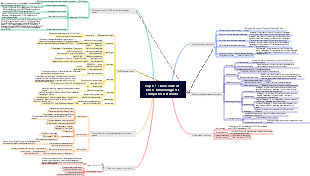
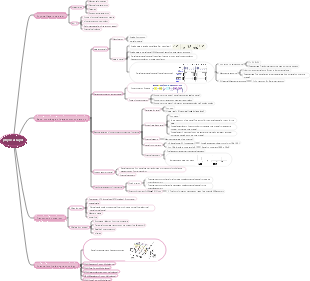
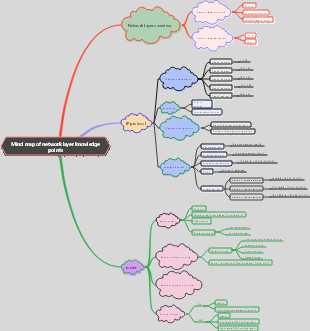
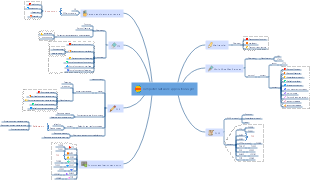
Computer Mind Map, from associate to undergraduate, summarizes the overview of computer networks, Internet services and their mechanisms, network equipment, OSI model and TCP/IP protocol.
Edited at 2024-02-04 14:31:58本テンプレートは、日本人に人気の海外リゾート地「ハワイ・オアフ島」を対象とした、5 日間の充実したモデル旅行プランを体系化したマインドマップです。初めてハワイを訪れる旅行者、リピーター、家族連れやカップルなど、多様なニーズに対応するため、旅行基本情報・持ち物チェックリスト・5 日間詳細スケジュール・オプションプラン・事前準備情報の 5 つの軸で構成されています。対象読者は日本からオアフ島へ旅行を計画中の 20〜50 代の旅行者であり、成果指標としては、情報の網羅性(渡航手続きから現地体験まで必要な項目が過不足なく含まれているか)、実用性(移動時間や費用、予約のタイミングなどの正確さ)、体験の充実度(自然・文化・アクティビティ・食事のバランス)を測定します。 ユーザーニーズ分析では、渡航準備・現地移動・体験プラン・安全情報の 4 領域を掘り下げます。渡航準備においては、ESTA 申請、飛行機の予約、為替、パスポートの有効期限、海外旅行保険など、事前に整えるべき情報が不足していると計画が難しくなります。求められる価値としては、渡航に必要な手続きの流れ、必要な持ち物リスト、季節別の服装アドバイス、現地で使えるアプリや連絡先などが考えられます。現地移動では、ワイキキ内の徒歩・バス移動、レンタカーの利用方法、空港からのアクセス、交通機関のルール(右側通行など)が主な関心事です。悩みとしては、バスの路線が分からない、レンタカーの予約手続きが不安、現地での移動時間の目安が分からないなどが挙げられます。体験プランでは、ビーチでのんびり、ダイヤモンドヘッドのハイキング、ノースショアでのサーフィン、ハレイワタウン散策、ポリネシアン・カルチャーセンターでの文化体験など、オアフ島の魅力を網羅したプランが求められます。悩みとしては、限られた日数で主要スポットを効率よく回れない、予算に合ったアクティビティの選び方が分からない、人気のレストランやショップの情報が不足しているなどが挙げられます。安全情報では、ハワイ特有の注意点(紫外線対策、海での安全ルール、治安情報)、緊急時の連絡先、現地でのトラブル対応方法など、旅行者が不安に感じる点を整理することが重要です。 5 日間のモデルコースでは、各日のテーマを明確に設定し、体験のバランスを考慮しています。1 日目は「到着日・ワイキキ慣らし」として、ホノルル国際空港に到着後、ワイキキのホテルにチェックインし、夕方からワイキキビーチでのんびりしたり、夜は地元料理を味わったりして、ハワイの雰囲気に慣れる行程です。2 日目は「自然体験&ショッピング」として、午前中にダイヤモンドヘッドのハイキングに挑戦し、午後はアラモアナセンターやワイキキでショッピングを楽しみ、夜はハワイアン・ルアウショーを鑑賞する行程です。3 日目は「歴史文化巡り」として、イオラニ宮殿やパールハーバー(真珠湾)を訪れてハワイの歴史に触れ、午後はダウンタウンホノルルで街歩きをし、夜はインターナショナルマーケットプレイスで食事や買い物を楽しむ行程です。4 日目は「北海岸&大自然体験」として、オプションでノースショアへ向かい、ハレイワタウンで散策したり、サーフィンを体験したり、美しいビーチでのんびり過ごす行程で、夜はワイキキに戻って食事を楽しみます。5 日目は「最終日・思い出作り」として、午前中にワイキキビーチでの最後の散策や、お土産を買いに街を巡り、午後は空港へ移動して帰国する行程です。各日には、おすすめの時間帯、混雑しにくいタイミング、予約が必要なアクティビティの情報などを付け加え、実際に旅行する際の参考になるよう工夫しています。 また、テンプレートには持ち物チェックリストも含まれており、パスポート・ESTA、海外旅行保険証書、現金・クレジットカード、日焼け止め・帽子・サングラス、歩きやすい靴、薬、充電器など、海外旅行に必要なアイテムをリストアップしています。さらに、事前準備情報として、ネット環境の確保、現地で使えるアプリ、緊急連絡先、季節別の服装アドバイスなども記載し、旅行者の不安を解消するようサポートします。 EdrawMind のマインドマップ機能を活用することで、ユーザーは自身の旅行スタイルに合わせて行程を追加・削除したり、好みのアクティビティをハイライトしたりすることができます。例えば、ゆっくりリゾートを楽しみたい方はショッピングやハイキングの時間を減らしてビーチでの時間を増やしたり、アクティブに過ごしたい方はノースショアでのサーフィンやダイビングを追加したりするなど、カスタマイズも自由自在です。このテンプレートは、オアフ島の旅行計画を立てる際の基盤として活用することを想定しており、主要な情報が一目で分かるよう整理されているため、初めてハワイを

本テンプレートは、古都・奈良の世界遺産、鹿とのふれあい、歴史的な雰囲気を存分に楽しむための 1 泊 2 日旅行プランを体系化したマインドマップです。修学旅行や短期文化旅行、週末の小旅行に人気の奈良を対象に、イメージ・種類・交通・宿泊の 4 つの基本軸を設け、2 日間の具体的な行程を時系列で整理しています。対象読者は大阪・京都在住の 20〜40 代の一人旅・カップル・家族連れ、初めて奈良を訪れる旅行者、世界遺産や日本文化に興味のある層であり、成果指標としては、行程の網羅性(主要スポットが過不足なく含まれているか)、実用性(移動時間や混雑情報の正確さ)、体験の充実度(鹿とのふれあい・文化体験の満足度)を測定します。 ユーザーニーズ分析では、行程・体験・交通・注意点の 4 領域を掘り下げます。行程においては、「東大寺」「春日大社」「奈良国立博物館」といった世界遺産の回り方、「奈良公園」での鹿とのふれあい、「奈良町」の古い町並み散策がユーザーの関心事となります。悩みとしては、限られた時間で主要スポットを効率よく回れない、鹿との接し方が分からない、徒歩移動の負担が心配などが挙げられます。求められる価値としては、時間帯別のおすすめルート、鹿と安全に接するためのマナー説明、無理のない徒歩移動のための休憩ポイント案内が考えられます。体験面では、鹿せんべいの購入場所や与え方、春日大社の灯篭や御朱印の魅力、奈良町のカフェや伝統工芸体験など、現地でしか味わえない体験情報が求められます。交通においては、奈良市内のバス路線や一日券の情報、主要スポット間の徒歩時間、雨天時の移動手段など、事前に知っておくべき情報が不足していると計画が難しくなります。注意点では、天候対策(夏の暑さや冬の寒さ)、スケジュールのゆとり作り、写真撮影のルールやマナー、ゴミの持ち帰りなど、旅行者が見落としがちな点を整理することが重要です。 行程の中でも、特に人気の高いスポットには詳細な情報を盛り込んでいます。「東大寺」は世界遺産に登録されており、奈良時代に建立された日本を代表する寺院で、世界最大級の木造建築物である大仏殿や、高さ約 15 メートルの盧舎那仏(奈良の大仏)が有名です。事前にコインロッカーに荷物を預けて身軽になってから訪れることで、ゆっくりと境内を散策できるほか、大仏殿の柱の穴をくぐると「厄除けになる」という言い伝えもあり、多くの観光客が体験しています。「奈良公園」は東大寺や春日大社を含む広大な公園で、約 1,300 頭の野生の鹿が自由に生息しており、鹿せんべいを使って鹿とふれあうことができます。ただし、鹿は野生動物であるため、エサの与え方や触れ方には注意が必要で、事前にルールを確認しておくことが推奨されます。「春日大社」は朱色の社殿と美しい灯篭が特徴的な世界遺産で、参道には 3,000 基を超える石灯篭が並び、神聖な雰囲気を醸し出しています。特に夜間にライトアップされた灯篭は幻想的で、写真撮影にも人気です。 1 泊 2 日のモデルコースでは、初日に東大寺・奈良公園・春日大社を巡り、夜は奈良町の古い町並みを散策して地元料理を味わう行程を提案しています。二日目には、若草山から奈良の街並みを一望した後、興福寺や奈良国立博物館を訪れ、奈良町で伝統工芸体験やカフェ巡りを楽しんでから帰路に就く流れとなっています。各スポットには、徒歩時間や混雑しにくい時間帯、おすすめの食事処などの情報を付け加え、実際に旅行する際の参考になるよう工夫しています。また、旅行の注意点として、スケジュールは体調に合わせて無理のないペースで調整すること、天候に合わせて水分補給や防寒・防暑対策を徹底すること、神社仏閣での写真撮影ルールを守ることなどを記載し、安全で快適な旅行をサポートします。 EdrawMind のマインドマップ機能を活用することで、ユーザーは自身の旅行スタイルに合わせて行程を追加・削除したり、好みのスポットをハイライトしたりすることができます。一人旅向けには静かなカフェ巡りを追加したり、家族連れ向けには鹿とのふれあい体験を充実させたりするなど、カスタマイズも自由自在です。このテンプレートは、奈良の旅行計画を立てる際の基盤として活用することを想定しており、主要な情報が一目で分かるよう整理されているため、初めて奈良を訪れる方でも安心して旅行を楽しむことができます。
本テンプレートは、東京から約90分でアクセス可能な温泉・富士山・美術館が融合したリゾート地「箱根」の週末旅行ガイドを体系化したマインドマップです。カップルや家族連れに人気の週末旅行先として、交通アクセス、観光スポット、名物料理の3軸で構成され、効率的な旅行計画と満足度の高い体験を実現することを目的としています。対象読者は東京在住の20〜40代のカップル・家族連れ、初めて箱根を訪れる旅行者、週末の小旅行を計画中の層であり、成果指標としては、情報の網羅性(必要な項目が過不足なく含まれているか)、実用性(実際の移動時間や料金の正確さ)、満足度(モデルプランの再現性)を測定します。 ユーザーニーズ分析では、交通アクセス、観光スポット、グルメの3領域を掘り下げます。交通アクセスにおいては、東京からの行き方(小田急ロマンスカー約85分・指定席、新宿→箱根湯本、普通電車約2時間・乗換2回)、箱根内の移動手段(登山電車・バス・ケーブルカー・ロープウェイ)、お得な周遊券(箱根フリーパス・2日券)の情報が不足していると計画が難しくなります。求められる価値としては、交通機関別の所要時間・料金・乗換回数を比較した表、周遊券の特典内容(主要観光施設の割引)と購入場所、移動手段ごとのメリット・デメリットが考えられます。観光スポットでは、「箱根ガラスの森美術館」「クモ箱根(早雲山駅)」「芦ノ湖の夕暮れ遊覧船」などが代表的です。悩みとしては、美術館や自然スポットが多すぎて選べない、夕暮れ時の遊覧船のベストタイミングが分からない、写真映えするスポットを知りたいなどが挙げられます。価値ある情報として、おすすめスポットの特徴と所要時間、夕暮れ時の撮影ポイント、カップル向け・家族向けの選別基準を提供します。名物料理では、「黒たまご(大涌谷)」「温泉豆腐」などが代表的です。悩みは、どこで何を食べれば良いか分からない、観光地価格に見合う価値があるか、アレルギーや食事制限への対応などです。求められる価値として、名物料理の特徴とおすすめ店舗、価格帯、食べるタイミング(例:黒たまごは大涌谷観光の合間に)を整理します。 カップルにおすすめスポットとして、「箱根ガラスの森美術館」はユネスコ世界遺産(※正確には箱根地域全体がジオパークに認定されていますが、イメージとして)の美しい庭園とガラス作品が魅力です。写真はイメージですが、実際の訪日客にも人気のスポットです。名物料理のセクションでは、「黒たまご」は大涌谷の火山活動を利用して茹でられた卵で、殻が黒くなるのが特徴です。伝統的な名物料理として、食べると寿命が延びると言われています。「温泉豆腐」も地元の温泉を利用した料理で、なめらかな食感が特徴です。これらの情報をマップ上で可視化し、移動ルートと組み合わせることで、無駄のない観光計画が立てられます。 成功するための具体施策としては、主要スポットを時系列で結んだ「1泊2日モデルコース」を提供する(例:1日目:新宿→箱根湯本→登山電車→強羅→大涌谷→芦ノ湖遊覧船→宿泊、2日目:箱根ガラスの森美術館→箱根湯本→帰京)、各スポットの「混雑予想時間帯」と「穴場時間帯」をデータで示す(例:芦ノ湖遊覧船は夕暮れ時が混雑するが、その分景色は絶景)、名物料理を食べられる店舗の「営業時間・定休日・予約可否」をリスト化する、の3点が有効です。よくある失敗とその回避策としては、移動手段の乗換えが複雑で迷ってしまうケースでは箱根フリーパスの活用と事前のルート確認を推奨すること、観光スポットの滞在時間を見誤って計画が詰まりすぎるケースでは余裕を持ったスケジューリングと優先順位付けをアドバイスすること、天候によって富士山が見えない場合の代替プラン(雨天でも楽しめる美術館や温泉施設)を用意しておくことが有効です。本テンプレートは、週末旅行ガイドのコンテンツを計画・評価する際の基盤として活用することを想定しています。
本テンプレートは、日本人に人気の海外リゾート地「ハワイ・オアフ島」を対象とした、5 日間の充実したモデル旅行プランを体系化したマインドマップです。初めてハワイを訪れる旅行者、リピーター、家族連れやカップルなど、多様なニーズに対応するため、旅行基本情報・持ち物チェックリスト・5 日間詳細スケジュール・オプションプラン・事前準備情報の 5 つの軸で構成されています。対象読者は日本からオアフ島へ旅行を計画中の 20〜50 代の旅行者であり、成果指標としては、情報の網羅性(渡航手続きから現地体験まで必要な項目が過不足なく含まれているか)、実用性(移動時間や費用、予約のタイミングなどの正確さ)、体験の充実度(自然・文化・アクティビティ・食事のバランス)を測定します。 ユーザーニーズ分析では、渡航準備・現地移動・体験プラン・安全情報の 4 領域を掘り下げます。渡航準備においては、ESTA 申請、飛行機の予約、為替、パスポートの有効期限、海外旅行保険など、事前に整えるべき情報が不足していると計画が難しくなります。求められる価値としては、渡航に必要な手続きの流れ、必要な持ち物リスト、季節別の服装アドバイス、現地で使えるアプリや連絡先などが考えられます。現地移動では、ワイキキ内の徒歩・バス移動、レンタカーの利用方法、空港からのアクセス、交通機関のルール(右側通行など)が主な関心事です。悩みとしては、バスの路線が分からない、レンタカーの予約手続きが不安、現地での移動時間の目安が分からないなどが挙げられます。体験プランでは、ビーチでのんびり、ダイヤモンドヘッドのハイキング、ノースショアでのサーフィン、ハレイワタウン散策、ポリネシアン・カルチャーセンターでの文化体験など、オアフ島の魅力を網羅したプランが求められます。悩みとしては、限られた日数で主要スポットを効率よく回れない、予算に合ったアクティビティの選び方が分からない、人気のレストランやショップの情報が不足しているなどが挙げられます。安全情報では、ハワイ特有の注意点(紫外線対策、海での安全ルール、治安情報)、緊急時の連絡先、現地でのトラブル対応方法など、旅行者が不安に感じる点を整理することが重要です。 5 日間のモデルコースでは、各日のテーマを明確に設定し、体験のバランスを考慮しています。1 日目は「到着日・ワイキキ慣らし」として、ホノルル国際空港に到着後、ワイキキのホテルにチェックインし、夕方からワイキキビーチでのんびりしたり、夜は地元料理を味わったりして、ハワイの雰囲気に慣れる行程です。2 日目は「自然体験&ショッピング」として、午前中にダイヤモンドヘッドのハイキングに挑戦し、午後はアラモアナセンターやワイキキでショッピングを楽しみ、夜はハワイアン・ルアウショーを鑑賞する行程です。3 日目は「歴史文化巡り」として、イオラニ宮殿やパールハーバー(真珠湾)を訪れてハワイの歴史に触れ、午後はダウンタウンホノルルで街歩きをし、夜はインターナショナルマーケットプレイスで食事や買い物を楽しむ行程です。4 日目は「北海岸&大自然体験」として、オプションでノースショアへ向かい、ハレイワタウンで散策したり、サーフィンを体験したり、美しいビーチでのんびり過ごす行程で、夜はワイキキに戻って食事を楽しみます。5 日目は「最終日・思い出作り」として、午前中にワイキキビーチでの最後の散策や、お土産を買いに街を巡り、午後は空港へ移動して帰国する行程です。各日には、おすすめの時間帯、混雑しにくいタイミング、予約が必要なアクティビティの情報などを付け加え、実際に旅行する際の参考になるよう工夫しています。 また、テンプレートには持ち物チェックリストも含まれており、パスポート・ESTA、海外旅行保険証書、現金・クレジットカード、日焼け止め・帽子・サングラス、歩きやすい靴、薬、充電器など、海外旅行に必要なアイテムをリストアップしています。さらに、事前準備情報として、ネット環境の確保、現地で使えるアプリ、緊急連絡先、季節別の服装アドバイスなども記載し、旅行者の不安を解消するようサポートします。 EdrawMind のマインドマップ機能を活用することで、ユーザーは自身の旅行スタイルに合わせて行程を追加・削除したり、好みのアクティビティをハイライトしたりすることができます。例えば、ゆっくりリゾートを楽しみたい方はショッピングやハイキングの時間を減らしてビーチでの時間を増やしたり、アクティブに過ごしたい方はノースショアでのサーフィンやダイビングを追加したりするなど、カスタマイズも自由自在です。このテンプレートは、オアフ島の旅行計画を立てる際の基盤として活用することを想定しており、主要な情報が一目で分かるよう整理されているため、初めてハワイを
本テンプレートは、古都・奈良の世界遺産、鹿とのふれあい、歴史的な雰囲気を存分に楽しむための 1 泊 2 日旅行プランを体系化したマインドマップです。修学旅行や短期文化旅行、週末の小旅行に人気の奈良を対象に、イメージ・種類・交通・宿泊の 4 つの基本軸を設け、2 日間の具体的な行程を時系列で整理しています。対象読者は大阪・京都在住の 20〜40 代の一人旅・カップル・家族連れ、初めて奈良を訪れる旅行者、世界遺産や日本文化に興味のある層であり、成果指標としては、行程の網羅性(主要スポットが過不足なく含まれているか)、実用性(移動時間や混雑情報の正確さ)、体験の充実度(鹿とのふれあい・文化体験の満足度)を測定します。 ユーザーニーズ分析では、行程・体験・交通・注意点の 4 領域を掘り下げます。行程においては、「東大寺」「春日大社」「奈良国立博物館」といった世界遺産の回り方、「奈良公園」での鹿とのふれあい、「奈良町」の古い町並み散策がユーザーの関心事となります。悩みとしては、限られた時間で主要スポットを効率よく回れない、鹿との接し方が分からない、徒歩移動の負担が心配などが挙げられます。求められる価値としては、時間帯別のおすすめルート、鹿と安全に接するためのマナー説明、無理のない徒歩移動のための休憩ポイント案内が考えられます。体験面では、鹿せんべいの購入場所や与え方、春日大社の灯篭や御朱印の魅力、奈良町のカフェや伝統工芸体験など、現地でしか味わえない体験情報が求められます。交通においては、奈良市内のバス路線や一日券の情報、主要スポット間の徒歩時間、雨天時の移動手段など、事前に知っておくべき情報が不足していると計画が難しくなります。注意点では、天候対策(夏の暑さや冬の寒さ)、スケジュールのゆとり作り、写真撮影のルールやマナー、ゴミの持ち帰りなど、旅行者が見落としがちな点を整理することが重要です。 行程の中でも、特に人気の高いスポットには詳細な情報を盛り込んでいます。「東大寺」は世界遺産に登録されており、奈良時代に建立された日本を代表する寺院で、世界最大級の木造建築物である大仏殿や、高さ約 15 メートルの盧舎那仏(奈良の大仏)が有名です。事前にコインロッカーに荷物を預けて身軽になってから訪れることで、ゆっくりと境内を散策できるほか、大仏殿の柱の穴をくぐると「厄除けになる」という言い伝えもあり、多くの観光客が体験しています。「奈良公園」は東大寺や春日大社を含む広大な公園で、約 1,300 頭の野生の鹿が自由に生息しており、鹿せんべいを使って鹿とふれあうことができます。ただし、鹿は野生動物であるため、エサの与え方や触れ方には注意が必要で、事前にルールを確認しておくことが推奨されます。「春日大社」は朱色の社殿と美しい灯篭が特徴的な世界遺産で、参道には 3,000 基を超える石灯篭が並び、神聖な雰囲気を醸し出しています。特に夜間にライトアップされた灯篭は幻想的で、写真撮影にも人気です。 1 泊 2 日のモデルコースでは、初日に東大寺・奈良公園・春日大社を巡り、夜は奈良町の古い町並みを散策して地元料理を味わう行程を提案しています。二日目には、若草山から奈良の街並みを一望した後、興福寺や奈良国立博物館を訪れ、奈良町で伝統工芸体験やカフェ巡りを楽しんでから帰路に就く流れとなっています。各スポットには、徒歩時間や混雑しにくい時間帯、おすすめの食事処などの情報を付け加え、実際に旅行する際の参考になるよう工夫しています。また、旅行の注意点として、スケジュールは体調に合わせて無理のないペースで調整すること、天候に合わせて水分補給や防寒・防暑対策を徹底すること、神社仏閣での写真撮影ルールを守ることなどを記載し、安全で快適な旅行をサポートします。 EdrawMind のマインドマップ機能を活用することで、ユーザーは自身の旅行スタイルに合わせて行程を追加・削除したり、好みのスポットをハイライトしたりすることができます。一人旅向けには静かなカフェ巡りを追加したり、家族連れ向けには鹿とのふれあい体験を充実させたりするなど、カスタマイズも自由自在です。このテンプレートは、奈良の旅行計画を立てる際の基盤として活用することを想定しており、主要な情報が一目で分かるよう整理されているため、初めて奈良を訪れる方でも安心して旅行を楽しむことができます。
本テンプレートは、東京から約90分でアクセス可能な温泉・富士山・美術館が融合したリゾート地「箱根」の週末旅行ガイドを体系化したマインドマップです。カップルや家族連れに人気の週末旅行先として、交通アクセス、観光スポット、名物料理の3軸で構成され、効率的な旅行計画と満足度の高い体験を実現することを目的としています。対象読者は東京在住の20〜40代のカップル・家族連れ、初めて箱根を訪れる旅行者、週末の小旅行を計画中の層であり、成果指標としては、情報の網羅性(必要な項目が過不足なく含まれているか)、実用性(実際の移動時間や料金の正確さ)、満足度(モデルプランの再現性)を測定します。 ユーザーニーズ分析では、交通アクセス、観光スポット、グルメの3領域を掘り下げます。交通アクセスにおいては、東京からの行き方(小田急ロマンスカー約85分・指定席、新宿→箱根湯本、普通電車約2時間・乗換2回)、箱根内の移動手段(登山電車・バス・ケーブルカー・ロープウェイ)、お得な周遊券(箱根フリーパス・2日券)の情報が不足していると計画が難しくなります。求められる価値としては、交通機関別の所要時間・料金・乗換回数を比較した表、周遊券の特典内容(主要観光施設の割引)と購入場所、移動手段ごとのメリット・デメリットが考えられます。観光スポットでは、「箱根ガラスの森美術館」「クモ箱根(早雲山駅)」「芦ノ湖の夕暮れ遊覧船」などが代表的です。悩みとしては、美術館や自然スポットが多すぎて選べない、夕暮れ時の遊覧船のベストタイミングが分からない、写真映えするスポットを知りたいなどが挙げられます。価値ある情報として、おすすめスポットの特徴と所要時間、夕暮れ時の撮影ポイント、カップル向け・家族向けの選別基準を提供します。名物料理では、「黒たまご(大涌谷)」「温泉豆腐」などが代表的です。悩みは、どこで何を食べれば良いか分からない、観光地価格に見合う価値があるか、アレルギーや食事制限への対応などです。求められる価値として、名物料理の特徴とおすすめ店舗、価格帯、食べるタイミング(例:黒たまごは大涌谷観光の合間に)を整理します。 カップルにおすすめスポットとして、「箱根ガラスの森美術館」はユネスコ世界遺産(※正確には箱根地域全体がジオパークに認定されていますが、イメージとして)の美しい庭園とガラス作品が魅力です。写真はイメージですが、実際の訪日客にも人気のスポットです。名物料理のセクションでは、「黒たまご」は大涌谷の火山活動を利用して茹でられた卵で、殻が黒くなるのが特徴です。伝統的な名物料理として、食べると寿命が延びると言われています。「温泉豆腐」も地元の温泉を利用した料理で、なめらかな食感が特徴です。これらの情報をマップ上で可視化し、移動ルートと組み合わせることで、無駄のない観光計画が立てられます。 成功するための具体施策としては、主要スポットを時系列で結んだ「1泊2日モデルコース」を提供する(例:1日目:新宿→箱根湯本→登山電車→強羅→大涌谷→芦ノ湖遊覧船→宿泊、2日目:箱根ガラスの森美術館→箱根湯本→帰京)、各スポットの「混雑予想時間帯」と「穴場時間帯」をデータで示す(例:芦ノ湖遊覧船は夕暮れ時が混雑するが、その分景色は絶景)、名物料理を食べられる店舗の「営業時間・定休日・予約可否」をリスト化する、の3点が有効です。よくある失敗とその回避策としては、移動手段の乗換えが複雑で迷ってしまうケースでは箱根フリーパスの活用と事前のルート確認を推奨すること、観光スポットの滞在時間を見誤って計画が詰まりすぎるケースでは余裕を持ったスケジューリングと優先順位付けをアドバイスすること、天候によって富士山が見えない場合の代替プラン(雨天でも楽しめる美術館や温泉施設)を用意しておくことが有効です。本テンプレートは、週末旅行ガイドのコンテンツを計画・評価する際の基盤として活用することを想定しています。
computer network basics
1. Overview of Computer Networks
computer network definition
Multiple computers are connected according to certain rules to form a computer network
Computer network is the product of the combination of computer technology and communication technology
The essence of computer network is for information exchange and resource sharing
functions of computer network
1. Data communication (information exchange)
Information exchange through communication subnets
2. Resource sharing (hardware, software, data resources)
Resource sharing through resource subnets
3. Distributed processing
4. Improve system reliability and security
The composition of a computer network
From the physical connection point of view
Composed of computers, network nodes and communication links
From the perspective of logical functions (two major subnets/double selection)
Communication subnet
Provides communication functions for computer networks, with the main task being data transmission
resource subnet
Provides access to the network and the ability to process data
Classification of computer networks
By distribution/coverage/geographical scope
LAN (Local Area Network)
Small range, high transmission rate, use home network, campus network, office network or the entire building network
MAN (Metropolitan Area Network)
city limits
WAN (Wide Area Network)
Provincial and national
According to transmission medium
wired network
wired transmission medium
According to the distance of the transmission line, it is divided into
twisted pair
Two mutually insulated copper wires twisted together
Maximum length: 100 meters
Currently, the most commonly used LANs are Category 5 unshielded twisted pairs (network cables).
It consists of 4 pairs (8 wires) of different colors. Both ends of the cable are equipped with (LAN) RJ-45 connectors, commonly known as crystal heads.
According to different international standards, the wiring sequence is divided into
568A standard
568B standard
coaxial cable
It uses hard copper wire as the core and is covered with a layer of insulating material. It is generally not used in local area networks.
optical fiber
Features: long transmission distance, fast speed, strong anti-interference ability
Material: fiberglass
propagating light signal
Disadvantages: Not easy to fold, inconvenient wiring, requires professional maintenance
Wi-Fi
wireless transmission medium
Radio, infrared, microwave communications and satellite communications, etc.
According to the nature of network usage
public network
private network
According to network topology
star structure
Features: Central node, centralized control, using Hub (hub) connection.
Once the central node fails, the entire network will be paralyzed (the central node determines reliability)
bus structure
Features: The bus uses a single communication line as a public transmission channel (shared transmission). All nodes are connected to the bus through corresponding interfaces and perform data transmission through the bus.
If the bus is broken, the entire network will be paralyzed.
ring structure
Features: sequentially connected to each other, forming a closed ring, (one-way transmission) token transmission/delivery
When one node fails, it may cause the entire network to be paralyzed.
tree structure
Bidirectional transmission
Suitable for metropolitan area network
grid
Suitable for WAN
Computer network performance indicators
1.Transmission rate
Understand: The rate at which a computer transmits data over a digital channel
unit
Basic unit: bps (bits per second) --- how many binary bits can be transmitted per second
There are also Kbps, Mbps, Gbps - how many Kb/Mb/Gb can be transmitted per second
eg: 100M Ethernet refers to Ethernet with a rate of 100Mbps
2. Broadband
Concept: the data capacity that a communication line can transmit, the maximum amount of data that can pass
Unit: Same as transmission rate
3. Bit error rate
Concept: It is an indicator that measures the accuracy of data transmission within a specified time.
The lower the bit error rate, the more reliable it is
Bit error rate = incorrect codes/total number
The origin and development of the Internet
Internet: The Internet is formed by connecting computer networks of different types and sizes around the world.
origin
The predecessor of the Internet was the ARPANET created by the U.S. Department of Defense in 1969 (for military purposes).
China joined the Internet in 1994, and our country initially had four major computer networks
1.CSTNET: China Science and Technology Computer Network
2.CERNET: China Education and Research Computer Network
Education and scientific research
3.ChinaNET: China Public Computer Internet, referred to as China Internet
4.ChinaGBN: China National Public Economic Information and Communication Network, also known as Jinqiao Network
Business
Computer network development trends
Three networks in one (multiple choices)
Communications network
computer network
cable TV network
2.Internet services and their mechanisms
Main services of the Internet
1. Global Information Network WWW (world wide web):
Also called the World Wide Web or Web
use
Hypertext Markup Language (HTML)
web extension
.htm
.html
A language for writing static web pages
Hypertext Transfer Protocol (HTTP)
Essence: It is an information query/retrieval tool on the Internet
How information is organized: hypertext, hypermedia (both with links)
2.E-mailE-mail
The nature of email
work process
E-mail is the hard disk space divided on the e-mail server.
Hard drive space on the server where email is sent and received between servers on the network
Email related protocols
Sending files requires the SMTP protocol
SMTP: Simple Mail Transfer Protocol
Receiving emails requires the POP protocol
POP or POP3: Post Office Protocol
Email format
Format
username@emailservername (or domain name)
eg:xu_tj@163.com
Precautions
1. Look at the symbol @
2. Is the domain name legal?
3. Not case sensitive
send email
1. When sending mass emails, you need to separate multiple email addresses with commas, semicolons or spaces.
2. Emails with paperclip icons contain attachments
Up to 5 attachments can be pasted
Email attachments can be pictures, text, sounds, videos, compressed files, etc.
Note: The attachment can be any file, but cannot be a folder (the folder can be sent after being compressed), separate text
fill in
1. Recipient’s address (required)
CC: know each other
Secret delivery: Don’t know each other
Features
1. Quickness
2.Economy
3. Flexibility
4. Diversity
3. Remote login (Telnet)
Users can temporarily turn their computer into a remote computer emulation terminal
4. File transfer (FTP)
Upload: from your local computer to a server on the network
Download: from server to local
7. File download, upload and FTP
upload
Save local files to server
download
Save server files to local
working principle
C/S mechanism: client/server mechanism
Uploading and downloading require the FTP protocol (File Transfer Protocol)
FTP server
There are two types of FTP servers
anonymous server
Free, no registration required, only browsing and downloading files. You can use anonymous and gues as the login account when logging in to the anonymous server.
non-anonymous server
There is a fee, user registration is required, and the most permissions include uploading, downloading, browsing, modifying, and deleting files.
5. Electronic billboard (BBS)
That is, online forums and public areas
eg: Baidu Tieba, Weibo, forum, etc.
6. Instant messaging (IRC)
Instant sending and receiving function
WeChat, QQ, IP phone, SMS, etc.
The mechanism of the Internet
The Internet uses client/server mechanism (C/S)
Both the client and the server are computers connected to the Internet
Client computer
Service requests made using the Internet
Run the client program on the client and run the server program on the server
server
Provide resources and services to clients
Shared resources and information are stored on the server and need to be online at all times
Supplement: B/S browser/server mechanism
3. Network equipment
1. Network card NIC
Also known as network adapter or network interface card, it is necessary for Internet access
It is a hardware device that connects computers and networks, including
Wired network card
Wireless network card
Function: perform code conversion, mainly to provide a fixed network address. Each network card has a fixed globally unique physical address (MAC address)
2. Hub (HUB)
In a local area network, used to connect a server and multiple computers, used to connect a star topology
3.Reapter
Used between lines to amplify transmission signals and extend the distance of network segments
4. Modem
Commonly known as cat, used to connect computers and telephone lines
Dial-up Internet access/telephone line Internet access requires the use of a Modem
Function: Modulate the digital signal in the computer into an analog signal in the telephone line, and mediate the analog signal in the telephone line into a digital signal in the computer
Main technical indicators: transmission rate bps bits/second
Classification
Built-in
External
PC card type
The following content
5. Modem installation
modem
Divided into built-in type, external type and PC card type
Technical indicators are transmission rate (bps), bit error rate
Hardware installation
Insert the external telephone line plug into the modem's "Line in" socket.
The telephone is connected to the modem's "Phone" socket using a telephone line.
5. Bridge
6.Router
Function: Select path and determine network address
Connect to different networks or network connection devices, which are Internet devices
A local area network can be connected to other networks (such as the Internet, LAN, and WAN) so that they can communicate with each other to form a larger network.
Main work: Select an optimal path for communication between different network nodes, suitable for connecting complex large-scale networks
Routers work at the network layer
7.Switch
8.Gateway
Also known as: Protocol converter
Used to connect different types of networks and provide protocol conversion between networks
7. File download, upload and FTP
upload
Save local files to server
download
Save server files to local
working principle
C/S mechanism: client/server mechanism
Uploading and downloading require the FTP protocol (File Transfer Protocol)
FTP server
There are two types of FTP servers
anonymous server
Free, no registration required, only browsing and downloading files. You can use anonymous and gues as the login account when logging in to the anonymous server.
non-anonymous server
There is a fee, user registration is required, and the most permissions include uploading, downloading, browsing, modifying, and deleting files.
5. Network access method
Understand: Network access is to connect a computer to the Internet
ISP: International Internet Service Provider
eg: China Mobile, China Unicom, China Telecom, Internet access account and password provided by ISP
Two ways to access the Internet
account password
Username Password
Only one ISP can be connected to the Internet at a time
Network access method:
Dedicated line direct access to the network
Access the Internet via LAN
Requires network card and network cable
Connect via phone or cable TV
PSTN: Public Switched Telephone Network
online
modem
5. Modem installation
modem
Divided into built-in type, external type and PC card type
Technical indicators are transmission rate (bps), bit error rate
Hardware installation
Insert the external telephone line plug into the modem's "Line in" socket.
The telephone is connected to the modem's "Phone" socket using a telephone line.
Function: Conversion between digital and analog
ISDN: Integrated Services Digital Network
One line
ADSL: Asymmetric Subscriber Digital Line (Broadband Network)
Cable-modem: With CATV
Light entering the network
Wireless access
Cellular technology (3G\4G\5G), satellite technology, Bluetooth technology
Wireless LAN method WLAN
wifi
5.IP address and domain name
IP address
Concept: Each computer connected to the Internet has a unique address identification (IP address)
Classification of IP addresses
According to version
IPv4
IPv4 addresses are 32-bit binary (default), using dotted decimal notation
Divide the 32-bit binary number into 4 groups, each group has 8 digits; each group is expressed in decimal and separated by decimal points.
The range of each group of decimals is 0-255
Test point: Is it legal?
illegal
eg:199.11.13
eg:11-11-1-13
eg:254.257.1.3
IPv6
IPv6 addresses are 128-bit binary
According to network size
The IP address is composed of the network number and the host number.
1. Class A (large-scale network): network number range: 1-127, subnet mask: 255.0.0.0
2. Class B (medium-scale network): 128-191, subnet mask: 255.255.0.0
3. Class C (small-scale network) 192-223, subnet mask: 255.255.255.0, the number of hosts per network is 254
4.Category D
5. Category E
example
86.25.30.122 The network number is 86 and the host number is 25.30.122
Category A
168.160.233.10 The network number is 168.160 and the host number is 233.10
Category B
201.110.15.135 network number 201.110.15, host number 135
Category C
To determine what category to use, look at the first set of ranges
Supplementary knowledge
Subnet mask: (to avoid network waste) is the basis for determining whether the IP addresses of any two computers belong to the same subnet.
method
After ANDing the IP addresses and subnet masks of the two computers, if the results are the same, it means that the two computers are on the same subnet and can communicate directly.
Test points
calculate
Usage IP addresses are divided into
Static IP address
static (permanent and unique)
Dynamic IP address
Dynamically variable (home network, personal Internet access, dial-up Internet access)
domain name
definition
A domain name is an IP address represented as a string
Precautions
1. Access a computer using either an IP address or a domain name
2. One IP address can correspond to multiple domain names, and one domain name can only correspond to one IP address.
There is a one-to-many relationship between IP addresses and domain names.
1-to-1 relationship between domain name and IP address
3. DNS adopts hierarchical naming method for domain names. A complete domain name consists of up to 5 parts.
Note: National domain names representing countries can only be used as top-level domain names and placed on the far right.
The rightmost subdomain name has the highest level (top-level domain name)
The leftmost subdomain is the lowest level
decimal point division
DNS (Domain Name Management System)
Function: Translate domain names into corresponding IP addresses. DNS stores a comparison table of domain names and IP addresses.
Country and region domain name comparison table
Common country domain names: .cn (China) .us (United States) .uk (United Kingdom) .hk (Hong Kong, China) .de (Germany)
not case sensitive
Both are two letters
The country is above all else
Category/Organizational Top Level Domain
.com
Business Organization (Business Website)
.edu
educational institution
.gov
government departments
.arts
Culture and entertainment
.org
Non-profit organizations
.net
network technology organization
.mil
military department
.info
information services
.int
international organization
4.OSI model and TCP/IP protocol
Network protocol
Concept: The rules that computers connected to the network abide by. The protocol (three elements) consists of syntax, semantics, and timing (synchronization).
Essence: Basic language and programming software for communication
In complex communication systems, protocols are layered. A typical network protocol layered protocol is
The OSI model (layer 7) proposed by ISO and the TCP/IP (Transmission Control Protocol/Internet Protocol) protocol model (layer 4) adopted by the Internet
OSI model and TCP/IP protocol
OSI 7-layer reference model, international standard
Layer 7: Application layer (high-level)
Provide users with the most commonly used applications
The sixth layer: presentation layer
Layer 5: Session layer
Layer 4: Transport layer
The transport layer provides reliable data transfer between end-to-end
The third layer: network layer
data pack
Device: Router
Function: Select path and determine network address
Layer 2: Data link layer
Data Frame
Device: Switch
The first layer: physical layer
Bitstream (binary number)
Devices that work at the physical layer include network cards, hubs, repeaters, etc.
summary
TCP/IP protocol mode layer 4
Application layer
main agreement
(Simple Mail Transfer Protocol)
SMTP
(Domain name service)
DNS
(File Transfer Protocol)
FTP
(remote login)
Telnet
(Hypertext Transfer Protocol)
HTTP
(Post Office Agreement)
POP/POP3
transport layer
main agreement
TCP (for continuous reliable protocol, slow speed)
Transmission Control Protocol
UDP (for discontinuity, unreliability, and fast speed)
user data packet protocol
Internet layer
IP (Internet Protocol/Internet Protocol)
network interface layer
Packet switching principle
Divide the information required by each client into several small packets, and occasionally send them in formation. The rule of dividing the total amount and sending it in turns is called the packet switching principle.
A header (source address destination address) needs to be added before sending the packet data.
A header-added packet is called a datagram
The computer that receives the data packet also needs to sort and restore it to the original information (removing the header)
The entire process is completed by TCP/IP protocol
The role of IP protocol: adding headers, removing headers, and selecting paths
The functions of TCP protocol: error retransmission, timeout reminder, accepting the first arriving information, data recovery
The purpose is to solve the congestion and delay problems in shared lines
The main function of the TCP protocol is data conversion (data segmentation-conversion)
Summarize
The process of becoming a datagram
1. Split (group)
2. Number
3.Add header
chapter Five
6. (Change) Use and settings of commonly used browsers
Commonly used WWW browsers with full graphical interface mainly include
Netscape Navigator
Microsoft's Internet Explorer, referred to as IE
Browser features
1. Access to all resources on the Internet
2. Collection: URLs added manually by users and saved specially. Icon: five-pointed star
3. History record function: The system automatically generates recent views, which can be deleted. Save in temporary folder
4. Website assistance function
Language and text self-switching function
Browser working status
Online (connected)
Offline (disconnected)
refresh
F5
Home page: Open the web page that automatically pops up in the browser, click the "Home" button to return to the browser's start page
URL Uniform Resource Locator
2. Website address is also called URL (Uniform Resource Locator). Every resource on the Internet has a unique address.
URL format: protocol://IP address or domain name [[:port number]/path/file name]
Note: The default protocol is HTTP (Hypertext Transfer Protocol) (can be omitted)
search engine
A search engine is also a website that provides information retrieval/query services to users.
Common ones are:
Google, Yahoo, Baidu, Sogou, NetEase, Sina, etc.
Search engines are divided into
Full text search engine
Currently widely used mainstream search engines, Google, Baidu
meta search engine
Can query multiple search engine contents at the same time
vertical search engine
Professional search, fast and direct, accurate search
Catalog book search engine
Manual/semi-automatic
search operator
1.""
2." "
Contains both
3. "-"
The latter must not be included, minus
4. "*/?"
5.Boolean search
and, called logical "and"
"A and B" contain both, and can be a space
or, or
or can be written as, comma only A or only B, or both
not, not
The latter must not be included
1.and,or,not are not case sensitive
2. Search text content must be enclosed in double quotes
Edge browser
1. How to use
1. Navigate web pages: Enter the URL and press Enter to jump to the desired web page.
2. Tabs: Supports opening multiple web pages in the same window
3. Forward and backward: mark icon
Back: Button to return to the previous page
4. Refresh and Stop: Icon
Refresh: Reload the current web page
Stop: Stop loading the current page
5. Search: Bing book search engine is used by default (Bing)
6. Reading mode:
Immersive reader that simplifies page layout
Add read:// before the URL to switch to reading mode
quit
F9
Click on "a little book icon"
7. Favorites
Stores the URL specially saved by the user
8.Download management
9. Privacy and Security
2. Setting method
Browser task manager
You can view the corresponding tasks and the corresponding memory, CPU, network, and process ID. You can only view them but cannot set them.
End process: stop loading
Change default search engine/clear browsing history/privacy and security settings
Menu button - Select the Settings option - Privacy, Search & Services
Extension and application management
Menu Button-Extended
Sync settings
Menu button-Settings-Profile-Sync
Chrome browser (Google)
Instructions
1. Change the default search engine: Menu button (three vertical dots) - Settings - Search engine - Default search engine
2. Wait: read a book
6. Setting up and using IE browser
Browser introduction
The WWW service of the Internet is integrated by the WWW server and received by the client program - the browser.
Major browsers include
1. Microsoft's Internet Explorer, referred to as IE
2. Google Chrome browser
3. Apple’s Safari browser
4. Firefox Firefox
IE browser related operations
1. Enter the URL in the address bar of the browser (you can also enter the IP address), and press F6 to position the cursor in the address bar.
2. Website address is also called URL (Uniform Resource Locator). Every resource on the Internet has a unique address.
URL format: protocol://IP address or domain name [[:port number]/path/file name]
Note: The default protocol is HTTP (Hypertext Transfer Protocol) (can be omitted)
3. Refresh: Restart loading the web page (F5)
4. Stop: Stop loading the current web page
5. Create a new tab: the shortcut key is Ctrl T
6. Favorites: Frequently visited URLs manually saved by users
7. History: The computer automatically records the visited websites and web pages in chronological order in the background. It is saved for 20 days by default. You can clear the history and set it in "Interner Options" - "General"
8. Home page: The web page that opens by default when opening the browser program. You can set the home page to "Use current page", "Use default value" and "Use new tab".
9. Search engine: Tool software specially used to search for information on the Internet. Mainstream search engines include: Baidu, Google, Sogou, etc.
Full text search engine
Currently widely used mainstream search engines
meta search engine
vertical search engine
Catalog book search engine
10. Save the network disk: Select the "File"-"Save As" option to pop up the "Save Web Page" dialog box. Web pages can be saved in 4 types:
1.Webpage.All
eg:*.htm、*.html
2.Web archive.Single file
*.mht
3. Web page. HTML only
*.htm, *html
4.Text file
*.txt
summary
If you choose to save the "Webpage. All" format, a folder will be generated while saving the webpage, which contains the images, CSS files, script files, etc. of the webpage.
11. Internet Options: There are 7 tabs in total, namely General, Security, Privacy, Content, Connection, Programs and Advanced
1. Conventional
under home page
Use current page
Use default value
Use a blank page
Browsing history and more
2. Security: Divided into four different security areas
3. Privacy: Used to prevent computer information leakage
4. Content: Graded review
Control what users browse
1 supplement: HTML
Websites and web pages
A website is stored on a web server and contains web pages
Home page
Default name
Index.html
Index.htm
Web page classification
Static pages
Unless the designer modifies the web page himself, the content of the web page will not change
dynamic webpages
Web page files contain program code
If the visited web page needs to obtain information from the database, it needs to use a dynamic web page
Related languages for web design
1.HTML
2.XML extensible markup language
3.CSS Cascading Style Sheet
4. Script language
5.HTML5
Commonly used HTML tags
Every HTML file on the Internet includes text content and HTML markup.
1. Not case sensitive
2. Most writing formats
<tagname>text content</tagname>
The structure of HTML web pages
mark
<html>: Let the browser know about the HTML file
<head>: used to define the head of the document
<title>: defines the file tag
<body>: defines the body of the document (core)
text layout markup
<p>
define paragraph
<br>
newline mark
<hr>
horizontal line mark
<br>,<hr>Only start tag
text markup format
<h1>-<h6>
The format is <hn>, n represents the level size
title tag
<font>
font mark
size attribute: controls the size of text
cloro attribute: control the color of text
face attribute: font
<b>
Bold
<i>
italics
<U>
Underline
Image, hyperlink and table markup
2 supplement.Virus
Characteristics of viruses
1. Infectiousness
The Internet is the main way to spread viruses
2. Destructive
occupy resources
Interfere with and damage system operation, and even damage hardware
3. Concealment
4. Latency
5. Parasitism
summary
Type of virus
1. According to the nature of performance
1. Benign viruses
Does not destroy system data, but abuses system resources
2. Vicious viruses
Destroy system data and files
2. Press the infection target
1. Boot virus
Will infect: The master boot sector of the disk
2. File virus
Will infect: executable file .exe .com
3. Mixed viruses
Can infect the main boot sector or files
4. Macro virus
Specially infects Word documents
.docx
.doc
5. Network worm virus
Can multiply in large numbers in the network and cause network congestion.
3. Press the parasitic medium
Symptoms of the virus
1. Screen abnormality
2. Computer operation is abnormal
3. Abnormal disk file directory
4. Other abnormalities
Pre-treatment of computer viruses
1. Prevent computer viruses
2. Check for poison and detoxify
1. Turn off the computer immediately and use anti-virus software to kill viruses.
2. Manual processing: format the disk and thoroughly disinfect the virus
3. Anti-virus software: 360, Kingsoft Antivirus
Can antivirus software kill all viruses?
No; antivirus software updates often lag behind the emergence of new viruses
3 Supplement: Firewall
an isolation technology
Anti-interior
Prevent insiders from accessing certain external information
Put outside
Prevent external intrusion and destruction
4 Supplement: Basic knowledge of computer network security
1. Possible threats and risks faced in computer networks
natural threats
man-made threat
man-made attack
Structural hazards
Software vulnerabilities
security flaw
2. Four major elements of information security
1. Technology
2.System
3. Process
4 people
3. Goals of network security
Confidentiality
integrity
Availability
4.Network security technology
1. Access control
2. Firewall
3. Encryption technology
Encrypted information: ciphertext
Unencrypted: Famous text
Cipher text becomes plain text
Legal process: decryption
illegal: decipher
4.Malware protection
5. Vulnerability management
6. Virtual Private Network Technology (VPN)
7. Viruses and anti-virus technology
5 Supplement: New technologies and applications of computer networks
1.5G technology
The fifth generation mobile communication technology is a new generation of wireless communication technology
advantage
1. Higher data transfer rate
2. Greater bandwidth
3. Higher reliability
4. Lower latency
The development direction of 5G
Diversified, comprehensive, broadband and intelligent
Key technologies of 5G
1.5G new air interface technology
2. New core network technology
3.5G security technology
5G application scenarios
1. Smart city
2.Autonomous driving
3. Telemedicine/education/office
4. Immersive entertainment
Virtual reality (VR), augmented reality (AR), ultra-high definition video
5.Industrial field
2. Internet of Things
Utilizes information sensors such as RFID (radio frequency identification), sensors, GPS, and laser scanning
Internet of Things: The Internet where things are connected. The Internet of Things is an extension of the Internet
Can realize the interconnection between people, people and things, and things and things
Key technologies of the Internet of Things
1.RFID technology (radio frequency identification technology)
It is the basic technology of the Internet of Things
2. Sensing technology
3.Embedded technology
4. Location service technology
5.IPv6 technology
Four supporting technologies of the Internet of Things
1.RFID technology (radio frequency identification technology)
2. Sensing technology
3.M2M
4. Integration of informatization and informatization
Industrial informatization
automation
Application scenarios of the Internet of Things
smart home
Smart medical
Intelligent logistics
smart transportation
smart industry
smart agriculture
3.BlockchainBlockchain
Decentralized distributed ledger technology
Characteristics of distributed ledger: More than 51% approval is authoritative
Features
1. Decentralization
essence, core
2. Anti-tampering
3. Openness
4. Independence
5. Security
6.Anonymity
1. Overview of Computer Networks
computer network definition
Multiple computers are connected according to certain rules to form a computer network
Computer network is the product of the combination of computer technology and communication technology
The essence of computer network is for information exchange and resource sharing
functions of computer network
1.Data communication
2. Resource sharing
3. Distributed processing
4. Improve system reliability
The composition of a computer network
From the physical connection point of view
Composed of computers, network nodes and communication links
From the perspective of logical function
Communication subnet
Provide communication functions for computer networks
resource subnet
Provides access to the network and the ability to process data
Classification of computer networks
Divided by distribution range
LAN (Local Area Network)
Small range, using home network, office network or whole building network
MAN (Metropolitan Area Network)
city limits
WAN (Wide Area Network)
Provincial and national
According to transmission medium
wired network
wired transmission medium
According to the distance of the transmission line, it is divided into
twisted pair
Two mutually insulated copper wires twisted together
Currently commonly used are Category 5 unshielded twisted pairs (network cables)
It consists of 4 pairs (8 wires) of different colors. RJ-45 connectors are installed on both ends of the cable, commonly known as crystal connectors.
coaxial cable
It uses hard copper wire as the core and is covered with a layer of insulating material. It is generally not used in local area networks.
optical fiber
Features: long transmission distance, fast speed, strong anti-interference ability
Wi-Fi
wireless transmission medium
Radio, infrared, microwave and satellite communications, etc.
According to the nature of network usage
public network
private network
According to network topology
star structure
Features: Central node, centralized control, using Hub (hub) connection.
Once the central node fails, the entire network will be paralyzed
bus structure
Features: The bus uses a single communication line as a public transmission channel. All nodes are connected to the bus through corresponding interfaces and transmit data through the bus.
ring structure
Features: sequentially connected to each other, forming a closed ring, token transmission/delivery
tree structure
grid
Computer network performance indicators
1.Transmission rate
Understand: The rate at which a computer transmits data over a digital channel
unit
Basic unit: bps (bits per second) --- how many binary bits can be transmitted per second
There are also Kbps, Mbps, Gbps - how many Kb/Mb/Gb can be transmitted per second
eg: 100M Ethernet refers to Ethernet with a rate of 100Mbps
2. Broadband
Concept: the data capacity that a communication line can transmit, the maximum amount of data that can pass
Unit: Same as transmission rate
3. Bit error rate
Concept: It is an indicator that measures the accuracy of data transmission within a specified time.
The lower the bit error rate, the more reliable it is
The origin and development of the Internet
Internet: The Internet is formed by connecting computer networks of different types and sizes around the world.
The predecessor of the Internet was the ARPANET created by the U.S. Department of Defense in 1969 (for military purposes).
China joined the Internet in 1994, and our country initially had four major computer networks
1.CSTNET: China Science and Technology Computer Network
2.CERNET: China Education and Research Computer Network
3.ChinaNET: China Public Computer Internet, referred to as China Internet
4.ChinaGBN: China National Public Economic Information and Communication Network, also known as Jinqiao Network
Three networks in one
Communications network
computer network
cable TV network
2.Internet services and their mechanisms
Main services of the Internet
1. Global Information Network WWW (world wide web):
Also called the World Wide Web or Web
use
Hypertext Markup Language (HTML)
Web page
.htm
.html
A language for writing static web pages
Hypertext Transfer Protocol (HTTP)
Essence: an information query tool on the Internet
2. Email (E-mail)
3. Remote login (Telnet)
Users can temporarily turn their computer into a remote computer emulation terminal
4. File transfer (FTP)
Upload: from local computer -- to a server on the network
Download: from server--local
5. Electronic billboard (BBS)
i.e. online forum
eg: Baidu Tieba, etc.
6. Instant messaging (IRC)
WeChat, QQ, etc.
The mechanism of the Internet
The Internet uses client/server mechanism (C/S)
Both the client and the server are computers connected to the Internet
Client computer
Service requests made using the Internet
Run the client program on the client and run the server program on the server
server
Provide resources and services to clients
Shared resources and information are stored on the server and need to be online at all times
3. Network equipment
1.Network card
Also known as network adapter or network interface card
It is a hardware device that connects computers and networks, including
Wired network card
Wireless network card
Function: Mainly to provide a fixed network address. Each network card has a fixed globally unique physical address (MAC address)
2. Hub (HUB)
In a local area network, used to connect a server and multiple computers, used to connect a star topology
3. Repeater (HUB)
Used between lines to amplify transmission signals and extend the distance of network segments
4. Modem
Commonly known as cat, used to connect computers and telephone lines
Function: Modulate the digital signal in the computer into an analog signal in the telephone line, and mediate the analog signal in the telephone line into a digital signal in the computer
5. Bridge
6.Router
Connect to different networks or network connection devices, which are Internet devices
A local area network can be connected to other networks (such as the Internet, LAN, and WAN) so that they can communicate with each other to form a larger network.
Main work: Select an optimal path for communication between different network nodes, suitable for connecting complex large-scale networks
Routers work at the network layer
7.Switch
8.Gateway
4.OSI model and TCP/IP protocol
Network protocol
Concept: The rules that computers connected to the network abide by. The protocol consists of syntax, semantics, and timing (synchronization).
Essence: Basic language and programming software for communication
In complex communication systems, protocols are layered. A typical network protocol layered protocol is
The OSI model (layer 7) proposed by ISO and the TCP/IP (Transmission Control Protocol/Internet Protocol) protocol model (layer 4) adopted by the Internet
OSI model and TCP/IP protocol
OSI 7-layer reference model
Layer 7: Application layer (high-level)
The sixth layer: presentation layer
Layer 5: Session layer
Layer 4: Transport layer
The third layer: network layer
data pack
Layer 2: Data link layer
Data Frame
The first layer: physical layer
Bitstream (binary number)
TCP/IP protocol mode layer 4
Application layer
main agreement
SMTP
DNS
FTP
Telnet
POP or POP3 (Post Office Protocol)
transport layer
main agreement
TCP (for continuous and reliable protocol)
UDP (for non-reliability)
Internet layer
IP (Internet Protocol)
network interface layer
Packet switching principle
Divide the information required by each client into several small packets, and occasionally send them in formation. The rule of dividing the total amount and sending it in turns is called the packet switching principle.
A header (source address destination address) needs to be added before sending the packet data.
A header-added packet is called a datagram
The computer that receives the data packet also needs to sort and restore it to the original information (removing the header)
The entire process is completed by TCP/IP protocol
The role of IP protocol: adding headers, removing headers, and selecting paths
The functions of TCP protocol: error retransmission, timeout reminder, accepting the first arriving information, data recovery
The purpose is to solve the congestion and delay problems in shared lines
5.IP address and domain name
IP address
Concept: Each computer connected to the Internet has a unique address identification (IP address)
Classification of IP addresses
According to version
IPv4
IPv4 addresses are 32-bit binary
IPv6
IPv6 addresses are 128-bit binary, using dotted decimal notation
Divide the 32-bit binary number into 4 groups, each group is 8 bits, each group is expressed in decimal and separated by decimal points
The range of each group of decimals is 0-255
According to network size
The IP address is composed of the network number and the host number.
1. Class A (large-scale network): 1-127, subnet mask: 255.0.0.0
2. Class B (medium-scale network): 128-191, subnet mask: 255.255.255.0.0
3. Class C (small-scale network) 192-223, subnet mask: 255.255.255.0, the number of hosts per network is 254
4. Category D and Category E
Usage IP addresses are divided into
Static IP address
static
Dynamic IP address
Dynamically variable (home network, personal Internet access)
domain name
DNS (Domain Name Management System)
Function: Translate domain names into corresponding IP addresses. DNS stores a comparison table of domain names and IP addresses.
Precautions
1. Access a computer using either an IP address or a domain name
2. One IP address can correspond to multiple domain names, and one domain name can only correspond to one IP address.
3. DNS adopts a hierarchical naming method for domain names. A complete domain name consists of up to 5 parts, and the rightmost sub-domain name has the highest level (top-level domain name)
Note: National domain names representing countries can only be used as top-level domain names and placed on the far right.
Common country domain names: .cn (China).us (United States).uk (United Kingdom)
organizational domain name
.com
Business Organization (Business Website)
.edu
educational institution
.gov
government departments
.arts
Culture and entertainment
.org
Non-profit organizations
.net
network technology organization
.mil
military department
.info
information services
.int
international organization