MindMap Gallery Vue3
It introduces the syntax and common extension plug-ins of vue3 in detail, which is convenient for learning and query. It is full of useful information. Interested friends can refer to it!
Edited at 2024-02-04 00:46:16This article discusses the Easter eggs and homages in Zootopia 2 that you may have discovered. The main content includes: character and archetype Easter eggs, cinematic universe crossover Easter eggs, animal ecology and behavior references, symbol and metaphor Easter eggs, social satire and brand allusions, and emotional storylines and sequel foreshadowing.

[Zootopia Character Relationship Chart] The idealistic rabbit police officer Judy and the cynical fox conman Nick form a charmingly contrasting duo, rising from street hustlers to become Zootopia police officers!
This is a mind map about Deep Analysis of Character Relationships in Zootopia 2, Main content: 1、 Multi-layer network of relationships: interweaving of main lines, branch lines, and hidden interactions, 2、 Motivation for Character Behavior: Active Promoter and Hidden Intendant, 3、 Key points of interaction: logic of conflict, collaboration, and covert support, 4、 Fun Easter eggs: metaphorical details hidden in interactions.
This article discusses the Easter eggs and homages in Zootopia 2 that you may have discovered. The main content includes: character and archetype Easter eggs, cinematic universe crossover Easter eggs, animal ecology and behavior references, symbol and metaphor Easter eggs, social satire and brand allusions, and emotional storylines and sequel foreshadowing.
[Zootopia Character Relationship Chart] The idealistic rabbit police officer Judy and the cynical fox conman Nick form a charmingly contrasting duo, rising from street hustlers to become Zootopia police officers!
This is a mind map about Deep Analysis of Character Relationships in Zootopia 2, Main content: 1、 Multi-layer network of relationships: interweaving of main lines, branch lines, and hidden interactions, 2、 Motivation for Character Behavior: Active Promoter and Hidden Intendant, 3、 Key points of interaction: logic of conflict, collaboration, and covert support, 4、 Fun Easter eggs: metaphorical details hidden in interactions.
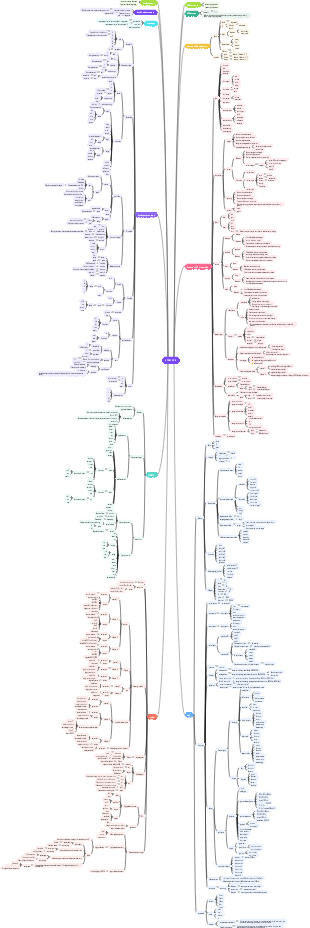
Vue3
Create project
vue create A
Template syntax
text
{{ msg }}
Anywhere
Equivalent to $A.text() in JS
Generally, it is used to set data with data() in js.
Old version
export default { name: '123', data(){ return{ msg: "Message prompt" } } }
new version
ref defines a variable, which can be reassigned using the .value attribute. ref is a repackage of reactive
reactive defines objects, cannot define basic data types, and cannot be reassigned
Raw HTML
When dynamically representing HTML with variables, double curly braces will interpret the data as normal text, not HTML
v-html=""
Equivalent to $A.html() in JS
Attributes
Use variables to dynamically represent attr
v-bind:id=""
Equivalent to $('div').attr('id', 'ID') in JS
v-bind:id can be abbreviated as:id
When we want B in A="B" to be a variable, just add: in front of A.
Simple js expressions can be supported in templates
Can
{{ number 1 }}
{{ ok ? 'YES' : 'NO'}}
{{ message.split( ' ').reverse().join( ' ')}}
no
{{ var a = 1 }}
This is a statement, not an expression
{{ if (ok) {return message} }}
Process control will not take effect, please use ternary expressions
Conditional rendering
v-if
Will only be rendered if the value is true
v-else
v-show
Will render but not display
List rendering
v-for
(x,index) in items
This command will loop len(items) times, and each time the x inside is used to get the value in items
:key="item.id"
Update in place to improve efficiency
event handling
Add event
Write directly
@click="counter = 1"
Call functions
@click="clickHandle(123)"
Old version
methods: { clickHandle(data){ console.log(data); } }
Changing the value of data in methods can be obtained through this.A
new version
You can add a parameter event, which is a native js event.
Notice
click can be triggered on any clicked object, such as <li>
Two-way binding
v-model
Can bidirectionally bind <input>, <textarea>, and <select>
Changing the value in data can change the value in <input>, Changing the value in <input> can also change the value in data
Convert an attribute to a model type
v-model:current-page="nowpage"
v-model.lazy
Will only change when <input> loses focus
v-model.trim
Remove leading and trailing whitespace when retrieving
components
suffix
.vue
content
template
script
export default object properties
name: the name of the component
data: pass data
methods: write functions
components: stores all components used in <template>
props: stores the data passed by the parent component to the child component
watch(): triggered when a certain data changes
computed: dynamically calculate a certain data
setup(props, context): initialize variables and functions
ref defines a variable, which can be reassigned using the .value attribute
Reactive definition object cannot be reassigned
context.emit(): function that triggers parent component binding
return can pass data to child components
style
scoped
If this attribute is present, this style will only take effect in the current component.
load
Introduce components
import A from ./components/A.vue
hanging on component
components:{A}
display component
<A/>
Component interaction
Parent component passed to child component
Pass html
<el-main>List</el-main>
Pass variables
method of delivery
Through props in export default in script
Passing steps
parent component
Write in the tag of the child component in the template
:A=B :C=D
If you want to pass some complex parameter B, you can write it in setup()
Here B is user
Subassembly
script
export default { name : "MyComponent", props: { A:{ type: String, default: "" }, }, }
Generally, choose one of required:true and default:""
Notice
Default values for arrays and objects must be functions
default:function(){ return []; }
default:function(){ return {}; }
In setup, you can reference the information of the parent component through props.
template
{{}} Quote
type passed
String
Number
Boolean
Array
Object
Function
Child component passed to parent component
method of delivery
Pass data through custom events
Passing steps
Subassembly
Write an event A in template
event source
Implement this event A in methods
Old version
this.$emit("B",this.message)
new version
context.emit("B"): function that triggers parent component binding
parent component
Write in the tag of the child component in the template
@B="C"
Implement this event C in methods. The event will have a parameter, which is the passed value.
C(data){}
Component life cycle
When created: beforeCreate, created When rendering: beforeMount, mounted When updating: beforeUpdate, updated When unmounting: beforeUnmount, unmounted
The eight periodic functions are at the same level as data
Introduce third parties
Swiper
carousel
Axios
network request
encapsulation
Create the utils folder in src and create the request.js file in it
Specific usage
https://www.bilibili.com/video/BV1Y84y1B7Tz?p=14&vd_source=048c7bdfe54313b8b3ee1483d9d07e38
10:16
Network request cross-domain solution
querystring
Convert to string
routing
Page jump
Write the URL that needs to be jumped in the routes in the router
<router-view>
show
<router-link to="...">
Jump
Carrying parameters
path:"/list/:A/:B"
to="/list/Baidu/1"
const route = useRoute(); {{route.params.userID}}
Nested routing
Redirect
{ path: '/:catchAll(.*)/', redirect: "/404", }
refresh
The default is to determine whether to refresh by name.
You can customize the judgment method by rewriting the key value
vuex
composition
state: use content in vuex
Getter: Filter and calculate data in Vuex
Mutation: Modify the state in the Vuex store
Old version
new version
import { useStore } from "vuex";
const store = useStore();
setup(){ store.dispatch("login", {paras}) }
Commit is a method for submitting and executing mutations. Mutations modify data and must be synchronized.
Dispatch is a method that submits and executes actions. Actions submit Mutations, which can be asynchronous operations.
action: similar to Mutation, supports asynchronous operations, but cannot modify the store
modules: submodules that define state
transfer
external
state
store.state.user.access
action
store.dispatch("function name", parameters)
mutation
store.commit("function name", parameters)
internal
mutations adjust state
state.id
call function
Change store to context
JWT
Password public key -> new string. If you have the public key, you can use it to verify whether the password is correct. But if you want to get the password through this new string, you need the private key. New string. Push back.
npm i jwt-decode
import jwt_decode from 'jwt-decode';
Note: There is a space after Bearer
ajax
If you want to use ajax on the vue page, you can write it directly in the setup, and it will be called directly when the page is generated. Of course, it can also be written in a function
If you want to use it in vuex, you need to put it in the function to trigger it.
other
setup()
Fragment without root node
Install element
npm install element-plus --save
npm install -D unplugin-vue-components unplugin-auto-import
vue.config.js
const { defineConfig } = require('@vue/cli-service') const AutoImport = require('unplugin-auto-import/webpack') const Components = require('unplugin-vue-components/webpack') const { ElementPlusResolver } = require('unplugin-vue-components/resolvers') module.exports = defineConfig({ transpileDependencies: true, configureWebpack: { plugins: [ AutoImport({ resolvers: [ElementPlusResolver()] }), Components({ resolvers: [ElementPlusResolver()] }) ] } })