 Wondershare EdrawMind
MindMap Gallery CSS front-end HTML basic course training program
- 64
- 1
- 1
CSS front-end HTML basic course training program
CSS front-end HTML basic course training program, a web page has three parts, the structure is the overall structure of the page, where is the title, where is the paragraph, where is the picture, the structure is written in HTML, and the performance is the external style of the page, such as Font, font size, font color, background.
Edited at 2022-11-08 10:53:34
- bacteria
This is a mind map about bacteria, and its main contents include: overview, morphology, types, structure, reproduction, distribution, application, and expansion. The summary is comprehensive and meticulous, suitable as review materials.
- Plant asexual reproduction
This is a mind map about plant asexual reproduction, and its main contents include: concept, spore reproduction, vegetative reproduction, tissue culture, and buds. The summary is comprehensive and meticulous, suitable as review materials.
- Reproductive development of animals
This is a mind map about the reproductive development of animals, and its main contents include: insects, frogs, birds, sexual reproduction, and asexual reproduction. The summary is comprehensive and meticulous, suitable as review materials.
CSS front-end HTML basic course training program
- bacteria
This is a mind map about bacteria, and its main contents include: overview, morphology, types, structure, reproduction, distribution, application, and expansion. The summary is comprehensive and meticulous, suitable as review materials.
- Plant asexual reproduction
This is a mind map about plant asexual reproduction, and its main contents include: concept, spore reproduction, vegetative reproduction, tissue culture, and buds. The summary is comprehensive and meticulous, suitable as review materials.
- Reproductive development of animals
This is a mind map about the reproductive development of animals, and its main contents include: insects, frogs, birds, sexual reproduction, and asexual reproduction. The summary is comprehensive and meticulous, suitable as review materials.
- Recommended to you
- Outline
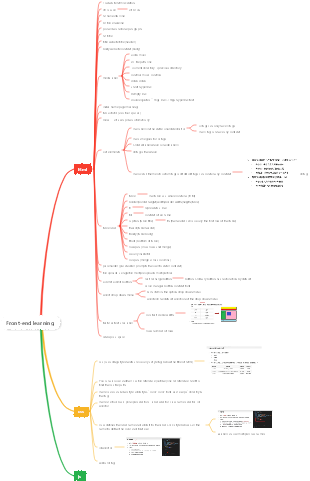
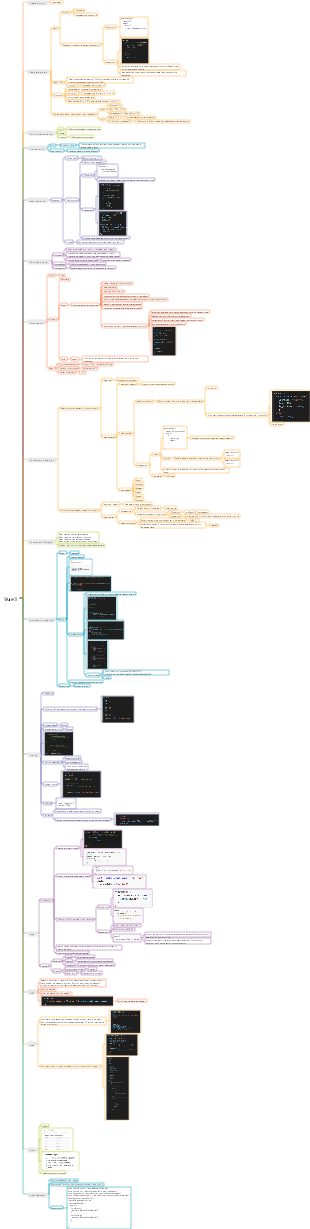
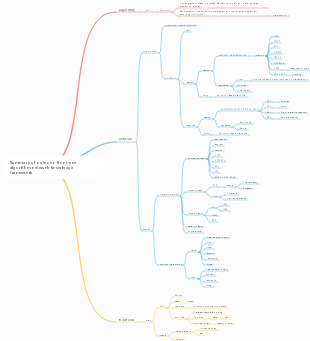
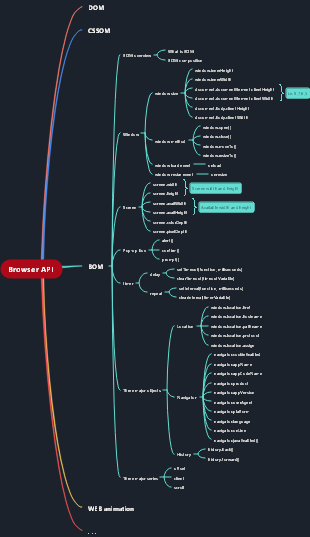

CSS front-end HTML basic course training program
CSS
CSS is called Cascading Style Sheets and is used to style elements on the page. Background color, font color, font size. . .
CSS is responsible for performance in structure, presentation, and behavior.
written location
1. Inline styles
Write the style into the style attribute of the tag
This style will only work on the current tag and cannot be reused. It is inconvenient for later maintenance and is not recommended.
2. Internal style sheet
Write the style sheet into the style tag in the head
Use internal style sheets to further separate performance and structure. You can set styles for multiple elements at the same time to facilitate later maintenance.
3. External style sheets
Write the style sheet into an external CSS file, and then introduce the external file through the link tag
Write the styles into an external style sheet. You can use the same style sheet in different pages, completely separating the performance and structure, which facilitates later maintenance. This is the recommended method.
basic grammar
Selector
Use selectors to select a group of elements on the page and then set styles for them
element selector
Select the specified element in the page based on the tag name
Syntax: tag name { }
example:
div{}
p{}
h1{}
id selector
Select a unique element based on its id attribute value
Syntax: #id {}
example:
#box1{}
#hello{}
class selector
Select a group of elements based on the element's class attribute value
Syntax: .class{}
example:
.hello{}
.box{}
wildcard selector
Select all elements on the page
grammar:*{}
The performance of wildcard selectors is relatively poor, so try to avoid using them.
Union selector
Elements matching multiple selectors can be selected at the same time
Syntax: selector 1, selector 2, selector N{}
example:
div,p,#box,.hello{}
Intersection selector
Elements that meet multiple conditions can be selected
Syntax: Selector 1 Selector 2 Selector N{}
Example: p.hello{}
Descendant element selector
Selects the specified descendant elements of the specified element
Syntax: Ancestor element Descendant element {}
example:
div span {}
div p{}
Child element selector
Select the specified child element of the specified element
Syntax: parent element > child element {}
example:
div > span {}
div >p{}
declaration block
The declaration block is actually a CSS declaration
statement
Each CSS declaration is a style, which is actually a structure of name-value pairs.
Use: link between name and value
:The left side is the name of the style
:The right side is the value of the style
Every statement ends with;
example
color:red;
font-size:20px;
relationship between elements
parent element
An element that directly contains child elements is called a parent element.
child element
Elements directly contained by a parent element are called child elements.
Ancestor elements
Elements that directly or indirectly contain descendant elements are called ancestor elements, and the parent element is also an ancestor element.
Descendant elements
Elements that are directly or indirectly contained by ancestor elements are called descendant elements, and child elements are also descendant elements.
brother element
Elements that have the same parent element are called siblings
Block elements and inline elements
block element
A block element occupies its own row on the page, regardless of its content.
Generally use block elements to layout the page
Common block elements
div
p
h1~h6
inline elements
Inline elements only occupy their own size and will not occupy a line.
Inline elements are also called inline elements (inline)
Generally, inline elements are used to set effects for text.
Common inline
span
a
img
Package rules
Generally, block elements are used to wrap inline elements, but inline elements are not used to wrap block elements.
The a element can contain any element except a itself
The p element cannot contain any block elements
Pseudo classes and pseudo elements
Pseudo-classes and pseudo-elements are used to represent a special state or a special position of the element.
:link
Represents a normal link (unvisited link)
:visited
Represents visited links
:hover
Links that the mouse moves into can also be set to hover for other elements.
:active
The link being clicked can also be set active for other elements.
:focus
Indicates the state of the element receiving focus, generally used in text boxes.
::selection
Indicates that the content is selected
In Firefox use ::-moz-selection instead
:first-letter
Represents the first character
:first-line
Represents the first line of text
:before
Select the front of the element
Generally, this pseudo-class is used in conjunction with content, through which content can be added to the specified location.
:after
Select the last edge of the element
Generally, this pseudo-class is used in conjunction with content, through which content can be added to the specified location.
attribute selector
Select the specified element based on its attributes
[attribute name]
Select elements with specified attributes
[attribute name="attribute value"]
Select elements whose attribute value is equal to the specified value
[Attribute name^="Attribute value"]
Select elements whose attribute value starts with the specified content
[Attribute name$="Attribute value"]
Select elements whose attribute value ends with the specified content
[Attribute name*="Attribute value"]
Select elements whose attribute value contains the specified content
Sibling element selector
Select the next sibling element
Previous Next
Select all following sibling elements
Previous ~ All following
Pseudo class for child elements
:first-child
Find the first child element of the parent element and sort among all child elements
:last-child
Find the last child element of the parent element and sort among all child elements
:nth-child
Find the child element at the specified position in the parent element and sort among all child elements
example
p:nth-child(3)
You can use even to find even-numbered child elements
You can use odd to find odd child elements
:first-of-type
Finds the first child element of the specified type
:last-of-type
Finds the last child element of the specified type
:nth-of-type
Finds the specified child element of the specified type
negate pseudo-class
Eliminate elements that meet the requirements from a set of elements
grammar:
:not(selector)
example:
.abc:not(div)
Style inheritance
Setting styles for an ancestor element will also be applied to its descendant elements. This feature is called style inheritance.
Through style inheritance, some styles can be uniformly set to ancestor elements, so that all descendants will have the same style applied to them.
But not all styles will be inherited, such as: background-related, border-related, positioning-related. Specific reference documents
selector priority
When using selectors to style elements, if styles conflict, the priority of the selector determines which style is used.
priority
inline styles
1000
id selector
100
Class and pseudo-class selectors
10
element selector
1
wildcard selector
0
Inherited styles
no priority
When styles conflict, the related selector priorities need to be summed and calculated. The one with higher priority will be displayed first. If the priorities are the same, the later style will be displayed.
When calculating priorities, the total size cannot exceed its maximum order of magnitude.
You can add an !important after the style. If this content is added to the style, the style will get the highest priority and will be displayed before all styles, including inline styles. However, this attribute should be used with caution.
Selector performance
When the browser parses a group of selectors, it parses them one by one from the back to the front.
If the selector is too long, the browser's parsing performance will be poor, so when writing the selector, the shorter the better.
*Wildcard selectors have poor performance. Avoid using wildcard selectors.
unit
unit of length
px
Pixel, pixel is the smallest unit that makes up a picture. Our screen is made up of pixels one by one.
A pixel refers to a pixel
In different displays, the size of a pixel is different. The clearer the screen, the smaller the pixels.
%
You can set the style value of an element to a percentage value, so that the browser will calculate the corresponding value based on the value of the parent element.
When the value of the parent element changes, the value of the child element will change together according to a certain proportion, which is often used in adaptive pages.
em
em will be calculated relative to the font size of the current element
1em = 1font-size
em is often used to set some text-related styles, because when the text size changes, em will change accordingly.
color unit
color words
Use English words directly to represent colors
red green blue orange
RGB value
The so-called RGB value is to match various colors through different combinations of the three primary colors of red, green and blue.
grammar:
rgb (red, green, blue)
These three values require a value between 0-255
0 means none
255 represents the maximum
rgb(50,200,30)
You can also use percentages to set RGB values, which require a value between 0% and 100%.
The percentage is eventually converted to 0-255
0% is equivalent to 0
100% is equivalent to 255
rgb(100%,0%,0%)
Hexadecimal RGB value
It is also a way of expressing RGB values. The difference is that it uses hexadecimal numbers instead of decimals.
grammar:
#redgreenblue
The color here needs a value between 00-ff
example:
#ff0000
If the color repeats two by two, it can be abbreviated.
For example, #aabbcc can be written as #abc
For example #bbffaa can be written as #bfa
text style
font
color
font color
font size
font size
The default font size in the browser is generally 16px, and when we develop, it is usually unified to 12px.
font-family
Set text font
font-style
Set italics
font-weight
Set text boldness
font-variant
small caps
font
text abbreviation attribute
All font-related styles can be set at the same time
grammar:
font: [bold italic small letters] size[/line height] font
Bold, italics, small and large letters, the order does not matter, you can write it or not, if not, use the default value
Text size, and font must be written, and the size must be the second to last and the font must be the last
After the size, you can set the row height, which can be written or not. If not, the default value will be used.
text style
line-height
row height
By default, text is vertically centered on the high center of the line.
Line height can be modified through line-height
Line spacing = line height - font size
text-transform
Set text case
text-decoration
Set text decoration
text-align
Set text alignment
text-indent
Set first line indent
It requires a length unit. If it is a positive value, the first row will move to the right. If it is a negative value, it will move to the left.
letter-spacing
character spacing
word-spacing
word spacing
background
background-color
background color
background-image
Background picture
A url address is required as a parameter
Example: background-image:url (path to image)
background-repeat
Set background image repeat mode
Optional values:
repeat
By default, the background image will be displayed tiled
Repeat in both directions along the x-axis and y-axis
no-repeat
The background image does not repeat
repeat-x
Background image repeats horizontally
repeat-y
Background image repeats vertically
background-position
Set the position of the background image
Setting method one
You can directly set the position of the picture through several position keywords
top
left
right
bottom
center
You can set the background image to any position of the element by combining the above keywords in pairs.
If only one value is specified, the second value defaults to center
Setting method two
You can directly specify two values to set the offset of the background image.
example:
background-position: x-axis offset y-axis offset;
x-axis offset, used to specify the horizontal position of the picture
If you specify a positive value, the image moves to the right
If you specify a negative value, the image moves to the left
Y-axis offset, used to specify the vertical position of the image
If you specify a positive value, the image moves downwards
If you specify a negative value, the image moves upward
background-attachment
Used to set whether the background scrolls with the page
Optional value
scroll
By default, the background image will scroll with the page
fixed
The background image does not scroll with the page and will be fixed at the specified position on the page.
If you set the background of this property, the background will always be positioned relative to the browser window.
Generally this background will be set to the body
background
Shorthand attribute for background
You can use it to set all background-related styles
There is no order or quantity requirement for this abbreviated attribute. The default value is used for attributes that are not written.
opacity
Used to set the opacity of the background
Optional value
0-1
0 means completely transparent
1 means completely opaque
0.5 translucent
Browsers IE8 and below do not support this style. You can use filters instead.
filter:alpha(opacity=value)
The value here requires a value between 0-100
0 is equivalent to full transparency
100 completely opaque
HTML
The structure of the web page
A web page consists of three parts
structure
Structure is the overall structure of the page, where is the title, where is the paragraph, where is the picture
Structure is written using HTML
Performance
Performance is the external style of the page, such as font, font size, font color, and background. . .
Use CSS to style elements on your page
Behavior
Interaction between page and user
Use JavaScript to set page behavior
A well-designed web page requires the separation of structure, presentation, and behavior.
In development, we always face a problem, which is the coupling between programs. The separation of the three is to understand the coupling.
HTML, Hypertext Markup Language
Responsible for the structure of the page and defining the various components of the page
HTML is written in the form of plain text and uses HTML tags to identify different parts of the page.
Label
appear in pairs
self closing tag
Attributes
You can set the effect of the label through attributes
Attributes need to be defined in the opening tag or in the closing tag
Properties are actually a set of name-value pairs.
example:
Basic structure of HTML page
Documentation Statement
The html version used to identify the current page
This statement is used to tell the browser that the current page is written using the HTML5 standard.
Common tags
The root tag of the web page
There is only one root tag in a page
All content in the web page needs to be written inside the html tag
Header of web page
The content in this tag will not be displayed directly on the web page
This tag is used to help the browser parse the page
subtag
Used to set the title of the web page
By default, it will be displayed in the browser title bar
When a search engine retrieves a web page, it will mainly retrieve the content in the title, which will affect the ranking of the page in the search engine.
Used to set metadata of web pages, such as the character set used by web pages
Set keywords for web pages
Set the description of the web page
Requested redirect
The body of the web page
All visible parts of the web page need to be written in the body
~
title tag
There are six levels of headings in html
Among the six-level headings, h1 is the most important and h6 is the least important. Only h1~h3 are used in general pages.
The importance of h1 is second only to title. The browser will also mainly search the content in h1 to determine the main content of the page.
Generally, only one h1 can be written on a page.
paragraph tags
newline tag
horizontal line label
iframe
Can introduce other external pages into a page
Attributes
src
The address of the external page, you can use relative paths
width and height
You can set the width and height of the frame
name
An inline frame can be given a name
This attribute value can be set to the value of the target attribute of the hyperlink
This way when the hyperlink is clicked, the page will open in the corresponding inline frame
The content in inline frames will not be retrieved by search engines, so try not to use inline frames during development.
Hyperlink
Can make the current page jump to other pages
<a>Link text</a>
Attributes
href
Points to the target address of the link jump, which can be a relative path
It can also be the #id attribute value, so that when the hyperlink is clicked, it will jump to the specified location on the current page.
You can use mailto: to create a hyperlink that sends an email
target
Specify the window in which the link should be opened
Optional value
_self
Default value, the link will be opened in the current window by default
_blank
Open link in new window
The value of the name attribute of an inline frame
Opens the link in the specified iframe
Comment
grammar
The content in the comments will not be displayed on the page, but will be displayed in the source code. We can use comments to explain the code of the web page.
You can also hide some content you don’t want to display on the page through comments.
entity
Some special symbols cannot be used directly in HTML pages, and entities need to be used to replace these special symbols.
Entities can also be called escape characters
entity syntax
&entity name;
Commonly used entities
space
<
>
>
Copyright symbol
©
Image tags
<img />
Use the image tag to introduce an external image to the page
Attributes
src
Path pointing to an external image, you can use relative paths
alt
Specify a description for the image if it cannot be loaded
Search engines mainly use this attribute to identify the content of the image.
If you do not write this attribute, the search engine will include the image.
width
Set the width of the image
height
Set the height of the image
Image format
JPEG
Colorful images, e.g. photos
GIF
Single color, simple transparent pictures, dynamic graphics
PNG
Colorful, complex and transparent images
Principles of picture selection
The effect is consistent, use small
The effect is inconsistent, use it with better effect
relative path
A path relative to the directory where the current resource is located
You can use ../ to return to the first level directory, and to return to several levels, use several ../
xHtml syntax specification
1.HTML is not case-sensitive, but try to use lowercase
2.HTML comments cannot be nested
3. The label must have a complete structure
Either appear in pairs
or self-closing tag
4. Tags can be nested but cannot be cross-nested.
5. The attribute must have a value, and the value must be quoted. Both single and double quotes are acceptable.
text label
express emphasis in tone
Indicates the importance of content
means simple italics
Indicates simply bold
Indicates content such as details
To indicate reference content, cite can be used for anything with a book title.
short quote, inline quote
long reference, block-level reference
superscript
subscript
Deleted content
Inserted content
Preformatted tags can preserve the formatting of spaces and line breaks in the code
represents program code
list
unordered list
Use ul to create an unordered list, and use li to represent a list item in the list.
Unordered list using symbols as bullets
ordered list
Use ol to create an unordered list, and use li to represent a list item in the list.
Use sequential numbers as bullet points
definition list
List-related elements are all block elements, and they can be nested within each other.
Remove bullets
list-style:none
layout
float
Use float to set elements to float
Optional value
none
Default value, no float, element in document flow
left
Element floats to the left
right
Element floats to the right
Features
1. After the element is floated, it will completely break away from the document flow.
2. After floating, the element will always move to the top of the parent element.
3. It will stop moving until it encounters the border of the parent element or other floating elements.
4. If the floating element is above a block element, the floating element will not cover the block element.
5. The floating element will not exceed the floating sibling element above it, and it can be aligned on one side at most.
6. Floating elements will not cover text. Text will automatically wrap around floating elements. You can achieve text wrapping effect by floating.
Characteristics of elements after floating
When an element is floated, it is completely removed from the document flow.
block element
After the block element leaves the document flow
1. Will not occupy a line
2. Both width and height are stretched by the content
inline elements
Inline elements become block elements after they leave the document flow.
highly collapsed
The height of the parent element in the document flow is expanded by the child elements by default. When the child element breaks away from the document flow, it will not be able to support the height of the parent element, which will cause the height of the parent element to collapse.
Once the height of the parent element collapses, the positions of all elements will move upward, causing the layout of the entire page to be chaotic.
method one
Turn on the BFC or hasLayout of the parent element
BFC
Block Formatting Context
block-level formatting environment
BFC is an implicit attribute of the element and is turned off by default.
BFC can be turned on through some special styles
After turning on BFC, the elements will have the following characteristics:
1. The vertical margins of the parent element will not overlap with the child elements.
2. Elements with BFC turned on will not be covered by floating elements.
3. Elements with BFC enabled can contain floating child elements.
How to enable BFC
1. Set the element to float
2. Set absolute positioning of elements
3. Set the element type to inline-block
4. Set overflow to a non-default value
Generally, overflow:hidden is used to enable BFC.
hasLayout
There is no BFC in IE6, but there is a hasLayout similar to BFC
In IE6, you can solve the problem of height collapse by turning on hasLayout.
The easiest way to open with minimal side effects
zoom:1
When setting a non-default width for an element, hasLayout will be automatically turned on.
Method Two
Add a blank div at the end of the collapsed parent element, and then clear-float the div
Using this approach adds unnecessary structure to the page
Method three
Use the after pseudo-class to add a block element after the parent element and clear its float
The principle of this method is the same as that of method 2, but there is no need to add the corresponding structure to the page.
position
Through positioning, elements on the page can be placed anywhere on the page.
Use position to set the positioning of elements
Optional value
static
Default value, element positioning is not enabled
relative
Turn on relative positioning of elements
absolute
Turn on absolute positioning of elements
fixed
Turn on fixed positioning of elements
relative positioning
1. After the relative positioning of the element is turned on, the element will not change in any way if the offset is not set.
2. Relatively positioned elements are positioned relative to their own position in the document flow.
3. Relatively positioned elements will not break away from the document flow
4. Relative positioning does not change the nature of the element, whether it is a block element or a block element, or an inline element or an inline element.
5. Relatively positioned elements will be raised to a higher level
absolute positioning
1. After the element is set to absolute positioning, if the offset is not set, the position of the element will not change.
2. An absolutely positioned element is positioned relative to its nearest ancestor element that has positioning enabled. If all ancestor elements do not have positioning enabled, it is positioned relative to the browser window.
3. Absolutely positioned elements will completely break away from the document flow.
4. Absolute positioning will change the nature of the element. Inline variable block, the height and width of the block are stretched by the content, and does not occupy an exclusive line
5. Absolute positioning will raise the element to a higher level
Fixed positioning
Fixed positioning is a special kind of absolute positioning. Most of its characteristics are the same as absolute positioning.
The difference is that fixedly positioned elements are always positioned relative to the browser window. And it will not scroll with the scroll bar
IE6 does not support fixed positioning
Hierarchy
Positioned Elements > Floated Elements > Elements in Document Flow
When positioning is turned on for an element, the element's level can be set through z-index.
The higher the z-index value, the more priority elements will display.
If the z-index values are the same, or there is no z-index, the lower element will be displayed first.
Parent elements never cover child elements
Offset
When positioning is turned on for an element, the position of the element can be set by offset.
left
The distance to the left of the element from the positioning position
top
The distance from the top of the element to the positioning position
right
The distance to the right of the element from the positioning position
bottom
The bottom distance of the element from the positioning position
Typically, only two values are used to define the position of an element.
Course Introduction
software architecture
C/S, client/server
1. Generally, the software we use is C/S architecture
2. For example, software in the system QQ, 360, office, XMind
3.C represents the client. Users use the software through the client.
4.S represents the server, which is responsible for processing the business logic of the software.
Features
1. The software must be installed before use
2. When the software is updated, the server and client must be updated at the same time.
3.C/S architecture software cannot be used across platforms
4. The C/S architecture software client and server communicate using their own protocols, which is relatively safe.
B/S, browser/server
1.B/S is essentially C/S, but the B/S architecture software uses the browser as the client of the software.
2. B/S architecture software uses the software by using a browser to access the web page.
3. For example: JD.com Taobao 12306 Zhihu Sina Weibo
Features
1. The software does not need to be installed, just use the browser to access the specified URL.
2. When the software is updated, the client does not need to be updated.
3. The software can be cross-platform and can be used as long as there is a browser in the system.
4. B/S architecture software uses the common HTTP protocol for communication between the client and the server, which is relatively unsafe.
base
The decimal system is to add one to the full number.
binary
0 1
10 11 100 101 110 111
decimal
0 1 2 3 4 5 6 7 8 9
10 11 12 13 14. . .
hexadecimal
Enter 1 if you are over 16
0 1 2 3 4 5 6. . . 9 a b c d e f
10 11 12 ... 19 1a 1b 1c 1d 1e 1f
Since hexadecimal is full of 16, several special characters must be set to represent 10 11 12 13 14 15
Use a b c d e f to represent 10 11 12 13 14 15 respectively
Octal
Enter 1 if 8 or more
0 1 2 3 4 5 6 7
10 11 12 13 14 15 16 17 20 21 22
Garbled code problem
Reasons for garbled characters
The computer is a very stupid machine. It only knows two things 0 1
Any content saved in the computer will eventually need to be converted into a binary encoding of 0 1 to be saved, including content on web pages.
For example: China, at the bottom of the computer, may need to be converted to 1010001001010101011010
When reading content, you need to encode the binary and convert it to the correct content.
coding
The process of converting characters into binary encoding according to certain rules
decoding
The process of converting binary encoding into characters according to certain rules
character set
The rules used for encoding and decoding are called character sets
Common character sets
ASCII
ISO-8859-1
GBK
GB2312
Default encoding for Chinese systems
UTF-8
Universal Code, supports all texts on the earth
ANSI
Automatically save files in the system's default encoding
The root cause of garbled characters is that encoding and decoding use different character sets.
In Chinese system browsers, GB2312 is used for decoding by default.
box model
CSS sets each element to a rectangular box
Set all elements as boxes to facilitate page layout
When these elements are all boxes, our layout becomes placing boxes on the page.
box model
Each box is composed of the following parts
content area
The content area is equivalent to the space where the box stores things
The content area is at the innermost part of the box
All child elements of an element are placed in the content area of the parent element
Content area settings
width
Content area width
height
content area height
padding
Padding refers to the distance between the content area and the border. Padding affects the size of the box.
There are four padding directions in the box.
padding-top
padding-right
padding-bottom
padding-left
padding
Padding in four directions can be set at the same time, and the rules are consistent with border-width.
padding: top right bottom left
padding: up, left, right, down
padding: up, down, left and right
padding: up, down, left, right
The visible box size is determined by the content area, padding, and borders.
frame
The outermost side of the visible box is the border box, and the border is the edge of the box
Set borders
Setting the border requires setting three styles at the same time, and one of them is indispensable.
border-width
border width
You can specify the width of the four borders at the same time or separately.
rule
four values
border-width: 10px 20px 30px 40px;
border-width: top right bottom left;
three values
border-width: 10px 20px 30px;
border-width: top, left, and bottom;
two values
border-width: 10px 20px;
border-width: up, down, left and right;
a value
border-width: 10px;
border-width: up, down, left and right;
border-color
border color
border-style
Border style
In addition to these three styles, CSS also provides
border-xxx-width
border-xxx-color
border-xxx-style
xxx can be
top
right
bottom
left
These styles allow you to specify the color, width, and style of the four sides individually.
Shorthand property for border
border
border-left
border-top
border-right
border-bottom
These attributes can set border-related styles at the same time.
border can set the color, width, and style of four sides at the same time
border-xxx can set a certain edge separately
rule
Using these styles, you can set border-width border-style border-color at the same time. Different attributes are separated by spaces and there is no order requirement.
margins
The distance between the margin box and other boxes. The margin will not affect the size of the visible box, but it will affect the position of the box.
Also has margins in four directions
margin-top
margin-right
margin-bottom
margin-left
Shorthand attribute
margin
The rules are the same as padding
margin value
Can be set to auto
If you set the left and right margins individually to auto, it will set the left or right margins to their maximum value
If both the left and right margins are set to auto, the left and right margins will be set to an equal value, thereby centering a child element horizontally within its parent element.
margin:0 auto
Can be set to negative values
If margin is set to a negative value, the element moves in the opposite direction
margin overlap
Adjacent vertical margins overlap
The margins of adjacent elements will take the maximum value
The margins of the child element will be passed to the parent element
Horizontal margins do not overlap, but are summed
Box model for inline elements
width
height
not support
padding
Support horizontal padding
Vertical padding is also supported, but will not affect the layout.
border
Supports borders in four directions, but vertical borders will not affect layout
margin
Support horizontal margins
Does not support vertical orientation
Box model related styles
display
Set the display type of an element
Optional value
none
The element will not be displayed on the page and will not occupy the page's position
block
The element will appear as a block element
inline
The element will appear as an inline element
inline-block
The element will appear as an inline block element
Features both inline and block elements
Don't occupy a line
Can set width and height
visibility
Set whether the element is displayed on the page
Optional value
visible
Default value, the element displays normally on the page
hidden
The element is not displayed on the page, but still occupies a position on the page
overflow
Set how an element handles overflow content
Optional value
visible
Default value, overflow content will not be processed and displayed outside the parent element.
hidden
Overflowing content will be hidden and will not be displayed.
scroll
Add both horizontal and vertical scroll bars to the parent element
Scroll bars will be added regardless of whether the content overflows.
auto
Automatically generate scroll bars as needed
document flow
Document flow refers to a location in a web page
Document flow is the foundation of a web page and the lowest layer of a web page. All elements are arranged in the document flow by default.
Elements are arranged from left to right and top to bottom in the document flow by default (consistent with our writing habits)
block element
1. Block elements are arranged from top to bottom in the document flow.
2. The width of a block element in the document flow is 100% of the parent element by default.
3. The height of the block element in the document flow is stretched by the content by default.
inline elements
1. Inline elements are arranged from left to right in the document flow. If one line is not enough to accommodate all inline elements, switch to the next line and continue to be arranged from left to right.
2. The width and height of inline elements in the document flow are expanded by the content by default.