 Wondershare EdrawMind
MindMap Gallery IT help desk
- 149
- 3
IT help desk
Referring to the relevant theoretical methods and best practical experiences of ISO20000, ITIL, and ITSS, we provide a relatively complete introduction to the IT service desk system, including organization and staffing. After purchasing the copyright, the map will continue to be updated and enriched, so please pay attention!
Edited at 2024-03-11 16:50:03
- bacteria
This is a mind map about bacteria, and its main contents include: overview, morphology, types, structure, reproduction, distribution, application, and expansion. The summary is comprehensive and meticulous, suitable as review materials.
- Plant asexual reproduction
This is a mind map about plant asexual reproduction, and its main contents include: concept, spore reproduction, vegetative reproduction, tissue culture, and buds. The summary is comprehensive and meticulous, suitable as review materials.
- Reproductive development of animals
This is a mind map about the reproductive development of animals, and its main contents include: insects, frogs, birds, sexual reproduction, and asexual reproduction. The summary is comprehensive and meticulous, suitable as review materials.
IT help desk
- bacteria
This is a mind map about bacteria, and its main contents include: overview, morphology, types, structure, reproduction, distribution, application, and expansion. The summary is comprehensive and meticulous, suitable as review materials.
- Plant asexual reproduction
This is a mind map about plant asexual reproduction, and its main contents include: concept, spore reproduction, vegetative reproduction, tissue culture, and buds. The summary is comprehensive and meticulous, suitable as review materials.
- Reproductive development of animals
This is a mind map about the reproductive development of animals, and its main contents include: insects, frogs, birds, sexual reproduction, and asexual reproduction. The summary is comprehensive and meticulous, suitable as review materials.
- Recommended to you
- Outline

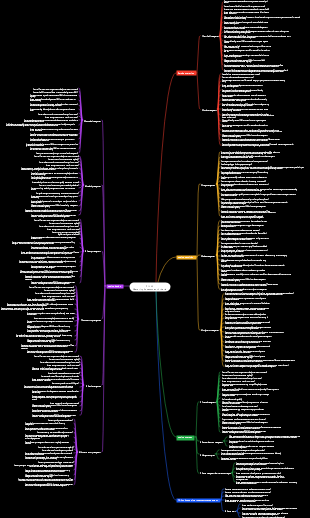
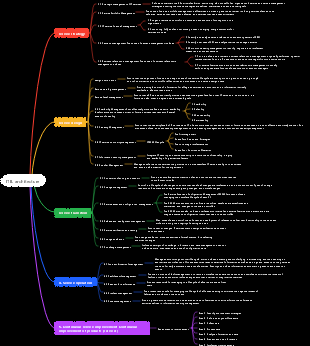
IT help desk
Organizational Responsibilities
[Record] All related faults and service requests, mark the work order category and processing priority
Ticket Categories
Hardware failure: involves a damaged or poorly performing physical device.
Software failure: includes software errors, configuration issues or compatibility issues.
Network issues: Covers problems with your network connection, speed, or stability.
Security Issues: Potential security vulnerabilities, malware attacks, or access control issues.
User support: user query, password reset or user training.
Service Request: New service installation, configuration change, or system upgrade.
Data Recovery: Recovery requests for lost data or backup related issues.
Performance Optimization: A request to improve system or network performance.
Consulting Services: The need for technical guidance or professional advice.
Other: Other questions that do not fit into the above categories.
Priority Levels
High): Issues affecting critical business operations that require immediate resolution.
High priority: Business issues that have a significant but not immediate impact.
Medium priority (Medium): Issues that have limited impact on the business and can be arranged to be resolved in the short term.
Low priority (Low): Not urgent issues and small improvement requests can be attended to after higher priority issues are dealt with.
Informational: Information or advice that does not require immediate action.
How to implement tags
Use a ticketing system: Modern ticketing systems allow you to mark categories and priorities via menu selection or drag-and-drop functionality.
Set rules: Set rules for the work order system to automatically classify and prioritize based on factors such as keywords, affected users or systems.
Train employees: Make sure all employees who come into contact with tickets understand how to properly categorize and prioritize them.
Continuous review: Regularly review work order processing to ensure the accuracy and effectiveness of classification and priority setting
[Pre-processing] Understand the work order overview and preliminary diagnosis
Read ticket details
Carefully read the content of the work order submitted by the user to understand the user's problem description, the environment in which the problem occurred, and any resolution steps the user has taken.
Identify key information
The type of problem (either a fault or a service request).
The time the problem occurred.
The scope and extent of user impact.
Any specific error codes or messages.
Tried solutions and their effects.
initial diagnosis
Conduct a preliminary analysis based on the problem description and try to guess the possible cause.
If possible, perform remote diagnosis, such as through a remote desktop tool or by running a network diagnostic script.
Ask the user some critical questions to further isolate the problem.
Communication and Recording
Communicate effectively with users, collect more necessary information, and give users progress feedback.
Log all interactions with users and steps taken to track the issue resolution process.
[Solution] Handle faults or service requests within the capabilities of SOP (standard operations or knowledge base)
confirm question
Read the ticket description carefully to understand the problem reported by the user and confirm whether it is covered by the SOP or knowledge base.
knowledge base
Depending on the nature of the problem, retrieve relevant standard operating procedure documents or knowledge base entries for guidance and solutions.
Follow SOPs
Follow the steps in the SOP, which may include running diagnostics, changing configuration settings, restarting services, etc.
Make sure every step is performed correctly, and if you are unsure, seek help from colleagues or superiors in a timely manner.
Apply knowledge base solutions
Follow the guidance provided in the knowledge base, which may include detailed troubleshooting steps and fixes.
If the knowledge base provides solutions to similar cases, try to apply those solutions to the current problem.
[Upgrade] Upgrade faults or service requests that cannot be resolved within the first-line SLA
Assessment questions
Determine whether the issue is indeed beyond the capabilities of frontline support and whether predetermined response time thresholds have been reached.
Check out the SLA terms
Double-check the SLA's specific provisions on response times and problem resolution times to ensure that frontline support has indeed exceeded these limits.
communication and notification
Communicate with users in a timely manner to inform them of the current status of the issue and the planned escalation process. If possible, provide an expected resolution time.
Prepare to upgrade
Collate all relevant information, including ticket records, actions taken, and any relevant log files or error codes, in preparation for handoff to higher-level support.
Perform upgrade
Escalate issues to second- or third-line technical support teams based on your company's internal processes. This usually involves changing the assignment or priority of the work order in the work order system.
Follow up and coordinate
Maintain communication with the superior support team, provide necessary assistance, and regularly follow up on problem resolution progress.
Update work order status
Update the status of the work order in the work order system, such as "Upgraded", "Waiting for superior support", etc.
Monitor SLA compliance
Continue to monitor whether the superior support team's handling of issues complies with the SLA.
Feedback to users
Report the latest progress and expected resolution time to users, maintaining transparency to maintain user trust.
Post-processing
Once the issue is resolved, make sure to conduct final verification with the user and document the resolution process and results in the ticket system.
[Survey] Satisfaction return interviews with customers/users according to the service agreement
Make a return visit plan
According to the provisions on satisfaction survey in the service agreement, plan the time, method and content of the return visit.
Prepare survey tools
Design a questionnaire or prepare an interview guide to ensure that the questions cover all aspects of the service, such as response time, problem-solving ability, communication quality, etc.
Notify user
Inform users in advance that a satisfaction return visit will be conducted at an appropriate time and obtain their consent.
Execute return visit
Return visits can be conducted by phone, email, online survey, or face-to-face meeting.
Make sure you communicate in a polite and professional manner so users feel their opinions are valued.
Record feedback
Record user feedback in detail. Whether it is a positive or negative review, it should be recorded accurately.
data analysis
Analyze the data collected to identify strengths and weaknesses in service quality.
Report results
Organize the results of the return visit into a report and present it to management and relevant teams so that appropriate decisions and improvement measures can be made.
Develop an improvement plan
Develop specific service improvement plans based on user feedback and the service team's analysis results.
[Release] Organize and issue system announcements as needed (including system downtime or changes)
Announcement content
Confirm the type of information that needs to be released, such as planned system outages, unplanned maintenance, system upgrades, new feature releases, etc.
Gather all relevant details such as scope of services affected, estimated time frame, cause, expected impact, and actions users can take during this time.
Announcement channel
According to the organization's communication policy, select appropriate announcement channels, such as internal email systems, corporate social networks, portals, SMS notifications, etc.
Ensure channels can reach all affected user groups.
Write an announcement
Write announcements using clear, concise language.
Include all necessary information points such as: start time, estimated end time, affected systems or services, temporary solutions for users during the outage, contact information, etc.
According to different service target scopes, multiple language versions of announcements are provided to meet the needs of different users.
Approval Process
Ensure announcements receive appropriate management approval before publishing.
For major system changes or outages, a higher level of approval may be required.
Announce
Make announcements long enough in advance of planned events so users can prepare.
If using multiple channels, ensure messaging is consistent across platforms.
update status
If the event is extended or there are any changes, the announcement information will be updated in a timely manner.
Keep announcements current until the incident is fully resolved.
archived records
After the event is over, the announcement and related information will be archived and recorded for future reference.
Ensure archived information can be easily accessed and retrieved.
Assessment feedback
Collect user feedback to evaluate the effectiveness of announcements and user satisfaction.
Gather any suggestions for improvements to the announcement process.
Follow-up communication
After the incident is resolved, if necessary, provide a detailed review or follow-up notification explaining what happened, what issues were resolved, and future preventive measures.
[Update] After confirmation of the agreement, the configuration management system will be updated according to the instructions and approvals of the configuration management.
Receive change requests
Receive requests for configuration item changes from project managers, operations teams, or other stakeholders.
Assess the impact of changes
Evaluate the possible impact of changes on existing systems, services, and other configuration items before implementation.
Get approval
Ensure that all change requests have received appropriate management approval and comply with the organization's change management process.
Prepare to update
Gather all necessary information such as change details, affected configuration items, relevant documentation and approval files
perform update
Follow the configuration management process to make necessary updates in the configuration management system. This may include adding new configuration items, modifying the properties of existing configuration items, or removing items that are no longer used.
Verify changes
After completing the update, verify that the information in the configuration management system accurately reflects the state of the actual environment.
Update documentation
If the change affects any official documentation (such as network diagrams, hardware inventories, etc.), make sure these documents are updated accordingly.
Notify stakeholders
Send change notifications to relevant teams and individuals to ensure they are aware of the latest configuration information.
Back up data
Regularly back up data in the configuration management system to prevent data loss due to unexpected circumstances.
Record change history
Ensure that each update leaves a detailed history of changes in the configuration management system, including who, when, and what changes were made.
Audit and Compliance
Conduct regular configuration management audits to ensure system accuracy and compliance with relevant regulations and standards.
Continuous improvement: Continuously optimize the configuration management process and system based on audit results and user feedback.
staffing factors
Customer Service Expectations
Set Service Level Agreement (SLA)
The SLA should clearly stipulate key indicators such as service scope, response time, and resolution time provided by the service desk to ensure that customers have reasonable expectations for services.
Fully communicate
Maintain open lines of communication with customers to ensure they understand the function of the service desk, service processes, and external factors that may impact service.
Provide real-time service status updates
As your service desk handles requests, provide real-time status updates to keep customers informed of progress, which can help manage their expectations.
Adopt customer feedback mechanism
Collect customer feedback through questionnaires, satisfaction surveys, etc. to understand their satisfaction with the service and make improvements based on the feedback results.
Conduct expectation management training
Conduct expectation management training for IT support staff to teach them how to effectively communicate with customers and set reasonable service expectations.
Business requirements, such as budget, call response time, etc.,
Assessment indicators
First Call Resolution Rate (FCR)
This is a measure of the proportion of user problems that are solved in the first interaction. A high FCR indicates that help desk personnel can solve problems quickly and accurately, improving user satisfaction.
Service Level Agreement (SLA) Compliance Rate
Measure whether the service desk responds and resolves issues within the scheduled time and meets SLA standards. This reflects the extent to which the service desk fulfills its commitment to users.
average response time
The average time from when a user submits a request to the first response from the service desk. Shorter response times usually mean more efficient service.
Average processing time (AHT)
The average time it takes to resolve a user's request. Lower AHT generally indicates higher efficiency of service desk personnel.
customer satisfaction
User satisfaction ratings collected through surveys or feedback mechanisms. Positive reviews from users can reflect the professional abilities and service attitude of the service desk staff.
Work order quantity
The number of tickets handled by service desk personnel within a certain period of time. This metric can help evaluate workload and productivity.
service quality
These include the accuracy with which problems are solved, the number of times follow-up problems are avoided, and the quality of solutions provided.
Knowledge Management Contribution
Activities of service desk personnel in updating and maintaining the knowledge base, such as adding new solutions, updating FAQs, etc.
Teamwork and communication
Ability to collaborate in a team and communicate and coordinate with other departments.
Continuous learning and development
The extent to which service desk personnel participate in training and professional development activities to enhance individual skills and service levels.
Follow procedures and policies
The extent to which work is performed in accordance with company-defined IT service management processes and best practices.
Creativity
Ability to propose and implement solutions to improve work processes and services.
The size, relative age, design, and complexity of the IT infrastructure and service catalog. For example, the number and type of failures, the extent to which customized software is deployed versus standard off-the-shelf software, etc.
Number of customers and users supported, and related factors
Number of customers and users in different languages
Skill levels
Types of Incidents and Service Requests
Duration required for call type (e.g. simple query, professional application query, hardware, etc.)
Required local or external technology
Number and type of incidents and service requests
Time required for support coverage
time covered
Out-of-hours support needs
Time zones covered
Where support is needed (especially if the help desk staff also performs on-site support)
Travel time between places
Requested workload (e.g. daily, end of month, etc.)
Appropriate service level objectives (response level, etc.)
required response type
Telephone
In the traditional service request submission method, users can call the service hotline to directly communicate with the service desk personnel. Some advanced telephone systems support the SIP protocol, which can pop up the screen for incoming calls and automatically associate customer information to facilitate quick response and processing of work orders.
Users can submit service requests by sending emails, and the service desk can convert the emails into work orders for processing. In addition, it also supports email reply to work orders, allowing users to follow up on problem status without logging into the system.
online chat
Provide real-time online support, users can communicate with service desk personnel instantly through web forms or online customer service channels.
Self-service platform
Users can access the self-service portal to submit requests, query FAQs, download required resources, etc., which improves service efficiency and reduces the burden on the service team.
social media
For example, WeChat, DingTalk and Yunzhijia, etc., users can initiate service requests on these platforms and receive services such as online customer service and work order processing.
Desktop application
It is suitable for IT services with a fixed customer base. Users can quickly initiate sessions, remote requests and work order submissions directly through the desktop.
actually present
skill level
basic level
It is aimed at newcomers who have just joined the IT service desk, and the purpose is to familiarize new employees with the working environment and basic operating procedures.
Company Culture
Service philosophy
As the company's service department, the IT service desk's service philosophy should be consistent with the company's culture. For example, if the company culture emphasizes customer first, then the service philosophy of the IT service desk should be centered on providing a high-quality customer experience.
teamwork
Company culture often emphasizes teamwork and collaboration. As a platform for cross-department cooperation, the IT service desk needs to work closely with different business departments and teams to jointly solve problems and achieve the company's business goals.
Creative Thinking
In the rapidly growing technology industry, innovation is an important part of company culture. IT service desks need to constantly explore new technologies and methods to improve service quality and efficiency.
keep improve
Company culture often includes the pursuit of excellence and quality. The IT service desk needs to establish a continuous improvement mechanism to continuously improve service levels through regular evaluation and feedback.
Communication and feedback
Open and transparent communication are hallmarks of a good company culture. The IT service desk needs to establish effective communication channels and encourage employees to provide suggestions and feedback to promote the optimization of work processes.
Responsibility and responsibility
The company culture requires employees to be responsible and responsible. IT service desk employees should take responsibility when faced with problems and actively seek solutions rather than shirk responsibility.
follow the rules
Company culture often emphasizes the importance of following rules and procedures. The IT service desk needs to follow established rules and procedures when providing services to ensure standardization and consistency of services.
talent development
The company culture will attach great importance to the cultivation and development of talents. The IT service desk needs to provide training and development opportunities for employees to help them improve their skills and achieve their personal career development goals.
basic knowledge
Service goals
Improve service efficiency
The IT service desk improves overall IT support efficiency by optimizing service processes and managing and maintaining corporate IT infrastructure, improving the speed of response and problem solving.
Ensure service quality
Ensure the continuity and reliability of services, reduce the impact of system interruptions and failures on business, and provide a stable and secure IT environment.
Unified service standards
Through a unified service desk entrance, ensure that employees in different locations can receive a consistent service experience and support.
Coordinate internal resources
As the coordinator between the internal service teams of the enterprise, the IT service desk is responsible for effectively assigning user service requests to the corresponding internal service teams to provide the agreed IT services.
Support business goals
Help enterprises achieve their business goals and strategic plans by providing effective IT support.
keep improve
Based on user feedback and service data, service processes and technologies are continuously optimized to adapt to changing business needs and technological developments.
service function
As a service management function, it coordinates the work of the internal IT service team and centrally handles various IT service inquiries and service requests from users.
Service desk composition
Usually includes front-end service personnel, back-end technical support team, service management system (such as help desk software), etc.
event handling
Responsible for supervising the incident handling process and ensuring that users' service requests are responded to in a timely and effective manner.
Information transfer
Responsible for delivering various information related to IT services to customers and users, including information delivery service status, planned maintenance notifications, etc.
Technical Support
The service desk provides technical support to help users solve problems encountered when using IT resources, such as software installation, troubleshooting, etc.
Help Desk Software
To better manage service requests and incidents, many businesses turn to specialized service desk software, which can provide features such as ticket management, self-service portals, reporting and analytics.
Service Level Agreement (SLA)
IT service desks typically sign service level agreements with internal users to clarify expectations for service quality, response times, and problem resolution.
Security management
The help desk also needs to ensure that all IT services and operations comply with company security policies and compliance requirements.
Cross-department collaboration
When providing IT services, the service desk often needs to collaborate with other departments within the company to ensure service continuity and efficiency.
Available supporting technologies
Help Desk Tools
Cloud help desk software
This type of tools are based on the SaaS (Software as a Service) model, where they are deployed on the provider's servers.
Customers use these tools on a subscription basis, usually paying a monthly or annual fee.
Users can access these tools through their local desktop, mobile client, or provider's website.
Such tools are often preferred by small and medium-sized businesses because they do not require the maintenance of their own IT teams.
Some help desk vendors will also expand their capabilities to meet the needs of larger organizations.
Local help desk software
This type of tool is deployed on the customer's server.
Customers purchase software licenses through a one-time payment, and additional services and integrations may require additional purchases.
On-premises tools are suitable for businesses that want complete control over their IT environment and data.
Workflow-based help desk tools
Such tools emphasize standardized workflows and SOPs (standard operating procedures) to increase efficiency and consistency.
Multi-level support help desk tool
This type of tool provides different levels of support, such as first-line support and 1.5-line support, to handle issues of varying complexity more efficiently.
Full-time help desk tools
These tools provide 7*24-hour service coverage to match the needs of global businesses and provide multi-language support to improve customer satisfaction.
Service management software
This is the core tool of the IT service desk, used to handle management processes such as service requests, incidents, changes, releases, configurations, and service levels.
Remote Desktop Tools
These tools allow IT support staff to access users' computers remotely to provide technical support and troubleshooting. Common remote desktop tools include TeamViewer and AnyDesk.
Work order system
The work order system is used to track and manage service requests submitted by users to ensure that each request can be responded to and processed in a timely manner.
knowledge base software
Knowledge base software is used to store solutions and frequently asked questions, helping users solve problems by themselves and reducing dependence on IT support teams.
Asset management tools
These tools are used to track and manage a business's IT assets, including hardware and software. They help the IT service desk quickly find relevant information when handling requests.
surveillance system
The monitoring system is used to monitor the performance of the network and system in real time, and to detect and solve potential problems in a timely manner. Nagios and SolarWinds are two widely used monitoring solutions.
Reporting and analysis tools
These tools provide deep insights into IT service desk operations and help management make data-based decisions.
Automation tools
Automation tools can help IT service desks automate repetitive tasks and increase efficiency. For example, use scripts to automatically create user accounts or reset passwords.
Communication and collaboration tools
Improve communication efficiency among IT service desk team members.
Mobile Applications
With the popularity of mobile work, mobile applications enable IT help desks to provide services and support anytime and anywhere.
Advanced class
For service desk personnel with a certain foundation, the training content will be more in-depth, aiming to improve employees' professional skills and service quality.
Customer communication skills
Respond quickly
Ensure that the hotline is answered within the specified time. If the engineer leaves the work station, the hotline should be set to "busy" to prevent customers from encountering no answer.
Clear guidance
When answering the hotline, guide users to describe their problems and needs quickly and accurately, which helps to quickly locate the problem and provide solutions.
Professional communication
Use standard communication techniques and ensure your tone is polite and professional, such as clearly informing and asking for permission when a customer is required to wait.
Record key information
Record the key information of the incident in detail, including contact information, incident characteristics, time of occurrence, etc., which will help with subsequent incident tracking and analysis.
Classification and Priority
Properly classifying and assigning priorities to incidents helps handle requests efficiently and ensures urgent issues are resolved promptly.
Knowledge base application
Try using the knowledge base for initial diagnosis and analysis to resolve common issues and reduce unnecessary transfers
Upgrade at the right time
If the problem exceeds the scope of the service desk, the incident should be promptly transferred to the first-line or second-line engineer for processing.
keep in touch
During the incident handling process, regularly update customers on processing progress and maintain good communication.
satisfaction survey
Obtaining user satisfaction feedback via telephone or other means can help improve service quality.
Multi-language support
For enterprises with global business needs, multi-language support is provided to improve service coverage and efficiency.
Match user needs
According to the user's working hours and needs, corresponding service time coverage is provided, such as 7*24 hours service.
Advanced Troubleshooting Techniques
Basic class
Quickly locate problems
Collect key information: Ask users about the specific problem phenomenon, time of occurrence, attempts taken, etc.
Symptom analysis: Determine the possible scope and cause of the problem based on the description.
Standardized process
Provides standard operating procedures and troubleshooting guidance based on problem type.
Use a troubleshooting script or checklist to solve problems systematically.
communication skills
Use clear, concise language to communicate with users.
Show empathy, be patient, and make sure users feel supported.
security considerations
Always consider security and avoid leaking sensitive information before providing a solution.
Be alert to possible security threats and instruct users to take appropriate security measures.
Records and feedback
Record the process and results of each support event in detail.
Provide a feedback mechanism to allow users to evaluate service quality for continuous improvement.
Technology category
Software and updates
Confirm that the software is installed and configured correctly.
Check if there are any updates or patches to install
Hardware check
Use queries and remote tools to determine if there are hardware-related issues.
It is recommended that users perform basic hardware self-tests or arrange for on-site support.
authority management
Verify users' permission settings to ensure they have sufficient permissions to perform specific tasks.
If the problem is caused by insufficient permissions, instruct the user or administrator to configure permissions correctly.
surveillance system
Use monitoring tools to check users' system status, resource utilization, and service health.
Review historical monitoring data to identify potential issues.
Network diagnostics
Use network commands such as Ping and Traceroute to test connectivity and paths.
Check whether DNS resolution is normal.
Tools
Remote assistance tools
Use remote desktop tools such as TeamViewer or Microsoft Remote Desktop to view the user environment directly.
Guide users to perform simple diagnostic operations, such as taking screenshots, uploading log files, etc.
Knowledge base and documentation
Leverage the internal knowledge base to search for known solutions to similar problems.
Be familiar with and apply the latest technical documentation and manufacturer's guidance.
Service management process
Expert level
For senior IT service desk personnel, it helps develop team leaders and decision-makers.
Advanced concepts of IT service management
Establish a process
Clarify the service process, service scope and service level of the service desk, such as how to receive customer requests, how to classify and handle requests, how to provide feedback and confirmation, etc.
that is sure
Service standard system
Establish a service desk service standard system, such as the "Service Desk Work Manual", etc., as job training, work guidelines and assessment baselines.
Technical support level setting
Set different technical support levels according to different needs and service level agreements (SLA).
project management
management level
For service desk management, aiming to improve managers' leadership and organizational skills.
Team management
keep improve
The work of the IT service desk requires continuous learning and improvement, so there should also be an ongoing career development plan, including regular skill updates, learning of new technologies, etc.
Financial Management
Budgeting
Responsible for forecasting and controlling expenses during IT service operations. This includes setting budget targets in regular consultation with management, as well as daily monitoring of current budget performance to ensure spending is within budget.
Accounting
Record, measure and report the benefits and costs generated by IT services. This process involves cost-effective management of IT assets and resources, providing decision-making information for IT investments based on cost-effectiveness principles.
Service charging (Charging)
The process of charging customers, including determining billing objects and selecting billing methods. This process needs to be implemented based on the IT service accounting system. Service billing can guide customer behavior and promote cost savings.
Strategic Planning
Business goal alignment
Ensure IT service management is consistent with business goals and help organizations develop better.
Rights management center
Security rules and policy enforcement
The rights management center restricts users' access rights based on the security rules or policies set by the system, so that users can and can only access the resources they are authorized to.
Role-based access control
Enterprise IT administrators can define different roles for the system and assign these roles to users. This is role-based access control (RBAC), the most common way to manage permissions.
Avoid operational risks
The main purpose of permission management is to prevent risks caused by lack of permission control or improper operation, such as operational errors, privacy data leakage and other issues.
Account, role and permission management
Permission management systems usually involve three basic elements: accounts, roles and permissions. The account represents the user's identity, the role serves as the bridge between the account and the permissions, and the permissions define the operations that the user can perform and the range of data that can be accessed.
Function authorization
The authority management center implements the management of user functions and data authorization through the relationships between users, departments, roles, and functions.
Current skill level of personnel
Processes and procedures used