MindMap Gallery Computer Word function mind map
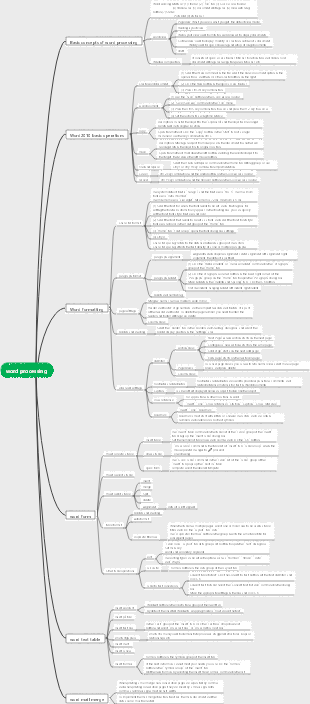
This is a mind map summarizing the functions of computer Word, with a detailed introduction to help users better understand and use this word processing software.
Edited at 2024-03-04 22:02:32This is a mind map about bacteria, and its main contents include: overview, morphology, types, structure, reproduction, distribution, application, and expansion. The summary is comprehensive and meticulous, suitable as review materials.

This is a mind map about plant asexual reproduction, and its main contents include: concept, spore reproduction, vegetative reproduction, tissue culture, and buds. The summary is comprehensive and meticulous, suitable as review materials.
This is a mind map about the reproductive development of animals, and its main contents include: insects, frogs, birds, sexual reproduction, and asexual reproduction. The summary is comprehensive and meticulous, suitable as review materials.
This is a mind map about bacteria, and its main contents include: overview, morphology, types, structure, reproduction, distribution, application, and expansion. The summary is comprehensive and meticulous, suitable as review materials.
This is a mind map about plant asexual reproduction, and its main contents include: concept, spore reproduction, vegetative reproduction, tissue culture, and buds. The summary is comprehensive and meticulous, suitable as review materials.
This is a mind map about the reproductive development of animals, and its main contents include: insects, frogs, birds, sexual reproduction, and asexual reproduction. The summary is comprehensive and meticulous, suitable as review materials.
word
document
backspace view
Range: all pages, current page, selection, odd/even pages CTRL P
start
clipboard
Paste, cut, copy
Format Painter
font
In the tab: Chinese, Spanish, font style, font size, font color, Underline type, underline color, strikethrough, superscript, subscript
Advanced: Character spacing can be standard, widened, or compressed
paragraph
The dialog box includes: General, Indent, Spacing, Line Spacing
Alignment: left, center, right, justified, scattered
Horizontal ruler indent: left indent, right indent, first line indent, hanging indent
Bullets: symbols can use pictures
Tab stop:
Tab, left alignment, right alignment, center alignment, decimal point alignment, vertical line alignment
style
edit
Find, replace
insert
sheet
table design
layout
data
sort
Keyword type: gestures, numbers, dates, pinyin
You can specify up to three keywords: primary keyword, secondary keyword, tertiary keyword
Formulas, repeating header rows
Properties: row height, column width
Merge: merge cells, split cells, split tables
picture
Embedded type (on the same level)
Floating type (not on the same horizontal plane, 6 types)
Top-down type, lined below the text, floating above the text Surround type, compact type, through type Graphics: cannot be cropped, text can be added. Pictures: Can be cropped, but cannot add text.
Headers and footers
Four types: the same as the whole text (default), different on each page (section), different home pages, different odd and even pages
Not settable: separator and text direction
Word art, text box, Smartart, chart, drop cap, formula, symbol
Drawing
design
Page background
watermark
Word
level
oblique
picture
Page margins, page color
layout
Page setup: text direction, page margins, paper size, paper orientation, Columns (only pages and prints visible), separators
Pagination: crtl enter, single horizontal dotted line
Sectioning: Double horizontal dotted lines
column
The number of columns, column width and spacing can be set
The dividing line can only be a fixed value
It can be...column; under the page width limit, it can be...column at most
Page Setup Dialog
Margins: page margins, paper orientation (portrait is default)
Paper: paper size
Layout: Different odd and even pages, different home page
Document Grid: Text Direction
Quote
Catalog: manual catalog and automatic catalog
Update table of contents: update page numbers only, update the entire table of contents
Start mail merge
review
Spelling and Grammar
Count
Number of pages, number of words, number of characters, number of paragraphs, number of lines
Comments and revisions
annotation
right margin
The annotated text will have a pink shading
The "Insert" tab can also create a new "Comment"
revision
Default: red font display
Acceptable, rejectable
view
window
View side by side, split, create new window, rearrange all
view
reading attempt
simulated book
Page view
Most features: page corners, horizontal and vertical rulers, page margins, Consistent with print results, headers and footers, columns, default
web layout view
emulate browser
Outline view
Adjust titles at all levels: upgrade, downgrade, move up, move down, expand, collapse
draft attempt
Plain text, paging and sectioning can be viewed
ruler
Horizontal ruler: indent, tab stop, table column width Left and right margins, column spacing
Vertical ruler: top and bottom margins, table row height
Page number position
top, low Top, bottom, left and right page margins current location