Wondershare EdrawMind
MindMap Gallery Word word processing
Word word processing
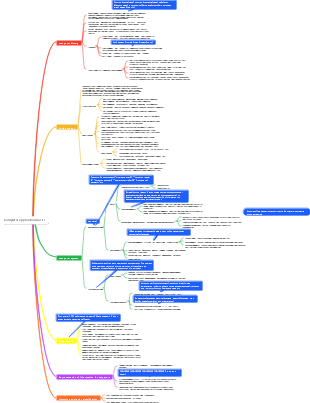
This is a mind map about Word word processing. The main content includes: comprehensive application fill-in-the-blank questions, document layout, document editing, ribbon, and Word2010 features.
Edited at 2024-02-06 15:54:47
- Weekly Coordination Meeting Plan: MEP Pipeline Comprehensive Layout
This template, created with EdrawMind, provides a structured workflow for weekly coordination meetings focused on MEP (Mechanical, Electrical, Plumbing) pipeline layout. It follows a four-stage cycle: starting with Issue Identification (Clash Detection) to detect pipeline conflicts, moving to Meeting Agenda preparation to define discussion topics, then On-site Discussion to review and resolve issues on the construction site, and finally Resolution & Update to document solutions and track progress. This template can be reused to standardize MEP coordination processes, ensuring clear communication, efficient problem-solving, and smooth construction progress.
- Green Building Certification Quarterly Material Preparation Checklist
This template, created with EdrawMind, outlines a quarterly checklist for preparing materials for green building certification. It is divided into four sequential quarters: Q1 focuses on Basic Material Preparation, including collecting project approval documents and compiling self-assessment reports; Q2 covers Technical Data Improvement, such as organizing energy consumption calculation books and preparing green construction proof materials; Q3 involves On-site Inspection Preparation, including organizing construction process materials and verifying certification standards; and Q4 is for Formal Application, which includes completing online reporting and cooperating with expert on-site reviews. This template can be reused to systematically prepare for green building certification, ensuring all requirements are met and the process is efficient.
- Deep Foundation Pit Daily Monitoring Data Record Template
This template, created with EdrawMind, provides a comprehensive framework for daily monitoring of deep foundation pit construction. It covers six key monitoring areas: Retaining Wall Top Displacement, Settlement of Surrounding Buildings, Groundwater Level, Pit Bottom Heave, Support Axial Force, and Data Summary & Analysis. Each section specifies monitoring points, frequency, and warning values to ensure safety. The template can be reused to standardize monitoring practices, track structural stability, and trigger immediate alarms if warning thresholds are exceeded, thus mitigating risks during foundation pit construction.
Word word processing
- Weekly Coordination Meeting Plan: MEP Pipeline Comprehensive Layout
This template, created with EdrawMind, provides a structured workflow for weekly coordination meetings focused on MEP (Mechanical, Electrical, Plumbing) pipeline layout. It follows a four-stage cycle: starting with Issue Identification (Clash Detection) to detect pipeline conflicts, moving to Meeting Agenda preparation to define discussion topics, then On-site Discussion to review and resolve issues on the construction site, and finally Resolution & Update to document solutions and track progress. This template can be reused to standardize MEP coordination processes, ensuring clear communication, efficient problem-solving, and smooth construction progress.
- Green Building Certification Quarterly Material Preparation Checklist
This template, created with EdrawMind, outlines a quarterly checklist for preparing materials for green building certification. It is divided into four sequential quarters: Q1 focuses on Basic Material Preparation, including collecting project approval documents and compiling self-assessment reports; Q2 covers Technical Data Improvement, such as organizing energy consumption calculation books and preparing green construction proof materials; Q3 involves On-site Inspection Preparation, including organizing construction process materials and verifying certification standards; and Q4 is for Formal Application, which includes completing online reporting and cooperating with expert on-site reviews. This template can be reused to systematically prepare for green building certification, ensuring all requirements are met and the process is efficient.
- Deep Foundation Pit Daily Monitoring Data Record Template
This template, created with EdrawMind, provides a comprehensive framework for daily monitoring of deep foundation pit construction. It covers six key monitoring areas: Retaining Wall Top Displacement, Settlement of Surrounding Buildings, Groundwater Level, Pit Bottom Heave, Support Axial Force, and Data Summary & Analysis. Each section specifies monitoring points, frequency, and warning values to ensure safety. The template can be reused to standardize monitoring practices, track structural stability, and trigger immediate alarms if warning thresholds are exceeded, thus mitigating risks during foundation pit construction.
- Recommended to you
- Outline