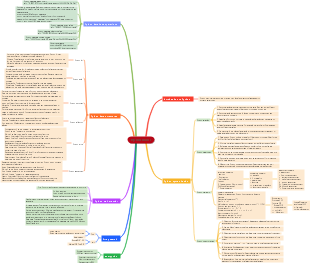
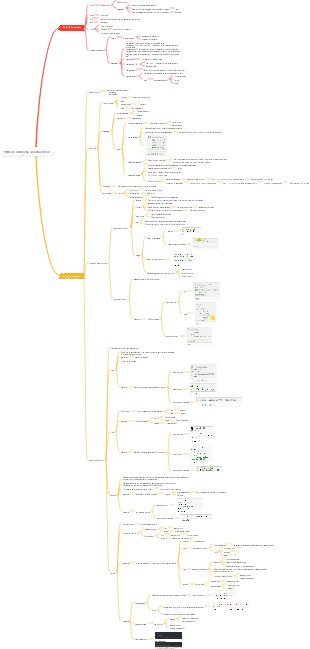
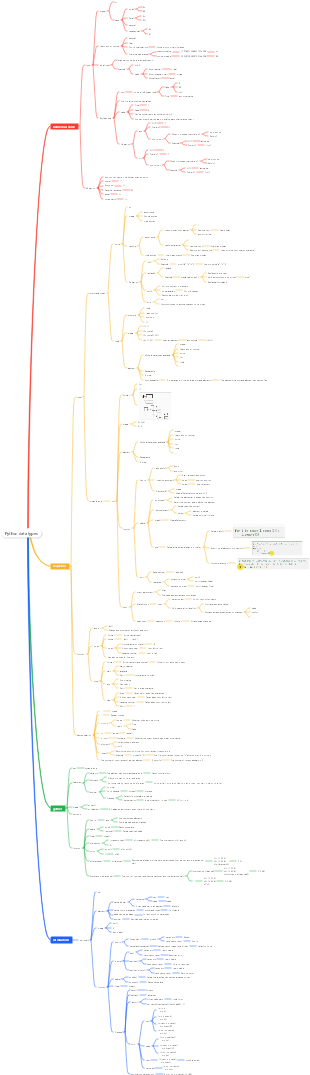
MindMap Gallery Intelligent statistical technology
It explains in detail the use of numpy, pandas, and plt libraries. The introduction is detailed and the knowledge is comprehensive. I hope it can be helpful to everyone!
Edited at 2024-02-04 00:48:40Avatar 3 centers on the Sully family, showcasing the internal rift caused by the sacrifice of their eldest son, and their alliance with other tribes on Pandora against the external conflict of the Ashbringers, who adhere to the philosophy of fire and are allied with humans. It explores the grand themes of family, faith, and survival.

This article discusses the Easter eggs and homages in Zootopia 2 that you may have discovered. The main content includes: character and archetype Easter eggs, cinematic universe crossover Easter eggs, animal ecology and behavior references, symbol and metaphor Easter eggs, social satire and brand allusions, and emotional storylines and sequel foreshadowing.
[Zootopia Character Relationship Chart] The idealistic rabbit police officer Judy and the cynical fox conman Nick form a charmingly contrasting duo, rising from street hustlers to become Zootopia police officers!
Avatar 3 centers on the Sully family, showcasing the internal rift caused by the sacrifice of their eldest son, and their alliance with other tribes on Pandora against the external conflict of the Ashbringers, who adhere to the philosophy of fire and are allied with humans. It explores the grand themes of family, faith, and survival.
This article discusses the Easter eggs and homages in Zootopia 2 that you may have discovered. The main content includes: character and archetype Easter eggs, cinematic universe crossover Easter eggs, animal ecology and behavior references, symbol and metaphor Easter eggs, social satire and brand allusions, and emotional storylines and sequel foreshadowing.
[Zootopia Character Relationship Chart] The idealistic rabbit police officer Judy and the cynical fox conman Nick form a charmingly contrasting duo, rising from street hustlers to become Zootopia police officers!
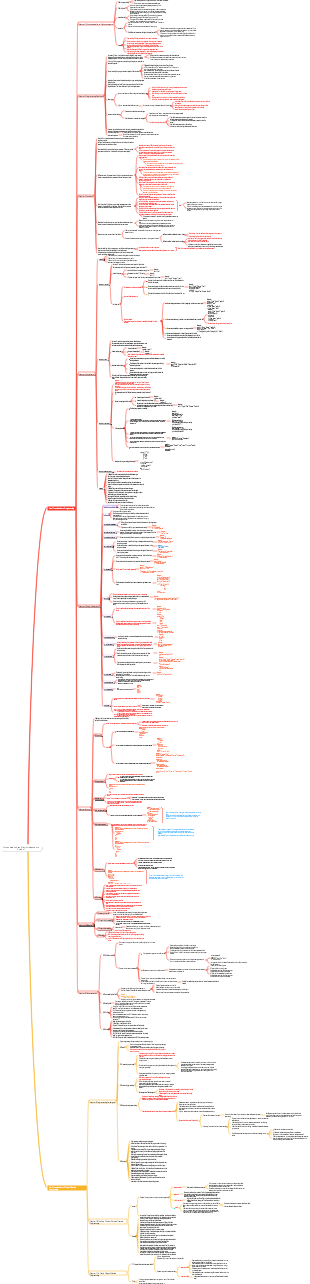
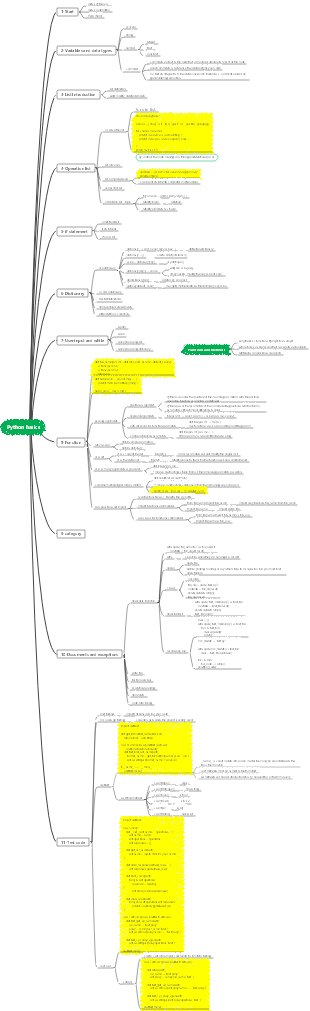
Intelligent statistical technology
introduction
textbook
Statistical Thinking: Probability Statistics for Programmers Mathematics
python data analysis and application
analyze data
clear goal
prerequisites
direction
data collection
database
other
data processing
Cleaning (pretreatment)
Convert
extract
calculate
data analysis
data analysis
pandas
data mining
Data display
chart
sheet
Word
content
probability theory
statistics
Quantitative analysis implementation
library called
NumPy
Array and matrix operations
Extremely efficient
Matplotlib
Charts, visualizations
Pandas
origin of name
panel data and data analysis
Function
Data analysis and exploration
Advanced data structures
Series
One-dimensional data
DataFream
2D data
NumPy
introduce
Powerful N-dimensional array ndarray
Broadcast function function ufunc
Tools for integrating C/C/Fortran code
Linear algebra, Fourier transform, random number generation and other functions
ndarray
effect
Stores a multidimensional array of a single data type
create
Create multidimensional arrays from existing data
Create from list, tuple objects - array()
np.array(object, dtype=None, copy=True, order='K', subok=False, ndmin=0)
object — list or tuple object, mandatory parameter
dtype — data type
copy — the object is copied
order — arrange the array in a certain order: C - by row; F - by column; A - by column if input is F, otherwise by row; K - keep row and column arrangement
subok —The returned array is coerced to a base class array
ndmin — minimum dimension
Reading from a string - fromstring()
np.fromstring(string, dtype=float, count=-1, sep=”)
Create a multidimensional array of a specific shape
Create an 'all 1' array - ones()
np.ones(shape, dtype=None, order='C')
Create an array of 'all zeros' - zeros()
np.zeros(shape, dtype=float, order='C')
Create an empty array - empty()
np.empty(shape, dtype=float, order='C')
Fill the array autonomously - full()
np.full(shape, fill_value, dtype=None, order='C')
Create identity matrix - eye()
np.full(n)
Create multidimensional array from numerical range
Create an array of arithmetic sequences - arange()
np.arange(start=0, stop, step=1, dtype=None)
Create an array of arithmetic progressions - linspace()
np.linspace(start, stop, num=50, endpoint=True, retstep=False, dtype=None)
num is the number of equal divisions
Attributes
ndim
Dimensions
shape
length of each dimension
size
total number of elements
dtype
element type
itemsize
The size of each element in the array
Indexing and slicing
Same as list
method
reshape(a,b)
Change to a matrix with row a and column b
repeat(4, axis=1)
Copy 4 times and add on the right
numpy.random
np.random.rand(2, 3)
The numerical value is [0,1], 2 rows and 3 columns
np.random.randint(5, size = (2, 3))
The value is less than 5, 2 rows and 3 columns
NumPy matrix
Is a subclass of ndarray
Create matrix
Use semicolons to separate data
matr1 = np.mat("1 2 3;4 5 6;7 8 9")
Create a matrix using lists
matr2 = np.matrix([[1,2,3],[4,5,6],[7,8,9]])
Combine small matrices into large matrices
matr3 = np.bmat("arr1 arr2; arr1 arr2")
matrix properties
Matrix Operations
ufunc function
effect
Functions that can process ndarray arrays can be used directly.
Common operations
Arithmetic
comparison operation
logic operation
The np.all(x) function means using logical AND for x
The np.any(x) function means using logical OR for x
broadcast mechanism
Refers to the way arithmetic operations are performed between arrays of different shapes
in principle
Let all input arrays be aligned with the array with the longest shape, and the missing part of the shape is made up by adding 1 in front.
The shape of the output array is the maximum value on each axis of the input array shape
If an axis of the input array has the same length as the corresponding axis of the output array or its length is 1, then this array can be used for calculation, otherwise an error occurs
When the length of an axis of the input array is 1, the first set of values on this axis is used when operating along this axis.
Read and write files
binary file
numpy.save(file, arr, allow_pickle=True, fix_imports=True)
Note: The directory in the save path must exist! The save function does not automatically create directories.
numpy.load(file, mmap_mode=None, allow_pickle=True, fix_imports=True, encoding='ASCII')
text file
np.savetxt(fname, X, fmt='%.18e', delimiter=' ', newline=' ', header='', footer='', comments='# ')
numpy.loadtxt(FILENAME, dtype=int, delimiter=' ')
Simple analysis
sort
direct sorting
Refers to sorting values directly
numpy.sort(a, axis, kind, order)
a
array to sort
axis
The axis along which the array is sorted, or along the last axis if no array will be expanded
kind
Default is 'quicksort' (quick sort)
order
If the array contains fields, the field to sort on
indirect sorting
Refers to sorting a data set based on one or more keys
numpy.argsort(a)
The function performs an indirect sorting of the input array along the given axis and returns an array of indices (subscripts) of the data using the specified sort type.
numpy.lexsort(a,b)
The function performs an indirect sort using a sequence of keys, which can be thought of as a column in a spreadsheet, and returns an array of indices (subscripts)
Remove duplicates
numpy.unique
statistical function
matplotlib
introduce
Provides a wealth of mathematical drawing functions, which can easily draw data charts.
Other visual statistical tools
echart
word cloud
standard method
Basic process
Create canvas
<Whether to create a subgraph>
Selected subplot
Set X, Y axis
Add legend (details)
<Whether drawing is completed>
save display
Step analysis
Create canvas
plt.figure(figsize=(x,y))
If you have a canvas, you can create multiple graphics
plt.subplot(nrows, ncols, index)
The nrows parameter specifies how many rows the data graph area is divided into
The ncols parameter specifies how many columns the data graph area is divided into
The index parameter specifies which area to obtain
Selected subplot
line chart
plot
Scatter plot
scatter
Bar chart
level
bar
vertical
barh
Histogram
hist
pie chart
pie
...
Set X, Y axis
Axes
plot
plt.plot(x,y)
x and y are two arrays. If you only enter one, the default x-axis is the array subscript.
There are also parameters such as color, transparency, style, width, etc.
plt.plot(x, y, color='green',alpha=0.5,linestyle='-',linewidth=3,marker='*')
Add legend (details)
Title, upper and lower limits of interval, legend, segmentation, layout, axis, etc.
Set title
plt.xlabel('Time')
plt.ylabel("Temp")
plt.title('Title')
Chinese display
plt.rcParams['font.sans-serif'] = ['SimHei']
Custom X-axis scale
plt.xticks(range(0,len(x),4),x[::4],rotation=45)
X-axis interval and upper and lower limits
plt.set_xlim([xmin, xmax]) #Set the X-axis interval
plt.axis([xmin, xmax, ymin, ymax]) #X, Y axis interval
plt.set_ylim(bottom=-10) #Y-axis lower limit
plt.set_xlim(right=25) #X-axis upper limit
quick method
import matplotlib.pyplot as plt plt.plot(x,y) plt.show()
Pandas
Features
It provides simple, efficient objects with default labels (you can also customize labels).
Ability to quickly load data from files in different formats (such as Excel, CSV, SQL files) and then convert them into processable objects;
Ability to group data by row and column labels, and perform aggregation and transformation operations on grouped objects;
It can easily implement data normalization operations and missing value processing;
It is easy to add, modify or delete data columns of DataFrame;
Able to handle data sets in different formats, such as matrix data, heterogeneous data tables, time series, etc.;
Provides a variety of ways to process data sets, such as building subsets, slicing, filtering, grouping, and reordering.
Built-in data structures
Series
definition
1 dimension, capable of storing various data types, such as characters, integers, floating point numbers, Python objects, etc. Series uses name and index attributes to describe data values.
create
s=pd.Series(data, index, dtype, copy)
data
The input data can be scalars, lists, dictionaries, ndarray arrays, etc.
index
The index value must be unique, if no index is passed it defaults to np.arrange(n).
dtype
dtype represents the data type. If not provided, it will be automatically determined.
copy
Indicates copying data, the default is False.
Basic operations
access
subscript index
Similar list
tag index
Similar to dictionary
Numpy calculations and operations are applicable
Can be sliced
Common properties
dtype
Returns the data type of the object.
empty
Returns an empty Series object.
ndim
Returns the dimensionality of the input data.
size
Returns the number of elements of the input data.
The difference between size and count: size includes NaN values when counting, but count does not include NaN values.
values
Returns a Series object as an ndarray.
index
Returns a RangeIndex object used to describe the value range of the index.
Common methods
describe()
count: Quantity statistics, how many valid values are there in this column? unipue: How many different values are there? std: standard deviation min: minimum value 25%: quartile 50%: one-half percentile 75%: three-quarters max: maximum value mean: mean
head()&tail() to view data
head(n) returns the first n rows of data, and displays the first 5 rows of data by default
tail(n) returns the last n rows of data, the default is the last 5 rows
isnull()&nonull() detects missing values
isnull(): Returns True if the value does not exist or is missing.
notnull(): Returns False if the value does not exist or is missing.
value_counts
Statistical frequency
DataFrame
definition
2 dimensions, both row index and column index. The row index is index and the column index is columns. When creating the structure, you can specify the corresponding index value.
The data type of each column in the table can be different, such as string, integer or floating point, etc.
create
df =pd.DataFrame(data, index, columns, dtype, copy)
data
The input data can be a list, a dictionary nested list, a list nested dictionary, a Series in the form of a dictionary, etc.
Column index operations
Column index selects data columns
print(df ['one'])
print(df[['word', 'Chinese character', 'meaning']])
Column index adds data column
df['three']=pd.Series([10,20,30],index=['a','b','c'])
df['four']=df['one'] df['three']
df.insert(1,column='score',value=[91,90,75])
The value 1 represents the index position inserted into the columns list
Column index delete data column
df.pop('two')
Split extracted columns
df[df[‘column_name’] == some_value]
Row index operations
tag index
df1.loc["b" : "e", "bx" : "ex"]
Row first, then queue
subscript index
df1.iloc[2 : 6, 2 : 4]
Row first, then queue
hybrid index
df1.ix[2 : 6, "bx" : "ex"]
Row first, then queue
Slicing operation multi-line selection
df[2 : 4]
Add data row
df = df.append(df2)
Delete data row
df = df.drop(0)
Split fetch rows
df.loc[df['column_name'] == str]
Output rows where a certain column is NaN
df[df['word'].isna()]
Common properties
T
Row and column transpose.
axes
Returns a list with only row and column axis labels as members.
dtypes
Returns the data type of each column of data.
empty
If there is no data in the DataFrame or the length of any coordinate axis is 0, True will be returned.
ndim
The number of axes, also refers to the dimension of the array.
shape
Returns a tuple (a,b), where a represents the number of rows and b represents the number of columns.
size
Number of elements in DataFrame
The difference between size and count: size includes NaN values when counting, but count does not include NaN values.
values
Use numpy arrays to represent element values in a DataFrame
Common methods
describe(include='all')
Same as Series
Without parameters, only numerical columns will be counted.
head()&tail()
Same as Series
info()
View information
shift()
Move rows or columns by specified stride length
pivot()
Convert the columns in a data frame so that a certain column becomes a new row index, and fill the cell corresponding to this index with the value of another column.
parameter
index: the column name that will become the new row index
columns: the column name that will become the new column index
values: the column names that will fill the cells between the new row index and the new column index
sort_values(by=‘Column name or index value for sorting’, axis=0, ascending=True, inplace=False, kind=‘quicksort’, na_position=‘last’, ignore_index=False, key=None)
sort_index(axis=0, level=None, ascending=True, inplace=False, kind='quicksort', na_position='last', sort_remaining=True, ignore_index=False, key=None)
axis: axis defaults to 0, which means sorting according to the row index; axis is set to 1, which means sorting according to the column index level: Default is None, otherwise it is arranged in the given level order. ascending: ascending defaults to True, which is ascending order, and when set to False, it is descending order. inplace: False by default, otherwise the sorted data will directly replace the original data frame. kind: sorting method, {‘quicksort’, ‘mergesort’, ‘heapsort’}, default ‘quicksort’. Users can choose na_position: Missing values are ranked last by default {"first", "last"}, the parameter "first" puts NaN at the beginning, and "last" puts NaN at the end. ignore_index: Boolean, default is False, if it is True, then axis is label 0, 1, 2; this is newly added key: This is a callable function that executes the key function on the value of index before sorting. This is somewhat similar to the key function in the built-in sorted() function
Traverse
Iterate through each row
for index, row in df.iterrows():
Iterate through each column
for column, value in df.iteritems():
Data table cleaning
Fill empty values with number 0
df.fillna(value=0)
Use the mean of column prince to fill the column NA
df['prince'].fillna(df['prince'].mean())
Clear character spaces in city field
df['city']=df['city'].map(str.strip)
Case conversion
df['city']=df['city'].str.lower()
Data type conversion
df['price'].astype(int)
Change column/row index
Modify all
Handwritten index
df.columns=['a','b','c']
df.index=['a','b','c']
Reference index
df.set_columns("idx",inplace=False)
df.set_index("col",inplace=False)
Partial modification
df.rename(columns={'category': 'category-size'},inplace=False)
df.rename(index={'category': 'category-size'},inplace=False)
repeat
Find duplicates: df.duplicated() can return a boolean array indicating whether each row is a duplicate.
Duplicate values that appear after deletion
df['city'].drop_duplicates()
Remove duplicate values that appear first
df['city'].drop_duplicates(keep='last')
Select primary key
subset=['student number']
Remove NaN
df2=df.dropna(axis=0,how="all",inplace=False)
how="all" means that a certain row (column) will be deleted only if all NaNs are present. how="any" means that as long as there is a NaN, it will be deleted (default)
data replacement
df['city'].replace('sh', 'shanghai')
Data table merge
merge
pd=pd.merge(df,df1,how='inner') #match, merge, intersection, default df_left=pd.merge(df,df1,how='left') df_right=pd.merge(df,df1,how='right') df_outer=pd.merge(df,df1,how='outer') #Union, the effect is the same as the first two combinations
append
Has been deprecated, it is recommended to use concat
join
concat
pd.concat(objs,axis=0,join='outer',join_axes=None,ignore_index=False,keys=None,levels=None,names=None,verify_integrity=False,copy=True)
statistics
var()
variance
cov()
Covariance
Summary
Sample 1
df = pd.DataFrame({ 'A': ['a', 'b', 'a', 'c', 'a', 'c', 'b', 'c'], 'B': [2, 8, 1, 4, 3, 2, 5, 9], 'C': [102, 98, 107, 104, 115, 87, 92, 123]})
method
Group by column A and get the mean of other columns
df.groupby('A').mean()
Take out a certain column
print(df.groupby('key1')['data1'].mean())
Group by multiple columns (groupby)
df.groupby(['A','B']).mean()
Sample 2
df = pd.DataFrame({' A': list('XYZXYZXYZX'), 'B': [1, 2, 1, 3, 1, 2, 3, 3, 1, 2], 'C': [12, 14, 11, 12, 13, 14, 16, 12, 10, 19]})
method
Perform different statistical operations when using agg() on a column
df.groupby('A')['B'].agg({'mean':np.mean, 'standard deviation': np.std})
lambda operation
Minority Points Compensation
df['ExtraScore'] = df['Nationality'].apply (lambda x : 5 if x != '汉' else 0)
pass the exam
df['pass_reading'] = df['reading score'].apply (lambda x: 'Pass' if x >= 60 else 'Fail')
Draw a picture
ax = series1.plot(kind='bar')
fig = ax.get_figure() fig.subplots_adjust(bottom=0.4) fig.savefig('output.png')
pd.plot(kind='scatter',x="a",y="b",alpha=0.1)
alpha is transparency
pd.hist(bins=50,figsize=(7,7))
Data input and output
enter
read csv
df = pd.read_csv("mtcars.csv", encoding="utf-8")
Write to Excel
df = pd.read_excel("mtcars.csv")
output
Write to Excel
pd.to_excel('excel_to_python.xlsx', sheet_name='bluewhale_cc')
Write to CSV
pd.to_csv('excel_to_python.csv')
The difference between Pandas and NumPy
datetime
1).date subclass can create date and time series data, 2).time subclass can create hour and minute time data, and 3).datetime subclass can describe date and hour and minute data.
import datetime cur = datetime.datetime(2018,12,30, 15,30,59) print cur,type(cur) d = datetime.date(2018,12,30) printd t = datetime.datetime(2018,12,30).now() print t
2018-12-30 15:30:59 <type 'datetime.datetime'> 2018-12-30 2018-12-16 15:35:42.757826
4). You can use the timedelta module of datetime to give the time interval (difference).
import datetime cur0 = datetime.datetime(2018,12,30, 15,30,59) print cur0 cur1 = cur0 datetime.timedelta(days = 1) print cur1 cur2 = cur0 datetime.timedelta(minutes = 10) print cur2 cur3 = cur0 datetime.timedelta(minutes = 29, seconds = 1) print cur3
2018-12-30 15:30:59 #cur0 2018-12-31 15:30:59 #cur1 2018-12-30 15:40:59 #cur2 2018-12-30 16:00:00 #cur3
Create time series time series data with datetime data. This means using the datetime creation time as the index.
from datetime import datetime, timedelta import numpy as np import pandas as pd b = datetime(2018,12,16, 17,30,55) vi = np.random.randn(60) ind = [] for x in range(60): bi = b timedelta(minutes = x) ind.append(bi) ts = pd.Series(vi, index = ind) print ts[:5]
2018-12-16 17:30:55 -1.469098 2018-12-16 17:31:55 -0.583046 2018-12-16 17:32:55 -0.775167 2018-12-16 17:33:55 -0.740570 2018-12-16 17:34:55 -0.287118 dtype: float64
Replenish
kind
Hist class
Maps a value to a quantity represented as an integer
Pmf class
Maps a value to a probability expressed as a floating point number
The above process is called normalization, that is, the probability sums to 1
CDF class
Disadvantages of PMF
Applicability of PMF: When the data to be processed is relatively small
As data increases, the probability of each value decreases, and the impact of random noise increases.
Solution
Data grouping: Determining the size of the grouping interval requires skills
When the grouping interval is large enough to eliminate noise, useful information may be discarded.
CDF
cumulative distribution function
It can completely describe the probability distribution of a real random variable X, which is the integral of the probability density function.
percentile rank
Take test scores as an example: presented in two forms 1. Raw score 2. Percentile rank: The proportion of people whose original scores are no higher than yours among the total number of test takers is multiplied by 100. For example: If someone ranks in the 90th percentile, it means that his or her score is better than 90% of people; or at least no worse than 90% of test takers.
After calculating the CDF, the percentile and percentile rank can be calculated more easily.
function
PercentileRank(x)
For a given value x, calculate its percentile rank
100*CDF(x)
Percentile (p): For a given percentile rank, calculate the corresponding value x;
interquartile range
quartiles
The interquartile range is an indicator in statistics that describes the distribution of discrete data. It represents the 25th, 50th, and 75th percentile positions in the data respectively.
interquartile range
The upper quartile minus the lower quartile is the four-quarter range.
effect
The interquartile range represents the degree of dispersion of the data. The larger the interquartile range, the higher the degree of dispersion of the data.
boxplot
With the minimum value, lower quartile, median, upper quartile, and maximum value, we can draw a box plot.
Outliers
We can introduce a way to define outliers by the way: if a value is extremely small, smaller than the lower quartile minus 1.5 times the interquartile range, it can be counted as an outlier; correspondingly, if a value is extremely large, it is smaller than the lower quartile minus 1.5 times the interquartile range. The upper quartile plus 1.5 times the interquartile range is even larger and can also be counted as an outlier.
CCDF(a) = P(X > a)= 1- CDF(a)
concept
PDF: probability density function. In mathematics, the probability density function of a continuous random variable (it can be referred to as the density function when it is not confusing) is an output value that describes the random variable. At a certain A function of the likelihood near a value point.
PMF: Probability mass function. In probability theory, the probability mass function is the probability of a discrete random variable taking on a specific value.
CDF: Cumulative distribution function (cumulative distribution function), also called distribution function, is the integral of the probability density function, which can completely describe the probability distribution of a real random variable X.
Distribution modeling
index distribution
normal distribution
Probability density function
cumulative distribution function
lognormal distribution
If a set of values follows a normal distribution after logarithmic transformation, it is said to follow a lognormal distribution. That is, use log(x) to replace x in the normal distribution.
Pareto distribution Pareto
relationship between variables
Covariance
Covariance can be used to measure whether the changing trends of related variables are the same, and it can also be used to measure the overall error of two variables.
Because values and units are difficult to interpret, they are generally less used.
Variance can be viewed as a special case of covariance, when two variables are identical.
If the changing trends of two variables are consistent, that is, if one of them is greater than its own expected value and the other is greater than its own expected value, then the covariance between the two variables is positive;
If the changing trends of two variables are opposite, that is, one variable is greater than its own expected value and the other is less than its own expected value, then the covariance between the two variables is negative;
Pearson rank Pearson
Scope of application
The distribution of the two data variables is normal, and there is a linear relationship between the two.
Substitute the standard fraction for the original value and calculate the product of two standard fractions
is called the Pearson correlation coefficient, where -1<=p<=1, p=1: Indicates that the two variables are completely positively correlated; p=-1: Indicates that the two variables are completely negatively correlated;
Spearman rank Spearman
Scope of application
There are outliers and the variable distribution is very asymmetric:
First calculate the rank of the value in the sequence: that is, the sorted position of a certain value in the sequence, and then calculate the Pearson correlation coefficient of the rank.
Sample
Sequence {7, 1, 2, 5} Sort the sequence from small to large, the result is {4, 1, 2, 3} So the rank of 5 is 3