MindMap Gallery Excel shortcut key sharing
This is a mind map about Excel shortcut keys. The main content includes: shortcut keys for selecting and performing operations, shortcut keys for cell formatting, shortcut keys for cell navigation, shortcut keys for processing data, functions and edit bars, and functions. Area tab access keys, function keys, and commonly used shortcut keys. Master the shortcut keys to make your operation faster than others!
Edited at 2024-11-01 00:26:33This is a mind map about the annual work plan of the three pillars of human resources. The main contents include: strategic human resources planning, talent recruitment and allocation, employee performance management, employee training and development, employee relationships and communication, employee welfare and care, human resources information system construction, regulatory compliance and risk management, and organizational culture construction.
This is a mind map for the diagnosis and treatment of acute cerebral hemorrhage in patients with hemodialysis. The annual incidence of acute cerebral hemorrhage in patients with hemodialysis is (3.0~10.3)/1000, and the main cause is hypertension. Compared with non-dialysis patients, the most common bleeding site is the basal ganglia area, accounting for 50% to 80%; but the bleeding volume is large and the prognosis is poor, and the mortality rate is 27% to 83%. Especially for patients with hematoma >50ml, hematoma enlarged or ventricular hemorrhage on the second day after onset, the prognosis is very poor.
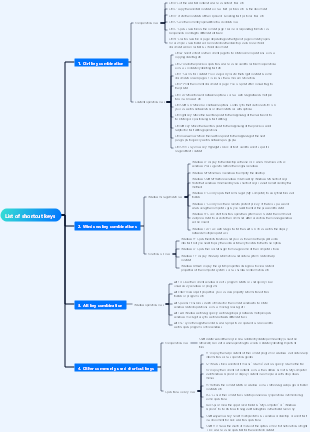
The logic is clear and the content is rich, covering many aspects of the information technology field. Provides a clear framework and guidance for learning and improving information technology capabilities.
This is a mind map about the annual work plan of the three pillars of human resources. The main contents include: strategic human resources planning, talent recruitment and allocation, employee performance management, employee training and development, employee relationships and communication, employee welfare and care, human resources information system construction, regulatory compliance and risk management, and organizational culture construction.
This is a mind map for the diagnosis and treatment of acute cerebral hemorrhage in patients with hemodialysis. The annual incidence of acute cerebral hemorrhage in patients with hemodialysis is (3.0~10.3)/1000, and the main cause is hypertension. Compared with non-dialysis patients, the most common bleeding site is the basal ganglia area, accounting for 50% to 80%; but the bleeding volume is large and the prognosis is poor, and the mortality rate is 27% to 83%. Especially for patients with hematoma >50ml, hematoma enlarged or ventricular hemorrhage on the second day after onset, the prognosis is very poor.
The logic is clear and the content is rich, covering many aspects of the information technology field. Provides a clear framework and guidance for learning and improving information technology capabilities.
Excel shortcut keys
Commonly used shortcut keys
Open workbook
Ctrl O
Close workbook
Ctrl O
Save workbook
Ctrl S
Insert row Delete row
Ctrl and
Ctrl and -
Insert row Delete row
Ctrl and shift and
Ctrl and -
Smart fill
Ctrl E
fill down
Ctrl D
Format cells
Ctrl 1
force line break
Alt Enter
Automatic summation
Alt and =
position
Ctrl G or F5
Create a super table
Ctrl T
Quickly select a column
Ctrl Shift arrow keys
paste special
Ctrl Alt V
Show formula
Ctrl `
Modify general format
Ctrl Shift `
Show current date
Ctrl;
Show current time
Ctrl Shift ;
bold font
Ctrl 2 or Ctrl B
italic font
Ctrl 3 or Ctrl I
add underline
Ctrl 4 or Ctrl U
Add strikethrough
Ctrl 5
Hide selected rows
Ctrl 9
Hide selected columns
Ctrl 0
Function keys
Show the Excel Help task pane.F1
Show or hide the ribbon.Ctrl F1
Create an embedded chart of data in the current range.Alt F1
Insert a new worksheet.Alt Shift F1
Edit active cell.F2
Add or edit cell comments.Shift F2
Display the print preview area on the Print tab in Backstage view.Ctrl F2
Display the "Paste Name" dialog box.F3
Display the "Insert Function" dialog box.Shift F3
Repeat the previous command or operation or lock the formula area.F4
Close the selected workbook window.Ctrl F4
Close Excel.Alt F4
Switch between worksheets, ribbons, task panes, and zoom controls.F6
Switch to the next workbook window.Ctrl F6
When the workbook is not maximized, execute the "size" command.Ctrl F8
Count all worksheets in all open workbooks.F9
Calculate active worksheet.Shift F9
Calculate all worksheets in all open workbooks, regardless of whether they have changed since the last calculation.Ctrl Alt F9
Recheck dependent formulas and then calculate all cells in all open workbooks. Ctrl Alt Shift F9
Minimize workbook window to icon.Ctrl F9
Turn on or off shortcut key tips.F10 or ALT
Display the shortcut menu for the selected item.Shift F10
Display a menu or message for the Error Check button. Alt Shift F10
Maximize or restore the selected workbook window.Ctrl F10
Create a chart of the current range of data in a separate chart worksheet.F11
Insert a new worksheet.Shift F11
Display the "Save As" dialog box F12
Ribbon tab access keys
Instructions search box
Alt Q
Open the "File" page
Alt F
Open the "Home" tab
Alt H
Open the "Insert" tab
Alt N
Open the "Page Layout" tab
Alt P
Open the "Formulas" tab
Alt M
Open the "Data" tab
Alt A
Open the Review tab
Alt R
Open the "View" tab
Alt W
Shortcut keys for working with data, functions, and the edit bar
Enter the formula as an array formula.Ctrl Shift Enter
Select the entire PivotTable.Ctrl Shift Asterisk (*)
Expand or collapse the edit barCtrl Shift U
Copies the value of the cell above the active cell into the cell or formula bar. Ctrl Shift Straight double quotes (")
Cell navigation shortcut keys
Extends the cell selection to the last used cell on the worksheet (lower right corner). Ctrl Shift End
Move to the next worksheet in the workbook. Ctrl Page Down
Cell formatting shortcut keys
Format the font in the Format Cells dialog box. Ctrl Shift F or Ctrl Shift P
Copy the formula from the cell above the active cell into the cell or formula bar. Ctrl apostrophe (')
Toggles between hiding the object, showing the object, and showing the object's placeholder. Ctrl 6
Applies an outline border to selected cells. Ctrl Shift ampersand (&)
Removes outline borders from selected cells. Ctrl Shift Underline (_)
Show or hide outline symbols. Ctrl 8
Applies "currency" format with two decimal places (negative numbers in parentheses). Ctrl Shift dollar sign ($)
Applies "percent" format without decimal places. Ctrl Shift Percent (%)
Apply scientific notation formatting with two decimal places. Ctrl Shift caret (^)
Applies a "date" format with day, month and year. Ctrl Shift Number sign (#)
Applies the "time" format with hours and minutes and AM or PM. Ctrl Shift @ symbol (@)
Applies the "Number" format with two decimal places, a thousand separator, and a minus sign (-) for negative values. Ctrl Shift Exclamation mark (!)
Open the "Insert Hyperlink" dialog box.Ctrl K
Displays Quick Analysis options for selected cells that contain data. Ctrl Q
Shortcut keys for selecting and performing actions
Select the entire worksheet.
Ctrl A or Ctrl Shift Spacebar
Select the current and next worksheet in the workbook.
Ctrl Shift Page Down
Select the current and previous worksheet in the workbook.
Ctrl Shift Page Up
Expands the selected range of cells by one cell.
Shift arrow keys
Quickly select a column
Ctrl Shift Arrow keys
Start a new row in the same cell.
Alt Enter
Fills the selected range of cells with the current input.
Ctrl Enter
Complete the cell entry and select the cell above.
Shift Enter
Select an entire column in the worksheet.
Ctrl space bar
Select an entire row in the worksheet.
Shift space bar
When an object is selected, selects all objects on the worksheet.
Ctrl Shift Spacebar
Extends the selection of cells to the beginning of the worksheet.
Ctrl Shift Home
If the worksheet contains data, the current range is selected. Pressing again will select the current range and its summary row. Pressing a third time will select the entire worksheet.
Ctrl A or Ctrl Shift Spacebar
Select the current range surrounding the active cell or select the entire PivotTable report.
Ctrl Shift asterisk (*)
Selects the first command on the menu when the menu or submenu is visible.
Home
Repeat the previous command or action (if possible).
Ctrl Y